

Power Your Software Testing with AI Agents and Cloud
The Native AI-Agentic Cloud Platform to Supercharge Quality Engineering. Test Intelligently and Ship Faster.


- TestMu AI (Formerly LambdaTest)
- /
- Learning Hub
- /
- Top Web Automation Tools for Testing
Top 9 Web Automation Tools for Testing [2026 Updated]
Explore the top 9 web automation tools for testing in 2026: a hands-on comparison of AI, codeless, and cloud tools with benefits, shortcomings, and pricing.
Last Updated on:
Choosing the right web automation tool, whether AI-driven, codeless, or cloud-based, depends on your stack, team skills, and testing needs. I have curated 9 tools with their real capabilities, limitations, and where each fits best.
Web automation covers more than test execution. The same tools drive scheduled monitoring, form filling, and data extraction, and one built for a single job rarely handles the others well.
The cost that settles the choice is maintenance. Selectors break whenever the interface shifts, so the tool worth keeping is the one that repairs its own tests instead of failing the build.
Overview
For automated web testing, use TestMu AI for cloud-based parallel execution across real browsers and devices, or Autify for AI-powered, no-code automation with self-healing tests. These platforms simplify test authoring and execution to match your team's technical expertise and infrastructure needs.
What Are the Best Web Automation Tools for Testing?
- Best for cloud-based parallel execution - TestMu AI runs Selenium, Playwright, and Appium tests across 3,000+ browser and OS combinations and 10,000+ real devices with parallel execution and AI-native debugging.
- Best for AI-powered no-code testing - Autify provides no-code web and mobile automation using record-and-playback authoring and AI self-healing that automatically updates tests when the user interface changes.
- Best for natural-language test authoring - Virtuoso QA offers AI-driven, codeless functional and regression testing in natural language with self-healing steps and built-in API testing. Review this Virtuoso alternative comparison to see how its features line up against cloud platforms.
- Best for scheduled codeless browser tests - Ghost Inspector provides codeless, cloud-based browser testing with record-and-playback authoring, scheduled cross-browser runs, screenshot comparison, and automated failure alerts.
- Best for headless browser monitoring - Checkly is an end-to-end monitoring platform that runs scripted JavaScript or TypeScript checks on headless browsers on a worldwide schedule with built-in alerting.
What Are the Top Web Automation Tools for Testing?
The top web automation tools are TestMu AI for cloud execution; Autify, Virtuoso QA, and Ghost Inspector for AI and codeless testing; Checkly for monitoring; and Ui.Vision for no-code automation.
Browser share is what makes the tool choice matter. In August 2026, StatCounter desktop browser share put Chrome at 73.28%, Edge at 10.46%, Firefox at 5.31%, and Safari at 5.24%.
That leaves roughly a quarter of desktop sessions outside Chrome, so a suite that only drives headless Chrome never exercises them.
Web automation is shifting away from purely code-based scripting toward AI-driven, codeless, and cloud-based approaches that let mixed teams author and maintain tests faster while offloading execution to managed infrastructure.
| Tool | Type | Languages | Open Source | Pricing |
|---|---|---|---|---|
| TestMu AI | Cloud Platform | Java, Python, JS, C#, Ruby | No | From $99/mo |
| Autify | No-Code / AI | None required | No | Contact vendor |
| Virtuoso QA | No-Code / AI | Natural language | No | Contact vendor |
| Ghost Inspector | No-Code | None required | No | Free trial / paid |
| Checkly | Low-Code | JavaScript/TS | No (free tier) | Free tier + paid |
| Subject7 | Codeless / Enterprise | None required | No | Contact vendor |
| Ui.Vision | No-Code / RPA | None required | Yes | Free / $299 Pro |
| Axiom.ai | No-Code | None required | No | From $15/mo |
| OpenText UFT One | Enterprise | VBScript | No | Contact vendor |
1. TestMu AI (Formerly LambdaTest)
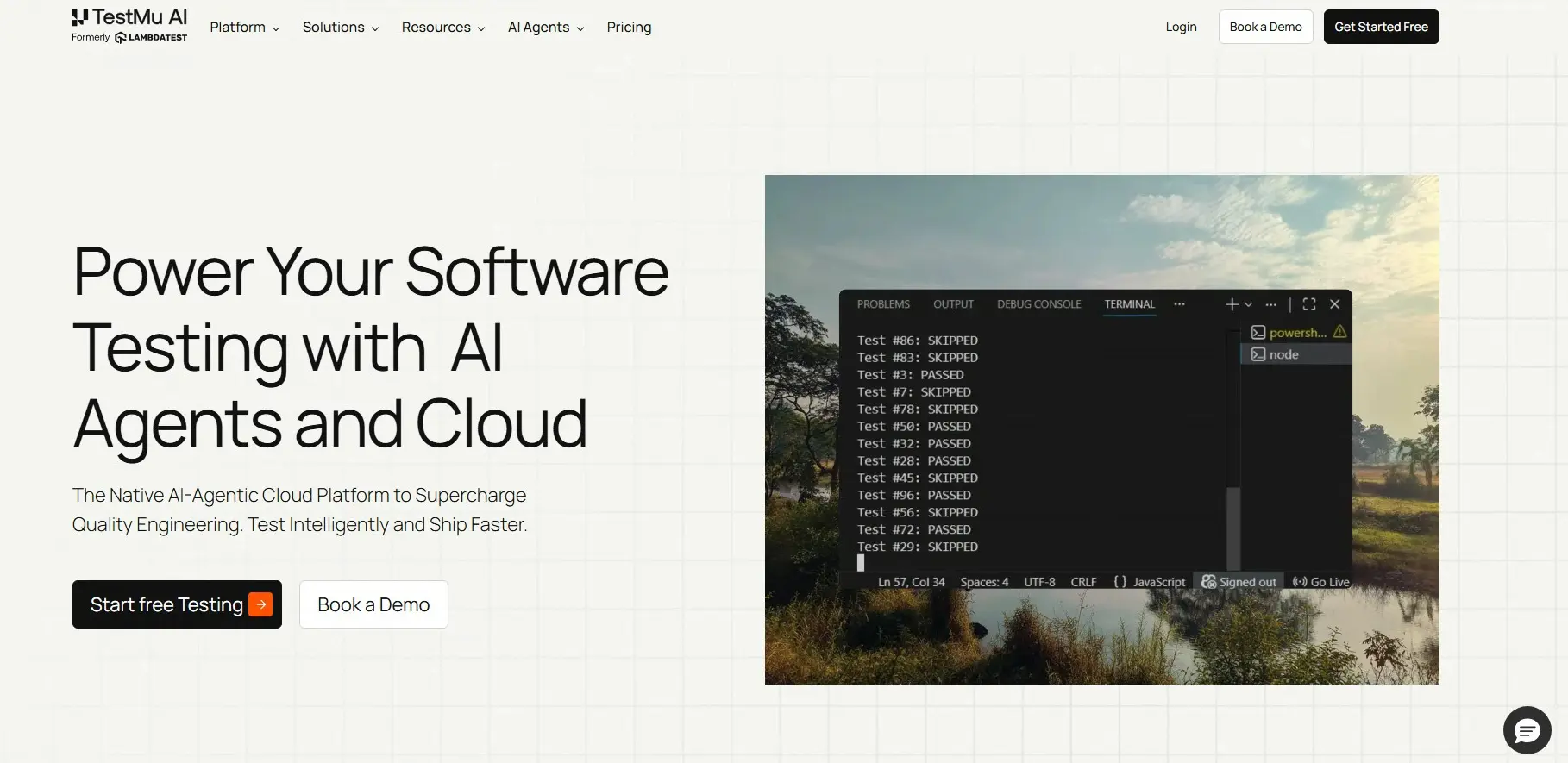
TestMu AI is a cloud-based platform for automated web testing online. You run tests with Selenium, Playwright, and Appium on real browser-OS combinations without managing infrastructure.
AI-native debugging and real-time analytics help teams identify failures faster across parallel test runs.
Benefits -
- Extensive Browser & Device Coverage - Run tests on 3,000+ browsers and 10,000+ real devices for reliable cross-platform validation across every major environment.
- Parallel Test Execution - Run tests across browsers, devices, and operating systems at once, validating compatibility in one cycle, not sequential checks.
- Visual Regression Testing: Detects layout shifts across browsers and resolutions during automated web UI testing, catching pixel-level changes manual review misses.
- Advanced AI-Native Insights - Detailed AI-native reports, logs, and performance metrics speed issue detection. Dashboards give real-time visibility into test health and trends.
- CI/CD Integration - Integrates with Jenkins, GitHub Actions, CircleCI, and other DevOps tools, triggering tests on every commit or deployment.
Pricing
Upon sign-up, get first 100 automation minutes for free. Premium plans start at $99/month. Advanced tiers unlock parallel cloud execution and premium analytics.
Best Uses
TestMu AI fits teams whose local test infrastructure can no longer keep up with release velocity and need instant parallel capacity across real browsers and devices.

Note: Run web automation tests across real desktop and mobile browsers. Try TestMu AI Now
2. Autify
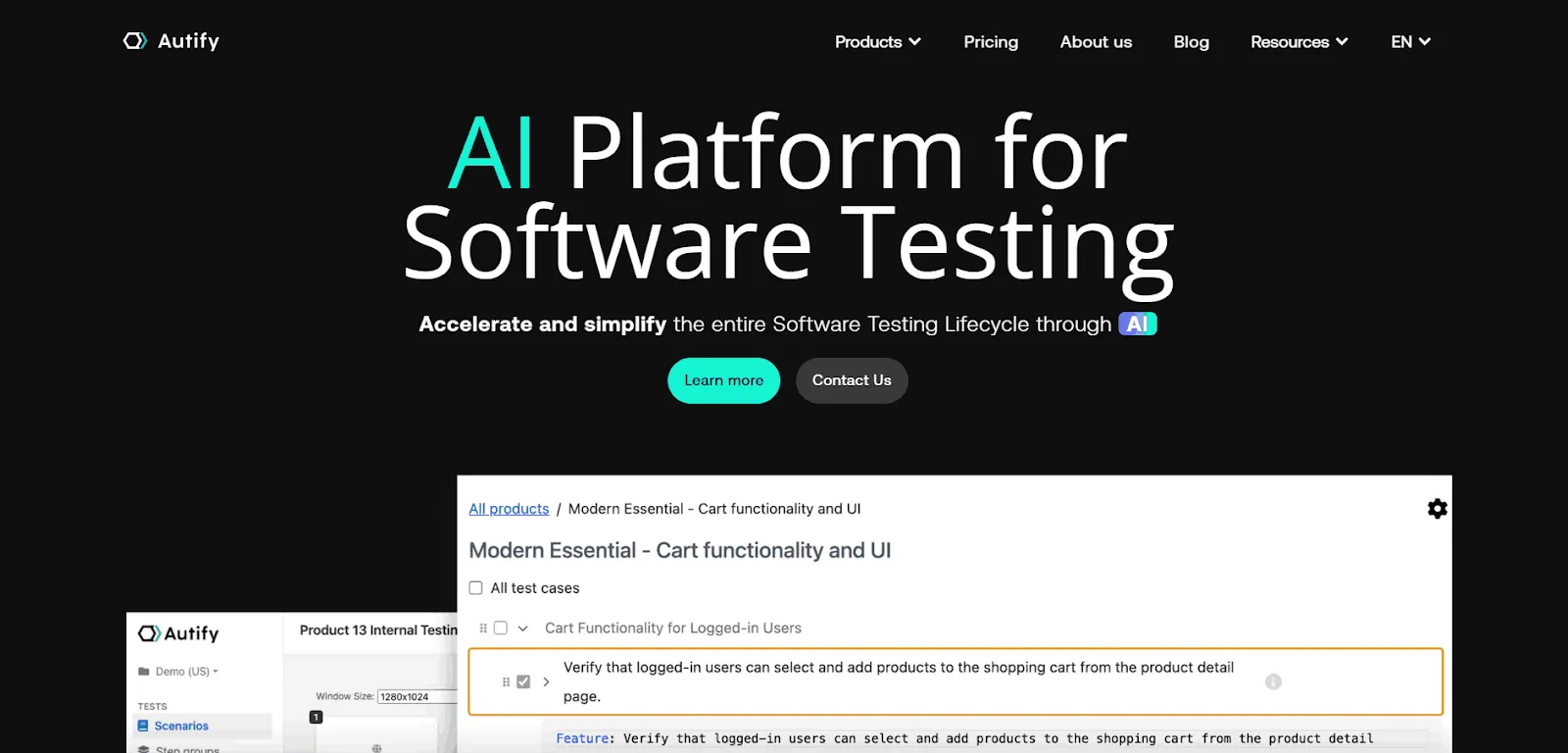
Autify is an AI-powered, no-code test automation tool for web and mobile applications. You build tests with record-and-playback, and its AI self-healing updates them when the UI changes, cutting the maintenance that breaks recorded suites.
Tests run across browsers on Autify's cloud, and the platform connects to CI/CD pipelines and Slack.
Benefits -
- No-Code Authoring - Record-and-playback lets non-technical members build tests without code. QA and product roles contribute to the same suite as engineers.
- AI Self-Healing - Tests auto-update when the UI changes, so minor front-end edits do not break the suite, reducing locator maintenance.
- Cross-Browser Cloud Execution - Tests run across browsers on Autify's cloud without local setup. Teams skip provisioning and maintaining their own grid.
- Web and Mobile Coverage - One platform covers web and mobile app automation, so teams avoid stitching together separate tools per surface.
- CI/CD and Slack Integrations - Connects to CI/CD pipelines and Slack for automated runs and alerts in the channels teams already watch.
Shortcomings -
- Commercial Only - No free tier, and pricing requires contacting the vendor. Smaller teams may find the entry cost a barrier.
- Less Low-Level Control - The no-code model trades fine-grained scripting for speed. Highly custom logic is harder to express than in code.
- Vendor Dependence - Tests and execution live on Autify's platform. Migrating away later means rebuilding suites elsewhere.
Pricing
Commercial. Autify does not publish public pricing, so contact the vendor for a quote.
Best Uses
Autify fits mixed teams that want no-code authoring and self-healing to keep a web and mobile suite stable without a dedicated automation engineer.
3. Virtuoso QA
Virtuoso QA is an AI-driven, codeless platform for functional and regression testing of web applications. You author tests in natural language, and self-healing steps keep them running as the application changes.
It runs tests across browsers and includes built-in API and visual testing, along with CI/CD integrations.
Benefits -
- Natural-Language Authoring - Write tests in natural language instead of code. Non-developers can create and read tests, widening who can contribute.
- Self-Healing Steps - Steps adapt when the UI shifts, reducing broken tests after releases. Maintenance effort drops compared with hard-coded locators.
- Built-In API and Visual Testing - Combines functional, API, and visual checks in one platform, covering more test types without separate tools.
- Cross-Browser Execution - Runs tests across multiple browsers for consistent coverage. Compatibility issues surface before release.
- CI/CD Integrations - Plugs into continuous integration pipelines for automated runs. Tests trigger on every build without manual steps.
Shortcomings -
- Commercial Only - No free tier, and pricing is quote-based. Budget-conscious teams must weigh the cost.
- Learning the Model - Natural-language authoring still has its own syntax and conventions to learn. Teams need ramp-up time to write reliable tests.
- Platform Lock-In - Tests live inside the Virtuoso QA platform. Moving to another tool later requires rework.
Pricing
Commercial. Virtuoso QA pricing is quote-based, so contact the vendor.
Best Uses
Virtuoso QA suits teams that want natural-language test authoring with API and visual coverage built into a single codeless platform.
4. Ghost Inspector
Ghost Inspector is a codeless, cloud-based browser testing tool. You record tests with a browser extension and run them on a schedule from the cloud across browsers.
It compares screenshots to catch visual changes and sends failure alerts by email, Slack, and CI, with reusable modules and variables to keep suites maintainable.
Benefits -
- Record-and-Playback Authoring - Capture tests directly in the browser without code. Non-technical users can build and edit tests quickly.
- Scheduled Cloud Runs - Tests run on a schedule from the cloud across browsers. Teams get regular coverage without maintaining infrastructure.
- Screenshot Comparison - Visual comparison flags unexpected layout and rendering changes. Pixel-level shifts that manual review misses get caught.
- Flexible Failure Alerts - Notifications arrive by email, Slack, and CI. Failures reach the team wherever they already work.
- Reusable Modules and Variables - Shared modules and variables reduce duplication across tests. Common steps are maintained in one place.
Shortcomings -
- Codeless Limits - Complex, highly dynamic flows can be hard to express without scripting. Some edge cases need workarounds.
- Web-Only Focus - Centered on browser testing, not native mobile apps. Mobile app teams need a separate tool.
- Subscription Cost - Beyond the free trial, ongoing use requires a paid plan. Costs scale with test volume and frequency.
Pricing
Paid plans with a free trial. Sign up to trial the tool before committing to a plan.
Best Uses
Ghost Inspector fits teams that want scheduled, codeless browser tests with visual comparison and simple alerting from the cloud.
5. Checkly
Checkly is a monitoring and end-to-end testing platform built on headless browsers. You script browser checks in JavaScript or TypeScript and run them on a schedule from locations worldwide.
Checks are defined as code and version-controlled, a monitoring-as-code approach, with alerting through Slack, PagerDuty, and similar tools.
Benefits -
- Code-Defined Checks - Write browser checks in JavaScript or TypeScript for full control. Developers reuse familiar languages and patterns.
- Global Scheduled Runs - Checks run on a schedule from locations worldwide. Teams catch regional and uptime issues real users would hit.
- Monitoring-as-Code - Checks are version-controlled alongside application code. Changes go through the same review and history as the rest of the codebase.
- Flexible Alerting - Integrates with Slack, PagerDuty, and other channels. On-call teams get notified through their existing tooling.
- Headless Browser Execution - Runs real browser flows on headless browsers for end-to-end coverage. Checks validate actual user journeys, not just endpoints.
Shortcomings -
- Requires Coding - Authoring checks in JavaScript or TypeScript needs developer skills. Non-technical users cannot build checks alone.
- Monitoring Focus - Built around scheduled monitoring rather than large functional regression suites. Broad UI test coverage may need another tool.
- Cost at Scale - The free tier has limits, and heavy usage moves teams to paid plans. High-frequency global checks increase cost.
Pricing
Free tier plus paid plans. Start on the free tier and upgrade as check volume grows.
Best Uses
Checkly fits developer teams that want monitoring-as-code, scripting scheduled browser checks in JavaScript or TypeScript to watch critical flows in production.
6. Subject7
Subject7 is a cloud-based, codeless test automation platform covering web, mobile, API, and desktop testing from one place. You build tests without framework code, and it runs them at scale with cross-browser parallel execution.
Deployment spans public cloud, private cloud, on-prem, or hybrid setups. Built-in reporting captures screenshots and video, and the platform is SOC 2 Type 2 compliant with enterprise-grade security.
Benefits -
- Codeless Authoring - Build tests without framework code so non-developers can contribute. QA and product roles work alongside engineers in the same suite.
- Unified Coverage - Handles web, mobile, API, and desktop testing from a single platform. Teams avoid stitching together separate tools for each surface.
- High-Scale Parallel Execution - Runs cross-browser tests in parallel at scale. Large regression suites finish quickly without local infrastructure.
- Flexible Deployment - Executes across public cloud, private cloud, on-prem, or hybrid environments. Regulated teams can keep tests inside their own perimeter.
- Built-In Reporting - Captures screenshots and video for every run. Failures are easier to diagnose without wiring up external reporting tools.
- Enterprise Security - SOC 2 Type 2 compliant with enterprise-grade controls. This suits organizations with strict security and compliance requirements.
Shortcomings -
- Commercial Only - No free tier, and pricing requires contacting the vendor. Smaller teams may find the entry cost a barrier.
- Enterprise Focus - Built around enterprise needs, which can feel heavy for a small project. The breadth of features adds onboarding overhead.
- Platform Dependence - Tests and execution live inside the Subject7 platform. Migrating away later means rebuilding suites elsewhere.
Pricing
Commercial with simple, non-metered pricing. Subject7 does not publish public rates, so contact the vendor for a quote.
Best Uses
Subject7 fits enterprise teams that want codeless authoring with unified web, mobile, API, and desktop coverage and flexible on-prem or cloud deployment under strict security requirements.
7. Ui.Vision
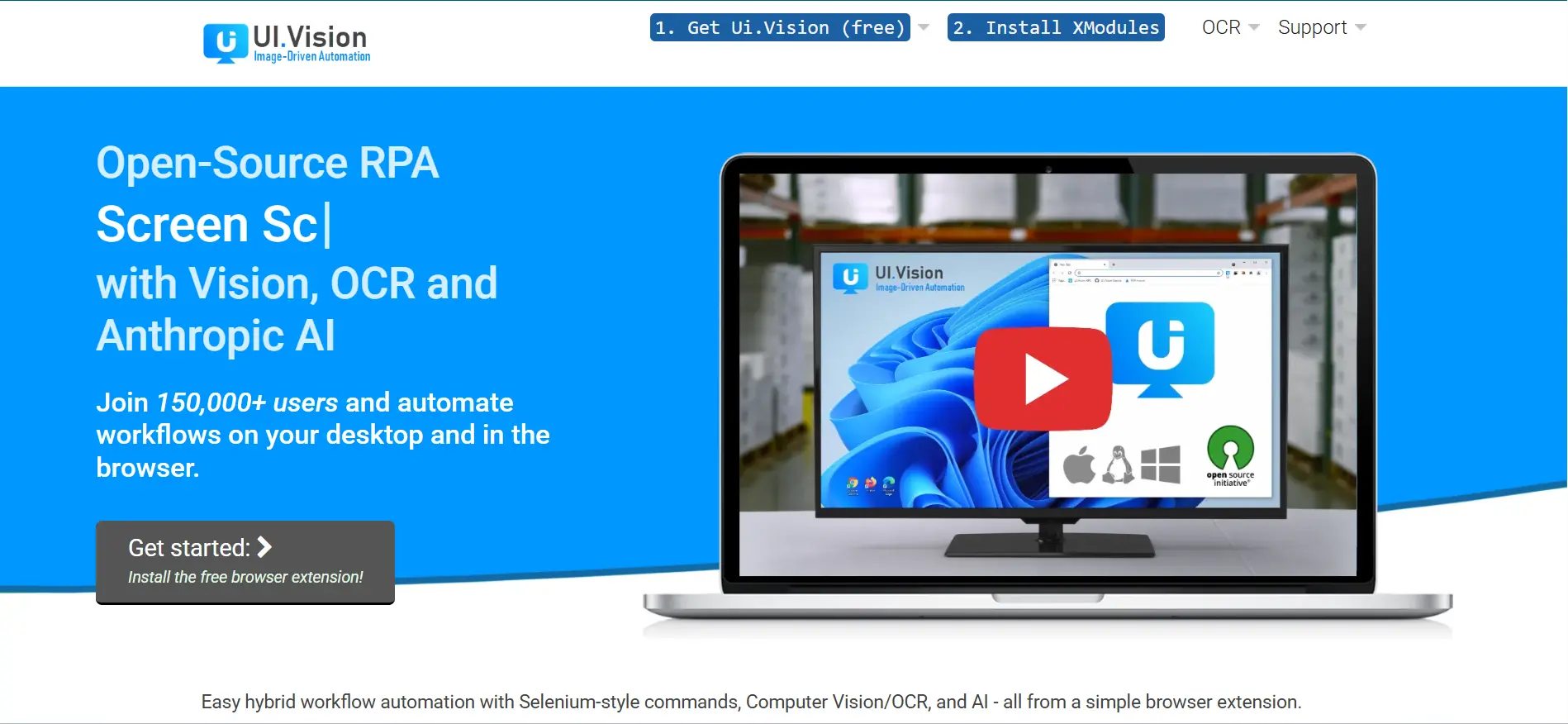
Ui.Vision is an open-source browser extension for web automation and RPA that non-developers can use from day one. It records clicks, form fills, and data extraction steps directly in Chrome or Firefox.
Its OCR-based image recognition also automates legacy desktop apps that lack standard DOM selectors.
Benefits -
- Browser and Desktop Automation - Handles navigation, forms, and data extraction, plus desktop tasks via OCR that automates legacy apps lacking DOM selectors.
- Local Execution - Runs on your machine for privacy and offline use. Sensitive data never leaves the machine, suiting regulated or air-gapped environments.
- Selenium IDE Compatible - Imports and runs Selenium IDE scripts in the browser, so teams reuse existing recordings without rewriting them.
- Easy Setup - Browser extension with no complex installation needed. Install from the Chrome or Firefox store and start automating within minutes.
- Cross-Browser - Works with Chrome and Firefox for consistent automation. Both browsers share the same macro format, so scripts are portable between them.
- Free and Open-Source - Zero-cost automation for individuals and small teams. The open-source license means no vendor lock-in or recurring subscription fees.
Shortcomings -
- Limited Scalability - Not designed for large-scale or enterprise-level automation. Running hundreds of macros in parallel is not feasible without external orchestration.
- Basic Reporting - Lacks advanced analytics and dashboard capabilities. Test results are limited to pass/fail logs without trend analysis or visual charts.
- No CI/CD Integration - Does not integrate cleanly into continuous testing pipelines. Jenkins or GitHub Actions teams need workarounds to trigger macros.
- Outdated Interface - The design feels dated, and the macro editor lacks the UX refinements found in no-code tools like Axiom.ai.
Pricing -
Free version available. Pro Edition costs $299 (one-time). Enterprise starts at $999+ for up to 5 users.
Best Uses -
Ui.Vision suits teams needing a quick, free solution for a single repetitive task like daily data pulls or smoke tests on a legacy internal app.
8. Axiom.ai
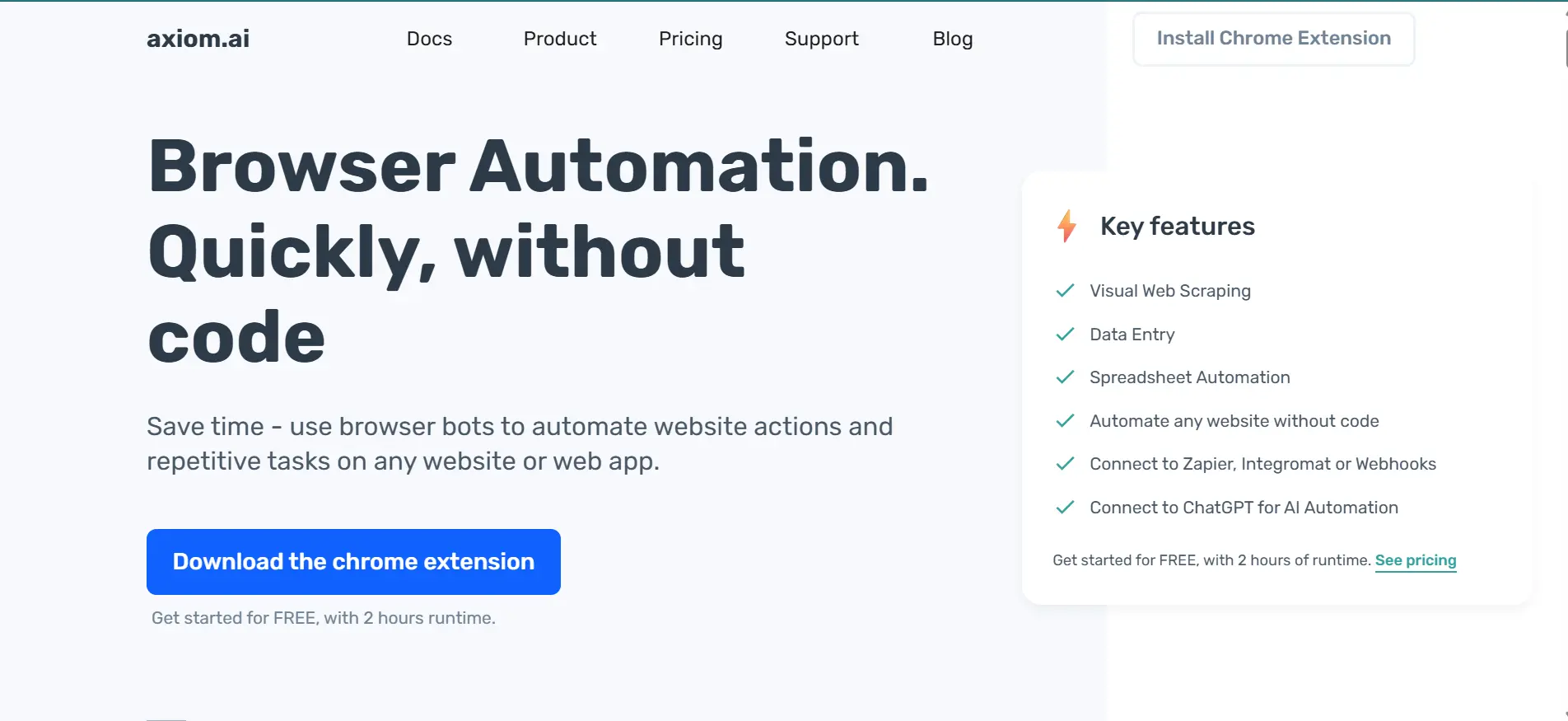
Axiom.ai is a no-code Chrome extension that lets non-technical users build browser bots using a visual builder. It handles form filling, data scraping, file uploads, and scheduled tasks directly from Chrome.
Benefits -
- Visual Workflow Builder - Drag-and-drop interface for building automations without code. Non-technical users build multi-step browser bots in minutes on a visual canvas.
- Web Action Automation - Automate clicking, typing, and navigation across any website. Built-in wait conditions handle dynamic content and page-load delays automatically.
- Data Scraping - Extract data from public and password-protected sites at scale. Scraped data exports directly to Google Sheets or CSV for analysis.
- Flexible Execution - Run locally for privacy or in the cloud for scale. Cloud runs use dedicated servers, freeing your machine.
- Integrations - Connects with Zapier, Make, and Google Sheets to trigger automations from external events or push results to other apps.
- Task Scheduling - Set recurring automations at hourly or daily intervals. Scheduled bots handle monitoring, reporting, and data refresh without manual work.
- Privacy-Friendly - Local runs keep sensitive data within your system, critical for teams handling customer data under strict compliance requirements.
Shortcomings -
- Browser Limitation - Limited to Google Chrome, with no native cross-browser support. Firefox or Safari coverage requires a separate tool.
- Plan Restrictions - Basic plans cap monthly runtime, which may not suit teams with frequent automation needs on the free tier.
- Fragile Automations - Layout or DOM changes break automations. Bots relying on specific CSS selectors fail when target sites update front-end code.
- Not Enterprise-Ready - Lacks role-based access, audit logs, and advanced security controls that large organizations require for enterprise-scale automation.
Pricing
Base plan starts at $15/month for 5 hrs of monthly runtime, with higher tiers offering more runtime minutes and advanced cloud execution options.
Best Uses -
Axiom.ai is the right fit when the people doing the automation are not developers. It works best for repeatable tasks like daily data pulls, form submissions, and content uploads that follow a predictable pattern.
9. OpenText Functional Testing
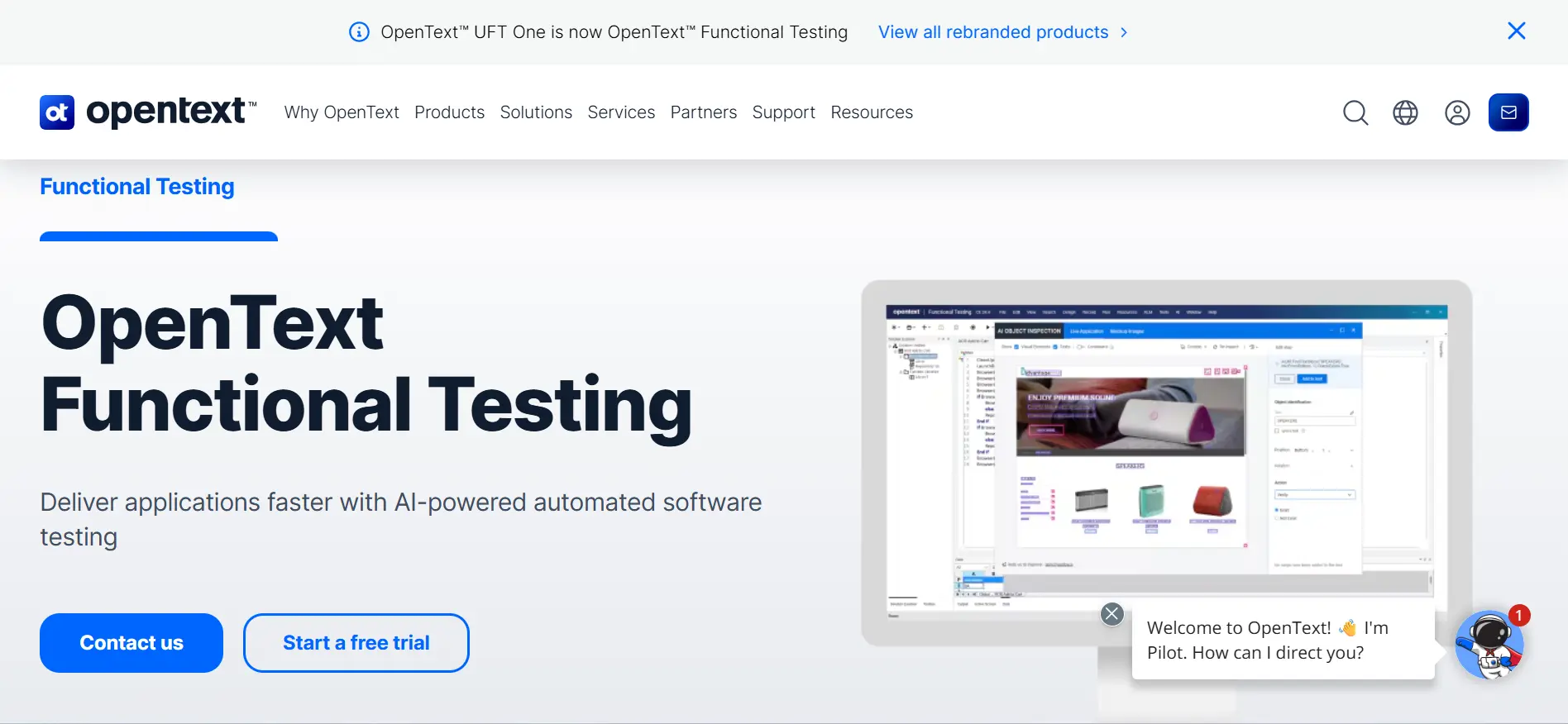
OpenText Functional Testing (UFT One, formerly QTP) is the enterprise-grade tool most common in banking and insurance QA teams. It handles web, desktop, mainframe, and SAP testing from a single IDE.
End-to-end workflows spanning a browser portal, a mainframe terminal, and a desktop client run from one unified test suite.
Benefits -
- Broad Coverage - Supports web, desktop, API, mobile, and enterprise systems like SAP and Salesforce, covering the full stack without multiple frameworks.
- Smart Object Recognition - Identifies UI elements even after layout changes. AI-based recognition adapts to visual shifts so tests stay stable across releases.
- Reusable Components - Modular design with reusable actions and business process flows lets teams build a shared library that speeds new test creation.
- Flexible Test Design - Combines keyword-driven and scripted approaches. Technical testers write VBScript while business users use keywords in the same suite.
- Parallel Execution - Faster runs across multiple environments simultaneously. Parallel distribution cuts total execution time significantly for large regression suites.
- CI/CD Integration - Works with Jenkins, Git, and Azure DevOps. Tests trigger on every build for fast feedback in existing workflows.
- Detailed Reporting - Execution logs, screenshots, and trace data speed debugging. Reports pinpoint failure root causes with step-level screenshots and runtime data.
- Enterprise Support - Commercial backing for large organizations with complex needs. Dedicated support teams and SLAs ensure rapid issue resolution for mission-critical testing.
Shortcomings -
- High Licensing Costs - Far more expensive than open-source alternatives. Annual fees reach thousands of dollars, impractical for smaller teams or startups.
- VBScript Dependency - Requires VBScript knowledge, limiting for some teams. Most modern developers prefer Python or JavaScript, creating a learning curve.
- Heavy Setup - Resource-intensive and complex to configure at scale. Installing ALM integrations, add-ins, and license servers needs dedicated infrastructure.
- Less Code-Centric - Not ideal for teams preferring lightweight, fully code-driven automation. Developers accustomed to code-first tooling may find the GUI-heavy approach restrictive.
Pricing
The OpenText Functional Testing base plan can vary depending on usage.
Best uses
UFT One is best suited when the test scope includes mainframe screens, SAP GUIs, and browser apps in a single regression suite. For web-only teams, it is too heavy and too expensive to justify.
AI-Powered Web Automation: Autonomous Testing Agents
The biggest shift in web automation is the move from purely code-based frameworks toward AI app testing. Instead of hand-writing every locator and assertion, teams lean on autonomous agents that generate, run, and repair tests.
Three capabilities define this shift. Self-healing locators re-map to elements when the UI changes, so minor front-end edits no longer break the suite.
Natural-language authoring lets testers describe a scenario in natural language and translate it into executable steps. Generative test creation goes further, proposing new test cases from a user story or recorded session.
TestMu AI brings these ideas together in KaneAI, its test automation agent, which authors and executes tests from natural-language instructions on cloud infrastructure.
As this trend matures, expect autonomous agents to handle more of the routine authoring and maintenance work that once consumed QA teams.

Web Automation for Data Extraction and Scraping
Web automation is not only about testing. A large share of real-world usage is data extraction, where the same browser-driving techniques pull structured information from pages that offer no API.
Most extraction workflows rely on headless browsing to load a page without a visible window, followed by DOM parsing to walk the rendered HTML and select the fields that matter.
Tools like Puppeteer and Playwright drive this headlessly on Linux using local drivers and the Chrome DevTools Protocol (CDP), so scripts navigate, wait for dynamic content, and read the DOM without external API calls.
Beyond general-purpose libraries, specialized extraction services such as Firecrawl and WebAutomation.io handle rendering, pagination, and anti-bot handling so teams can focus on the data itself rather than the plumbing.
Note: Scale headless browser automation across a real cloud grid. Try TestMu AI Now
Types of Web Automation Tools
Web automation tools fall into five categories: code-based, low-code, no-code, specialized, and cloud-based, each suited to different skill levels.
The first question to ask is about coding ability. That single factor narrows the field by half. Here are the five categories, along with where each fits in a real workflow.
- Code-Based Tools - These require scripts in Java, Python, or JavaScript. They work best for complex applications that need detailed workflows and full control.
- Low-Code Tools - These provide a visual interface with optional custom scripting. They are ideal for mixed teams with both technical and non-technical members.
- No-Code Tools - These let you automate with a visual interface, no coding needed. They suit simple, repetitive tasks.
- Specialized Tools - Built for specific tasks like performance testing, visual checks, or accessibility. These fill gaps when a general tool falls short.
- Cloud-Based Tools - These run tests across browsers, devices, and platforms over the internet. They are the go-to for teams that want to skip infrastructure setup entirely.
Best for - Teams with strong coding skills working on complicated web applications.
Best for - Teams that want to automate tasks quickly with some coding flexibility but do not need full programming expertise.
Best for - Business users or testers who want to automate basic tasks without writing code.
Best for - Teams that need tools for specific tasks, like checking the design of a webpage or measuring its performance.
Best for - Teams that need to test across multiple platforms without managing hardware or software themselves.

Mapping Automation Tools to Application Architecture
The right tool often depends less on features and more on how your application is built. Matching the tool to your architecture avoids friction that no feature list will warn you about.
- Single-Page Applications (SPAs) - Cypress and Playwright suit SPAs built with React, Angular, or Vue, their auto-waiting handling constant client-side DOM updates well.
- Enterprise and legacy portals - Selenium and WebDriver-based tooling fits these systems, its broad browser support and mature ecosystem handling sprawling, multi-page flows.
- Non-developer teams - Low-code and no-code platforms suit teams without engineers, letting business users and manual testers automate flows without framework code.
How to Choose the Right Web Automation Tool
To choose a web automation tool, first define your testing scope, team coding skills, and budget, then match those needs against each tool's capabilities, CI/CD integrations, and scalability at load.
Based on evaluations across multiple teams in the last two years, here is the process that works every time:
- Define Requirements - List every browser, device, and OS the product must support. This alone cut half the tools on one project.
- Conduct Research - Run the same login-and-checkout test on 2-3 shortlisted tools. Hands-on comparison reveals setup friction that feature lists hide.
- Check Community and Support - Search GitHub issues and Stack Overflow for the tool and framework. If recent questions sit unanswered, move on.
- Ease of Use - Give the tool to your least technical teammate. If they cannot run a test in 30 minutes, skip it.
- Check Integrations - Verify the CI/CD plugin works with your actual pipeline, not the documented list. Some tools ship a broken Jenkins plugin.
- Assess Scalability - Run 50 parallel tests and check whether execution time scales linearly. Some tools choke at 20 threads from memory leaks.
- Review Reporting - Look for failure screenshots, video recordings, and flaky-test detection. Plain pass/fail logs waste debugging time on large suites.
- Consider Cost - Calculate cost per test run, not the license. A $99/month tool running 10,000 tests beats a $19/month tool at 500. For a cloud platform like TestMu AI, compare tiers on the test automation platform pricing plan before you commit.
Conclusion
The right tool depends on your team's skills, testing scope, and infrastructure. Codeless, AI-driven tools like Autify or Virtuoso QA suit mixed teams; a cloud platform like TestMu AI helps when local execution stalls.
Many teams waste months on a tool that looked good on paper but failed in practice. The reason is always the same: they picked on features instead of a real workflow. Run one test first.
If still unsure, start with a codeless or AI-driven tool your whole team can use, then scale to a cloud platform when local execution stalls your web automation pipeline.
Author

Salman Khan
Blogs: 138


Salman is a Test Automation Evangelist and Community Contributor at TestMu AI, with over 6 years of hands-on experience in software testing and automation. He has completed his Master of Technology in Computer Science and Engineering, demonstrating strong technical expertise in software development, testing, AI agents and LLMs. He is certified in KaneAI, Automation Testing, Selenium, Cypress, Playwright, and Appium, with deep experience in CI/CD pipelines, cross-browser testing, AI in testing, and mobile automation. Salman works closely with engineering teams to convert complex testing concepts into actionable, developer-first content. Salman has authored 120+ technical tutorials, guides, and documentation on test automation, web development, and related domains, making him a strong voice in the QA and testing community.
Reviewer

Srinivasan Sekar
Reviewer
Srinivasan Sekar is Director of Engineering at TestMu AI (formerly LambdaTest), where he leads engineering and open-source initiatives behind the Selenium and Appium automation grid and owns TestMu AI's MCP Server. A committer to Appium and a contributor to Selenium, WebdriverIO, Taiko, and AppiumTestDistribution, he brings over 15 years of experience in quality engineering and open-source technologies. He is the author of the Apress book 'The MCP Standard: A Developer's Guide to Building Universal AI Tools with the Model Context Protocol,' a Certified Kubernetes and Cloud Native Associate, and an international conference speaker. Before TestMu AI he spent over eight years at Thoughtworks as a Principal Consultant and Quality Architect. Srinivasan holds a B.Tech in Information Technology from Anna University.


Web Automation Tools FAQs
Did you find this page helpful?
More Related Learning Hubs
TestMu AI forEnterprise
Get access to solutions built on Enterprise
grade security, privacy, & compliance
- Advanced access controls
- Advanced data retention rules
- Advanced Local Testing
- Premium Support options
- Early access to beta features
- Private Slack Channel
- Unlimited Manual Accessibility DevTools Tests