
Scan Your Website for WCAG Accessibility Issues
TestMu AI Accessibility Testing Agent Runs Automated WCAG Checks on Real Devices, and Screen Readers, Then Ties Each Fix to the Rule It Fails.

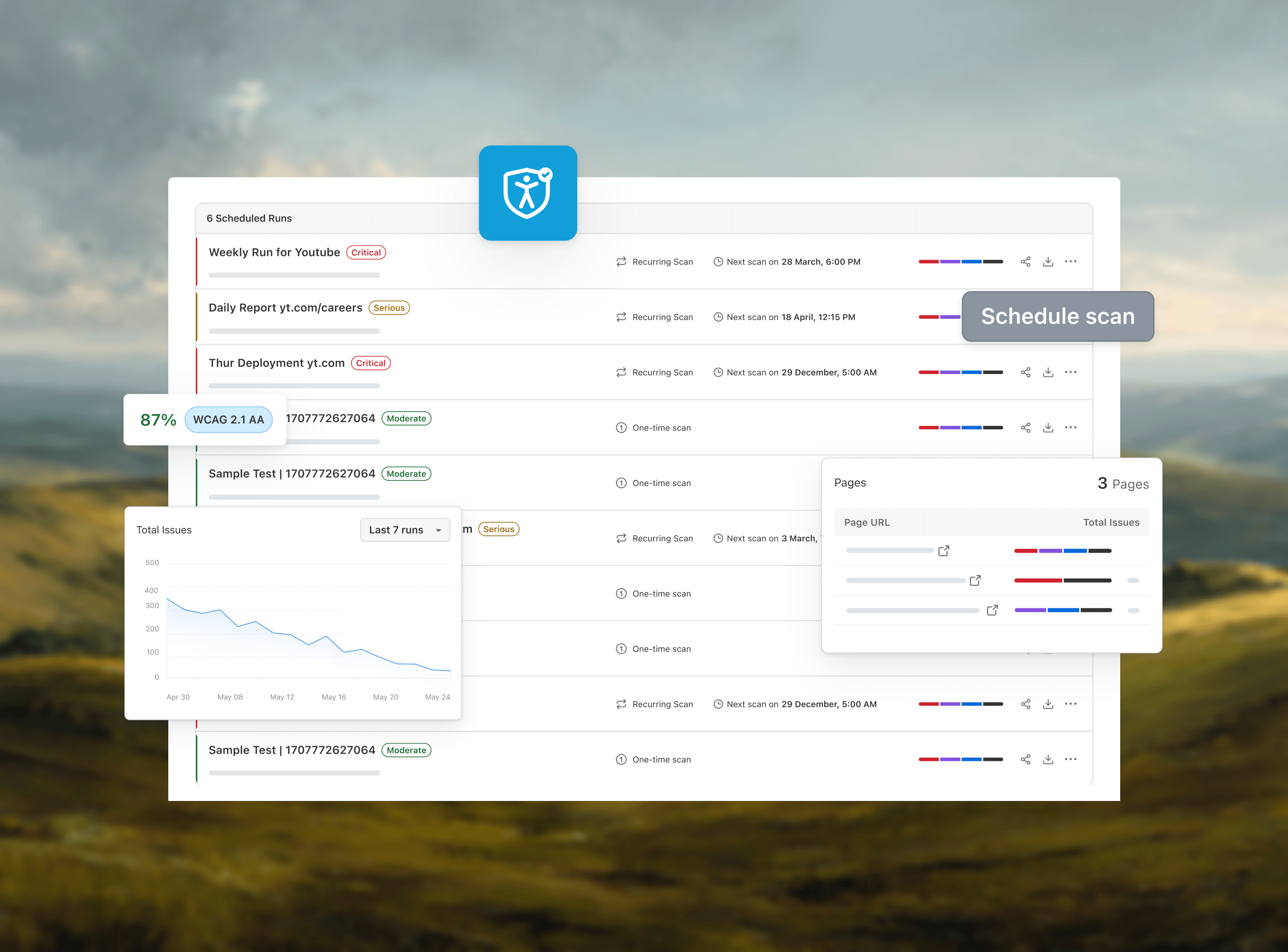
Automated Accessibility Testing With Deque axe and TestMu AI
Run Deque axe in WebdriverIO tests on the TestMu AI grid: a WebdriverIO 9 setup verified in November 2026, a WCAG 2.2 AA gate, and how to read the results.
Last Updated on:
A functional test can confirm that a button submits a form and still pass when a low-vision user cannot read the button's label. The TestMu AI and Deque axe integration adds that check to the WebdriverIO suite you already run: the @axe-core/webdriverio package loads Deque's open-source axe-core engine into each page of a session on the TestMu AI cloud grid, and your test gets back the WCAG violations as JSON it can assert on.
As of November 2026, the combination that works is WebdriverIO 9 with wdio-lambdatest-service 4.0.2 and @axe-core/webdriverio 4.14.0. Both packages declare WebdriverIO 9 as the newest version they support in their npm peer dependencies, so this guide stays on version 9 even though WebdriverIO v10 is out.
What Is Deque axe?
Deque axe is axe-core, an open-source accessibility testing engine that Deque Systems maintains for websites and other HTML-based interfaces. According to the axe-core README, it checks pages against rules for WCAG 2.0, 2.1 and 2.2 at levels A, AA and AAA, and it is licensed under the Mozilla Public License 2.0.
The same README says axe-core "returns zero false positives (bugs notwithstanding)" and finds "on average 57% of WCAG issues automatically." When a rule cannot reach a verdict, axe-core lists the element as "incomplete" so a person can review it.
Each rule carries tags, and the tags are how you scope a scan to a WCAG version and level. The axe-core API documentation defines the ones this guide uses:
- wcag2a and wcag2aa - WCAG 2.0 Level A and Level AA.
- wcag21a and wcag21aa - WCAG 2.1 Level A and Level AA.
- wcag22aa - WCAG 2.2 Level AA.
- best-practice - common accessibility best practices.
A rule is tagged with the WCAG version that introduced its success criterion, so a WCAG 2.2 AA scan needs all five WCAG tags: in the run later in this guide, color-contrast carries wcag2aa and target-size carries wcag22aa. The WCAG 2.2 guide covers what changed between versions.
How the TestMu AI and Deque axe Integration Works
Nothing needs to be switched on in your TestMu AI account for this integration. WebdriverIO opens a remote browser session on the TestMu AI Selenium grid, and @axe-core/webdriverio injects the axe-core script into whatever page that session has loaded.
Because axe-core runs inside the real browser on the grid, one spec can scan the same page on any of the 3,000+ browser and OS combinations on the TestMu AI automation cloud. A single run goes through these steps:
- WebdriverIO starts a session on
hub.lambdatest.comwith the browser, platform, build and test name from yourLT:Optionscapabilities. - The test opens a page with
browser.url(). - A custom
getAxeResultscommand waits untildocument.readyStateiscomplete, injects axe-core and runs the rules picked withwithTags(). - axe-core sends back four arrays (violations, passes, incomplete and inapplicable), and your assertion decides whether the test fails.
wdio-lambdatest-servicehandles tunnel connections and job metadata for the session, according to the service's README on GitHub.
How to Run Deque axe Tests on TestMu AI
The steps below were run on November 3, 2026, on Chrome 156 and Windows 11 on the TestMu AI grid, with @wdio/cli 9.32.0, wdio-lambdatest-service 4.0.2 and @axe-core/webdriverio 4.14.0. If WebdriverIO is new to you, the WebdriverIO tutorial covers project setup first.
Step 1: Install WebdriverIO 9 and the axe Packages
Install the WebdriverIO 9 test runner with the Mocha framework, the TestMu AI service and the axe integration. The config in step 3 uses ES modules, so add "type": "module" to package.json.
npm install --save-dev @wdio/cli@9 @wdio/local-runner@9 @wdio/mocha-framework@9 @wdio/spec-reporter@9 webdriverio@9 wdio-lambdatest-service@4 @axe-core/webdriverio@4.14.0The service package is wdio-lambdatest-service, with no @wdio/ scope. The npm registry returns a 404 for @wdio/lambdatest-service, so a package.json that lists that name fails to install.
Step 2: Add Your TestMu AI Credentials
Export your TestMu AI username and access key as environment variables so they stay out of the repository; both are on the Automation Dashboard of your account.
export LT_USERNAME="your-username"
export LT_ACCESS_KEY="your-access-key"
Step 3: Configure WebdriverIO for the TestMu AI Grid
Save this as wdio.conf.js. It points WebdriverIO at the TestMu AI hub and registers a getAxeResults command that every spec can call.
import { AxeBuilder } from '@axe-core/webdriverio';

export const config = {
  user: process.env.LT_USERNAME,
  key: process.env.LT_ACCESS_KEY,
  hostname: 'hub.lambdatest.com',
  path: '/wd/hub',
  port: 443,
  protocol: 'https',
  services: [['lambdatest', { tunnel: false }]],
  specs: ['./test/specs/**/*.js'],
  maxInstances: 1,
  capabilities: [{
    browserName: 'Chrome',
    browserVersion: 'latest',
    'LT:Options': {
      platform: 'Windows 11',
      build: 'Deque axe on TestMu AI',
      name: 'axe WCAG scan - Simple Form Demo',
      w3c: true,
    },
  }],
  logLevel: 'warn',
  framework: 'mocha',
  reporters: ['spec'],
  mochaOpts: { ui: 'bdd', timeout: 180000 },
  before: function () {
    browser.addCommand('getAxeResults', async function () {
      // axe checks document.readyState once, with a 1-second limit, so wait for the page first
      await browser.waitUntil(
        () => browser.execute(() => document.readyState === 'complete'),
        { timeout: 15000, timeoutMsg: 'Page did not finish loading' }
      );
      return new AxeBuilder({ client: browser })
        .withTags(['wcag2a', 'wcag2aa', 'wcag21a', 'wcag21aa', 'wcag22aa'])
        .analyze();
    });
  },
};- hostname -
hub.lambdatest.comis the TestMu AI Selenium hub; its address still uses the lambdatest.com domain. - LT:Options - the platform, build and test names that label the session in TestMu AI.
- withTags() - limits the scan to WCAG 2.0, 2.1 and 2.2 rules at Level A and AA; remove it to run the default axe-core rule set.
- waitUntil() - holds the scan until the page reports
document.readyStateascomplete.
That wait fixes a failure seen while testing this setup. Before injecting axe-core, version 4.14.0 checks document.readyState once, with a one-second limit; on WebdriverIO 9, the first check right after browser.url() returned false and analyze() failed with "Page/Frame is not ready".
The @axe-core/webdriverio README separately lists a known issue with WebdriverIO v9 and the WebDriver BiDi protocol, which is the protocol WebdriverIO 9 used for these sessions.
Step 4: Write a Test That Fails on Serious Violations
Save the spec as test/specs/axe.spec.js. It opens the Simple Form Demo page of the TestMu AI Selenium Playground, logs a one-line summary and fails if axe-core reports any violation with serious or critical impact.
describe('Deque axe scan on TestMu AI', () => {
  it('finds no serious or critical WCAG violations', async () => {
    await browser.url('https://www.testmuai.com/selenium-playground/simple-form-demo/');

    const results = await browser.getAxeResults();
    console.log(`axe-core ${results.testEngine.version} | violations: ${results.violations.length} | ` +
      `passed rules: ${results.passes.length} | needs review: ${results.incomplete.length}`);

    const blocking = results.violations.filter(
      (v) => v.impact === 'serious' || v.impact === 'critical'
    );
    for (const v of blocking) {
      console.log(`${v.impact} | ${v.id} | ${v.nodes.length} element(s) | ${v.helpUrl}`);
    }

    expect(blocking.map((v) => v.id)).toEqual([]);
  });
});
axe-core grades each failed rule as minor, moderate, serious or critical, per its API documentation. Gating on serious and critical first lets a team add the check without failing every build on its existing backlog; add moderate to the filter once that backlog is cleared.
Step 5: Run the Suite
Run the spec from the project root:
npx wdio run wdio.conf.jsOn the Simple Form Demo page, the run failed with one serious violation, and wdio exited with code 1, which stops a CI job at this step:
[0-0] RUNNING in Chrome(latest) - test/specs/axe.spec.js
[0-0] axe-core 4.14.0 | violations: 1 | passed rules: 26 | needs review: 1
[0-0] serious | color-contrast | 2 element(s) | https://dequeuniversity.com/rules/axe/4.14/color-contrast?application=webdriverio
[0-0] Error in "Deque axe scan on TestMu AI.finds no serious or critical WCAG violations"
Error: expect(received).toEqual(expected) // deep equality
- Expected  - 1
+ Received  + 3
- Array []
+ Array [
+   "color-contrast",
+ ]
    at Context.<anonymous> (test/specs/axe.spec.js:16:39)
[0-0] FAILED in Chrome(latest) - test/specs/axe.spec.js

Spec Files:  0 passed, 1 failed, 1 total (100% completed) in 00:00:31
How to Read the axe Results
axe-core returns four arrays, and that run returned 1 rule in violations, 26 in passes, 1 in incomplete and 38 in inapplicable. Per the axe-core API documentation, inapplicable rules did not run because the page had no matching content, and incomplete results need further testing.
| Field | Value in this run | What to do with it |
|---|---|---|
| id | color-contrast | Open the rule's Deque University page from helpUrl for the full check and fix guidance. |
| impact | serious | Gate on it; the spec above fails on serious and critical violations. |
| tags | wcag2aa, wcag143, EN-301-549 and others | Map the failure to WCAG Success Criterion 1.4.3 and to the EN 301 549 standard. |
| nodes[].target | #showInput and the Get Sum button | Use the CSS selectors to find each failing element in the page. |
| nodes[].any[].data | White #ffffff text on #0ebac5, ratio 2.37, expected 4.5:1 | Use the measured colors and ratio to choose the fix. |
Both buttons, Get Checked Value and Get Sum, fail Success Criterion 1.4.3, which requires a contrast ratio of at least 4.5:1 for text at Level AA and 3:1 for large-scale text. At 2.37:1 the white labels fail even the large-text threshold, so the fix is a darker background, which you can test first in the color contrast checker.
The incomplete entry is a case axe-core leaves to a person: four footer elements returned "Element's background color could not be determined because it is overlapped by another element." Check those by eye before closing the report; the color contrast accessibility guide covers the ratios and common fixes.
Deque axe Integration vs TestMu AI Accessibility Automation
TestMu AI Accessibility Testing uses axe-core as its detection engine, so both routes run the same rules engine; they differ in where the results go and who reads them.
| Area | Deque axe integration | TestMu AI Accessibility Automation |
|---|---|---|
| How a scan starts | Your code calls analyze() on an AxeBuilder. | Set accessibility: true, then call lambda-accessibility-scan or turn on accessibility.autoscan. |
| Where results go | Back to your test as axe JSON. | The Accessibility tab of the Automation dashboard, with WCAG references, severity and fix guidance. |
| WCAG scope | withTags() in code. | The accessibility.wcagVersion capability, such as wcag21aa. |
| Frameworks | WebdriverIO, as set up in this guide and the TestMu AI docs. | Selenium, Playwright and Cypress, plus TestNG, JUnit 5, NUnit, Robot Framework and Cucumber. |
| Sharing results | Whatever your test or reporter writes. | PDF and CSV exports, plus issue filing to Jira, Slack and GitHub. |
| Native mobile apps | Not covered; axe-core scans HTML pages. | App Scanner and Appium scans on real Android and iOS devices. |
Choose the Deque axe integration when the result has to live in code: a merge check that fails on a rule ID, a custom threshold, or an exclude() for a third-party widget your team does not control. Choose the built-in automation when product, design or compliance owners need to read reports without opening test logs, or when the same program has to cover native apps.
The Selenium accessibility automation docs list the capabilities, and the Choosing the Right Accessibility Tool page has a decision table that maps each need to the TestMu AI accessibility tool that covers it.
Limits of Automated axe Scans
A passing axe run does not establish WCAG conformance. The W3C guide to selecting web accessibility evaluation tools says: "Web accessibility evaluation tools can not determine accessibility, they can only assist in doing so."
After a clean scan, a person still has to check:
- Alt text meaning - axe-core confirms that an image has alt text; a person decides whether the text describes the image.
- Focus order - pressing Tab should move through the page in an order that matches the layout, with no keyboard traps.
- Screen reader output - announcements should make sense when read aloud, not only exist in the markup.
- Needs-review results - entries in incomplete, such as the four footer elements in the run above.
TestMu AI covers that manual pass in the same account: the Keyboard Scan in Accessibility DevTools checks focus order and keyboard traps, and screen reader testing is available on NVDA, JAWS, VoiceOver and TalkBack.
Conclusion
Start with one page you own: copy the config and spec above into a WebdriverIO 9 project, export LT_USERNAME and LT_ACCESS_KEY, change the URL in the spec and run npx wdio run wdio.conf.js. The Deque axe integration docs cover the same setup, and you can create a free TestMu AI account to get the credentials.
Is your app accessible to everyone? TestMu AI's Accessibility Testing finds WCAG issues across web and mobile before release.

Note: AI assistance was used in researching and drafting this article. Rahul Mishra (Lead Member of Technical Staff at TestMu AI, expertise in Accessibility Testing and WCAG Compliance) verified every statistic, link, and product claim against primary sources before publication. WCAG references are taken from the W3C. Read our editorial process and AI use policy for details.
Author

Rahul Mishra
Blogs: 20

Rahul Mishra is a Lead Member of Technical Staff at TestMu AI, leading frontend engineering and accessibility testing across the quality engineering platform. He mentors frontend engineers, runs code reviews and sprint planning, optimizes React.js rendering performance, and makes product features accessible to users with disabilities through WCAG and ADA-compliant accessibility audits. He brings 10+ years of experience across React.js, VueJS, TypeScript, Swift, Objective-C, and AWS, with earlier work as a Technical Lead at VectoScalar Technologies. Rahul holds a B.E. in Information Technology.
Reviewer

Shahzeb Hoda
Reviewer
Shahzeb Hoda is the Associate Director of Marketing and a Community Contributor at TestMu AI, leading strategic initiatives in developer marketing, content, and community growth. With 10+ years of experience in quality engineering, software testing, automation testing, and e-learning, he has authored and reviewed 70+ technical articles on software testing and automation. Shahzeb holds an M.Tech in Computer Science from BIT, Mesra, and is certified in Selenium, Cypress, Playwright, Appium, and KaneAI. He brings deep expertise in CI/CD pipeline automation, cross-browser testing, AI-driven testing practices, and framework documentation. On LinkedIn, he is followed by 3,700+ engineers, developers, DevOps professionals, tech leaders, and enthusiasts.


Deque axe Integration FAQs
Did you find this page helpful?
More Related Blogs


TestMu AI forEnterprise
Get access to solutions built on Enterprise
grade security, privacy, & compliance
- Advanced access controls
- Advanced data retention rules
- Advanced Local Testing
- Premium Support options
- Early access to beta features
- Private Slack Channel
- Unlimited Manual Accessibility DevTools Tests