
Run End-to-End Tests from Your Terminal with Kane CLI
Author and Run Tests Right from the Terminal in Natural Language, with an Evidence-Backed Pass or Fail from a Real Browser.
npm install -g @testmuai/kane-cli
Agent Skills for Playwright, Selenium and Flaky Test Fixes
Install the Playwright, Selenium and flaky-test agent skills, see the rules they enforce, and a measured fix: a race that failed 5 of 30 runs, then 0 of 200.
Published on:
A test fails one run in six, and the quick patches are a retry, a fixed sleep or a longer timeout. Each one turns the build green while the race that caused the failure stays in the test.
TestMu AI's open-source agent-skills repository ships three skills that change what the agent does instead: playwright-patterns-skill, selenium-patterns-skill and flaky-test-fixes-skill. They cover locator priority, web-first assertions and explicit waits, driver lifecycle and page objects, and a reproduce, classify, fix and prove procedure for intermittent failures.
I ran the flaky-test procedure on a real Selenium Playground page. The test as first written failed 5 of 30 runs; a retry setting reported it as passing; and after the fix the skill points to, the race did not recur in 200 runs.
TL;DR
The Testing Best Practices skills are open-source SKILL.md files in TestMu AI's agent-skills repository that a coding agent loads to review and fix existing tests. Two of them enforce locator, wait and isolation rules for Playwright and Selenium. The third makes the agent measure a flaky test's failure rate before and after any fix.
How the Playwright, Selenium and Flaky Test Skills Fix Tests
- playwright-patterns-skill: The Playwright skill requires role, label, text or test-id locators that match one element and web-first assertions instead of fixed waits. waitForTimeout allowed: No. Repeat runs before merge: 10.
- selenium-patterns-skill: The Selenium skill puts every interaction behind an explicit wait and calls quit() in a teardown that always runs. Implicit wait: 0. Thread.sleep allowed: No. Page objects assert: No.
- flaky-test-fixes-skill: The flaky test skill makes the agent reproduce, classify, fix and prove a flaky test with the same repeat command before and after. Retry as a fix: No. Skip without a linked issue: No.
- Project scaffolding: The Testing Best Practices skills review tests that already exist. Generates projects: No. Separate playwright-skill and selenium-skill packages scaffold new projects and connect them to a cloud grid.
Measured Results on a Real Flaky Test
- Before the fix: A three-line Playwright test on a Selenium Playground page failed 5 of 30 runs at full CPU speed, because the Start Download button was clickable about 40 ms before its click handler was attached.
- Retry setting: With --retries=2, four of 30 first attempts hit the same race and passed on retry, so Playwright reported zero failures and exit code 0 while the race stayed in the test.
- After the fix: By waiting for jQuery UI's ui-button class before clicking, the test never lost the click in 200 runs. One throttled run failed when Chrome closed mid-download, an environment failure classified separately.
How the Testing Best Practices Skills Work
Each skill is a SKILL.md file whose description tells your coding agent when to load it.
The agent-skills README says these skills "do not generate a project": they review and harden tests that already exist and fix flaky ones by finding the cause, and the three web testing skills end by verifying the behaviour in a real browser with Kane CLI.
| Skill | Loads when you mention | What it changes |
|---|---|---|
| playwright-patterns-skill | "Review my Playwright test", "locator strategy", "strict mode violation", "my Playwright test keeps timing out" | Locators, waits and assertions, isolation, network mocks, config, a pre-merge checklist |
| selenium-patterns-skill | WebDriverWait, "implicit wait", StaleElementReferenceException, ElementClickInterceptedException, Thread.sleep | Explicit waits, locator priority, driver lifecycle, page objects, common exceptions |
| flaky-test-fixes-skill | "Flaky", "intermittent", "works on my machine", "quarantine this test", or a request to add a retry, a sleep or a longer timeout | Reproduce, classify, fix and prove, for Playwright, Selenium, Cypress, WebdriverIO, Jest and pytest |
To scaffold a new project or connect it to a cloud grid, the README points to separate skills, covered in the Playwright skill and Selenium skill guides. A fourth skill in the same section plans coverage for AI agents, explained in agent testing checks skill.
How to Install the Skills
npx agentskillsforall add https://github.com/LambdaTest/agent-skills.git --skill playwright-patterns-skill
npx agentskillsforall add https://github.com/LambdaTest/agent-skills.git --skill selenium-patterns-skill
npx agentskillsforall add https://github.com/LambdaTest/agent-skills.git --skill flaky-test-fixes-skill
npx agentskillsforall add https://github.com/LambdaTest/agent-skills.git --skill kanecli-skill
When I ran the command for flaky-test-fixes-skill, the installer cloned the repository, found 66 skills and asked which agents to install for. A universal .agents/skills folder is always included, which Codex, Cursor, Gemini CLI and GitHub Copilot read; Claude Code is a separate choice that installs to .claude/skills. The last line adds the Kane CLI skill, which the verification step at the end of each skill uses.
Then ask your agent "Review my Playwright tests" or "This test fails one run in ten, find out why".
Playwright Rules the Skill Enforces
Before it writes anything, the skill has the agent read playwright.config and two existing specs, check the installed Playwright version, and reuse the suite's login. Its rules are ordered by how often they cause real failures.
Locators. The agent picks the first option that works:
- getByRole('button', { name: 'Checkout' }) and other role locators.
- getByLabel, getByPlaceholder or getByText for what the user can read.
- getByTestId when the visible text is unstable or translated.
- CSS as a last resort, scoped to a stable container.
A locator that matches two elements is a bug, so strict mode stays on and .first() never silences it. XPath that walks the DOM, generated class names and nth() on a list whose order can change are all rejected, and tests store Locator objects, because element handles go stale.
Waiting and assertions. The Playwright best practices guide says that with web-first assertions "Playwright will wait until the expected condition is met".
The skill turns that into code review rules:
// Retries until visible or the timeout ends
await expect(page.getByTestId('cart-count')).toBeVisible();

// Checks once and flakes
expect(await page.getByTestId('cart-count').isVisible()).toBe(true);

// Wait for the response the UI depends on: start the wait before the action
const saved = page.waitForResponse(r => r.url().includes('/api/cart') && r.ok());
await page.getByRole('button', { name: 'Add to cart' }).click();
await saved;
await expect(page.getByTestId('cart-count')).toHaveText('1');- No waitForTimeout - wait for the element, URL or response the user would wait for.
- No networkidle - analytics and polling keep the network busy, so assert on the element that proves the page is ready.
- Settling values - use expect.poll() or expect(async () => ...).toPass().
- An outcome in every test - the confirmation text, the new row or the changed total. A test that only clicks through proves nothing.
Isolation and network. Each test gets a fresh browser context and never depends on order. Log in once in a setup project, save storageState and reuse it; create test data through the API with a name unique to the worker; clean up in fixture teardown. Mock third parties such as payments, maps and analytics with page.route(), registered before page.goto(), and keep your own backend real unless the test is about an error state.
export default defineConfig({
  fullyParallel: true,
  forbidOnly: !!process.env.CI,
  retries: process.env.CI ? 2 : 0,
  reporter: process.env.CI ? [['html'], ['github']] : 'list',
  use: {
    baseURL: process.env.BASE_URL ?? 'http://localhost:3000',
    trace: 'on-first-retry',
    screenshot: 'only-on-failure',
    video: 'retain-on-failure',
  },
});
The retries in that config exist to collect a trace from a failing run. A test that passes only on retry is flaky and goes to the flaky-test procedure below. For worked examples of each rule, see Playwright best practices.
Selenium Rules the Skill Enforces
The skill calls waits "where most Selenium flakiness comes from". Every interaction with something that loads or changes goes behind an explicit wait, Thread.sleep and time.sleep are banned, and the implicit wait stays at 0.
The Selenium waits documentation warns against mixing implicit and explicit waits because it causes unpredictable wait times: a 10-second implicit wait with a 15-second explicit wait can time out after 20 seconds.
- Wait for what the next step needs - present in the DOM is weaker than visible, which is weaker than clickable.
- Wait for things to go away - invisibility_of_element_located on spinners and overlays before clicking what they covered.
- Locator order - a stable, human-written id, then a data-testid attribute, then name or a short anchored CSS selector, and XPath only for what CSS cannot express, such as visible text.
- Driver lifecycle - one driver per test, quit() in teardown that always runs, a ThreadLocal or function-scoped fixture for parallel runs, and an explicit window size for headless.
- Page objects - one class per page that exposes user actions and returns the next page object; page objects never assert, and test bodies hold no waits or selectors.
- Drivers - on Selenium 4.6 or later, Selenium Manager resolves the driver binary, so no WebDriverManager or hard-coded driver paths.
The skill names the exceptions you will meet most and the fix for each:
| Exception | Usual cause | Fix the skill prescribes |
|---|---|---|
| StaleElementReferenceException | The DOM node was replaced after it was found | Find the element again inside the wait; never cache a WebElement across a re-render |
| ElementClickInterceptedException | A cookie banner, sticky header, toast or spinner covers the target | Wait for the cover to disappear or close it; a JavaScript click hides the bug a user would hit |
| NoSuchElementException | An iframe, a shadow root, a new window, or not rendered yet | Check those in that order: switch_to.frame, shadow_root, switch_to.window, then a visibility wait |
Here is the test I wrote to those rules for the experiment below: a function-scoped fixture with quit() in teardown, a page object that holds every wait and selector, and the assertion in the test. The same fixture points at the TestMu AI cloud grid when TARGET=cloud.
# conftest.py
import os
import pytest
from selenium import webdriver


@pytest.fixture
def driver(request):
    options = webdriver.ChromeOptions()
    if os.environ.get("TARGET") == "cloud":
        options.browser_version = "latest"
        options.platform_name = "Windows 11"
        options.set_capability("LT:Options", {
            "username": os.environ["LT_USERNAME"],
            "accessKey": os.environ["LT_ACCESS_KEY"],
            "build": "testing-best-practices-skills",
            "name": request.node.name,
        })
        driver = webdriver.Remote("https://hub.lambdatest.com/wd/hub", options=options)
    else:
        options.add_argument("--headless=new")
        options.add_argument("--window-size=1920,1080")
        driver = webdriver.Chrome(options=options)
    driver.implicitly_wait(0)            # explicit waits only
    driver.set_window_size(1920, 1080)
    yield driver
    driver.quit()                        # runs on pass and on failure


# download_page.py
from selenium.webdriver.common.by import By
from selenium.webdriver.support.ui import WebDriverWait
from selenium.webdriver.support import expected_conditions as EC


class DownloadPage:
    URL = "https://www.testmuai.com/selenium-playground/jquery-download-progress-bar-demo/"
    START = (By.ID, "downloadButton")
    STATUS = (By.CSS_SELECTOR, "#dialog .progress-label")
    DIALOG_BUTTON = (By.CSS_SELECTOR, ".ui-dialog-buttonpane button")

    def __init__(self, driver):
        self.driver = driver
        self.wait = WebDriverWait(driver, 10)

    def open(self):
        self.driver.get(self.URL)
        # jQuery UI adds ui-button in the same statement that binds the click handler
        self.wait.until(lambda d: "ui-button" in d.find_element(*self.START).get_attribute("class"))
        return self

    def start_download(self):
        self.wait.until(EC.element_to_be_clickable(self.START)).click()
        return self

    def finished_status(self, timeout=30):
        # "Cancel Download" becomes "Close" when the download completes
        WebDriverWait(self.driver, timeout).until(EC.text_to_be_present_in_element(self.DIALOG_BUTTON, "Close"))
        return self.driver.find_element(*self.STATUS).text


# test_download_fixed.py
from download_page import DownloadPage


def test_download_completes(driver):
    status = DownloadPage(driver).open().start_download().finished_status()
    assert status == "Complete!"
My first version of this page object waited on an XPath for the dialog's Close button and returned at once: jQuery UI's title bar has a Close button too, present from the start. Scoping the locator to the dialog's button pane fixed it, which is the skill's one-element rule in practice.
With TARGET=cloud, the test passed in a Chrome 158 session in the testing-best-practices-skills build on TestMu AI's Automation Cloud, which records network logs, console logs, video and command logs for every session; the fixed Playwright spec from the experiment passed in the same build through connectOptions. For the three wait types and their syntax, see Selenium waits.
How the Flaky Test Skill Diagnoses a Failure
The skill opens with its rule: a flaky test gives different results on the same code, so find the cause before you change anything. Background on why tests flake is in the flaky test guide; the skill turns it into four steps.
Step 1: Reproduce and measure. Run the test repeatedly and record the failure rate, then repeat under the conditions where it fails: alone and in the full suite, with one worker and with the CI worker count, and with the CPU throttled to mimic a slow runner.
| Framework | Repeat command from the skill |
|---|---|
| Playwright | npx playwright test path/to/spec.ts --repeat-each=30 --workers=4 |
| pytest | pytest path/to/test.py --count=30 (pytest-repeat) |
| JUnit 5 | @RepeatedTest(30) on a copy of the test |
| TestNG | @Test(invocationCount = 30) |
| WebdriverIO | npx wdio run wdio.conf.ts --spec path/to/spec.ts --repeat 30 |
When the failure will not reproduce locally, the skill works from CI artifacts and has you turn their capture on first.
The test code and CI log are often not enough on their own: in a 2026 study of 86 flaky end-to-end tests, they yielded a cause for 42% of them, and the other 58% required further execution evidence.
Step 2: Classify. Compare a failing run with a passing run, find the first point where they differ, and match it to one cause:
| Signal | Cause | Fix |
|---|---|---|
| Fails more on slow machines, passes when you step through | Timing | Wait for the element state, URL, response or the app's own readiness signal |
| Passes alone, fails in the suite or in another order | Shared state | Own data per test, a new browser context per test, run shuffled to prove it |
| Fails only with more than one worker | Collision on shared data | Namespace data by worker, or one account per worker |
| Fails around midnight, month end or only in CI's timezone | Time and locale | Freeze the clock, pin timezone and locale, compare dates as values |
| Failure follows a slow or failed network call | External dependency | Mock third parties; wait for the specific request your own backend serves |
| Element found, then stale, detached or covered | Re-render, animation or overlay | Find it again after the action, disable animations, wait for covers to go |
| Fails on one browser or one viewport | Environment-specific rendering | Pin viewport, device scale and browser version; same image in CI and locally |
| Failure rate matches a backend error rate | A real intermittent product bug | Fix the app; the test was right |
The skill asks you to take the last row seriously: a test that fails one run in thirty may be reporting a race that users hit one time in thirty. Check the app before you blame the test.
Steps 3 and 4: Fix the cause, then prove it. Apply the fix for the matched cause, rerun the exact repeat command from step 1, and report before and after, such as "9 of 30 failed before, 0 of 100 after". Thirty clean runs do not prove a rare flake is gone, so the skill sets the floor at three times the inverse of the failure rate: a test that failed one run in a hundred needs at least 300 clean runs.
To pick which test to start with, TestMu AI's Test Insights ranks tests by how often they fail across your run history, so the chronic offenders surface first; it detects flakiness, and the fix stays with you.
Fixes That Only Hide the Problem
The skill lists the patches an agent reaches for when a test fails, and bans each one as a fix:
- A retry - fine for collecting a trace, but a test that needs one is still broken.
- A longer timeout - only when you can say what is slow and why that is acceptable.
- force: true, a JavaScript click or try/except: pass - each pushes past the failure a user would hit.
- A weaker assertion - loosening or deleting the check that fails removes the coverage.
- A skip - if the test must be quarantined, tag it, link an issue with the failure rate and evidence, and keep it running in a non-blocking job.
That last rule matches how a quarantine test should work: it stops blocking merges but keeps producing evidence. The skill's report then lists the failure rate before and how it was measured, the cause and its evidence, the change, the rate after, and anything it could not confirm.

Experiment: The Flaky Test Procedure on a Real Page
To see whether the procedure holds up, I ran all four steps on a three-line test: navigate, click, assert. The flake in it is real; I did not inject latency or edit the page.
Method
- Page - the jQuery Download Progress Bar demo on TestMu AI's Selenium Playground. Start Download opens a dialog whose label reads "Complete!" about nine seconds later.
- Stack - Playwright 1.65.1 with Google Chrome 158, headless, on Windows 11, four workers.
- Conditions - full CPU speed, and Chrome's CPU throttled four times through the DevTools Protocol to mimic a slow runner, as the skill suggests.
- Runs - --repeat-each=30 for the original test and --repeat-each=100 for the fixed one, per condition.
// fixtures.ts: CPU_THROTTLE=4 slows the page's CPU four times
import { test as base, expect } from '@playwright/test';

export const test = base.extend({
  page: async ({ page }, use) => {
    const rate = Number(process.env.CPU_THROTTLE ?? 1);
    if (rate > 1) {
      const cdp = await page.context().newCDPSession(page);
      await cdp.send('Emulation.setCPUThrottlingRate', { rate });
    }
    await use(page);
  },
});
export { expect };

// download-naive.spec.ts: the test as first written
import { test, expect } from './fixtures';

test('naive: download reaches Complete!', async ({ page }) => {
  await page.goto('https://www.testmuai.com/selenium-playground/jquery-download-progress-bar-demo/');
  await page.getByRole('button', { name: 'Start Download' }).click();
  await expect(page.getByRole('dialog', { name: 'File Download' })).toContainText('Complete!', { timeout: 30_000 });
});
Steps 1 and 2: Reproduce and Classify
At full CPU speed, 5 of the 30 runs failed. With the CPU throttled four times, none of 30 did. Every failure printed the same error:
Error: expect(locator).toContainText(expected) failed

Locator: getByRole('dialog', { name: 'File Download' })
Expected substring: "Complete!"
Timeout: 30000ms
Error: element(s) not found
The click itself raised no error. The dialog never opened, and the test failed 30 seconds later at the assertion, a message that invites the wrong fix of a longer timeout.
To classify it, I compared the conditions and then read the page. The page's bundle binds the handler inside a React effect, after jQuery UI loads, in one statement (reformatted from the minified source):
useEffect(() => {
  $(function () {
    // ...
    var startButton = $("#downloadButton").button().on("click", function () {
      $(this).button("option", { disabled: true, label: "Downloading..." });
      dialog.dialog("open");
    });
    // ...
  });
});
So the button is visible, enabled and clickable before anything listens to it. Timing the gap with a MutationObserver across ten page loads per condition showed how narrow the window is:
| Condition | Handler attached after the load event (median) | Slowest of ten loads |
|---|---|---|
| Full CPU speed | 40 ms | 61 ms |
| CPU throttled four times | 214 ms | 331 ms |
That matches a row in the skill's debugging table almost word for word: the click does nothing right after page load because the handler is not attached yet. The condition comparison mattered too. This race showed up at full speed and disappeared on the throttled runs, the reverse of the first signal in the skill's classify table ("fails more on slow machines"); the likeliest reason is that throttling also slows Playwright's own checks before the click, which I did not isolate.
Steps 3 and 4: Fix the Cause and Prove It
The skill's timing fix is to wait for the app's own readiness signal. jQuery UI adds the ui-button class in the same statement that binds the handler, so a web-first assertion on that class guarantees the listener is there:
test('fixed: download reaches Complete!', async ({ page }) => {
  await page.goto('https://www.testmuai.com/selenium-playground/jquery-download-progress-bar-demo/');
  const start = page.getByRole('button', { name: 'Start Download' });
  // jQuery UI adds ui-button in the same statement that binds the click handler
  await expect(start).toHaveClass(/ui-button/);
  await start.click();
  await expect(page.getByRole('dialog', { name: 'File Download' })).toContainText('Complete!', { timeout: 30_000 });
});
Then the same repeat command, plus the retry setting the skill warns about:
| Test | Condition | Runs | Failed | Exit code |
|---|---|---|---|---|
| Original | Full CPU speed | 30 | 5 | 1 |
| Original | CPU throttled four times | 30 | 0 | 0 |
| Original with --retries=2 | Full CPU speed | 30 | 0 reported; 4 first attempts failed and were marked flaky | 0 |
| Fixed | Full CPU speed | 100 | 0 | 0 |
| Fixed | CPU throttled four times | 100 | 1, with the dialog open: Chrome closed mid-download | 1 |
The retry row is the one the skill warns about. With --retries=2, four first attempts hit the race, passed on the second try, and Playwright reported zero failures with exit code 0, so CI would have shown green with the race still in the test.
The fixed test never swallowed the click in 200 runs: the dialog opened every time. Its one failure is a different cause, which is why the skill classifies before it fixes. Chrome closed 9.5 seconds into a throttled run with the dialog open and the progress bar just started, and Playwright logged "Target page, context or browser has been closed" with no crash reason, so I report it as an unexplained environment failure.
The Selenium version showed the same race. With pytest --count=30 -n 4 at full speed, a naive test that clicks right after driver.get() failed 8 of 30 runs, each a TimeoutException waiting for "Complete!". The page object above, which waits for the ui-button class first, passed 30 of 30.
One page on one machine is a small sample, and the before rate carries the error bars of 30 runs. The skill's floor still applies: at the measured rate of one failure in six, three times the inverse is 18 runs, and the fixed test ran 200 times without the race.
Check the Flow Outside the Test With Kane CLI
A green spec shows the spec passes, not that the feature works for a user. Each of the three skills ends by confirming the flow independently with Kane CLI, TestMu AI's agent that drives real Chrome, or an Android or iOS device, from a plain-English objective and returns an evidence-backed pass or fail:
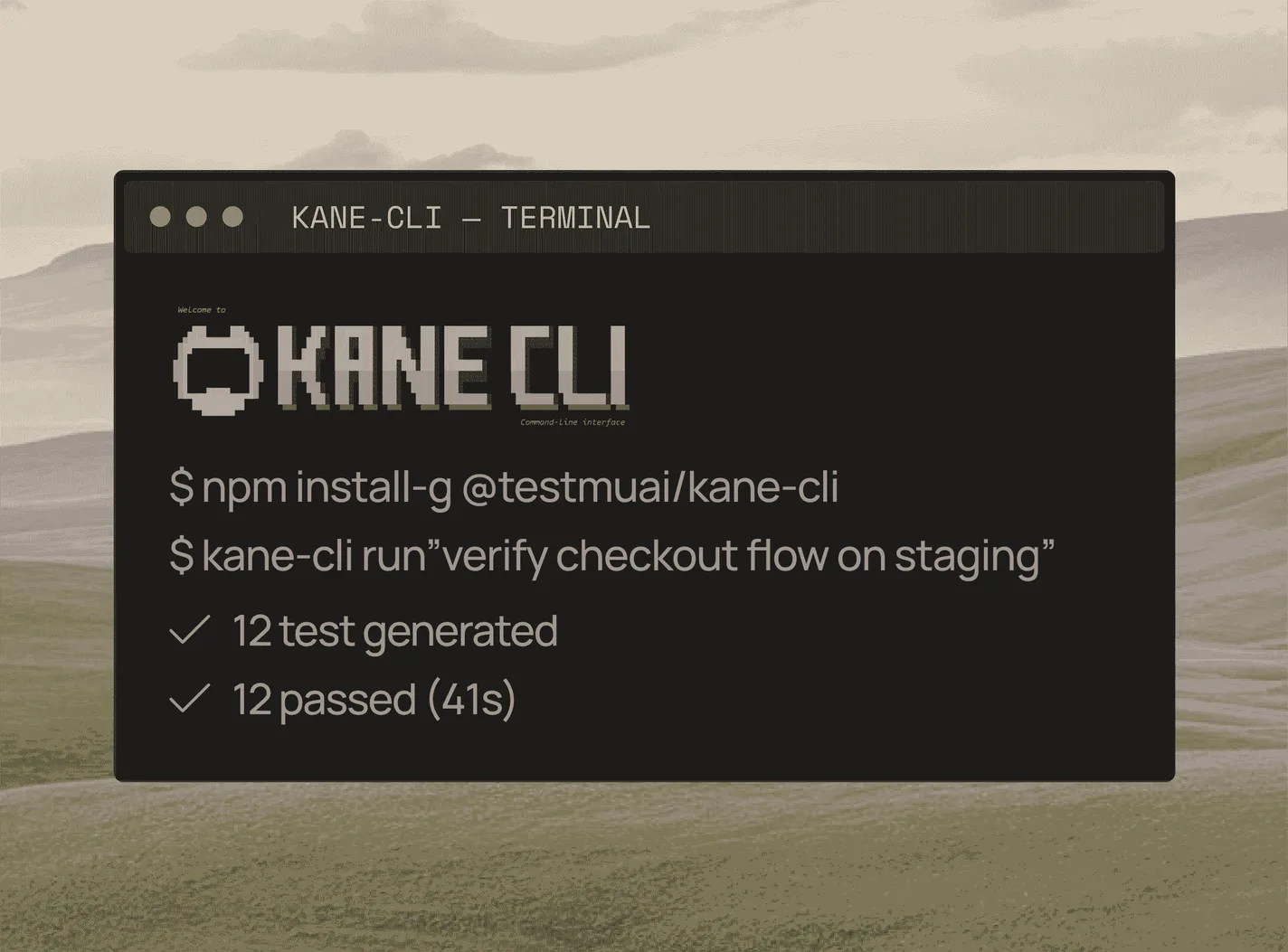
npm install -g @testmuai/kane-cli
kane-cli login
kane-cli run "Go to http://localhost:3000, add the first product to the cart, assert the cart shows 1 item" --agent --headless- Exit codes - 0 is a pass, 1 a failed objective, 2 a setup or auth error and 3 a timeout, so CI needs no custom parsing.
- Evidence - every run seals screenshots, console logs and network logs per step, and the run_end line carries the status and summary.
- Product or test - in the flaky procedure, run the same flow several times; if the independent run fails too, the bug is in the product and the test was right.
The Kane CLI getting started guide covers sign-in for CI with an access key and the kanecli-skill that teaches your coding agent the full command set.

Note: Run your Playwright and Selenium suites on TestMu AI's cloud grid of 3,000+ browser and OS combinations, with logs and video for every session: start free.
Review Checklist Before You Merge a Test Change
The playwright-patterns-skill SKILL.md includes a review checklist to run "before you say a Playwright change is done".
The Selenium skill has a matching list. Side by side:
| Check | Playwright | Selenium |
|---|---|---|
| Waits | No waitForTimeout, no networkidle | No sleep; no implicit wait mixed with explicit waits |
| Interactions | No force: true added to make a click pass | Every interaction behind a wait for the right condition |
| Locators | Role, label, text or test id, matching exactly one element | No absolute or index-based XPath; no cached WebElement after a re-render |
| Assertions and lifecycle | Assertions use await expect(locator) | quit() runs on every path, including failure |
| Repeat runs | Passes alone, in the suite and with --repeat-each=10 | Passes alone, in the suite and 10 times in a row |
| Honesty | Nothing skipped, deleted or loosened; no timeout raised without a reason | Nothing skipped, deleted or loosened to get to green |
Coding agents also introduce flakiness of their own when they write tests; the patterns behind that are in deterministic tests.
Conclusion
Install flaky-test-fixes-skill, pick the test that fails most often, and ask your agent to run step 1 and report a failure rate before it changes a line. Add the two pattern skills so every test review checks waits, locators and lifecycle against the same list.
The agent skills documentation lists every TestMu AI skill and the coding agents each one supports.
Testing from the terminal? Kane CLI by TestMu AI lets SDETs and developers plan, write, run and debug tests from the command line.
Author

Sparsh Kesari
Blogs: 13


Sparsh Kesari is a community contributor with 3+ years of experience in developer relations, open-source engineering, and automation-focused tooling. At TestMu AI, he works as a Senior Developer Relations Engineer, supporting developer communities and contributing to initiatives around cross-browser testing, KaneAI, and HyperExecute. Sparsh has hands-on experience building and maintaining automation scripts, open-source projects, and developer platforms, with a strong background in JavaScript, Node.js, Docker, and cloud-native workflows. He holds a Bachelor’s degree in Computer Science.
Reviewer

Himanshu Sheth
Reviewer
Himanshu Sheth is the Director of Marketing (Technical Content) at TestMu AI, with over 8 years of hands-on experience in Selenium, Cypress, and other test automation frameworks. He has authored more than 130 technical blogs for TestMu AI, covering software testing, automation strategy, and CI/CD. At TestMu AI, he leads the technical content efforts across blogs, YouTube, and social media, while closely collaborating with contributors to enhance content quality and product feedback loops. He has done his graduation with a B.E. in Computer Engineering from Mumbai University. Before TestMu AI, Himanshu led engineering teams in embedded software domains at companies like Samsung Research, Motorola, and NXP Semiconductors. He is a core member of DZone and has been a speaker at several unconferences focused on technical writing and software quality.


Testing Best Practices Skills FAQs
Did you find this page helpful?
More Related Blogs

TestMu AI forEnterprise
Get access to solutions built on Enterprise
grade security, privacy, & compliance
- Advanced access controls
- Advanced data retention rules
- Advanced Local Testing
- Premium Support options
- Early access to beta features
- Private Slack Channel
- Unlimited Manual Accessibility DevTools Tests