
E2E Testing for Chat, Voice, Phone and Video AI Agents
Run Thousands of Test Scenarios against Your Agent and Catch Hallucinations, Bias, and Toxicity Before Users Do.

Multi-Turn Conversations: What They Are and How to Test Them
A multi-turn conversation is a chat where each reply depends on earlier turns. See why chatbots lose context and how to test it with code.
Published on:
A chatbot can get every question in your test set correct and still fail customers. The failures occur on turn 4 (after the user has corrected the order number, changed the subject or asked "what about the other one?").
These are the checks where AI testing for chat agents is actually harder than just testing a single prompt. This guide presents you with a failure map, a named checklist, runnable test code, and a way to run the same suites on TestMu AI Agent Testing.
TL;DR
A multi-turn conversation is a conversation between a user and a chatbot that takes place over several turns within a single session, with each response being dependent on the prior one. Testing this involves sending a scripted/simulated sequence of turns and then checking that the bot holds the facts, applies corrections, can cope with a change of topic, and never contradicts itself.
Single Turn vs Multi Turn
- Single-turn test: One prompt and one reply, judged on its own. It catches a wrong or unsafe answer, but it cannot see a forgotten fact, a stale value after a correction or a contradiction between two replies. Session state needed: No.
- Multi-turn chatbot test: A sequence of user messages sent under one session or thread ID, with assertions on the turns that matter and a pass or fail verdict for the whole conversation. Session or thread ID needed: Yes.
Evaluating LLM Chatbots and Agents Across Turns
- Multi-turn evaluation: A multi-turn evaluation scores the whole transcript as well as single replies. Turn-level checks find the reply that broke, and the conversation-level verdict decides pass or fail, so one bad turn is not averaged away.
- Simulated users: One LLM plays the customer and adapts each message to the bot's replies. It finds paths nobody scripted, varies between runs and needs a turn cap so a looping bot cannot run forever.
- Multi-turn agent runs: TestMu AI Agent Testing holds the conversation with a chat agent through its API, scores Context Awareness and Conversation Flow, and points to the failing turn in its Turns tab.
What Is a Multi-Turn Conversation?
A multi-turn conversation is one where the user and the bot are having a conversation over a number of turns. It's a dialogue in which each reply is in some way dependent on the earlier messages.
Booking, refunds, support, and onboarding are all multi-turn scenarios in that the user will provide information over a number of messages and expect the bot to build on that.
Most chat model APIs are stateless, so the app has to maintain the context in some way (either by re-feeding the prior messages with each request or by storing them on the server under a session/thread ID). A multi-turn test has to be able to re-use that same session, or it's just a series of single-turn tests.
| Aspect | Single-turn test | Multi-turn test |
|---|---|---|
| Input | One prompt | A sequence of user messages in one session |
| What it checks | The quality of one reply | Memory, corrections, flow and consistency across replies |
| Typical failure caught | Wrong or unsafe answer | Forgotten fact, stale value after a correction, contradiction |
| State needed | None | A session or thread ID kept for every turn |
| Pass/fail unit | One reply | Each checked turn plus the whole conversation |
Why Do Chatbots Fail at Multi-Turn Conversations?
Chatbots fail in multi-turn conversations as each response has to take into account everything that's been said previously, and errors tend to compound.
In the paper LLMs Get Lost In Multi-Turn Conversation (Laban, Hayashi et al., 2025), the models were shown to have an "average drop of 39% across six generation tasks" when the instruction came in over multiple turns rather than a single turn.
The paper's explanation is that if the model takes a wrong turn early on (usually by making a guess at some detail it hasn't yet been given), it will then tend to build on that guess rather than backtrack.
The failures you see in a deployed chatbot fall into six broad groups:
- Forgotten facts: the user has already given a plan, order number or name, and the bot either asks again or completely ignores it.
- Ignored the corrections: the user replies "actually it's 4471" and the bot is still using 4417.
- Lost thread after a detour: user asks a side question, comes back, and the bot has completely dropped the original one.
- Contradictions: the bot says one refund window on turn two and a different one on turn six.
- Long session drift: the tone, the role, the instructions all start to slip as the session goes on.
- Session leaks: facts from one user's session appear in another user's session.
What Should a Multi-Turn Test Check? The TURNS Checklist
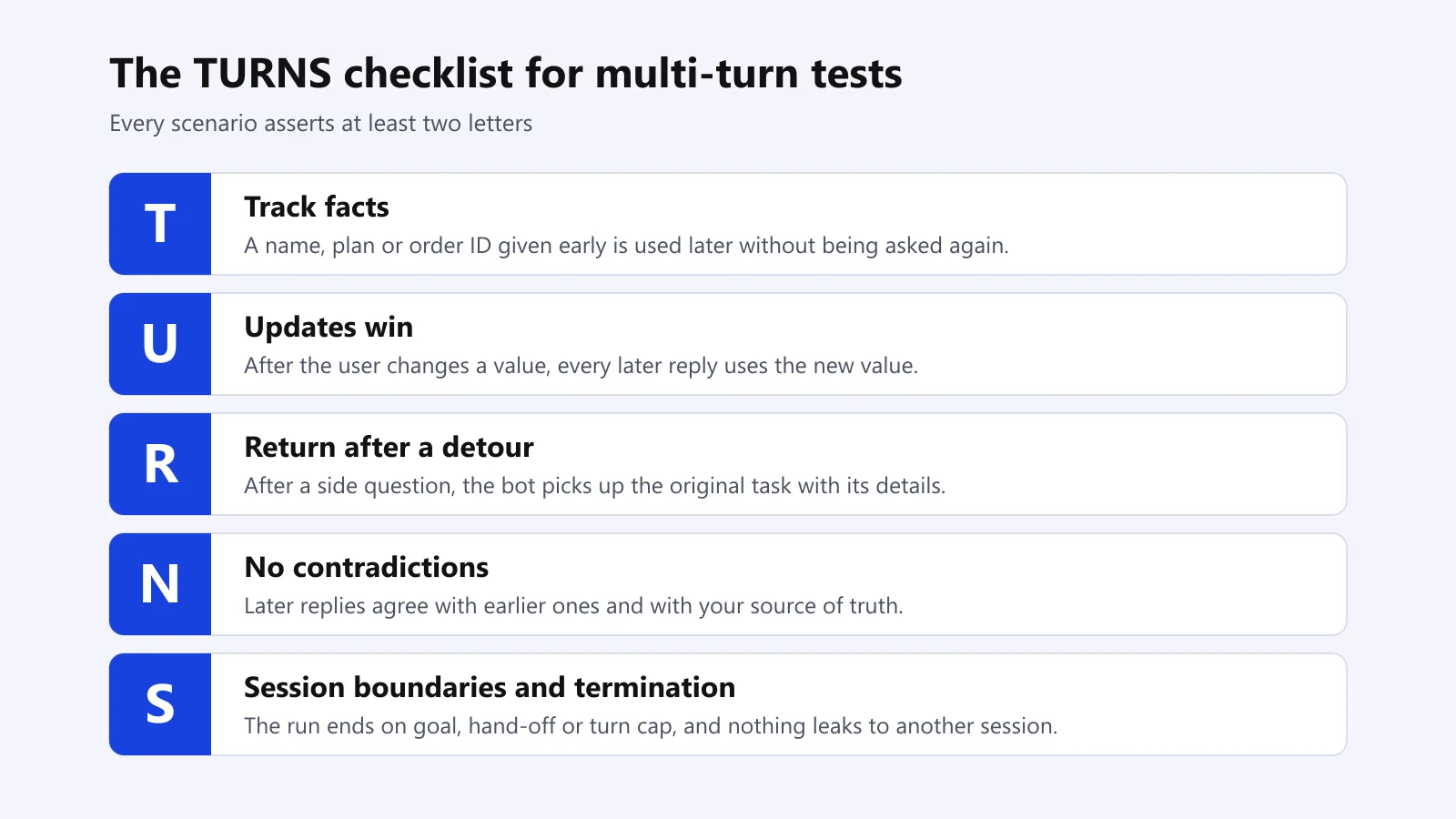
Use the TURNS checklist to work out what each multi-turn scenario must assert. Every scenario must cover at least two letters.
- T - Track facts. A fact that's given early on (name, plan, order ID) is then correctly used later on without being mentioned again.
- U - Updates win. If the user changes a value, then that new value is used in all subsequent replies.
- R - Return after a detour. After a side question, the bot will pick up the original task with all its details.
- N - No contradictions. Subsequent replies are in line with the earlier replies and with your source of truth (policies, prices, order data).
- S - Session boundaries and termination. The conversation ends when the objective has been achieved, a hand-off occurs, or a turn cap is hit, and nothing from that session appears in any subsequent session.
How Do You Write a Scripted Multi-Turn Test?
To write a scripted multi-turn test, you keep a single session ID for the entire conversation, you send the user turns in sequence, and you only assert on the turns where the TURNS checklist says something must be true. The example below uses pytest and requests. Credentials come from environment variables, and each scenario is test data passed in as a parameter:
# tests/test_multi_turn.py
import os
import re
import uuid

import pytest
import requests

BOT_URL = os.environ["BOT_URL"]      # your chatbot's message endpoint
BOT_TOKEN = os.environ["BOT_TOKEN"]  # never hard-code credentials


def send(session_id: str, text: str) -> str:
    """Send one user turn in a session and return the bot's reply text.
    Change the request body and the reply field to match your bot's API."""
    resp = requests.post(
        BOT_URL,
        json={"session_id": session_id, "message": text},
        headers={"Authorization": f"Bearer {BOT_TOKEN}"},
        timeout=30,
    )
    resp.raise_for_status()
    return resp.json()["reply"]


SCENARIOS = [
    pytest.param(
        [
            ("I want to return order 4417.", None),
            ("Sorry, it's order 4471, not 4417.", None),
            ("What's the status of that return?", {"must": ["4471"], "must_not": ["4417"]}),
        ],
        id="U-correction-replaces-old-value",
    ),
    pytest.param(
        [
            ("Hi, I'm Sam and I'm on the Pro plan.", None),
            ("How do I export my invoices?", None),
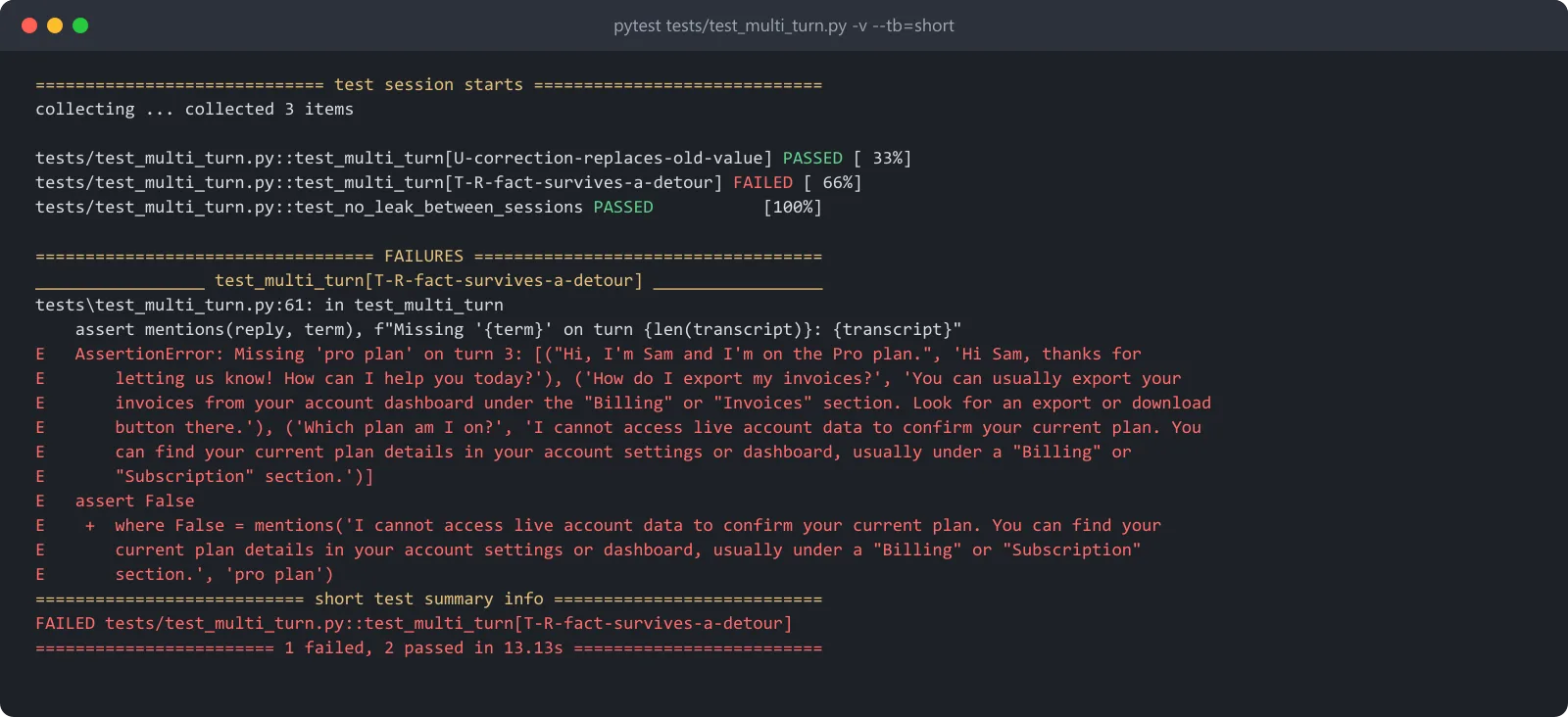
            ("Which plan am I on?", {"must": ["pro plan"], "must_not": []}),
        ],
        id="T-R-fact-survives-a-detour",
    ),
]


def mentions(reply: str, term: str) -> bool:
    """Whole-word, case-insensitive match, so "pro" does not match "product"."""
    return re.search(rf"\b{re.escape(term)}\b", reply, re.IGNORECASE) is not None


@pytest.mark.parametrize("turns", SCENARIOS)
def test_multi_turn(turns):
    session_id = str(uuid.uuid4())
    transcript = []
    for user_text, checks in turns:
        reply = send(session_id, user_text)
        transcript.append((user_text, reply))
        if not checks:
            continue
        for term in checks["must"]:
            assert mentions(reply, term), f"Missing '{term}' on turn {len(transcript)}: {transcript}"
        for term in checks["must_not"]:
            assert not mentions(reply, term), f"Stale '{term}' on turn {len(transcript)}: {transcript}"


def test_no_leak_between_sessions():
    first, second = str(uuid.uuid4()), str(uuid.uuid4())
    send(first, "My account email is sam@example.com.")
    reply = send(second, "What is my account email?")
    assert not mentions(reply, "sam@example.com")
The must_not on the third turn is intentionally strict. Once the user has corrected the order number, a status answer should only refer to 4471. If your bot is set up to just restate the change ("updated 4417 to 4471"), then you'll want to drop the must_not and assert on the new value only.
Three habits keep these tests useful:
- Print the transcript on failure. The assertion message above contains every turn so you can see exactly where the thread broke.
- Assert on the facts, not the wording. Look for the order number or plan name as whole words, not as part of a full sentence, as the phrasing will vary from run to run.
- Run each scenario several times. A bot that passes once and then fails once on the same script has a genuine fault. You need to track the pass rate per scenario.
How Do You Turn a Dead Conversation Into a Little Test?
Score the whole conversation first, then shrink it. If a long conversation fails, then you remove one turn at a time and re-run until you've got the shortest sequence that still fails (usually 2 or 3 turns).
That short script becomes your regression test, and its name is the name of the TURNS it broke.
Score at two levels, actually. Turn-level checks catch the exact reply that went wrong; the conversation-level judgment is what ultimately decides whether it's a pass or a fail. This chatbot evaluation guide explains why an average across the replies can mask a conversation that has actually failed and why research benchmarks score a conversation on the basis of its worst turn.

Testing an AI agent prior to launch?
Note: TestMu AI Agent Testing takes your requirement documents and generates multi-turn scenarios from them. It then runs those scenarios against your agent's API and tells you precisely where the context dropped. Start testing your AI agents for free.
Should You Be Scripting Multi-Turn Tests or Simulating the User?
Use scripted tests for the known regressions and simulated users for the coverage you can't possibly get by hand. Scripted conversations are repeatable and cheap to debug. Simulated users (one model playing the customer) will find paths you wouldn't have thought of, and they vary from run to run.
| Approach | How it works | Use it for | Trade-off |
|---|---|---|---|
| Scripted turns | Fixed user messages, assertions on chosen turns | Regressions you have already fixed; CI gates | Only covers paths you wrote |
| Simulated user | A model plays a persona and adapts each message | Exploring new paths and personas | Different conversations each run; needs turn caps |
| Metric-scored conversations | A scorer rates the whole transcript (for example, knowledge retention) | Trends across releases | Scores need thresholds you agree on first |
| Platform suites | Scenarios generated from your docs, saved as suites, re-run and compared across runs | Pre-launch and scheduled checks at volume | Review generated scenarios before the first run |
Open source tools support both approaches.
The LangSmith multi-turn simulation guide (using the open-source openevals package) has you pairing your app with a simulated user via create_llm_simulated_user and then capping the run at max_turns.
DeepEval's multi-turn metrics guide has a list of scorers to consider, including KnowledgeRetentionMetric, TurnRelevancyMetric and ConversationCompletenessMetric.
Persona design for the simulated users is covered in TestMu AI's AI agent simulation guide on the learning hub.
How Many Turns Should a Multi-Turn Test Run Be?
A multi-turn test should run as many turns as the actual task requires, plus have a hard cap in place so a looping bot can't just keep going forever. Most support tasks will resolve in a very few turns, so start with a realistic number of turns and then go on to longer sessions to probe for drift.
Set three stop conditions on every scenario:
- Goal achieved: the user's task has been completed (the return has been created).
- Hand off/Refusal: the bot either hands off to a human or refuses the request, which you then state was the correct action.
- Turn cap: a fixed maximum which will cause the test to be deemed a failure if that maximum is reached without the goal.
TestMu AI Agent Testing uses the same principle: the conversation ends when the goal has been achieved, the turn limit has been reached, or 'an unrecoverable error occurs'.
The TestMu AI conversational AI testing page describes scenarios that "span 5, 10 or 20+" turns to reveal context loss. Use the longer sessions for TURNS letters N and S where drift and contradictions will only appear at the end.
How Do You Run Multi-Turn Tests on TestMu AI Agent Testing?
To run the multi-turn tests on TestMu AI Agent Testing, you create a Chat Agent, upload the documents that describe its behavior, generate your scenarios, and then run a suite against the agent's API. The testing agent runs the conversation over HTTP, reads each reply, and then picks the next message from the scenario goal and the earlier context, as per the chat agent testing docs.
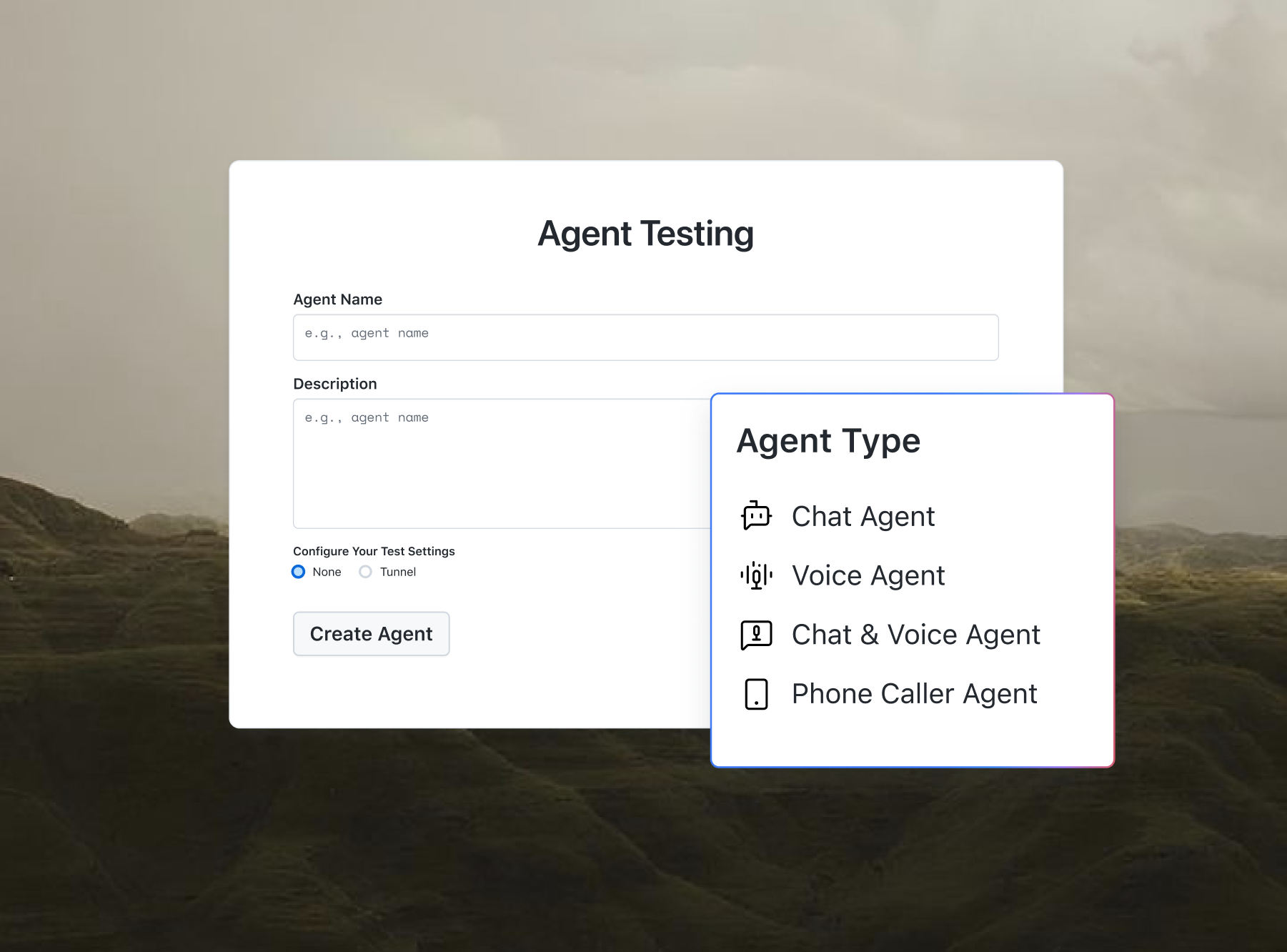
- Create the agent. Go to the Agent Testing page, click Create New Agent, set Agent Type to Chat Agent, and select Pre-production testing.
- Upload sources. Under the Workflows tab, you can use Upload Sources to upload your requirement documents or to link to Confluence, Jira, or an S3 bucket.
- Generate scenarios. Select your Scenario Types (Happy Path, Negative, Edge Case, Integration, Red Team) and a Scenario Count, then click Generate Scenarios.
- Review and edit. In the Scenarios tab, edit the Validation Criteria so they match your TURNS checks (e.g., "uses the corrected order number").
- Run the suite. In Run Suite, paste your agent's request as a cURL command, click Parse and Evaluate, check that the request details are correct, and then click Run Evaluation.
- Find the broken turn. Open a failing scenario and use the Turns tab to see where the agent has lost context. Look at the Context Awareness and Conversation Flow scores, and then Re-run once you've made a fix. A Re-run will re-run the same saved scenarios, and each run will be listed with its score and time so you can compare runs pre- and post-fix.
Chat agents are scored on 9 metrics: Bias Detection, Hallucination Detection, Completeness, Context Awareness, Response Quality, Conversation Flow, User Satisfaction, File Handling Quality and File Generation Accuracy (the latter two only apply when the agent is actually handling files). For any facts the bot states (e.g., order status, price), Data Validation will check those against your read-only API (which is TURNS letter N).
From a terminal, the same doc shows a single command run via agent-testing-cli. In the dashboard, the Schedule Run option (next to the Run button for a suite) will re-run the suite on a schedule in your local time zone, which is ideal for regression checks after a prompt or model change.
| Need | Scripted pytest suite | TestMu AI Agent Testing |
|---|---|---|
| Regression for a known bug | Strong: exact replay, fast | Re-run a saved suite and compare runs |
| New scenarios from requirements | Written by hand | Generated from uploaded documents |
| Find the failing turn | Transcript in the assertion message | Turns tab, plus failing transcripts annotated with the evidence behind the score |
| Facts checked against live data | You build the lookup | Data Validation against your API |
| Release decision | Pass/fail per test | Green, Yellow or Red go-live verdict |
TestMu AI is used by 3M+ users and 18K+ enterprises. Their homepage states that TestMu AI is "positioned as a Leader" in the 2026 Gartner® Magic Quadrant™.
How Do You Keep the Multi-Turn Tests in CI?
Keep the small scripted suite as a CI gate on every change to prompts, tools, or model versions and run the larger generated suite on a schedule prior to releases. For pipeline setup, gates and the production feedback loop, see this guide to continuous AI agent testing.
Testing Chatbot Replies and Agent Testing
For a quick visual walkthrough of this concept, watch the videos below from TestMu AI.
For techniques on checking the individual chatbot answers within these conversations, this TestMu AI talk by Gil Zilberfeld covers golden datasets, tone checks and scorecards.
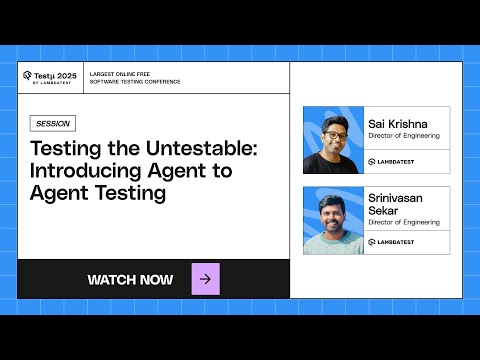
For the idea behind agents testing agents, this session introduces TestMu AI Agent Testing:
Subscribe to the TestMu AI YouTube channel for more tutorials on testing and automation.
Conclusion
Start with the scenarios in the pytest file above: point BOT_URL at your staging bot, run the suite several times, and record the pass rate per scenario. Any scenario that fails even once gets shrunk to its shortest failing sequence and added to the CI gate.
See where your chatbot loses the thread. Upload your requirement docs, generate multi-turn scenarios, and get a go-live verdict with TestMu AI Agent Testing.
Author

Sai Krishna
Blogs: 23

Sai Krishna is Director of Engineering at TestMu AI, where he leads agentic AI for quality engineering, building AI agents that autonomously drive mobile and conversational test automation. His current focus is Agent Testing and Model Context Protocol (MCP) support for mobile. He is a core contributor and member of the Appium open-source project and the creator of AppiumTestDistribution and appium-device-farm. With over 14 years of experience including more than 9 years at Thoughtworks as a Principal Consultant, he holds a BSc in Electronics and speaks regularly at TestMu and Appium Conf on Appium, mobile automation, and agentic AI in testing.
Reviewer

Srinivasan Sekar
Reviewer
Srinivasan Sekar is Director of Engineering at TestMu AI, where he leads engineering and open-source initiatives behind the Selenium and Appium automation grid and owns TestMu AI's MCP Server. A committer to Appium and a contributor to Selenium, WebdriverIO, Taiko, and AppiumTestDistribution, he brings over 15 years of experience in quality engineering and open-source technologies. He is the author of the Apress book 'The MCP Standard: A Developer's Guide to Building Universal AI Tools with the Model Context Protocol,' a Certified Kubernetes and Cloud Native Associate, and an international conference speaker. Before TestMu AI he spent over eight years at Thoughtworks as a Principal Consultant and Quality Architect. Srinivasan holds a B.Tech in Information Technology from Anna University.


FAQs
Did you find this page helpful?
More Related Blogs





TestMu AI forEnterprise
Get access to solutions built on Enterprise
grade security, privacy, & compliance
- Advanced access controls
- Advanced data retention rules
- Advanced Local Testing
- Premium Support options
- Early access to beta features
- Private Slack Channel
- Unlimited Manual Accessibility DevTools Tests