
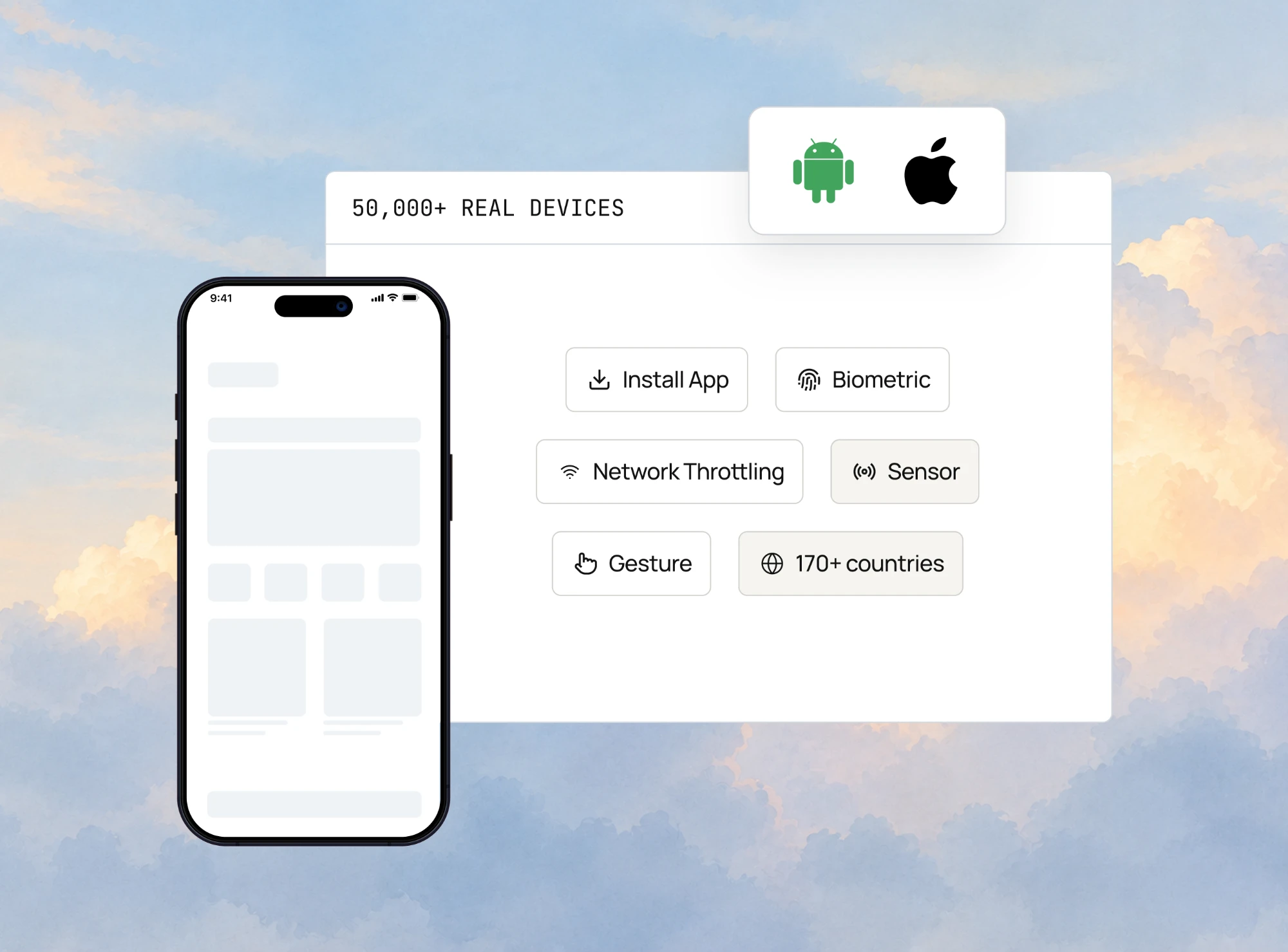
Test on 50,000+ Real Android and iOS Devices
Live and Automated Real Device Testing on 50,000+ iOS and Android Devices. No Need to Buy or Maintain Device Lab

- TestMu AI (Formerly LambdaTest)
- /
- Blog
- /
- 11 Best Real Device Cloud Platforms for Mobile Apps in 2026
11 Best Real Device Cloud Platforms for Mobile Apps in 2026
Compare 11 real device cloud platforms on device counts, frameworks, on-premise options, AI authoring and pricing models. Figures checked October 2026.
Last Updated on:
Your app works on every phone the team owns. Then checkout starts crashing for a whole range of Android users, the one-star reviews pile up, and nobody on the team can reproduce it.
A real device cloud closes that gap by renting you thousands of physical phones on demand. This guide compares 11 real device cloud platforms on device coverage, frameworks, private and on-premise devices, AI test authoring and pricing model, with the figures re-checked on each vendor's own site on October 23, 2026.
Key Takeaways
For most mobile teams, the best real device cloud is the one that runs your existing Appium, Espresso or XCUITest suite on the devices your users carry. TestMu AI covers 50,000+ real Android and iOS devices plus 3,000+ browser and OS combinations on one account, with public, dedicated and on-premise deployment.
- Best for mobile and browser testing from one vendor: TestMu AI - 50,000+ real devices and 3,000+ browser and OS combinations on one platform, in public, dedicated or on-premise deployment, with KaneAI writing native app tests from plain English.
- Best for SDK setup across many frameworks: BrowserStack - SDKs it says integrate in under a minute, with support stated for 50+ test frameworks, on 30,000+ real devices by its Real Device Cloud page and 35,000+ by its pricing page.
- Best for established native suites: Sauce Labs - names Appium, Espresso and XCUITest and offers a dedicated private device pool, while its AI Test Authoring Agent comes with Enterprise plans only.
- Best for devices in specific regions: Perfecto - manages more than 10,000 devices across 11 global data centers and offers private, dedicated clouds for teams that will not share a device pool.
- Best for carrier-network performance: HeadSpin - thousands of real SIM-enabled devices across 50+ countries, deployed in its cloud or on premises, with 130+ performance KPIs.
- Best for mobile-only teams that need on-premise devices: Kobiton - Appium, XCUITest and Espresso on cloud devices, with dedicated and fully on-premise devices on its Enterprise plan.
- Best for three deployment models from one mobile vendor: pCloudy - a published fleet of 5,000+ offered as a public, private or on-premise real device cloud, priced by parallel tests.
- Best for codeless authoring on current devices: TestGrid - CoTester builds tests from requirements, URLs and workflows, across public, dedicated, device lab and on-premise options.
- Best for AWS-native organizations: AWS Device Farm - 2,500+ devices billed per device minute or per unmetered device slot, inside the AWS account your pipelines already use.
- Best for Android crash discovery before 2027: Firebase Test Lab - Robo explores an Android app without a written test, but Google shuts Test Lab down on September 30, 2027.
- Best for Maestro across browsers and devices: TestingBot - 6,100+ real browsers and physical devices combined, with Maestro, Espresso and XCUITest among its named frameworks.
- Device counts published by real device cloud vendors are not directly comparable, because some vendors fold browser and OS combinations into the same total as physical handsets.
- If app binaries cannot leave your network, shortlist only vendors that publish an on-premise option, because public and dedicated tiers keep the devices on the vendor's own infrastructure.
Why Do Teams Use Real Device Cloud Platforms?
A real device cloud gives you remote access to physical phones and tablets over the internet. The handsets sit in a provider's data center, and you reach them from a browser or a standard WebDriver endpoint. Some vendors sell the same service as a device farm, which is the name TestMu AI uses for its online device farm.
The point is hardware fidelity. An emulator cannot reproduce a fingerprint sensor, an NFC tap, thermal throttling, or how a manufacturer's OS skin repaints a layout, which is why the difference between emulators, simulators, and real devices decides which bugs you can find at all.
OS spread is the other half. Apple reports that 86% of devices introduced in the last four years use iOS 26, while 79% of all devices do, measured on June 7, 2026.
Android has no public equivalent, because Google now points developers to the Reach and devices report in the Play Console, which needs a signed-in account. Your device mix has to be tested rather than looked up.
Whether to rent that coverage or buy it is a separate call, weighing a physical device lab against a real device cloud.

Note: Run manual and automated tests on 50,000+ real Android and iOS devices with TestMu AI, with no device lab to maintain. Start testing free
How We Evaluated These Platforms
Each platform was scored on five criteria, in this order of weight:
- Combined estate, meaning whether devices and browser coverage come from one vendor.
- Deployment flexibility across public, dedicated, and on-premise.
- Authoring and orchestration, including AI-assisted test creation and parallel distribution.
- Framework breadth across Appium, XCUITest, Espresso, Detox, and mobile web.
- Debugging depth, meaning what a failed run hands back.
Raw device count deliberately does not lead that list, because vendors count differently and some fold browser combinations into the total. A larger published fleet therefore does not on its own outrank breadth across devices and browsers on a single platform. TestMu AI publishes this article and ranks first on the weighting above, mainly on combined estate and deployment, with its limitations stated in its own entry.
Vendor figures were first read on the vendors' own live pages on July 31, 2026 and re-checked on October 23, 2026. Where a vendor's own pages disagree, as BrowserStack's and Sauce Labs' device counts do, both figures are given.
11 Best Real Device Cloud Platforms
Figures and plan terms below are as each vendor's own pages stated them on October 23, 2026.
| Platform | Best for | What it gives you | Pricing model |
|---|---|---|---|
| TestMu AI (Formerly LambdaTest) | Mobile and browser coverage from one vendor | 50,000+ real devices, 3,000+ browser and OS combos, all three deployment models | Free plan, then per parallel session |
| BrowserStack | SDK setup across 50+ frameworks | 30,000+ real devices on its product page (35,000+ on its pricing page), 50+ test tools and frameworks | Free trial, then per user (App Live) and per parallel test (App Automate) |
| Sauce Labs | Established Appium, Espresso, XCUITest suites | 10,000+ in its site menu, thousands on its product page, dedicated private pool | Free trial, then 1 to 5 concurrent sessions self-serve, Enterprise above that |
| Perfecto | Region-specific enterprise testing | 10,000+ devices across 11 global data centers | Quote only |
| HeadSpin | Carrier network and performance analysis | SIM-enabled devices across 50+ countries | Self-serve tiers, custom for private |
| Kobiton | Mobile-only teams needing on-premise | Appium, XCUITest, Espresso on cloud or on-prem | Free trial, then device minutes (500 to 7,500 a month); on-premise on Enterprise |
| pCloudy | Public, private and on-premise options from one mobile-focused vendor | Device fleet published as 5,000+, three deployment models | Free trial, then by parallel tests |
| TestGrid | Codeless authoring on current devices | Scriptless creation, four deployment configs | Guided proof of concept, then per seat |
| AWS Device Farm | AWS-native engineering organizations | 2,500+ devices, private devices for one account | One-time free trial minutes, then per device minute or per device slot |
| Firebase Test Lab | Android-first teams inside Firebase, until September 2027 | Robo crawler needing no pre-written test; shuts down September 30, 2027 | Free daily quota, then per device-hour |
| TestingBot | Broad framework choice including Maestro | 6,100+ browsers and physical devices combined | 14-day free plan, then by parallel capacity |
The second table lists what each vendor names for frameworks, reserved devices and AI or no-code authoring.
| Platform | Frameworks the vendor names | Private, dedicated or on-premise devices | AI or no-code authoring |
|---|---|---|---|
| TestMu AI | Appium, XCUITest, Espresso; Detox and Maestro through HyperExecute | Public, dedicated and on-premise | KaneAI plain-English tests on real devices with Appium export; Kane CLI from the terminal |
| BrowserStack | Appium (all versions), Espresso, XCUITest, Maestro, Flutter, Detox | Exclusive devices through its Custom Device Lab, at extra cost | Low-code authoring agent, self-healing agent |
| Sauce Labs | Appium, Espresso, XCUITest | Dedicated private pool reserved for one customer | AI Test Authoring and AI Insights agents, Enterprise only |
| Perfecto | Appium, Selenium, Espresso, XCUITest (logos on its device cloud page) | Private, dedicated clouds | Perfecto AI |
| HeadSpin | 60+ automation frameworks (vendor figure), Appium and Selenium named | Private, on-premise or air-gapped dedicated devices on its Pro tier | ACE, an agent that executes, validates and self-heals tests |
| Kobiton | Appium, XCUITest, Espresso | Dedicated and fully on-premise on Enterprise; hosted private slots from five devices | No-code testing, Appium script generation, self-healing Appium |
| pCloudy | Appium, Espresso, XCUITest, Selenium, Playwright, Cypress, Detox, WebdriverIO | Public, private and on-premise | Qpilot.AI test generation and automation agents |
| TestGrid | Appium, Selenium, Cypress, XCUITest, Espresso, Detox, WebdriverIO | Public, dedicated, device lab or on-premise | CoTester 2.0 |
| AWS Device Farm | Appium, Espresso (instrumentation), XCTest and XCUITest | Private devices exclusive to your account | Built-in fuzz testing with no scripting |
| Firebase Test Lab | Instrumentation and Game Loop on Android; XCTest and Game Loop on iOS | None | Robo explores apps without a written test (iOS in beta) |
| TestingBot | Selenium, Appium, Playwright, Cypress, Puppeteer, Espresso, XCUITest, Maestro | Private cloud on its Enterprise plan; no on-premise | AI Test Agent creates and runs tests without code |
1. TestMu AI (Formerly LambdaTest)
TestMu AI runs 50,000+ real Android and iOS devices alongside 3,000+ browser, OS, and device combinations on one platform, which removes the usual split between a mobile device vendor and a separate browser grid. The platform reports 1.5B+ tests run by 3M+ developers and QA engineers across 18K+ enterprises.
The device catalog is public, and checking it shows how wide a single manufacturer's spread runs. Opening the Android list on the live catalog returns Samsung models from the Galaxy Z Fold8 Ultra on Android 17 down to the Galaxy S8+, which still runs Android 8, in one manufacturer's range.
Key capabilities:
- Public shared, dedicated private, and on-premise deployment, so the same platform serves an evaluation and a regulated production rollout.
- Natural-language test authoring through KaneAI, which turns written intent into mobile and web tests, runs native app tests on real Android and iOS devices, and exports Appium code from tests that have run and passed.
- Kane CLI runs plain-English native app tests on real Android and iOS devices from a terminal or an AI coding agent, from Kane CLI 0.9.0 on, with KaneAI Max (one device at a time) or with KaneAI credits plus Real Device Plus Automation Cloud.
- HyperExecute orchestration distributes suites across the fleet and reports up to 70% faster execution than sequential runs.
- Appium, XCUITest, and Espresso for native apps, with Detox and Maestro running through HyperExecute, plus Appium and Playwright for mobile web on real devices (Playwright on real iOS devices is in beta).
- Network profiles from 5G down to 2G and offline, IP and GPS geolocation across more than 150 countries, Face ID, Touch ID and fingerprint prompts, camera image injection, and SIM-enabled devices for SMS and one-time password flows.
- Every session returns video, screenshots, device logs, network logs, and crash and ANR reports, with devices wiped between sessions.
Limitations: parallel capacity scales with plan tier, so high-concurrency CI runs need sizing up front. Choosing devices from a specific region also has to be enabled through support. The free plan covers five live sessions a month of up to two minutes each, so automation and longer sessions need a paid plan.
If you already have Appium tests, you do not need to rewrite them. Point the driver at TestMu AI's mobile hub, which carries your credentials in the URL, and add a capabilities block naming the device you want to run on. The app testing on real devices documentation covers uploading your app and choosing devices.
// credentials go in the hub URL, not in the capabilities block
const hubUrl = "https://" + LT_USERNAME + ":" + LT_ACCESS_KEY + "@mobile-hub.lambdatest.com/wd/hub";

const capabilities = {
  "lt:options": {
    platformName: "Android",
    deviceName: "Samsung Galaxy S24",
    platformVersion: "14",
    app: "lt://APP_URL_OR_ID",
    isRealMobile: true,
    build: "My App Build v2.3",
    name: "Login Flow Test"
  }
};
Pricing: a free plan covers evaluation, with Live testing billed from $39 per parallel session per month, billed annually, on the Real Device Plus tier ($49 month to month) and real-device automation from $199 per parallel session per month billed annually ($249 month to month). Dedicated and on-premise fleets are quoted per contract.
Best for: teams that need mobile and browser coverage from one vendor, and for organizations whose compliance posture may force a move to dedicated or on-premise infrastructure later.
2. BrowserStack
BrowserStack describes its real device cloud as the largest cloud with 30,000+ real devices, and its pricing page gives a higher figure, 35,000+ real iOS and Android devices. Its product page frames that scale explicitly around device fragmentation across OS releases, form factors, versions, and device models. Breadth like that is only useful if it maps to the models your users hold, which is the starting point for cross-device testing.
- A large advertised device inventory, 30,000+ real devices on the product page and 35,000+ on the pricing page.
- SDKs positioned for integration in under a minute, with support stated for 50+ test tools and frameworks.
- Broad coverage of both mobile app and browser testing, which suits teams consolidating vendors.
- AI agents built into its products, including a low-code authoring agent and a self-healing agent for broken locators.
Limitations: the Real Device Cloud page gives a framework count rather than naming the frameworks, though the App Automate plan names Appium, Espresso, XCUITest, Maestro, Flutter, and Detox. Exclusive devices come through its Custom Device Lab at extra cost, and the pages reviewed set out no on-premise option, which matters if data residency is a live constraint.
Pricing: no free tier, but a free trial is offered. App Live is sold per user, from a single-user plan to team plans, and App Automate per parallel test in two tiers, billed annually or monthly; enterprise capabilities such as single sign-on require contacting sales.
Best for: teams that want SDK-based setup across many frameworks on a large device fleet and are testing against consumer hardware diversity rather than working under strict data residency rules. Teams already on BrowserStack can compare it with TestMu AI on the BrowserStack alternative page.
3. Sauce Labs
Sauce Labs describes its Real Device Cloud as 10,000+ real Android and iOS devices in its site menu and as thousands of real iOS and Android devices on the product page itself. It is explicit where several rivals are vague, naming Appium, Espresso, and XCUITest directly as supported frameworks. If you are still deciding which framework to standardise on, our Appium vs Selenium comparison covers the trade-offs.
- Two access models, broad on-demand public coverage and a dedicated pool described as exclusively yours and never shared.
- Named support for the three frameworks that carry most native mobile automation work.
- Device controls named on the product page include network throttling and capture, GPS simulation, biometric authentication, camera input, and image injection.
- Long-established tooling, which usually means fewer surprises migrating a mature suite.
Limitations: the device count differs between Sauce Labs' own pages, so coverage has to be checked model by model in the live catalog, on-premise is not among the stated options, and its AI Test Authoring Agent and AI Insights Agent come only with Enterprise offerings. Sauce Labs Real Device Cloud vs TestMu AI compares the two device clouds feature by feature.
Pricing: no free tier, though a free trial is offered. The self-serve Real Device Cloud plan is sold by concurrent sessions, 1 to 5, with unlimited users, billed annually or month to month, and more concurrency and the AI agents are Enterprise contact-sales.
Best for: teams with established Appium, Espresso, or XCUITest suites who want a dedicated device pool without moving to on-premise infrastructure. Teams outgrowing that dedicated pool can move to TestMu AI and reuse most of their scripts by following the path to migrate Appium tests from Sauce Labs, and the saucelabs alternative page compares the two on pricing, devices and AI test authoring.
4. Perfecto
Perfecto states that it manages more than 10,000 devices across 11 global data centers, and it puts that data center count beside its fleet size. That geographic distribution is the differentiator for teams testing region-specific behavior. Region-specific behaviour is also reproducible without local hardware if you test geolocation directly.
- Fleet distributed across 11 global data centers rather than concentrated in one region.
- Private, dedicated clouds alongside the shared device fleet.
- Positioning aimed squarely at enterprise-scale and regulated testing programs.
Limitations: buying runs through sales rather than self-serve signup, and framework support is not enumerated on the mobile device cloud page.
Pricing: quote-only through Perforce sales, with no self-serve signup or published price list.
Best for: large regulated organizations that need devices physically located in specific regions and are buying through a procurement process anyway.
5. HeadSpin
HeadSpin provides thousands of real SIM-enabled devices across 50+ countries, which is a materially different proposition from a data center fleet on wired connectivity. SIM-enabled hardware on local carrier networks tests conditions that a throttling profile only simulates. The same class of failure shows up when testing on different network conditions rather than on office WiFi.
- Real SIM cards on real carrier networks in 50+ countries, rather than simulated network conditions.
- Data science and performance analysis positioned as the core product rather than an add-on.
- Flexible operating models spanning hosted, on-premise, and third-party managed deployments.
- Support stated for 60+ automation frameworks and 130+ performance KPIs, plus ACE, an AI agent that executes, validates, and self-heals tests.
Limitations: the focus is performance and network analysis rather than functional automation, and no aggregate device count is published.
Pricing: self-serve entry tiers cover a single user with a monthly hour allowance or unlimited users and hours, and premium capabilities are sold as add-on modules. The private, on-premise, and air-gapped tier is custom-quoted.
Best for: teams whose failures are network-dependent and geography-dependent, such as streaming, telecoms, and payments in emerging markets.
6. Kobiton
Kobiton is mobile-only by design and offers what it calls flexible deployment across cloud and on-premise. It names Appium, XCUITest, and Espresso as its supported frameworks, covering the standard native automation stack without extending into browser testing. Teams pairing it with a browser vendor should map both against a single mobile testing strategy.
- Cloud or on-premise deployment, with dedicated and fully on-premise devices on the Enterprise plan.
- No-code testing, Appium script generation, and self-healing Appium execution, with unlimited script generation on Enterprise.
- Named support for Appium, XCUITest, and Espresso.
- A mobile-only product focus, so the interface is not shared with browser testing workflows.
Limitations: it claims the broadest device range without publishing a number to support it, and mobile-only scope means a second vendor for browser coverage.
Pricing: a free trial is available, and paid plans are metered in device-minutes per month across 500, 3,000, and 7,500 minute tiers. Dedicated and on-premise deployments are enterprise contact-sales, and the largest self-serve tier is sold annually only.
Best for: mobile-only teams that want cloud and on-premise devices from one mobile-focused vendor, with on-premise bought on the Enterprise plan. Teams already on Kobiton can compare it with TestMu AI on the Kobiton alternative page.
7. pCloudy
pCloudy hosts a real mobile device fleet it publishes as 5,000+, and it sets out three deployment models: a public, a private, and an on-premise real device cloud. Where isolation is the driver, it is worth weighing this against running an open source device farm yourself.
- Three deployment models, with private cloud and on-premise sold through sales.
- Framework support named in full for Appium, Selenium, Espresso, XCUITest, Playwright, Cypress, Detox, and WebDriverIO.
- Single-tenant private cloud for teams needing isolation short of full on-premise.
Limitations: the published fleet, 5,000+, is smaller than the 10,000+ to 50,000+ figures above, and the private and on-premise options are a scoping conversation with sales rather than a default.
Pricing: a free trial with no credit card, then monthly or annual subscriptions priced by number of parallel tests, starting at one parallel session for manual and two for automation. Private cloud and on-premise are contact-sales.
Best for: teams that want public, private and on-premise options from one mobile-focused vendor, with the fleet priced by parallel tests.
8. TestGrid
TestGrid layers codeless authoring on top of a real device cloud, offering public cloud, dedicated cloud, a device lab option, and on-premise configurations. Its CoTester 2.0 feature turns requirements, URLs, and workflows into tests without manual scripting. Codeless tools sit alongside scripted ones rather than replacing them, as our roundup of mobile automation testing tools shows.
- Codeless automation aimed at teams without dedicated automation engineers.
- Four deployment configurations spanning public, dedicated, device lab, and on-premise.
- Named framework support for Appium, Selenium, Cypress, XCUITest, Espresso, Detox, and WebdriverIO.
Limitations: no aggregate device count is published and the named models skew current-generation, so legacy coverage is unclear. Codeless authoring also hits a ceiling on complex conditional flows.
Pricing: no self-serve free trial. Evaluation runs as a guided one-to-two-week proof of concept with a solutions engineer, the entry package is billed per seat per month, and the growth and custom device lab packages are contact-sales.
Best for: QA teams with limited scripting capacity who mainly test current-generation devices.
9. AWS Device Farm
AWS Device Farm offers 2,500+ devices, according to its product page, and earns its place through ecosystem fit rather than fleet size. For teams whose pipelines, secrets, and billing already live in AWS, it removes a separate vendor relationship entirely. Wiring device runs into pipelines follows the same pattern as CI/CD integration for browser suites.
- A private device lab option reserving iOS and Android devices for exclusive use, with settings persisting between sessions and no wait for availability.
- Support for Appium, Espresso through Android instrumentation, and XCTest including XCUITest, plus built-in fuzz and compatibility tests that require no scripting.
- Curated network profiles such as 3G and Lossy LTE, custom throughput, jitter, and loss, and GPS coordinates you supply.
- Native IAM, billing, and pipeline integration for teams already standardized on AWS.
Limitations: this is the smallest published fleet here, and the framework list is narrower than the dedicated device clouds. If these limits are why you are reviewing it, the AWS Device Farm alternative page compares it with TestMu AI.
Pricing: a one-time free trial of 1,000 device minutes, a limited-time offer in place of the standard 250, then pay-as-you-go billing per device minute. A flat-rate unmetered plan is sold per device slot, and private devices run on a separate monthly subscription.
Best for: AWS-native engineering organizations that value one bill and one IAM boundary more than maximum device coverage.
10. Firebase Test Lab
Google has deprecated Firebase Test Lab. Its documentation says Test Lab will be fully shut down on September 30, 2027, after which no test runs, and points teams to the Developer Device Platform on Google Cloud, which matches Test Lab rates through April 30, 2027 before moving to pay-per-use and per-device-slot pricing.
Firebase Test Lab runs apps on devices installed and running in a Google data center, covering Android and iOS. Its distinguishing feature is Robo test, which explores an app and reports failures without requiring a pre-written test. Android-first teams will get more from it alongside a broader Android testing plan.
- Robo test crawls the app automatically, which gives crash coverage on day one with no test suite.
- Instrumentation and Game Loop tests for Android, XCTest for iOS, and Flutter integration testing.
- Tight fit for teams already using Firebase for analytics, crash reporting, and distribution.
Limitations: no device inventory is published, iOS support is narrower than Android, there is no dedicated or on-premise option, and the service shuts down on September 30, 2027.
Pricing: the no-cost Spark plan allows 10 test runs a day on virtual devices and 5 on physical devices. The Blaze plan includes 60 minutes a day on virtual devices and 30 on physical devices at no cost, then bills per device-hour, charged only for testing time.
Best for: Android-first teams already inside Firebase who want automated crash discovery without writing tests first and have a migration plan before September 30, 2027.
11. TestingBot
TestingBot runs tests on what it describes as 6,100+ real browsers and physical iOS and Android devices, a combined figure rather than a device-only count. It publishes the widest named framework list here, covering Selenium, Appium, Playwright, Cypress, Puppeteer, Espresso, XCUITest, and Maestro. Framework choice matters most once runs are spread across devices, which is where Appium parallel testing pays off.
- Maestro support, which few competitors name and which matters to teams adopting it for mobile flows.
- Browsers and devices behind one platform, covering web and mobile from a single account.
- SDKs across Java, Python, NodeJS, and C#, plus visual testing and an AI test agent.
Limitations: the 6,100+ figure combines browsers and devices, so the physical handset count is unknown, and private cloud is on its Enterprise plan, with no on-premise option.
Pricing: a 14-day free plan with no credit card. Subscriptions are billed by user count for live testing and by parallel capacity for automation, a pay-as-you-go minute bundle is available, and real devices are included across tiers rather than sold as a separate plan.
Best for: smaller teams wanting broad framework choice, including Maestro, across browsers and devices on one account.

Public, Dedicated, or On-Premise: Where Should the Devices Live?
Most comparisons stop at device counts, which is the wrong axis for anyone with a compliance requirement. Where the devices live decides whether your app binary and test data ever leave your network, and it eliminates vendors faster than any other question.
- Public shared pools allocate a device at session start and wipe it afterwards, which is cheapest and covers the widest hardware range. Peak-time contention on flagship models is the trade-off.
- Dedicated private pools reserve hardware for one organization, removing queue contention and allowing persistent device state such as pre-installed apps and saved credentials.
- On-premise deployments put physical devices inside your firewall, so binaries, credentials, and session artifacts never leave the controlled environment. This is what HIPAA, PCI DSS, and data residency obligations usually force.
Five of the eleven platforms state an on-premise option: TestMu AI, HeadSpin, Kobiton, pCloudy, and TestGrid. AWS Device Farm, Sauce Labs, Perfecto, BrowserStack, and TestingBot offer devices reserved for one customer, through private devices, a dedicated pool, private clouds, the Custom Device Lab, and TestingBot's Enterprise-plan private cloud, without stating an on-premise option on the pages reviewed; TestingBot says it does not yet support on-premise deployments. Firebase Test Lab states neither.
The migration question matters as much as the starting point. A team evaluating on a shared pool today may face a data residency requirement after its first enterprise customer, and moving vendors at that point costs a suite rewrite. TestMu AI supports the same test code across all three models, and its private real device cloud covers the isolated and on-premise configurations.

How to Choose a Real Device Cloud Platform
Work from constraints to candidates rather than from feature lists. Each row below eliminates most of the market immediately.
| Your situation | What to prioritize |
|---|---|
| Binaries cannot leave your network | Filter to vendors publishing an on-premise model, then compare fleet size only among those. |
| You ship a mobile app and a web app | Choose a platform covering both, so one contract and one set of credentials serve both suites. |
| Bugs are reported from specific countries | Prioritize SIM-enabled devices on real carrier networks over total device count. |
| Your users run older, low-end hardware | Check the live catalog for legacy models specifically. Curated flagship-only fleets will fail you here. |
| No dedicated automation engineers | Weight codeless or natural-language authoring, and confirm there is an escape hatch to real code. |
| Test cycles are the release bottleneck | Weight parallel execution and orchestration, since fleet size is worthless if runs are serialized. |
Before you sign an annual contract, put each shortlisted vendor through the same one-week trial:
- Export your top devices and OS versions from analytics and confirm each one exists as a real device in the catalog.
- Check how quickly new iOS and Android releases and new flagship phones appear.
- Open sessions on your most popular devices at your peak hour and note how long you wait.
- Point your existing Appium, Espresso, or XCUITest suite at the vendor's endpoint from one CI job, such as Jenkins, GitHub Actions, or CircleCI, and count the configuration changes.
- Run your login and payment flows under throttled networks and from two of the countries you ship to.
- Test the device features your app depends on, such as the camera, biometrics, SMS one-time passwords, push notifications, and deep links.
- Check what a failed session hands back, such as video, device logs, network logs, and crash reports, and whether those artifacts reach your pipeline.
- Ask for the vendor's security attestations, such as a SOC 2 report, and confirm single sign-on, role-based access, and how long session artifacts are kept.
- Get the dedicated or on-premise price and terms in writing, and ask whether a month-to-month plan exists before you commit to a year.
Coverage matters more than raw count: pair the two or three newest OS versions with the oldest version still holding meaningful install share, spread across screen sizes, chipsets, and manufacturer skins, and add low-end hardware and throttled networks if you ship to emerging markets. Whichever platform you shortlist, validate it against your real device matrix rather than a vendor's headline number. Our guide to mobile device testing covers how to build that matrix from your own install base.
Checking CI/CD, Security, Speed, and Pricing Before You Commit
Cloud device services give teams on-demand access to real and virtual devices for functional testing, debugging, and automated runs, without building or maintaining a physical lab. Once coverage and deployment model have narrowed the shortlist, four things decide how a platform holds up when your suite runs on it every day: CI/CD integration, security, speed, and the pricing model.
How a Real Device Cloud Fits Into CI/CD
The integrations that matter are API or CLI access for declarative orchestration, dynamic scaling for parallel runs, artifact collection back into your pipeline, and policy controls for retries and environment pinning. A typical pipeline run looks like this:
- Trigger - A commit or pull request starts the CI pipeline.
- Build - Build steps produce the web or mobile artifacts and the environment configs.
- Allocate - CI calls the device cloud's API to start the target devices and browsers.
- Run - Tests execute in parallel while videos, logs, and screenshots stream back.
- Gate - Results gate the deployment and post feedback to the pull request.
TestMu AI integrates with Jenkins, GitHub Actions, CircleCI, Bitrise, and other CI/CD tools, and it scales parallel sessions up and down on demand, so the pipeline config stays simple as test volume grows.
Security Checklist Before You Sign
Enterprises evaluate device clouds security-first, usually against SOC 2, GDPR and, for healthcare workloads, HIPAA. Whichever vendor you shortlist, work through the same checklist:
- Attestations - Verify SOC 2 and similar reports, plus the vendor's data-handling policies.
- Isolation - Confirm the isolation model, public or private, matches your app's risk level.
- Access - Enforce SSO, role-based access control, and MFA for both the console and the API.
- Artifacts - Require encrypted artifacts, masked logs, and short retention defaults.
- Network - Validate VPC or VPN paths to sensitive backends, so test traffic stays inside trusted networks.
- Response - Document the incident response and audit reporting workflows.
TestMu AI covers these with isolated execution on dedicated private devices, encrypted tunnels, SSO and SAML with granular access controls, data residency choices with configurable retention, and VPC or VPN connectivity.
What Decides Test Speed on a Real Device Cloud?
Performance in a device cloud comes down to test execution time (orchestration overhead and startup latency), parallel capacity (concurrent sessions without queueing), and infrastructure responsiveness (how quickly and reliably devices are allocated).
For teams running hundreds or thousands of tests per build, orchestration matters more than raw device count. Traditional grids send every test command over the network, while HyperExecute runs closer to the infrastructure, which removes most of those round trips and spreads tests across parallel sessions. The saving grows with suite size, so a team running 2,000 tests sees a much bigger absolute gain than a team running 50.
Pay-As-You-Go or Subscription?
Choose pay-as-you-go if your testing is sporadic or spiky. A subscription makes more sense for teams running daily parallel suites, where predictable spend matters more than the lowest unit rate. Either way, run your actual suite on the free plan or trial before committing.
Conclusion
Shortlist two vendors on deployment model first, since that is the constraint that cannot be worked around later. Then run one real bug through both vendors' free plans or trials before committing to either. The framework you send at those devices is a separate decision, and Maestro mobile testing covers the YAML-based option and how it runs on cloud hardware.
For teams starting that evaluation now, the TestMu AI free plan is enough to open the handset a user reported and check a short flow before committing to anything. If your suite already exists, the app testing documentation linked earlier covers the capabilities block and app upload, and broader tooling options are covered in our roundup of mobile app testing tools.
One habit is worth keeping regardless of vendor. Device figures in this category change often and are repeated across comparison articles long after they stop being true, so re-check any number against the vendor's own page before it informs a purchase.
Author

Shubham Soni
Blogs: 11

Shubham Soni is a Senior Member of Technical Staff at TestMu AI, building the Real Device Cloud and real-time testing infrastructure. He optimized the WebRTC services that power live testing to sub-100ms latency with adaptive bitrate streaming, led a frontend migration from Angular to React that cut page load time from 5-6 seconds to 1-1.5 seconds, and contributes to the official Device SDK. He led a team of four to build an accessibility testing product covering manual and automated testing and mentored a team of six on a real-time testing product. He brings over eight years of experience and earlier scaled a cloud code platform to 200K+ monthly users. Shubham holds a B.Tech in Computer Science.
Reviewer

Sri Harsha
Reviewer
Sri Harsha is Engineering Manager of the Open Source Program Office at TestMu AI, where he leads open-source engineering behind the Selenium and Appium automation grid and builds agentic AI systems for quality engineering. He is a member of the Selenium Technical Leadership Committee and a committer to WebdriverIO and Appium, and was recognized with the LambdaTest Delta Award 2023 for Best Contributor in open-source testing. He brings over 10 years of experience in software testing and automation, with earlier roles at EPAM Systems and ZenQ. Sri Harsha holds a B.Tech in Computer Science from Jawaharlal Nehru Technological University.


Real Device Cloud Platform FAQs
Did you find this page helpful?
More Related Blogs

TestMu AI forEnterprise
Get access to solutions built on Enterprise
grade security, privacy, & compliance
- Advanced access controls
- Advanced data retention rules
- Advanced Local Testing
- Premium Support options
- Early access to beta features
- Private Slack Channel
- Unlimited Manual Accessibility DevTools Tests