
Browser Infrastructure for AI Agents with Browser Cloud
Give Your AI Agents Real Cloud Browsers with Session Persistence, a Localhost Tunnel, and Session Replay.

Chrome DevTools Protocol (CDP): What It Is and How to Use It
Learn what the Chrome DevTools Protocol (CDP) is, how to enable it in Chrome 136+, send raw commands and use CDPSession in Puppeteer, Playwright and the cloud.
Published on:
Puppeteer and Playwright cover navigation, clicks and screenshots, but test scripts eventually need something their APIs leave out: slowing the CPU down, blocking every image on a page, or reading the cookies of every domain at once. Those controls live one layer down, in the Chrome DevTools Protocol (CDP), the protocol that Puppeteer uses to drive Chrome.
This guide shows how to enable CDP on a current Chrome, send commands over a plain WebSocket, call CDP from Puppeteer and Playwright, and run the same calls on TestMu AI Browser Cloud. The local scripts were run against Chrome 157.0.8103.79 on Windows, and every output block shows what they printed.
What Is the Chrome DevTools Protocol?
The Chrome DevTools Protocol is a JSON-based protocol that lets a client inspect, debug and control Chromium-based browsers. The official protocol viewer describes it as the connection between debug and automation targets, such as browsing contexts and workers, and trusted debug and automation clients.
In practice, a client opens a WebSocket to a target, such as a tab or the browser itself, sends commands like Page.navigate, and gets back responses and events.
- Domains - groups of related capability, such as Page, Network, Runtime, Emulation and Storage.
- Commands - requests that carry an
id, amethodsuch asPage.navigateandparams. The browser replies with the sameidand aresultor anerror. - Events - messages with a
methodandparamsbut noid, such asNetwork.requestWillBeSent. A domain sends them only after you call its enable command; the descriptor definesPage.enableas "Enables page domain notifications". - Targets and sessions - a target is a page, a worker or the browser. Each target has its own WebSocket URL, and a browser-level connection can attach to other targets with
Target.attachToTarget.
The protocol is large and still moving. The descriptor that Chrome 157.0.8103.79 serves at /json/protocol lists 59 domains, 677 commands and 232 events, and 40 of those 59 domains carry the experimental flag.
How to Enable the Chrome DevTools Protocol?
Start Chrome with --remote-debugging-port and a separate profile folder. Since Chrome 136, Chrome ignores --remote-debugging-port and --remote-debugging-pipe when they point at the default data directory, so --user-data-dir is now required (Chrome for Developers blog, March 17, 2025). The Chrome team made the change because attackers used the debugging port to pull cookies out of real profiles.
# Windows (PowerShell)
& "C:\Program Files\Google\Chrome\Application\chrome.exe" --remote-debugging-port=9222 --user-data-dir="$env:TEMP\cdp-profile" --headless=new

# macOS
"/Applications/Google Chrome.app/Contents/MacOS/Google Chrome" --remote-debugging-port=9222 --user-data-dir=/tmp/cdp-profile --headless=new

# Linux
google-chrome --remote-debugging-port=9222 --user-data-dir=/tmp/cdp-profile --headless=new
Add --headless=new only when you do not need a window; the headless Chrome guide covers the trade-offs. Then confirm the endpoint answers:
$ curl http://127.0.0.1:9222/json/version
{
   "Browser": "Chrome/157.0.8103.79",
   "File-Path-Style": "windows",
   "Protocol-Version": "1.3",
   "User-Agent": "Mozilla/5.0 (Windows NT 10.0; Win64; x64) AppleWebKit/537.36 (KHTML, like Gecko) HeadlessChrome/157.0.0.0 Safari/537.36",
   "V8-Version": "15.7.112.43",
   "WebKit-Version": "537.36 (@6dc9bc3bdaea5c35ed6d41fceab2f7a3a2227c4f)",
   "webSocketDebuggerUrl": "ws://127.0.0.1:9222/devtools/browser/b50ca13e-3e15-426a-8fb0-c553e05589a2"
}
Chrome serves a few HTTP endpoints next to the WebSocket, all listed in the protocol viewer's FAQ:
- /json/version - browser metadata and the browser-level
webSocketDebuggerUrl, as in the output above. - /json/list - every inspectable target with its own
webSocketDebuggerUrl; connect here to drive one tab. - /json/protocol - the full protocol schema for that exact build, which is the safest reference for what your Chrome supports.
- /json/new?url - opens a new tab, and Chrome accepts it only as a PUT request.
The port gives full control of that profile, so keep it on 127.0.0.1 and use a throwaway --user-data-dir. Several clients can connect to the browser at once (Chrome 63 added that), so DevTools can stay open while a script is attached. To debug Chrome on a phone or another machine from the DevTools UI, the Chrome remote debugging guide walks through it.
How to Send Chrome DevTools Protocol Commands Over a WebSocket
You do not need a library to speak CDP. Node.js 22 and later ship a global WebSocket (the Node.js globals docs list it as unflagged from v22.0.0), so this script uses nothing but fetch and WebSocket.
// raw-cdp.mjs - Node.js 22+ (built-in fetch and WebSocket, no packages)
import { writeFileSync } from 'node:fs';

// 1. Find a page target and its WebSocket URL
const targets = await (await fetch('http://127.0.0.1:9222/json/list')).json();
const target = targets.find((t) => t.type === 'page');
const ws = new WebSocket(target.webSocketDebuggerUrl);

// 2. Match responses to requests by id, and resolve one-off event waits
let nextId = 0;
const pending = new Map();
const waiting = new Map();
ws.onmessage = ({ data }) => {
  const msg = JSON.parse(data);
  if (msg.id && pending.has(msg.id)) {
    pending.get(msg.id)(msg);
    pending.delete(msg.id);
  } else if (msg.method && waiting.has(msg.method)) {
    waiting.get(msg.method)(msg);
    waiting.delete(msg.method);
  }
};
const send = (method, params = {}) => {
  const id = ++nextId;
  ws.send(JSON.stringify({ id, method, params }));
  return new Promise((resolve) => pending.set(id, resolve));
};
const once = (event) => new Promise((resolve) => waiting.set(event, resolve));
await new Promise((resolve) => (ws.onopen = resolve));

// 3. Enable the Page domain, navigate and wait for the load event
await send('Page.enable');
const loaded = once('Page.loadEventFired');
console.log(JSON.stringify(await send('Page.navigate', { url: 'https://www.testmuai.com/selenium-playground/' })));
console.log(JSON.stringify(await loaded));

// 4. Run JavaScript in the page and capture a screenshot
const title = await send('Runtime.evaluate', { expression: 'document.title', returnByValue: true });
console.log(JSON.stringify(title));
const shot = await send('Page.captureScreenshot', { format: 'png' });
writeFileSync('playground.png', Buffer.from(shot.result.data, 'base64'));
console.log(`saved playground.png (${shot.result.data.length} base64 chars)`);
ws.close();
Against the Chrome started above, the script printed:
$ node raw-cdp.mjs
{"id":2,"result":{"frameId":"B8A6A1F2C64B236664EDCB6D43EEE6B7","loaderId":"13FD2CB93C4EED50EF2FC762E66E2F8A","isDownload":false}}
{"method":"Page.loadEventFired","params":{"timestamp":366997.511359}}
{"id":3,"result":{"result":{"type":"string","value":"Selenium Grid Online | Run Selenium Test On Cloud"}}}
saved playground.png (35376 base64 chars)- Responses -
"id":2answers the second request,Page.navigate, with the frame and loader ids;Page.enablewas request 1. - Events -
Page.loadEventFiredhas noid. Without thePage.enablecall it never arrives, and the script waits forever. - Runtime.evaluate -
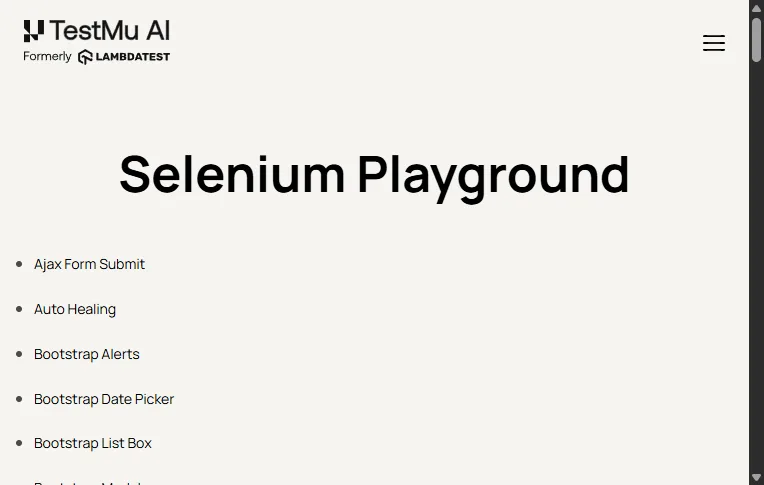
returnByValue: truereturns the page title as a plain string instead of a remote object handle. - Page.captureScreenshot - returns base64 PNG data; the 35,376 characters above decode to the screenshot below.
Writing your own id matching and event waits gets old quickly. Once a script needs more than a handful of commands, move it into a library's CDP session, which keeps the same commands and handles the bookkeeping.
How to Use CDP in Puppeteer and Playwright
Both libraries open a CDP session for you and return a CDPSession object whose send() takes the same method names and params as the raw script. Puppeteer's call is page.createCDPSession(); Playwright's is context.newCDPSession(page), plus browser.newBrowserCDPSession() for browser-level commands.
Puppeteer: Throttle the CPU and Read Performance Metrics
This script loads the same page twice, once at normal CPU speed and once with Emulation.setCPUThrottlingRate set to 4, with the cache disabled both times.
// throttle.mjs - Puppeteer CDPSession: compare page load work at 1x and 4x CPU throttling
import puppeteer from 'puppeteer-core';

const browser = await puppeteer.connect({ browserURL: 'http://127.0.0.1:9222' });

for (const rate of [1, 4]) {
  const page = await browser.newPage();
  const cdp = await page.createCDPSession();
  await cdp.send('Network.setCacheDisabled', { cacheDisabled: true });
  await cdp.send('Performance.enable');
  await cdp.send('Emulation.setCPUThrottlingRate', { rate });

  const start = Date.now();
  await page.goto('https://www.testmuai.com/selenium-playground/', { waitUntil: 'load' });
  const loadMs = Date.now() - start;

  const { metrics } = await cdp.send('Performance.getMetrics');
  const m = Object.fromEntries(metrics.map(({ name, value }) => [name, value]));
  console.log(`CPU ${rate}x: load ${loadMs} ms, ScriptDuration ${m.ScriptDuration.toFixed(2)} s, TaskDuration ${m.TaskDuration.toFixed(2)} s`);
  await page.close();
}

await browser.disconnect();
$ node throttle.mjs
CPU 1x: load 124 ms, ScriptDuration 0.01 s, TaskDuration 0.13 s
CPU 4x: load 337 ms, ScriptDuration 0.03 s, TaskDuration 0.35 sOne run is noisy, so the script was run six times against Chrome 157.0.8103.79 on Windows with the cache disabled. The medians:
| CPU throttling rate | Median load time | Median TaskDuration |
|---|---|---|
| 1x (no throttling) | 114 ms | 0.11 s |
| 4x | 437 ms | 0.41 s |
Point the same loop at your own pages to see how much of their load time is CPU work, which a fast developer laptop hides.
Playwright: Block Images and Read Every Cookie
Playwright's BrowserType docs say connectOverCDP() attaches Playwright to an existing browser over the Chrome DevTools Protocol, works only with Chromium-based browsers, and is significantly lower fidelity than browserType.connect().
So treat it as a way to reach CDP, not as the way to run a full Playwright suite. The script below attaches to the Chrome already running on port 9222.
// block.mjs - Playwright CDPSession: block images, then read every cookie in the browser
import { chromium } from 'playwright-core';

const browser = await chromium.connectOverCDP('http://127.0.0.1:9222');
const context = browser.contexts()[0];
const page = await context.newPage();

const cdp = await context.newCDPSession(page);
await cdp.send('Network.enable');
await cdp.send('Network.setBlockedURLs', {
  urlPatterns: [{ urlPattern: '*://*:*/*.png', block: true }, { urlPattern: '*://*:*/*.jpg', block: true }, { urlPattern: '*://*:*/*.webp', block: true }],
});
let blocked = 0;
cdp.on('Network.loadingFailed', (e) => { if (e.blockedReason) blocked++; });

await page.goto('https://ecommerce-playground.lambdatest.io/', { waitUntil: 'load' });
console.log(`blocked ${blocked} image requests`);

const browserCdp = await browser.newBrowserCDPSession();
const { cookies } = await browserCdp.send('Storage.getCookies');
console.log(`Storage.getCookies returned ${cookies.length} cookies from ${new Set(cookies.map((c) => c.domain)).size} domains`);

await page.close();
await browser.close();
$ node block.mjs
blocked 46 image requests
Storage.getCookies returned 5 cookies from 4 domains- Network.setBlockedURLs - in the Chrome 157 descriptor, the old
urlsstring list is deprecated in favor ofurlPatterns, which use URLPattern syntax such as*://*:*/*.png. - Storage.getCookies - a browser-level command, which is why it goes through
newBrowserCDPSession(). It replaces the deprecatedNetwork.getAllCookies.
CDP vs WebDriver Classic vs WebDriver BiDi
CDP is Chrome's own protocol, not a cross-browser standard. Selenium's CDP documentation says it is not designed for testing or to have a stable API, and that Selenium is building a standards-based, cross-browser alternative called WebDriver BiDi.
| Aspect | CDP | WebDriver Classic | WebDriver BiDi |
|---|---|---|---|
| Message flow | JSON commands, responses and events over one WebSocket | One HTTP request and response per command, no events | JSON over a WebSocket, with events pushed both ways |
| Browsers | Chromium-based browsers such as Chrome and Edge | Any browser with a WebDriver driver, such as ChromeDriver or GeckoDriver | Chrome and Firefox in Puppeteer |
| Stability | Stable 1.3 plus a tip-of-tree version that can break at any time | A W3C standard with a fixed command set | A new W3C protocol that browsers are still filling in |
| Default in | Puppeteer with Chrome | Selenium WebDriver | Puppeteer with Firefox |
Puppeteer's WebDriver BiDi page explains the split in the last row: BiDi is on by default for Firefox, while Chrome still defaults to CDP because WebDriver BiDi does not support every CDP feature yet.
Mozilla has gone further: its Firefox Developer Experience blog announced that Firefox no longer enables CDP by default and pointed CDP users to WebDriver BiDi.
- Pick CDP when the test only has to run on Chromium and needs a command from the CDP descriptor, such as
Emulation.setCPUThrottlingRateorPerformance.getMetrics. - Pick WebDriver BiDi when the same low-level code has to run on Firefox too. The WebDriver BiDi guide covers its events and commands.
- Stay on WebDriver Classic for a cross-browser Selenium suite, and reach for CDP or BiDi only in the tests that need them; the Selenium 4 guide shows where its CDP and BiDi APIs fit.
How to Run CDP on a Cloud Browser
A local debugging port gives you one machine, one profile and no record of what the page did. That is fine for a script, but not for an AI agent or a CI job that opens dozens of sessions and has to explain a failure later; the browser agents guide covers why agents hit this first.
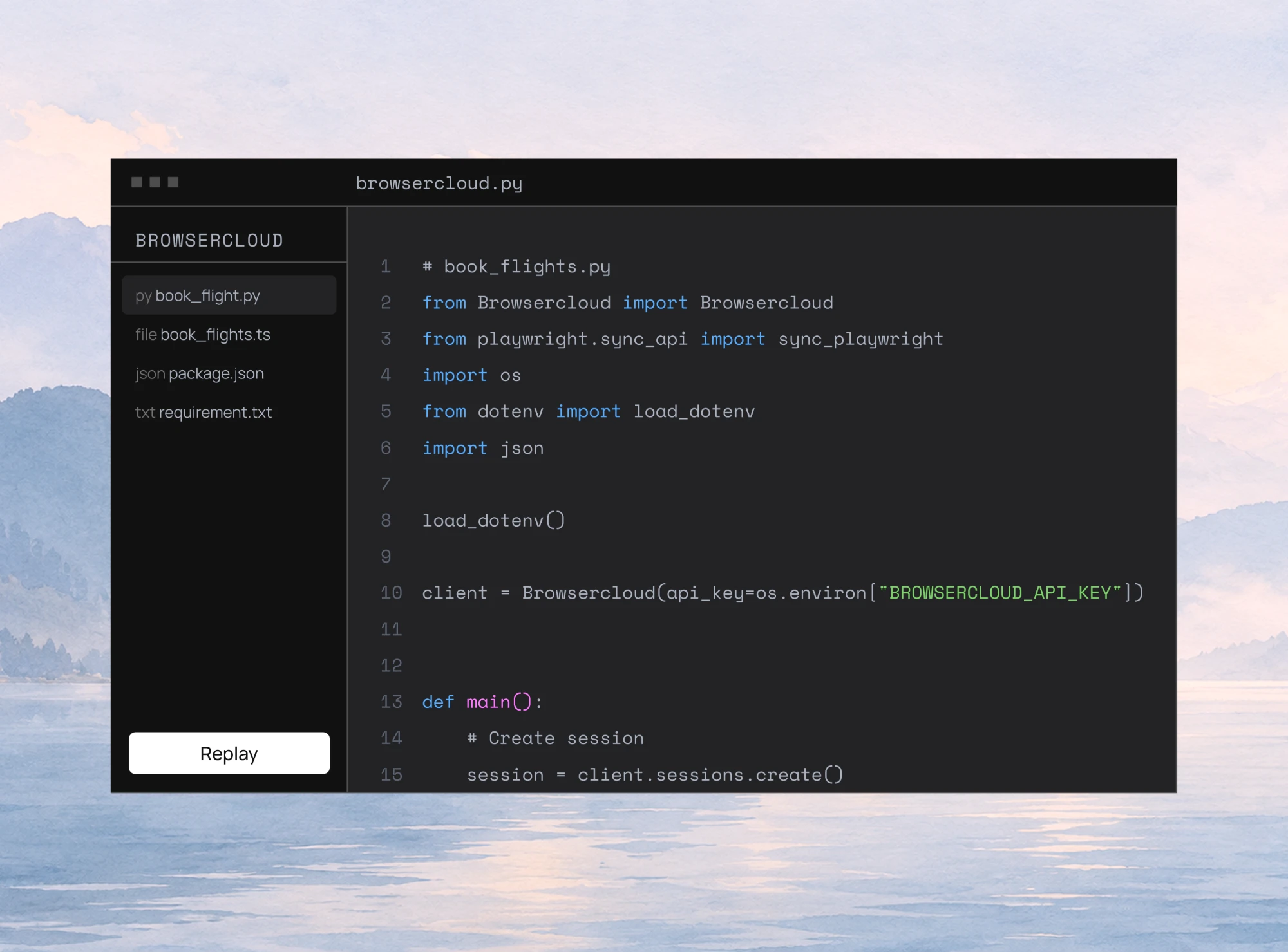
TestMu AI Browser Cloud gives each session its own isolated, real Chrome, created with sessions.create() and released with sessions.release(). Its Puppeteer and Playwright adapters connect over WebSocket (CDP), and the script below adds the CDPSession calls from earlier to the Puppeteer example in the Browser Cloud docs.
// cloud-cdp.mjs - the same CDPSession calls on a TestMu AI Browser Cloud session
import { Browser } from '@testmuai/browser-cloud';

const client = new Browser();
const session = await client.sessions.create({
  adapter: 'puppeteer',
  lambdatestOptions: {
    build: 'CDP Demo',
    name: 'CDPSession on Browser Cloud',
    'LT:Options': {
      username: process.env.LT_USERNAME,
      accessKey: process.env.LT_ACCESS_KEY,
    },
  },
});

const browser = await client.puppeteer.connect(session);
const page = (await browser.pages())[0];
const cdp = await page.createCDPSession();

const version = await cdp.send('Browser.getVersion');
console.log(`${version.product}, protocol ${version.protocolVersion}`);

await cdp.send('Performance.enable');
await cdp.send('Emulation.setCPUThrottlingRate', { rate: 4 });
await page.goto('https://www.testmuai.com/selenium-playground/', { waitUntil: 'load' });
const { metrics } = await cdp.send('Performance.getMetrics');
console.log('TaskDuration at 4x CPU:', metrics.find((m) => m.name === 'TaskDuration').value.toFixed(2), 's');
console.log('Session replay:', session.sessionViewerUrl);

await browser.close();
await client.sessions.release(session.id);- Credentials -
LT_USERNAMEandLT_ACCESS_KEYcome from the environment, and the SDK builds the connection, so the access key never appears in your script. - Session record - every session captures video, console logs, network logs and a step-by-step command replay, so a failed CDP call can be traced instead of reproduced.
- Private apps - the built-in tunnel lets the cloud Chrome reach localhost and staging, the same targets a local port would.

Note: Run your CDPSession scripts on isolated cloud Chrome sessions that record video, console and network logs for every run. Start free with TestMu AI.
Deprecated and Experimental CDP Methods
The protocol viewer says the tip-of-tree protocol changes frequently, can break at any time, and does not guarantee backwards compatibility. The Chrome 157 descriptor shows what that means in practice: 40 commands are flagged deprecated and 210 experimental.
- Network.getAllCookies - deprecated; its description says to use
Storage.getCookies, as the Playwright script above does. - Network.emulateNetworkConditions - deprecated in favor of
emulateNetworkConditionsByRuleandoverrideNetworkState, both still experimental. - Network.setBlockedURLs - the whole command is experimental, and its
urlsparameter is deprecated in favor ofurlPatterns. - Experimental domains - 40 of the 59 domains, including Storage, Accessibility and Animation, carry the experimental flag, so a Chrome update can rename or drop them.
Two habits keep CDP code working through Chrome updates. Pin the Chrome version in CI, and before you build on a method, read its flags in /json/protocol on that same build rather than in the tip-of-tree docs.
Conclusion
Start Chrome with --remote-debugging-port=9222 and a throwaway --user-data-dir, run the raw script above, and read /json/protocol on your own build before you rely on a Chrome DevTools Protocol method. When a suite needs those calls, move them into createCDPSession() or newCDPSession().
To run the same code on isolated cloud Chrome sessions with a recording of each one, follow the Connect to a Session docs for Browser Cloud.
Author

Navin Chandra
Blogs: 9

Navin Chandra is a Member of Technical Staff at TestMu AI, building the open-source automation that powers its Selenium and Appium cloud grid. A committer to both Selenium and Appium, he implemented WebDriver BiDi support in Selenium for real-time browser events and bidirectional control and is developing Apple's iOS RemoteXPC protocol in Appium to enable low-level wireless communication with iOS system services. He contributes to Selenium across multiple language bindings as a member of the Selenium GitHub organization. He has served as a Google Summer of Code mentee and mentor at openSUSE and an LFX mentee at CNCF's KubeArmor, and is a SUSE Certified Deployment Specialist. Navin holds a B.Tech in Computer Science.
Reviewer

Sparsh Kesari
Reviewer
Sparsh Kesari is a community contributor with 3+ years of experience in developer relations, open-source engineering, and automation-focused tooling. At TestMu AI, he works as a Senior Developer Relations Engineer, supporting developer communities and contributing to initiatives around cross-browser testing, KaneAI, and HyperExecute. Sparsh has hands-on experience building and maintaining automation scripts, open-source projects, and developer platforms, with a strong background in JavaScript, Node.js, Docker, and cloud-native workflows. He holds a Bachelor’s degree in Computer Science.


Chrome DevTools Protocol FAQs
Did you find this page helpful?
More Related Blogs


TestMu AI forEnterprise
Get access to solutions built on Enterprise
grade security, privacy, & compliance
- Advanced access controls
- Advanced data retention rules
- Advanced Local Testing
- Premium Support options
- Early access to beta features
- Private Slack Channel
- Unlimited Manual Accessibility DevTools Tests