

Power Your Software Testing with AI Agents and Cloud
The Native AI-Agentic Cloud Platform to Supercharge Quality Engineering. Test Intelligently and Ship Faster.


- TestMu AI (Formerly LambdaTest)
- /
- Blog
- /
- Accessibility vs Usability: Key Differences and Overlap
Accessibility vs Usability: Key Differences and Overlap
Accessibility vs usability: accessibility removes barriers for disabled users, usability makes tasks easy. See differences, overlap, and how to test both.
Last Updated on:
Accessibility vs usability comes down to who a product serves: accessibility removes barriers so people with visual, auditory, motor, and cognitive disabilities can use a site, while usability makes that site easy and efficient for every user.
The two overlap in practice. WCAG 2.2 criteria such as visible focus indicators and consistent help placement raise task completion for all users, not only screen reader users.
TL;DR
- Accessibility removes barriers so people with visual, auditory, motor, and cognitive disabilities can perceive, operate, and understand a website.
- Usability measures how effectively, efficiently, and satisfactorily any user completes a task on a website, regardless of ability.
- WCAG 2.2 became a W3C Recommendation on 5 October 2023 and is the current web accessibility standard, while WCAG 3 remains an early draft.
- ISO 9241-11:2018 defines usability through effectiveness, efficiency, and satisfaction, and Jakob Nielsen's ten heuristics guide interface design decisions.
- A website can pass every automated WCAG check and still fail people, because conformance does not measure how quickly a person finishes a task.
- W3C WAI states that no tool alone can determine whether a site meets accessibility standards, so knowledgeable human evaluation stays mandatory.
Key Differences Between Accessibility vs Usability
Accessibility is judged by whether people with disabilities can use a product at all; usability is judged by how easily any person completes a task. The table compares the two on the dimensions teams plan and test against.
| Aspects | Accessibility | Usability |
|---|---|---|
| Definition | The degree to which a product is usable by people with disabilities, ensuring equal access. | The degree to which a product is easy to use and efficient for all users. |
| Focus | Ensuring access for people with disabilities (visual, auditory, motor, cognitive). | Enhancing overall user experience for all users regardless of ability. |
| Goal | Ensure inclusivity and equal access. | Improve satisfaction and task efficiency. |
| Considerations | Alternative text, screen reader compatibility, keyboard accessibility, color contrast, audio descriptions, and adaptive technologies. | Intuitive navigation, clear information architecture, minimal learning curve, responsive design, and error prevention. |
| Examples | Alt text for images, video captions, resizable text, and keyboard shortcuts. | Consistent layout, logical flow, readable fonts, and clickable areas. |
| Benefits | Access to a broader audience and compliance with legal standards (e.g., ADA, WCAG). | Higher user engagement, increased productivity and reduced abandonment rates. |
| Standards | WCAG 2.2, enforced through laws such as the ADA, Section 508, and the European Accessibility Act. | ISO 9241-11:2018 (effectiveness, efficiency, satisfaction) and Nielsen's ten heuristics; usability itself is rarely a legal requirement. |
| Who judges success | Conformance checks plus people with disabilities using assistive technology. | Task completion rates, time on task, and satisfaction from representative users. |
| Testing | Screen reader tests, keyboard navigation tests, color contrast checks. | Usability testing, user testing, A/B testing, heuristic evaluations. |
Key Takeaway: Accessibility work is judged against conformance criteria such as color contrast and keyboard operability, while usability work is judged against task success, speed, and user satisfaction.
What Is Accessibility?
Accessibility ensures that websites or web applications are accessible to all people, including those with disabilities. This means ensuring that users with vision impairment, hearing loss, and other disabilities can navigate and interact with the site as easily as those without disabilities.
It involves providing equal access to all features and functionalities of a site. Essential online services such as eCommerce, banking, healthcare, and government resources must be accessible to everyone, regardless of their abilities. Ensuring universal access to online content is important for respecting human rights and can open up new markets for your products or services.
In many countries, accessibility is a legal requirement. Constructing accessible websites benefits everyone by improving usability, boosting SEO, and demonstrating strong moral principles, which enhances credibility. These improvements also help mobile users and those with slower network connections.

Note: Run accessibility tests across 3,000+ browser and OS combinations. Try TestMu AI Today!
Accessibility Laws and Regulations
Certain laws and regulations guide the accessibility of digital products, and organizations must comply with accessibility requirements by following the laws and regulations.
- Web Content Accessibility Guidelines (WCAG) - Developed by the Worldwide Web Consortium's Web Accessibility Initiative (WAI). It provides guidelines and standards to make the web accessible to people with disabilities. The current version is WCAG 2.2, published as a W3C Recommendation on 5 October 2023, and it keeps the four principles of web accessibility: web content should be perceivable, operable, understandable, and robust.
- EU Web Accessibility Directive - The EU Web Accessibility Directive mandates that all public sector and government websites and mobile apps meet the WCAG 2.1 level AA standard.
- Americans with Disabilities Act (ADA) - The ADA specifies that any website intended for public use must be accessible and usable by individuals with disabilities. This means that websites must be navigable for people using assistive technology.
- Section 508 - The Revised Section 508 Standards incorporate the WCAG 2.0 Level AA success criteria for US federal agencies' web and non-web electronic content.
- Twenty-First Century Communications and Video Accessibility Act (CVAA) - This law guarantees that individuals with disabilities can access advanced communication services and products. It includes digital and telecommunication technologies such as SMS, email, and video calls. The CVAA stresses the importance of incorporating accessibility features into communication tools for mobile apps.
Organizations must adhere to these accessibility laws and regulations to ensure that all users, including those with disabilities, can fully access and engage with their online content. Performing accessibility testing is essential to comply with these standards, helping to identify and rectify issues that might hinder accessibility.
Teams usually pair accessibility testing tools with manual checks. TestMu AI Accessibility DevTools is a Chrome extension that scans the page you have open, flags WCAG violations with the affected element and a fix suggestion, and lets you retest after each change.
Install Accessibility DevTools Chrome Extension
2M+ Devs and QAs Rely on TestMu AI for Web & App Testing Across 3000 Real Devices
 Sign up with google
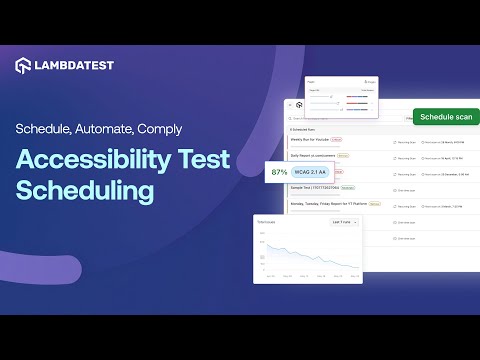
Watch the video below to learn how to schedule and automate accessibility scans using TestMu AI, ensuring inclusivity for all users.
Refer to the support document on installing the TestMu AI Accessibility Toolkit to use the Accessibility DevTools feature.
For regression coverage, TestMu AI runs the same WCAG scans inside existing Selenium, Cypress, and Playwright suites, so a new violation fails the build instead of reaching users.
The TestMu AI accessibility automation documentation covers the setup for each framework.
Also, our Accessibility Testing Suite was launched in April 2025 and recognized as Product of the Day, securing the top spot on Product Hunt.
Key Takeaway: Accessibility is a legal obligation in many countries, enforced through laws such as the ADA, Section 508, the EU Web Accessibility Directive, and the CVAA, which point to WCAG success criteria.
What Is Usability?
Usability refers to the ease with which users can interact with a website or web application. It measures how effectively users can locate what they're looking for and accomplish their goals.
The main aim of usability is to ensure that your website satisfies current or prospective users. While accessibility addresses people with disabilities or limitations, usability aims to address the needs of all users who use a website. This is when the intersection of accessibility vs usability is evident. Enhancing the user-friendliness of your website will benefit all individuals, including those with disabilities.
Usability Standards
Usability has its own standards, separate from accessibility law:
- International standards
- ISO 9241-11:2018 - Specifies usability by considering effectiveness, efficiency, and satisfaction.
- ISO 9241-210:2019 - Offers recommendations for user-centered design during the entire development process of interactive systems.
- ISO/IEC 25010:2023 - Replaced the withdrawn 2011 edition and keeps ease of use as part of its software product quality model.
- National guidelines
- ANSI/HFES 200 - Guidelines for creating user interfaces guaranteeing usability and user satisfaction.
- Nielsen's heuristics - Jakob Nielsen established the ten usability heuristics. The usability heuristics serve as guidelines for designers aiming to develop user-friendly products.
- Visibility of system status
- Match between the system and the real world
- User control and freedom
- Consistency and standards
- Error prevention
- Recognition rather than recall
- Flexibility and efficiency of use
- Aesthetic and minimalist design
- Help users recover from errors
- Help and documentation
The ten principles of usability are outlined as follows:
Any designer designing a website or web application must adhere to usability standards to ensure it looks good, is user-friendly, and is easy to navigate while also considering accessibility standards.
After design, developers and testers are responsible for building and testing the website or web application according to the design requirements and against accessibility and usability standards. As discussed, performing accessibility testing ensures your website or web application complies with accessibility laws and regulations. Similarly, usability testing is crucial for meeting usability standards.
Usability testing is a method organizations use to gain direct insight into how actual users interact with websites or web applications while performing tasks based on their functionalities. This approach helps identify usability issues and assess whether the software application is user-friendly and incorporates modern web design principles. Organizations can further ensure website usability against standards by using usability testing tools.
You can also subscribe to the TestMu AI YouTube Channel for quick updates on accessibility and usability related tutorials.
Key Takeaway: Usability is governed by ISO 9241-11:2018, ISO 9241-210:2019, ISO/IEC 25010:2023, ANSI/HFES 200, and Jakob Nielsen's ten heuristics rather than by accessibility law.

Austin Siewert
Co-Founder, Steadfast Systems
Discovered @TestMu AI yesterday. Best browser testing tool I've found for my use case. Great pricing model for the limited testing I do 👏
2M+ Devs and QAs rely on TestMu AI
Deliver immersive digital experiences with Next-Generation Mobile Apps and Cross Browser Testing Cloud
Where Do Accessibility and Usability Overlap?
The W3C Web Accessibility Initiative treats accessibility, usability, and inclusion as related but distinct goals in its guide to accessibility, usability, and inclusion. Many accessibility requirements also help people without disabilities who are in a limiting situation.
- High contrast - Helps people with low vision and anyone reading a phone in bright sunlight.
- Captions - Serve deaf and hard-of-hearing users and anyone watching video in a noisy place.
- Keyboard operability - Required for people who cannot use a mouse, and faster for power users filling long forms.
- Inclusion - The broadest of the three, covering factors such as age, language, literacy, and bandwidth; accessibility keeps its specific focus on disability.
The overlap has a limit. W3C WAI warns that treating accessibility standards as a checklist loses the human side of the interaction, so a checkout can pass every WCAG success criterion and still confuse a screen reader user with vague labels and an unexpected error. That page is accessible on paper and unusable in practice, which is why the two are tested separately.
How to Test Accessibility and Usability Together
Run accessibility checks first, because a barrier blocks a task outright while a usability problem only slows it down. Then test usability on the same flows.
- Automated WCAG scan - Catch machine-testable failures such as missing labels and low contrast on every build.
- Manual assistive technology pass - Walk the key flows with a keyboard only and with a screen reader such as NVDA, VoiceOver, or TalkBack.
- Usability sessions - Give representative users, including people who use assistive technology, real tasks and measure completion, time, and satisfaction.
Step one shows its limits quickly. I ran axe-core 4.13.0 against the Input Form Demo page of the TestMu AI Selenium Playground on Chrome and Windows 11 on the TestMu AI cloud, checking WCAG 2.0, 2.1, and 2.2 Level A and AA rules. The scan returned:
{
  "violations": [
    { "id": "color-contrast", "impact": "serious", "nodes": 1 },
    { "id": "select-name", "impact": "critical", "nodes": 1 }
  ],
  "incomplete": [
    { "id": "color-contrast", "nodes": 4 },
    { "id": "form-field-multiple-labels", "nodes": 1 }
  ],
  "passes": 27
}
The two violations, a dropdown with no accessible name and one low-contrast element, are real accessibility fixes. The five incomplete results are checks axe could not decide and handed back to a person. Nothing in the output says whether a first-time user can complete the form, because usability was never measured.
TestMu AI's accessibility testing suite covers the first two steps in one place: scheduled scans that track violations across releases, WCAG checks inside Selenium, Cypress, and Playwright runs, and screen readers on real Android and iOS devices for the manual pass.
Can AI Agents Test Accessibility and Usability?
AI agents now draft alt text, flag WCAG 2.2 violations, and walk through user flows on their own. They still cannot confirm that a site is accessible or usable.
Rule engines such as axe-core, Lighthouse, and Pa11y already catch the machine-testable failures: a missing alt attribute, low color contrast, an empty form label, an invalid ARIA role. LLM-driven coding agents extend that work:
- Drafting content fixes - An agent reads the surrounding DOM and proposes alt text, a clearer link label, or a form error message that names the field and the correction.
- Writing the tests - An agent generates keyboard-navigation and screen reader specs for Playwright or Selenium, using role-based locators instead of brittle CSS selectors.
- Driving the flow - Browser agents read the accessibility tree through the Chrome DevTools Protocol, so a checkout or signup flow can be walked the way a screen reader user walks it, exposing focus traps and unreachable controls.
The limits are the reason accessibility vs usability still needs two separate efforts. W3C WAI states that no tool alone can determine whether a site meets accessibility standards, and that knowledgeable human evaluation is required.
Several WCAG 2.2 criteria show why. Focus Not Obscured, Dragging Movements, Target Size (Minimum), and Consistent Help all depend on visual judgement and page context that a rule engine cannot score reliably.
An agent also cannot tell you whether alt text carries the right meaning, whether an error message makes sense to a first-time user, or whether a task felt slow. Those answers come from people, through UX testing sessions with real participants, including participants who use assistive technology.
Key Takeaway: AI agents shorten the detection and remediation loop for machine-testable accessibility rules, but human evaluation remains required for WCAG conformance and for every usability judgement.
Conclusion
Start with one high-value flow, such as signup or checkout: scan it for WCAG violations, walk it with a keyboard and a screen reader, then watch three to five users complete it. The accessibility automation guide shows how to keep that scan running on every build, and AI and accessibility covers where AI tools help and where they fall short.
Author

Nazneen Ahmad
Blogs: 39


Nazneen Ahmad is a freelance Technical Content SEO Writer with over 6 years of experience in crafting high ranking content on software testing, web development, and medical case studies. She has written 60+ technical blogs, including 50+ top-ranking articles focused on software testing and web development. Certified in Automation Basic and Advanced Training - XO 10, she blends subject knowledge with SEO strategies to create user focused, authoritative content. Over time, she has shifted from quick, keyword-heavy drafts to producing content that prioritizes user intent, readability, and topical authority to deliver lasting value.
Reviewer

Rahul Mishra
Reviewer
Rahul Mishra is a Lead Member of Technical Staff at TestMu AI (formerly LambdaTest), leading frontend engineering and accessibility testing across the quality engineering platform. He mentors frontend engineers, runs code reviews and sprint planning, optimizes React.js rendering performance, and makes product features accessible to users with disabilities through WCAG and ADA-compliant accessibility audits. He brings 10+ years of experience across React.js, VueJS, TypeScript, Swift, Objective-C, and AWS, with earlier work as a Technical Lead at VectoScalar Technologies. Rahul holds a B.E. in Information Technology.


Accessibility vs Usability FAQs
Did you find this page helpful?
More Related Blogs
TestMu AI forEnterprise
Get access to solutions built on Enterprise
grade security, privacy, & compliance
- Advanced access controls
- Advanced data retention rules
- Advanced Local Testing
- Premium Support options
- Early access to beta features
- Private Slack Channel
- Unlimited Manual Accessibility DevTools Tests