

Power Your Software Testing with AI Agents and Cloud
The Native AI-Agentic Cloud Platform to Supercharge Quality Engineering. Test Intelligently and Ship Faster.


- TestMu AI (Formerly LambdaTest)
- /
- Learning Hub
- /
- What Is Compliance Monitoring? Types, Tools, and CI/CD
What Is Compliance Monitoring? Types, Tools, and CI/CD
Compliance monitoring is the continuous checking that software still meets security, privacy, and accessibility rules. Learn the types, tools, and CI/CD setup.
Last Updated on:
Most teams treat compliance as an event: a SOC 2 audit window, an annual accessibility report, a quarterly security review. Between those events the software keeps shipping, and every deploy can quietly break a control that was green last month.
That gap between point-in-time proof and constantly-changing software is the problem compliance monitoring exists to close. This guide explains what compliance monitoring is, the types and components that make it work, and how QA and DevOps teams turn it into automated checks inside CI/CD so compliance is verified on every build, not rediscovered the week before an audit.
Overview
Compliance monitoring is the continuous process of verifying that software and systems meet regulations, internal policies, and industry standards. Software teams keep this continuous by running automated security, data-handling, and accessibility checks directly in their CI/CD pipelines, using tools like TestMu AI to generate audit-ready evidence.
- Best for catching control drift: Compliance monitoring - Runs constantly between audits to detect issues at commit or deploy time rather than months later during a point-in-time review.
- Best for formal attestation: Compliance audits - Provide periodic, point-in-time reviews to certify compliance and produce formal reports, which are made faster and more defensible by continuous monitoring.
- Best for pipeline automation: CI/CD gates - Run security, data-handling, and accessibility tests on every build to prevent non-compliant code from reaching production.
- Best for continuous evidence: TestMu AI - Provides scheduled compliance scans and a test management layer that logs every run with timestamps and user attribution to produce audit-ready evidence.
What Is Compliance Monitoring?
Compliance monitoring is the continuous, ongoing process of checking that an organization's systems, software, and processes still meet the regulations, internal policies, and industry standards that apply to them. The key word is continuous: a control that passed at the last audit can break with the next code change, so monitoring verifies controls as the system evolves rather than once a period.
In a software context, the things being monitored are concrete and testable:
- Regulatory and data-handling controls: how personal data is collected, stored, and transferred under rules like GDPR and HIPAA.
- Security controls: vulnerabilities, access management, and change control expected by SOC 2, ISO 27001, and PCI DSS.
- Accessibility controls: whether the interface still meets WCAG, the ADA, and Section 508 after each release.
- Internal policy and SLA controls: the organization's own coding, testing, and uptime standards.
Conceptually it sits next to the discipline of test monitoring and test control: both watch an ongoing activity and act when it drifts from a target. The NIST Cybersecurity Framework formalizes this idea in its Detect function, treating continuous monitoring as a core security capability rather than an optional add-on.
Why Compliance Monitoring Matters
The cost of finding out late is measured in breaches, fines, lawsuits, and rework. According to IBM's Cost of a Data Breach Report 2025, the global average cost of a data breach was USD 4.44 million, its first decline in five years, while the average cost in the United States climbed to a record USD 10.22 million. Continuous monitoring of security controls is one of the few levers that shortens the detection window those numbers depend on.
Regulators add a second cost. In its 2023 binding decision, the EDPB drove a 1.2 billion euro GDPR fine against Meta over unlawful data transfers, and across 2025 national EU data protection authorities issued a combined 1.15 billion euro in fines, per the EDPB's 2025 annual report. These are penalties for failing to demonstrate controls that monitoring is designed to keep provable.
And the broader bill for shipping software that does not do what it should is enormous. CISQ estimated the cost of poor software quality in the United States at at least USD 2.41 trillion. Compliance defects are a slice of that bill that the right monitoring catches before it reaches production.
Compliance Monitoring vs Compliance Audits
Teams often conflate the two, but they answer different questions. An audit asks "were we compliant on the day we checked?" Monitoring asks "are we still compliant right now?" The two reinforce each other: monitoring produces the evidence trail that makes the audit fast and defensible.
| Attribute | Compliance Audit | Compliance Monitoring |
|---|---|---|
| Frequency | Periodic, often annual or quarterly | Continuous, scheduled, or on every change |
| Goal | Certify and produce a formal report | Detect control drift early and trigger fixes |
| When issues surface | At the audit, sometimes months after the cause | At commit, deploy, or scan time |
| Primary owner | Compliance or external auditor | Engineering, QA, and DevOps, with compliance oversight |
| Output | Attestation or certificate | Live dashboards, alerts, and reusable evidence |
The practical takeaway: invest in monitoring and the audit becomes a formality you are already prepared for. Monitoring is, in effect, continuous testing pointed at compliance controls instead of only functional behavior.
Types of Compliance Monitoring
Compliance monitoring is not one activity. It splits into distinct types, each with its own standards and its own form of evidence. A mature program covers all four rather than treating compliance as only a security or only a privacy concern.
| Type | What it checks | Example standards | Primary evidence |
|---|---|---|---|
| Regulatory and data privacy | How personal and sensitive data is collected, stored, and transferred | GDPR, HIPAA | Data-flow tests, consent logs, access records |
| Security | Vulnerabilities, access control, and change management | SOC 2, ISO 27001, PCI DSS, OWASP | SAST and DAST scans, pen-test reports, audit logs |
| Accessibility | Whether the interface is usable by people with disabilities | WCAG, ADA, Section 508 | Scheduled WCAG scans, manual screen-reader checks |
| Operational and internal policy | The organization's own coding, testing, and uptime standards | Internal SLAs and engineering policies | Coverage reports, SLA dashboards, gate results |
The security pillar leans heavily on security testing practices, while the accessibility pillar maps directly to ongoing accessibility validation. The European Accessibility Act, which applies from 2025, pulled accessibility firmly into the regulatory category for many organizations selling into the EU, as covered in this guide to the European Accessibility Act.
Key Components of a Compliance Monitoring System
Whether you buy a platform or assemble one from existing tools, an effective compliance monitoring system has the same building blocks. Each component answers a specific question an auditor or regulator will eventually ask.
- Control mapping: every obligation is linked to a concrete check, so you can show which test proves which control.
- Continuous collection and scanning: automated tools gather signals constantly, instead of someone exporting evidence by hand.
- Automated checks and gates: the logic that decides pass or fail and can stop a release when a control breaks.
- Drift alerting: notifications when a previously passing control starts failing, routed to the owner who can fix it.
- Evidence repository and audit trail: a timestamped, user-attributed record of what was checked, when, and with what result.
- Remediation workflow: a defined path from a failed check to a tracked fix, often a linked defect ticket.
- Reporting and dashboards: a current view of compliance posture for engineering, compliance, and leadership.
In software teams, the evidence repository and audit trail are often the hardest pieces to retrofit. This is where TestMu AI Test Manager helps: every create, update, delete, and execution action is logged with timestamps and user attribution, producing compliance-grade audit trails that support SOC 2, ISO, and FDA requirements, while requirement-to-test traceability links each control back to the tests that exercise it.
Continuous Compliance Monitoring in CI/CD
The most important shift in modern compliance is moving the check from a quarterly review into the pipeline. Continuous compliance monitoring treats each control as an automated gate that runs on every build and fails the build when the control does not pass. This is the shift-left idea applied to compliance, the same operating model that moving from DevOps to DevSecOps brought to security.
A practical pipeline runs three families of checks on each change: security scans (SAST and DAST), data-handling tests, and accessibility scans. To make this concrete, we ran an automated WCAG 2.1 A and AA scan against the TestMu AI ecommerce playground in a Browser Cloud session. The scan returned three violation types in seconds: one critical missing image alt text, plus serious color-contrast failures across 12 elements and an unnamed link. That is exactly the kind of result a gate can act on, blocking the deploy until the issues are fixed.
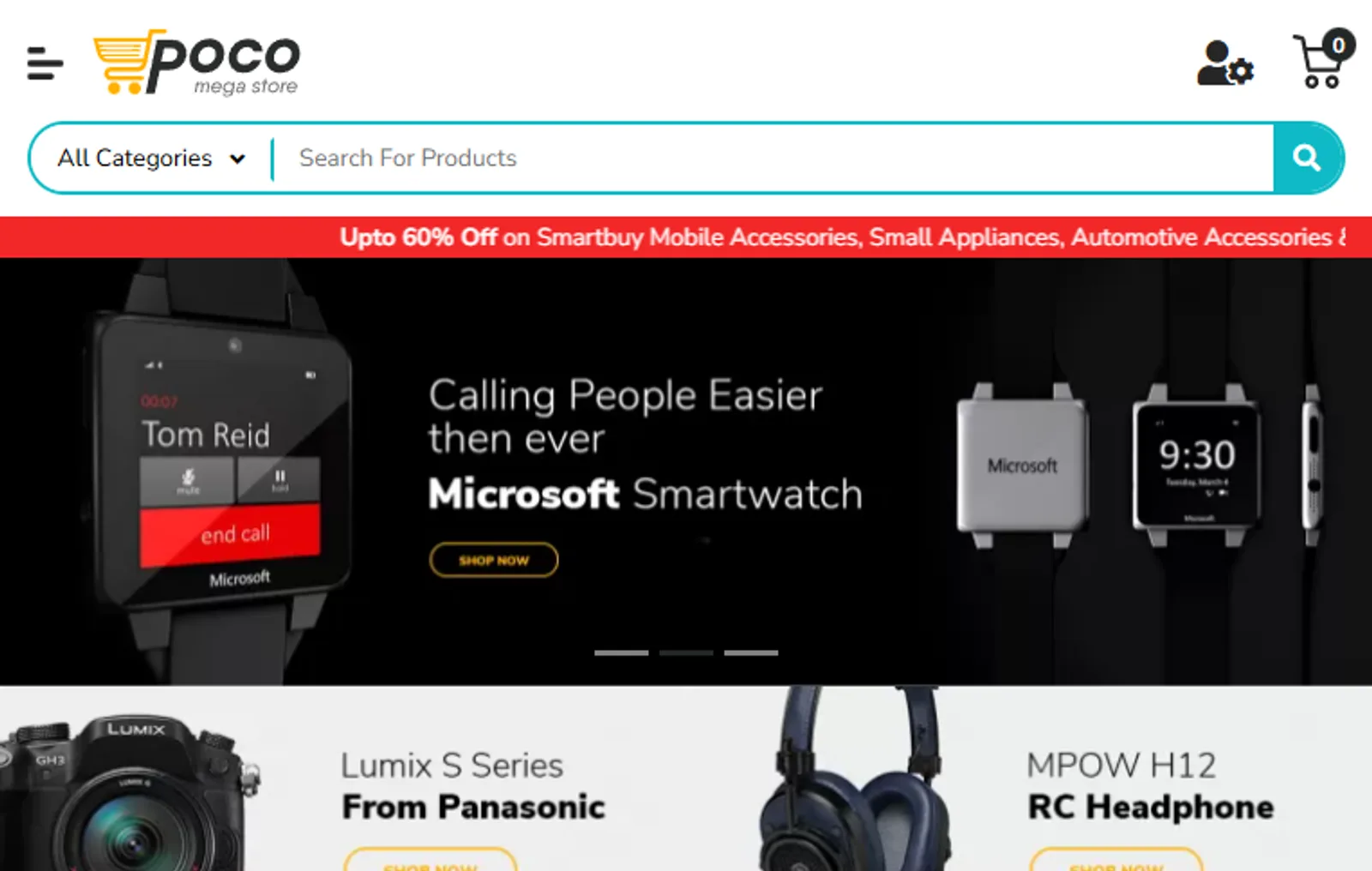
The gate itself is a few lines of code. The example below connects to the TestMu AI cloud grid, runs an accessibility scan with Axe-core, and exits with a failure code when any WCAG violation is found, which a CI system reads as a failed build:
const { chromium } = require('playwright');
const AxeBuilder = require('@axe-core/playwright').default;

const caps = {
  browserName: 'Chrome',
  browserVersion: 'latest',
  'LT:Options': {
    platform: 'Windows 11',
    build: 'Compliance Gate',
    name: 'WCAG 2.1 AA scan',
    user: process.env.LT_USERNAME,
    accessKey: process.env.LT_ACCESS_KEY,
  },
};

const wsUrl =
  'wss://cdp.lambdatest.com/playwright?capabilities=' +
  encodeURIComponent(JSON.stringify(caps));

const browser = await chromium.connect(wsUrl);
const page = await browser.newPage();
await page.goto('https://ecommerce-playground.lambdatest.io/');

const results = await new AxeBuilder({ page })
  .withTags(['wcag2a', 'wcag2aa', 'wcag21aa'])
  .analyze();

if (results.violations.length > 0) {
  console.error('Compliance gate failed: ' + results.violations.length + ' WCAG violations');
  await browser.close();
  process.exit(1); // block the deploy
}

await browser.close();
Wire that script into a GitHub Actions, Jenkins, or GitLab CI job and accessibility compliance becomes a build-time gate instead of a pre-launch panic. The same pattern works for security scans and data-handling tests. For a deeper walkthrough focused on accessibility, see how to build accessibility testing into CI/CD for continuous compliance.
Mapping Tests and QA Artifacts to Controls
The piece most compliance guides skip is the crosswalk: the explicit link between the artifacts QA already produces and the controls auditors ask about. When that mapping exists, your test suite is not just quality assurance, it is a continuously-refreshed compliance evidence engine.
| Testing artifact | Serves as evidence for | Example control area |
|---|---|---|
| Automated regression suite passing on each release | Changes were tested before deployment | SOC 2 change management, ISO 27001 operations |
| SAST, DAST, and pen-test reports | Systems are tested for vulnerabilities regularly | PCI DSS regular testing, OWASP coverage |
| Scheduled accessibility scan results | Interface meets accessibility requirements | WCAG 2.1 AA, ADA, Section 508 |
| Requirement-to-test traceability matrix | Every requirement has documented test coverage | ISO 27001, FDA validation, internal QMS |
| Timestamped test execution audit log | Who tested what, when, and with what result | SOC 2 monitoring, audit-trail requirements |
Two artifacts do most of the work here. A requirements traceability matrix proves coverage, and penetration testing output supplies the regular-testing evidence security frameworks demand. Building the crosswalk once, then keeping it current automatically, is what separates a team that scrambles before every audit from one that exports evidence on demand.
Accessibility Compliance Monitoring
Accessibility is the compliance type that regresses most easily, because every UI change can introduce a new barrier. The scale of the problem is documented: the WebAIM Million 2025 analysis found that 94.8% of the top one million home pages had detectable WCAG failures, averaging 51 errors per page. The legal exposure is just as real: UsableNet tracked over 4,000 ADA-related digital accessibility lawsuits filed in 2024.
Automation is necessary but not sufficient. Deque's study of more than 2,000 audits found that automated testing covered, on average, 57% of accessibility issues by its own volume-based methodology, which means the rest still needs manual review with assistive technologies. Effective accessibility compliance monitoring combines both: continuous automated scans for breadth, and human checks for the cases tools cannot judge.
This is where the testing layer earns its place in a compliance program. The TestMu AI accessibility testing suite is powered by Axe-core and runs scheduled recurring scans, daily, weekly, or monthly, with automated sitemap extraction so coverage keeps pace as the site grows. It integrates with Selenium, Playwright, and Cypress to fail builds on violations in CI/CD, supports manual validation with screen readers like NVDA, VoiceOver, and TalkBack, and sends email and Slack alerts when a release introduces drift. Coverage spans WCAG 2.0, 2.1, and 2.2 plus ADA, Section 508, AODA, and the European Accessibility Act, across the browser and real-device combinations users actually run.

Note: Catch accessibility regressions before they reach production. TestMu AI runs scheduled WCAG scans across browsers and real devices, and fails your build when a release breaks compliance. Start monitoring accessibility free
How to Build a Compliance Monitoring Program
You do not need to monitor everything on day one. Start with the obligations that carry the most risk, automate one gate, and expand. A workable sequence:
- Inventory your obligations. List the standards that apply to your product, SOC 2, GDPR, HIPAA, PCI DSS, or WCAG, and drop the rest. GDPR compliance testing maps each requirement to an executable check.
- Map each control to a check. For every obligation, name the test, scan, or record that would prove it. Gaps in this map are your real exposure.
- Automate the highest-risk checks first. Turn one or two controls into pipeline gates, accessibility or security usually offer the fastest payoff.
- Set drift thresholds and alerts. Decide what severity fails a build versus what only warns, and route alerts to the owner who can act.
- Centralize the evidence. Send every check result into one timestamped, attributable store so the audit trail builds itself.
- Define remediation SLAs. Tie each failed check to a tracked defect with an owner and a deadline, not a Slack message that scrolls away.
- Review as standards change. Re-check the inventory when a regulation or standard version updates, such as a new WCAG release, and adjust the gates.
Compliance Monitoring Tools and Approaches
No single tool covers every compliance type. A working stack usually blends categories: a GRC platform to track controls centrally, security scanners for SAST and DAST, accessibility testing tools, and the test management and CI/CD systems that produce execution evidence. The goal is not the most tools, it is the fewest tools that still cover security, data handling, and accessibility with an automated evidence trail.
The bigger decision is manual versus automated monitoring.
| Dimension | Manual monitoring | Automated monitoring |
|---|---|---|
| Coverage cadence | Periodic, limited by people's time | Continuous or on every build |
| Evidence collection | Manual exports, easy to miss | Captured automatically with timestamps |
| Best for | Judgment, context, and edge cases | Breadth, consistency, and speed |
| Main risk | Skipped under deadline pressure | False positives that need human triage |
The answer is rarely one or the other. Automate for coverage and consistency, keep humans for the judgment calls, and connect both to a shared evidence store. TestMu AI sits in the testing layer of that stack, contributing automated accessibility monitoring and the compliance-grade audit trails that turn test runs into control evidence.

Challenges and Best Practices
Compliance monitoring programs tend to fail in predictable ways. Knowing the failure modes makes them avoidable.
- Tool sprawl: a separate tool per standard creates gaps at the seams. Consolidate where a single check can serve multiple controls.
- Alert fatigue: if every finding pages someone, none get fixed. Tier alerts by severity and only fail builds on the controls that matter.
- False positives: automated scans flag issues that need human judgment, especially in accessibility where tools catch only part of the picture. Triage, do not ignore.
- Regulatory change: standards and versions shift, so a control set that was complete last year drifts out of date. Schedule a periodic review.
- Unclear ownership: when no one owns a control, it rots. Assign every gate to a named owner who can fix a failure.
The best practices are the inverse of those traps: shift compliance left into the pipeline, prioritize by risk rather than trying to monitor everything equally, treat evidence as code that is generated automatically, and pair automated coverage with targeted manual review. Done well, monitoring turns compliance from a recurring fire drill into a background property of how you ship.
Conclusion
Start small and concrete: pick your three highest-risk obligations, map each to a test or scan you can automate, and turn one of them into a pipeline gate this sprint. That single gate, an accessibility or security check that fails the build, does more for real compliance posture than a binder of policies no one reads.
From there, expand coverage and let the evidence accumulate on its own. TestMu AI gives you two of the pieces that are hardest to build by hand: scheduled, CI/CD-integrated accessibility compliance monitoring powered by Axe-core, and a test management layer whose audit trails and traceability turn your existing tests into control evidence. To set up automated accessibility scans, see the accessibility testing documentation.
Note: Sai Krishna, Director of Engineering at TestMu AI, who leads agentic AI for quality engineering and is a core contributor to the Appium open-source project, reviewed, fact-checked, and approved this article, which was researched and drafted with AI assistance. It was technically reviewed for security and compliance accuracy by Yogendra Porwal, whose expertise includes security testing and CI/CD. Sources cited are primary standards bodies and research organizations, including NIST, the W3C, the EDPB, and IBM. Read our editorial process and AI use policy for details.
Author

Sai Krishna
Blogs: 19

Sai Krishna is Director of Engineering at TestMu AI (formerly LambdaTest), where he leads agentic AI for quality engineering, building AI agents that autonomously drive mobile and conversational test automation. His current focus is Agent Testing and Model Context Protocol (MCP) support for mobile. He is a core contributor and member of the Appium open-source project and the creator of AppiumTestDistribution and appium-device-farm. With over 14 years of experience including more than 9 years at Thoughtworks as a Principal Consultant, he holds a BSc in Electronics and speaks regularly at TestMu and Appium Conf on Appium, mobile automation, and agentic AI in testing.


Compliance Monitoring FAQs
Did you find this page helpful?
More Related Blogs
TestMu AI forEnterprise
Get access to solutions built on Enterprise
grade security, privacy, & compliance
- Advanced access controls
- Advanced data retention rules
- Advanced Local Testing
- Premium Support options
- Early access to beta features
- Private Slack Channel
- Unlimited Manual Accessibility DevTools Tests