

Real Device Testing for Every User
There is a version of your web and app that only exists on a real device in a real hand on a real network. That is the version your users see.

Trusted by 3M+ users globally at




"We have tripled our tests and are now executing tests in less than 2 hours with 78% Faster Test Execution"


"We figured out a more efficient way to monitor system health and resolve failures earlier in lower environments."





"TestMu AI has significantly boosted our testing speed, is easy to implement, and provides exceptional support."


"With 70% faster test execution, TestMu AI helped us achieve faster time-to-market and enhanced CX."



Do Not Trust an Emulator
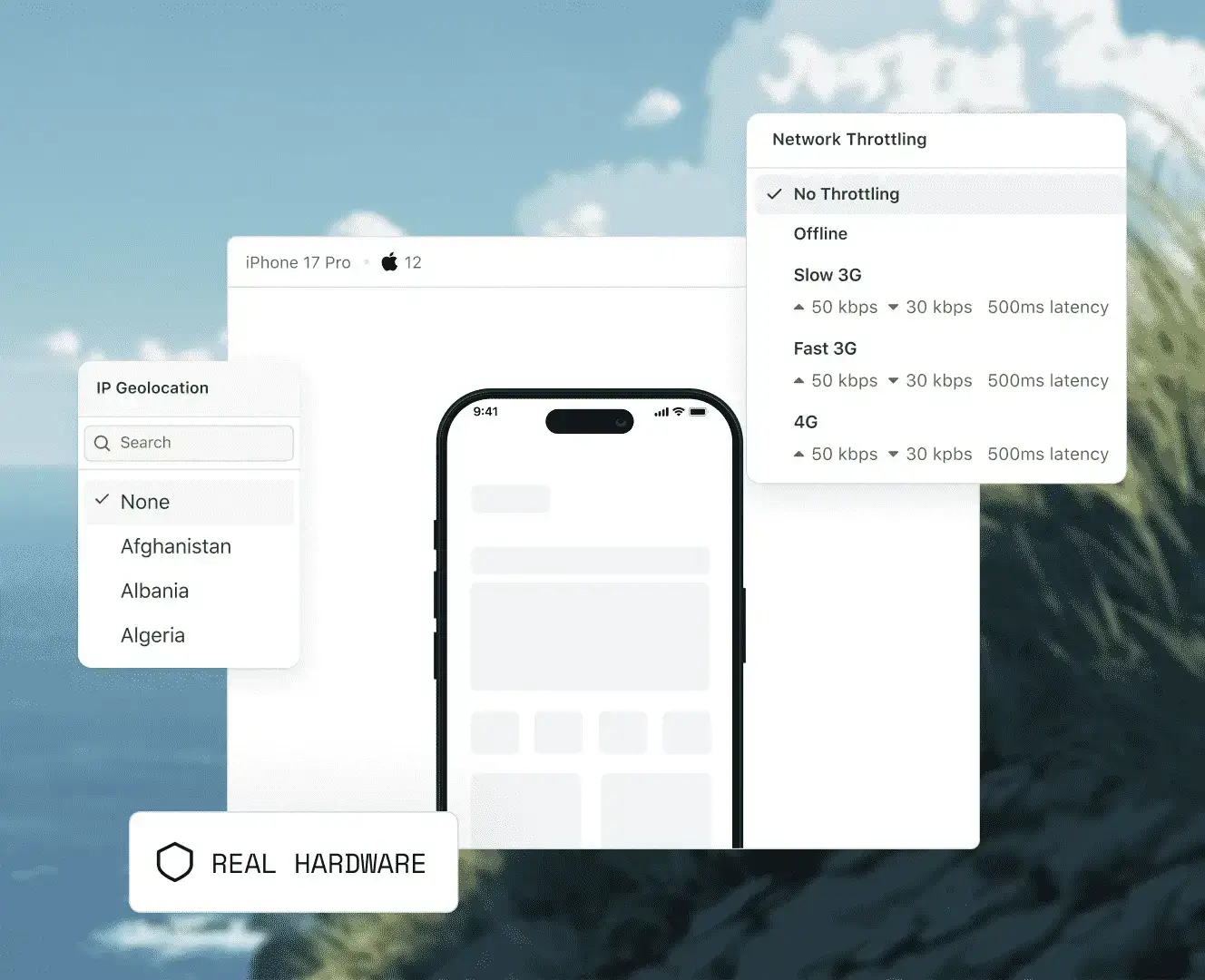
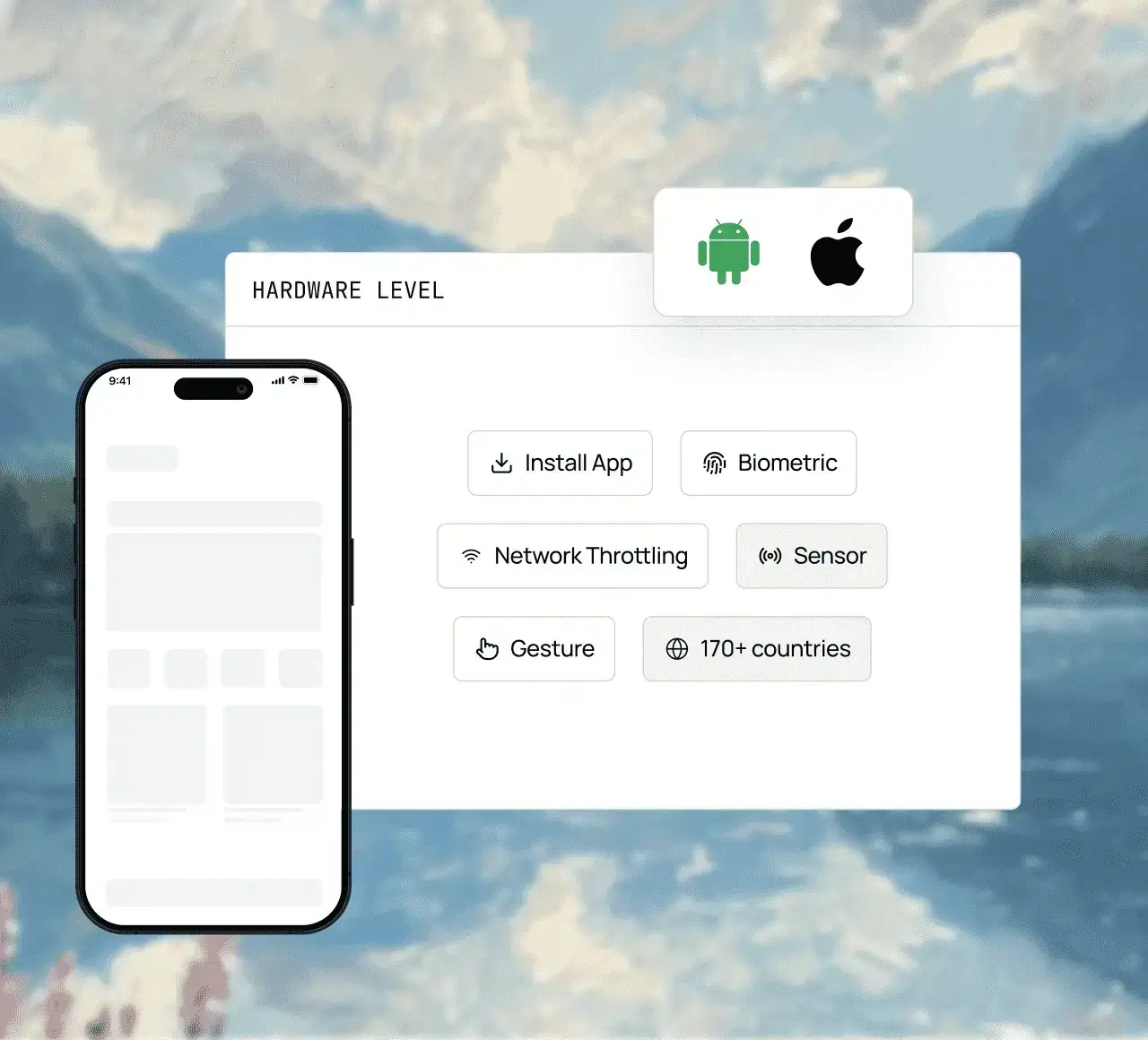
Test sensors and OS behaviours that emulators cannot fake: Network throttling, biometric authentication, GPS, video, and background interruptions on real devices.
Throttle network speed on real devices to simulate 3G, 4G, 5G, or offline conditions across live and automated sessions.
Get accurate results for motion-sensitive features and orientation-based UI using real accelerometer, gyroscope, and barometer sensors.
Run extended streaming sessions, on real iOS and Android hardware to validate video quality, syncing, layout, buffer time, and more, all from your browser.
Check accessibility testing on real iOS and Android devices including dynamic text sizing, high-contrast mode, colour inversion, reduced motion, display zoom, and assistive touch.
Locate elements, debug layouts, verify accessibility, and inspect app state directly on real iOS and Android hardware with built-in Appium Inspector and native DevTools.
Set a device's location to any country to test for localized pricing or currency display, regional push notifications or offers, and beyond.
Supports image capture testing, QR code scanning verification, and barcode scanning assessment
Test on Real Devices Your Users Actually Carry
17 Pro, 17, 16 Pro Max, 16 Pro, 16, and more
Flagship S-series through the latest release, plus foldables
Current and recent generations
New flagships land on day zero. The Galaxy Z Fold8, Z Fold8 Ultra, Google Pixel 11 Pro, and Pro XL are live on TestMu AI's real device cloud before reaching a single store.
TestMu AI Real Device Cloud Covers Every Real Scenario
Test your mobile app and website on every device your users own. From parallel testing, running no-code tests to debugging within the session, we have got you covered.
 REAL DEVICE CLOUD
Test, scale, and debug on real devices
Run live and automated app tests on the exact device, OS, locale, and carrier your users actually use.
Test on a real device free
Tap, swipe, pinch, zoom, rotate, and multi-touch capabilities, tested exactly as your users perform them. Every interaction runs on real hardware your users actually hold.
Distribute your suite across real device and OS combinations in parallel across multiple devices. Same tests, same pipeline, faster results.
Identify crashes, trace network requests, and inspect layouts without leaving the dashboard or losing your session context.
 KANE AI
The AI-native way to run tests
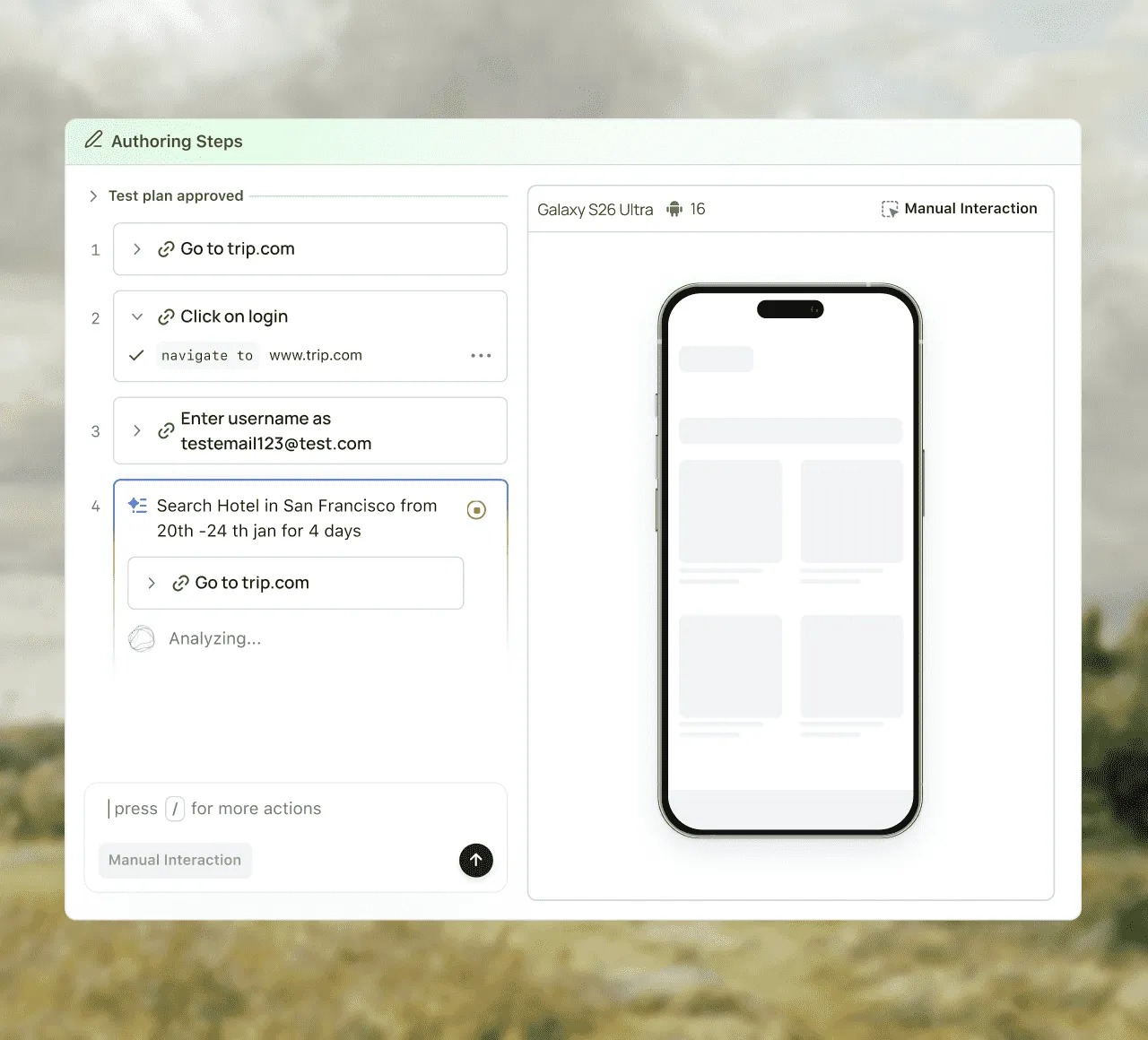
KaneAI is the no-script alternative to legacy codeless test automation tools. You write the intent, and KaneAI does the construction.
Learn more about KaneAINo Appium, no scripting knowledge required. Describe your test scenario like "Test Face ID login on iPhone 17 under 4G throttle" and KaneAI converts it into a running automated test on a real device.
When a UI element changes - a button renamed, a field repositioned; KaneAI automatically updates the locator and keeps the test running.
Every test KaneAI writes, runs on real iOS and Android hardware. Face ID, camera, GPS, and network throttling all behave exactly as they do in your users' hands.
Automate Browser Flows from your
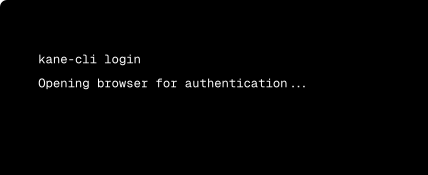
Terminal with Kane CLI
Plug into TestMu AI's Real Device Cloud
Point your Appium, XCUITest, Espresso, Detox, or Maestro suite at our cloud with one endpoint change. No rewrites, no migration.


Every Team has Different Needs - Pick your Fit
From shared public devices to a private on-premise cloud, choose the deployment model that matches your team's scale and security needs.
Public Real Device Cloud
Dedicated Real Device Cloud
On-premise Real Device Cloud
Best for
Teams getting started or with variable demand
Enterprises needing isolation and SLA
Regulated industries with strict data residency
Device access
Shared pool, instant access, pay-as-you-go
Reserved devices for your team only, custom configuration, pre-installed apps
Behind your firewall, full data control
SLA support
Standard
Guaranteed SLA + priority support
Standard
Public Real Device Cloud
Best for
Teams getting started or with variable demand
Device access
Shared pool, instant access, pay-as-you-go
SLA support
Standard
Dedicated Real Device Cloud
Best for
Enterprises needing isolation and SLA
Device access
Reserved devices for your team only, custom configuration, pre-installed apps
SLA support
Guaranteed SLA + priority support
On-premise Real Device Cloud
Best for
Regulated industries with strict data residency
Device access
Behind your firewall, full data control
SLA support
Standard
Built for Enterprise Testing at Scale
From security and compliance to dedicated infrastructure and priority support, TestMu AI meets the requirements enterprise teams can't compromise on.

Enterprise-grade Security
SOC 2, GDPR, and HIPAA-compliant infrastructure with private clouds and on-premise deployment.

Deployment your way
Public, dedicated, or fully on-premise behind your firewall, with network isolation and complete data residency.

Dedicated devices & SLA
Reserved devices with 24/7 access and no queuing, backed by guaranteed SLAs and priority support.

Trusted by leading teams
Microsoft, OpenAI, NVIDIA, GitHub, and Workday run their testing on TestMu AI.
Choose The Right Plan For You
Free
$0
1 Parallel Test
Includes access to:
Test on iPhone, Samsung Galaxy, Google Pixel, and other real devices
Get 5 sessions up to 2 minutes each, every month
View device logs, inspect network activity, and explore element hierarchies with the UI Inspector
Rotate the screen, adjust volume, toggle Dark Mode, and set time-zone and language
Mark issues as bugs mid-session, with screenshots, device details, and session info attached automatically
Real Device Plus Live
$39
/monthbilled annually
Parallel testing is a powerful technique that allows you to execute multiple tests simultaneously. This helps to reduce test execution time significantly.
Test across 10000+ real Android and iOS devices
AI-driven, autonomous testing on real device clouds for native and hybrid mobile apps
Upload .apk, .aab, or .ipa files directly from your system or via URL for testing on real iOS and Android devices
Effortlessly test all natural gesture-based features such as tapping, scrolling, zooming, and swiping.
Evaluate your app's performance in real-world scenarios across various network profiles like 3G, 4G, 5G, offline, etc.
Detailed device logs, application logs, network logs, and crash reports to help debug applications effectively
Get robust network log capture in HAR format for mobile app testing, providing detailed insights into API calls, latency, and server responses
Test geo-location with IP/GPS coordinates for precise device locations across more than 150 countries, including the UK, the United States & more.
Optimize app inspection and debugging using advanced UI tools to quickly address layout and functionality issues.
Test image capture, QR code, and barcode scanning capabilities with integration of mobile sensors for app validation.
Validate your app's biometric features to ensure seamless identity verification on a wide array of devices.
Validate your applications in different languages and regional settings
No need to manually upload app files in some scenarios, which streamlines the testing workflow.
Effortlessly test your webpages for accessibility issues
Run side-by-side tests on up to 6 real devices to save time and effort.
Test end-to-end Apple Pay-based payment handling on real devices.
Test OTP/SMS based 2FA and Interrupt Testing on SIM-Enabled real devices.
Test VoiceOver and TalkBack to ensure app and website accessibility.
Test authentication flows and app behaviors that depend on device passcode settings.
Simulates Assistive Touch functionality for several basic input gestures, including Screenshot, Shake, Notification Center, and App Switcher.
Toggle Dark/Light mode for comprehensive usability and UI testing.
Upload, manage, and control apps, including installs, uninstalls, versions, and rollbacks.
Real Device Plus Automation Cloud
$199
/monthbilled annually
Unlimited access to Apple (iPhone/iPad), Samsung, Google Pixel, OnePlus, Oppo, Vivo, Motorola, and more for running web automation
Detailed real device logs of each test execution
Effortlessly test your webpages for accessibility issues
Unlimited access to Apple (iPhone/iPad), Samsung, Google Pixel, OnePlus, Oppo, Vivo, Motorola, and more for running native app automation
Test automation of native, hybrid, or web apps on real devices
Support for all major latest and legacy Appium versions
Out-of-the-box geolocation testing across 120+ different countries
Test your apps in offline mode on iOS devices
Test your apps from pinpointed geolocations with GPS location mocking
Run automated scripts using Appium, Espresso and XCUITest frameworks
Test on multiple applications
Test for multiple languages and locales supported by your app
Upload your files on a real device from Google Play Store and App Store
Test image capturing, QR code and Barcode scanning in your app
Test for biometric verification in your app
Track performance metrics for your application
Use TestMu AI Tunnel to test locally or privately hosted apps
Test OTT applications on real smart TV devices
Automate end-to-end Apple Pay flows on public iOS devices, including tokenization and transaction handling.
Monitor app performance metrics during automated runs to identify bottlenecks and optimize app behavior.
Automatically detect and recover from broken UI elements during automated test runs to reduce maintenance overhead.
Validate Dark/Light mode rendering and automate device lock/unlock flows requiring passcode entry on Android and iOS.
Inject prerecorded or live audio streams to test voice-driven features in automation.
Automate testing for TV apps across major platforms, including Roku, Apple TV 4K, Android TV, and Fire TV.
AI-Agentic Quality Engineering
AI-native agents that plan, author, run, and analyze tests across browsers, real devices, and your CI pipeline.
Agent Testing
AI agents need testing too. Catch failures in your chatbots and voice assistants before real users do.
More about Agent Testing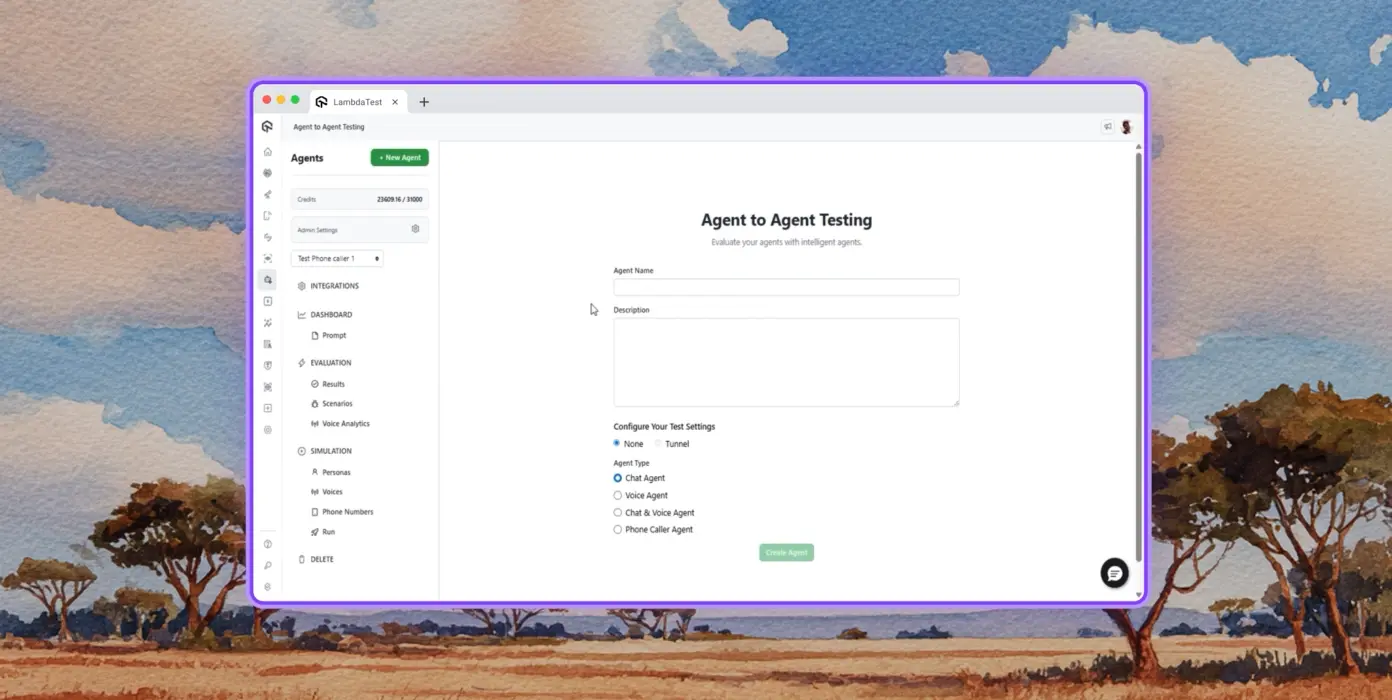
Autonomous Testing
Continuous agent analysis. No manual intervention needed.
Multi-persona Simulation
See how your agent handles an International Caller, a Digital Novice, and everyone in between.
Risk Scoring & Regression
Know exactly what broke, where, and how severely, before it ships.
Success Stories of TestMu AI (Formerly LambdaTest)

50%
reduction in test execution time
“HyperExecute is a highly reliable test execution platform and has excellent customer support.”
Sagar Uday Kumar
Sr. Engineering Manager
Some Love from our Customers
As Best Egg expanded its product offerings and entered new markets, we knew our old testing infrastructure couldn’t keep up.
With support from Tenny Agustin, our Engineering Operations Lead, we modernized our approach with
TestMu AI

Best Egg
best-egg

Excited to Share My Learning Journey with Kane AI & Lambda Tool!
I'm pleased to announce that I've recently gained hands-on experience exploring Kane AI through the Lambda Tool and it’s been a fantastic journey of upskilling!
KaneAI

Suryateja Goud
suryateja-goud

See how is #Futureready to enable blazing-fast test orchestration seamlessly integrated with organizations' existing CI/CD platforms, using #Microsoft Azure.
TestMu AI

Microsoft India
MicrosoftIndia
More Reasons to LoveTestMu AI (formerly LambdaTest)
See how TestMu AI improves your testing with seamless integration, quicker results, and unmatched accuracy.
Users
3M+
Tests
1.5B+
Enterprises
18K+
Countries
132
TestMu AI Named a Challenger in the 2025 Gartner® Magic Quadrant™
Read ReportTestMu AI recognized in The Forrester Wave™: Autonomous Testing Platforms, Q4 2025
Read ReportWall of Fame
TestMu AI is the #1 choice for SMBs and enterprises across the globe.

Enterprise-Grade Security
We safeguard your data and AI systems with global security, privacy, responsible AI, and ESG standards.

Integrations
Works where you work, 120+ integrations with the tools your team relies on.




As Seen On
Frequently asked questions
- Live and automated android real device testing across Pixel, Galaxy, OnePlus, and budget handsets.
- Live and automated ios real device testing across iPhone and iPad models on current and legacy iOS.
- Mobile cloud testing for hybrid apps (Cordova, Ionic), React Native, Flutter, and PWA builds.
- Mobile device cloud testing with parallel concurrency for regression suites.
TestMu AI forEnterprise
Get access to solutions built on enterprise-grade
security, privacy, & compliance
- Advanced access controls
- Advanced data retention rules
- Advanced Local Testing
- Premium Support options
- Early access to beta features
- Private Slack Channel
- Unlimited Manual Accessibility DevTools Tests