

Power Your Software Testing with AI Agents and Cloud
The Native AI-Agentic Cloud Platform to Supercharge Quality Engineering. Test Intelligently and Ship Faster.


- TestMu AI (Formerly LambdaTest)
- /
- Blog
- /
- Observing Accessibility
Observing Accessibility
Learn how observability tools like Grafana, Axe-core, and Sitespeed.io help teams monitor accessibility compliance and catch WCAG violations continuously.
Last Updated on:
Observing accessibility means tracking WCAG compliance continuously with tools like Axe-core and Grafana instead of relying on a single one-time audit. Axe-core scans a page for automatable WCAG failures, and a tool like Sitespeed.io runs those scans on a schedule and feeds the results into Grafana for review. This guide covers why observability matters for accessibility, how to build a culture of accessibility testing, and how to harness Sitespeed.io and Grafana to monitor WCAG compliance continuously.
Key Takeaways
- Observability for accessibility means tracking WCAG compliance continuously with tools like Axe-core, Sitespeed.io, and Grafana, instead of relying on a single audit.
- Axe-core detects on average 57% of WCAG issues automatically, so the remaining defects still need manual review by an engineering team.
- Sitespeed.io runs Axe-core scans on a schedule and sends the results to Graphite or InfluxDB, with Grafana dashboards to visualize the data.
- Some accessibility issues, like missing captions for hearing disabilities, cannot be caught by automated tools and need a manual review process.
- Grafana dashboards let a team compare accessibility defects across multiple pages and track violation counts over a longer retention period.
- Production accessibility monitoring catches defects a one-time audit or CI scan misses, because a page can still fail for a real user after it goes live.
Importance of Observability for Monitoring Accessibility
Observability is the ability to measure the internal states of a system by examining its outputs.
And why do we need observability for monitoring accessibility?
The goal is to constantly measure our compliance with web accessibility criteria and validate the effectiveness of the engineering teams to deal with these types of defects!
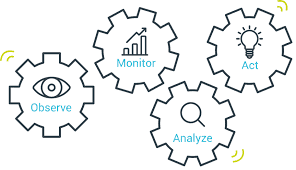
Modern observability platforms like Grafana can facilitate the need to aggregate and observe these data. But before reviewing how we can actually use them let’s see what type of data we can monitor.
Building a Culture of Accessibility Testing
To begin observing the number of defects with their respective severity levels when using Time Series DBs, we need a set of data points. Axe core is used to run our accessibility testing internally and produce the needed data. Axe core can be integrated with any third-party solution or automation framework and cover roughly up to 57% of the WCAG criteria. This means you can leverage test automation to achieve shift left testing but do not just stay in the automated workflows. You need to build a culture around testing for accessibility.
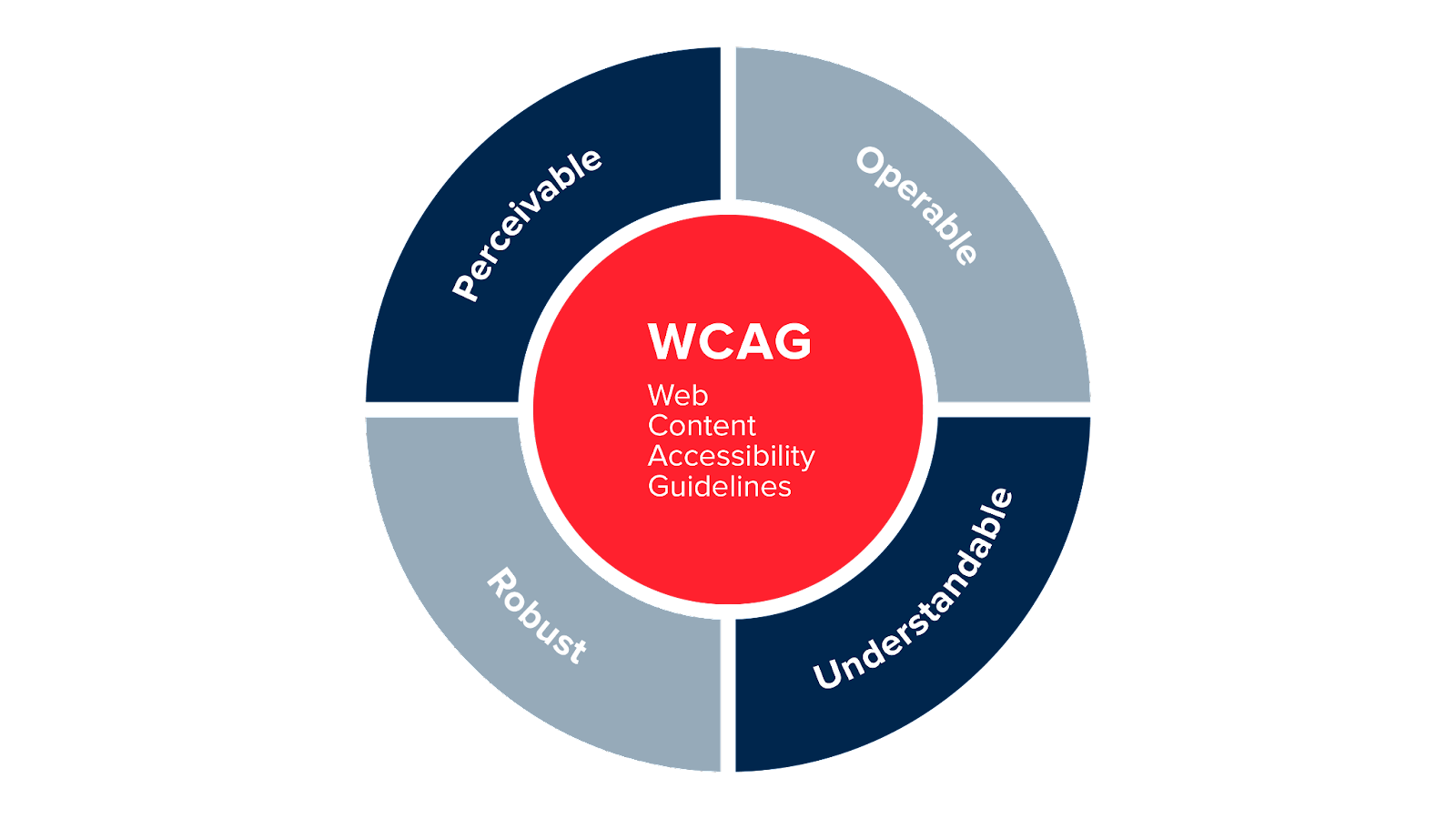
Before jumping to the practical section of our article let’s see how companies and organizations can leverage engineering teams’ awareness by an example. Going above the bare minimum demands a different approach and mindset from developers. React and Vue for example have accessibility integrated into them but developers should not rest themselves with whatever comes out of these frameworks in their day-to-day tasks. Many frameworks for example prioritise the visual aspects of accessibility but what about auditory or mobility issues? One basic example is when having video content in your software, the most effective way to make multimedia content accessible to persons with hearing disabilities is to include either captions or subtitles, or both.
The above example cannot of course be covered by automated tools and solutions so plenty of WCAG testing needs to be performed manually by the teams. The first thing to organizations needs to understand the disabilities involved and then review what they can do for accessibility.

Harnessing Observability with Sitespeed.io
Coming to observability ways, we use Sitespeed.io which is an open-source web performance testing framework that can run axe core internally and aggregate the data to Graphite or InfluxDB and comes with predefined Grafana Dashboards to start visualizing our data.
It is particularly useful if you want to have a 2-in-1 solution for your site performance and accessibility compliance.
A basic example of scanning a page:
docker run --rm -v "$(pwd):/sitespeed.io" sitespeedio/sitespeed.io:latest --axe.enable https://www.sitespeed.io
However you probably just want to configure run options, you can do that by adding a run prefix. Say for example you only want to test WCAG2AA compliance, you can do that with the runOnly configuration in AXE. You can do that with a configuration like:
{
    "axe": {
        "run": {
            "runOnly": ["wcag2aa"]
        }
    }
}
Now with a single docker command, you can scan any page and collect accessibility violations. But how can we aggregate them and visualize them in Grafana?
Say we have installed our Graphite instance just add the following arguments from your CLI:
--graphite.host --graphite.port
From here you just need to add the predefined dashboards to your Grafana instance to visualize your data.
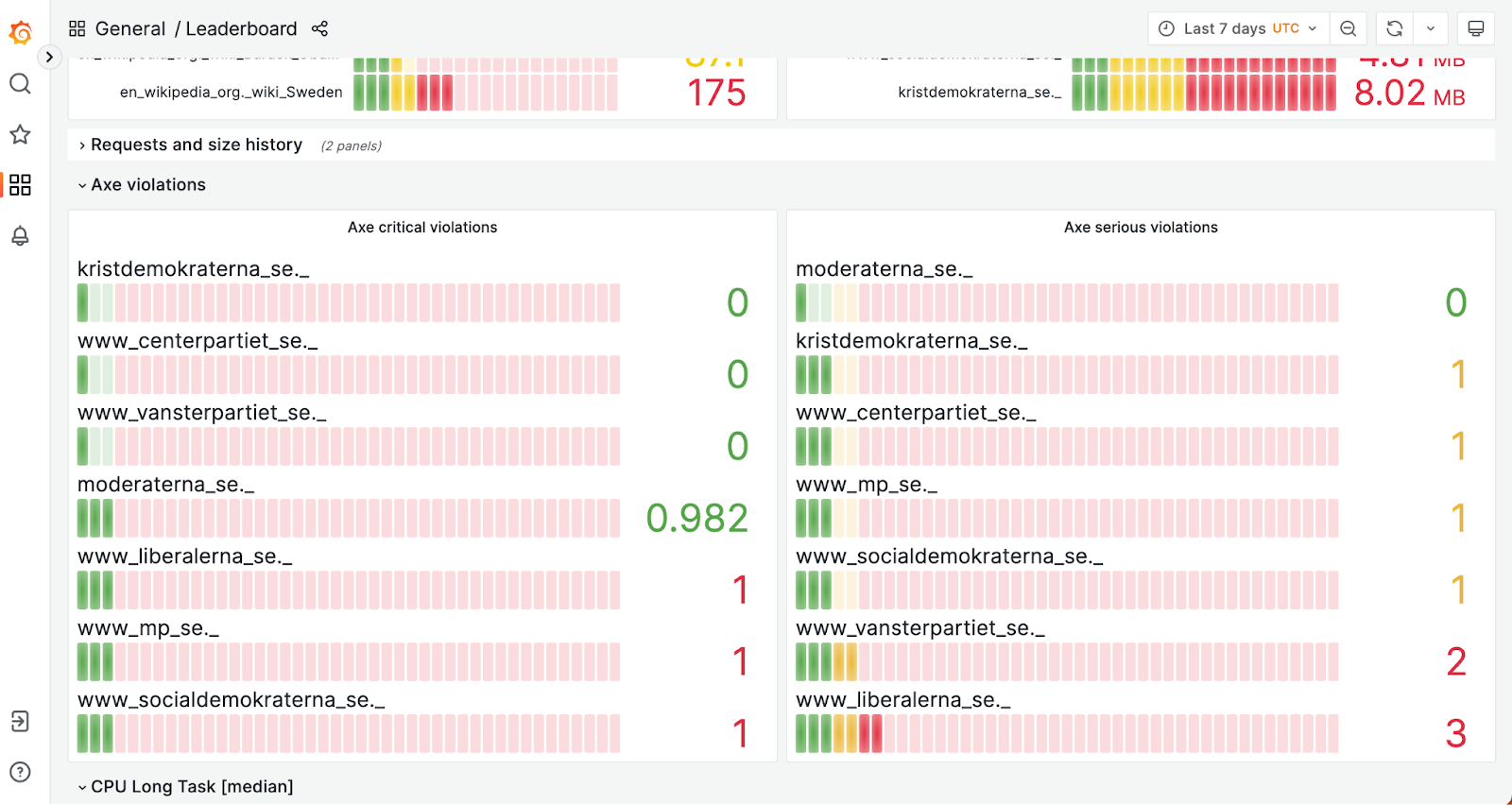
You can actually review side-by-side accessibility defects per page scanned which is extremely useful while testing multiple domains or sub-pages of your application. Grafana eventually can be used to monitor the number of violations in a longer period of time (depending on the retention policy of your DB) in order to have full access to historical data per release.
Why Does Accessibility Testing Now Need Production Monitoring?
Accessibility testing now needs production monitoring because a one-time audit or CI scan catches defects at release but misses ones a real user hits after a page changes. Current guidance on frontend observability treats a single accessibility audit as a starting baseline, not a finish line, and adds live production signals on top of the CI scans this article already covers.
- Prevent predictable defects: catch known WCAG failures, like missing alt text or low-contrast text, before the code ships, the same job the axe-core scan earlier in this article performs in CI.
- Test real user journeys: run checks against a full flow, such as checkout or sign-up, instead of a single isolated page.
- Monitor after every deploy: track new accessibility violations once a page is live, because a page can pass a CI scan and still fail for a screen reader user in production.
- Route each violation to an owner: send a detected defect to the team that owns the page, the way an error-monitoring alert already routes to an on-call engineer.
Feeding these production signals into the same Grafana dashboards this article builds turns a one-time accessibility audit into a continuous testing practice.
Conclusion
Observability is just about visualizing and reviewing any output of your system. When it comes to WCAG compliance we need engineering teams to be able to review the state of the success criteria for their apps at any time. Grafana is just one way to go but what really matters is the process of enabling teams in observability culture!

Author

Ioannis Papadakis
Blogs: 1

Ioannis Papadakis is a Senior Quality Engineering Leader with over 16 years of experience in QA engineering, test automation, and performance testing. He currently leads quality engineering at LearnWorlds and has previously served as Head of QA at Snappi, Director of QA at GWI, and Head of QA at Atypon. He is a k6 Champion, the founder of the Athens SDET Meetup, and an international conference speaker.


Observing Accessibility FAQs
Did you find this page helpful?
More Related Blogs
TestMu AI forEnterprise
Get access to solutions built on Enterprise
grade security, privacy, & compliance
- Advanced access controls
- Advanced data retention rules
- Advanced Local Testing
- Premium Support options
- Early access to beta features
- Private Slack Channel
- Unlimited Manual Accessibility DevTools Tests