
Run End-to-End Tests from Your Terminal with Kane CLI
Author and Run Tests Right from the Terminal in Natural Language, with an Evidence-Backed Pass or Fail from a Real Browser.
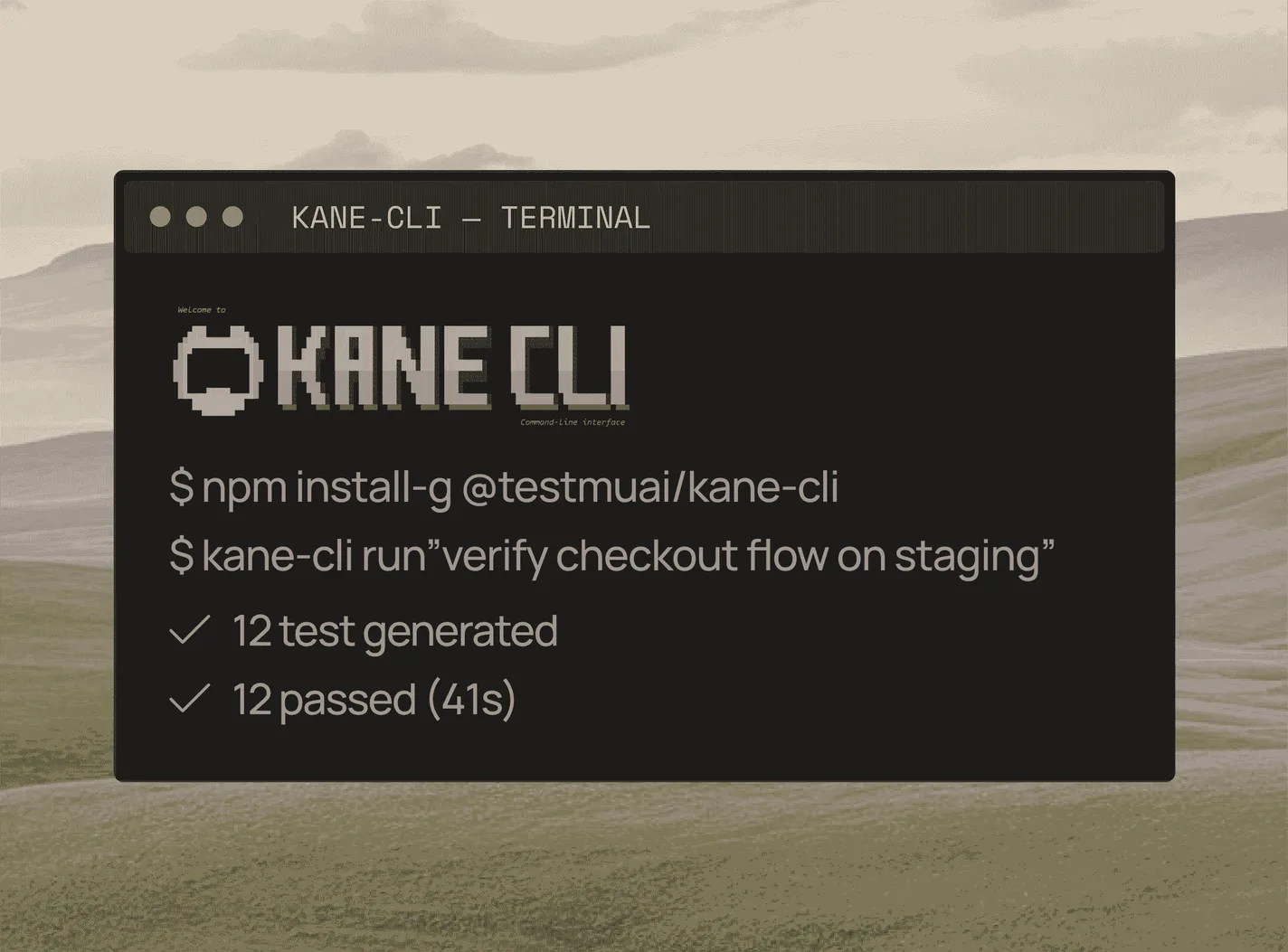
npm install -g @testmuai/kane-cli
Quality Gates: How to Build a Release Gate That Keeps Evidence
Quality gates block a change until it meets criteria set in advance. Learn where each gate sits, how a release gate differs and what evidence it should keep.
Published on:
A coding agent changes how discount codes apply at checkout. Lint passes, the unit tests the agent wrote pass, coverage on new code clears its floor, and the build turns green. The release candidate still takes the discount off twice when a shopper applies the same code twice.
A quality gate is a checkpoint in a software delivery pipeline that stops a change from moving to the next stage until it meets criteria agreed in advance. A release gate is the last quality gate before production. When coding agents write much of the code, the release gate should also keep evidence for every acceptance criterion: a recorded result that a second person can open and check.
The examples use two TestMu AI command-line tools: Kane CLI for web and mobile apps, and Rook CLI for AI agents that call tools and change systems.
Overview
Quality gates are checkpoints in a delivery pipeline that block a change until it meets criteria written in advance, such as passing tests or a coverage floor on new code. A release gate is the last one before production. When coding agents write the code, it should block on a verdict per criterion and keep the evidence behind each verdict.
What is the difference between a quality gate and a release gate?
- Release gate: A release gate is the quality gate right before production. It checks a release candidate, and its output is a go or no-go decision, usually signed by a named release owner, while other quality gates sit at commit, pull request or deploy.
- Exit criteria: Exit criteria are the conditions that say a test phase is finished, such as all priority-1 cases run. A quality gate is the enforcement point that checks such conditions and blocks the change when they are not met.
- SonarQube quality gate: In SonarQube, a quality gate is a set of conditions on code metrics such as new issues, coverage and duplication on new code. It measures the source code, not whether the running software meets its acceptance criteria.
What is an evidence-based release gate?
- Kane CLI evidence pack: Kane CLI by TestMu AI seals each web or mobile test run into one .evidence file with the test definition, per-step screenshots, console and network logs, and a failure record for any failed step. Runs headless in CI: yes, and the job archives the file next to the verdict.
- Rook CLI Unable to Verify verdict: Rook CLI gives each AI agent criterion one of three verdicts, Pass, Fail or Unable to Verify. Counted in the pass rate: no, so a strict release gate can block on Unable to Verify instead of treating it as a pass.
What Is a Quality Gate?
A quality gate is a pass-or-block decision point in software delivery. The change either meets criteria written before the work started and moves on, or it stops where it is. A gate blocks; a dashboard that turns red after the merge only reports.
On GitHub, the usual gate is a required status check on a protected branch. GitHub's documentation on protected branches says required status checks must have a successful, skipped or neutral status before collaborators can make changes to a protected branch, so a check that skips satisfies the rule just as a passing one does.
That merge gate, and the skipped-check trap inside it, get their own guide: a practical quality gate for AI-built pull requests. Typical quality gate criteria, by area:
| Area | Example criterion | Usually checked by |
|---|---|---|
| Code health | No new critical static-analysis issues; a coverage floor on new code | A static analysis tool in CI |
| Security | No known critical vulnerabilities in dependencies; no secrets in the diff | Dependency and secret scanners |
| Behavior | Every acceptance criterion for the changed flows passes on the target browsers and devices | End-to-end tests against a staging build |
| Sign-off | A named release owner approves the go/no-go | A person, with the approval recorded in the pipeline |
Where Do Quality Gates Sit in a Delivery Pipeline?
Quality gates sit wherever a change gets more expensive to undo: before a push, before a merge, before a release and after a deploy. Each one checks something the gate before it cannot see.
| Stage | Gate name teams use | Typical criteria | Who or what decides |
|---|---|---|---|
| Commit or pre-push | Local gate | Lint, unit tests, type checks | The developer's machine or a coding-agent hook |
| Pull request | Merge gate | Required status checks, code review, static analysis | CI plus a reviewer |
| Release candidate | Release gate (go/no-go) | Regression and end-to-end flows on target browsers and devices | CI plus a named release owner |
| After deploy | Deployment gate or canary check | Error rates, health checks, rollback triggers | Monitoring and deployment tooling |
The after-deploy gate is often a canary release, where a small share of traffic decides whether a rollout continues; canary testing covers how that check is set up.
What Is the Difference Between a Quality Gate, a Release Gate and Exit Criteria?
Exit criteria are what you check, a quality gate is where and how the check is enforced, and a release gate is the final quality gate before users are affected.
| Term | What it is | Where it applies | Output |
|---|---|---|---|
| Entry criteria | Conditions that must hold before a test phase starts, such as "build deployed to staging, test data loaded" | Start of a test phase | Ready or not ready |
| Exit criteria | Conditions that say a test phase is finished, such as "all priority-1 cases run, no open severity-1 defects" | End of a test phase | Met or not met |
| Quality gate | The enforcement point that checks criteria and blocks the change if they are not met | Any stage | Pass or block |
| Release gate | The quality gate right before production | Release candidate | Go or no-go |
The exit criteria for a release usually come from the test plan. The guide to release testing covers how a release candidate is tested against them.
How Is a SonarQube Quality Gate Different From a Release Gate?
In SonarQube and similar static analysis tools, a quality gate is a set of conditions the code is measured against during analysis. A release gate asks a different question: does the built software behave as the requirements say, and can you show it?
Sonar's documentation defines a quality gate through conditions on metrics calculated during the analysis. Its built-in Sonar way gate checks new code only: no new issues, all new security hotspots reviewed, test coverage of at least 80.0% and duplication of at most 3.0%. The same documentation lists a built-in gate named Sonar way for agentic AI, recommended for agent-centric development.
| Code-quality gate (SonarQube style) | Release gate (behavior and evidence) | |
|---|---|---|
| What it measures | The source code: issues, hotspots, coverage, duplication | The running software: whether each user flow or agent action meets its acceptance criteria |
| Typical result | Passed or failed against metric thresholds | Go or no-go, with a verdict per criterion |
| What it cannot see | Wrong business behavior in code that is clean and well covered | Code smells and maintainability |
Clean, well-covered code can still apply a discount twice, so run both: the code-quality gate at the merge and the release gate last. The static code analysis guide covers the techniques behind the first one.
Why Does a Release Gate for AI-Written Code Need Evidence?
When coding agents such as Claude Code, Cursor, Codex or Gemini CLI write much of a change, a green build no longer shows that someone who understood the requirement checked the behavior. The release gate needs a verdict from outside the author and a record of how it was reached.
- More change reaches the release - Google's announcement of the 2025 DORA report says 90% of its nearly 5,000 survey respondents use AI at work, and that AI adoption now has a positive relationship with software delivery throughput but continues to have a negative relationship with software delivery stability.
- Green checks can hide insecure code - In Veracode's 2025 study of AI-generated code, more than 100 large language models given 80 code completion tasks chose the insecure option 45 percent of the time when a secure and an insecure option were both available.
- The author may also write the tests - When one agent writes the code and its tests, a green result can mean the agent agreed with itself. The question of whether coding agents can test their own code has its own post.
What Is an Evidence-Based Release Gate?
An evidence-based release gate lets a change ship only when every acceptance criterion has a recorded result, judged separately from the code's author. It keeps each run's steps, screenshots, network and console logs and verdict as a sealed file that anyone can open later.
| Traditional quality gate | Evidence-based release gate | |
|---|---|---|
| Main signal | Exit code, coverage percentage, finding counts | A verdict per criterion, plus the evidence behind it |
| Who writes the pass condition | Tool defaults or pipeline config | People, as acceptance criteria from specs and requirements |
| Who decides the verdict | Often a test the code's author wrote | A verification step separate from the author |
| What is kept | Logs that expire with CI retention | A sealed file with steps, screenshots, network and console logs, and the verdict |
| A check that could not run | Often skipped, and a skip can count as a pass | Reported as its own result and kept out of the pass rate |
A JUnit XML file records pass or fail per test. A Kane CLI evidence pack is one sealed .evidence file that holds the test definition, a result summary, per-step screenshots, console and network logs, and a failure record for any step that fails.
Per the Kane CLI .evidence format docs, sealing writes a content hash of each test definition, so validation fails if the definition is edited afterwards. Packs are not signed, so the hash does not show who produced a pack. For keeping such files for an audit, see how to prove to auditors what an automated test did.
What Counts as Evidence in a Release Gate?
Evidence in a release gate is anything a second person could inspect to reach the same verdict without re-running the test. An exit code, a coverage figure or a model's summary of its own run is not evidence on its own. A release gate's evidence should cover:
- Acceptance criteria, each linked to the requirement it comes from.
- A verdict per criterion (pass, fail or could not verify).
- A step trace naming the element or tool each step acted on.
- Screenshots, network logs and console logs for each step.
- The environment, such as the browser or device, operating system, commit SHA and test version.
- The failure class, so a product bug, an environment problem and a test setup issue are told apart.
- An integrity check, such as a content hash, so later edits are detectable.
- Storage outside CI log retention, kept for as long as your audit period.
How Do You Build a Release Gate for a Web or Mobile App?
Run written acceptance criteria against the release candidate on staging, block on the verdict and keep the evidence.
Kane CLI is TestMu AI's end-to-end testing agent for the terminal and CI. It takes a plain-English objective and runs it in a real Chrome browser, or against a native app on an Android emulator, an iOS simulator or a real device in the TestMu AI cloud, then returns an exit code a pipeline can act on. The example below gates a merged, mostly agent-written build that changes how discount codes apply at checkout.
Step 1: Write the Acceptance Criteria
A person states the intent, one checkable promise per line:
- Applying code SAVE10 to a $50 cart shows a total of $45.
- Applying the same code a second time does not reduce the total again.
- An expired code shows an error and leaves the total unchanged.
Kane CLI can also propose criteria from a PRD or spec through its assurance commands. Everything an agent proposes starts as derived, and nothing becomes trusted without a person's review.
Step 3: Replay It in CI
On later runs of kane-cli testmd run, each step replays from its cached recording with no AI agent and no LLM cost. Editing one step re-authors that step and every authorable step after it in the same file, because each step starts where the previous one left off.
Step 4: Let Healing Repair the Path
When a replay fails because the page changed, adaptive healing (on by default) retries smaller replay windows, up to three, and then re-authors the authorable steps. Every failed replay is also investigated, and a failure record goes into the evidence pack.
Each element match carries a confidence score, and low-confidence matches are rejected instead of clicked. A moved button can be found again, while the check on the total still has to pass.
Step 5: Gate on the Exit Code
The exit code is the gate signal. For kane-cli testmd run, the Kane CLI exit codes map to these decisions:
| Exit code | Meaning in the docs | Release gate decision |
|---|---|---|
| 0 | Run passed, or the file had no steps | Go for this flow |
| 1 | At least one non-optional step failed | No-go; open the evidence file first |
| 2 | Error such as a parse, auth or Chrome launch failure | No-go; fix the pipeline, since this is not a product verdict |
| 3 | Cancelled or timed out | No-go; re-run once the cause is known |
kane-cli run and testrun run use the same four codes in their own words: for kane-cli run, 1 also covers a failed upload, and for testrun run, 1 means at least one member failed or broke. The workflow below follows the Kane CLI CI/CD guide: headless, agent mode, a timeout and credentials from secrets. It replays the committed test instead of authoring a new one.
name: release-gate
on:
  push:
    branches: ['release/**']
jobs:
  checkout-gate:
    runs-on: ubuntu-latest
    steps:
      - uses: actions/checkout@v4
      - uses: actions/setup-node@v4
        with:
          node-version: '20'
      - name: Install Chrome
        uses: browser-actions/setup-chrome@v1
      - name: Install Kane CLI
        run: npm install -g @testmuai/kane-cli
      - name: Release gate - checkout on staging
        env:
          LT_USERNAME: ${{ secrets.LT_USERNAME }}
          LT_ACCESS_KEY: ${{ secrets.LT_ACCESS_KEY }}
        run: |
          kane-cli testmd run tests/checkout-discount_test.md \
            --headless --agent --timeout 300 \
            --username "$LT_USERNAME" --access-key "$LT_ACCESS_KEY"
      - name: Keep the evidence, pass or fail
        if: always()
        uses: actions/upload-artifact@v4
        with:
          name: release-gate-evidence
          path: |
            .testmuai/evidence/
            **/output-*/Result.md
          include-hidden-files: true
The same CI/CD guide documents an official GitHub Action that runs Kane CLI and posts the verdict as a pull request comment. For a step-by-step setup, see how to connect Kane CLI to GitHub Actions.
Step 6: Keep and Open the Evidence
testmd run and testrun run always write their sealed pack to .testmuai/evidence/ in the workspace, and an ad hoc kane-cli run copies its pack there when it is named with --name. Each test's Result.md names the step that failed and why. The upload step needs include-hidden-files: true, because upload-artifact skips files inside folders whose names start with a dot.
To open a pack, run kane-cli evidence serve <path-to-pack>. It serves the pack from a localhost-only server to the hosted viewer at evidence.lambdatest.com, a static page, and uploads nothing. The open .evidence format has its own specification and Apache-2.0 tooling, so other test frameworks can write packs too.
If the CI runner has no Chrome, Xcode or Android Studio, kane-cli testrun run --remote runs the suite as one HyperExecute job on the TestMu AI grid. That needs a plan with HyperExecute macOS runner concurrency and the remote-execution plugin.
How Do You Build a Release Gate for an AI Agent?
Run reviewed functional and adversarial scenarios against the agent on staging, and judge each criterion by what the agent changed in tools, files and records, not by what it said it did.
Agent Assurance tests AI agents that act: they call tools, write files, change records or hand work to other agents. Its command line is Rook CLI, and the command is rook. The example is a support-triage agent that hands refund requests to a billing agent through MCP tools. Install the CLI with npm (Node.js 20 or newer):
npm install -g @testmuai/rook@latestStep 1: Build the Suite
rook reads the agent's code (manifests, prompts, tool tables and MCP servers), or its PRD or spec when there is no code to read, and derives functional and adversarial scenarios. The adversarial class is generated by default and covers attacks such as prompt injection, jailbreak, data exfiltration and PII leakage.
Generation is model-backed and can spend credits, so it belongs in a separate, reviewed workflow outside the release gate. The gate runs only scenarios a person has reviewed.
Step 2: Run Reviewed Scenarios on Staging
The agent's writes are real and rook cannot roll them back, so point the profile at staging. An unattended run cannot answer permission prompts, so pass the exact rule rook asked for during a local rehearsal instead of a blanket --yes:
rook run --only SC-001,SC-004,SC-014 \
  --profile staging --concurrency 1 --name release-gate \
  --allow '<exact-reviewed-rule>' --json > rook-run.json
Step 3: Gate on Verdicts, Not the Exit Code
The Agent Assurance CI/CD docs state that a process exit code of zero is not an agent-quality gate: a halted run, or one with failed verdicts, can still finish and write its outcome document. rook run --json writes one JSON document with ok, run_id, halted and, when available, report.totals.
Each criterion gets one of three verdicts: Pass, Fail or Unable to Verify. Unable to Verify never counts toward the pass rate, and the docs' strict release gate blocks on it without relabelling it as Fail.
Scenario totals alone do not prove that every criterion was observable, so add any criterion-level coverage rule from the saved verdicts, and upload rook-run.json and the run directory with if: always(). The full workflow is in how to gate GitHub Actions on Rook CLI verdicts. Rook CLI runs before release and does not watch production traffic, so keep your production monitoring alongside it.

How Should a Release Gate Turn Test Results Into a Go/No-Go Decision?
Through one written policy that covers every outcome, including errors, timeouts, Unable to Verify and missing evidence. The policy below is an example, not a product configuration: neither Kane CLI nor rook reads it. Its exit codes come from the Kane CLI reference and its rook-run.json fields from the Agent Assurance CI/CD docs.
# release-gate-policy.yaml
# EXAMPLE POLICY: not read by Kane CLI or rook
version: 1
owner: "release owner name"  # signs the go/no-go
evidence:
  required: true             # a pass you cannot show is a no-go
  retain: "your audit period"

web_and_mobile:              # Kane CLI exit codes
  - { result: "exit 0 (passed)", decision: go }
  - { result: "exit 1 (a step failed)",
      decision: no-go, route_to: developer,
      note: "open the .evidence file first" }
  - { result: "exit 2 (parse, setup or auth error)",
      decision: no-go, route_to: pipeline-owner,
      note: "not a product verdict" }
  - { result: "exit 3 (timeout or cancelled)",
      decision: no-go, route_to: pipeline-owner,
      action: re-run }

agents:                      # rook-run.json, never the exit code alone
  - { result: "rook exits non-zero", decision: no-go,
      note: "the command itself failed" }
  - { result: "ok, run_id set, not halted",
      when: "planned = executed = decided = passed = count",
      decision: go }
  - { result: "failed > 0", decision: no-go, route_to: agent-owner }
  - { result: "unverifiable > 0", decision: no-go,
      override: "release owner, in writing" }
  - { result: "unjudged, not_run or unrunnable > 0", decision: no-go }
  - { result: "halted, discarded or totals missing",
      decision: no-go, note: "fail closed" }
  - { result: "criterion coverage below your floor", decision: no-go }

always:
  - { result: "evidence file missing or upload failed", decision: no-go }
The script below enforces that policy in CI. It reads the Kane CLI exit code, looks for a sealed .evidence file and reads rook-run.json:
// release-gate.mjs: one go/no-go from two signals.
// Usage: node release-gate.mjs <kane-exit> <rook-run.json> <n>
import fs from 'node:fs';

const [kaneExit, rookFile, expected] = process.argv.slice(2);
const reasons = [];

// 1. Kane CLI: the exit code, plus a sealed evidence file
const kane = {
  0: null,
  1: 'kane: a step failed (open the pack)',
  2: 'kane: setup or auth error, not a verdict',
  3: 'kane: timed out or cancelled',
};
if (!(kaneExit in kane)) reasons.push('kane: unknown exit code');
else if (kane[kaneExit]) reasons.push(kane[kaneExit]);

const dir = '.testmuai/evidence';
const packs = fs.existsSync(dir)
  ? fs.readdirSync(dir).filter((f) => f.endsWith('.evidence'))
  : [];
if (packs.length === 0) reasons.push('kane: no evidence file');

// 2. rook: read rook-run.json, never the exit code alone
let r = {};
try {
  r = JSON.parse(fs.readFileSync(rookFile, 'utf8'));
} catch {
  reasons.push('rook: no readable rook-run.json');
}
const t = r.report && r.report.totals;
const n = Number(expected);
const keys = ['planned', 'executed', 'decided', 'passed',
  'failed', 'unverifiable', 'unjudged', 'not_run', 'unrunnable'];

if (r.ok !== true || typeof r.run_id !== 'string' ||
    r.halted !== false || r.discarded) {
  reasons.push('rook: run incomplete or halted');
} else if (!t || keys.some((k) => typeof t[k] !== 'number')) {
  reasons.push('rook: totals missing (fail closed)');
} else {
  if (t.failed > 0) reasons.push('rook: ' + t.failed + ' failed');
  if (t.unverifiable > 0) {
    reasons.push('rook: ' + t.unverifiable + ' Unable to Verify');
  }
  const gaps = t.unjudged + t.not_run + t.unrunnable;
  if (gaps > 0) reasons.push('rook: ' + gaps + ' not judged or run');
  const all = [t.planned, t.executed, t.decided, t.passed];
  if (all.some((v) => v !== n)) {
    reasons.push('rook: expected ' + n + ' passed, got ' + t.passed);
  }
}

if (reasons.length === 0) {
  console.log('GO: every check passed, evidence kept');
} else {
  console.log('NO-GO');
  for (const why of reasons) console.log('  - ' + why);
  process.exitCode = 1;
}
The script was run on November 20, 2026 with Node.js 25.5.0 against synthetic rook-run.json files built from the fields the docs list (no real agent run), with an evidence folder present. The output, for four of the cases:
$ node release-gate.mjs 0 pass.json 3
GO: every check passed, evidence kept

$ node release-gate.mjs 0 unverifiable.json 3
NO-GO
  - rook: 1 Unable to Verify
  - rook: expected 3 passed, got 2

$ node release-gate.mjs 0 no-totals.json 3
NO-GO
  - rook: totals missing (fail closed)

$ node release-gate.mjs 1 pass.json 3
NO-GO
  - kane: a step failed (open the pack)
With the evidence folder removed, the same passing inputs return NO-GO with kane: no evidence file. Those two rules are the easiest to leave out of a gate: a pass with no evidence file is a no-go, and so is an agent run whose totals do not match the reviewed scenario count.
How Mature Is Your Release Gate?
A release gate's maturity is set by the proof it keeps. Read the last column as a release readiness checklist: the release owner confirms every check up to the team's level before signing the go/no-go.
| Level | Name | What it looks like | Release readiness check |
|---|---|---|---|
| 0 | No gate | Releases go out when someone decides; nothing blocks | None |
| 1 | Checks pass | Build, unit tests and static analysis block the pipeline; the signal is an exit code | Required checks passed |
| 2 | Criteria-based | The release blocks on written acceptance criteria, with a verdict per criterion | Criteria exist for every changed flow or agent capability, and a person reviewed them |
| 3 | Evidence retained | Each run leaves steps, screenshots, logs and verdict outside CI retention; missing evidence is a no-go | Every run left an evidence file, and the owner opened it for every failed or borderline criterion |
| 4 | Evidence across code and agents | One policy covers apps and agents; verdicts come from outside the author; a named owner signs | Agent scenarios included adversarial cases on staging, and every policy outcome, Unable to Verify included, has a decision and an owner |
For teams shipping agent-written code, level 3 is the one to reach first: once evidence outlives the CI job, every later go/no-go can be checked by someone who was not there.
Which Release Gate Fits Which Kind of Software?
Pick the release gate by what you ship and what it does: software people use, agents that talk to people, or agents that act on systems.
| What you ship | Gate tool | What the gate checks |
|---|---|---|
| Web and mobile apps, often written with coding agents | Kane CLI | Acceptance criteria on real browsers and devices, with an .evidence file per run |
| Chat, voice, phone, video and image agents | Agent Testing | Responses scored on quality metrics such as hallucination, bias, completeness and context awareness |
| Agents that call tools, write files or change records | Rook CLI (Agent Assurance) | Effects on tools, files and records, with Pass, Fail or Unable to Verify per criterion |
What Are the Limits of an Evidence-Based Release Gate?
An evidence-based release gate proves what its acceptance criteria cover and nothing more.
- Unwritten criteria - The gate checks only what someone wrote down.
kane-cli coverreports what a pack proved and what the test design still owes. - Same label, new behavior - A button that keeps its label but now does something else is found again by that label. Only a check on the outcome, such as the total, the URL or the saved record, catches the change, so each criterion should state an outcome.
- Unable to Verify - An agent run can show a full pass rate on decided scenarios while some criteria were never verified. The policy above blocks on Unable to Verify and on a scenario count that does not match for that reason.
- Integrity, not identity - The definition hash shows the test was not edited after sealing. It does not show who produced the pack, because packs are not signed.
- Certification - Whether an evidence file satisfies a regulation or a control is for your compliance team and auditor to decide.
Start With One Gated Flow
Pick the flow that would hurt most if it broke, write its acceptance criteria and gate it this week:
npm install -g @testmuai/kane-cli
kane-cli login
kane-cli run "Go to https://staging.example.com and verify checkout completes" --name checkout-gate
Create a TestMu AI account to run it. Kane CLI runs use credits, and you can start with 10,000 free credits, valid for 30 days. For agents that act, install rook with npm install -g @testmuai/rook@latest and start the 14-day free trial (the plans are on the Agent Assurance pricing page), or book a demo for an Enterprise plan.
Related reading: continuous verification for AI code, proving agentic test runs with .evidence and test before, assure after for AI agents.
Author

Himanshu Sheth
Blogs: 156


Himanshu Sheth is the Director of Marketing (Technical Content) at TestMu AI, with over 8 years of hands-on experience in Selenium, Cypress, and other test automation frameworks. He has authored more than 130 technical blogs for TestMu AI, covering software testing, automation strategy, and CI/CD. At TestMu AI, he leads the technical content efforts across blogs, YouTube, and social media, while closely collaborating with contributors to enhance content quality and product feedback loops. He has done his graduation with a B.E. in Computer Engineering from Mumbai University. Before TestMu AI, Himanshu led engineering teams in embedded software domains at companies like Samsung Research, Motorola, and NXP Semiconductors. He is a core member of DZone and has been a speaker at several unconferences focused on technical writing and software quality.
Reviewer

Srinivasan Sekar
Reviewer
Srinivasan Sekar is Director of Engineering at TestMu AI, where he leads engineering and open-source initiatives behind the Selenium and Appium automation grid and owns TestMu AI's MCP Server. A committer to Appium and a contributor to Selenium, WebdriverIO, Taiko, and AppiumTestDistribution, he brings over 15 years of experience in quality engineering and open-source technologies. He is the author of the Apress book 'The MCP Standard: A Developer's Guide to Building Universal AI Tools with the Model Context Protocol,' a Certified Kubernetes and Cloud Native Associate, and an international conference speaker. Before TestMu AI he spent over eight years at Thoughtworks as a Principal Consultant and Quality Architect. Srinivasan holds a B.Tech in Information Technology from Anna University.


Quality Gates FAQs
Did you find this page helpful?
More Related Blogs

TestMu AI forEnterprise
Get access to solutions built on Enterprise
grade security, privacy, & compliance
- Advanced access controls
- Advanced data retention rules
- Advanced Local Testing
- Premium Support options
- Early access to beta features
- Private Slack Channel
- Unlimited Manual Accessibility DevTools Tests