

Power Your Software Testing with AI Agents and Cloud
The Native AI-Agentic Cloud Platform to Supercharge Quality Engineering. Test Intelligently and Ship Faster.


- TestMu AI (Formerly LambdaTest)
- /
- Blog
- /
- HubSpot Testing: The Ultimate Beginner's Guide
HubSpot Testing: The Ultimate Beginner’s Guide
HubSpot testing checks that pages, forms, CTAs, and email automations on the HubSpot CRM platform render correctly across browsers and devices before launch.
Last Updated on:
On This Page
- Introduction to HubSpot
- Top features of HubSpot
- Disadvantages of HubSpot
- Key components of HubSpot
- HubSpot vs. Salesforce
- Testing of HubSpot websites
- Who performs HubSpot testing?
- HubSpot testing of websites using different methodologies
- AI Tools in HubSpot Testing
- The right approach for HubSpot testing of websites
- How to perform HubSpot testing using the TestMu AI platform?
HubSpot testing checks that a website's pages, forms, and marketing automations built on the HubSpot CRM platform work correctly across browsers, devices, and workflows before launch. Because HubSpot pages mix a drag-and-drop editor, personalization tokens, and automated email sequences, a broken CTA or a mistimed workflow trigger can slip past a quick visual check. This guide covers HubSpot's core features, its tradeoffs against Salesforce, who owns HubSpot testing, the manual and automated methods teams use, and how to run cross-browser tests on a HubSpot site.
Key Takeaways
- HubSpot is a CRM platform that combines a website builder, CMS, blogging, forms, and marketing automation in one account.
- HubSpot testing checks that drag-and-drop pages, calls-to-action, forms, and email automations render and function correctly before a HubSpot site goes live.
- HubSpot's built-in A/B and adaptive testing lets marketing teams compare page variants using real visitor traffic at the same URL.
- Development, QA, and marketing teams typically share HubSpot testing responsibility, since each group verifies a different layer of a published page.
- Cross-browser testing catches HubSpot rendering issues that a single-browser preview misses, especially on older or less common browser and OS combinations.
- HubSpot's Breeze AI tools generate page content and personalization, which adds a new testing surface for accuracy and broken tokens.
Introduction to HubSpot
Sales and marketing departments work best when their activities are aligned. There is maximum growth potential when you have different teams working in close collaboration with a common goal. Customer service teams can deliver exceptional outcomes when they know the entire customer journey. This is what HubSpot helps to achieve.
By managing content, messaging, automation, data, and reporting services directly using HubSpot, it is easier to manage diverse teams and help them achieve the desired outputs. Let us understand some of the top features that make HubSpot a great platform to rely on.

Top features of HubSpot
Here are some great features offered by HubSpot.
- Website Builder
HubSpot provides the functionality to design, build, host, and edit a website without needing expertise from a designer or IT support team. The website can be built by using drag and drop for the supported components. You can easily personalize content based on your audience and publish it to optimize for mobile users. You can improve the performance of your website based on recommendations.
- Blogging
Blogs are integral to a company’s marketing and growth strategy. Companies that utilize the power of blogs get more visitors and can generate more leads which helps them to achieve better business growth in the long run.
- Calls to Action (CTA) and Landing Pages
It is crucial to generate more incoming traffic but converting them into qualified leads is more than important. CTA buttons can help to improve lead generation and conversion. That is why HubSpot gives you the flexibility to customize your CTAs and landing pages for each user experience. You can analyze results and perform A/B testing to bring improvements in the way you operate.
- Marketing Automation
Automation allows marketing teams to improve operational efficiency with lesser resources and time. HubSpot’s marketing automation helps marketers to design, build, and execute personalized prospect workflows. You can also set automated responses and alerts to streamline the overall sales process.
- Managing Emails Effectively
An email automation platform is crucial from a marketing perspective. HubSpot offers a unique email feature that allows users to send bulk emails customized with a call to action, personalized tokens, links, and images. The email feature comes with a reporting mechanism where you can analyze key metrics such as bounce rate, open rate, etc.. If you are using an external tool to send emails, the same needs to be integrated with the required CRM tool that you are using.
Some other unique features, such as email marketing, social inbox, reporting, lead management, etc., add great value to your business requirements. It is a complete tool that helps you to meet your business goals if you implement and execute the right strategy. To utilize all the features, you must set up a HubSpot account. To use third-party apps, you need to connect those apps with your account.
There are different ways to create a HubSpot account:
- HubSpot Account creation page.
- Sign up for HubSpot using your ID.
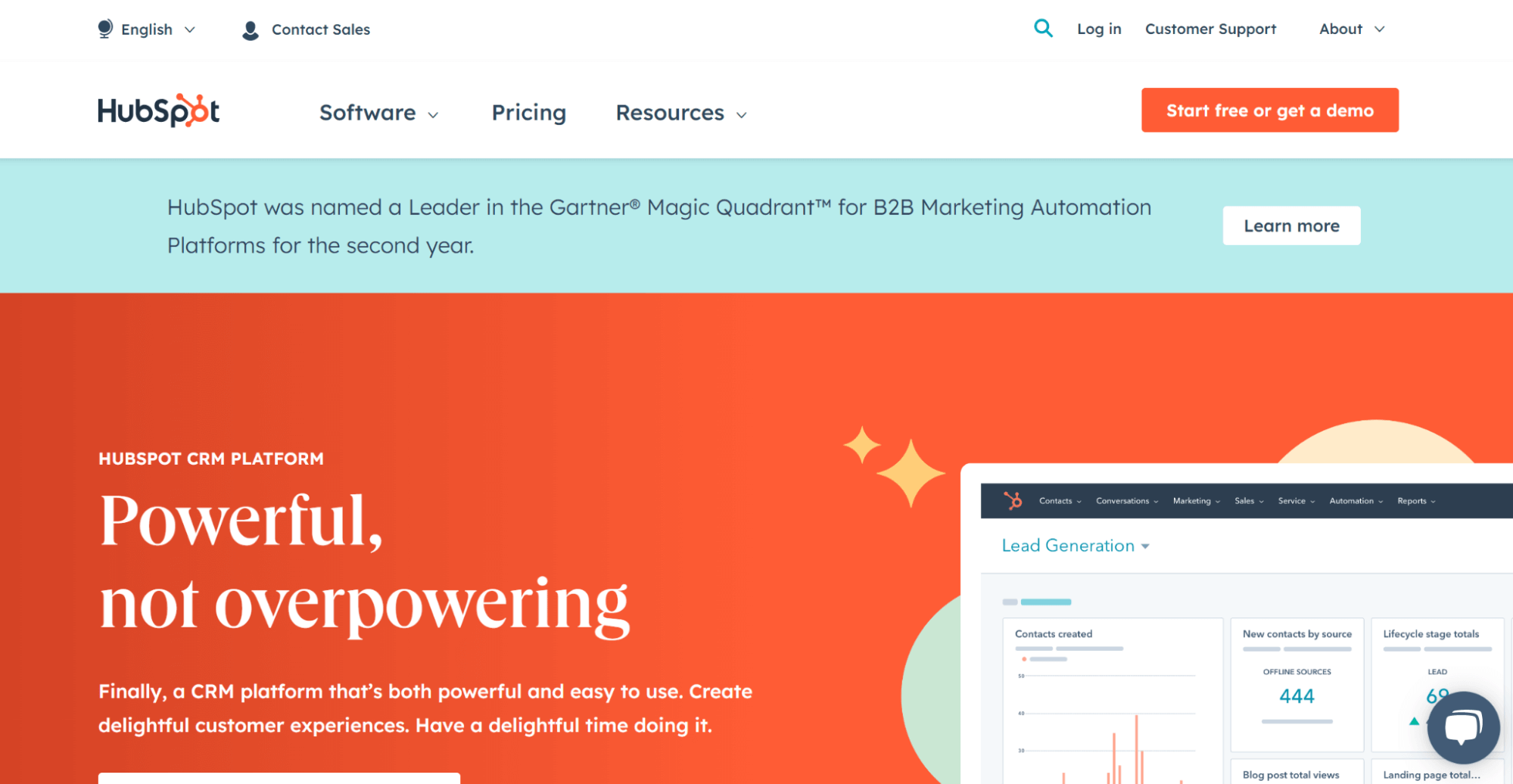
After the account is successfully created, you will be automatically logged in. You can invite your team members to start collaborating in HubSpot. You can customize the user settings to control which parts of HubSpot your team members can access. While some settings only apply to individual users, some are account-specific and impact all account users. The HubSpot community has seen much growth over the past few years. You can not only engage with other users but also get expert tips and advice.
There are a lot of reasons why HubSpot has gained popularity over the past few years. Some prominent reasons are:
- Easy to learn and understand as the learning curve is not that steep.
- A simple user interface where you can easily navigate to different features and functionalities.
- Inbuilt template support means you can customize the website according to your requirements.
Moreover, customer journeys are becoming increasingly complex, and unified CRM platforms like HubSpot can help simplify them. You can easily convert your potential prospects into customers and then advocates that promote it. The prospects are educated so that they can easily connect to the website. Once they become customers, timely feedback is gathered to deliver exceptional services. This helps to turn customers into promoters or advocates that can increase sales and overall business growth through referrals and recommendations. This is how you transform the overall customer journey.

Note: Test your HubSpot-based websites across 3000+ desktop and mobile browsers. Try TestMu AI Now!
Disadvantages of HubSpot
Let us understand some of the drawbacks of using HubSpot, which can impact an end user in the long run:
- There is an onboarding fee apart from the regular monthly fee the user must pay while using the different features and functionalities related to HubSpot.
- The onboarding fee tends to differ depending on the package that you have opted for. This causes a user to think twice before opting for this platform.
- You need to perform additional configuration workflows according to your business needs. If you do not invest time in making the initial configurations, you can have a tough time completing your required tasks.
- The HubSpot platform can be tricky for some marketing teams if they are unaware of optimizing its full potential.
- You have to pay for additional technical support, meaning the technical support functionality needs to be revisited from a customer perspective.
Key components of HubSpot
Here are some of the key components related to HubSpot:
- Website Platform: It is a fast and secure website hosting available in HubSpot that allows you to connect your website with different marketing functionalities.
- Landing Pages: You can build intuitive and responsive landing pages that appear perfect on different supported devices.
- Forms: You can convert your visitors into leads and collect valuable information using forms to understand the requirements better.
- Automated Workflows: You can create tailored workflows to meet your business requirements.
- File Manager: You can manage all of your website assets through the content delivery network.
There are a lot of other components that make HubSpot a complete platform to rely on.
HubSpot vs. Salesforce
HubSpot and Salesforce are the two most commonly used CRM platforms. Both platforms provide the next level of growth needed to scale your business requirements. Let us try and compare these two platforms and see which is the better option:
- HubSpot is an inbound marketing tool, whereas Salesforce is a sales automation software.
- HubSpot comes with a free plan that includes the free CRM and baseline features. Salesforce charges per user every month.
- HubSpot provides comprehensive marketing features for more plans.
- Salesforce is more customizable.
Comparing the two options comes down to pricing, user interface, and the features that create the maximum impact. Salesforce CRM and reporting features are more advanced than HubSpot, whereas HubSpot is a complete tool for marketing features, which is excellent from a business growth perspective.
Note: Debug Salesforce Pages in Depth. Try TestMu AI Now!
Testing of HubSpot websites
It is important to perform comprehensive testing of HubSpot CSS framework-based websites to deliver the right business value and features to end customers. Adhere to the following when performing HubSpot testing of the website:
- Validate the required functionality on different supported devices and platforms.
- Ensure that the styling elements are rendered perfectly.
- Ensure that the key performance metrics are tracked.
- Validation of product requirements by testing teams.
It is always a good practice to perform testing of HubSpot websites before it is deployed in the production environment. Also, it is important to decide the different testing approaches that need to be followed during the entire release cycle. The testing team should share the test plan with all the required stakeholders and get the go-ahead before implementing the required test cases.
Note: Test Automation Cloud for HubSpot Testing. Try TestMu AI Now!
Who performs HubSpot testing?
Different teams work in close collaboration when it comes to website delivery and success. It is always recommended that the development and QA teams perform HubSpot testing. The developers can validate the different components to observe the exact behavior. Once the development team gives the go-ahead, the QA team can perform different testing levels. Design or marketing teams can also do comprehensive testing to gauge the overall end-user experience. Different teams require a joint effort to meet your HubSpot testing website’s desired business goals and objectives.
HubSpot testing of websites using different methodologies
Here are some of the methodologies used for HubSpot testing of websites.
- Check the page or website performance in the long run.
- Evaluate customer needs and preferences.
- Improve the overall layout and design elements.
- Help to understand the diverse customer requirements.
- Improvise the website navigation.
- Using Specialized Tools
The A/B testing approach works well when multiple variations of the same page or website exist. There are a lot of specialized tools that can simplify the process of HubSpot testing.
- Google Optimize
- HubSpot and Kissmetrics A/B Testing kit
- VWO
- Optimizely
A/B testing tests the two versions of a page or website at the same URL to gauge which version performs better. You can compare the performance of each version and then select the desired version based on user feedback and preferences.
You are required to set up an A/B test on any published page. In the HubSpot account, you can navigate to the required landing pages or website pages. Click on the More option, and then select Run a Test.
A/B testing allows you to:
The commonly used tools are:
You can rely on traditional practices or tools to complete the required tasks.
How Are AI Tools Changing HubSpot Website Testing?
HubSpot's Breeze AI tools now draft page copy, personalize content blocks, and run support conversations directly inside a HubSpot site, which adds a new layer that HubSpot testing has to cover beyond layout and forms.
- Breeze Content Agent output: the Content Agent drafts landing pages and blog posts from Smart CRM data, so a tester must verify the generated copy and confirm every inserted link and CTA resolves.
- Breeze Assistant edits: the sidebar assistant can rewrite or summarize page content in place, so a page can change after an edit that a visual QA pass alone will not catch.
- Personalization tokens: AI-driven content blocks swap copy based on a visitor's CRM data, so testing has to cover multiple contact records, not just one default view.
- Breeze Customer Agent replies: the support agent answers visitors from a site's knowledge base and blog content, so testing needs to confirm it does not surface outdated answers.
None of these features are visible in a raw HTML diff, so a HubSpot testing checklist that only checks markup misses each one.
The right approach for HubSpot testing of websites
It becomes important to follow the right testing approach and strategies if you need to optimize the performance of your HubSpot website:
Here are some of the steps that you can follow as an organization to fulfill your business goals and objectives in HubSpot testing:
- Always perform accessibility testing. This means you are testing your website with other devices and third-party integrations to ensure it delivers the right outcome. Accessibility testing involves using maximum devices and supporting multiple languages and browsers to meet diverse customer requirements.
- Define the testing scope requirements and ensure you get the go-ahead and approval from all the required stakeholders. The scope of testing a HubSpot website can be tricky at times. It becomes essential to define different testing types, such as performance, functional, user acceptance, etc., based on the website.
- Do not overlook the potential of manual testing. We can always rely on automation testing to get great results and performance. But having an experienced team of manual testers that go a long way in testing your website thoroughly.
- Make sure that you understand testing requirements in depth so that your product can meet the customer’s expectations in the long run.
How to perform HubSpot testing using the TestMu AI platform?
A proposed solution to perform HubSpot testing is through an online cross browser testing platform such as TestMu AI. It allows you to test your website and provides an online browser farm of more than 3000+ browsers and OS combinations.
You can also perform automated browser testing on a more secure, scalable, and reliable automation cloud platform.
Performing Manual HubSpot testing:
This can be done using Real Time Testing of your HubSpot websites. This includes:
- Browser Testing
- App Testing
You can choose any of the above options based on your testing requirements:Step 1: Sign up for free on the TestMu AI platform to perform HubSpot testing.
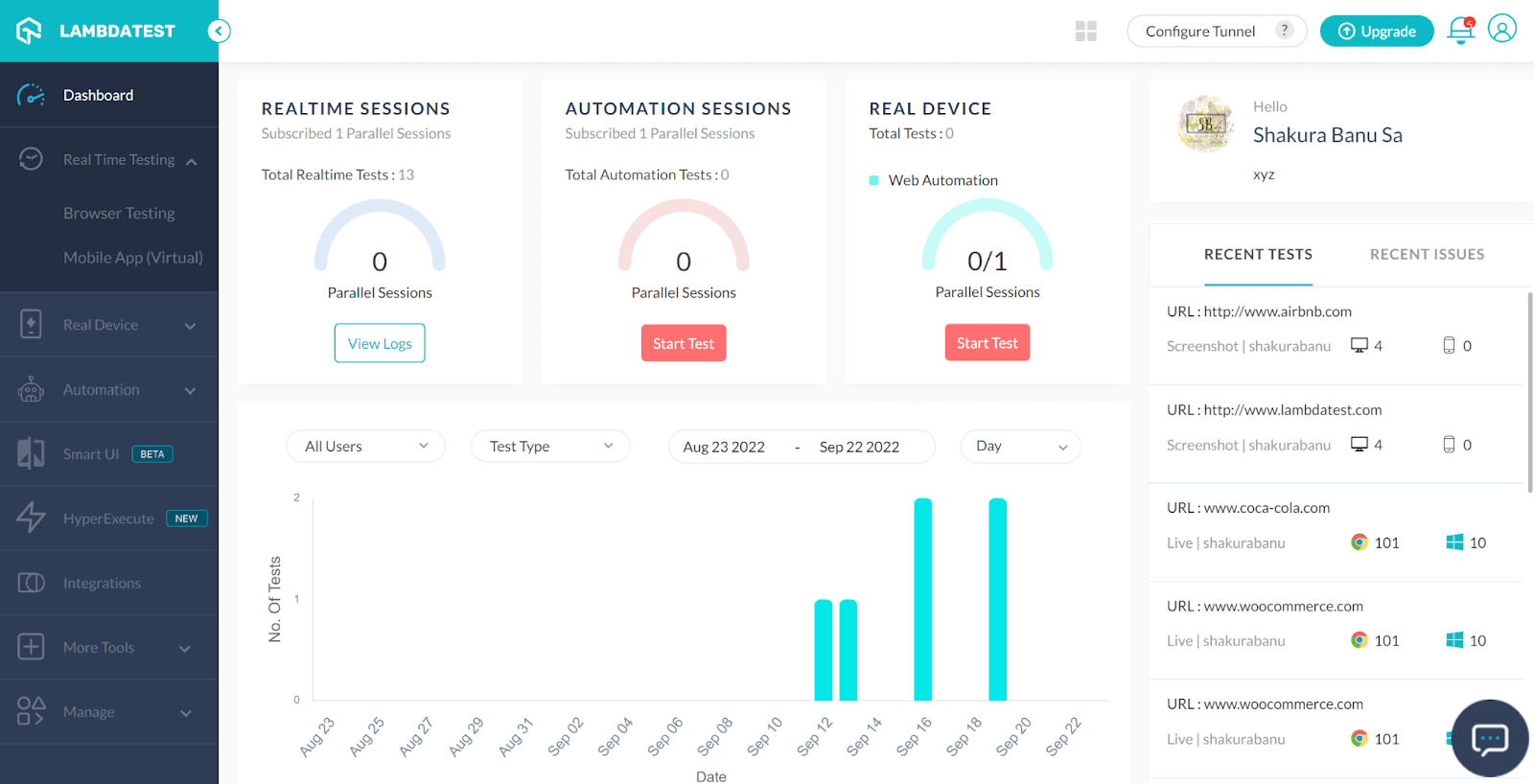
Step 2: Click Real Time Testing → Browser Testing from the left panel.
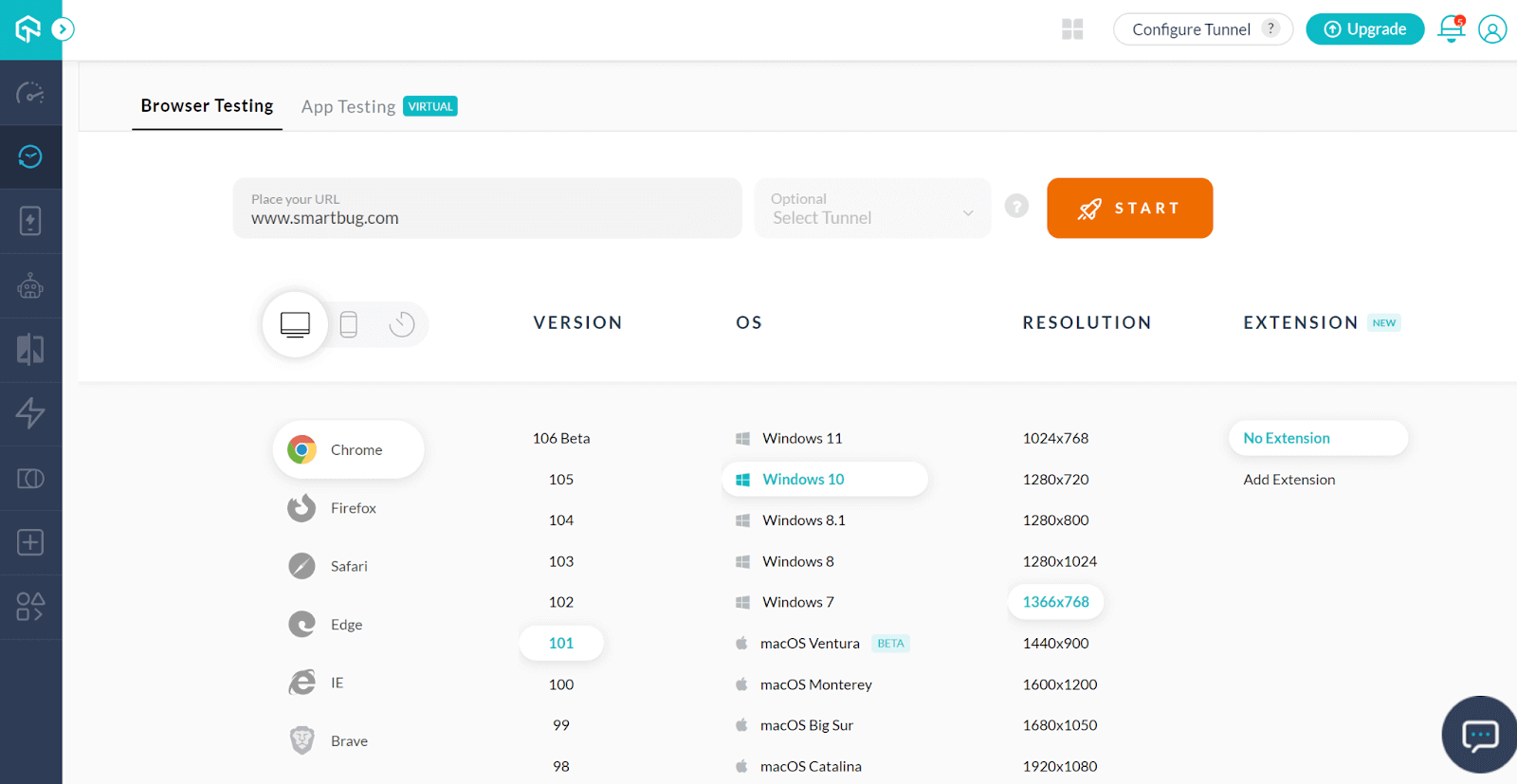
Step 3: Enter the test URL and select the VERSION, OS, and RESOLUTION.
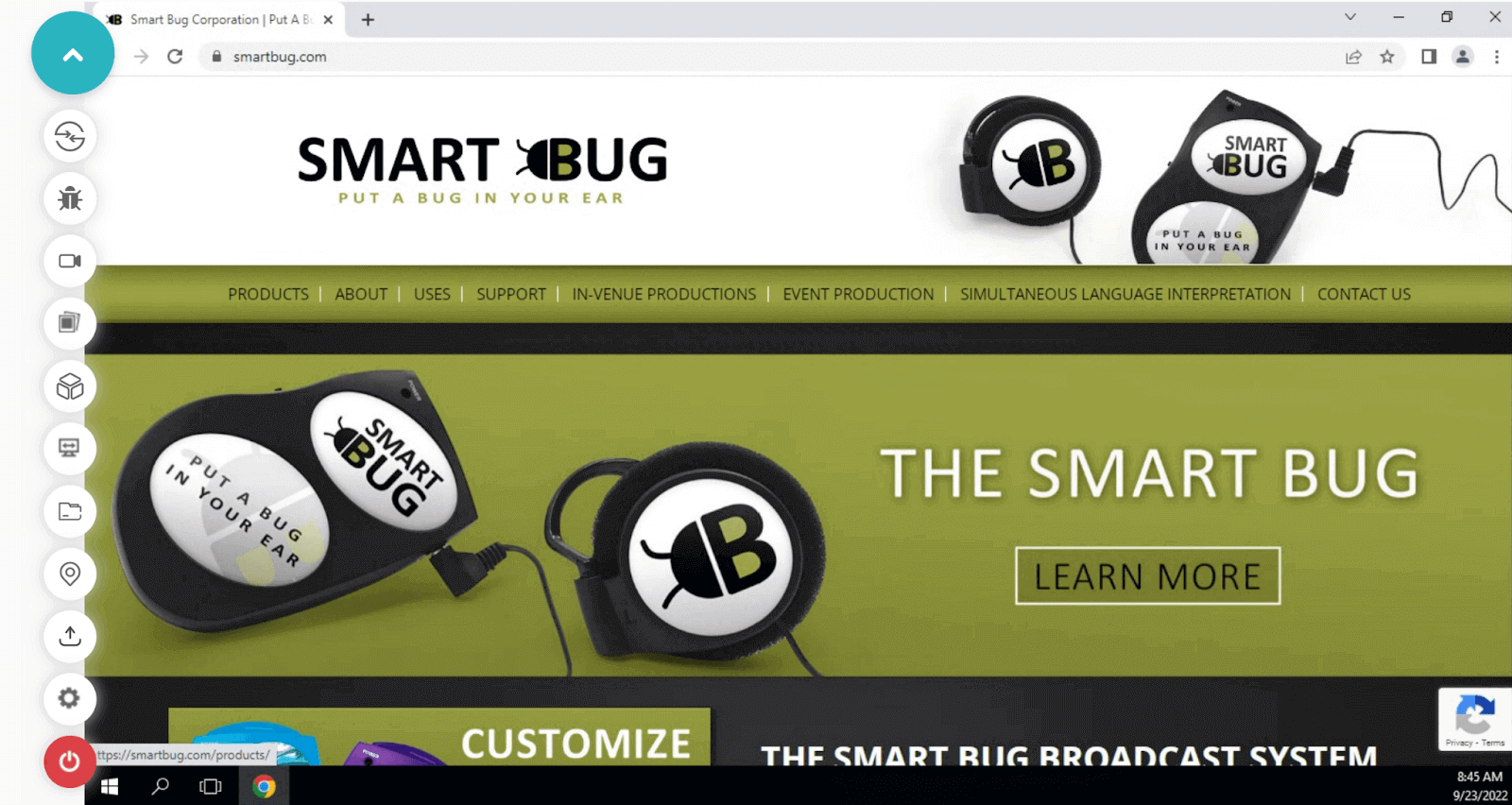
Step 4: Click START. Now you can see the launched website to perform HubSpot testing.
Perform Automated HubSpot testing:
Automation testing is done by running automation tests at scale on your HubSpot website on the test automation cloud, which is highly reliable and scalable.
If you wish to perform automation testing for HubSpot websites, follow the below steps.
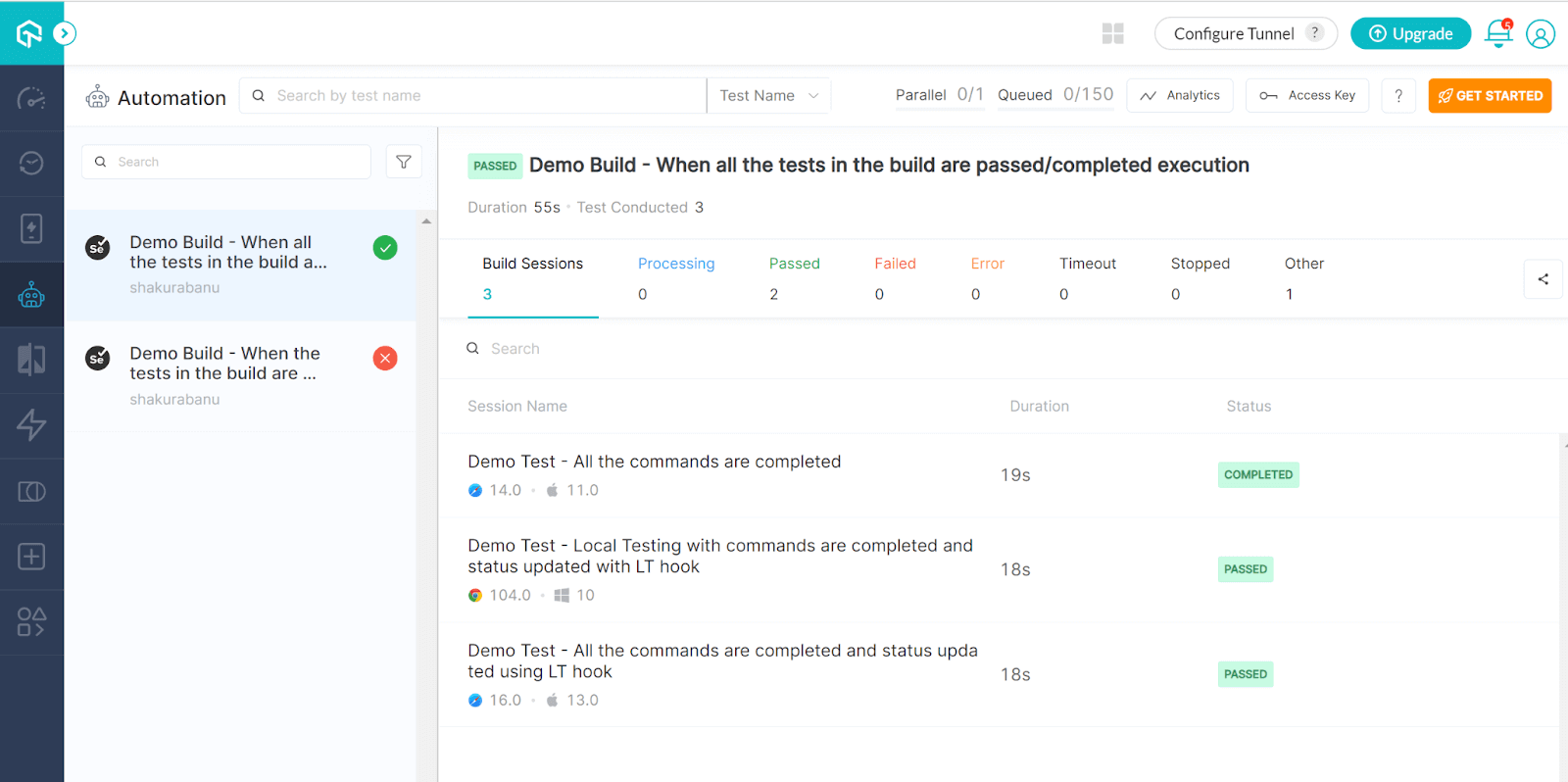
Step 1: Click the Automation tab on the left panel of the dashboard.
Step 2: When PHP is chosen as the language, the following page is displayed. Choose the preferred framework.
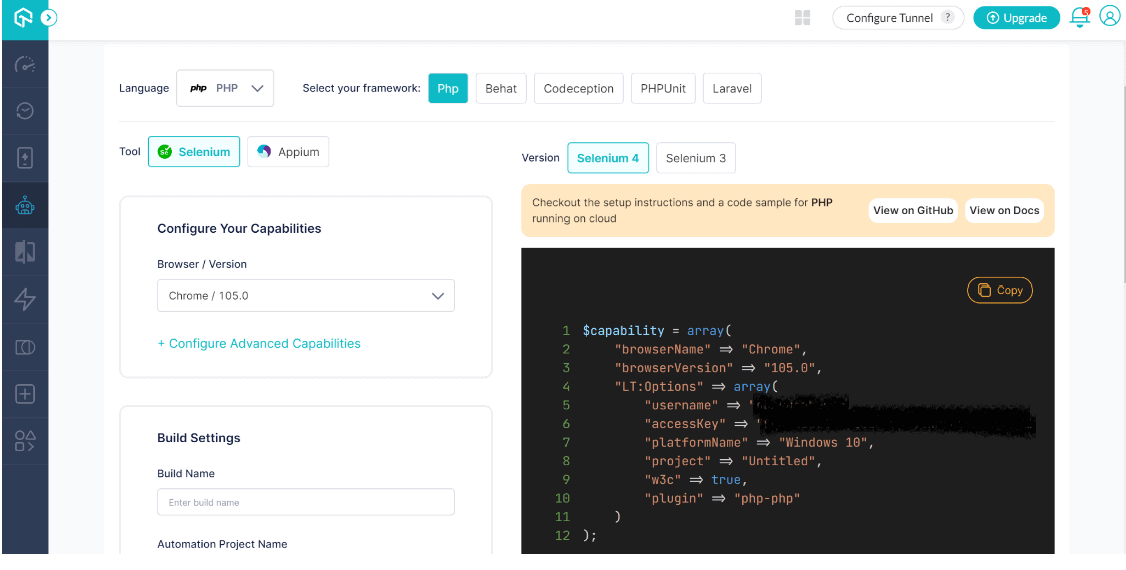
Step 3: By setting up the necessary information, you may run your test case.

Summary
We talked about the various functions and benefits HubSpot has to offer. To achieve the required performance in the long run, it is crucial to perform HubSpot testing of websites. Testing and implementing HubSpot websites has become much easier for the TestMu AI platform. When you are testing websites using multiple browsers and operating systems, you can achieve the desired testing results quickly.
TestMu AI has transformed the way organizations approach their testing strategies. You are just required to define a cross browser testing strategy to cover all the required testing scenarios.
If you are still thinking of reinventing your testing strategy or changing the way you operate, you should try this TestMu AI platform, which has various features and enhancements.
Author

Irshad Ahamed
Blogs: 11


Irshad Ahamed is a Technical Writer and Information Architect with over 4 years of experience working across notable companies like Amazon, IBM, and Symantec. He specializes in crafting high-quality documentation, technical writing, and content strategies for software development, APIs, and process documentation. Irshad’s expertise spans across product documentation, creating instructional content, and collaborating with cross-functional teams to ensure clear, concise, and easily understandable outputs. His certifications include PMI-ACP and Camtasia 2019 Essentials.


HubSpot Testing FAQs
Did you find this page helpful?
More Related Blogs
TestMu AI forEnterprise
Get access to solutions built on Enterprise
grade security, privacy, & compliance
- Advanced access controls
- Advanced data retention rules
- Advanced Local Testing
- Premium Support options
- Early access to beta features
- Private Slack Channel
- Unlimited Manual Accessibility DevTools Tests