
Fully Agentic Test Case Management Tool
Write, Track and Manage Every Manual or Automated Tests in One Agentic Test Management Platform with TestMu AI Test Manager.

- TestMu AI (Formerly LambdaTest)
- /
- Blog
- /
- Why Your Startup Needs Test Management
Why Your Startup Needs Test Management
Founders who test their own product hit a limit as features grow. See why a startup needs test management, when spreadsheets stop working, and which tools to use.
Last Updated on:
A startup needs test management once test cases stop fitting in one founder's memory.
A test case management system such as TestLink or Kiwi TCMS records the test procedure, the run date, the person who ran the test and the result, which a spreadsheet does not capture.
This guide covers what your startup should do, what test case management systems are, which test management tools your startup can use, and whether AI should write your test cases.
Key Takeaways
- Founder-run testing that relies on memory stops scaling once a startup adds features and testing cycles become more frequent.
- Three signals show a startup needs documented test cases: nobody can say which cases ran in a release, a fixed bug returns because the test that caught the bug was never written down, and a new engineer has to ask a colleague what to test.
- A test case management system records the test procedure, when a test ran, who ran it and the result, which a spreadsheet of test cases does not capture.
- Startups can document and run test cases in dedicated tools such as TestLink, Squash TM, Kiwi TCMS and TestRail instead of a spreadsheet.
- Before committing to a test management tool, a startup should check for an API or CI plugin, issue-tracker linking, pricing as the team doubles, and CSV or JSON export.
- AI test case generation in tools such as Xray and Qase produces a first draft, and every generated case needs human review before it enters the test repository.
So What Should Your Startup Do?
Your customers are the ones who define your product roadmap and its most important features. Customer feedback and satisfaction become the core of your startup. That feedback turns into product features down the line. The challenge is, to manage these additions in your agile development cycle.
These new additions in features also lead to modifications and introduction of new test cases and as I mentioned, frequent testing cycles. So how long can you keep track of every test case without documentation? At some point you will start missing things, and you will think 'Wish we had documented test cases at early stages'.

New team members cannot pick test cases out of your head. At that point you need a test management system where every test case is documented with its steps, inputs, and expected results.
Three signals tell you that the spreadsheet has stopped working. The first is a release where nobody can say which cases were actually run. The second is a bug that comes back because the test that caught it the first time was never written down. The third is a new engineer who has to ask a colleague what to test before every release. Any one of these means the test cases live in people's heads, and a test management system is how you get them out.
Key Takeaway: A startup should document every test case with its steps, inputs and expected results in a test management system, because new team members cannot pick up test cases that exist only in someone's head.
What Are Test Case Management systems?
According to Wikipedia, "Test case management tools are used to store information on how testing is to be done, plan testing activities and report the status of quality assurance activities."
If I say in simple language, Test case management systems (TCMS) keep everything about your tests under a single umbrella. You will find out what is the test procedure, when was the test performed, who performed it, what was the result, everything in a single management system.
That is the beauty of a TCMS.
You do not need to remember when you ran a test, which test you ran, or what the result was. All you need to do is to just open the tool and find out logs and results.
Key Takeaway: A test case management system keeps the test procedure, the run date, the person who ran the test and the result in one tool that a team can look up at any time.
What Test Management Tools Can Your Startup Use?
If you have decided to use a test case management system in your startup, the next question is which tool to use and how to use it.
Well, do not worry. We have already picked out some tools your startup can use.
1. TestMu AI Test Manager
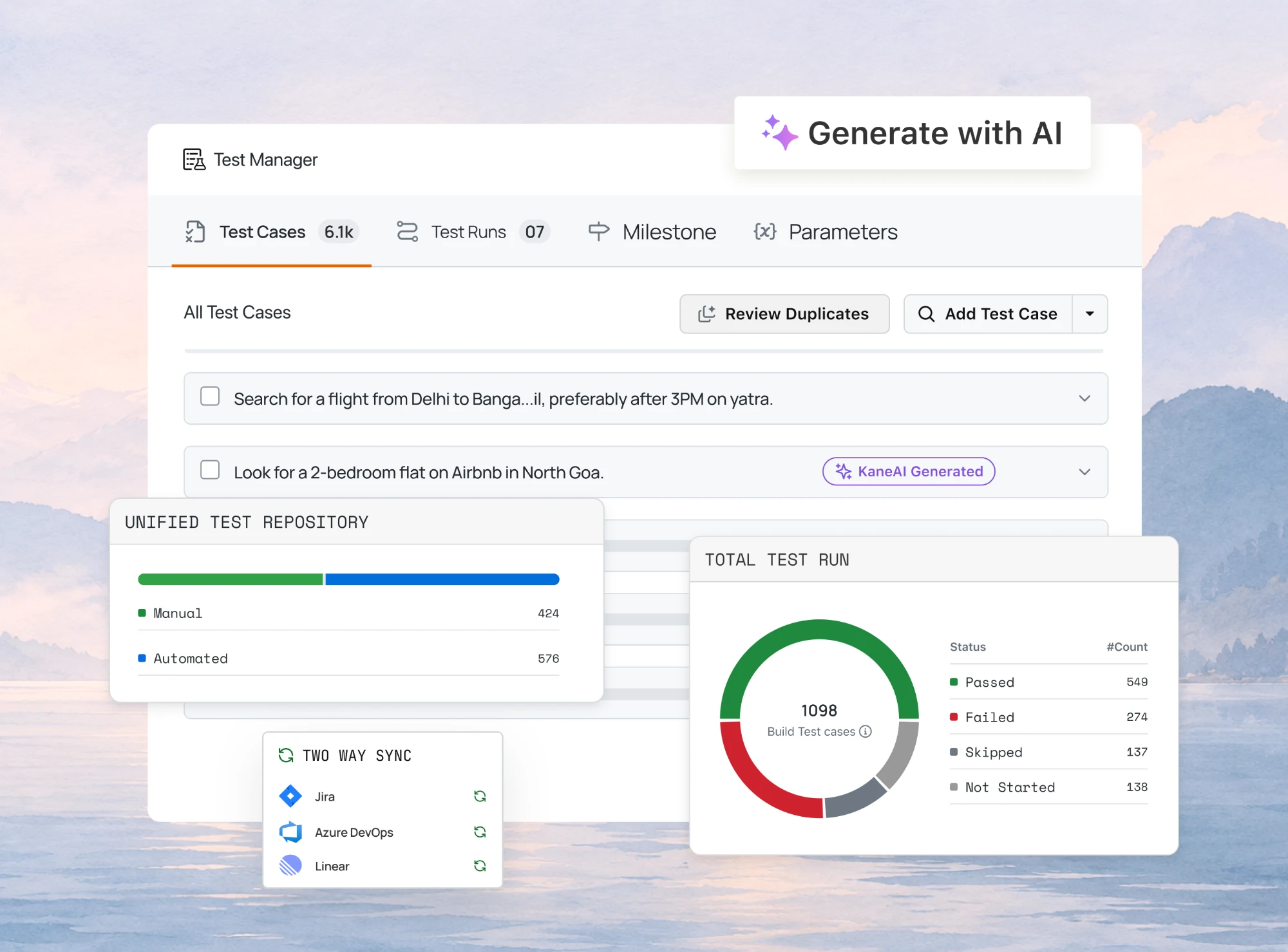
Test Manager is TestMu AI's cloud test management tool, and it is the one to start with if you want the case repository and the test runs in the same place. You write test cases by hand or generate them from a plain-English description, a user story, or a requirement document, then group them into plans and cycles and execute them on real browsers and devices without moving to a second tool.
For a startup the practical draws are the free tier with unlimited users and test cases, two-way Jira sync so developers stay in the tracker they already use, and one-click import from TestRail, Zephyr, qTest, and Xray once you outgrow a spreadsheet.
2. TestLink
TestLink is an open source test management tool which will help you synchronise requirement and test specification together. With this, you can create test project and also document test cases. If you have multiple people working on different user roles this can prove to be of help. See the full open source test management tools comparison for how it stacks up against Kiwi TCMS, Squash TM, and Tuleap.
3. Squash TM (Test Management)
Squash TM is open source test repository manager which is found in Squash toolkit. With this, you can manage requirements, campaigns, and test cases execution.

With Squash TM you can manage
- Test repository
- Requirements
- Test case
- Campaigns, test execution
4. Kiwi TCMS
It is the leading open source test case management system (TCMS) which can help you manage your test cases, plans and runs efficiently and also helps you improve testing productivity & easy reporting. It also provides integration with popular issue tracker easing your process.

5. TestRail
Though this is not an open source tool but it is one of the best alternatives to look for when you talk about test case management tools. You can try it on cloud as well as download it in your local machine. It helps you create a project, you can add test cases with their steps, start them, add results that you get, integrate with other tools like JIRA, Redmine and invite your team members.
TestRail has no free plan, so startups watching cost can compare TestRail alternatives, several of which start free.
These are some of the many tools you can use to manage your test cases as a startup.
Check four things before you commit to one of these tools. Ask whether it exposes an API or a CI plugin, because a team that runs tests on every pull request needs results to reach the tool without someone pasting them in. Ask how the tool links a failed run to an issue in your tracker, and ask what the bill looks like as the team doubles, since per-user pricing is what usually forces a second migration. Ask whether you can export every case as CSV or JSON, so the next move costs you an afternoon and not a rewrite.
Excel and Google Sheets fans will ask why their tool is not on the list.
A spreadsheet stores test cases, but it does not record who ran a case, when they ran it, or what the result was. That history is the reason to move to a test case management system.
Key Takeaway: Startup teams can choose among open source test management tools such as TestLink, Squash TM and Kiwi TCMS or commercial ones such as TestRail, and should decide on API or CI access, issue-tracker linking, pricing as the team doubles, and CSV or JSON export.
Should Your Startup Let AI Write Its Test Cases?
Use AI for the first draft, then review every case before it reaches the repository. Test management tools now build test cases straight from a written requirement. Xray's AI Test Case Generation for Jira Cloud turns a requirement into either manual tests, with every step split into Action, Data, and Expected Result, or Cucumber tests written as Gherkin scenarios. Qase's AI Test Designer takes a requirement you type in or pull from a connected tracker such as Jira, GitHub, Notion, or Confluence, and hands back a set of cases for you to accept, edit, or drop.
Both vendors put the review step in writing. The Xray documentation says "you always review and approve the output - this feature supports your workflow (it doesn't replace it)", and states that no customer data is used to train the LLM. Qase tags every AI-generated case added to the repository with an AI label, so you can still tell where a case came from months later.
That label is the part a startup should pay attention to. A generated case covers the requirement as it was written. It does not cover the behaviour your first customers depend on that nobody wrote down, and it does not know which bug came back last quarter. Treat generation as a way to fill an empty repository in an afternoon rather than over a quarter, then spend the time you saved on reviewing each case and on keeping it linked to the requirement it came from, so you know what to redo when that requirement changes.
Key Takeaway: AI test case generation in Xray and Qase turns a written requirement into draft test cases, but every generated case still needs human review because AI-generated cases only cover the requirement as written.
So, no more keeping things in your brain cloud now. Go ahead and pour the test scenarios in a TCMS, preferably one hosted on an actual digital cloud, and make things more organized and handy. If you want the hosted route without standing anything up yourself, TestMu AI's Test Manager is that TCMS, its test management platform covers the same ground, and the Test Manager documentation walks through the first project. For a wider view of what test management involves before you pick a tool, start there.
We love startups, and we were one ourselves. We have startup pricing available, so feel free to contact us.
Tracking tests across tools and teams? TestMu AI's Test Manager keeps test cases, runs and results in one place.

Author

Deeksha Agarwal
Blogs: 34


Deeksha is a Senior Product Manager at The Economic Times and a Community Evangelist with 8+ years of experience. She is followed by 6,000+ QA professionals, software testers, tech leaders, and enthusiasts across global communities. Deeksha has authored 40+ expert bios for TestMu AI, focusing on cross-browser testing, mobile app testing, regression testing, usability testing, and automation. Previously at TestMu AI, she drove product growth in native app testing and responsive browser features, combining product leadership with deep QA expertise.


Startup Test Management FAQs
Did you find this page helpful?
More Related Blogs

TestMu AI forEnterprise
Get access to solutions built on Enterprise
grade security, privacy, & compliance
- Advanced access controls
- Advanced data retention rules
- Advanced Local Testing
- Premium Support options
- Early access to beta features
- Private Slack Channel
- Unlimited Manual Accessibility DevTools Tests