

Power Your Software Testing with AI Agents and Cloud
The Native AI-Agentic Cloud Platform to Supercharge Quality Engineering. Test Intelligently and Ship Faster.


- TestMu AI (Formerly LambdaTest)
- /
- Blog
- /
- Playwright Grid: How to Run Tests on Remote Browsers
Playwright Grid: How to Run Tests on Remote Browsers
Playwright has no built-in grid. Compare workers, sharding, Selenium Grid 4 interop, and cloud grids to pick the right way to distribute your Playwright tests.
Published on:
Key Takeaways
Does Playwright Have a Built-In Grid?
No. Playwright ships no hub and node server of its own. Searches for a Playwright grid usually mean one of four different things, and each has a different answer.
- Worker processes: run more tests at once on one machine, which is what workers already do.
- Sharding: split a suite across CI machines, which is the job of the --shard flag.
- Selenium Grid 4: point Playwright at an existing hub, which works for Chrome and Edge only and is marked experimental.
- Hosted or self-hosted grid: run browsers on infrastructure somebody else maintains, either a self-hosted Playwright server or a hosted cloud grid.
Which Playwright Grid Should You Pick?
Start with workers and sharding, because they need no new infrastructure. Move to a hosted grid when you need browser versions and operating systems your CI image cannot install, or more concurrency than your runners allow. TestMu AI runs Playwright across 3,000+ browser and OS combinations on its cloud test automation grid, including Firefox and WebKit, which the Selenium Grid route cannot reach.
CircleCI analyzed 28,738,317 workflows for its 2026 State of Software Delivery and found the typical team now takes 72 minutes to get back to green after a failure, up 13% from the previous year. Browser tests are a large part of that wait, and the usual instinct for a slow browser suite is to reach for a grid.
For teams arriving from Selenium, that instinct runs into a wall. Playwright has no hub and no nodes. This guide covers what actually distributes Playwright tests, what each option costs you, and how to pick.
Does Playwright Have a Grid?
Playwright has no built-in Selenium-style grid. There is no hub process to start, no nodes to register, and no session queue to configure. Playwright runs browsers as child processes of the test runner on whatever machine executes the command.
That absence is a design choice rather than a gap. A Selenium hub exists to allocate scarce browser sessions across many clients. Playwright launches browsers it ships and controls itself, so the allocation problem it was built to solve mostly disappears.
People searching for a Playwright grid are usually after one of four outcomes:
- More concurrency on the machine they already have, which worker processes provide out of the box.
- A suite split across several CI machines, which sharding provides.
- Reuse of a Selenium Grid the platform team already runs, which Playwright supports experimentally for two browsers.
- Browsers on somebody else's infrastructure, which means a self-hosted Playwright server or a hosted cloud grid.
Work out which one you need before you build anything. The first two require no infrastructure at all, and a large share of teams stop there.
One clarification, since the phrase is overloaded: if you came here to test the AG Grid data table component rather than to distribute browsers, you want Playwright locator strategies for grid cells, not test infrastructure. The Playwright locators guide covers that.
How Playwright Parallelism Actually Works
Playwright runs tests in parallel worker processes. The Playwright parallelism documentation describes them plainly: "All workers have identical environments and each starts its own browser."
That sentence decides most grid questions. Workers multiply how many tests run at once. They do not change what those tests run on. Ten workers give you ten copies of the same browser on the same operating system.
Coverage comes from a different mechanism. Projects are the configuration groups that select browsers and devices, so a chromium project and a webkit project are what put two engines under test. Workers are only the concurrency budget that drains the resulting queue.
Three settings control the behaviour, and they are easy to confuse:
| Mechanism | What it changes | What it does not change |
|---|---|---|
| Workers | How many tests run at once on one machine. Defaults to half the logical CPU cores. | The browser, the browser version, or the operating system under test. |
| Projects | Which browsers and emulated devices the suite runs against. This is the coverage axis. | How fast the run finishes, since projects multiply the work rather than divide it. |
| Shards | How the test list is divided across separate machines or CI jobs. | Browser or OS coverage, because every shard normally runs the same runner image. |
By default Playwright parallelizes whole files, and tests inside one file run in order in the same worker. Setting fullyParallel moves that granularity down to individual tests, at the cost of each test re-running its own beforeAll and afterAll hooks.
import { defineConfig, devices } from '@playwright/test';

export default defineConfig({
  fullyParallel: true,
  workers: process.env.CI ? 4 : undefined,
  projects: [
    { name: 'chromium', use: { ...devices['Desktop Chrome'] } },
    { name: 'firefox',  use: { ...devices['Desktop Firefox'] } },
    { name: 'webkit',   use: { ...devices['Desktop Safari'] } },
  ],
});
Read that config as two separate decisions. The projects array sets coverage at three engines. The workers value sets throughput. Raising one does nothing for the other.
Let Claude Code write Playwright tests that actually pass.

Connecting Playwright to Selenium Grid
If your organisation already runs a Selenium Grid, Playwright can target it. The Playwright Selenium Grid documentation makes it a single environment variable, with no changes to test code.
# point Playwright at an existing Selenium Grid 4 hub
SELENIUM_REMOTE_URL=http://<selenium-hub-ip>:4444 npx playwright test

# optional extras when the grid needs them
SELENIUM_REMOTE_CAPABILITIES='{"browserName":"chrome"}'
SELENIUM_REMOTE_HEADERS='{"Authorization":"Basic base64string"}'

# see how Playwright is connecting when it fails
DEBUG=pw:browser* npx playwright test
Before adopting this route, read the two constraints Playwright attaches to it. The first is scope: "Note that this only works for Google Chrome and Microsoft Edge."
Follow that to its conclusion. Most teams run a grid to get cross-browser coverage, and this path gives you Chromium engines only. Firefox and WebKit have no route through the hub, so the coverage that justified the grid is the one thing it cannot deliver for Playwright.
The second constraint is durability. Playwright's documentation carries an explicit warning: "There is a risk of Playwright integration with Selenium Grid Hub breaking in the future. Make sure you weight risks against benefits before using it." The reason is architectural. Playwright drives the browser over a Chrome DevTools Protocol websocket, and the docs note that Selenium 4 exposes that capability today but "this might not be the case in the future."
Two operational notes if you proceed. On a distributed grid, nodes must register with an address Playwright can reach, which means setting SE_NODE_GRID_URL when the nodes start. And Playwright asks you to confirm the grid works with plain Selenium WebDriver first, so that failures get diagnosed on the Selenium side rather than blamed on Playwright.
If you are still deciding whether to keep the grid at all, the background on hub and node architecture, Grid 4 setup, and its known shortcomings is in this guide to Selenium Grid.
Building Your Own Playwright Grid
Playwright has a native remote-browser primitive that gets far less attention than the Selenium route. browserType.launchServer() starts a browser server and returns a websocket endpoint. browserType.connect() attaches a test run to it.
// server.js - runs on the machine that hosts the browsers
const { chromium } = require('playwright');

(async () => {
  const server = await chromium.launchServer({ port: 3000 });
  console.log(server.wsEndpoint());
})();
// client side - attach a test run to the remote browser
const { chromium } = require('playwright');
(async () => {
const browser = await chromium.connect('ws://<host>:3000/<guid>');
const page = await browser.newPage();
await page.goto('https://www.testmuai.com/selenium-playground/');
console.log(await page.title());
await browser.close();
})();Three things break this in practice, and none of them are obvious from the API surface.
- Version skew is the most common failure. The client and the remote server must match on major and minor version, so 1.2.3 works with 1.2.x and nothing else. Upgrading Playwright in one place and not the other produces a connection error rather than a clear message.
- Exposing the server to the network is a security decision. The host option defaults to localhost, and Playwright warns that passing an explicit address such as 0.0.0.0 exposes the browser RPC to anything on the network.
- Applications on localhost are unreachable from a remote browser unless you tunnel to them. The exposeNetwork option on connect() forwards network available on the connecting client through to the browser.
What you build from those primitives is a browser server, not a grid. There is no session queue, no capability matching, and no health checking. BrowserServer exposes four methods and manages one browser process, so scheduling, autoscaling, and cleanup of orphaned contexts are yours to write and operate.
Teams that go this route usually containerize the browser server first. The Playwright Docker tutorial covers image selection and the shared memory sizing that stops Chromium crashing under load.

Note: Building a browser fleet is a second product to maintain. TestMu AI runs Playwright on 3,000+ browser and OS combinations with no nodes to patch and no drivers to manage. Start free
Running Playwright on a Cloud Grid
A hosted grid removes both problems the previous two sections ran into. You get browser and OS combinations your CI image cannot install, and concurrency beyond your runners, without operating any of it.
On TestMu AI the connection replaces the local launch. Point chromium.connect() at the cloud endpoint and pass a capabilities object; the test body stays as it was.
const { chromium } = require('playwright');

(async () => {
  const capabilities = {
    'browserName': 'Chrome', // Chrome, MicrosoftEdge, pw-chromium, pw-firefox, pw-webkit
    'browserVersion': 'latest',
    'LT:Options': {
      'platform': 'Windows 11',
      'build': 'Playwright Grid Demo',
      'name': 'playwright grid smoke test',
      'user': process.env.LT_USERNAME,
      'accessKey': process.env.LT_ACCESS_KEY,
      'network': true,
      'video': true,
      'console': true
    }
  };

  const browser = await chromium.connect({
    wsEndpoint: `wss://cdp.lambdatest.com/playwright?capabilities=${encodeURIComponent(JSON.stringify(capabilities))}`
  });

  const page = await browser.newPage();
  await page.goto('https://www.testmuai.com/selenium-playground/');
  console.log(await page.title());
  await browser.close();
})();
Note the browserName values in that comment. Alongside Chrome and MicrosoftEdge, the grid accepts pw-firefox and pw-webkit, which is precisely the coverage the Selenium Grid route cannot provide. Playwright versions from v1.15.0 upward are supported.
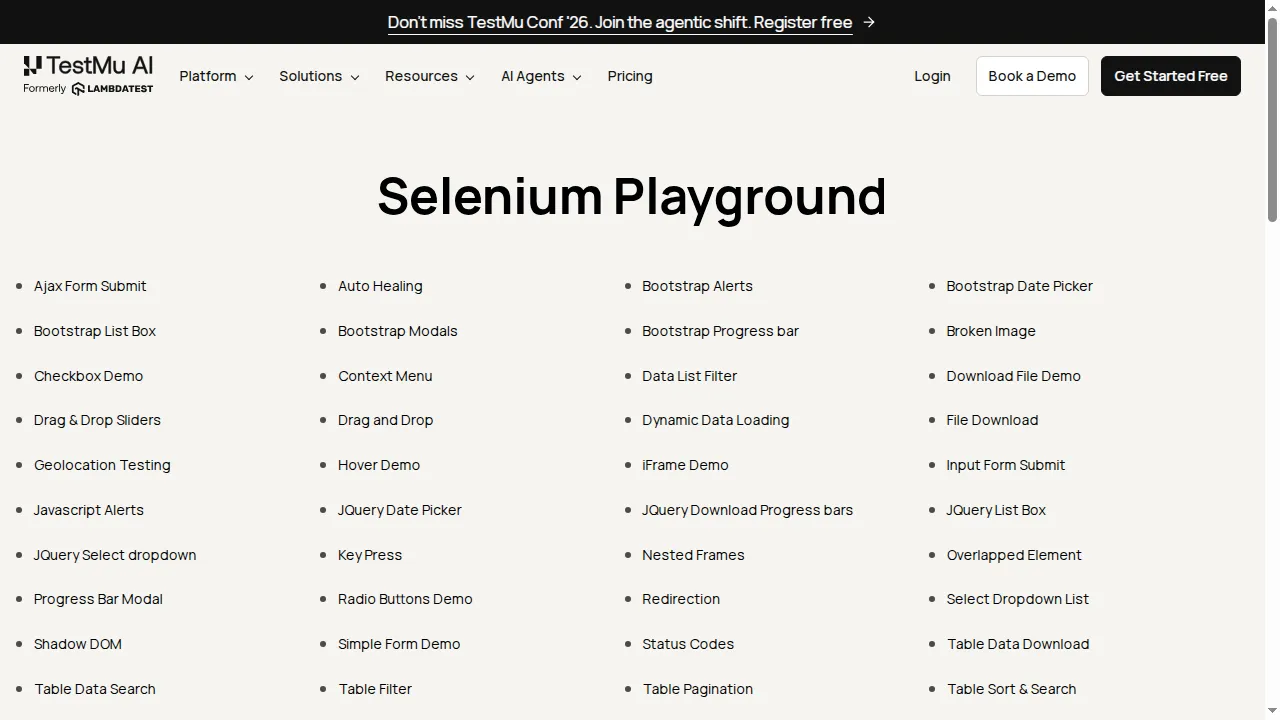
Running that connection against the TestMu AI grid on 6 August 2026 produced build 99951113. The session took 30.3 seconds to establish and reported Chrome/150.0.0.0 on Windows at a 1280x720 viewport, a browser version no locally installed Playwright Chromium would have matched. The screenshot below came back from that remote browser.
Parallel runs follow the same shape, with one capabilities object per configuration. The parallel testing with Playwright documentation works through a three-configuration example. Free accounts include 5 parallel sessions, which is enough to prove the wiring before you size a plan.
For suites large enough that concurrency alone stops helping, HyperExecute orchestrates execution rather than just hosting browsers. It runs test scripts and execution components in a single isolated environment, which removes the network hops a hub and node topology carries, and TestMu AI positions it at up to 70% faster than traditional grids.
Migrating Off a Selenium Grid
Teams moving a Selenium suite to Playwright usually ask how to port the grid. The more useful question is whether to keep it, because the two tools need different infrastructure.
A staged, reversible sequence keeps the old grid serving Selenium while Playwright moves:
- Run the new Playwright suite locally with projects for the engines you support and workers left at the default, then record the wall-clock time as your baseline.
- Move it into CI unchanged and add shards only when a single job exceeds your tolerated feedback time.
- Identify what remains uncovered, which is normally real browser versions, operating systems your runner image cannot install, and mobile browsers.
- Point one project at a cloud grid and keep the rest local, so the endpoint is the only thing that changes and reverting is a one-line edit.
- Decommission Selenium Grid nodes once the Selenium suite that needed them is retired, not when the Playwright migration starts.
Step four is where most of the surprises live, from artifact collection to how a remote browser reaches a staging environment. A walkthrough of that transition is in running Playwright in the cloud.
One coverage gap survives every option in this article. Playwright's device profiles emulate a phone by setting user agent, viewport, and touch support on a desktop engine, which is not the same as a real handset. Bugs in mobile Safari or in a specific Android build need physical hardware, which is what a real device cloud provides.

Choosing Your Playwright Grid
Match the option to the constraint you actually have rather than to the architecture you are used to.
| Option | Browser coverage | Ops burden | Pick it when |
|---|---|---|---|
| Workers only | Chromium, Firefox, and WebKit as Playwright bundles them, on one OS. | None. It is the default behaviour. | The suite finishes inside your feedback budget on one machine. |
| Sharding | Unchanged, since shards reuse the same runner image. | Low. A CI matrix plus a merge job. | One machine's cores are the bottleneck and coverage is already right. |
| Selenium Grid 4 | Google Chrome and Microsoft Edge only. No Firefox, no WebKit. | High, and the integration is experimental. | A grid already exists, is mandated, and Chromium coverage is sufficient. |
| Self-hosted server | All three engines, but only the versions you install and maintain. | Highest. Scheduling, scaling, and cleanup are yours. | Browsers must stay inside your network and you have the capacity to run them. |
| Cloud grid | 3,000+ browser and OS combinations, including Firefox and WebKit. | None beyond credentials and an endpoint. | You need real browser versions or operating systems your CI image cannot provide. |
The rows are not exclusive. A common production setup shards a Chromium suite across CI runners for pull request feedback, then runs the full browser matrix on a cloud grid nightly.
Conclusion
Open your playwright.config file and check whether the projects array names every engine you claim to support. That one check tells you whether your problem is coverage or throughput, and the two have different fixes.
If it is throughput, raise workers to your core count and shard across CI jobs. If it is coverage, no amount of local parallelism will close the gap, because every worker runs the same environment.
For coverage, swap the local launch for a cloud endpoint and keep the tests as they are. The Playwright testing documentation has the capabilities reference, and the free test automation certifications cover Playwright in depth if you are formalising the skills alongside the infrastructure.
Author

Devansh Bhardwaj
Blogs: 80


Devansh Bhardwaj is a Community Evangelist at TestMu AI with 4+ years of experience in the tech industry. He has authored 30+ technical blogs on web development and automation testing and holds certifications in Automation Testing, KaneAI, Selenium, Appium, Playwright, and Cypress. Devansh has contributed to end-to-end testing of a major banking application, spanning UI, API, mobile, visual, and cross-browser testing, demonstrating hands-on expertise across modern testing workflows.
Reviewer

Anmol Gupta
Reviewer
Anmol Gupta is Vice President of Product Management at TestMu AI (formerly LambdaTest), driving HyperExecute, the test orchestration cloud that runs and accelerates automated test execution. He led the development of the Unified Test Execution Cloud Platform and now leads a 30-member cross-functional product organization across product lines contributing $7M+ in revenue. He brings over nine years of experience and previously co-founded the SaaS company Timble as CTO, where he grew the team from 5 to 40 and launched an AI KYC platform that processed 600K+ applications in five months while cutting verification time from 12 minutes to under 30 seconds. Anmol holds an MTech and BTech from IIT Delhi.


Playwright Grid FAQs
Did you find this page helpful?
More Related Blogs
TestMu AI forEnterprise
Get access to solutions built on Enterprise
grade security, privacy, & compliance
- Advanced access controls
- Advanced data retention rules
- Advanced Local Testing
- Premium Support options
- Early access to beta features
- Private Slack Channel
- Unlimited Manual Accessibility DevTools Tests