

Next-Gen App & Browser Testing Cloud
Trusted by 2 Mn+ QAs & Devs to accelerate their release cycles


Best C# Testing Frameworks In 2026
Discover these C# testing frameworks for 2026 and streamline your test automation in building high-quality web and mobile applications.
February 7, 2026
Test automation has become an essential element of the Software Development Life Cycle, helping developers and quality assurance teams to simplify their testing processes, accelerate delivery, and increase efficiency.
And when it comes to test automation in C# projects, selecting the right framework can significantly impact the success of your testing efforts.
To select the best framework for C# automation testing, you need to consider the project requirements, in-house expertise, and deadlines for the project.
Selecting the right test automation framework is a decision that holds great importance. A well-suited framework can help you to create robust test suites, execute tests efficiently, and obtain accurate results, saving valuable time and effort.
On the other hand, an ill-fitting framework might introduce complexities, restrict flexibility, or fail to integrate with your existing development environment.
In this blog, we will discuss some popular C# testing frameworks for unit testing, web automation, mobile, and BDD testing.
Whether you are a seasoned C# developer or just starting your journey, this guide seeks to help you find the right C# testing frameworks to meet your testing needs.
C# is an object-oriented programming language, to learn more and to prepare for interview you can checkout oops interview questions.
Let's begin!
What Are C# Testing Frameworks?
C# testing frameworks are tools that help automate testing for web, mobile, and desktop applications, including MSTest, NUnit, xUnit, Selenium, and Appium.
What Are the Best C# Unit Testing Frameworks?
The best C# unit testing frameworks are MSTest, NUnit, and xUnit, which provide annotations, assertions, data-driven testing, and parallelization.
Unit testing frameworks can be used at all levels of testing, not only unit testing. They provide the ability to mark methods as test methods, setup, and teardown methods, help with parallelization, and help with validations.
They also provide runners, so they can be integrated with other automation testing frameworks that cannot run the tests, such as Selenium.
The three major C# testing frameworks for unit testing are MSTest, NUnit, and xUnit.
MSTest
MSTest is one of the popular C# testing frameworks for unit testing included by default with Microsoft Visual Studio. At the time I’m writing this blog, the latest MSTest is 3.1.1.
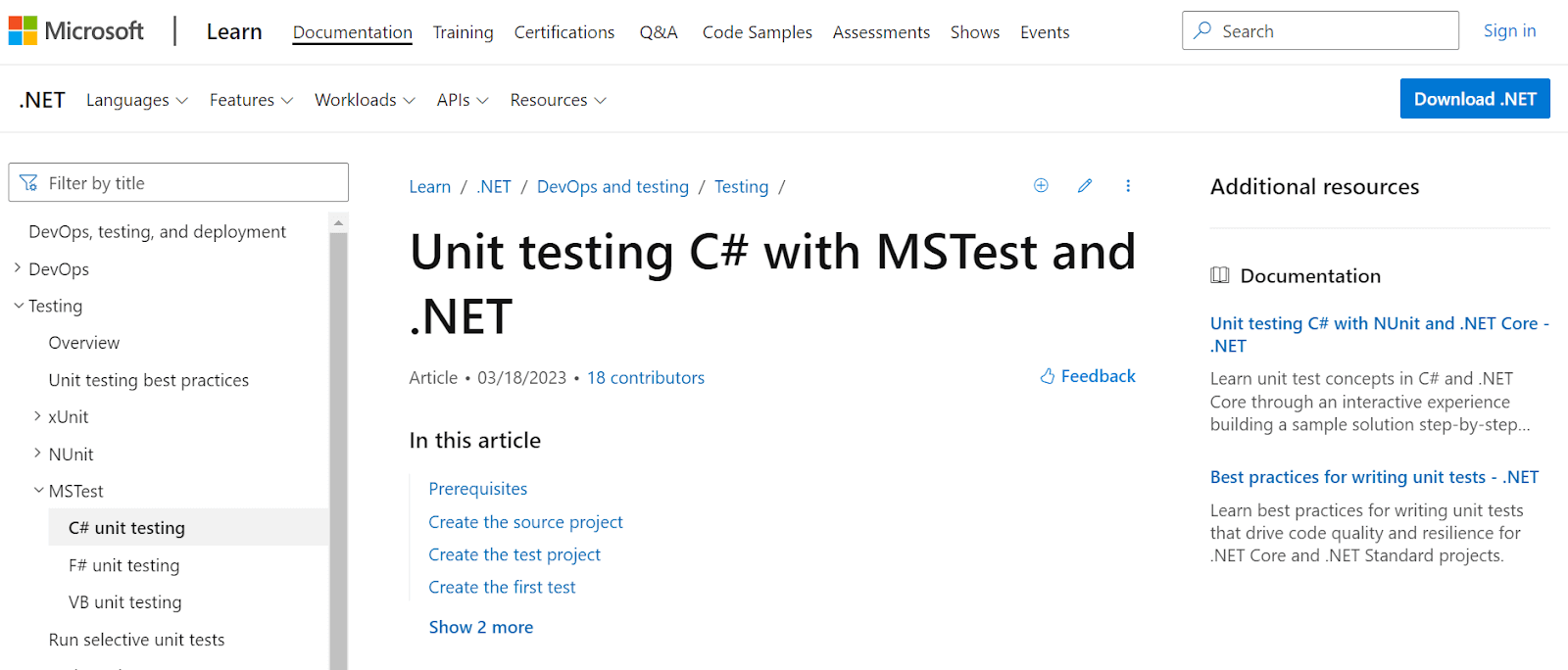
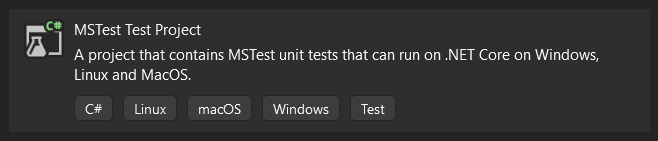
If you’re working with Visual Studio and start a new project, you will have the option to create a new MSTest project, and the NuGet package is automatically added:
MSTest uses annotations to instruct the underlying framework on how to interpret the source code.
Salient features of MSTest
The most common features you’ll need if you use MSTest as the testing framework in your project are:
- Annotations that mark test classes and methods, for example, TestClass to mark a class containing tests, TestMethod to mark a test case, TestInitialize, TestCleanup, ClassInitialize, and ClassCleanup, for creating setups and teardowns for the tests.
- Used for data-driven testing.
- Assertions (using the Assert class) are used to validate expected behaviors.
- Allows parallelization of tests.
Let’s dive into popular features of the MSTest framework and understand them in detail.
Annotations
Annotations (also known as attributes) are used to add metadata to a test method or class. They provide additional information to the testing framework about how a test method should be executed or how a test class should be treated.
If you have a test class, you need to mark it as such, and the MSTest annotation for this is [TestClass]. Then, you need annotations for the methods:
namespace MSTestExample
{
    [TestClass]
    public class ExampleTest
    {
        [AssemblyInitialize]
        // This method will execute before the test run
        public void BeforeAssembly()
        {
        }


        [ClassInitialize]
        // This method will execute before all the tests in the class
        public void BeforeClass()
        {
        }


        [TestInitialize]
        // This method will execute before each test in the class
        public void BeforeTest()
        {
        }


        [TestMethod]
        // This is the test method
        public void TestMethod()
        {
        }


        [TestCleanup]
        // This method will execute after each test in the class
        public void AfterTest()
        {
        }


        [ClassCleanup]
        // This method will execute after all the tests in the class
        public void AfterClass()
        {
        }


        [AssemblyCleanup]
        // This method will execute after the test run
        public void AfterAssembly()
        {
        }
    }
}
The running order for the annotated methods will be: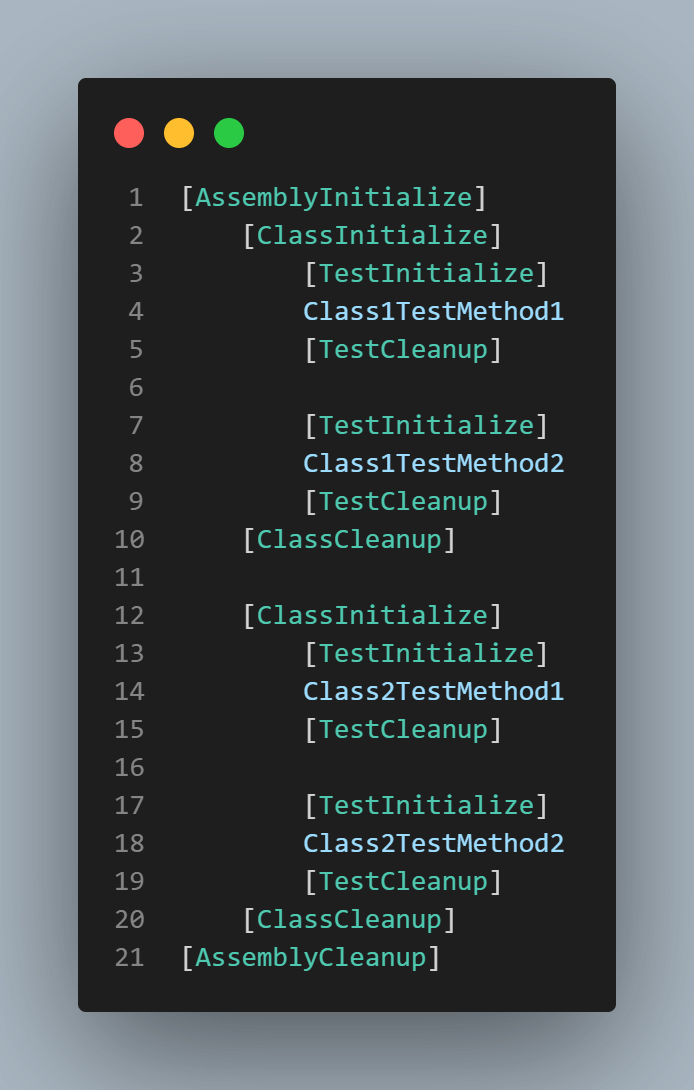
Assertions
Another important feature of unit testing frameworks is assertions. The test result is based on whether the assertion passes or fails. Here are the most important MSTest assertions:
// Assert that two values are equal
Assert.AreEqual(value1, value2);


// Assert that two values are not equal
Assert.AreNotEqual(value1, value2);


// Assert that two objects are equal
Assert.AreSame();


// Assert that two objects are not equal
Assert.AreNotSame(variable1, variable2);


// Assert that a condition is true
Assert.IsTrue(condition);


// Assert that a condition is false
Assert.IsFalse(condition);


// Assert that a value is null
Assert.IsNull(value);


//Assert that a value is not null
Assert.IsNotNull(value);


// Fail the test. This can be useful, for example, in a catch block
Assert.Fail();
You can also use assertions specific to string values:
// Assert that two string values are equal
StringAssert.Equals(value1, value2);


// Assert that a string value contains a substring value
StringAssert.Contains(value, substring);


// Assert that a string value matches a regular expression pattern
StringAssert.Matches(value, regEx);


// Assert that a string value does not match a regular expression pattern
StringAssert.DoesNotMatch(value, regEx);


// Assert that a string value starts with a substring value
StringAssert.StartsWith(value, substring);


// Assert that a string value ends with a substring value
StringAssert.EndsWith(value, substring);
Data-driven testing
MSTest allows data-driven testing, i.e., running the same test with different sets of data. To run parameterized tests, you need the [DataRow] attribute for each set of data and the [DataTestMethod] annotation for the method:
[DataRow(“Chrome”,”113.0”,”Windows 11”)]
[DataRow(“Safari”,”16.0”,”macOS Ventura”)]
[DataTestMethod]
// This is the test method
public void TestMethod(string browser, string browserVersion, string os)
{
    // The test code goes here
}
In the above example, the test will run twice: once for Chrome version 112, on Windows 11, and then for Safari 16.0, on macOS Ventura.
Advantages of MSTest
The main advantages of MSTest as a unit testing framework are:
- It’s open-source, you can access the code on GitHub and even contribute to it.
- Offers cross-platform support (for .NET framework, .NET Core, and ASP.NET Core, as well as platforms like Windows, Mac, and Linux.)
- Supports data-driven testing.
NUnit
NUnit is yet another one of the best C# testing frameworks for unit testing. It’s an open-source framework that was ported from Java’s JUnit. At the time of writing this article, the most recent version of NUnit is 4.1.0.
Salient features of NUnit
Some of the most common and useful features of NUnit are:
- Just like MSTest, the use of annotation to mark the purpose of classes and methods: TestFixture for test classes, Test for test methods, SetUp, TearDown, OneTImeSetUp, OneTimeTeardown for setups and teardowns.
- Support data-driven testing.
- Uses assertions that validate our post-conditions.
- Offers parallelization.
Annotations
Just like MSTest, annotations in NUnit are used to mark methods and classes. For classes, there are two annotations: the [TestFixture], which marks a test class, and the [SetUpFixture].
The [SetUpFixture] marks a class that only contains the setup and the teardown that will run once before the entire test run.
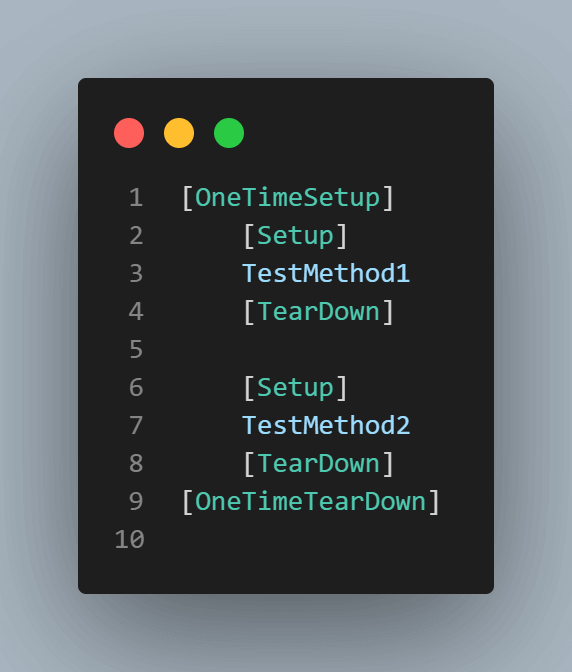
Here are the rest of the most common annotations needed in a test framework:
namespace NUnitExample
{
    [TestFixture]
    public class ExampleTest
    {
        [OneTimeSetUp]
        // This method will run once before the test run, if included in a SetUpFixture class
        // Or it will run once before the test class, if included in a TestFixture class
        public void BeforeClass()
        {
        }


        [SetUp]
        // This method will execute before each test in the class
        public void BeforeTest()
        {
        }


        [Test]
        // This is the test method
        public void TestMethod()
        {
        }


        [TearDown]
        // This method will execute after each test in the class
        public void AfterTest()
        {
        }


        [OneTimeTearDown]
        // This method will run once after the test run, if included in a SetUpFixture class
        // Or it will run once after the test class, if included in a TestFixture class
        public void AfterClass()
        {
        }
    }
}
The running order for the annotated methods will be.
Assertions
For validation, NUnit uses assertions as well. The most useful NUnit assertions are:
// Assert that two values are equal
Assert.AreEqual(value1, value2);


// Assert that two values are not equal
Assert.AreNotEqual(value1, value2);


// Assert that two objects are equal
Assert.AreSame(variable1, variable2);


// Assert that two objects are not equal
Assert.AreNotSame(variable1, variable2);


// Assert that a condition is true
Assert.IsTrue(condition);


// Assert that a condition is false
Assert.IsFalse(condition);


// Assert that a collection contains an object
Assert.Contains(variable, collection);


// Fail the test. This can be useful, for example, in a catch block
Assert.Fail();


// Pass the test
Assert.Pass();


// Assert that an object is null
Assert.IsNull(variable);


// Assert that an object is not null
Assert.IsNotNull(variable);
And string assertions are as follows.
// Assert that two string values are equal
StringAssert.Equals(value1, value2);


// Assert that a string value starts with a substring value
StringAssert.StartsWith(substring, value);


// Assert that a string value does not start with a substring value
StringAssert.DoesNotStartWith(substring, value);


// Assert that a string value ends with a substring value
StringAssert.EndsWith(substring, value);


// Assert that a string value does not end with a substring value
StringAssert.DoesNotEndWith(substring, value);


// Assert that a string value contains a substring value
StringAssert.Contains(substring, value);


// Assert that a string value does not contain a substring value
StringAssert.DoesNotContain(substring, value);


// Assert that a string value matches a regular expression pattern
StringAssert.IsMatch(regex, value);


// Assert that a string value does not match a regular expression pattern
StringAssert.DoesNotMatch(regEx, value);
Data-driven testing
Data-driven testing in NUnit is done using the [TestCase] annotation.
[TestCase("Chrome", "113.0", "Windows 11")]
[TestCase("Safari", "16.0", "macOS Ventura")]
[Test]
public void TestMethod(string browser, string browserVersion, string os)
{
    /// The test code goes here
}
Advantages of NUnit
Among the pros of NUnit, it’s worth mentioning:
- Open-sourced with an active community on GitHub.
- Has data-driven capabilities.
- Test execution can be done from a console runner or using the NUnit runner in Visual Studio.
xUnit
The last C# testing framework for unit testing on the list is xUnit. The latest version of xUnit at the time of writing this article is 2.4.2. xUnit is an open-source framework for the .NET framework.
Salient features of xUnit
The most useful features of the xUnit framework are:
- It’s open-source, and the community can contribute to the code.
- Supports data-driven testing
- The setup and teardown are replaced by constructors and IDisposable.
Annotations
Like the other frameworks, xUnit also uses annotations, but, as opposed to MSTest and NUnit, it doesn’t need an annotation for the test class and does not use annotations for setup and teardown methods.
So the remaining main annotations are:
[Fact]
// This is the test method
public void TestCase()
{
}


[Theory]
// This is a test method that will run once for each data set
[InlineData("Chrome", "113.0", "Windows 11")]
[InlineData("Safari", "16.0", "macOS Ventura")]
public void DataDrivenTestCase(string browser, string browserVersion, string os)
{
}
Assertions
Like before, assertions are used for validations. With xUnit, the string assertions are done through the Assert class, too:
// Assert that two string values are equal
Assert.Equal(value1, value2);

// Assert that two string values are not equal
Assert.NotEqual(value1, value2);


// Assert that a condition is true
Assert.True(condition);


// Assert that a condition is false
Assert.False(condition);


// Assert that a string value contains a substring value
Assert.Contains(substring, value);


// Assert that a string value does not contain a substring value
Assert.DoesNotContain(substring, value);


// Assert that a string value starts with a substring value
Assert.StartsWith(substring, value);


// Assert that a string value ends with a substring value
Assert.EndsWith(substring, value);


// Assert that a string value matches a regular expression pattern
Assert.Matches(regex, value);


// Assert that a string value does not match a regular expression pattern
Assert.DoesNotMatch(regex, value);


// Assert that an object is null
Assert.Null(object);


// Assert that an object is not null
Assert.NotNull(object);


// Assert that two objects are equal
Assert.Same(variable1, variable2);
Advantages of xUnit
The main advantages of using xUnit are:
- Fewer annotations are needed because they are not required for the setup and teardown
- In xUnit, parallel test execution using a Selenium Grid can be achieved at the thread level.
Which C# Testing Frameworks Are Best for Web Automation?
The best C# frameworks for web automation are Selenium and Playwright, offering cross-browser testing, multi-language support, and robust automation capabilities.
In this section, I will cover the most popular C# testing frameworks used for web automation.
Selenium
Selenium is still one of the best C# testing frameworks and is widely used by automation testers when it comes to web testing. Selenium is not a testing framework in itself but a framework that automates web browsers.
Many other popular automation testing frameworks are wrappers that use the Selenium libraries, so they perform actions using Selenium code. These frameworks also include validation, reporting capabilities, and other test-related functionalities.
Salient features of Selenium
The most important features of Selenium are:
- Allows the most common actions a user can perform: clicking a button, entering input data, selecting values from drop-downs, checking and unchecking checkboxes.
- Can automate multiple browsers such as Google Chrome, Mozilla Firefox, Microsoft Edge, Safari, and even Microsoft Internet Explorer.
- Works on Windows, macOS, and Linux.
Code Example of Selenium with NUnit
Here’s what a Selenium test using the NUnit framework looks like:
using NUnit.Framework;
using OpenQA.Selenium;

namespace SeleniumLocators
{
    public class Tests
    {
        private static IWebDriver driver = new ChromeDriver();

        [Test]
        public void ValidateSignIn()
        {
            driver.Navigate().GoToUrl("https://ecommerce-playground.lambdatest.io/index.php?route=account/login");
            driver.FindElement(By.Name("email")).SendKeys("[email protected]");
            driver.FindElement(By.Id("input-password")).SendKeys("password");
            driver.FindElement(By.CssSelector("input[value='Login']")).Click();
        }
    }
}
This is a simple test that navigates to a given URL address, enters login credentials then presses a Login button.
Advantages of Selenium
Here are some benefits of using Selenium as your C# testing framework:
- Selenium is a well-established and widely used framework. There are over 50 thousand questions tagged Selenium on StackOverflow.
- Great community support.
- Is open-source.
- Supports many programming languages, including C#, Java, Python, JavaScript, and Perl.
Disadvantages of Selenium
Some downsides of using Selenium WebDriver can be:
- A steep learning curve.
- Lack of built-in reporting and result analysis.

Note: Run your Selenium test scripts across 3000+ browser environments. Try TestMu AI Now!
Playwright
Playwright, an open-source test automation framework, was first created by contributors from Microsoft. It has support for various programming languages such as Java, Python, C#, and Node.js and comes with an Apache 2.0 License.
Salient features of Playwright
Here are some of its most important features:
- Supports multiple browsers: Chrome, Edge, Safari, and Firefox.
- It can be used for API and UI testing. With a third-party plugin integration, Playwright can even be used for accessibility testing.
- Supports parallel test execution – particularly useful when working with large test suites or performing cross browser testing.
- Built-in reporters.
Playwright Code Example
Below is a code example of C# with the Playwright that runs on the TestMu AI platform.
using Microsoft.Playwright;
using System.Threading.Tasks;
using System;
using System.Collections.Generic;
using Newtonsoft.Json;


class PlaywrightTestSingle
{
    public static async Task main(string[] args)
    {
        using var playwright = await Playwright.CreateAsync();


        string user, accessKey;
        user = Environment.GetEnvironmentVariable("LT_USERNAME");
        accessKey = Environment.GetEnvironmentVariable("LT_ACCESS_KEY");


        Dictionary<string, object> capabilities = new Dictionary<string, object>();
        Dictionary<string, string> ltOptions = new Dictionary<string, string>();


        ltOptions.Add("name", "Playwright Test");
        ltOptions.Add("build", "Playwright C-Sharp tests");
        ltOptions.Add("platform", "Windows 10");
        ltOptions.Add("user", user);
        ltOptions.Add("accessKey", accessKey);


        capabilities.Add("browserName", "Chrome");
        capabilities.Add("browserVersion", "latest");
        capabilities.Add("LT:Options", ltOptions);


        string capabilitiesJson = JsonConvert.SerializeObject(capabilities);


        string cdpUrl = "wss://cdp.lambdatest.com/playwright?capabilities=" + Uri.EscapeDataString(capabilitiesJson);


        await using var browser = await playwright.Chromium.ConnectAsync(cdpUrl);
        var page = await browser.NewPageAsync();
        try {
          await page.GotoAsync("https://www.bing.com");
          await page.Locator("[id='sb_form_q']").ClickAsync();
          await page.FillAsync("[id='sb_form_q']", "LambdaTest");
          await page.waitForTimeout(1000)
          await page.Keyboard.PressAsync("Enter");
          await page.waitForSelector("[class=' b_active'])
          var title = await page.TitleAsync();


          if (title.Contains("LambdaTest"))
          {
            // Use the following code to mark the test status.
            await SetTestStatus("passed", "Title matched", page);
          }
          else {
            await SetTestStatus("failed", "Title not matched", page);
          }
        }
        catch (Exception err) {
          await SetTestStatus("failed", err.Message, page);
        }
        await browser.CloseAsync();
    }


    public static async Task SetTestStatus(string status, string remark, IPage page) {
        await page.EvaluateAsync("_ => {}", "lambdatest_action: {"action": "setTestStatus", "arguments": {"status":"" + status + "", "remark": "" + remark + ""}}");
    }
}
This test opens the Bing homepage, searches for the keyword “TestMu AI”, waits for the results to load, and validates that the title contains “TestMu AI”.
Advantages of Playwright
The benefits of using Playwright as your web automation framework include:
- Easy to set up and configure.
- Multi-language support: C#, Java, Python, Javascript, and TypeScript.
- Supports CI/CD integration.
Disadvantages of Playwright
And some of the cons of using Playwright are:
- No support for legacy Microsoft Edge or IE11.
- No support for desktop or native mobile apps.
- Uses desktop browsers, and not devices, for emulating mobile devices.
What C# Testing Frameworks Support Mobile and Desktop Testing?
C# testing frameworks for mobile and desktop include Appium for cross-platform mobile testing and Ranorex for comprehensive mobile, web, and desktop automation.
This section will cover two popular C# testing frameworks for mobile and desktop, i.e., Appium and Ranorex.
Appium
Appium is regarded as one of the best C# testing frameworks for mobile test automation. It is an open-source framework specifically designed for mobile applications.
It leverages the mobile JSON wire protocol to enable users to create automated UI tests for native, web-based, and hybrid mobile applications on Android and iOS platforms.
It is compatible with various types of mobile applications, including native apps developed with the iOS or Android SDKs, mobile web apps accessed through a mobile browser, and hybrid apps that utilize WebView.
Appium is a popular choice among mobile game developers, who use advanced testing techniques to simulate user inputs in input-driven games. They can also test these games simultaneously on two separate platforms using the same script.
Salient features of Appium
Some of Appium’s important features are:
- It has a very active community.
- Supports test automation on real devices, simulators, and virtual machines.
- Offers an Appium Inspector that can inspect Android and iOS apps’ native components.
- Ability to handle end-to-end testing flows.
Code Example of Appium
Below, you can see an example of how an Appium test script looks like that runs on TestMu AI. This is a simple example that clicks a couple of elements.
using System;
using OpenQA.Selenium.Appium;
using OpenQA.Selenium.Support.UI;
using OpenQA.Selenium.Appium.iOS;
using System.Threading;


namespace csharp_appium_first
{
    class Program
    {
        static void Main(string[] args)
        {
            AppiumOptions caps = new AppiumOptions();


            caps.AddAdditionalCapability("LT_USERNAME", "username");
            caps.AddAdditionalCapability("LT_ACCESSKEY", "accessKey");
            caps.AddAdditionalCapability("app", "APP_URL");
            caps.AddAdditionalCapability("deviceName", "iPhone 12");
            caps.AddAdditionalCapability("platformVersion", "15");
            caps.AddAdditionalCapability("platformName", "iOS");
            caps.AddAdditionalCapability("isRealMobile", true);
            caps.AddAdditionalCapability("network", false);


            IOSDriver<IOSElement> driver = new IOSDriver<IOSElement>(
                new Uri("https://mobile-hub.lambdatest.com/wd/hub"), caps);


            IOSElement nf = (IOSElement)new WebDriverWait(driver, TimeSpan.FromSeconds(30)).Until(
                SeleniumExtras.WaitHelpers.ExpectedConditions.ElementToBeClickable(MobileBy.Id("notification"))
            );
            nf.Click();


            driver.Navigate().Back();


            IOSElement st = (IOSElement)new WebDriverWait(driver, TimeSpan.FromSeconds(30)).Until(
                SeleniumExtras.WaitHelpers.ExpectedConditions.ElementToBeClickable(MobileBy.Id("speedTest"))
            );
            st.Click();
        }
    }
}
Advantages of Appium
- It’s free and open-source.
- Supports multiple programming languages: C#, Java, JavaScript, and so on.
- Easy to learn for people who already know Selenium.
Disadvantages of Appium
But also keep in mind some of the disadvantages:
- Limited report capabilities
- Works on desktop apps, but the support is rather limited.
- Does not support older Android versions (before 4.2).

Ranorex
Ranorex is a test automation tool used to automate functional testing of desktop, web, and mobile applications. It provides a wide range of features, such as a record and playback functionality, an object repository, and a set of built-in actions.
Ranorex tests can be written in C#, VB.NET, and Python and executed across multiple platforms and browsers.
Salient features of Ranorex
Some of Ranorex’s notable features are:
- The Ranorex spy allows easy UI element identification.
- Supports data-driven testing.
- Built-in integration with test management tools like TestRail and Jira.
- The object repository allows testers to manage and maintain test objects in a centralized location.
- Reporting features enable the testers to generate detailed test reports that help identify issues and track test results over time.
Code Example of Ranorex
This is what a Ranorex test code looks like for automating login functionality in a desktop application.
[TestModule("36B3BA50-0797-4CDE-81E9-873F5EE516BD", ModuleType.UserCode, 1)]
    public class AddCredentialEntry : ITestModule
    {

        string _varTitle = "WordPressDemo";
        [TestVariable("8FCE8266-9831-4706-ACA6-BB8D8A06B5AE")]
        public string varTitle
        {
            get { return _varTitle; }
            set { _varTitle = value; }
        }

        string _varUsername = "admin";
        [TestVariable("E65F0C1D-2762-405A-96A0-4515BFA94FDD")]
        public string varUsername
        {
            get { return _varUsername; }
            set { _varUsername = value; }
        }


        string _varPassword = "demo123";
        [TestVariable("AE0C46C8-7A5D-45CC-83AB-44B0B8BF61C5")]
        public string varPassword
        {
            get { return _varPassword; }
            set { _varPassword = value; }
        }

        string _varURL = "bitly.com/wp_demo";
        [TestVariable("43C83430-F236-42FF-841D-A4BD6EB9C627")]
        public string varURL
        {
            get { return _varURL; }
            set { _varURL = value; }
        }


        string _varRepoIconIndex = "1";
        [TestVariable("D2BDF856-F604-4019-8F2A-8634CFFB3D18")]
        public string varRepoIconIndex
        {
            get { return _varRepoIconIndex; }
            set {
                    _varRepoIconIndex = value;
                    // Additionally set the Repository Variable in Setter-Method
                    MyRepo.varIconIndex = _varRepoIconIndex;
                }
        }


        string _varRepoExpires = "1 Year";
        [TestVariable("A4A86036-4706-4288-AFB4-B2E86A05D3C8")]
        public string varRepoExpires
        {
            get { return _varRepoExpires; }
            set {
                    _varRepoExpires = value;
                    // Additionally set the Repository Variable in Setter-Method
                    MyRepo.varExpires = _varRepoExpires;
                }
        }


        // Repository object to access UI Elements
        KeePassTestSuiteRepository MyRepo = KeePassTestSuiteRepository.Instance;

        /// Constructs a new instance.
        public AddCredentialEntry()
        {
            // Do not delete - a parameterless constructor is required!
        }

        void ITestModule.Run()
        {
            Mouse.DefaultMoveTime = 300;
            Keyboard.DefaultKeyPressTime = 100;
            Delay.SpeedFactor = 1.0;

            // Click 'Add Entry' Button MainMenu
            MyRepo.MainForm.Edit.Click();
            MyRepo.KeePass.AddEntry.Click();

            // Set text fields
            MyRepo.AddEntry.Title.TextValue = varTitle;
            MyRepo.AddEntry.UserName.TextValue = varUsername;
            MyRepo.AddEntry.Password.TextValue = varPassword;
            MyRepo.AddEntry.Repeat.TextValue = varPassword;
            MyRepo.AddEntry.URL.TextValue = varURL;

            // Choose an icon
            MyRepo.AddEntry.MBtnIcon.Click();
            MyRepo.IconPicker.LI_Icon.Click(Location.CenterLeft);
            MyRepo.IconPicker.ButtonClose.Click();

            // Set Expires
            MyRepo.AddEntry.MBtnStandardExpires.Click();
            MyRepo.KeePass.MI_Expires.Click();

            // Save Credential Entry
            MyRepo.AddEntry.ButtonOK.Click();
        }
    }
Advantages of Ranorex
The main advantage of Ranorex are as follows:
- It supports testing on web, mobile, and desktop apps.
- Supports real device testing as well.
- It is easy to integrate into a CI/CD process with tools like Jenkins, Git, Travis CI, and Azure DevOps.
Disadvantages of Ranorex
The Ranorex tool comes with a few downsides as well. These are as follows.
- No support for macOS.
- No community support, which can make it hard to find solutions to your problems online.
Which C# Testing Frameworks Are Best for BDD?
The best C# frameworks for BDD are SpecFlow and BDDfy, which use Gherkin language to enable collaboration between technical and non-technical team members.
Behavior Driven Development (BDD) is a process that supports the collaboration between the technical people in the team and the non-technical people (either in the team or in the customer's organization).
Popular C# testing frameworks for BDD are SpecFlow and BDDfy.
SpecFlow
A really useful C# automation testing framework is SpecFlow – a BDD framework that uses Gherkin to write tests in a natural language. This makes it easy for non-technical people to understand what is being tested and to read the reports.
It can be integrated with other frameworks, such as NUnit with Selenium and with Visual Studio, so the tests can run directly from the IDE’s test runner.
Salient Features of SpecFlow
The most notable SpecFlow features are:
- Integration with Visual Studio.
- Good reporting capabilities – reports are easy to read.
- Good support for parallel execution.
- It’s a collaboration framework meant to reduce the gap between technical and non-technical staff.
- Allows users to write tests in a natural language syntax, making it easy for non-technical stakeholders to understand and provide feedback.
Code Example of SpecFlow
SpecFlow tests are written in Gherkin, which in fact, looks exactly like plain English (although they allow other languages as well):
Feature: Search
The user should be able to perform searches for products in the list


@mytag
Scenario: Search for product in category
    Given I navigate to the https://ecommerce-playground.lambdatest.io/ web page
    When I select the Laptops category
    And I search for "Lenovo"
    Then the result page contains only products containing "Lenovo" in their name
The implementation behind the steps is regular C# code.
Advantages of SpecFlow
Here are the most important pros of SpecFlow:
- Good documentation is available online.
- Open-source and free to use, making it accessible to teams of any size.
- Supports a variety of .NET languages.
- Parallel execution with SpecFlow can be performed by leveraging the parallelism capabilities of NUnit through SpecFlow’s dependency injection.
Disadvantages of SpecFlow
Some of the cons of SpecFlow framework you should consider:
- Writing tests in Gherkin syntax may require additional time and effort upfront, which may not be suitable for teams with tight deadlines or limited resources.
- Test execution may be slower due to the overhead of the Gherkin language and the need to convert it to executable code.
Note: Run Selenium tests using SpecFlow on the cloud. Try TestMu AI Today!
BDDfy
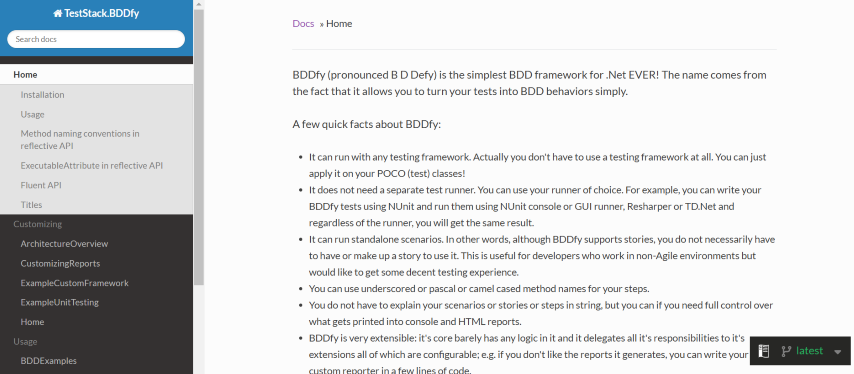
BDDfy is another C# testing framework for BDD that uses the Gherkin language for easier collaboration between tech and non-tech folks.
Salient Features of BDDfy
Some of the best features of BDDfy are:
- Just like with SpecFlow, the tests can be written in the Given – When – Then Gherkin language, which makes the tests easy to write even by non-technical people on the team.
- It has good test reporting capabilities.
- Supports standalone scenarios that don’t necessarily need to be part of user stories.
Code Example of BDDfy
BDDfy’s tests look similar to those of SpecFlow since they can also use the Gherkin language. Here is a sample from their documentation:
Scenario: Card has been disabled
Given the card is disabled
When the Account Holder requests $20
Then the ATM should retain the card
  And the ATM should say the card has been retained
With the implementation:
using System;
using Microsoft.VisualStudio.TestTools.UnitTesting;
using TestStack.BDDfy;


namespace BDDfy.Samples.Atm
{
    [TestClass]
    public class CardHasBeenDisabled
    {
        void GivenTheCardIsDisabled()
        {
            throw new NotImplementedException();
        }


        void WhenTheAccountHolderRequestsMoney()
        {
        }


        void ThenTheAtmShouldRetainTheCard()
        {
        }


        void AndTheAtmShouldSayTheCardHasBeenRetained()
        {
        }


        [TestMethod]
        public void Execute()
        {
            this.BDDfy();
        }
    }
}
Advantages of BDDfy
Among the main advantages of BDDfy, worth mentioning are:
- It can run with any testing framework, or with no testing framework, which makes it really flexible.
- It can be very easy for beginners to learn it, and the language is very intuitive.
Disadvantages of BDDfy
And some of the disadvantages of using BDDfy:
- Documentation is somewhat limited when compared to SpecFlow.
- The community of users is not vast at the time of writing this article.
Expediting your C# Testing with TestMu AI
For any developer, building quality software is a challenge. Developing testing skills is the key to creating a lasting product. C# testing frameworks are emerging to address the growing need for effective test automation.
With an automation testing framework for C#, you can easily perform automated testing for your website or mobile app.
AI Native test orchestration and execution platforms like TestMu AI let you perform manual and automation testing of your websites and web apps on an online browser farm of 3000+ real browsers, devices, and operating system combinations.
Its cloud-based automation testing platform lets you run automation tests using different C# testing frameworks like Selenium, Appium, SpecFlow, NUnit, and more.
With TestMu AI, developers and testers can easily perform cross-browser testing and parallelize their tests.
Subscribe to TestMu AI YouTube Channel and stay updated with detailed tutorials around Selenium testing, Cypress testing, Playwright testing, and more.
TestMu AI also offers HyperExecute – a blazing-fast next-generation test automation cloud that helps you accelerate the release cycle while performing C# automation. It is up to 70% faster than any other conventional testing grid.
HyperExecute provides optimal speed, test orchestration, and detailed execution logs to help you accelerate TTM (Time to Market).

Salient Features of TestMu AI
The main features of TestMu AI are:
- Provides a live testing feature that allows users to interact with web applications in real time.
- Supports automated testing using popular frameworks like Selenium, Cypress, Playwright, and Appium.
- Integrations with popular project management and CI/CD tools like JIRA, Slack, Trello, Jenkins, Travis CI, etc.
Code Example for performing C# automation on TestMu AI
TestMu AI provides an online Selenium grid, so the main code will be of Selenium. But you will need to set the Selenium capabilities to use your TestMu AI account.
You can use the capabilities generator to generate the capabilities you want to include (such as operating system, browser version, resolution, etc.).
This can be done in a [SetUp] method:
[SetUp]
public void Setup()
{
    ChromeOptions capabilities = new ChromeOptions();
    capabilities.BrowserVersion = "108.0";
    Dictionary<string, object> ltOptions = new Dictionary<string, object>();
    ltOptions.Add("username", LT_USERNAME);
    ltOptions.Add("accessKey", LT_ACCESS_KEY);
    ltOptions.Add("platformName", "Windows 11");
    ltOptions.Add("project", "Selenium Scroll");
    ltOptions.Add("w3c", true);
    ltOptions.Add("plugin", "c#-nunit");
    capabilities.AddAdditionalOption("LT:Options", ltOptions);
    driver = new RemoteWebDriver(new Uri($"https://{LT_USERNAME}:{LT_ACCESS_KEY}{gridURL}"), capabilities);
}
As a C# expert, you can also acquire a Selenium C# 101 Certification from TestMu AI to master the fundamentals of Selenium C# testing and expanding your career prospects.
Conclusion
Identifying the right C# testing frameworks for the job is crucial when starting a new automation testing project. Since no two projects are the same, the requirements will vary, so it is always a good idea to research all the pros and cons of the C# testing frameworks that are available.
When choosing a test automation framework, testers and test managers should carefully consider whether the features match the project’s requirements, what the learning curve is, and whether the pricing fits the budget.
For those interested in C# testing frameworks, this blog provides a list of frameworks with details about their features, advantages, and disadvantages.
Author


Frequently asked questions
Did you find this page helpful?
More Related Hubs
TestMu AI forEnterprise
Get access to solutions built on Enterprise
grade security, privacy, & compliance
- Advanced access controls
- Advanced data retention rules
- Advanced Local Testing
- Premium Support options
- Early access to beta features
- Private Slack Channel
- Unlimited Manual Accessibility DevTools Tests