
AI Agent Assurance for Your Agent Deployments
Agent Assurance Tests How Your Agent Actually Behaves across Workflows, Tools, and Actions to Catch Failures and Vulnerabilities.
npm install -g @testmuai/rook@latest
What Is Tool Calling? How LLMs Call Functions and APIs
Tool calling lets an LLM ask your code to run a function or API with JSON arguments. See the OpenAI, Anthropic and Gemini formats, strict mode and MCP compared.
Published on:
OVERVIEW
Tool calling looks like one feature across LLM APIs, yet a single get_order_status tool comes back in different shapes depending on who serves the model. The OpenAI APIs return the call's arguments as a JSON string, while Anthropic's Messages API and Gemini's generateContent return an object, and each expects the result back in its own message type.
That string was written by the model, and the Chat Completions API reference says so plainly: "the model does not always generate valid JSON, and may hallucinate parameters not defined by your function schema." The same entry tells developers to "Validate the arguments in your code before calling your function," because the model never runs anything itself.
Every format below ends at the same check: parse the call, confirm the tool name, then validate the arguments against your schema.
Overview
Tool calling is the LLM API feature that lets a model ask your application to run a function or API. The model returns a tool name and JSON arguments instead of text, and your code validates and runs the call, then sends the result back. OpenAI and Gemini call it function calling; Anthropic calls it tool use.
What Does the Model Return When It Decides to Call a Tool?
- OpenAI Responses API: The model returns a function_call output item with a call_id and its arguments as a JSON string, which your code must parse. Strict mode is attempted by default. The result goes back as a function_call_output item carrying the same call_id.
- OpenAI Chat Completions API: The model returns tool_calls on the assistant message, each with an id and its arguments as a JSON string. Strict mode is off unless you set strict to true on the function. The result goes back as a message with role tool and the matching tool_call_id.
- Anthropic Messages API: Claude returns one or more tool_use blocks with stop_reason set to tool_use, and the arguments arrive as an input object, not a string. Strict mode is opt-in with strict: true on the tool. Results go back as tool_result blocks with the tool_use_id, first in the next user message.
- Gemini API: Gemini returns a functionCall part whose args are an object, not a string. Its VALIDATED function calling mode checks calls with constrained decoding. The result goes back as a functionResponse part with the matching id, and thinking models also return thought signatures that the next request must send back.
- Your application code: The model never executes a tool call; your code does. Before running a call, it parses the arguments, confirms the tool name is one you declared, validates the arguments against the JSON Schema, and returns an error result that names the failing field.
What Is Tool Calling?
Tool calling is a feature of LLM APIs in which the model, instead of answering in text, returns a structured request to use one of the tools you described. The request holds a tool name plus arguments that fit that tool's schema. Your application carries out the request and returns the output, and the model then replies or asks for another tool.
The OpenAI function calling guide describes the flow in five high level steps, ending with "a final response from the model (or more tool calls)." It assigns execution to the developer: "When the model calls a function, you must execute it and return the result." Google's function calling reference on Google Cloud puts it the same way: "The model doesn't directly invoke these functions, but instead generates structured data output" that names the function and its suggested arguments.
- Tool definition - the name, description and parameter schema your request sends, which is all the model knows about the tool.
- Tool call - the model's structured output that names one defined tool and fills in its arguments.
- Tool result - what your code returns after running the call, tied to that call by an id.
- Final answer - the model's text reply once it needs no further calls.
The code that receives each call, checks it and dispatches it to a real function is the agent harness. Because the model only proposes and the harness executes, every validation and permission check in this hub runs in your code.
Is Tool Calling the Same as Function Calling?
Mostly yes, with a difference in scope: in OpenAI's docs a function is one kind of tool, Anthropic's main term is tool use, and Google's Gemini docs say function calling. Read "tool" as the wider word and "function" as the kind defined by a JSON schema; LLM tool use, function calling and tool calling all describe the same request and response exchange.
| Source | Term it uses | In its own words |
|---|---|---|
| OpenAI function calling guide | Function calling, with function, custom and built-in tools | "A function is a specific kind of tool, defined by a JSON schema." |
| Anthropic tool use overview | Tool use | "Tool use (also called function calling) lets Claude call functions that you define or that Anthropic provides." |
| Gemini API function calling | Function calling | "Function calling lets you connect models to external tools and APIs." |
| Hugging Face Transformers | Tool use, in chat templates | "Chat models are commonly trained with support for "function-calling" or "tool-use"." |
| Model Context Protocol | Tools | Servers "expose tools that can be invoked by language models." |
OpenAI's other two kinds do not fit a JSON-schema function. Custom tools "work with free text inputs and outputs," and built-in tools are provided by the platform to search the web, run code or reach an MCP server.
This hub is about the function kind: a name, a description and a JSON Schema for arguments, defined by you and executed by your code. Agent tool calling, the phrase used for agents, is the same mechanism repeated over many turns.
How Does Tool Calling Work in an LLM API?
Tool calling works as a request and response exchange that can repeat: the request carries tool definitions, the response carries text or one or more calls, and the next request carries the results. Each API marks a call in its own way and pairs it with its result through an id.
- The request - your messages plus a list of tool definitions, every definition holding a name, a description and a parameter schema.
- The call signal - Anthropic's overview says Claude "responds with
stop_reason: "tool_use"and one or moretool_useblocks." The OpenAI Responses API adds an output item whose type isfunction_call, and Gemini returns afunctionCallpart. - The id - each call carries an identifier (
call_id,idor afunctionCallid) that the result has to echo, so several calls in one turn stay matched to their outputs. - The follow-up request - the conversation so far, the model's call and your result, after which the model answers or calls again.
Tools cost input tokens before any call happens. Anthropic's tool use overview says that with tools the API adds "a special system prompt for the model that enables tool use." Its table, as read on 25 November 2026, lists 286 extra tokens for Claude Opus 5.5 with tool choice auto or none, against 0 for a request with no tools and tool choice none.
The loop. Your code keeps sending results until the model replies without a call, and caps the rounds because, per Anthropic's docs, Claude may call the tool again after an invalid call. Timeouts, error results and retries for agent tools are covered in that hub.
Tool choice. The Gemini API ToolConfig reference defines four modes for functionCallingConfig. AUTO lets the model pick a call or text, ANY constrains it to "always predicting a function call only," NONE behaves like sending no declarations, and VALIDATED checks calls "with constrained decoding."
The Anthropic and OpenAI equivalents are compared under tool choice settings.
Parallel calls. OpenAI's guide says "The model may choose to call multiple functions in a single turn," and Gemini's docs suggest calling several functions at once when they are independent. Which of them run first, and which run together, is a decision covered under parallel tool calls.
What Does a Tool Call Look Like in OpenAI, Anthropic and Gemini?
A tool call is a small JSON object in every API, but where it sits and how its arguments are typed differ. OpenAI nests a JSON string of arguments in an output item or an assistant message, Anthropic sends a tool_use content block with an input object, and Gemini sends a functionCall part with an args object.
| Part | OpenAI Responses | OpenAI Chat Completions | Anthropic Messages | Gemini generateContent |
|---|---|---|---|---|
| Tools in the request | tools, each with type: "function" and a name | tools, each wrapping a function object | tools, each with a name and description | tools holding functionDeclarations |
| Schema field | parameters | function.parameters | input_schema | parameters (OpenAPI style) or parametersJsonSchema |
| Call arrives as | An output item of type function_call | The tool_calls array on the message | A tool_use block, with stop_reason set to tool_use | A functionCall part in the model's content |
| Arguments | arguments, a JSON string | function.arguments, a JSON string | input, an object | args, an object |
| Call id | call_id | id | id | id, which Gemini 3 models always return |
| Result goes back as | A function_call_output item with the call_id | A message with role tool and tool_call_id | A tool_result block with tool_use_id, in a user message | A functionResponse part with the matching id |
The rows come from OpenAI's guide and API reference, Anthropic's handle tool calls page and Google's generateContent function calling page, all read on 25 November 2026. Google's newer Interactions API, which its main function calling page shows by default, calls the same two parts function_call and function_result steps.
Names have rules too. The Chat Completions API reference says a function name "Must be a-z, A-Z, 0-9, or contain underscores and dashes, with a maximum length of 64." A name that works in one API may need renaming before you send the same tool to another.
Why Are OpenAI Tool Arguments a String When Anthropic and Gemini Send an Object?
OpenAI's reference types the arguments as a string holding JSON "as generated by the model," and it does not explain the choice. Anthropic documents input as "An object containing the input being passed to the tool," and Gemini documents args as "The function parameters and values in JSON object format."
- Parse first on OpenAI - a parser such as
json.loadscan fail on a cut-off string, which is a different error from a schema violation and deserves its own error message. - Validate on every API - an object can still carry a wrong type or an extra field, so schema validation runs for all four formats, not only the string ones.
- Keep formats apart - the Hugging Face docs warn that "the OpenAI API uses a JSON string as its
tool_callsformat. This may cause errors or strange model behavior if used in Transformers, which expects a dict."
How Does the Tool Result Go Back to the Model?
The result returns in the next request as a message that echoes the call's id, and the APIs disagree on the role it takes and what it may contain. Anthropic states the contrast directly: "Unlike APIs that separate tool use or use special roles like tool or function, the Claude API integrates tools directly into the user and assistant message structure."
- OpenAI - the result in a
function_call_output"should typically be a string, where the format is up to you (JSON, error codes, plain text, etc.)," and "The model will interpret that string as needed." - Anthropic ordering - "Tool result blocks must immediately follow their corresponding tool use blocks in the message history," and inside the user message the
tool_resultblocks come first, with any text after them. - Anthropic errors - each
tool_useblock gets atool_result, "even if the tool failed," andis_erroris set to true "if the tool failed or the call was invalid." - Gemini thought signatures - Google's generateContent page says "passing back thought signatures is mandatory for function calling." The Google Cloud reference adds that a signature, if present, "must be included in the next turn of the conversation to maintain context for multi-step tool use."
What Happens When You Validate One Tool Call in Four Formats?
When one get_order_status call is extracted from four API formats and checked against one JSON Schema, all four pass, and the only code that differs per API is the extraction step. In the same run, a bad argument set produced 3 schema errors, and a truncated string and an invented tool name failed before validation could start.
The script, tool_call_formats.py, used Python 3.14.6 and the jsonschema library 4.26.0 for its run on 2026-11-25, with no network calls, keys or model. It renders the tool in each provider's documented definition shape, and the four model-side calls are hand-written in the documented response shapes with sample ids such as call_01 and toolu_01. The run therefore tests format handling only; no model produced these calls.
# Excerpt from tool_call_formats.py, rewrapped
SCHEMA = {
    "type": "object",
    "properties": {
        "order_id": {"type": "string",
                     "pattern": "^ORD-[0-9]{6}$"},
        "include_items": {"type": "boolean"},
    },
    "required": ["order_id", "include_items"],
    "additionalProperties": False,
}

# Two of the four sample calls (documented shapes)
calls = {
    "openai_chat": {
        "id": "call_01", "type": "function",
        "function": {"name": NAME,
                     "arguments": json.dumps(ARGS)},
    },
    "anthropic": {
        "type": "tool_use", "id": "toolu_01",
        "name": NAME, "input": dict(ARGS),
    },
    # openai_responses and gemini omitted here
}

def extract(api, call):
    if api == "openai_responses":
        raw = call["arguments"]
        return (call["call_id"], call["name"],
                json.loads(raw), raw)
    if api == "openai_chat":
        raw = call["function"]["arguments"]
        return (call["id"], call["function"]["name"],
                json.loads(raw), raw)
    if api == "anthropic":
        return (call["id"], call["name"],
                call["input"], call["input"])
    fc = call["functionCall"]  # gemini
    return fc["id"], fc["name"], fc["args"], fc["args"]

validator = Draft202012Validator(SCHEMA)
for label, args in cases:
    errs = sorted(validator.iter_errors(args),
                  key=lambda e: e.message)
The printed output, with the sections that repeat the tool definition and the result messages trimmed:
tool_call_formats.py | jsonschema 4.26.0
no network calls; sample calls in documented shapes
==========================================================
3. ONE CALL PER API: WHERE THE ARGUMENTS LIVE
----------------------------------------------------------
OpenAI Responses API
  arguments (a string):
  {"order_id": "ORD-482913", "include_items": false}
  args type : JSON string
  call id   : call_01
  valid     : True
[OpenAI Chat Completions block trimmed]
Anthropic Messages API
  args type : JSON object
  call id   : toolu_01
  valid     : True
[Gemini generateContent block trimmed]

4. ARGUMENT VALIDATION AGAINST THE JSON SCHEMA
----------------------------------------------------------
valid set: 0 error(s)
invalid set: 3 error(s)
  - at order_id [pattern]
    '482913' does not match '^ORD-[0-9]{6}$'
  - at include_items [type]
    'no' is not of type 'boolean'
  - at (root) [additionalProperties]
    Additional properties are not allowed ('note' was
    unexpected)

5. TWO FAILURES BEFORE VALIDATION EVEN RUNS
----------------------------------------------------------
truncated arguments string:
  JSONDecodeError at char 27
call names 'get_order_state':
  in declared tools? False
  -> reject before execution, return an error result

7. SUMMARY
----------------------------------------------------------
API                     args    result goes back as
OpenAI Responses        string  function_call_output
OpenAI Chat Completions string  role tool message
Anthropic Messages      object  tool_result, user msg
Gemini generateContent  object  functionResponse part
max line width: 58- Extraction differs, validation does not - the two OpenAI branches call
json.loadsand the other two read an object, then one Draft 2020-12 validator checks every format. - Errors name the field - jsonschema reported the pattern miss on
order_id, the wrong type oninclude_itemsand the unexpectednote, which is the text an error result should send back to the model. - Parsing fails before validating - the cut-off string stopped at character 27 with a
JSONDecodeError, so a validator never saw it. - Unknown names need a separate check -
get_order_stateis not a declared tool, and a schema check alone would not reject it because there is no schema to look up. - One gap in the sample - the Gemini call leaves out the thought signature that thinking models return, which a real integration has to send back.
How Do Strict Mode and Structured Outputs Keep Tool Arguments Valid?
Strict mode constrains generation so the model's tool arguments follow your JSON Schema, and the defaults differ by API. OpenAI's Responses API tries it unless you opt out, Chat Completions stays best-effort unless you set strict to true, Anthropic applies it per tool, and Gemini enforces the schema in its VALIDATED and ANY modes.
| API | Setting | When it is not on | What the docs promise |
|---|---|---|---|
| OpenAI Responses | strict: true, attempted when you omit it | Falls back to best effort if the schema cannot be made strict, and "the response tool will show strict: false" | Function calls follow the schema reliably rather than on a best-effort basis |
| OpenAI Chat Completions | strict: true on the function | "Chat Completions requests remain non-strict by default." | The same schema adherence as Responses |
| Anthropic Messages | strict: true on the tool | An integer field might arrive as "two" or "2", per the docs' booking example | Input "strictly follows the input_schema" and the tool name "is always valid" |
| Gemini generateContent | Function calling mode VALIDATED | AUTO when function declarations are the only tool; VALIDATED is already the default when built-in tools or structured outputs are also on | The model "will validate function calls with constrained decoding" |
Anthropic's strict tool use page names the mechanism grammar-constrained sampling and gives the booking example: a field defined as passengers: int "always contains passengers: 2" with strict on. OpenAI's strict mode also changes how a schema must be written, with every field required and extra properties forbidden; those rules and their limits are covered under tool schema.
Structured outputs is the wider feature. OpenAI's Structured Outputs guide says it "constrains completed, non-refusal model output to your supplied JSON Schema." It comes in two forms: function calling, when the model connects to your application's functions, and a json_schema response format, when the reply to the user needs a fixed structure.
The same guide says your application "still needs to handle refusals, incomplete responses, and API errors, and validate any business rules that the schema does not express." A schema-valid order_id can still name the wrong order, so strict mode removes parse and type errors, and wrong values still need a business-rule check.
MCP reuses a similar word for something else. The tools page of the MCP specification, revision 2026-07-28, says structuredContent "is server-produced result data and is unrelated to LLM "structured outputs" (schema-constrained model generation)."
How Do Open-Weight Models Emit Tool Calls?
Open-weight models emit tool calls as text in a format they were trained on, usually a tagged JSON block, and your code parses that text into a call. The chat template renders your tool definitions into the prompt, so the model reads them as text rather than as an API field.
- Tools through the template - the Hugging Face Transformers tool use docs (v5.24.1) pass tools to
apply_chat_template(). For a Python function, "the arguments, argument types, and function docstring are parsed in order to generate the JSON schema automatically," and only Google-style docstrings are parsed. - A tagged call in the output - the docs show Hermes-2-Pro-Llama-3-8B answering with a
<tool_call>block whose JSON namesget_current_temperaturewith the arguments{"location": "Paris, France", "unit": "celsius"}. - Your code runs it - the docs say "A model cannot actually call the tool itself." For models without a built-in parser, "you'll need to manually translate the output string into a tool call dict."
- Results as strings - the tool message in the docs is
{"role": "tool", "content": "22"}, with a comment that the returned content is always a string. - One call at a time - "in most cases, models only emit a single tool call at a time," and the format a model expects is in its model card.
Training a model to emit calls came before the API feature. The Toolformer paper (February 2023) describes a model "trained to decide which APIs to call, when to call them, what arguments to pass," using tools that included a calculator, a Q&A system and a calendar.
OpenAI's function calling announcement of June 13, 2023 brought the idea to a hosted API with gpt-4-0613 and gpt-3.5-turbo-0613. Those models were "fine-tuned to both detect when a function needs to be called" and to respond "with JSON that adheres to the function signature."
How Is Tool Calling Different From MCP?
Tool calling is the model-side request inside one provider's API. The Model Context Protocol standardizes how a client discovers and runs tools on a server: a tools/list request to find them and tools/call to invoke one. The client sits between the two, presenting server tools to the model in the provider's format and turning each model call into a tools/call.
The MCP specification scopes a tool name to a single server, so a client that aggregates several servers "MAY encounter naming collisions" and should disambiguate them, for example by prefixing names with a server identifier. Without that step, two servers' search tools reach the model under one name.
The wire format of a tools/call request is in MCP vs API, server tests in MCP testing, and the comparison with agent-to-agent messaging in A2A vs MCP.
Why Do Tool Calls Fail at the Call Level?
Call-level failures are visible in the call itself. They include arguments that are not valid JSON, parameters your schema never defined, a tool name that does not exist, values the model guessed, and results returned out of order. Each has a documented source, and most can be caught by a check your harness runs before anything executes.
- Malformed JSON - OpenAI's reference warns that generated arguments are not always valid JSON; the script's cut-off string failed to parse at character 27.
- Invented parameters - the same reference says the model "may hallucinate parameters not defined by your function schema," which
additionalProperties: falseturns into a validation error, as with the script'snotefield. - Invented tool names - the tools page of the MCP specification lists an "Unknown tool" protocol error (JSON-RPC code -32602) for a missing name, and Anthropic's strict mode promises a valid name. Without either, check the name against your declared list, as the script did for
get_order_state. - Guessed values - Anthropic's overview says "Claude (particularly Claude Sonnet) might guess values you didn't supply," and its example fills a missing location with
"New York, NY", a value no schema check can catch. - Orphaned results - a history in which a
tool_useblock lacks an immediatetool_resultis rejected with the error "tool_use ids were found without tool_result blocks immediately after." - Untrusted content in results - a result that carries text from a web page or a file can carry instructions too, the attack described in indirect prompt injection.
- Wrong API usage - the Gorilla paper (May 2023) traced weak API use to models' "inability to generate accurate input arguments and their tendency to hallucinate the wrong usage of an API call."
A different class of failure starts after the call, when an agent reports a call or a result that never happened. That is agent action hallucination, and it needs evidence from outside the conversation, such as the record the tool should have changed.
How Do You Measure Tool Calling Accuracy?
Tool calling accuracy is measured per call on two questions: did the model choose the right tool, and were the argument values right. Score both on recorded calls from tasks that use your own tools, since public leaderboards test tools that are not yours.
- Tool selection accuracy - the share of calls that match the expected tool for the step, with formulas and trace fields in AI agent evaluation metrics.
- Argument correctness - the share of calls whose values are right, which is stricter than schema validity because a well-formed order ID can still be the wrong one.
- Your own test set - building a tool calling benchmark from your tools and tasks shows how a model handles your names, descriptions and edge cases.
- Traces as input - record each call's id, name, arguments and result as a span, the structure described in AI agent tracing, so scoring reads the recorded calls.
The size of the tool list affects selection. The best practices in the Gemini API function calling docs say "Keep active set to 10-20 tools maximum." The function calling reference on Google Cloud caps a request at 128 function declarations, so re-run the measurement whenever tools are added instead of treating the cap as a target.
How Can You Check an Agent's Tool Calls With Agent Assurance?
Agent Assurance, part of TestMu AI, tests agents that take actions, such as calling tools, editing files, changing database records or opening pull requests, before you release them. It blocks nothing in production and is not a runtime guardrail; for tool calls, its checks start from the tools that discovery finds on the agent itself.
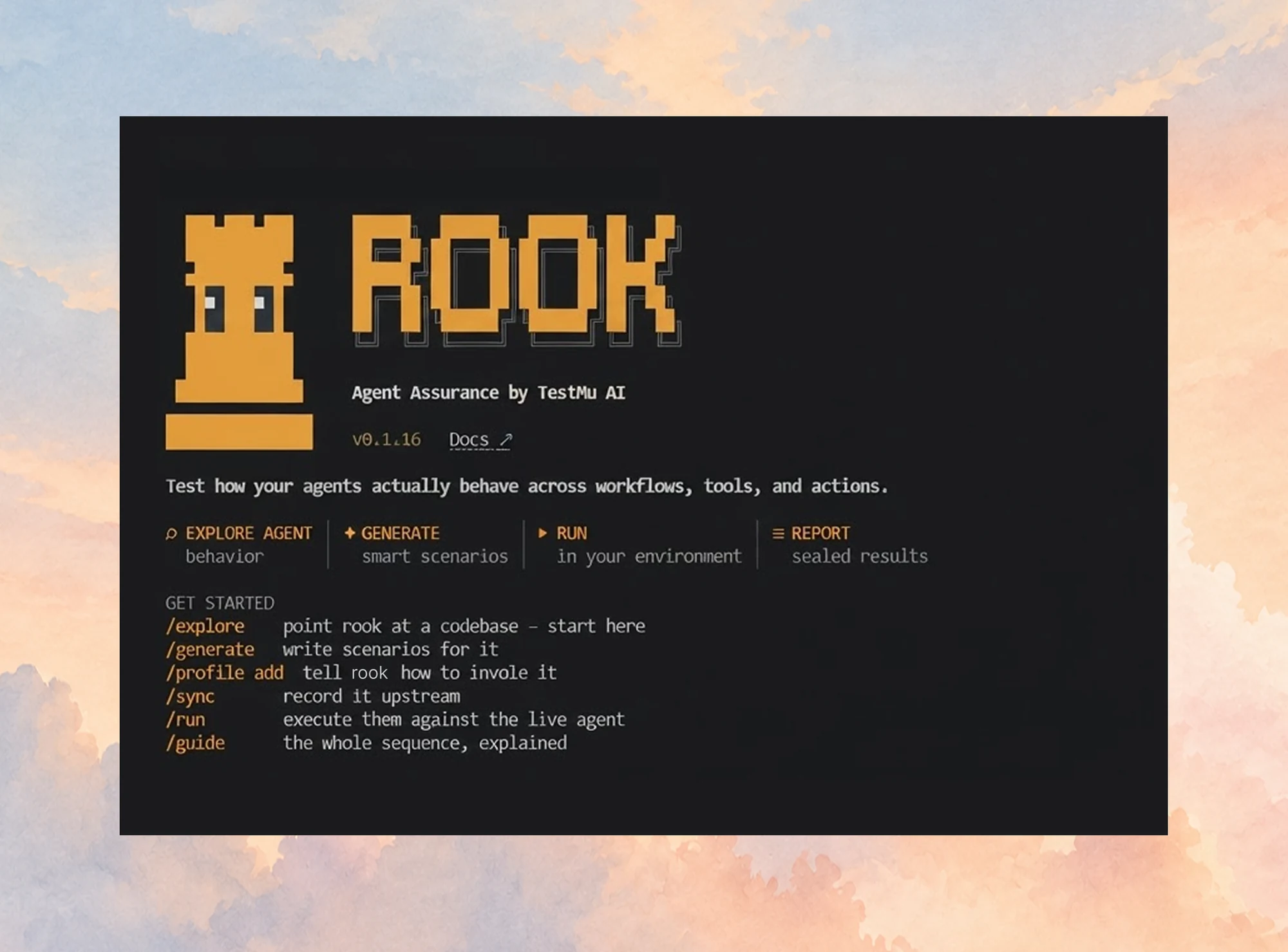
- Deterministic discovery - Rook CLI, the
rookcommand, reads agent manifests, framework conventions, MCP server configs and tool tables with no model involved. For an MCP server it connects and asks the server for its actual tool list rather than relying on the config file. A reply missing its tool list is reported as malformed rather than treated as empty. - No invented tool surface - where an agent declares nothing about a tool, the field comes back
unknowninstead of a plausible guess, because a made-up tool list would lead to made-up verdicts. - Declared versus observed calls - the calls the agent actually made, as its profile returns them, are matched against the agent's declared tool list and any "must not call" rules. If the profile returns no observed calls, the criterion comes back Unable to Verify.
- Read-only effect checks - effects are confirmed with read-only checks, such as a status endpoint or an approved read-only MCP tool. Judges are instructed to check without changing state, since calling
create_ticketto learn whether a ticket exists would create one, and each judge's tool call goes through the same permission gate.
In these checks a claimed action is never proof; the observed effect is. The Agent Assurance documentation explains profiles, discovery and verdicts.
Rook CLI installs from npm on Node.js 20 or newer:
npm install -g @testmuai/rook@latestHomebrew and the shell installer need no Node, and the npx @testmuai/rook-skill skill installer needs Node.js 22 or newer. Agent Assurance comes with a 14-day free trial of 4,000 credits, and the plans after it are on the Agent Assurance pricing page.

What Should You Check First in a Tool-Calling Integration?
Put one check between the model's call and your function. Parse OpenAI arguments, confirm the tool name is on your declared list, validate the arguments against the schema, and return an error result that names the failing field. Then switch on the strictest mode your API offers, strict: true or Gemini's VALIDATED mode.
Log each call's id, name and arguments so accuracy can be measured later, and design the messages your tools send back using the guidance on tool call errors. If the agent runs on Strands Agents, test each tool as a plain Python function first, then the agent loop with a fake model that scripts the calls.
npm install -g @testmuai/rook@latest, or for a full walkthrough of the product.Author

Samyak Goyal
Blogs: 53

Samyak Goyal is a Senior Member of Technical Staff at TestMu AI engineering Kane CLI, the command-line tool that runs browser automation from the terminal, where a flow described in natural language executes in a real Chrome browser and returns pass or fail with shareable proof. He is a backend engineer with 4+ years of experience, previously an SDE at Innovaccer, where he built APIs, introduced Kafka, and cut deployment from weeks to hours. Samyak also builds multi-agent systems, skill-orchestration frameworks, and a personal copilot that indexes 200+ microservice repositories.
Reviewer

Sirajuddin Khan
Reviewer
Sirajuddin Khan is Vice President of Product Management at TestMu AI, where he drives the company's agentic AI product strategy, building a suite of autonomous agents that includes Agentic Browsers and Agentic Visual Testing and shifting the unit of work from test execution to autonomous outcomes. One of the company's earliest product leaders, he has owned the roadmap for the high-performance execution cloud and grew the cross-browser testing products from early adoption to market leadership. He brings over a decade of experience across SaaS, B2B, and eCommerce, with earlier product roles at Wydr and ShopClues, where his catalog and search work cut delivery SLAs and lifted seller activity. Sirajuddin holds an MBA in Information Technology from Sikkim Manipal University and a B.Tech in Computer Science Engineering from Maharshi Dayanand University.


Tool Calling FAQs
Did you find this page helpful?
More Related Learning Hubs

TestMu AI forEnterprise
Get access to solutions built on Enterprise
grade security, privacy, & compliance
- Advanced access controls
- Advanced data retention rules
- Advanced Local Testing
- Premium Support options
- Early access to beta features
- Private Slack Channel
- Unlimited Manual Accessibility DevTools Tests