
E2E Testing for Chat, Voice, Phone and Video AI Agents
Run Thousands of Test Scenarios against Your Agent and Catch Hallucinations, Bias, and Toxicity Before Users Do.

Voice Activity Detection (VAD): How It Works in Voice Agents
Voice activity detection (VAD) marks each audio frame as speech or not. See how VAD works, which settings matter, and how VAD errors show up in voice agents.
Published on:
OVERVIEW
People leave very little silence between turns, and in a voice agent that timing starts with voice activity detection. A 2009 PNAS study of turn-taking by Stivers and colleagues compared conversation in 10 languages, from traditional indigenous communities to major world languages. It found a general avoidance of overlapping talk and a minimization of silence, and each language's average gap fell within 250 ms of the cross-language mean.
AI voice agents have to make the same timing calls from audio alone, starting with one question asked many times a second: is anyone speaking in this slice of sound? Each wrong answer reaches the caller as something they can hear, such as a clipped word, an interruption or dead air.
Overview
Voice activity detection (VAD) is the step in a speech system that labels each short audio frame as speech or non-speech. A voice agent uses those labels to start listening, to notice a caller talking over it and, with endpointing, to decide when the caller has finished speaking. VAD errors sound like clipped words, cut-off callers and dead air.
How does voice activity detection work?
- Frame-level decision: The WebRTC VAD labels each audio frame as speech or non-speech and accepts only frames of 10, 20 or 30 ms. It is a statistical detector built on Gaussian mixture models, not a neural network.
- Threshold: A VAD classifier produces a continuous speech score, and a threshold turns that score into a speech or non-speech decision. Raising the VAD threshold makes detection stricter, so quiet speech is more likely to be missed.
- Hangover: A VAD hangover rule keeps the speech label on for a few frames after speech stops, so soft word endings survive. The WebRTC VAD allows up to 150 ms of hangover at 30 ms frames in mode 0, its least aggressive mode.
- Neural VAD: Silero VAD is a neural detector that outputs a speech probability for each chunk of about 32 ms at 16 kHz and counts values above 0.5 as speech by default. Runs on a single CPU thread: yes, in under 1 ms per chunk, according to its README.
How do you test voice activity detection in a voice agent?
- Pause cases: VAD pause testing scripts mid-sentence pauses longer and shorter than the voice agent's end-of-turn silence setting, then checks whether the agent replied before the caller finished the thought.
- Noise cases: VAD noise testing repeats the same calls with background noise at a stated signal-to-noise ratio, because a detector that reads noise as speech can keep the caller's turn from ever ending.
- Black-box calls: TestMu AI Agent Testing checks VAD symptoms from outside the agent. It places voice and phone test calls with background noise presets and accented voices, then grades phone calls on checks such as Dead air and Interruption yield. Needs access to the agent's VAD: no.
What Is Voice Activity Detection (VAD)?
Voice activity detection is, in the words of Aalto University's open Introduction to Speech Processing textbook, a "class of methods which detect whether a sound signal contains speech or not." It works on short frames, gives each frame a speech or non-speech label, and hands those labels to whatever comes next: a speech recognizer, a codec, a recorder or a voice agent's turn logic.
Chapter 8.1 of that textbook treats a recording with almost no background noise as the trivial case, where loudness alone separates speech from silence, and spends the rest of its length on noisy speech.
- Telephony origin - VAD was built into phone codecs long before voice agents existed. ITU-T G.729 Annex B, approved in October 1996 and since superseded, is titled "A silence compression scheme for G.729 optimized for terminals conforming to Recommendation V.70": a codec feature that has to tell speech from silence before it can compress the silence.
- Voiced or unvoiced - py-webrtcvad, the Python wrapper of the WebRTC detector, describes its job as classifying "a piece of audio data as being voiced or unvoiced", the same binary decision under another name.
- Voice agents - in a voice agent, VAD output feeds three decisions: when to start sending audio to speech recognition, whether the caller is talking over the agent, and, with endpointing, when the caller's turn is over.
How Does Voice Activity Detection Work?
Every VAD, from a ten-line energy check to a neural network, runs the same loop: cut the audio into frames, compute features per frame, score them with a classifier, threshold the score, then smooth the decisions over time.
Frames and Features: Energy, Zero Crossings and Spectrum
A frame is a few milliseconds of samples treated as one unit. The WebRTC VAD header file states "We support 10, 20 and 30 ms frames and the rates 8000, 16000 and 32000 Hz", so at 16 kHz a 30 ms frame holds 480 samples.
- Energy - the Aalto chapter calls signal energy "naturally a useful feature, since the energy of speech varies a lot". Loud frames are more likely to be speech, but loud noise is loud too.
- Zero-crossing rate - how often the waveform crosses zero per unit of time. The chapter notes it is "high for high-frequency signals (noise) and low for low-frequency signals", which helps separate hiss from voiced sounds.
- Spectral envelope - the overall shape of the frame's spectrum. "Speech information is described effectively by their spectral envelope", the chapter says, which is why detectors measure energy in several frequency bands instead of one total.
The Classifier and Its Threshold
The classifier maps the features to a number. In the Aalto chapter's words, "the output of the classifier is a continuous number, but it is thresholded to obtain a decision." Where that cut-off sits decides the balance between missed speech and noise reported as speech.
- Probability output - Silero VAD outputs a speech probability for each audio chunk, and its speech timestamp function counts probabilities above a threshold of 0.5 as speech by default.
- Mode output - the WebRTC VAD hides its thresholds behind an aggressiveness mode from 0 to 3. A higher mode "is more restrictive in reporting speech", the header says, and "as a consequence also the missed detection rate goes up."
Hangover and Smoothing After Speech Ends
Raw frame decisions flicker, and the ends of words are quiet. The textbook's fix is a hangover time, "such that after a speech segment we keep the label as speech for a while", and it adds that "for onsets (starts of phonemes) we usually want to be very sensitive."
The WebRTC source makes hangover concrete. In vad_core.c, the overhang constants for 30 ms frames are 5 frames in mode 0 and 3 frames in mode 3, so the detector can hold the speech label for up to 150 ms or 90 ms after the voice stops. The experiment later in this guide shows that hangover in its output.
Types of VAD: Energy, Statistical and Neural Detectors Compared
VADs differ mainly in the classifier. The textbook ranges them from simple thresholds to "deep neural networks (high-complexity, high-accuracy, training from data)", and voice agent stacks use all three kinds below.
| Type | How it decides | Strength | Weakness | Example |
|---|---|---|---|---|
| Energy threshold | Compares each frame's loudness, such as its RMS level in dBFS, with one fixed cut-off. | Trivial to build and never fires on digital silence; fine when almost no background noise is present. | Any noise above the cut-off reads as speech, and quiet stretches of speech fall below it. | The -40 dBFS check in the experiment below. |
| Statistical model | Scores log energy in six frequency bands with two Gaussian mixture models, noise and speech, and runs a likelihood ratio test. | Small, fast C code with four aggressiveness modes that trade missed speech against false speech. | Fixed frame sizes and sample rates; low modes can call steady noise speech, high modes drop word endings. | The WebRTC VAD, also packaged for Python as py-webrtcvad and webrtcvad-wheels. |
| Neural network | A trained model outputs a speech probability per audio chunk, which a threshold and timing rules turn into segments. | Learned from large, varied speech data; its README puts a 30 ms chunk at under 1 ms on one CPU thread. | Supports only some sample rates and still needs threshold, padding and silence settings tuned for the use. | Silero VAD, named in the NVIDIA NeMo and Pipecat voice agent docs. |
- WebRTC internals - the vad_core.c comments describe probabilities "for both speech and background noise using Gaussian Mixture Models (GMM)", a detection scheme that is "an LRT", and a "hard coded number of Gaussians set to two." The four modes are labelled Quality, Low bitrate, Aggressive and Very aggressive.
- Silero figures - the Silero VAD README says one audio chunk of 30 ms or more "takes less than 1ms to be processed on a single CPU thread". It adds that the model "was trained on huge corpora that include over 6000 languages" and supports 8000 Hz and 16000 Hz. The JIT model is about two megabytes and is published under the MIT license.
- Semantic turn models - LiveKit's turn detector model judges whether the user has finished speaking, and its docs place it on top of VAD. OpenAI's semantic_vad makes the same end-of-turn call with a semantic classifier, offered as an alternative to the server_vad mode. The comparison section below separates these decisions.
VAD Settings That Change Behavior: Threshold, Padding and Silence Duration
Two teams can run the same model and get very different calls, because the settings around the model decide when a turn starts and stops. The values below come from each project's own documentation, read on 25 November 2026.
| Setting | What it controls | Effect of raising it | Documented values |
|---|---|---|---|
| Frame or window size | How much audio each decision covers. | Speech starts and stops land on a coarser time grid. | WebRTC: 10, 20 or 30 ms. Silero: 512 samples at 16 kHz, which is 32 ms. |
| Threshold or aggressiveness | How confident the detector must be before it reports speech. | Stricter detection: less noise read as speech, more quiet speech missed. | Silero 0.5; Pipecat confidence 0.7; NeMo confidence 0.6; WebRTC modes 0 to 3. |
| Exit threshold | A lower bar the probability must fall below before speech is treated as over. | Speech ends sooner once the probability dips. | Silero neg_threshold, default threshold minus 0.15. |
| Pre-speech padding | Audio kept from before the detected start of speech. | More of each word's first sound reaches speech recognition. | Silero speech_pad_ms 30 ms on each side; OpenAI example prefix_padding_ms 300. |
| Minimum speech or start time | How long speech must last before it counts. | More short sounds are ignored, including very short answers. | Silero 250 ms; Pipecat start_secs 0.2; NeMo start_secs 0.1. |
| Minimum silence or stop time | How long silence must last before the speech segment ends. | Fewer split segments; in VAD-only turn handling, fewer mid-sentence cut-offs and slower replies. | Silero 100 ms; Pipecat stop_secs 0.2; NeMo stop_secs 1.2; OpenAI example 500 ms. |
- Silero defaults - the parameters of get_speech_timestamps in Silero's utils_vad.py say chunks shorter than min_speech_duration_ms "are thrown out", and that at the end of each chunk the function waits min_silence_duration_ms "before separating it".
- OpenAI server VAD - the OpenAI Realtime VAD guide defines threshold as an "activation threshold (0 to 1)" and silence_duration_ms as the "duration of silence (in milliseconds) to detect speech stop". Its example configuration uses 0.5, 300 ms and 500 ms, values the guide does not label as defaults.
- Same model, different stop times - the Pipecat SileroVADAnalyzer page lists stop_secs 0.2, while the NVIDIA NeMo turn-taking page lists vad.stop_secs 1.2 around the same Silero model. Pipecat has changed this default between versions, so read the value from the version you deploy.
The VAD stop time ends a speech segment, and it ends the caller's turn directly only where VAD decides turns. In NeMo a turn ends on an end-of-utterance token or on the VAD stop frame, while LiveKit's VAD mode waits for the longer of the VAD silence and its own minimum delay. Where a turn model or speech-to-text endpointing decides, the end-of-turn silence is that component's setting.
WebRTC VAD in Silence and Noise: A Local Experiment
To see the settings above act on real audio, a short experiment was run on 2026-11-25 with synthetic speech on a Windows machine. It compares the four WebRTC VAD modes and a plain energy threshold on the same two sentences, first clean and then with noise added.
- Speech - Windows' built-in System.Speech synthesizer (voice Microsoft David Desktop) wrote two 16 kHz, 16-bit mono clips: "I want to change my delivery address." and "The new one is twelve Park Lane."
- Test audio - 500 ms of silence, clip 1, a 700 ms pause, clip 2 and 500 ms of silence. The noisy copy adds white Gaussian noise 10 dB below the speech power (random seed 7).
- Detectors - the WebRTC VAD from webrtcvad-wheels 2.0.14.post1 at modes 0 to 3 on 30 ms frames, and an energy VAD that calls a frame speech when its RMS level is above -40 dBFS (Python 3.14.6, numpy 2.5.5).
The core of the script, trimmed, with long lines split to fit narrow screens:
SR = 16000
FRAME_MS = 30
FRAME = SR * FRAME_MS // 1000  # 480 samples
SNR_DB = 10.0
ENERGY_DBFS = -40.0

def frames(x):
    n = len(x) // FRAME
    return [x[i * FRAME:(i + 1) * FRAME]
            for i in range(n)]

def to_pcm(f):
    return np.clip(f, -32768, 32767).astype(
        np.int16).tobytes()

def webrtc_flags(x, mode):
    v = webrtcvad.Vad(mode)
    return [v.is_speech(to_pcm(f), SR)
            for f in frames(x)]

def energy_flags(x):
    out = []
    for f in frames(x):
        rms = np.sqrt(np.mean(f ** 2)) + 1e-9
        db = 20 * np.log10(rms / 32768)
        out.append(db > ENERGY_DBFS)
    return out

# c1, c2: the two speech clips, trimmed
lead = np.zeros(SR // 2)         # 500 ms
pause = np.zeros(int(0.7 * SR))  # 700 ms
tail = np.zeros(SR // 2)         # 500 ms
clean = np.concatenate(
    [lead, c1, pause, c2, tail])

# white noise 10 dB below the speech power
speech = np.concatenate([c1, c2])
p_speech = np.mean(speech ** 2)
p_noise = p_speech / (10 ** (SNR_DB / 10))
rng = np.random.default_rng(7)
noisy = clean + rng.normal(
    0, np.sqrt(p_noise), len(clean))
The printed output, unedited. Times are in milliseconds from the start of the file, "lead" counts speech frames in the opening silence and "quiet" counts them in every speech-free stretch. The last block's "Silence timeout" means an end-of-turn silence duration: how long the detector must report silence before a turn would be treated as over.
Synthetic speech, 16 kHz mono, 30 ms frames
Truth (ms): speech 500-2604, pause 2604-3304,
            speech 3304-4933, end 5433
Noise: white, 10 dB SNR, seed 7
Energy VAD: frame RMS above -40 dBFS
lead = speech frames in the first 480 ms
quiet = speech frames in all speech-free parts
gap = longest silence between segments (ms)

== CLEAN ==
webrtc 0 segs=2  lead= 0/16 quiet=10/55 gap=540
         480-2760, 3300-5100
webrtc 1 segs=2  lead= 0/16 quiet=10/55 gap=540
         480-2760, 3300-5100
webrtc 2 segs=2  lead= 0/16 quiet= 5/55 gap=630
         480-2670, 3300-5040
webrtc 3 segs=3  lead= 0/16 quiet= 3/55 gap=630
         480-2520, 2580-2670, 3300-4980
energy   segs=6  lead= 0/16 quiet= 0/55 gap=690
         510-840, 870-2610, 3300-3960, +3 more

== NOISY (10 dB SNR) ==
webrtc 0 segs=1  lead=16/16 quiet=55/55 gap=0
         0-5430
webrtc 1 segs=1  lead=16/16 quiet=55/55 gap=0
         0-5430
webrtc 2 segs=7  lead= 5/16 quiet=31/55 gap=360
         0-150, 510-2760, 2790-2970, +4 more
webrtc 3 segs=4  lead= 4/16 quiet= 4/55 gap=780
         0-120, 510-2520, 3300-4020, +1 more
energy   segs=1  lead=16/16 quiet=55/55 gap=0
         0-5430

== Silence timeout vs the 700 ms pause ==
clean webrtc 2 gap 630ms, 500ms: ends turn
clean webrtc 2 gap 630ms, 800ms: keeps turn
clean webrtc 3 gap 630ms, 500ms: ends turn
clean webrtc 3 gap 630ms, 800ms: keeps turn
noisy webrtc 2 gap 360ms, 500ms: keeps turn
noisy webrtc 2 gap 360ms, 800ms: keeps turn
noisy webrtc 3 gap 780ms, 500ms: ends turn
noisy webrtc 3 gap 780ms, 800ms: keeps turn
The rows cut short with "+N more" continue as follows in a second print of the same run. Clean energy: 4020-4320, 4380-4560 and 4590-4890; noisy mode 2: 3060-3180, 3300-4980, 5040-5190 and 5280-5430; noisy mode 3: 4080-4950.
- Hangover on clean audio - every WebRTC mode starts speech at 480 ms for speech that begins at 500 ms, the nearest 30 ms frame edge, so no onset was clipped. Modes 0 and 1 hold the first sentence until 2760 ms, five 30 ms frames after the frame in which it ends (2580 to 2610 ms), which matches mode 0's 5-frame constant in vad_core.c. On clean audio, their 10 "quiet" frames are all hangover.
- Aggressive mode drops a word ending - mode 3 ends the first sentence at 2520 ms, 84 ms early, then reports a separate 2580 to 2670 ms piece. That is the higher missed detection rate the header warns about.
- Energy threshold splits sentences - the -40 dBFS check never fires on digital silence. It breaks the speech into 6 pieces, with gaps of 30 to 60 ms inside the sentences, and ends the second sentence at 4890 ms instead of 4933 ms.
- Noise at 10 dB - modes 0 and 1 and the energy threshold call the whole 5.4 second file speech, all 55 speech-free frames included, so a turn could never end on silence. Mode 2 flags 31 of 55 and puts false speech inside the pause and after the last word. Mode 3 flags only 4, all in the first 120 ms, but splits the second sentence at 4020 to 4080 ms.
- End-of-turn silence on clean audio - modes 2 and 3 report the 700 ms pause as a 630 ms gap (modes 0 and 1 as 540 ms), because hangover eats into it. An end-of-turn silence duration of 500 ms would end the turn in the middle of the caller's thought; 800 ms would wait.
- End-of-turn silence in noise - mode 2's false speech shrinks the gap to 360 ms, so even 500 ms keeps the turn open. After the last word, mode 2 never reports more than 90 ms of silence in a row, so a silence-only endpointer would keep waiting, which a caller hears as dead air or a late reply.
The run shows mechanisms; it measures no accuracy rate. It uses one synthetic voice, white noise only (no babble, music or phone channel), one random seed, one pause length and 30 ms frames, and the energy result depends on the fixed -40 dBFS cut-off, since the noise sat near -28.5 dBFS. It was not run against any production voice agent and not on TestMu AI.
VAD vs Endpointing vs Turn Detection: What Each One Decides
These three terms get used as if they were one setting. They are separate decisions, made at different layers, and a voice agent can take each from a different component.
| Decision | Question it answers | What it reads | Documented example |
|---|---|---|---|
| Voice activity detection | Is this frame speech? | The audio of one frame or chunk. | WebRTC VAD returns 1 for active voice and 0 for non-active voice per frame. |
| Endpointing | Has a pause gone on long enough to mark the end of an utterance? | VAD output over time, usually inside speech-to-text. | Deepgram endpointing, on by default at 10 ms, sets speech_final to true. |
| Semantic turn detection | Has the user finished their turn, so the agent may reply? | The words spoken so far, plus acoustic cues and VAD. | OpenAI semantic_vad; LiveKit's turn detector model; NeMo's end-of-utterance token. |
- Endpointing - Deepgram's endpointing docs describe a feature that finds pauses long enough to be the end of speech and say it "relies on a Voice Activity Detector (VAD), which monitors the incoming audio." Endpointing is a decision built on VAD output, not a second detector.
- Semantic VAD - OpenAI's guide says semantic_vad "uses a semantic classifier to detect when the user has finished speaking". Its eagerness setting runs from low, which "will let the user take their time to speak", to high, which "will chunk the audio as soon as possible", and auto equals medium.
- Turn detection modes - the LiveKit turn detection docs offer four modes, with the turn detector model "Recommended for most agents, and the default". VAD only suits minimal latency or languages the model does not cover. STT endpointing fits a speech-to-text service with its own turn detection, and manual control serves push-to-talk.
- Combined signals - the NeMo page says its turn logic "combines two signals: Silero voice activity detection (VAD) and automatic speech recognition (ASR) end-of-utterance tokens". A turn ends either on the EOU token or on the VAD stop frame.
Whatever silence the endpointer waits for is added to the agent's response time: LiveKit's reference notes that in VAD mode its minimum delay "effectively behaves like max(VAD silence, min_delay)". That makes the end-of-turn silence part of voice agent latency testing as well as a speech accuracy concern.

Where Does VAD Sit in a Voice Agent Pipeline?
VAD runs on the caller's audio before anything else touches it, and it keeps running for the whole call. Follow one caller turn through a typical cascaded agent:
- Audio arrives in frames. The transport delivers the caller's audio in small chunks, and the detector scores each one as it arrives.
- VAD gates speech recognition. OpenAI's server VAD "automatically chunks the audio based on periods of silence". The guide says VAD "is enabled by default in speech-to-speech Realtime sessions", and prefix padding keeps the audio just before detected speech so the first sound is not lost.
- VAD listens while the agent talks. LiveKit's framework "pauses the agent's speech whenever it detects user speech in the input audio", and even in STT endpointing mode "the session's bundled VAD continues to handle interruption detection".
- Endpointing or a turn model closes the turn. Silence longer than the end-of-turn silence, an end-of-utterance token or a semantic classifier tells the agent the caller is done.
- The agent replies. Language model and speech synthesis time come on top of the end-of-turn wait, and the caller hears all of it as one pause.
VAD shapes the turn-taking, latency and speech recognition layers of the voice agent evaluation map at once. For a stack where these settings live in code, the walkthrough of how to test a LiveKit agent shows where the VAD is loaded.
How Do VAD Errors Show Up on Voice Agent Calls?
A caller never reports a VAD problem by name. They report that the agent interrupted them, ignored their answer or went silent, so start from the symptom and work back to the setting.
| Symptom on the call | Likely VAD cause | What to check |
|---|---|---|
| First word missing from the transcript | Speech start detected late, with too little pre-speech padding to recover it. | Compare the transcript's first word with the script; read the padding value in use. |
| Caller cut off mid-sentence | End-of-turn silence shorter than the caller's natural pauses, as with the 500 ms setting in the experiment. | Script pauses longer and shorter than the setting and see which ones the agent answers. |
| Agent stops talking for no reason | Noise, the agent's own echo or a short "uh-huh" detected as user speech while the agent speaks. | Look for an interruption with an empty or one-word transcript on the caller's channel. LiveKit calls a stop with an empty transcript a false interruption and by default resumes the agent; NeMo suppresses listed backchannels such as "uh-huh" only while the bot is speaking. |
| Dead air or a very late reply | Background noise read as speech keeps the turn open, as at 10 dB in modes 0 and 1. | Measure the time from the caller's last word to the agent's reply with and without noise. |
| One answer split into two turns | An aggressive mode or high threshold drops quiet speech inside a sentence, as mode 3 did. | Count the caller turns in the transcript against the turns in the script. |
| Short answers ignored | A minimum speech duration longer than a one-word reply such as "yes" or "no". | Send one-word answers and confirm each one reached speech recognition. |
The agent-stops-talking row is where VAD meets barge-in testing, which covers stopping behavior and echo in depth. A call that drops, or a transfer that loses context, is a session failure, and belongs to voice agent interruption testing.
How Do You Measure VAD Accuracy?
Measure VAD against a reference labelling of where the speech is, counted as durations of audio, and report the two error types separately. One pooled accuracy figure hides which way the detector fails.
The pyannote.metrics reference defines the standard terms. Detection error rate is false alarm plus missed detection, divided by the total duration of speech in the reference.
- False alarm - "the duration of non-speech incorrectly classified as speech". In a voice agent this is the error that keeps turns open and triggers false interruptions.
- Missed detection - "the duration of speech incorrectly classified as non-speech". This is the error behind clipped words, split answers and ignored short replies.
- Precision and recall - precision is the "proportion of detected speech that is speech", recall the "proportion of speech that is detected". The WebRTC header describes its modes in the same terms: a higher mode raises the probability that reported speech is speech, and misses more.
- Per condition - the AVA-Speech dataset (Interspeech 2018) labels speech in movie audio as clean, with music or with noise so that results can be split by condition. Report each noise type and level on its own line.
The right balance depends on the job. The Aalto chapter notes that a VAD feeding speech enhancement must "be sure that there is no speech in the noise estimate". A wake word system wants "to be sure that only keywords are spotted".
The chapter adds that "we need a set of performance measures which reflect these different objectives." A voice agent cares about both errors, because each one produces a different caller-facing failure.
How to Test Voice Activity Detection in a Voice Agent
Inside a deployed voice agent you rarely see the VAD's frame labels, so test it from outside: place calls with controlled audio and judge what the caller would hear. Keep the VAD settings next to every result, since a changed end-of-turn silence changes every row.
- Quiet baseline - run the scripted calls with no added noise first, so later failures can be blamed on the condition you added.
- Noise at stated levels - add real recordings as well as white noise. MUSAN is "a corpus of music, speech, and noise recordings" under CC BY 4.0, and the experiment above shows what a single 10 dB level did. Background noise testing covers how to build the noise set.
- Accents and voices - repeat the pause and short-answer cases across several speakers instead of tuning on one voice, as the experiment above did. Accent testing explains how to group and score speakers.
- Mid-sentence pauses - script pauses just under and just over the end-of-turn silence, as the 700 ms pause did against 500 ms and 800 ms.
- Short answers - send one-word replies to yes-or-no questions and confirm each reached the agent.
- Talking over the agent - backchannels, real interruptions and echo on the caller's line are barge-in cases; the barge-in testing guide linked above covers them.
- Caller-side judgment - grade each call on what is audible: a missing first word, a reply before the caller finished, dead air, or a reply that never came.
These VAD cases are one part of a launch plan, and the step-by-step plan around them is the subject of how to test a voice agent.
Voice Activity Tests You Can Run on TestMu AI Agent Testing
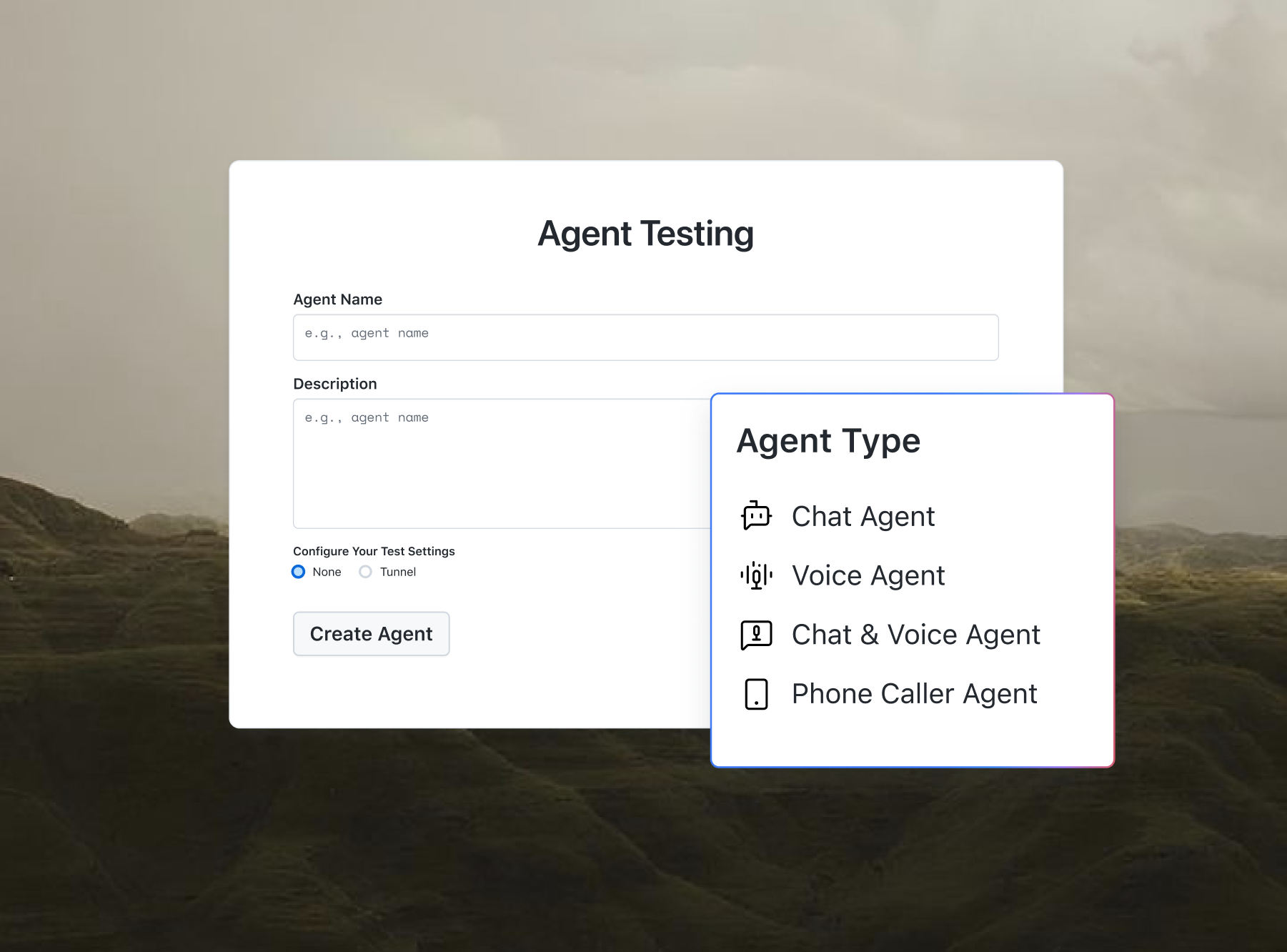
TestMu AI Agent Testing tests agents that talk, whether they answer as chat, voice, phone, video or image agents. For voice activity, it works the way the checklist above does. A simulated caller holds a live spoken conversation with your agent, and the platform judges the call from outside without reading your detector's internal labels.
- Noise and voices - for voice and phone agents, the simulator offers 15 background noise presets, such as call center floor, poor cellular connection and echo and reverb conditions, and 200+ voice profiles covering 50+ accents and dialects. Voice agent results include accent handling and noise resilience.
- Caller timing - on phone tests, Turn Wait Time (0.5 to 5 seconds) is how long the simulated caller waits after your agent stops speaking before it replies; raise it if your agent pauses between sentences. End call if silent for (30 to 180 seconds) is a separate whole-call setting that ends a call gone quiet.
- Interruption patterns - outbound phone tests add response timing controls: response delay, interruption patterns and speaking pace for the simulated caller.
- Quality checks - every phone call is graded on checks that include Max latency, Dead air, Agent silence rate and Interruption yield. Max latency, Dead air and Agent silence rate pass or fail against the bar you set, or a default bar when none is set, and each call ends Pass, Fail or Review incomplete.
- Recording - voice calls over the OpenAI Realtime transport are recorded in stereo with the caller and your agent on separate channels, which exposes overlap and interruptions that a single mixed track hides.
- Connection options - the OpenAI Realtime guided form includes server-side VAD configuration, and LiveKit-hosted agents connect over WebRTC.
- Noise matrix - inbound phone tests can run a matrix with several noise presets, and the resolved voice and noise are stored on every call so results stay comparable across it.
The phone agent docs state that pauses, interruptions and silences are measured the way a caller experiences them, and the voice agent docs explain how voice conversations are transcribed and scored. The voice agent testing page gives the product overview, and testers can prove their skills with the Agent Testing certification.
Where Should You Start With Voice Activity Detection Testing?
Write down the VAD settings your agent ships with (threshold, padding and stop time). Then run two cases against them: a mid-sentence pause just longer than your end-of-turn silence (the VAD stop time where VAD decides turns), and the same call with steady background noise. Two Silero-based stacks document stop times of 0.2 s and 1.2 s, so the number in your configuration matters more than the model name.
On the Agent Testing platform, run the noise case as phone test calls with a noise preset and a Turn Wait Time that suits your agent. Then read Dead air and Interruption yield on each call.
Author

Chaitanya Sharma
Blogs: 36

Chaitanya Sharma is an AI Product Manager at TestMu AI, where he builds agentic AI capabilities focused on computer vision and multi-modality, moving testing beyond static script execution toward autonomous, agent-driven workflows. Before TestMu AI he shipped 135+ features at Sprinklr for a no-code community and website builder used by Fortune 500 enterprises including Dell, Samsung, and Polestar. At Policybazaar he led the zero-to-one launch of a digital lending and insurance marketplace embedded in Bahrain's dominant payments app, building a risk-intelligence engine that compressed loan-approval times by 80%. He explored machine learning and NLP through research at the University of Cambridge, and holds a B.Tech from Delhi Technological University.
Reviewer

Sai Krishna
Reviewer
Sai Krishna is Director of Engineering at TestMu AI, where he leads agentic AI for quality engineering, building AI agents that autonomously drive mobile and conversational test automation. His current focus is Agent Testing and Model Context Protocol (MCP) support for mobile. He is a core contributor and member of the Appium open-source project and the creator of AppiumTestDistribution and appium-device-farm. With over 14 years of experience including more than 9 years at Thoughtworks as a Principal Consultant, he holds a BSc in Electronics and speaks regularly at TestMu and Appium Conf on Appium, mobile automation, and agentic AI in testing.


Voice Activity Detection FAQs
Did you find this page helpful?
More Related Learning Hubs





TestMu AI forEnterprise
Get access to solutions built on Enterprise
grade security, privacy, & compliance
- Advanced access controls
- Advanced data retention rules
- Advanced Local Testing
- Premium Support options
- Early access to beta features
- Private Slack Channel
- Unlimited Manual Accessibility DevTools Tests