Speed Up GitHub Actions Tests Without Leaving GitHub Actions
Keep GitHub Actions as your CI. One workflow step hands the slow browser and mobile test stage to HyperExecute by TestMu AI (formerly LambdaTest).

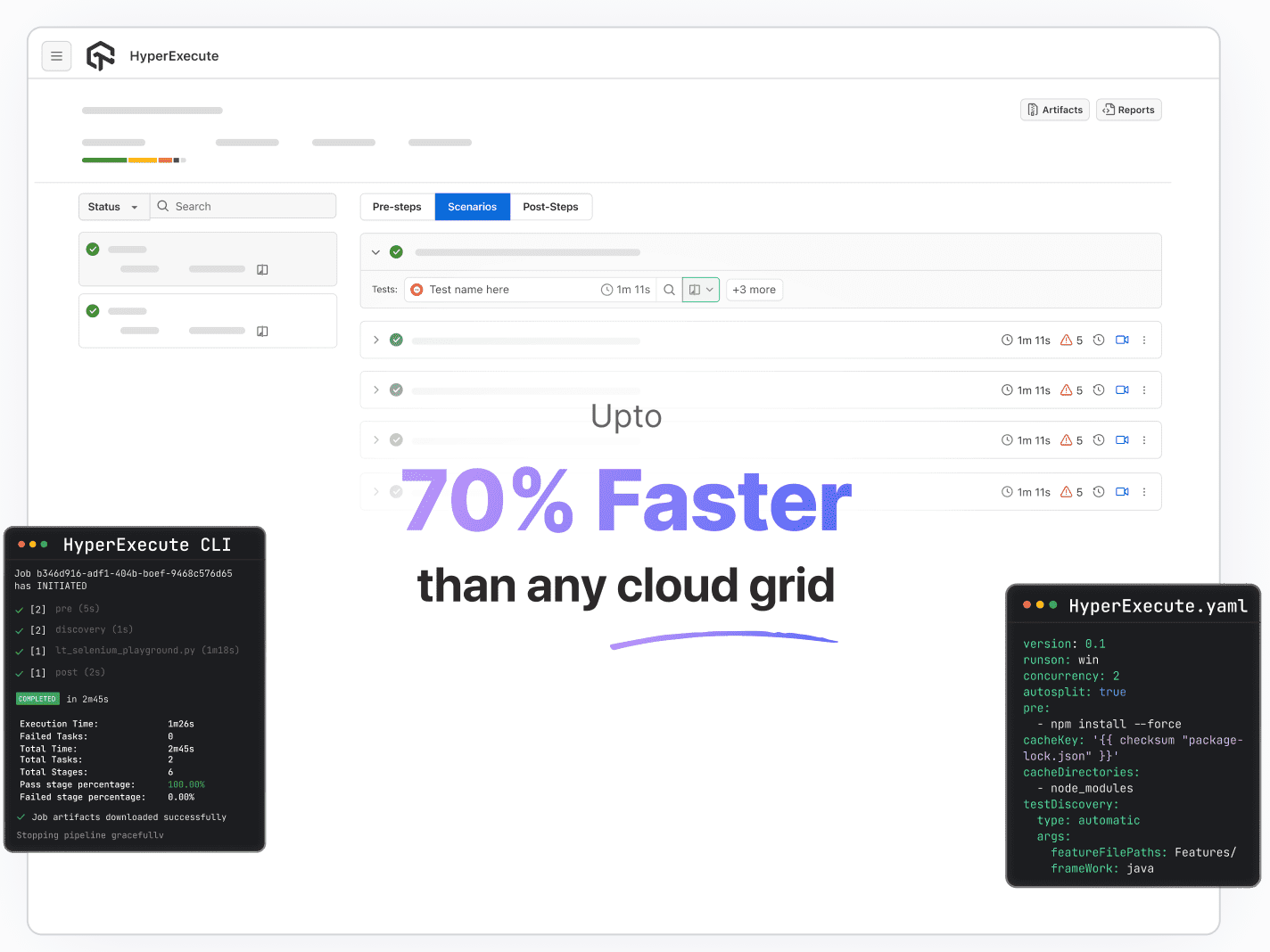
Trusted by 3M+ users globally at
















How Do You Speed Up GitHub Actions Tests?
- 1.
Cache Dependencies
Use actions/cache or your setup action's cache so each job stops reinstalling every dependency.
- 2.
Split the Suite Across Matrix Jobs or Shards
Rebalance the split by timing as the suite grows.
- 3.
Move Long End-to-End Stages to Dedicated Machines
Use larger GitHub runners, a third-party runner provider, or a test orchestration platform such as HyperExecute.
The rest of this page covers the third option and when the first two are enough.
Which GitHub Actions Jobs Move to HyperExecute?

Top Choice
Features
Moves to HyperExecute
Stays in GitHub Actions
Triggers (push, pull_request, schedule)
Build, lint, unit tests, deploy
Secrets, environments, approvals
E2E browser, mobile and API suites
Flaky-test history and root-cause analysis
Pass/fail on the pull request
Why Do GitHub Actions Test Runs Get Slow and Flaky?
Start free with Google
Long browser and mobile suites outgrow 2-core shared runners, hand-balanced shards and whole-job reruns, and every flaky test rerun adds minutes.
What happens
What GitHub documents
Shared, general-purpose runners
Browser tests compete with the test runner, the app server and Docker on the same box, which is where "passes locally, times out in CI" comes from.
A standard Linux runner has 2 cores. Larger runners help and are billed from the first minute, even in public repositories.
Sharding is your job
Keeping shards balanced as the suite grows, and keeping one slow spec from holding up the build, is manual work.
Matrix strategies split by a key you choose, and a matrix can fan out to 256 jobs.
Reruns are coarse
A rerun repeats the whole job, including setup.
Re-run all jobs, failed jobs or a single job, up to 50 times and within 30 days. Each job's minutes are rounded up to a whole minute.
No built-in flaky-test history
Teams add marketplace actions or a separate service, or they learn to click rerun.
Re-runs and job summaries, not a per-test flakiness score.
Costs follow retries
A failed 12-minute macOS shard rerun twice adds 24 minutes × $0.062 = $1.49, or $2.23 for the three runs. Small per run, large across hundreds of pull requests a week.
Standard runners are free in public repositories. On a private repository a Linux 2-core minute costs $0.006, Windows $0.010 and macOS $0.062.
What happens
Shared, general-purpose runners
Browser tests compete with the test runner, the app server and Docker on the same box, which is where "passes locally, times out in CI" comes from.
Sharding is your job
Keeping shards balanced as the suite grows, and keeping one slow spec from holding up the build, is manual work.
Reruns are coarse
A rerun repeats the whole job, including setup.
No built-in flaky-test history
Teams add marketplace actions or a separate service, or they learn to click rerun.
Costs follow retries
A failed 12-minute macOS shard rerun twice adds 24 minutes × $0.062 = $1.49, or $2.23 for the three runs. Small per run, large across hundreds of pull requests a week.
What GitHub documents
Shared, general-purpose runners
A standard Linux runner has 2 cores. Larger runners help and are billed from the first minute, even in public repositories.
Sharding is your job
Matrix strategies split by a key you choose, and a matrix can fan out to 256 jobs.
Reruns are coarse
Re-run all jobs, failed jobs or a single job, up to 50 times and within 30 days. Each job's minutes are rounded up to a whole minute.
No built-in flaky-test history
Re-runs and job summaries, not a per-test flakiness score.
Costs follow retries
Standard runners are free in public repositories. On a private repository a Linux 2-core minute costs $0.006, Windows $0.010 and macOS $0.062.
How HyperExecute Runs From a GitHub Actions Step
HyperExecute is TestMu AI's AI-native test orchestration platform. It joins a GitHub Actions workflow as a CLI step and does not replace your runner.

1. Your Runner Checks Out the Repo
Your workflow runs on a normal GitHub-hosted (or self-hosted) runner and checks out the repository.

2. A Step Runs the HyperExecute CLI
A step downloads the HyperExecute CLI and runs it with your TestMu AI credentials and a hyperexecute.yaml file in the repo.

3. HyperExecute Splits the Tests
It discovers the tests, splits them across fresh VMs, runs script and browser on one machine, and streams status back.

4. Results Return to the Workflow
When the job finishes, artifacts return with --download-artifacts, and an HTTPS callbackURL gets the job status, test counts and job link.
Sample GitHub Actions Workflow for HyperExecute
The same step works from Jenkins, GitLab, Azure DevOps, CircleCI, Bitbucket, AWS CodePipeline, TeamCity, Bamboo, Travis CI, GoCD and Semaphore, so a team running two CI systems gets one place for test results. Full setup: GitHub Actions with HyperExecute.
Which HyperExecute Features Handle Slow, Flaky Tests?
Run Your First Job FreeHyperExecute splits suites across fresh VMs, scores flaky tests, retries inside the job, stops broken builds early, explains failures and caches dependencies.
What HyperExecute does
Slow suites: test splitting
Set autosplit: true and a concurrency value, and HyperExecute distributes discovered tests across that many VMs. You stop maintaining matrix keys and shard lists.
Slow suites: speed claim
TestMu AI says HyperExecute is up to 70% faster than a traditional cloud grid, because the test script and browser run on one machine instead of sending every command through a hub to a remote node.
Slow suites: GitHub runners
The comparison is with a grid. GitHub's own runners weren't measured, so time your suite before and after.
Mobile suites on devices
The same step can also run Appium, Espresso, XCUITest and Maestro suites on real and virtual devices, which a GitHub-hosted runner can't provide.
Flaky tests: scoring
TestMu AI's Test Intelligence groups each test by name, browser, OS and resolution and scores how often its result flips between runs.
Flaky tests: settings
The sliding window defaults to the last 10 runs and the flake-rate threshold to 20%; both are tunable. Severity is high above 75%, medium at 50 to 75% and low below 50%.
Flaky tests: coverage
The flaky-test documentation covers web automation tests today and lists other frameworks as upcoming, so check coverage for your framework before relying on it.
Whole-job reruns
retryOnFailure with maxRetries (1 to 5) retries a failed test command inside the same HyperExecute job instead of re-running the whole GitHub job.
Tests that keep failing
Tests that fail five times in a row are muted automatically and stay muted until someone unmutes them; the threshold is configurable in Org Settings. Give muted tests an owner, or muting becomes a place where real bugs hide.
Broken builds that burn minutes
failFast stops the job once a set number of tests fail in a row, so a bad merge doesn't use every parallel for 40 minutes.
Why did this fail?
On failures that match your policy, AI root cause analysis reads the test logs and the job's git diff and names a root cause in 20 to 30 seconds, with numbered steps to fix it.
Cascading failures
HyperExecute separates the root cause from cascading failures and sorts each failure as product, script, environment or no action.
Slow setup
With YAML 0.2, HyperExecute caches dependencies by default. cacheKey and cacheDirectories let you choose what to cache, such as .m2 or node_modules, keyed on a hashed lockfile.
When Is GitHub Actions on Its Own Enough?
GitHub Actions lives next to your code and has a huge marketplace, and for many suites it is enough on its own. You probably don't need HyperExecute if:
- Your end-to-end suite finishes in under 10 minutes on a few matrix jobs.
- Your repositories are public and standard runners cover you for free.
- Flakiness is rare and a marketplace action that annotates failed tests is all the history you want.
- You only need more CPU: GitHub's larger runners (4 to 64 cores) or a third-party runner provider such as Blacksmith or RunsOn is a smaller change.
HyperExecute earns its cost when the test stage is long, spans browsers, OSes or real devices, or when nobody trusts a red build any more.
HyperExecute Limitations to Know Before You Switch
Check these gaps before you move a suite. This is our product page, so read it as one; how we compare tools is set out in our editorial policy processes.
1. Reruns of a Whole HyperExecute Job Start From the Dashboard
The CLI and API can't trigger a rerun of failed scenarios yet, and a rerun is a new job. In-job retries (retryOnFailure) work from the YAML.
2. Plan for How the Workflow Learns the Result
The docs describe the CLI call and a callbackURL status POST; confirm during setup how your workflow should gate the pull request on the HyperExecute result.
3. It Is Another Account and Config File
You keep a hyperexecute.yaml next to your workflow YAML.
4. Flaky-Test Detection Needs History and Covers Web Automation
A test has to run on the platform at least 10 times before it can be scored, and other frameworks are listed as upcoming.
HyperExecute Pricing: Free, Public Cloud and Enterprise
Start on the free plan; Public Cloud starts at $103 per parallel per month billed annually for Linux, or $159 with Windows and macOS. Each parallel test uses one license, and extra tests queue rather than fail.
Free
Public Cloud
Enterprise
Open Source
Price
$0
From $103 per parallel/month billed annually (Linux); $159 with Windows and macOS
Custom
$0
What you get
300 minutes of testing a month on up to 2 concurrent Windows or Linux VMs
Unlimited test minutes; the MultiOS plan adds Windows and macOS
Dedicated and on-premise options
Open-source projects can get 10 free parallel sessions
Free
Price
$0
What you get
300 minutes of testing a month on up to 2 concurrent Windows or Linux VMs
Public Cloud
Price
From $103 per parallel/month billed annually (Linux); $159 with Windows and macOS
What you get
Unlimited test minutes; the MultiOS plan adds Windows and macOS
Enterprise
Price
Custom
What you get
Dedicated and on-premise options
Open Source
Price
$0
What you get
Open-source projects can get 10 free parallel sessions
As listed on TestMu AI pricing on 9 November 2026.
Try HyperExecute on One GitHub Actions Workflow First
Point a single E2E job at HyperExecute, run it next to your current matrix for a week, and compare wall-clock time, reruns and minutes.

GitHub Actions Guides for Selenium, Cypress, Playwright
Step-by-step guides for each framework, private apps and choosing a CI:
- Selenium: Selenium GitHub Actions example
- Cypress: Cypress with GitHub Actions
- Playwright: Playwright GitHub Actions
- Run Selenium on TestMu AI from GitHub Actions: run Selenium tests in GitHub Actions
- Test private apps from GitHub Actions: TestMu Tunnel GitHub Actions
- Choosing a CI in the first place: GitHub Actions vs Jenkins
Some Love from our Customers
As Best Egg expanded its product offerings and entered new markets, we knew our old testing infrastructure couldn’t keep up.
With support from Tenny Agustin, our Engineering Operations Lead, we modernized our approach with
TestMu AI

Best Egg
best-egg

Excited to Share My Learning Journey with Kane AI & Lambda Tool!
I'm pleased to announce that I've recently gained hands-on experience exploring Kane AI through the Lambda Tool and it’s been a fantastic journey of upskilling!
KaneAI

Suryateja Goud
suryateja-goud

See how is #Futureready to enable blazing-fast test orchestration seamlessly integrated with organizations' existing CI/CD platforms, using #Microsoft Azure.
TestMu AI

Microsoft India
MicrosoftIndia
More Reasons to Love TestMu AI
TestMu AI is a leading agentic AI quality engineering platform, trusted globally, that assures your AI deployments work as intended, safely and securely, across enterprise and real-world conditions.
Users
3M+
Tests
1.5B+
Enterprises
18K+
Countries
132
TestMu AI positioned as a Leader in the 2026 Gartner® Magic Quadrant™
Read ReportTestMu AI recognized in The Forrester Wave™: Autonomous Testing Platforms, Q4 2025
Read ReportWall of Fame
TestMu AI is the #1 choice for SMBs and enterprises across the globe.
Enterprise-Grade Security
We safeguard your data and AI systems with global security, privacy, responsible AI, and ESG standards.

Integrations
Works where you work, 120+ integrations with the tools your team relies on.



As Seen On
GitHub Actions Test Speed FAQ
TestMu AI for Enterprise
Get access to solutions built on enterprise-grade
security, privacy, & compliance
- Advanced access controls
- Advanced data retention rules
- Advanced Local Testing
- Premium Support options
- Early access to beta features
- Private Slack Channel
- Unlimited Manual Accessibility DevTools Tests