

Codeless Test Automation, No Scripting Required
KaneAI turns plain English into executable tests, self-heals steps when the UI changes, and exports to Selenium, Playwright, and Appium.

What is codeless test automation?
Codeless test automation lets you create automated tests without writing scripts: you describe steps in plain English or record them, and the tool turns them into runnable tests that re-run in CI. KaneAI, TestMu AI's testing agent, does this for web and native mobile apps, self-heals broken locators and exports tests to Selenium, Playwright or Appium.
How it works
How codeless test automation works
A codeless test starts as a sentence and ends as a test you can run anywhere. In KaneAI, your app runs in a browser or on a device on one side of the authoring session, and the step list builds on the other.
Describe the test
Write the goal in plain English, the way you would brief a colleague. You can also start from a PRD, a Jira ticket, a PDF, an image or a screen recording, or click through the app while KaneAI captures each action as a step.
Review the generated steps
KaneAI turns each instruction into a step with its element and action, and runs it as soon as it is added, so you see it work before you save. Assertions and If/Else branches are written the same way, and you fix a step by rewording it.
Run it at scale
Save the test and run it in parallel on HyperExecute across 3,000+ browser and OS combinations and 10,000+ real devices, on a schedule, or headless from CI with Kane CLI, whose exit codes tell the pipeline whether to stop.
Let it self-heal
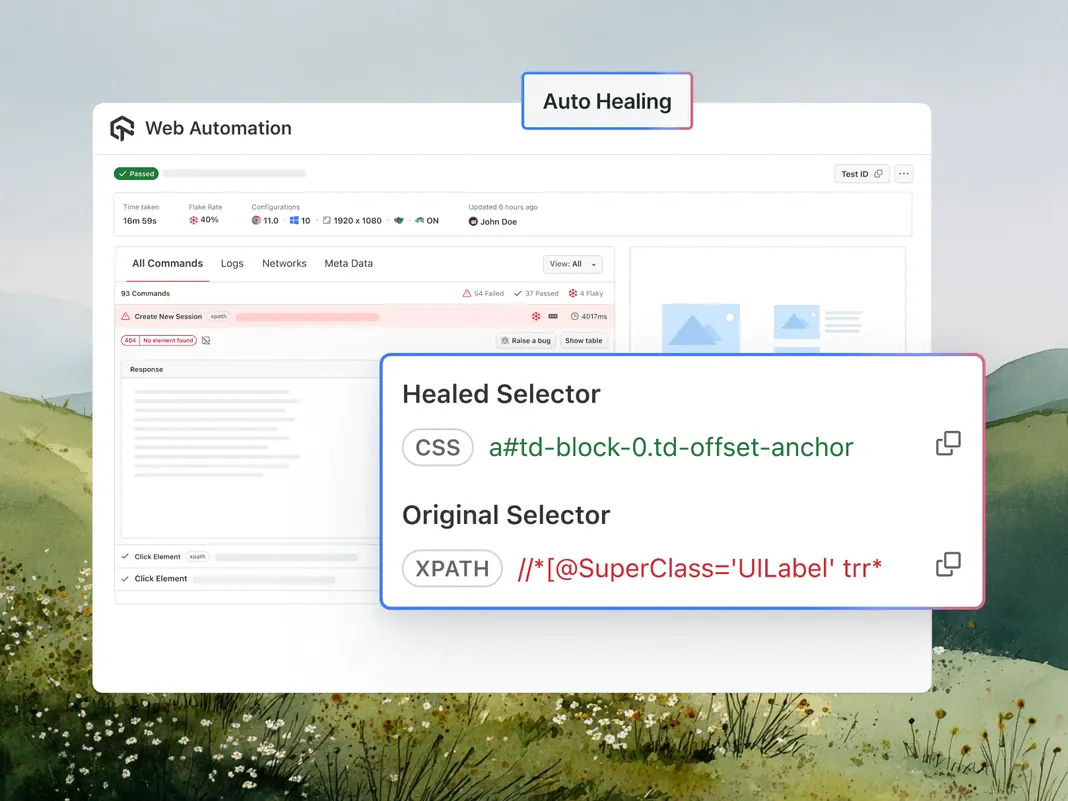
Every element is saved with several locators, such as XPath, CSS and ID. If the first one breaks, the run tries the others. If all of them fail, KaneAI rebuilds the locator from your original instruction and shows the change as a before-and-after diff to accept or reject.
Export the code
Once every step has run and passed, KaneAI can generate the test as Selenium, Playwright or Appium code. Verify it with a sample run on HyperExecute, then download it into your own repository.
The test in plain English
Open the staging login page and sign in with {{username}} and {{password}}. Go to Settings, change the display name to "Alex Morgan" and save. Check that "Profile updated" appears.
{{username}} and {{password}} are secrets stored in KaneAI, so no credential sits in the test.
Exported as Playwright (Python)
import os
from playwright.sync_api import Page, expect


def test_update_display_name(page: Page):
    page.goto(os.environ["BASE_URL"] + "/login")
    page.get_by_label("Username").fill(os.environ["APP_USER"])
    page.get_by_label("Password").fill(os.environ["APP_PASSWORD"])
    page.get_by_role("button", name="Sign in").click()
    page.get_by_role("link", name="Settings").click()
    page.get_by_label("Display name").fill("Alex Morgan")
    page.get_by_role("button", name="Save").click()
    expect(page.get_by_text("Profile updated")).to_be_visible()
Illustrative: the shape of a Playwright export for the test above. KaneAI generates the real file from your saved steps and adds TestMu AI's published Playwright bindings, so the details differ.
Compare the approaches
Codeless vs low-code vs no-code
Codeless and no-code are used almost interchangeably in testing: neither asks you to write code to build a test. Where people separate them, codeless is the broader testing term and no-code is the strict end, with no code layer at all. Low-code is the real split, because it expects someone to script the hard parts.
| Aspect | Codeless | No-code | Low-code |
|---|---|---|---|
| Code you write | None to build a test; some tools allow an optional script step | None, and no code layer to drop into | Some: scripts cover branching, data and custom checks |
| How tests are built | Plain English, a recording, or generation from tickets and documents | A recorder or drag-and-drop blocks, sometimes plain English | A visual builder or recorder plus a script editor |
| Branching and test data | AI-native tools take conditions and datasets without code | Limited to what the builder offers | Written in code |
| Who builds tests | Manual testers, product managers, domain experts and engineers | Business users and manual testers | Testers who script and automation engineers |
| After a UI change | AI-native tools re-anchor steps by intent; plain recordings break | Depends on how the tool finds elements | Scripted parts break and are fixed by hand |
| Getting tests out | Some tools export framework code; others keep their own format | Check before you commit; many keep tests inside the tool | Scripts move more easily than visual steps |
KaneAI sits in the codeless column: steps, assertions and branches stay in plain English, a step can run a JavaScript snippet when you need one, and finished tests export as code.
Limits
Where codeless stops working
Codeless removes scripting, not test design. These are the places where it falls short, on KaneAI and on any other tool.
Vague goals make vague tests.
"Check the settings page works" gives the agent nothing to assert. Name the outcome you expect, such as the message that should appear or the value a field should hold.
Healing fixes locators, not behavior.
Auto-heal recovers an element that moved or was renamed. If a button was removed or a flow changed on purpose, the step should fail, and a person has to decide whether that is a bug or a new requirement.
Export needs a passing test.
KaneAI generates code only from a test whose steps have all run and passed, and not every framework is available yet: Cypress and WebdriverIO are listed as coming soon.
Some tests belong in code.
Unit and component tests, load tests and heavy test-data setup sit below or beside the user journey. Keep them in your code-based frameworks and use codeless for end-to-end coverage.
Some steps block any automation.
CAPTCHAs, hardware security keys and one-time codes sent by SMS stop scripted and codeless tests alike. Plan a test account or a staging bypass for them.
Everything Codeless Automation Should Be
Author in plain English, cut maintenance with self-healing, cover web and mobile at scale, and run it in your pipeline. No scripting at any step.
 KANE CLI
Codeless web and mobile tests from one terminal
Write codeless tests in plain English for web, iOS Simulator, and Android Emulator apps.
Read the docs
- Native apps on iOS Simulator, Android Emulator
- Pick devices by name and OS
- PR checks in GitHub Actions

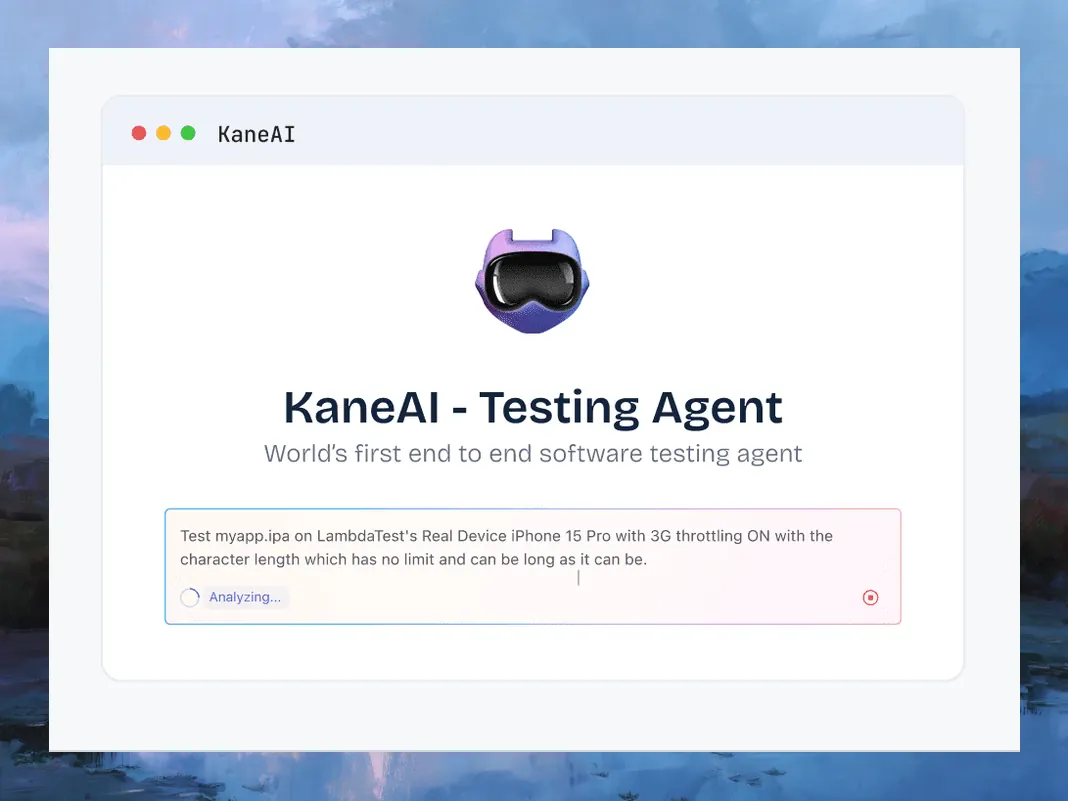
PLAIN-ENGLISH AUTHORING
Describe the Test, Skip the Script
Write the flow the way you would explain it, or start from a PRD or recording. KaneAI reads the intent and builds the steps and assertions.
Try for free- Steps, conditionals, and loops all in natural language
- Generate tests from a prompt, ticket, PDF, or recording
- Adjust any step by asking, never by editing code
 AI SELF-HEALING
Fewer Broken Tests After Each Release
A renamed button breaks most codeless recordings. KaneAI finds elements by intent and re-anchors the step, so rewrites become a quick review.
Try for free- Smart element detection over brittle CSS/XPath selectors
- Steps re-anchor by intent when the interface shifts
- Review an automatic heal instead of rewriting the test
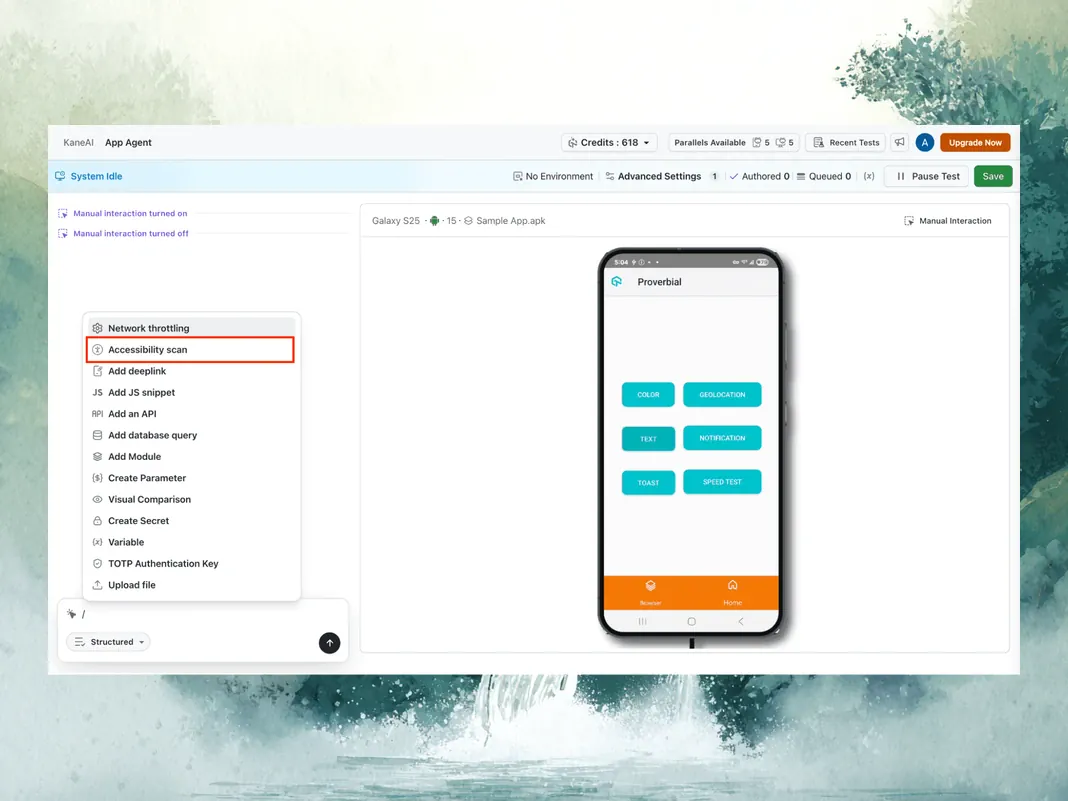
 WEB AND MOBILE, NO CODE
Web and Native Mobile in One Flow
Codeless is not just the browser. Author web and native mobile in one flow, then run across 3,000+ browser and OS combos and 10,000+ real devices.
Try for free- Web testing across 3,000+ browser and OS combinations
- Native mobile across 10,000+ real devices
- One authoring flow, run in parallel on the TestMu grid
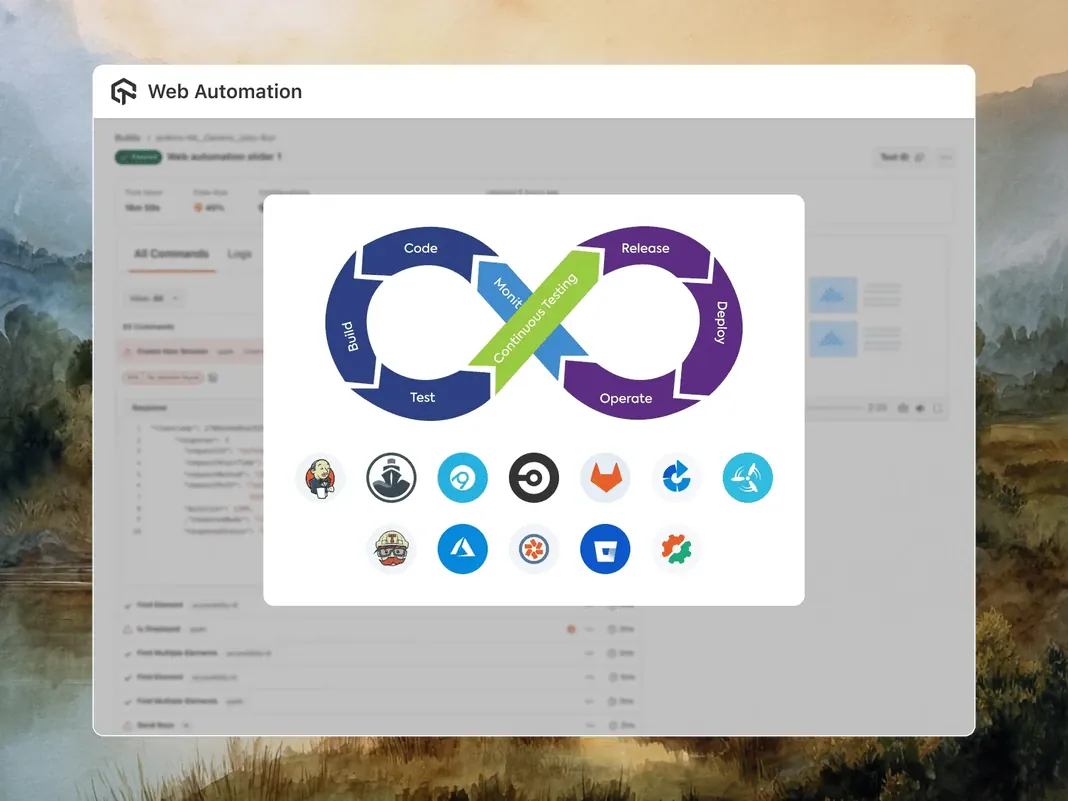
 CI AND PR VALIDATION
Export, Run in CI, Validate PRs
Export tests to Selenium, Playwright, or Appium code with no lock-in. Run headless in CI with Kane CLI, or validate a PR from a GitHub comment.
Start Testing Without Code- Export to Selenium, Playwright, and Appium
- Headless CI runs with Kane CLI and clear exit codes
- GitHub App validates a pull request on request
How to evaluate a codeless testing tool
Run these checks in a trial before you commit. For named tools compared by approach and pricing model, see our list of codeless testing tools.

Can a tester finish a real flow alone?
Ask a manual tester to build one of your own journeys, with a condition and an assertion in it. If an engineer has to finish it, the tool is low-code.

What happens when the UI changes?
Rename a button in staging and rerun. Check whether the step heals, fails clearly or passes silently, and whether you can review what changed.

Can you get the code out?
Export one test to the framework your team already runs and read it. Ask which frameworks are generally available and which are on request or still on the roadmap.

Does it cover what you ship?
Confirm native iOS and Android on real devices, not only mobile web, plus API checks if your journeys depend on them.

Will a failure stop the build?
Wire a deliberately failing test into CI and confirm the pipeline stops, rather than a report arriving after the release.

What will it cost at full volume?
Model the price at your real run count, including parallel sessions and any AI operations billed per use. For KaneAI, compare plans on the KaneAI pricing page.
Trusted by 3M+ users globally at




"We have tripled our tests and are now executing tests in less than 2 hours with 78% Faster Test Execution"


"We figured out a more efficient way to monitor system health and resolve failures earlier in lower environments."





"TestMu AI has significantly boosted our testing speed, is easy to implement, and provides exceptional support."


"With 70% faster test execution, TestMu AI helped us achieve faster time-to-market and enhanced CX."



What teams say about testing on TestMu AI
As Best Egg expanded its product offerings and entered new markets, we knew our old testing infrastructure couldn’t keep up.
With support from Tenny Agustin, our Engineering Operations Lead, we modernized our approach with
TestMu AI

Best Egg
best-egg

Attended an onboarding call for KaneAI by TestMu AI.
KaneAI is the world's first end-to-end software testing agent.
KaneAI

Anmol Baranwal
anmol-baranwal
I just discovered KaneAI by TestMu AI, and it's a game-changer! Let me walk you through how it's transforming my testing workflow
KaneAI

Muhammad Noorani
muhammadnoorani
More Reasons to Love TestMu AI (formerly LambdaTest)
See how TestMu AI improves your testing with seamless integration, quicker results, and unmatched accuracy.
Users
3M+
Tests
1.5B+
Enterprises
18K+
Countries
132
TestMu AI positioned as a Leader in the 2026 Gartner® Magic Quadrant™
Read ReportTestMu AI recognized in The Forrester Wave™: Autonomous Testing Platforms, Q4 2025
Read ReportWall of Fame
TestMu AI is the #1 choice for SMBs and enterprises across the globe.

Enterprise-Grade Security
We safeguard your data and AI systems with global security, privacy, responsible AI, and ESG standards.

Integrations
Works where you work, 120+ integrations with the tools your team relies on.




As Seen On
Frequently asked questions
TestMu AI for Enterprise
Get access to solutions built on enterprise-grade
security, privacy, & compliance
- Advanced access controls
- Advanced data retention rules
- Advanced Local Testing
- Premium Support options
- Early access to beta features
- Private Slack Channel
- Unlimited Manual Accessibility DevTools Tests