KaneAI Automation Code Generation
KaneAI generates automation scripts in multiple frameworks and languages based on natural language inputs from users. KaneAI is available for desktop web applications as well as native mobile applications currently.
KaneAI offers two authoring experiences, Classic and New Experience. New Experience is being rolled out in phases. To enable New Experience for your organization, reach out to our support team. The frameworks and languages supported by each experience are listed below.
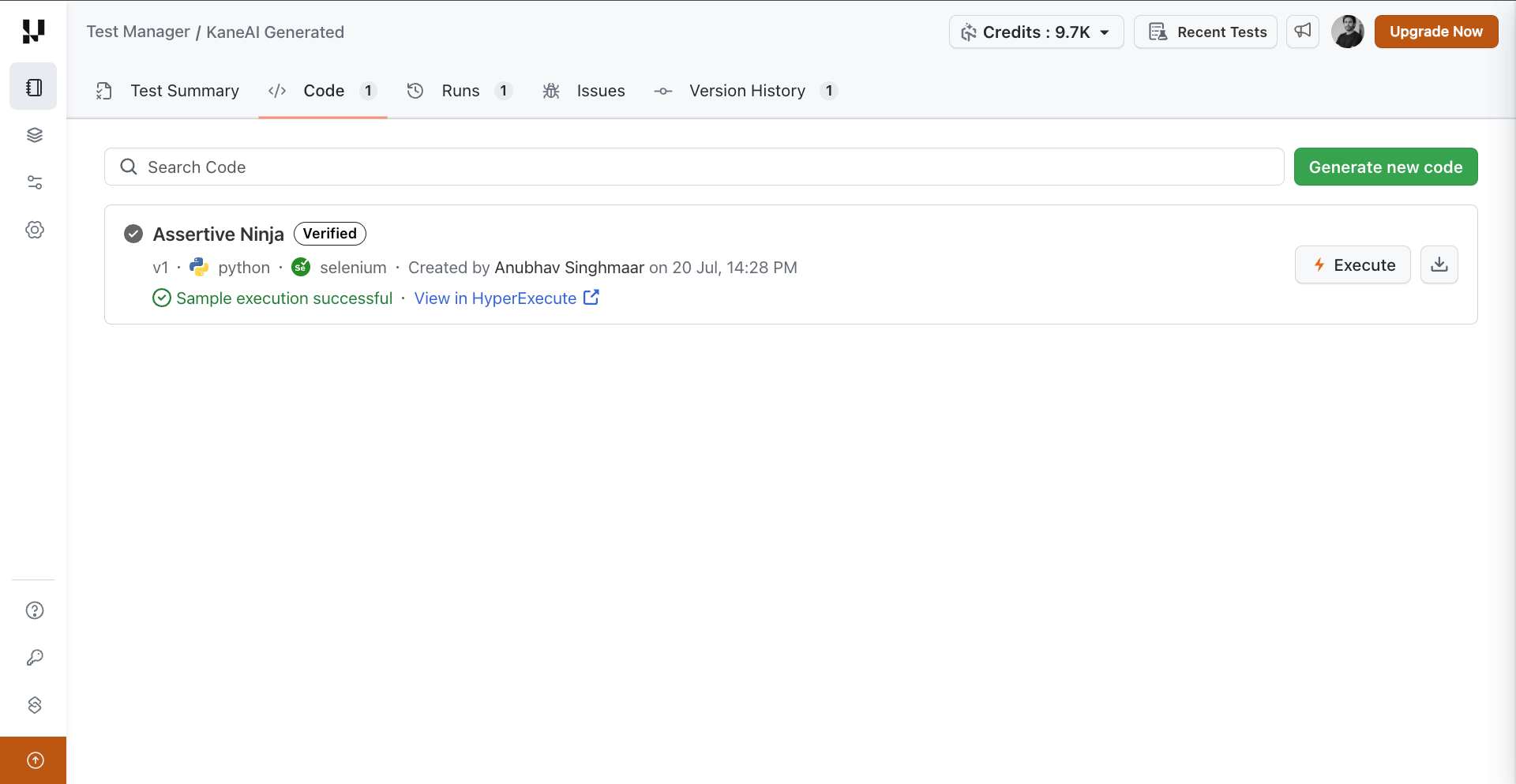
Click the Generate New Code button to go to code generation page where you can select desired framework and language.
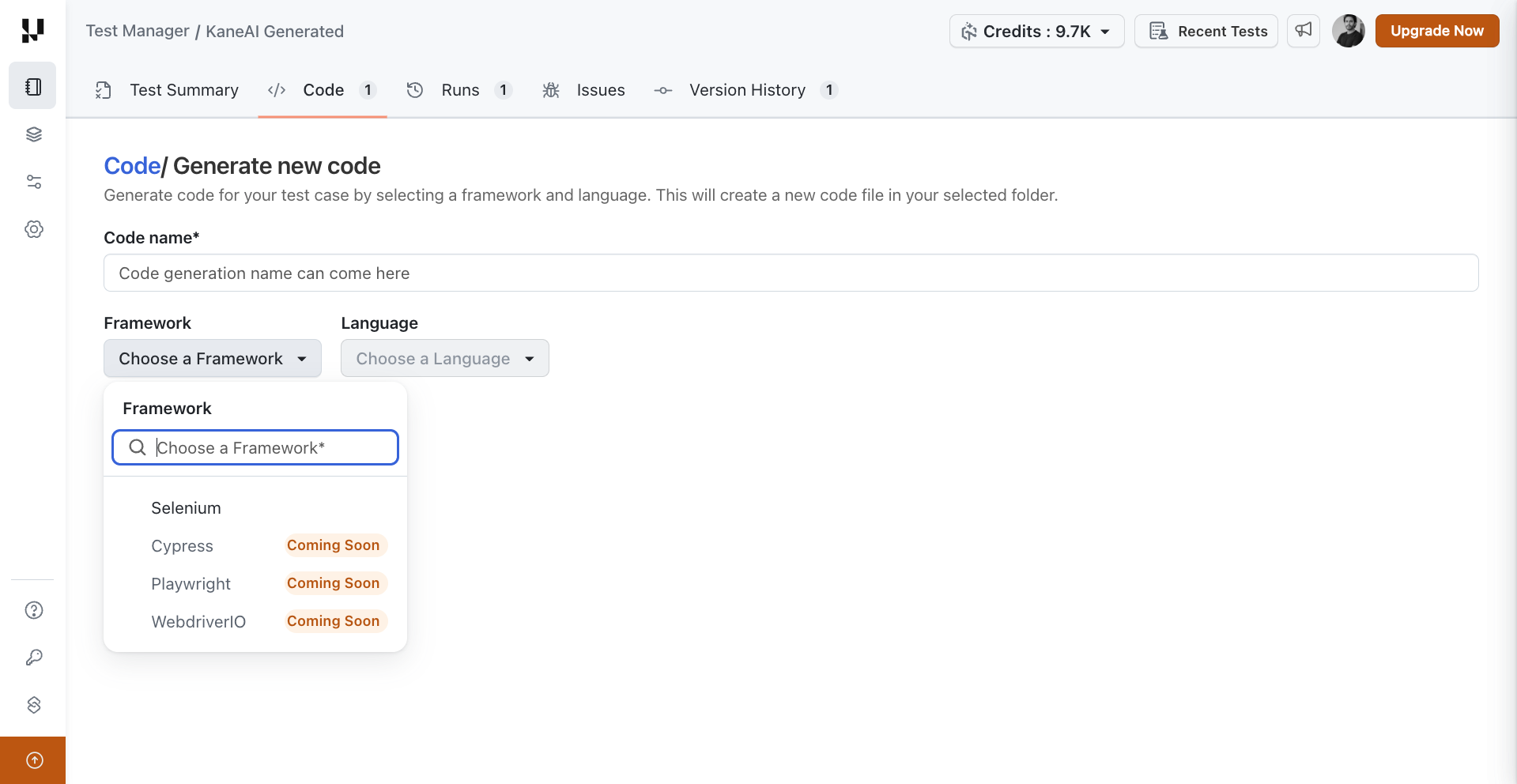
Supported Frameworks and Languages
The table below shows the frameworks and languages KaneAI can generate code in, and how each is available in Classic and New Experience.
| Framework | Language | Classic | New Experience |
|---|---|---|---|
| Selenium | Python | Available (default) | Not available |
| Java | Available on request * | Not available | |
| Playwright | Python | Available on request * | Available |
| C# | Available on request * | Not available | |
| JavaScript | Available on request * | Available | |
| Cypress | JavaScript | Coming soon | |
| WebdriverIO | JavaScript | Coming soon | |
| Appium | Python | Available (default) | Coming soon |
Available on request. Please reach out to Support to enable it.
Understanding the Code Tab
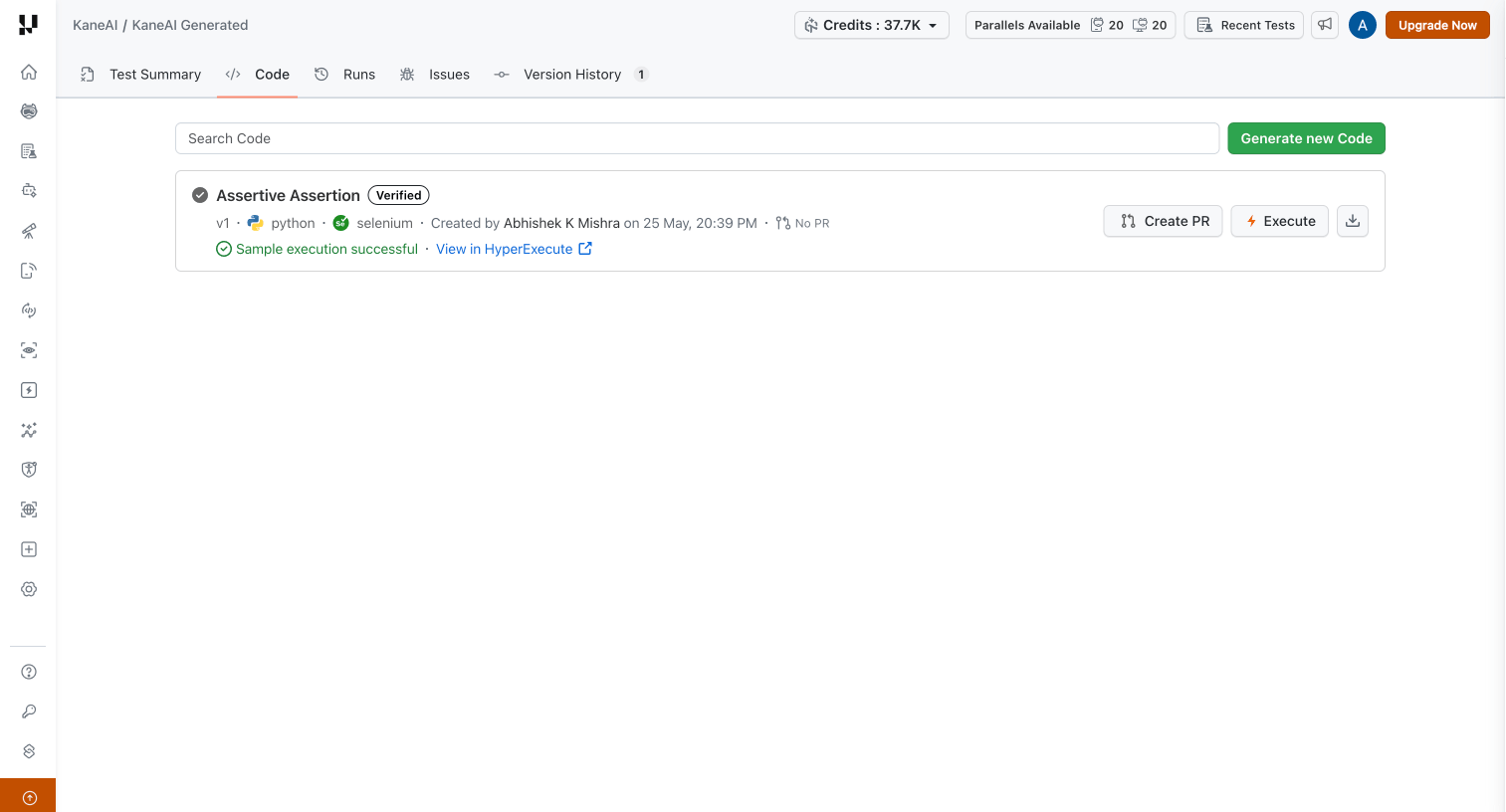
After code generation completes, the Code tab shows the status of each generated code entry and lets you run a Sample Run Execution to validate it before adding the test case to a full Test Run.
What determines whether code is generated
Code generation depends on the state your test case was saved in. A test saved as Ready — every step has run and passed — generates code. A test saved as Faulty (a step errored) or Unverified (steps were added or edited but never run) does not, because code generation needs a step to have run at least once in order to learn the exact elements and actions involved.
To move such a test to Ready, reopen it, run the remaining or errored steps to success, and save again. See Save states.
Code Generation States
The states below describe generated code on the Code tab. They are separate from the save state of the test case — code generation only starts once a test is saved as Ready.
| State | What it means |
|---|---|
| Generating | Code is being created. No actions are available until generation finishes. |
| Unverified | Code generation is complete, but a Sample Run Execution has not been run, or the test case has changed since the last run. |
| Verifying | A Sample Run Execution is in progress via HyperExecute. |
| Verified | The most recent Sample Run Execution completed successfully. |
Actions Available After Code is Generated
Once code is generated, the following actions are available:
- Execute & Verify: Triggers a Sample Run Execution on HyperExecute. This runs the generated code the same way a real KaneAI test run would, including respecting assertion outcomes. While the run is in progress, the status changes to Verifying and a Sample execution in progress · View in HyperExecute link appears. Once complete, the status updates to Verified and the button label changes to Execute.
- Download: Downloads the generated code to your local machine.
Sample Run Execution Behavior
- Sample Run Execution can only be initiated from the Code tab of a test case.
- The Execute button is always enabled. You can proceed to run the test on HyperExecute regardless of whether a Sample Run Execution has passed, failed, or not been triggered.
Adding Test Cases to a Test Run
Test cases with generated code can be added to a Test Run regardless of the Sample Run Execution status, whether it passed, failed, or was never triggered. The only cases where a test case is not available for selection in a Test Run are:
- Code generation failed or was not initiated.
- Code generation is still in progress.
KaneAI code export leverages public libraries. The generated automation scripts depend on these published packages:
- Playwright Python: testmu-playwright-python
- Playwright C#: TestmuAI.Playwright.Bindings
- Playwright JavaScript: @testmuai/playwright-bindings
- Selenium Java: testmuai-selenium-bindings


 Chat with Us