

Power Your Software Testing with AI Agents and Cloud
The Native AI-Agentic Cloud Platform to Supercharge Quality Engineering. Test Intelligently and Ship Faster.


- TestMu AI (Formerly LambdaTest)
- /
- Blog
- /
- Mobile App Testing Strategy: What to Focus On
Mobile App Testing Strategy: What to Focus On
A mobile app testing strategy needs device coverage, localization, real user journeys, memory checks and network throttling. Learn what to prioritize first.
Last Updated on:
A mobile app testing strategy should focus on five areas: device coverage, localization, real user journeys, storage use, and network conditions. Build the device matrix from your own install base data rather than a generic popularity chart, then test each build on 5G, LTE, 4G, and 3G latency profiles.
This guide covers why users uninstall apps, what you should be doing about it, and whether AI agents can write and run your mobile tests.
Key Takeaways
- Users uninstall mobile apps mainly because of long sign-up flows, irrelevant notifications, heavy storage or data use, and performance faults such as crashes and freezes.
- A mobile app testing strategy should build its device matrix from the app's own install base data, covering the most used current handset, an older handset with limited memory, a large screen or foldable, and a tablet.
- Localization and geolocation testing checks that app content and notifications stay relevant in every country the app ships to.
- Use case testing has to cover the paths that fail quietly in production: a denied permission, the operating system killing the app in the background, an upgrade over older local data, and going offline then reconnecting mid session.
- Mobile app testing should measure how much storage the app occupies and how the app behaves on 5G, LTE, 4G, and 3G latency networks.
- Journeys for Android Studio turns plain language steps into device actions performed by Gemini, but Journeys supports only tap, typing, and swipe or scroll on Android, so gesture heavy and stateful paths still need hand written tests.

Why Do Users Uninstall Apps?
App uninstalls are majorly due to the user's dissatisfaction with the utility or the performance of the app. Testing the app for different use cases can help optimize your app and retain users.
- Long Sign Up Process - This is the first action that your users will be performing, a lengthy sign-up process can cause huge friction.
- Irrelevant Notifications - Sometimes apps tend to send a lot of notifications to their users, this could be because of improper segmentation. Too many irrelevant notifications can cause the user to uninstall.
- Occupies Memory - Users might uninstall the app when it occupies too much space.
- Data Usage - If your app consumes too much data then there is a high chance that the users might uninstall the app.
- Performance issues - When a user installs an app, they expect it to run smoothly. They tend to uninstall the app immediately in case of performance issues such as crashing, freezing, etc.

Key Takeaway: Users uninstall mobile apps when sign-up takes too long, notifications feel irrelevant, the app consumes too much storage or mobile data, or the app crashes and freezes.
What Should You Be Doing?
Testing plays a crucial role in controlling churn. Users expect your app to work seamlessly without any performance issues and if it fails to do that, they simply uninstall it.
Test On Multiple Devices
As a tester, you do not have any control over which device the user is accessing the app from. What works seamlessly in one device might not work in another. Therefore, you need to test your app on multiple devices. But, given the number of devices that release year on year, maintaining an in-house library is a tedious task. This is where a cloud-based test execution platform like TestMu AI comes into the picture. Using TestMu AI you can perform live and automated tests on 10,000+ real Android and iOS devices. You can choose to test your apps using our virtual testing platform or real device cloud. Having access to a wide range of devices allows you to replicate any issue or bug on any device and resolve them instantly.
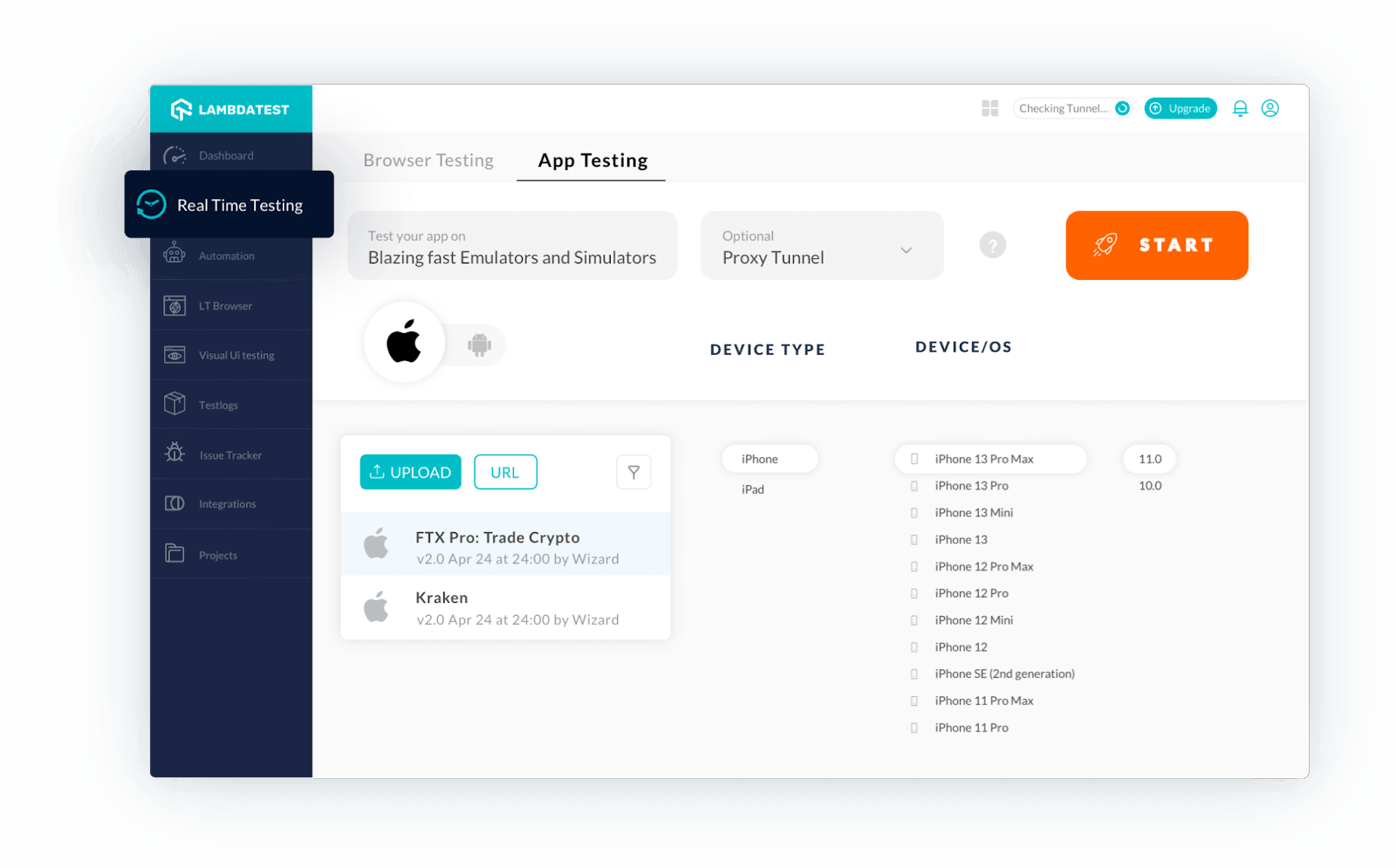
Get real device testing on the Cloud. Don't have an Android device to test? No problem, there are always virtual devices to use when you don't have a physical phone. Perform app testing on Vivo devices using the TestMu AI platform. Looking to perform Android and iOS app testing on Real Device Cloud, check out our video below:
Access to a large device list only helps if you test the right devices. Build a device matrix from your own install base rather than from a generic popularity chart. Pull the top OS versions, screen sizes and manufacturers from your app analytics or your store console, then pick one device for each tier: the most used current handset, an older handset with limited memory, a large screen or foldable, and a tablet if you support one. Rebuild that list every release, because the mix shifts as soon as a new OS version rolls out.
Localization And Geolocation Testing
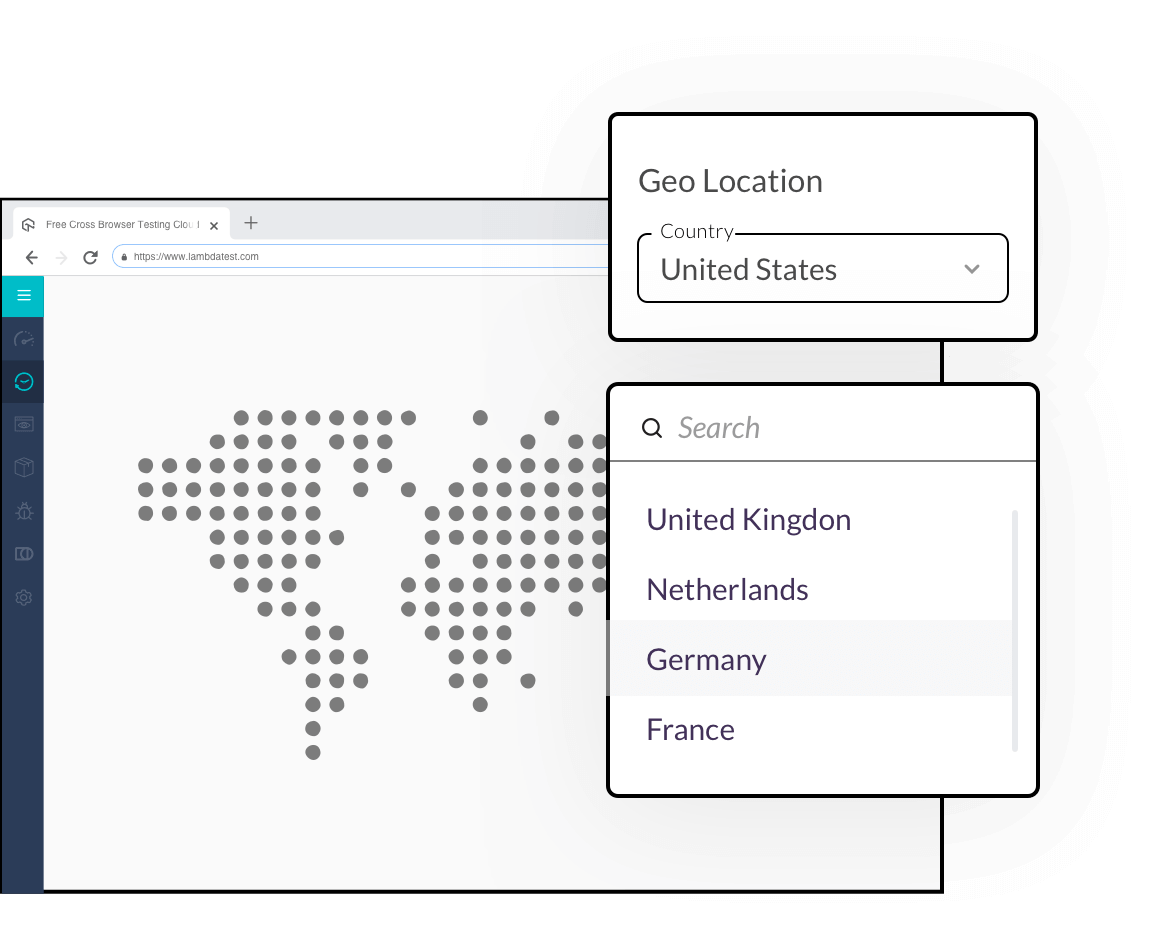
The next reason why churn is high is due to irrelevant notifications. What might be relevant to one location might not be to another. Using TestMu AI's localization and Geolocation feature, you can personalize the experience and run localization testing across 170+ countries and align with the preferences of your users at different locations.
Test Use Cases
Long sign-up processes, and use cases that take time to complete often come up as blocks for the user. The main reason why users prefer using mobile apps over desktop or any other alternatives is to accomplish things faster. With TestMu AI you can test use cases on different devices and optimize them.
Your use case list should also cover the paths that fail quietly in production. Test what happens when a user denies a permission and then opens the feature that needs it, when the operating system kills the app in the background and the user returns to it, and when the app is upgraded over an older version that still holds local data. Test the offline and reconnect path as well, because mobile users move between networks in the middle of a session. These journeys rarely sit in a happy path suite, and they cause the crashes and stalls that end in an uninstall.
Memory Consumption And Network Throttling
You can upload your app file directly on any device and start testing instantly. This allows you to understand the memory it occupies and optimize storage accordingly. You can also test publicly available apps and update them in the upcoming releases to optimize the storage.
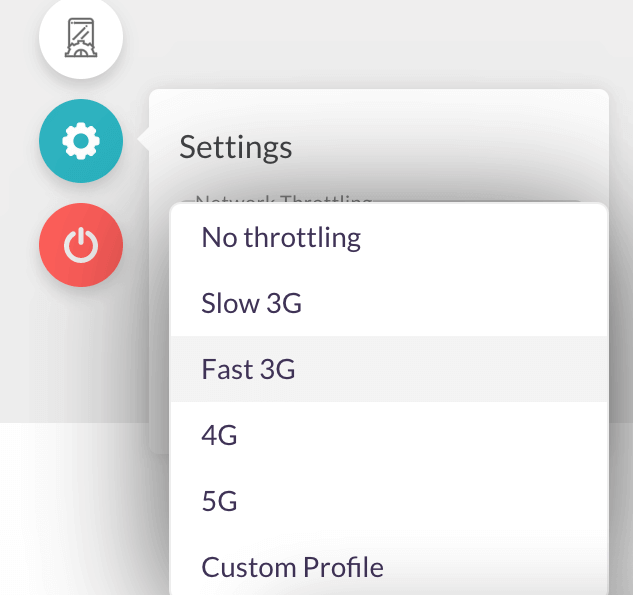
It is also critical for a tester to check the functionality of the app on different latency networks such as 2G, 3G, 4G or LTE. TestMu AI allows you to simulate network conditions, get insights on the variable upload and download speeds which helps you understand the performance of the app under different networks.

Key Takeaway: Cutting mobile app churn takes four test areas: a device matrix built from real install base data, localization and geolocation checks, use cases that include permission, background kill, upgrade and offline paths, and memory plus network throttling tests.
Can AI Agents Write And Run Your Mobile Tests?
Yes, in part. Journeys for Android Studio converts natural language steps into actions that Gemini performs on a device, and Gemini evaluates the assertions you describe in the same plain text. Google ships it as a Studio Labs preview in Android Studio Otter 3 Feature Drop (2025.2.3), and a project needs Android Gradle Plugin 9.0.0 or higher to run one. A journey is written in XML and created from the app module inside the IDE.
The documented gaps decide where this belongs in your plan. Journeys supports tap, typing, and swipe or scroll. It does not support long press, double tap, multi finger gestures such as pinch to zoom, screen rotation or folding, or conditional steps, and it does not retain context between steps. It also targets Android testing, so an iOS suite still needs its own scripts. Use it for linear flows such as sign up and checkout, and keep hand written tests for the gesture heavy and stateful paths.
For the pipeline, Google documents the Android CLI as the way to create and run journeys from an agent in the terminal and to deploy them in CI/CD. The same documentation set publishes a testing setup skill, installed with android skills add testing-setup, that analyzes a native Android app and proposes a testing strategy across five layers: unit tests, component tests, feature tests, application tests and release candidate tests. Treat that output as a draft. The agent reads your source code, not your crash reports or your install base, so the device matrix and the failure paths described above still come from your own data.
Key Takeaway: AI agents can already write and run linear Android flows such as sign up and checkout through Journeys for Android Studio and the Android CLI, but gesture heavy paths, iOS coverage, and the device matrix still need human decisions.
Summary
Churn is bad for any app. It directly affects your revenue, the perception of the company, and the brand. Having future-proof mobile app testing is essential considering the technology advancements. The devices and environments that you are using now might not be the same ones that you may target tomorrow. A future-proof mobile testing strategy allows you to adopt new testing routines to meet the new requirements and trends. With new devices releasing year on year, your device library and test enablement platform should be updated as well. Maintaining an on-prem library with an exhaustive list of devices comes with a huge setup and maintenance cost.
TestMu AI offers an easy and cost-effective solution to this problem. Start testing your applications on the cloud.
Sign up for a forever free account now and start testing today!

Author

Jay Singh
Blogs: 4


Jay Singh is the Co-Founder and Chief Customer Officer at TestMu AI (formerly LambdaTest), with over two decades of experience in sales, customer success, and growth strategy. He has been leading customer initiatives at TestMu AI for more than 8 years, helping scale the platform to serve a global user base. Jay is followed by 15,000+ professionals on LinkedIn, reflecting his influence across the software testing and quality assurance industry. Before TestMu AI, he founded BusinessMojos, later acquired by DAMO Consulting, and VisualMojos Technologies. He also held senior roles at LeadSquared and Harman International.
Reviewer

Shantanu Wali
Reviewer
Shantanu Wali is Vice President of Product Management at TestMu AI (formerly LambdaTest), where he owns several product lines across the testing platform, including the Real Device Cloud and the Digital Experience Testing Cloud. He has also contributed significantly to the development and scaling of KaneAI, TestMu AI's flagship GenAI-native testing agent that uses natural language to make software testing faster and more reliable in this AI era. He brings 7+ years of experience across software development and product management, starting as a backend developer at Infosys building solutions for Fortune 500 clients. Shantanu holds an MBA from IIM Calcutta and a B.Tech in Mechanical Engineering.


Mobile App Testing Strategy FAQs
Did you find this page helpful?
More Related Blogs
TestMu AI forEnterprise
Get access to solutions built on Enterprise
grade security, privacy, & compliance
- Advanced access controls
- Advanced data retention rules
- Advanced Local Testing
- Premium Support options
- Early access to beta features
- Private Slack Channel
- Unlimited Manual Accessibility DevTools Tests