
Power Your Software Testing with AI Agents and Cloud
The Native AI-Agentic Cloud Platform to Supercharge Quality Engineering. Test Intelligently and Ship Faster.


- TestMu AI (Formerly LambdaTest)
- /
- Blog
- /
- Cognitive Overhead in Design and How to Reduce it
What is Cognitive Overhead in Design and How to Reduce it?
cognitive overhead means the number of logical connections or jumps your brain has to make in order to complete a goal or to understand the things that he is looking at. So, we need to minimize this cognitive overhead as this is the only thing that we don’t take seriously.
Last Updated on:
On This Page
Cognitive overhead is the number of mental jumps a user's brain makes to reach a goal on a page, and cutting it keeps users from abandoning the task. Google's homepage cuts one jump by auto-selecting the search box on load, so a visitor reaches their goal without an extra click. This guide covers why cognitive overhead matters, what causes it, how to minimize it, how usability testing confirms you succeeded, and how AI agents are changing that testing today.
Key Takeaways
- Cognitive overhead is the number of mental jumps a user's brain makes to complete a goal or understand a page.
- Auto-selecting a search box on page load removes one click and one decision, lowering cognitive overhead for the visitor.
- Unnecessary interactions, too many competing calls to action, and too many options all raise cognitive overhead by giving a user more to decide before acting.
- Grouping options under clear categories, the way Amazon groups products into sections, lowers the cognitive overhead of a long list.
- A bad user interface is the most common cause of cognitive overhead, since users must work out how the interface behaves before they can use it.
- Testing a design with real users, including people unfamiliar with the product, confirms whether cognitive overhead has actually gone down.
Why need to take care of Cognitive Overhead?
To be specific, cognitive overhead means the number of logical connections or jumps your brain has to make in order to complete a goal or to understand the things that he is looking at. So, we need to minimize this cognitive overhead because:

Cognitive overhead directly affects the user’s experience on your website. So, if your users are facing it, they are more prone to going away!
What causes Cognitive Overhead?
If your users are asking these questions to themselves while navigating your website then there are possibilities of them facing cognitive overloading on your website.
- Where is the home button?
- Should I click on this? What would happen?
- How do I save this?
- Is this an advertisement or a genuine button?
- What should be done next?
- Will the data be gone if I refresh it?

And such questions like these. These questions put a load on user’s mind while using your website. If they are asking these questions then your website had a bad user experience as is not self explanatory. Users are not gonna like it.
What to do to Minimize Cognitive Overhead?
So, if that’s the case you need to take some important measures to reduce the cognitive overhead in your website.
Reduce Unnecessary Interactions
When users come to your website they have a specific goal that is set in their mind. So, their memory is focused on attaining that goal without any distraction. So, if you are asking them to perform unnecessary actions, it will increase their cognitive load and they will not be focus on anything. Not even using your website the way they want to.
How?
In order to make sure that you don’t have any unnecessary actions, you need to list down all the actions and be sure that you’re not asking your users to perform actions that might be avoided.
You can reduce interactions like click here, automatically move to text input, default fields, etc. The greatest example of this that you might see is google’s search engine. When you open google.com in a new tab, it automatically selects the text input. You don’t need to go to text field and then click enter to input. It does it by its own decreasing cognitive load of the user.

Don’t Overstimulate the User
What happens when many people speak to get your attention, no one gets it in the end. Similarly if too many elements in a page like images, gifs, text, videos, ads, etc tries to get your attention you can’t focus on anything.
So, you should not overstimulate the user to take too many actions. In that case, he will take no decision.

How?
Define important actions to be taken on every page and focus on those elements only.
For example: If you’re on a pricing page, the major CTA will be buy now. Similarly, for homepage it should be a signup CTA. In short, we need to map the major actions for every page and focus on important elements for that page
Don’t Provide too Much Options to the User
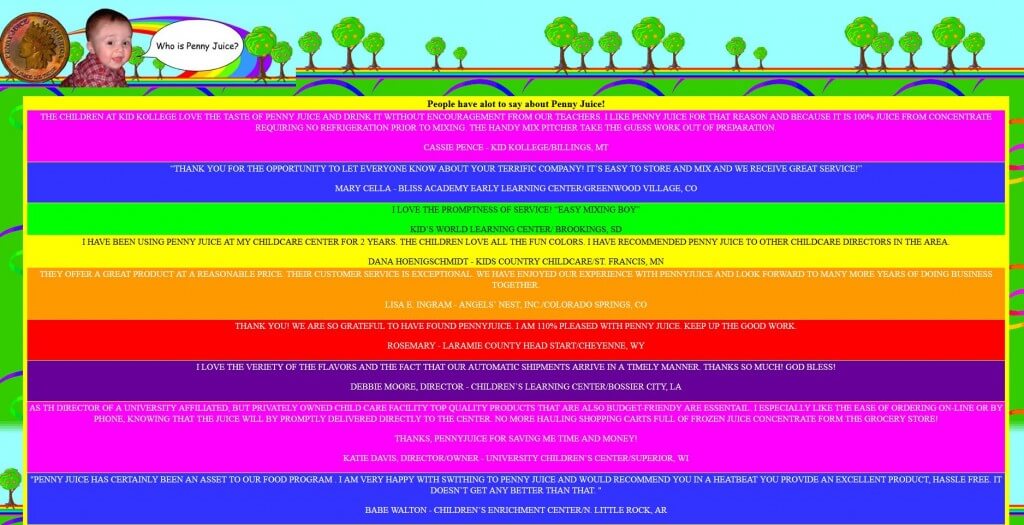
Just like multiple actions, options too pose a cognitive load on the user and the user again lands up choosing nothing. When the user gets too many options, he will not be think of any one possible options and will increase the cognitive load.
What to do?
Have you seen grouped categories for options? Like in amazon. You do not need to select between bags, dresses, etc from a huge list. You can just go to the sections, select a term, then select a term under term and will land on the correct product you’re looking for. Just like that, group your options under umbrella terms. This will help the user get a clear idea and not to put too much load while going for some option.
Avoid Too Much Content
Too much content on your website also confuse the user just like too much options and overstimulation. This will pull the user’s memory in various directions moving him away from the final achievable goal.

Solution
Organize the content in different sections, according to their category, content type, relevance, key areas, etc and then present it to the user in an organized manner. This will help the user reach the content he is looking for. Check out TestMu AI blog to see how to organize content under various categories.
Non-User Friendly User Interface
The biggest and main culprit of cognitive overhead and loading is a bad user interface. You need to make sure that the user don’t have to face problems while using your interface.
Some major bugs in user interface that goes unnoticed causes user interface problems.
What to do?
Perform proper user interface testing and check if it is usable and non-distracting for the user.
To sum up, in order to reduce cognitive overhead, you need to:
- minimize the number of steps that should be taken
- focus on minimizing the time user spent in completing a task
- minimize number of unnecessary elements in a page
- avoid visual clutter like links, images, etc.
How to Check if You’ve Succeeded?
Once you have taken care of precautions, read the guidelines, done your best to minimize the cognitive overhead. It’s time to find out if you’ve achieved success or not?
The best way to find that out is to get tested by the old, young, and drunk
Yes! If these three people are able to get the task done on your website, then you have achieved the success!
Also, ask the already existing users what your product does? That might seem a bit dumb, but you need to interact with your users to find out if they are able to do what you have intended from your product. Or are they using for some other thing? This will help you better understand the fields where you’re going wrong.
How Are AI Agents Changing Cognitive-Overhead Testing?
AI agents now run predictive attention models and simulate user sessions before launch, extending traditional UX testing and catching cognitive overhead the old-young-and-drunk test alone would miss.
- Predictive attention modeling: AI models trained on eye-tracking data generate a heatmap of where a design will draw attention before a single real user opens the page, flagging cluttered zones early.
- AI-simulated persona testing: Agents that role-play different personas click through a flow and report every point where they hesitated or backtracked, extending persona testing with coverage a human panel cannot run at the same scale.
- LLM-driven UI testing: Large-language-model agents connected to a live browser now perform llm UI testing, walking through a page the way a new user would and flagging any step that needs an extra click or a re-read.
- Accessibility still needs a human: None of these AI checks replace accessibility testing with a real assistive-technology user, since predictive models cannot verify screen-reader behavior.
- A new decision fork: Every AI chat launcher or assistant button added to a page forces the user to decide whether the assistant is faster than the task itself, which can add cognitive overhead instead of removing it.
Takeaways
Design your page in such a way that the user will feel very less stress on his brain while attaining a specified goal on your website. If he stresses too much, or faces cognitive overloading then he is more likely to distract from your website.
Every page’s design should be self explanatory, because you might never know from where your user is landing on your website. So make it easy for him to understand. If he is taking more and more steps to learn what your website does, he’ll no longer be interested in learning what it actually does.
Hope the ways that I have listed here helps you reduce cognitive overhead in your website. If you have more questions, drop us a comment below!

Did your last release break the UI? TestMu AI's SmartUI catches visual regressions by comparing every screen to its baseline.
Author

Deeksha Agarwal
Blogs: 34


Deeksha is a Senior Product Manager at The Economic Times and a Community Evangelist with 8+ years of experience. She is followed by 6,000+ QA professionals, software testers, tech leaders, and enthusiasts across global communities. Deeksha has authored 40+ expert bios for TestMu AI, focusing on cross-browser testing, mobile app testing, regression testing, usability testing, and automation. Previously at TestMu AI, she drove product growth in native app testing and responsive browser features, combining product leadership with deep QA expertise.


Cognitive Overhead FAQs
Did you find this page helpful?
More Related Blogs

TestMu AI forEnterprise
Get access to solutions built on Enterprise
grade security, privacy, & compliance
- Advanced access controls
- Advanced data retention rules
- Advanced Local Testing
- Premium Support options
- Early access to beta features
- Private Slack Channel
- Unlimited Manual Accessibility DevTools Tests