
Test Your Website on Real Desktop and Mobile Browsers
Run live and automated cross browser tests on Chrome, Safari, Firefox, and Edge across 3,000+ browser-OS combinations. No setup, no device lab.

- TestMu AI (Formerly LambdaTest)
- /
- Blog
- /
- Planning to move your app to a PWA: All you need to know
Planning to move your app to a PWA: All you need to know
Learn what Progressive Web Apps are, the key challenges of moving your existing app to a PWA, and how to choose the right framework and caching approach.
Last Updated on:
To move your app to a PWA, serve it over HTTPS, ship a web app manifest, and register a service worker for offline support and push.
Chrome dropped the service worker fetch handler from its install criteria in version 108 on mobile and 112 on desktop, so the manifest and HTTPS decide installability.
This guide covers framework choice, single page versus multi page architecture, app shell caching, A/B testing, app store publishing, and how AI coding assistants change a PWA migration.
Key Takeaways
- A Progressive Web App installs on a device, works offline and sends push notifications from the same codebase that serves the browser, with no app store release required.
- Chrome treats a web app as installable only when it is served over HTTPS, ships a web app manifest that declares name, icons, start_url and display, and registers a service worker for the page.
- Safari on iOS shows no install prompt, so iOS users add a PWA from the Share menu and push notifications reach them only once the app sits on the Home Screen.
- The choice between a single page application and a multi page application changes how a PWA caches pages and handles routing, so settle that choice before writing the service worker.
- Google archived the sw-precache tool, and Workbox precaching now handles app shell caching by building the file list during the build and attaching a revision hash to every cached entry.
- Google Play accepts a PWA through a Trusted Web Activity and the Microsoft Store accepts one through PWABuilder, while Apple App Store review guideline 4.2 rejects an app that is only a repackaged website.
Which Framework To Use While Building A Progressive Web App?
When you plan to upgrade to a PWA or to build a PWA, the first question that makes you scratch your head is what framework should I use? Vuejs? React? Preact? Or some other?
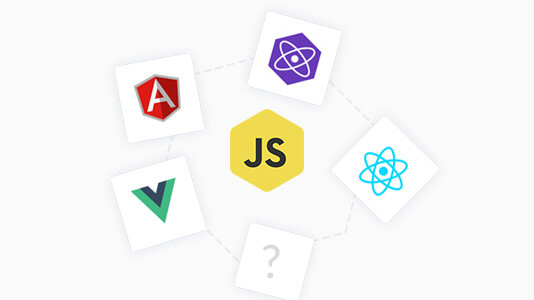
Well to figure this out, we did a bit of research on some companies that have upgraded to a PWA to find out what is the mostly used framework and why.
From our research we figured out that many of the companies used React so we decided to further dig into it. We analyzed case studies of products like Garbarino and Twitter Lite, and found that the main reason for choosing React framework is it’s usability, online support, and familiarity with legacy frameworks.
Moreover React also provides you with the following advantages over the other frameworks.
- React is maintained by Meta and runs inside Meta products, so the library is exercised at scale before a release reaches you.
- Being the foundation for React Native, React lets you port applications built with React to native apps easily.
Even though there are more big firms using React, in our view, all of the above mentioned progressive web app frameworks give a close competition to React. Ultimately it’s up to your team. You can choose any of the frameworks which suits your requirements and is handy to the people in your organization.
Key Takeaway: React is the most common framework among the companies that migrated to a PWA, chosen for its usability, online support and its role as the foundation for React Native, but Vue and Preact build a PWA just as well.

Austin Siewert
Co-Founder, Steadfast Systems
Discovered @TestMu AI yesterday. Best browser testing tool I've found for my use case. Great pricing model for the limited testing I do 👏
3M+ Devs and QAs rely on TestMu AI
Deliver immersive digital experiences with Next-Generation Mobile Apps and Cross Browser Testing Cloud

Single Page Application or Multi Page Application?
Before you go on for building a PWA, you need to build an application first. While doing so, there are two options for what your application can be. You can go with a SPA ( single page application ) or you can develop a MPA ( Multiple Page Application ).
The choice between the two changes how you cache pages and how you handle routing, so settle it before you write the service worker.
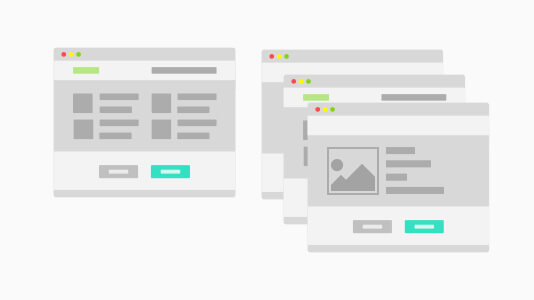
So the main confusion here is, which is the best approach? Well, that depends upon the objective you are trying to achieve by building a PWA.
Single page application, or SPA is an application that works as a single page and don’t need to reload or redirect to a new page when you send some request from it. It’s like a Gmail or Facebook app. So, if you’re migrating from your already built application to a PWA because you want to increase your page loading speed or other factor related to loading speed, then I would suggest you to go for a SPA. Pinterest and Starbucks are well known PWA examples built on a single page model.
However if you want to refactor advantages of MPA like isolation and decoupling between pages, you can go for a MPA. While building a mobile site, it allows you to build its different parts as ‘microservices’ which in turn allows you to iterate these services independently, embed them into 3rd party apps if needed, and can even be maintained by different teams. One such example that used MPA model to build their PWA is Ele.me.
So, you can use the given information to go for SPA or MPA.
Key Takeaway: Build a PWA as a single page application when faster page loading is the goal, as Pinterest and Starbucks did, and as a multi page application when separate teams need to build, deploy and maintain parts of the site independently, as Ele.me did.
Having Problem While Caching App Shell?
When building a PWA, you aim to deliver faster performance to your clients. Caching the app shell helps you reduce your page load time by caching the pages offline to ensure better performance to users on multiple visits.
You can use a static asset precaching tool like sw-precache or you can prompt caching of pages using manually written service worker.
When caching manually you can take help of the following code:
var cacheName = 'shell-content';
var filesToCache = [
  '/css/styles.css',
  '/js/scripts.js',
  '/images/logo.svg',

  '/offline.html',

  '/',
];

self.addEventListener('install', function(e) {
  console.log('[ServiceWorker] Install');
  e.waitUntil(
    caches.open(cacheName).then(function(cache) {
      console.log('[ServiceWorker] Caching app shell');
      return cache.addAll(filesToCache);
    })
  );
});
The sw-precache tool named above is no longer maintained. Google archived it and now points teams at Workbox, which is what most build pipelines use for the same job. workbox-precaching builds the file list during your build, attaches a revision hash to every entry, and clears out the old entries on your next deploy, so nobody has to remember to bump the cache name by hand. Pair it with a runtime caching rule for API responses so a deploy never leaves stale data in the browser cache.
Key Takeaway: Caching the app shell keeps repeat visits to a PWA fast, and Workbox precaching replaces the archived sw-precache tool by generating the file list at build time, versioning each entry with a revision hash and clearing stale entries on the next deploy.
Let’s AB Test!
AB testing comes as an aid in case you want to monitor some of the factors in your PWA like conversion rate, bounce rate, time on app, etc.
So you need to do testing and it requires data.
The harder part is deciding what to measure and keeping that measurement clean once traffic is split between two versions.
Here are some of the difficulties that you might face while monitoring the various factors:
- Separating Google Analytics traffic between the two versions
- Measure conversion rate in and out of PWA like cart and checkout in case on e-commerce PWAs
- Having same URLs on both the sides of the experiment
- People who saw A should see A but those who saw B at first should see B.
For the first two use cases, define a custom dimension in Google Analytics and set it from the PWA code, based on a cookie. GA4 has no reporting views, so you separate the two groups with a comparison or an exploration built on that dimension instead of splitting the property.
For the last two points, all you can do is to send all the traffic to the PWA. There, a random draw decides if you continue there or if you will be redirected to the mobile site. Once you are done with this, you can store this choice in a cookie ‘forever’ if anyone sees the PWA and if he/she sees the mobile site, in that case for some time like a day. This will help you to know the user came to know towards the final checkout from which version?
Once you clear these hurdles you can release the PWA version, watch the results come in, and fix the bugs that only surface in production.
Key Takeaway: A clean A/B test between a PWA and the existing mobile site needs a custom Google Analytics dimension set from a cookie, plus a stored random assignment so a returning visitor always lands on the same version.
Can You Publish A PWA To The App Stores?
Yes for Google Play and the Microsoft Store, no for the Apple App Store if all you ship is a wrapper. Settle the distribution route before you migrate, because it changes what you have to host.
Google Play takes a PWA through a Trusted Web Activity, which opens your own web content from your own Android app using a protocol based on Custom Tabs. The Bubblewrap CLI reads your web app manifest, generates the Android project, and its build command produces a signed APK you can upload. Chrome 72 and above on Android is required for the full screen experience.
Ownership verification is a separate step. You host a Digital Asset Links file at /.well-known/assetlinks.json on the same domain, and the browser uses it to confirm that the Android app and the website come from the same developer. If that check fails, the browser falls back to a Custom Tab and keeps its own UI visible at the top of the screen, so your listed app still looks like a browser window. Serve and verify that file before you submit the build.
PWABuilder covers the Microsoft Store, Google Play and Meta Quest from the same PWA, and it reports on your manifest, service worker and security before it packages anything. The Apple App Store is the exception. Review guideline 4.2 says an app should include features, content and UI that elevate it beyond a repackaged website, and 4.2.2 rules out apps that are primarily web clippings, so a thin shell around your site gets rejected. On iOS, plan for the Home Screen install path described earlier rather than a store listing.
Key Takeaway: A PWA reaches Google Play through a Trusted Web Activity packaged with the Bubblewrap CLI and reaches the Microsoft Store through PWABuilder, but the Apple App Store rejects a PWA that is only a thin wrapper around a website.
How Do AI Coding Assistants Change A PWA Migration?
They remove the boilerplate, not the verification. An assistant writes the manifest, the service worker registration and the install prompt handler in minutes, so scaffolding is no longer the slow part of a migration. What it cannot do is confirm that your app installs, updates and serves the build you just shipped. Treat generated caching code as a draft and check it in a real browser.
Chrome ships Gemini inside DevTools as AI assistance. Google documents it for the Elements, Network, Sources and Performance panels, which covers styling bugs, failed requests and Core Web Vitals. The Application panel, where the service worker and Cache Storage live, is not on that list, so the part of a PWA that breaks most often sits outside its reach. Google also labels the feature experimental and ships it switched off by default.
The common failure in a generated service worker is a cache first strategy with a fixed cache name and no cleanup, which pins returning visitors to an old build until they clear site data. Workbox precaching is the documented fix. It attaches a revision to every entry, and in the activate event it removes cached assets that are no longer in the current list of URLs.
Do not act on an assistant that tells you to run the Lighthouse PWA audit. PageSpeed Insights moved to Lighthouse 12.0 on May 10, 2024, and that release removed the PWA category, so the score it points you at no longer exists. Inspect the manifest and the service worker in the DevTools Application panel instead.
Key Takeaway: AI assistants take the boilerplate out of a PWA migration but not the verification, because Chrome DevTools AI assistance covers the Elements, Network, Sources and Performance panels and not the Application panel, and the Lighthouse PWA category has been gone since Lighthouse 12.0.
Testing A PWA With TestMu AI
So, you have done developing and solved all the issues that you faced. Now it’s time to test your PWA. So how can you test it?
TestMu AI can help you test your PWA.

Our walkthrough on testing a progressive web application with TestMu shows the setup end to end.
One last note on numbers. The PWA case studies from Trivago, Pinterest, BookMyShow and Twitter Lite reported large gains in engagement and conversion when this post first went out. Those results came from specific apps on the phones and networks of that period, and several of those apps have changed since, so treat the figures as history and not as a forecast for your own migration. Record your load time, bounce rate and conversion rate before you migrate, then compare the same three numbers after launch.

Did your last release break the UI? TestMu AI's SmartUI catches visual regressions by comparing every screen to its baseline.
Author

Deeksha Agarwal
Blogs: 34


Deeksha is a Senior Product Manager at The Economic Times and a Community Evangelist with 8+ years of experience. She is followed by 6,000+ QA professionals, software testers, tech leaders, and enthusiasts across global communities. Deeksha has authored 40+ expert bios for TestMu AI, focusing on cross-browser testing, mobile app testing, regression testing, usability testing, and automation. Previously at TestMu AI, she drove product growth in native app testing and responsive browser features, combining product leadership with deep QA expertise.


PWA Migration FAQs
Did you find this page helpful?
More Related Blogs

TestMu AI forEnterprise
Get access to solutions built on Enterprise
grade security, privacy, & compliance
- Advanced access controls
- Advanced data retention rules
- Advanced Local Testing
- Premium Support options
- Early access to beta features
- Private Slack Channel
- Unlimited Manual Accessibility DevTools Tests