
Agent Assurance for your AI Deployment
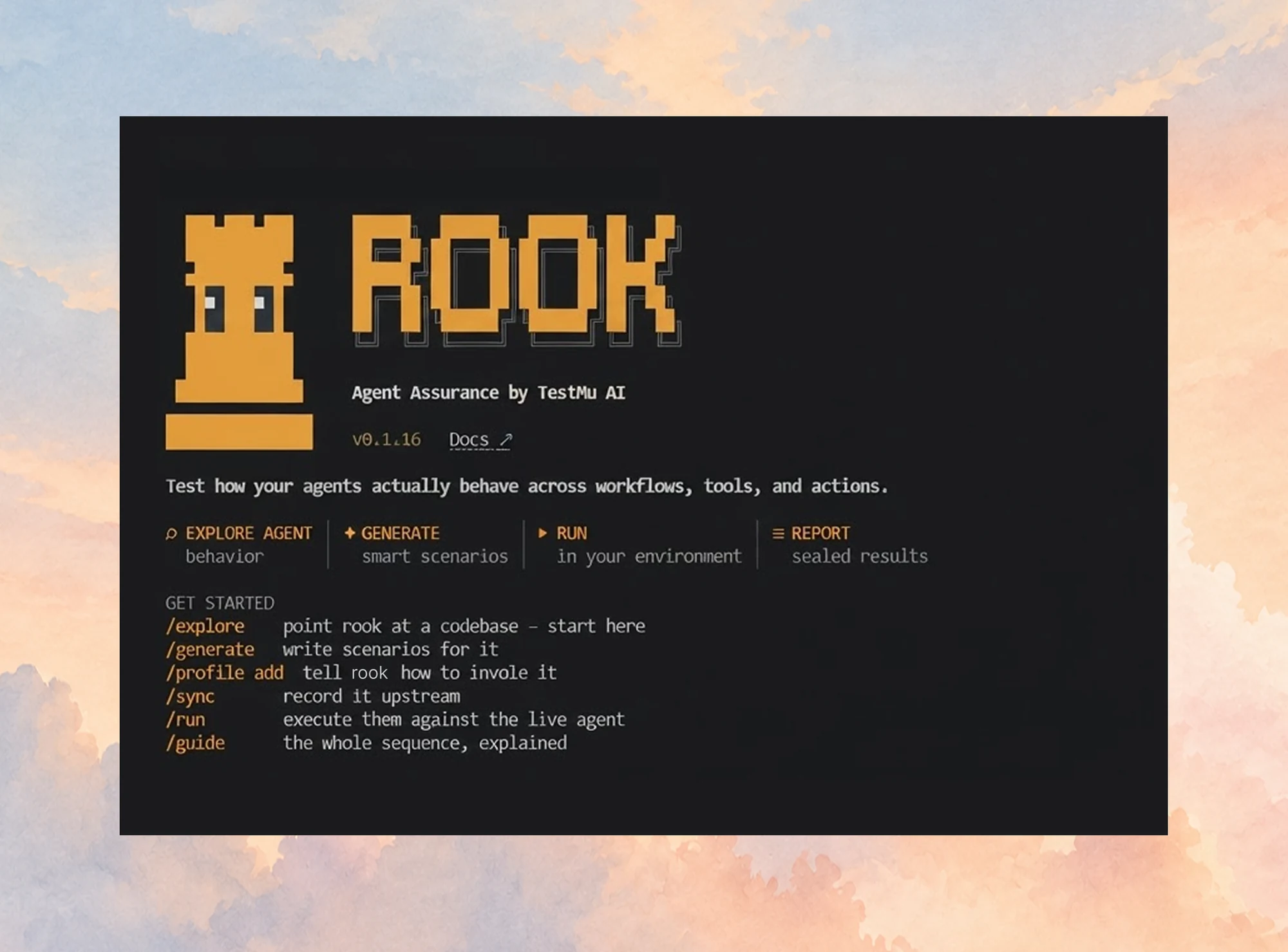
Test how your agents actually behave across workflows, tools, and actions. Catch failures and vulnerabilities before they ship.
npm install -g @testmuai/rook@latest
You turn on the Claude Code sandbox with /sandbox, pick auto-allow, and approve postman-echo.com the first time a script asks for it. Later, a dependency's install script reads your SSH key and posts it to that host. When I reproduced that path with the sandbox's default settings, the writes outside the project were blocked and the key still reached the allowed host.
I ran 14 probes through the sandbox's own engine on a fresh Linux VM as a TestMu AI HyperExecute job, then ran Claude Code on native Windows with the sandbox switched on. If you are new to the tool itself, Claude Code explained covers sessions, permissions and extensions first.
Overview
The Claude Code sandbox is an operating-system boundary around the shell commands Claude runs, built on Seatbelt on macOS and bubblewrap on Linux and WSL2. It confines writes to your project and temp directory and sends network traffic through a domain allowlist, but it lets commands read credential files unless you deny them.
Claude Code Sandbox Defaults, Probe-Tested
- Writes outside the project: Claude Code's sandbox blocked writes to the home directory, ~/.bashrc, .git/hooks and .mcp.json in my Linux probes, including a write from a Python child process.
- Credential reads: Claude Code's sandbox allows credential reads by default, so a sandboxed command printed a fake SSH key, a fake AWS credentials file and a fake GITHUB_TOKEN value. A credentials deny block hid all three.
- Network egress: The sandbox proxy lets commands reach allowlisted hosts only. A host outside the allowlist got a 403, and curl with --noproxy could not resolve the host at all.
- Native Windows support: No. Claude Code 2.1.330 warned that its sandbox was not active and ran a home-directory write unsandboxed, and failIfUnavailable made it refuse to start instead.
Boundaries for Unattended Runs
The built-in sandbox covers shell commands only, so Anthropic's docs tell you to run --dangerously-skip-permissions sessions in a container, a VM or the sandbox runtime. Inside any of them, TestMu AI Agent Assurance checks which files a run actually changed.
What Is the Claude Code Sandbox?
The Claude Code sandbox is a boundary the operating system enforces around the shell commands Claude runs: Bash, PowerShell and Monitor commands, plus every process they start. Anthropic's sandboxing documentation says it uses Seatbelt on macOS and bubblewrap on Linux and WSL2, and that it is off until you turn it on.
Claude Code builds the sandbox on sandbox-runtime, an Apache-2.0 package published as @anthropic-ai/sandbox-runtime that you can also run on its own as the srt command. Its README calls it a beta research preview, so its configuration format can still change.
The package had 2,645,473 npm downloads in October 2026, according to npm's download counts API.
The read default is the one most setups miss: out of the box, sandboxed commands can read credential files. The sandboxing docs give the full set of defaults:
| Access | Default inside the sandbox | Settings that change it |
|---|---|---|
| Writes | The working directory, a per-user temp directory and directories added with --add-dir. Protected paths such as .claude settings and .git/hooks stay write-denied | filesystem.allowWrite, filesystem.denyWrite |
| Reads | Most of the machine, including credential files such as ~/.ssh and ~/.aws/credentials | filesystem.denyRead, credentials |
| Network | No direct route out. A proxy on your machine checks each host against allowed domains, which start empty | network.allowedDomains, network.deniedDomains |
| Environment variables | Inherited from Claude Code, secrets included | credentials, CLAUDE_CODE_SUBPROCESS_ENV_SCRUB |
It is a different layer from browser sandboxing, which isolates web content inside a browser. This sandbox isolates the commands an AI coding agent runs on your own machine.
How to Enable the Claude Code Sandbox
The sandbox ships inside Claude Code, so there is nothing to download on macOS: skip straight to Step 2 there.
Step 1: Install Dependencies on Linux or WSL2
macOS needs nothing extra, because Seatbelt is built in. On Linux and WSL2, the docs list bubblewrap for filesystem isolation and socat for relaying traffic to the sandbox proxy:
# Ubuntu / Debian
sudo apt-get install bubblewrap socat

# Fedora
sudo dnf install bubblewrap socat- WSL1 is not enough - if /sandbox reports that sandboxing needs WSL2, upgrade the distribution or run Claude Code without the sandbox.
- Ubuntu's AppArmor restriction - if bubblewrap fails with a uid map permission error, the docs give an AppArmor profile for /usr/bin/bwrap.
- Restart after installing - the dependency check runs at startup, so /sandbox only sees new packages after Claude Code restarts.
Step 2: Run /sandbox and Pick a Mode
Run /sandbox in a session. The panel has Mode, Overrides and Config tabs, plus a Dependencies tab on Linux when something is missing.
- Auto-allow mode - Claude Code approves a command with no prompt when it runs inside the sandbox. Bash deny rules, rm on critical paths and content-scoped ask rules such as Bash(git push *) still apply.
- Regular permissions mode - every Bash command still goes through the normal permission prompt, sandboxed or not. You keep every prompt and still get the OS boundary.
- Overrides tab - this is the allowUnsandboxedCommands setting. Turning on strict sandbox mode there stops Claude from retrying a failed command outside the sandbox.
Step 3: Make the Setting Stick
The panel saves your choice to .claude/settings.local.json, which applies to the current project only. To sandbox every project, put this in ~/.claude/settings.json:
{
  "sandbox": {
    "enabled": true,
    "autoAllowBashIfSandboxed": true
  }
}
Setting enabled on its own gives regular permissions mode, so add autoAllowBashIfSandboxed if you want auto-allow. For a single session, pass the settings on the command line instead:
claude --settings '{"sandbox": {"enabled": true, "allowUnsandboxedCommands": false}}'Step 4: Confirm the Boundary Holds
Ask Claude to run both lines. Do not type them at the ! prompt, because commands you type there run outside the sandbox in most sessions.
touch ~/sandbox-probe
curl --noproxy '*' https://example.com- touch - should fail with Operation not permitted on macOS or Read-only file system on Linux and WSL2. If it succeeds, delete the file and check /sandbox.
- curl --noproxy - should fail with Could not resolve host, because the command has no route around the proxy.
- Retry prompt - if Claude asks to rerun either command outside the sandbox, decline it, or the check proves nothing.
Linux Probe Results: Default vs Hardened Settings
The two checks above only test the defaults Anthropic already documents. I wanted the full picture, so I ran sandbox-runtime itself through 14 probes under two settings files and checked each effect on the host.
Probe Methodology
- Machine - a fresh Linux VM from a TestMu AI HyperExecute job: Ubuntu 20.04.6, kernel 5.15, running as a non-root user.
- Sandbox - @anthropic-ai/sandbox-runtime 0.0.83 with bubblewrap 0.4.0, socat 1.7.3.3 and ripgrep 11.0.2 from apt.
- Default settings - writes allowed in the project only, no read denies, and two allowed hosts, github.com and postman-echo.com, standing in for hosts you approve during a session.
- Hardened settings - the same file plus denyRead on ~/.ssh and ~/.aws and a credentials deny entry for GITHUB_TOKEN.
- Fixtures - a fake SSH key, a fake AWS credentials file and a fake token. Nothing real was on the VM.
- Effect check - after every write probe, the script looked for the file on the host instead of trusting the command's output.
- Scope - srt is the engine, not Claude Code itself. Claude Code adds prompts, its own protected-path list and the per-user temp directory on top.
{
  "network": {
    "allowedDomains": ["github.com", "postman-echo.com"],
    "deniedDomains": []
  },
  "filesystem": {
    "denyRead": [],
    "allowWrite": ["."],
    "denyWrite": []
  }
}
Results by Probe
| Probe | Default settings | Hardened settings |
|---|---|---|
| Write a file inside the project | Allowed, file created | Allowed, file created |
| Write ~/sandbox-probe | Blocked: Read-only file system | Blocked: Read-only file system |
| Append to ~/.bashrc | Blocked: Read-only file system | Blocked: Read-only file system |
| Write .git/hooks/pre-commit | Blocked: Read-only file system | Blocked: Read-only file system |
| Write .mcp.json in the project | Blocked: Permission denied | Blocked: Permission denied |
| Python child process writes to home | Blocked: OSError, Read-only file system | Blocked: OSError, Read-only file system |
| Read ~/.ssh/id_probe | Allowed, fake key printed | Hidden: No such file or directory |
| Read ~/.aws/credentials | Allowed, fake keys printed | Hidden: No such file or directory |
| Print GITHUB_TOKEN | Allowed, fake token printed | Removed, variable unset |
| HTTPS to github.com (allowlisted) | HTTP 200 | HTTP 200 |
| HTTPS to example.com (not allowlisted) | Refused: 403 from the proxy | Refused: 403 from the proxy |
| curl --noproxy to example.com | Failed: Could not resolve host | Failed: Could not resolve host |
| Cloud metadata endpoint | Refused: 403 from the proxy | Refused: 403 from the proxy |
| POST the key file to postman-echo.com (allowlisted) | Sent: the fake key came back in the echo response | Not sent: the key file was hidden, so an empty body went out |
- Writes held everywhere I tried - the home directory, a shell startup file, a git hook and .mcp.json were all refused, and the Python child process got the same refusal as its parent shell.
- Reads did not - with default settings every credential fixture was readable. On Linux, a denied directory looked empty rather than refused, so expect No such file or directory when you debug a deny rule.
- Egress followed the allowlist - hosts outside it got a 403 from the proxy, and skipping the proxy left curl unable to resolve anything.
- Allowed hosts can carry data out - with default settings, the fake key read from ~/.ssh went to postman-echo.com and came back in the echo response. The allowlist judges the destination host only, so the read deny is what stopped it in the hardened run.
- Startup cost - wrapping the bare true command took 211 to 215 ms per srt invocation across 10 runs, against about 1 ms unwrapped. That is the standalone CLI starting up, and I did not measure Claude Code's per-command cost.
These lines are copied from the job's probe log, with only the timing fields removed:
# HyperExecute job 499a89e1-9066-4a21-b057-082e67e13a58, results/probe-log.txt
[W2][settings-default] exit=1 effect=no file :: touch: cannot touch '/home/ltuser/sandbox-probe': Read-only file system
[W5][settings-default] exit=1 effect=no .mcp.json :: /usr/bin/bash: .mcp.json: Permission denied
[R1][settings-default] exit=0 effect=- :: -----BEGIN OPENSSH PRIVATE KEY----- FAKE-PROBE-KEY-NOT-REAL -----END OPENSSH PRIVATE KEY-----
[N2][settings-default] exit=56 effect=- :: curl: (56) Received HTTP code 403 from proxy after CONNECT example.com HTTP 000
[N3][settings-default] exit=6 effect=- :: curl: (6) Could not resolve host: example.com direct HTTP 000
[X1][settings-default] exit=0 effect=- :: response_bytes=504 FAKE-PROBE-KEY-NOT-REAL
[R1][settings-hardened] exit=1 effect=- :: cat: /home/ltuser/.ssh/id_probe: No such file or directory
[X1][settings-hardened] exit=0 effect=- :: response_bytes=301
Note: I ran every probe in this article as a HyperExecute job, where each task gets its own fresh Linux VM, so a sandbox experiment never touches your own machine. Try TestMu AI free
Components That Run Outside the Sandbox
The sandbox wraps shell commands. The sandboxing docs list the parts of a session that run outside it, and each needs its own control:
| Component | Sandboxed? | What controls it instead |
|---|---|---|
| Read, Edit and Write tools | No | Read and Edit permission rules. A denyRead entry does not stop the Read tool |
| WebFetch and WebSearch | No | WebFetch(domain:...) rules. The sandbox allowlist does not limit WebFetch |
| Local MCP servers | No | Launch them through srt, or isolate the whole Claude Code process |
| Hooks, plugin monitors, LSP servers, status line | No | They run with your full access, so review them like code |
| Commands you type at the ! prompt | No, in most sessions | Background sessions run them sandboxed under strict sandbox mode |
| excludedCommands matches | No | Narrow patterns. An entry such as docker * covers everything docker can do |
| Unsandboxed retry | No | allowUnsandboxedCommands set to false makes Claude Code ignore dangerouslyDisableSandbox |
- MCP servers - a local server Claude starts can read and send whatever your user account can, which is why MCP security treats each server as code with your permissions.
- Hooks - Claude Code hooks are deterministic, which makes them useful as guards, but a hook script itself runs unsandboxed.
- Permission rules versus the sandbox - a Bash rule matches the command text before it runs, while the sandbox constrains the running process. Testing AI agent permissions shows why you test both layers.
Does the Claude Code Sandbox Work on Windows?
Not natively. The sandboxing docs say Claude Code runs commands unsandboxed on native Windows, and my run on a Windows 11 machine matched that.
- Literal path - with sandbox.enabled set to true, I asked Claude to run touch ~/sandbox-probe-win. Claude Code printed a Sandbox disabled warning, and its permission check still refused the command because the path was outside the working directory.
- Path built at runtime - a node -e one-liner that computes the home-directory path passed the Bash(node *) allow rule, printed PROBE-WROTE, and the file appeared in my home directory.
- failIfUnavailable - with that same command and sandbox.failIfUnavailable set to true, Claude Code exited with code 1 before running anything, and no file was written.
$ npx -y @anthropic-ai/claude-code@2.1.330 -p "<run the node -e write below>" \
    --settings '{"sandbox":{"enabled":true}}' --allowedTools "Bash(node *)"

⚠ Sandbox disabled: sandbox is enabled but the Windows sandbox is not active on this session (feature gate off)
  Commands will run WITHOUT sandboxing. Network and filesystem restrictions will NOT be enforced.

PROBE-WROTE

$ npx -y @anthropic-ai/claude-code@2.1.330 -p "<same prompt>" \
    --settings '{"sandbox":{"enabled":true,"failIfUnavailable":true}}' --allowedTools "Bash(node *)"

Error: sandbox required but unavailable: sandbox is enabled but the Windows sandbox is not active on this session (feature gate off)
  Refusing to start without a working sandbox (see sandbox.failIfUnavailable).
The second run matters most: the setting said enabled, the warning was two lines of output, and the permission check could not see the path the command wrote to. On a Windows machine, run Claude Code inside WSL2 or a container, and keep failIfUnavailable on so a missing sandbox stops the session instead of downgrading it.
The sandbox-runtime README documents an alpha Windows backend that runs commands under a dedicated srt-sandbox local account and needs a one-time elevated install. I did not install it, and Claude Code 2.1.330 did not use it in these runs.
A Hardened Sandbox Configuration
These settings close the gaps the probes found. Put them in ~/.claude/settings.json, because the docs say Claude Code ignores strictAllowlist in a repository's settings files.
{
  "sandbox": {
    "enabled": true,
    "autoAllowBashIfSandboxed": true,
    "failIfUnavailable": true,
    "allowUnsandboxedCommands": false,
    "network": {
      "allowedDomains": ["registry.npmjs.org", "pypi.org", "files.pythonhosted.org"],
      "strictAllowlist": true
    },
    "credentials": {
      "files": [
        { "path": "~/.ssh", "mode": "deny" },
        { "path": "~/.aws/credentials", "mode": "deny" }
      ],
      "envVars": [
        { "name": "GITHUB_TOKEN", "mode": "deny" },
        { "name": "NPM_TOKEN", "mode": "deny" }
      ]
    }
  }
}- failIfUnavailable - stops Claude Code at startup when the sandbox cannot run, the behavior from the third Windows run.
- allowUnsandboxedCommands - set to false, Claude Code ignores the dangerouslyDisableSandbox parameter, so a command that fails in the sandbox stays failed.
- credentials - deny entries block file reads and unset variables inside the sandbox. The docs say there is no built-in credential deny list, so only what you list is protected.
- strictAllowlist - refuses hosts outside allowedDomains instead of prompting. It requires Claude Code v2.1.219 or later.
- Narrow allowedDomains - the docs warn that broad entries such as github.com can open exfiltration paths, because the proxy decides from the hostname and does not inspect TLS by default.
For a team, deliver enabled, failIfUnavailable and allowUnsandboxedCommands through managed settings, and add allowManagedDomainsOnly to lock the network list. The docs note that failIfUnavailable makes Claude Code exit at startup on native Windows hosts, so deliver that file to macOS and Linux machines only or move Windows users into WSL2.
Claude Code Sandbox vs Docker, Dev Containers and VMs
The built-in sandbox is one of several boundaries Anthropic's guide to choosing a sandbox environment compares. The difference that matters is what sits inside the boundary:
| Approach | What it isolates | Docker needed | Use it when |
|---|---|---|---|
| Built-in sandbox | Bash, PowerShell and Monitor commands and their child processes | No | You want fewer permission prompts during everyday work on your own machine |
| Sandbox runtime (srt claude) | The whole Claude Code process, file tools, MCP servers and hooks included | No | You need MCP servers and hooks inside the boundary without Docker |
| Dev container | The full development environment | Yes | A team needs the same isolated setup, or runs use --dangerously-skip-permissions |
| Virtual machine | The full operating system | No | Policy requires kernel-level separation from the host |
| Cloud session | Shell commands and file edits in an Anthropic-hosted VM | No | You want no local setup and have a Claude subscription |
- Unattended runs - the guide says to always run --dangerously-skip-permissions inside a container, a VM or the sandbox runtime, and that Claude Code refuses that flag as root on Linux and macOS.
- Layering - the built-in sandbox can run inside a container for per-command limits on top of the outer boundary. Unprivileged containers need enableWeakerNestedSandbox, which the docs say weakens security considerably.
- Auto mode - its classifier reviews each action but is not an isolation boundary, so a sandbox still adds defense for unattended work.
Verify What the Agent Changed Inside the Sandbox
The first probe is the one every boundary allows: a write inside the project. The sandbox decides where an agent can reach, and says nothing about whether the edits it made there are the ones it claims.
Agent Assurance from TestMu AI tests agents that act, such as Claude Code agents defined in .claude/agents. It derives scenarios from your code or spec, invokes the agent for real, and grades each criterion against the files that changed on disk under the paths you declare, never against the agent's own summary.
- Adversarial by default - generated scenarios include prompt injection, data exfiltration and policy violation, the attacks a sandbox is meant to contain.
- Unable to Verify - anything it could not check is reported apart and kept out of the pass rate, so the pass rate counts only criteria checked against evidence.
- Writes are real - Agent Assurance does not sandbox the run. It tells you how many write tools the agent has and asks before it starts, so point it at staging, inside the boundary you chose above. Its permissions and safety docs cover headless grants for CI.
- Trial - install with npm install -g @testmuai/rook@latest and start the 14-day free trial with 4,000 credits.

Next Step: Probe Your Own Setup
Turn the Claude Code sandbox on, ask Claude to cat a dummy file under ~/.ssh, and add a credentials deny entry if it prints. Then run one agent task through the Agent Assurance quickstart to see which files that task actually changed.
Author

Anubhav Singhmaar
Blogs: 67

Anubhav Singhmaar is an AI Product Manager at TestMu AI driving Kane CLI, the command-line tool that brings browser automation to the terminal, turning natural-language flows into runs in a real Chrome browser that return pass or fail with shareable proof. He owns the roadmap and prioritization and works with engineering to ship developer-facing features. Before TestMu AI, he spent over four years at Sprinklr owning enterprise voice AI across APAC and EMEA. A mechanical engineer turned product manager, he grounds guidance in real QA workflows.
Reviewer

Siddhant Sinha
Reviewer
Siddhant Sinha is a Lead Member of Technical Staff at TestMu AI architecting Kane CLI, the command-line tool for browser automation from the terminal, where natural-language flows run in a real Chrome browser and return pass or fail with shareable proof. He has spent over three years at TestMu AI building scalable platforms that run tests at scale on real Android and iOS devices. His expertise covers platform architecture, large-scale distributed systems, and CLI design, shaped by earlier cloud-native engineering at Semut.io, including building Elasticsearch as a service.


Claude Code Sandbox FAQs
Did you find this page helpful?
More Related Blogs


TestMu AI forEnterprise
Get access to solutions built on Enterprise
grade security, privacy, & compliance
- Advanced access controls
- Advanced data retention rules
- Advanced Local Testing
- Premium Support options
- Early access to beta features
- Private Slack Channel
- Unlimited Manual Accessibility DevTools Tests