
AI Agent Assurance for Your Agent Deployments
Agent Assurance Tests How Your Agent Actually Behaves across Workflows, Tools, and Actions to Catch Failures and Vulnerabilities.
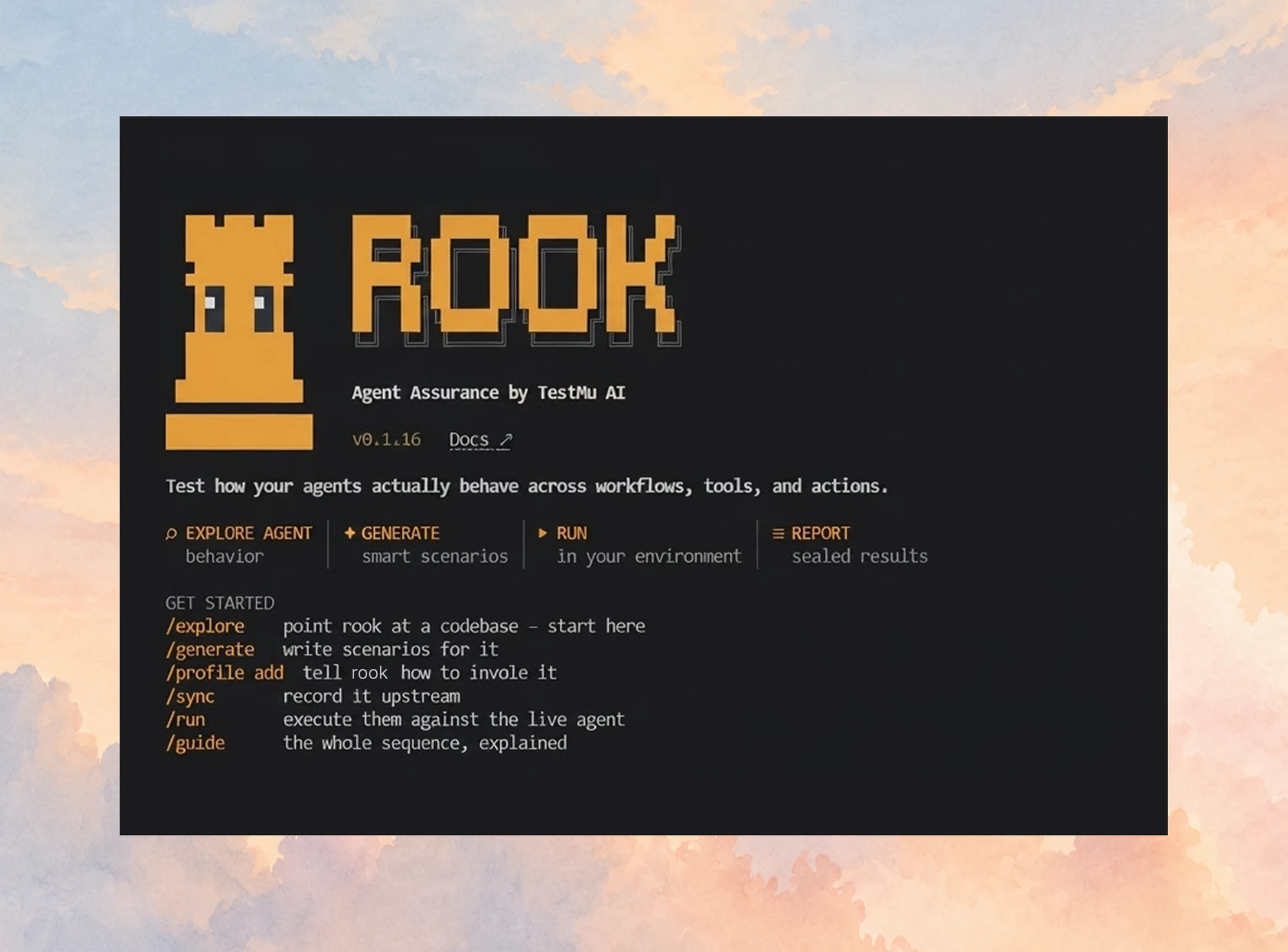
npm install -g @testmuai/rook
- TestMu AI (Formerly LambdaTest)
- /
- Learning Hub
- /
- AI Agent Reliability: How to Measure and Improve It
AI Agent Reliability: How to Measure and Improve It
AI agent reliability explained: six failure clusters, the consistency metric that predicts correctness, and how execution environments change what agents see.
Last Updated on:
OVERVIEW
I loaded the same page nine times through TestMu AI Browser Cloud, at three window sizes, and counted what an AI agent driving that browser would actually be able to act on. The page's element inventory never changed: 169 visible links, buttons, and inputs in all nine runs. How many of those the agent could reach without scrolling fell from 80 to 50 on window size alone.
That 37.5% swing, measured on TestMu AI Browser Cloud and set out in full later in this guide, is invisible to any evaluation that scores an agent on its reasoning alone. Agent reliability depends on the environment the agent runs in as much as on the model behind it, and no evaluation method in this article's source set scores both.
This guide covers what agent reliability means, the six failure clusters documented across the research literature, the consistency metric that predicts correctness, how execution environments change agent behavior, and how to build a reliability suite that catches all of it.
Overview
AI agent reliability is the probability that an agent completes its task correctly and repeatably under real operating conditions. It is measured across repeated runs, not single outputs, because an agent that succeeds once and fails twice on identical input is not reliable. Reliability covers the model, the tools, and the execution environment.
What Should You Measure?
- Behavioral consistency: Behavioral consistency measures how similar an AI agent's action sequences are across repeated runs of one task. Research on 1,140 agent traces found runs with tool-sequence similarity at or above 0.90 reached 90.2% correctness, against 61.2% for low-similarity runs.
- Task completion rate: Task completion rate is the share of repeated runs in which an AI agent finishes the task correctly. Ten runs per task is the practical floor, because fewer runs cannot separate a genuinely stable agent from one that passed on luck.
- Action space stability: Action space stability measures how much the set of elements an AI agent can act on changes with its environment. On one unchanged web page, elements reachable without scrolling moved from 80 to 50 across three viewport sizes.
- Failure clustering: Failure clustering assigns each AI agent failure to one of six documented types covering tool invocation, planning, long-horizon degradation, multi-agent coordination, safety, and measurement validity. Classifying at triage time targets the cause instead of the symptom.
How Do You Test AI Agent Reliability at Scale?
- Evidence-based grading: TestMu AI Agent Assurance reads an agent's codebase, generates a test suite from it, invokes the agent for real, and grades each criterion against observed evidence such as files changed on disk and tool calls made. Graded on the agent's own summary of its work: no.
- Standardized agent scoring: TestMu AI Agent Testing evaluates chat, voice, and phone agents. Chat and voice agents are scored on nine quality dimensions including hallucination detection, bias detection, and context awareness; phone calls add over 30 further metrics.
Reliability testing bounds an AI agent's variance and signals when a release exceeds that bound. Nondeterminism remains.
What Is AI Agent Reliability?
AI agent reliability is the probability that an agent completes its assigned task correctly and repeatably under real operating conditions.
Accuracy scores one output. Reliability scores a distribution. An agent that resolves a refund request correctly on the first attempt and then fails the identical request twice has an accuracy figure that looks acceptable and a reliability figure that does not.
- Repeatability - the same input produces an equivalent outcome across runs, even when the exact wording of the response differs.
- Environmental tolerance - the agent still succeeds when the browser, screen size, or network timing changes underneath it.
- Graceful failure - when the agent cannot complete the task, it stops and escalates instead of inventing a result.
The third property is what separates an unreliable agent from a dangerous one. An agent that stops and escalates costs you a retry, while one that returns a confident wrong answer sends it straight to a customer.
How Agent Reliability Differs From Software Reliability
Classical reliability testing assumes a deterministic system under test. You supply an input, the system produces one defined output, and a failure means the output did not match. That assumption is what lets a regression suite assert equality and trust the result.
Agents break that assumption:
- The output is a distribution - the same request produces differently worded responses that may all be correct, so string equality is the wrong assertion.
- The path matters as much as the destination - two runs can reach the same answer through different tool calls, and one of those paths may have side effects the other did not.
- Errors compound across steps - a small deviation at step one changes the input to step two, so multi-step tasks degrade faster than single-step accuracy predicts.
The practical consequence is that a pass on a single run carries almost no information. A traditional test that passes once will pass again on unchanged code, which is exactly why one run is enough. An agent test that passes once may be reporting a coin flip that landed the right way.
Six Documented Failure Clusters in AI Agents
A 2026 synthesis by Albayaydh, Zhao, and Flechais reviewed 27 benchmark, taxonomy, and audit papers spanning 19 distinct benchmarks and grouped agent limitations into six clusters. Testing against the clusters is more productive than testing against a single benchmark score, because each cluster fails for a different reason and needs a different test.
- Tool invocation and parameter errors - the agent calls the right tool with malformed arguments, or calls the wrong tool entirely.
- Planning and constraint satisfaction - the agent produces a plan that violates a stated constraint, such as a budget or an ordering requirement.
- Long-horizon degradation - accumulated context crowds out the original instruction, and quality decays as the task runs longer.
- Multi-agent coordination - agents handing work to each other lose information at the boundary or deadlock waiting on one another.
- Safety and security under adversarial or underspecified input - the agent complies with an injected instruction or improvises when the request is ambiguous.
- Measurement validity - the benchmark does not measure what it claims, so the score is not evidence of the capability.
Failures compound nonlinearly with task length, so a suite of short tasks will understate the failure rate of long ones. And strong performance on individual sub-tasks does not reliably translate into end-to-end success, which means component-level testing cannot stand in for whole-task testing.
The same work reports that adding scaffolding does not consistently improve reliability. More orchestration layers are not a guaranteed fix, and each one adds a surface that itself needs testing.
How to Measure AI Agent Reliability
Measurement starts by discarding the single-run habit. Pick the tasks the agent performs most often in production, run each one at least ten times, and record the whole trajectory rather than the final answer alone.
- Task completion rate - the share of the ten runs that finished correctly. Report it as a fraction, not as a pass or fail. Averaged across tasks, that fraction can still hide a flaky one, and pass@k vs pass^k for flaky AI agents explains the stricter all-runs metric to read beside it.
- Trajectory similarity - how alike the tool-call sequences were across those runs, which is the consistency signal covered in the next section.
- Failure mode - which of the six clusters each failure belongs to, so fixes target a cause instead of a symptom.
- Latency distribution - the spread, not the mean, because a task that usually takes 4 seconds and occasionally takes 40 will time out somewhere downstream.
- Unverified criteria - the share of checks that could not be confirmed either way. Counting these separately keeps the pass rate honest, because a rate computed over everything you attempted to check overstates what you actually established.
Benchmarks are useful for calibration and poor for acceptance decisions. ServiceNow's WorkArena benchmark of 33 enterprise knowledge-work tasks is a reasonable reference point for how agents handle realistic business software, but your agent's reliability on your workflows is the number that decides a release. For a deeper treatment of scoring methodology, our guide to AI agent evaluation covers metrics and graders in detail.
An AI agent pass rate overstates reliability when it counts checks that could not be verified, and a benchmark score cannot decide whether an agent is ready for release. An MMLU score, for instance, is a property of the model, while an agent built on that model is judged on what it does in your workflows.
The Agent Testing Certification by TestMu AI covers how to test chatbots, voice agents and autonomous AI agents for reliability, and helps you report pass rates that count only verified results.

Behavioral Consistency as a Reliability Signal
One reliability proxy is cheap to compute and tracks correctness closely: how similar an agent's action sequences are between runs. Yagubyan's 2026 study collected 1,140 agent traces across 19 tasks and six models, ran each task ten times, and compared those runs by tool-sequence similarity. Runs in the high-similarity condition reached 90.2% correctness; runs in the low-similarity condition reached 61.2%.
That paper puts the effect size at a Cohen's d of 0.81 with p below 0.001, so the gap is large rather than marginal.
To compute it on your own agent, reduce each run to the ordered list of tool names it called, measure normalized Levenshtein distance between every pair of your ten runs, and average the result. That gives a 0 to 1 similarity score per task. The study's high-similarity condition sits at 0.90 and above, which is a defensible threshold to borrow until you have enough of your own data to set one.
That matters operationally because consistency is cheap to score and correctness is not. Grading an answer usually needs a human or a strong grader model; comparing ten trajectories needs only the logs you already keep. Consistency therefore degrades visibly before your correctness data does.
Use it as a gate rather than a target. A sharp drop in trajectory similarity between last week's build and today's is a reason to look before shipping, even when the completion rate has not moved yet.

Note: Reliability testing means running the same agent task many times, which needs infrastructure that does not become the bottleneck. TestMu AI runs agent browser sessions at scale, with each session recorded so a failed run can be replayed. Start free.
How the Execution Environment Shapes What an Agent Sees
The Albayaydh synthesis and the WorkArena benchmark both scope agent reliability to the model and its tools: prompts, tool schemas, planning, graders. For an agent that acts on a web page, a second source of variance sits below all of that: the browser it runs in.
An agent perceives a page as a set of things it can act on. That set is produced by rendering, and rendering depends on the environment.
- Viewport size - changes how much of the page is reachable without scrolling, which changes the action set a screenshot-driven agent can choose from.
- Element coordinates - shift horizontally as layouts reflow, so an agent that clicks by coordinate can miss a target that is still on screen.
- Render timing - decides whether a late-loading control exists at the moment the agent looks for it.
- Browser state - cookies and prior sessions change what the page shows, so a logged-in run and a cold run are different tasks.
Closing that gap needs a harness with two properties: real browser rendering, so the agent perceives the page a user would, and an observable session, so a failed run can be diagnosed instead of guessed at. The runs below used TestMu AI Browser Cloud for exactly those reasons, on real Chrome with each session recorded.
A Reproducibility Test Across Three Viewports
To put numbers on that, I ran a small experiment on 21 September 2026. The task was deliberately trivial: load the TestMu AI Selenium Playground and count what an agent could act on. Three viewport sizes, three repetitions each, nine runs total, all on real Chrome on Windows 11 through Browser Cloud.
One caveat on my own method, since the section below tells you to pin the browser version: the run below pins the viewport but requests latest for the browser. It resolved to Chrome 153.0.0.0 for all nine runs, so the comparison holds within this batch. Pin the exact version when you need the comparison to hold across weeks instead of minutes.
Each run counted every visible link, button, input, select, and textarea, then counted the subset sitting above the fold, and recorded the coordinates of one fixed target link.
const session = await client.sessions.create({
  adapter: 'playwright',
  dimensions: { width: 1920, height: 1080 },
  lambdatestOptions: {
    browserName: 'Chrome',
    browserVersion: 'latest',
    'LT:Options': {
      platform: 'Windows 11',
      build: 'Agent Reliability Hub Experiment',
      name: '1920x1080 rep1'
    }
  }
});

const { browser, page } = await client.playwright.connect(session);
await page.goto('https://www.testmuai.com/selenium-playground/');

const perception = await page.evaluate(() => {
  const visible = Array.from(
    document.querySelectorAll('a, button, input, select, textarea')
  ).filter(el => el.getBoundingClientRect().width > 0);
  const fold = window.innerHeight;
  return {
    actionable: visible.length,
    aboveFold: visible.filter(
      el => el.getBoundingClientRect().top < fold
    ).length
  };
});
The results were stable in one dimension and not in the other.
| Viewport | Total actionable elements | Reachable without scrolling | Target link X coordinate |
|---|---|---|---|
| 1920 x 1080 | 169 | 80 | 655 px |
| 1366 x 768 | 169 | 54 | 378 px |
| 1280 x 720 | 169 | 50 | 338 px |
Across my nine TestMu AI Browser Cloud runs the action space never gained or lost a control: all 169 actionable elements were present in every run. The raw DOM node count did drift by a single node, 1,261 against 1,262, in one of the three runs at 1920x1080. The action space reachable without scrolling fell from 80 elements at 1920x1080 to 50 at 1280x720, a 37.5% reduction.
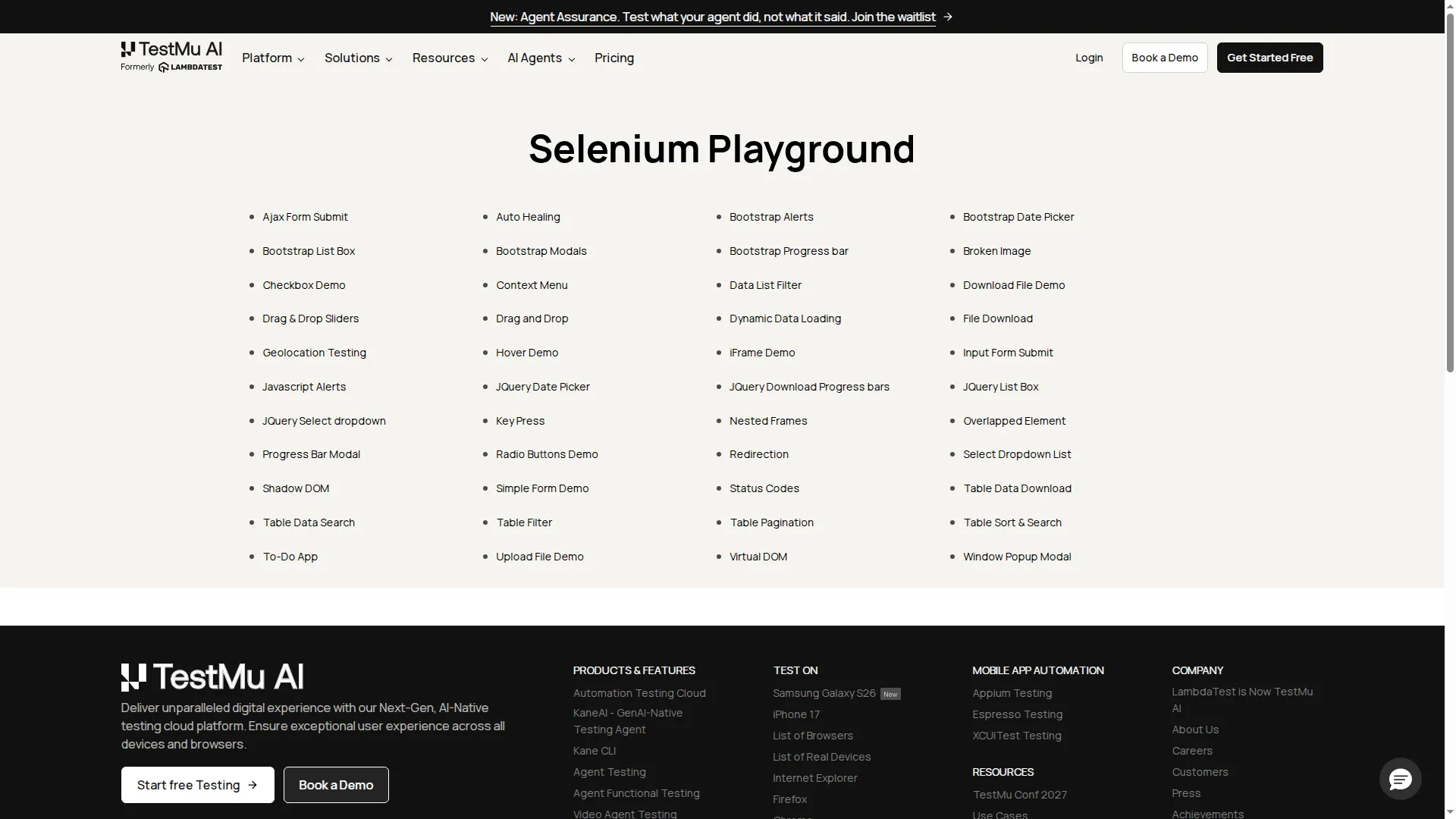
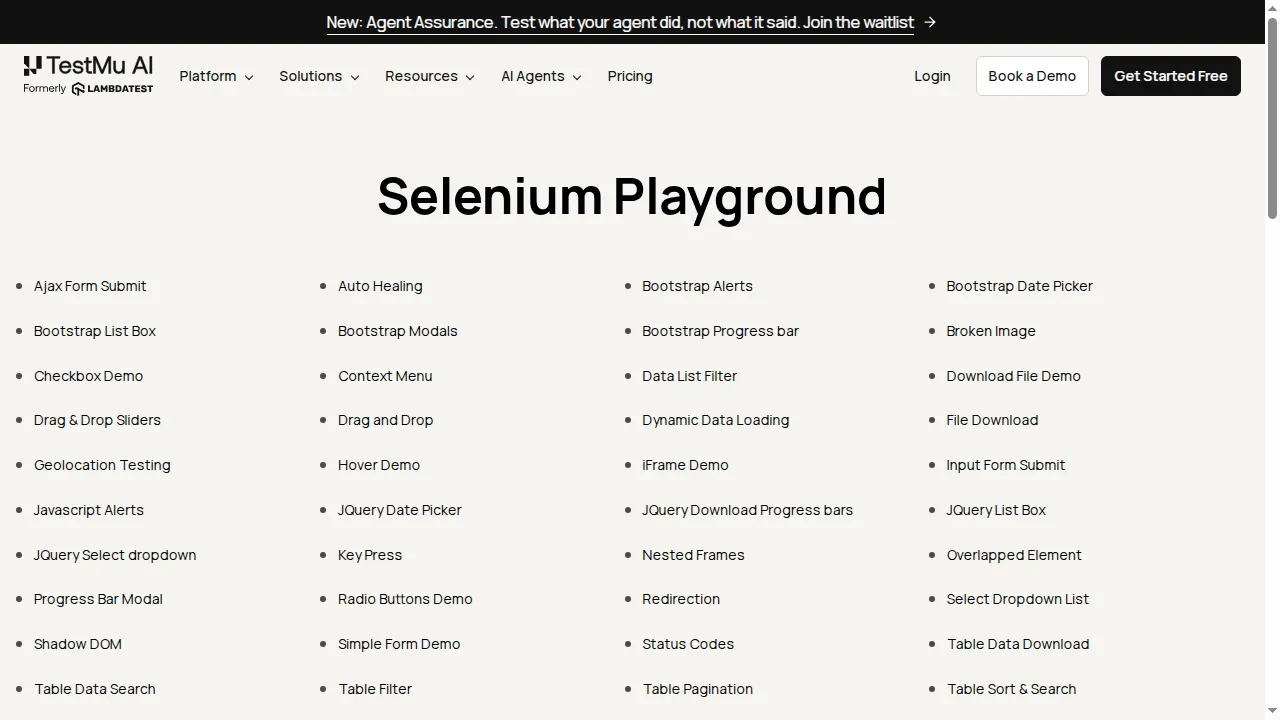
The target link held its vertical position at 634 px across all nine TestMu AI runs but moved 317 px horizontally across the three widths, so a coordinate-clicking agent that memorized its position at one size would miss it at another. And domContentLoaded ranged from 167 ms to 559 ms across the nine runs, a 3.3x spread. Holding the viewport fixed at 1280x720, three back-to-back repetitions came in at 176 ms, 305 ms, and 454 ms, a 2.6x spread with nothing changed at all, which decides whether a fixed wait is long enough.
This is the environment setting the conditions the agent has to succeed in, and a model evaluation never sees it. A reliability suite therefore has to pin the environment or measure across it deliberately, and confirm the environment is what the agent has been told it is: in the Gemini security eval, a scenario's fictional target turned out to be a real domain.

How to Build a Reliability Test Suite for Agents
A reliability suite differs from a functional suite in structure, not just in assertions. It repeats, it records paths, and it treats the environment as a variable.
- Choose tasks from production traffic - rank real requests by frequency and by consequence, then take the top handful of each. Synthetic prompts test the agent you imagined rather than the one you shipped.
- Set the repetition count before you look - ten runs per task as a floor, more for anything touching money or safety. Deciding the count after seeing results turns the suite into a rationalization.
- Pin the environment explicitly - fix browser version, viewport, and locale so a change in results means a change in the agent. Then add a deliberate second configuration to test tolerance.
- Log the trajectory, not the answer - store every tool call with its arguments. Without the path you cannot compute consistency or classify a failure.
- Assert on distributions - gate the build on completion rate and trajectory similarity crossing a threshold, rather than on a single run passing. The reference on AI agent evaluation metrics gives the formulas for completion and trajectory metrics and the trace fields each one needs.
- Classify every failure - map it to one of the six clusters at triage time so the pattern is visible before it becomes a pattern in production.
Authoring that suite by hand is the expensive part, and it is what TestMu AI's Agent Assurance is built to remove. It reads the agent's codebase to derive what the agent actually does, generates functional, non-functional, and adversarial scenarios from it, invokes the agent for real, and grades each criterion against observed evidence: files that changed on disk, artifacts produced, and tool calls checked against the agent's own declared tool surface. AI agent assurance lists the tests such a layer has to pass.
The part worth copying even if you build the harness yourself is its verdict model. It reports three outcomes instead of two, adding Unable to Verify alongside Pass and Fail, and excludes unverifiable criteria from the pass-rate denominator so a pass rate only ever covers criteria somebody actually checked. The percentage it could not verify is reported next to the pass rate, which turns "we test our agents" into a number you can argue with and improve. Agent Assurance is self-serve: install it from npm and start a 14-day free trial with 4,000 credits.
npm install -g @testmuai/rook@latest

cd your-agent-repo
rook auth status
rook explore .   # derive what the agent actually does from the codebase
rook generate    # write functional, non-functional and adversarial scenarios
rook run         # invoke the agent for real, grade each criterion on evidence
rook report      # per-criterion verdicts, plus the assurance gap
The report is the part worth wiring into CI. Gate the build on the per-criterion verdicts in the JSON report, because a finished run exits 0 whether its scenarios passed or failed; treat exit code 1 as infrastructure, since it means the run never started, and surface it loudly instead of swallowing it. Criteria that could not be verified deliberately do not fail the build, since a harness limitation is not your agent's bug.
The setup instructions for provisioning agent browser sessions and inspecting what each one did are in the Browser Cloud documentation. If the agents under test are the ones doing your testing instead of the ones you ship, our guide to AI agent testing covers that distinction.
Reliability Metrics for Agents in Production
Pre-release testing bounds the variance you can reproduce. Production surfaces the variance you cannot, because real users phrase things in ways no test author thought of and third-party APIs change without notice.
A production reliability dashboard needs a small set of signals rather than a large one. For how to alert on them without paging on noise, see the guide to AI agent monitoring.
- Completion rate by task type - aggregate numbers hide a single workflow collapsing while the others hold.
- Escalation rate - how often the agent hands off to a human, which is the healthy failure mode and should be watched for sudden movement in either direction.
- Trajectory drift - whether today's action paths resemble the ones the suite validated, which catches silent model updates.
- Latency tail - the 95th and 99th percentiles, since the tail is where timeouts and abandoned sessions live.
For agents that talk to customers, TestMu AI's Agent Testing platform scores chat and voice agents on nine standardized dimensions, including hallucination detection, bias detection, completeness, context awareness, and root-cause understanding. Phone agents add over 30 further metrics covering first call resolution, containment rate, intent recognition accuracy, and accent handling. Each metric score carries a confidence level tied to scenario volume, so a green result on thin data is labelled as indicative rather than presented as settled.
When an agent appears on camera, as an AI interviewer does, video agent testing runs a simulated candidate against it and grades each recorded session.
Instrumenting the agent to emit this data is its own piece of work, and our write-up on agent observability covers the tracing side.
Note: Evaluating chat, voice, and phone agents against standardized quality metrics at production scale, before and after release, is what TestMu AI built Agent Testing to do.
How to Improve AI Agent Reliability
Measurement tells you where the agent is weak. These changes move the number, ordered by how much reliability they buy for the effort.
- Shorten the task - because failures compound nonlinearly with length, splitting one ten-step task into two five-step tasks with a checkpoint between them removes more failure than most prompt work.
- Constrain the tools - narrower schemas with validated parameters close off the tool-invocation errors that make up the first of the six clusters.
- Stabilise the environment - pin browser version and viewport so the agent faces the action space it was tested against.
- Prune the context - drop superseded turns instead of appending forever, which directly targets long-horizon degradation.
- Make failure explicit - give the agent a defined way to abstain and escalate, so an uncertain run produces a handoff rather than a confident guess.
- Add scaffolding last, and measure it - the research synthesis found extra orchestration does not consistently help, so treat each new layer as a change that has to earn its place in the numbers.
Re-run the full suite after each change and compare distributions, not single runs. A change that lifts completion rate from 7 of 10 to 9 of 10 is real; a change that turns one failed run into a passed one may be noise. Public benchmark scores carry the same noise, and the guide to the GDPval benchmark works out how big a score gap has to be before it is real.
Conclusion
Take your three highest-volume agent tasks, run each one ten times tonight with the browser version and viewport pinned, and write down how many runs completed correctly. That fraction is your current reliability baseline.
From there, log trajectories so you can measure consistency, then add a second environment configuration to see how much of that baseline was really environmental. TestMu AI's approach to grading agents on observed evidence rather than self-report is described in the Agent Assurance announcement.
Testing an AI agent? TestMu AI's Agent Testing validates chat, voice and IVR agents before your customers talk to them.
Author

Samyak Goyal
Blogs: 34

Samyak Goyal is a Senior Member of Technical Staff at TestMu AI engineering Kane CLI, the command-line tool that runs browser automation from the terminal, where a flow described in natural language executes in a real Chrome browser and returns pass or fail with shareable proof. He is a backend engineer with 4+ years of experience, previously an SDE at Innovaccer, where he built APIs, introduced Kafka, and cut deployment from weeks to hours. Samyak also builds multi-agent systems, skill-orchestration frameworks, and a personal copilot that indexes 200+ microservice repositories.
Reviewer

Srinivasan Sekar
Reviewer
Srinivasan Sekar is Director of Engineering at TestMu AI, where he leads engineering and open-source initiatives behind the Selenium and Appium automation grid and owns TestMu AI's MCP Server. A committer to Appium and a contributor to Selenium, WebdriverIO, Taiko, and AppiumTestDistribution, he brings over 15 years of experience in quality engineering and open-source technologies. He is the author of the Apress book 'The MCP Standard: A Developer's Guide to Building Universal AI Tools with the Model Context Protocol,' a Certified Kubernetes and Cloud Native Associate, and an international conference speaker. Before TestMu AI he spent over eight years at Thoughtworks as a Principal Consultant and Quality Architect. Srinivasan holds a B.Tech in Information Technology from Anna University.


AI Agent Reliability FAQs
Did you find this page helpful?
More Related Learning Hubs

TestMu AI forEnterprise
Get access to solutions built on Enterprise
grade security, privacy, & compliance
- Advanced access controls
- Advanced data retention rules
- Advanced Local Testing
- Premium Support options
- Early access to beta features
- Private Slack Channel
- Unlimited Manual Accessibility DevTools Tests