
Test chat, voice, and video
AI agents before launch
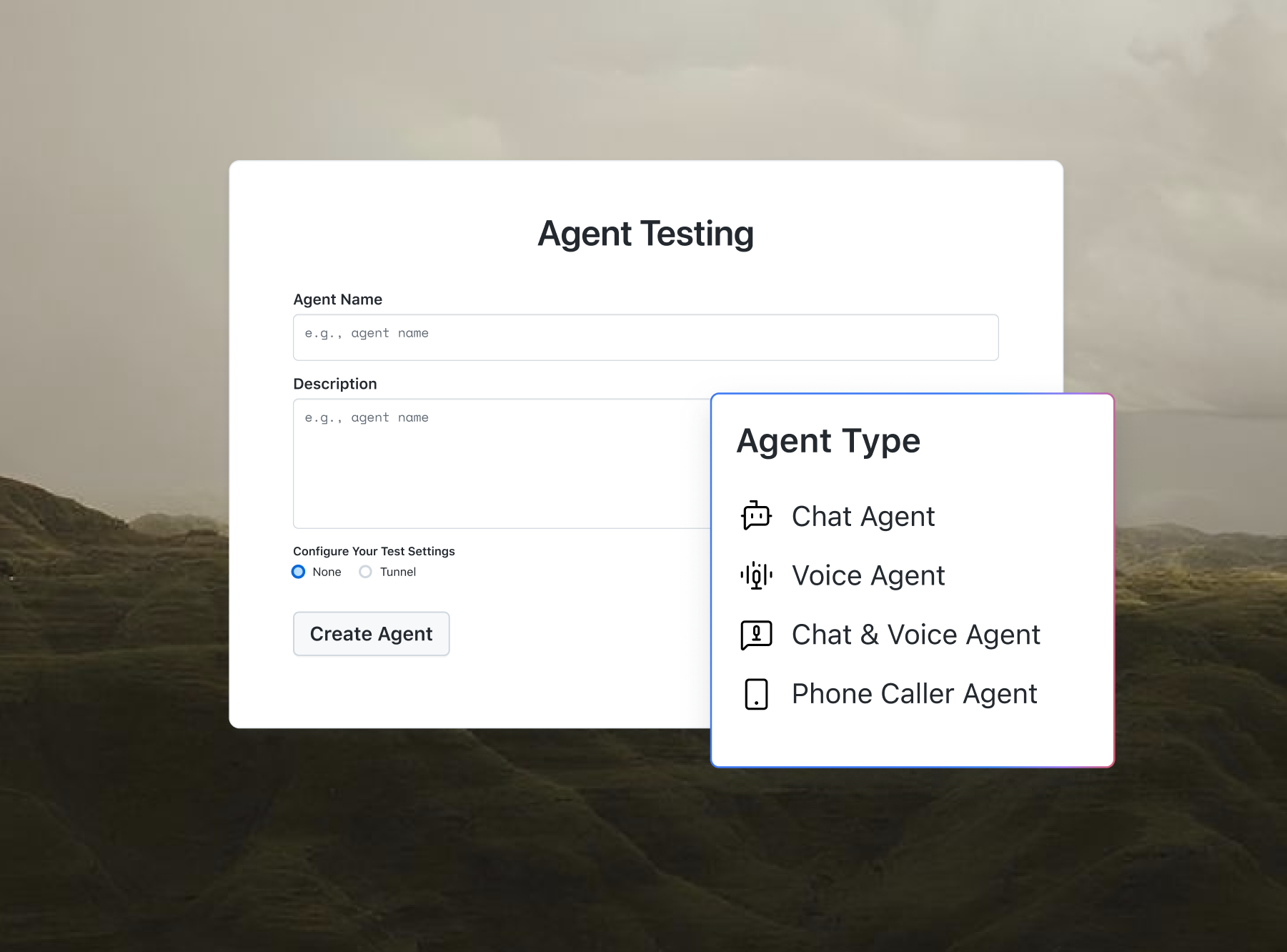
Agent Testing questions your chatbot or voice agent and scores each reply for hallucination and bias.

Free No-Code AI Agent Stack Selector Online
A free no-code AI agent stack selector that turns your plain-English description, skill level, budget, and deployment channel into a recommended AI agent tech stack: builder platform, automation layer, LLM, and data integrations. This utility is part of the free developer toolkit from TestMu AI (formerly LambdaTest).
Categories

Ship AI Agents With Confidence
See how it performs before real users do.



Describe the agent's job, the systems it needs to talk to, and any constraints. Keep it focused for best results.
What Is the No-Code AI Agent Stack Selector?
The No-Code AI Agent Stack Selector is a free tool that turns a plain-English description of the AI agent you want into a recommended tech stack. You describe the agent, then set your team's skill level, budget, and deployment channel, and it returns a builder platform, automation layer, LLM, data integrations, and deployment steps matched to those inputs.
The recommendation covers the full AI agent tech stack: a builder platform, an automation and orchestration layer, an LLM provider, data and integration options, and channel-specific deployment guidance. You move from idea to a concrete shortlist without guessing which tools fit together or whether they fit your budget.
All generation runs through the OpenRouter API using OpenRouter's openrouter/free model router. Your description is sent to OpenRouter to produce the recommendation and is not stored or logged by TestMu AI. To compare specific agent frameworks instead, try the AI Agent Stack Picker.
How Does the No-Code AI Agent Stack Selector Work?
The tool uses a specially engineered system prompt that instructs the underlying LLM to act as an expert no-code/low-code AI agent architecture consultant. When you submit your description, the LLM:
- Parses your description to extract the agent's job, integrations, and constraints.
- Infers the use case: the stack is tailored to the scenario you describe, such as customer support or lead qualification.
- Matches your team's skill level: a No-Code team never gets a stack that requires custom code, while a Technical team gets more advanced, flexible options.
- Fits your budget: tools and plan tiers are filtered against the monthly budget range you select, so you are not recommended a platform you cannot afford.
- Matches your deployment channel: platforms that natively support your chosen channel (website chat, Slack, voice, SMS, and more) are prioritized over ones that need workarounds.
- Outputs a clean, structured recommendation with no markdown fences or extra commentary, ready to share or act on.
The tool enforces a fair-use daily limit of 20 generations per browser (stored locally) to prevent abuse. It also strips code fences and validates the input so the response is a usable stack recommendation.
For deeper background on prompting and agent design, see the OpenAI prompt engineering guide.

How Do You Use the No-Code AI Agent Stack Selector?
Follow these steps to get a custom stack recommendation in seconds:
- Describe your requirements: type a short, specific description of what the agent should do, which systems it connects to, and any constraints. Example: "An agent that answers order-status questions using our Shopify data and escalates refunds over Slack."
- Choose your team's skill level: pick No-Code, Low-Code, Technical, or another option so the tools match what your team can maintain.
- Set your monthly budget: pick the budget range you work with so the recommendation stays affordable.
- Pick your deployment channel: choose where the agent runs, such as website chat, Slack or Teams, voice, email, SMS or WhatsApp, mobile app, an internal dashboard, or multiple channels.
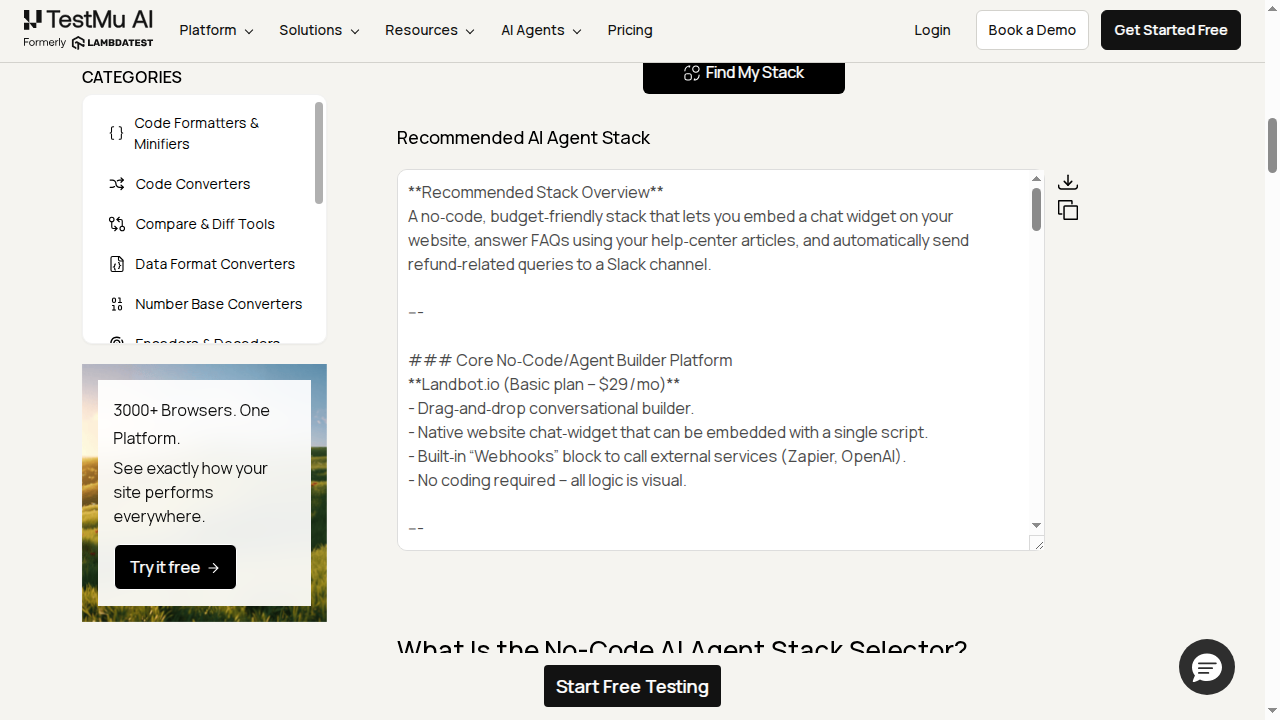
- Click "Find My Stack": the tool reads your description and returns a complete stack recommendation in the output panel below.
- Review and refine: read the recommendation, then adjust your description or the dropdowns and generate again if needed.
- Copy or download: use the Copy button for your clipboard, or Download to save it as a Markdown file.
- Upload or load a sample: upload a text file with your requirements, or load the sample to see how the tool works.
For related tools, try the AI Agent Prompt Generator to write your agent's system prompt, the AI Agent Workflow Builder to map the steps your agent runs, or the AI Agent Use Case Finder to spot high-value automations.
What Are Common Use Cases for the No-Code AI Agent Stack Selector?
Here are five common scenarios where this tool saves time and prevents costly tool-selection mistakes:
- Founders scoping their first agent: get a beginner-friendly, budget-fit stack for a customer support or lead-gen agent without hiring a developer first.
- Ops teams automating workflows: scaffold an automation and orchestration layer that connects your existing SaaS tools without custom code.
- Agencies pitching AI solutions: generate a use-case and budget-specific stack recommendation to present to clients in minutes.
- Technical teams evaluating options: compare a no-code baseline against a more flexible low-code or custom-code stack for the same use case and channel.
- Learning the AI agent landscape: read the recommendations to see how builder platforms, orchestration layers, LLMs, and channels fit together.
For a broader initiative, generate separate recommendations for a support agent, a sales agent, and an internal knowledge assistant, each with its own budget and channel. Once an agent is live, TestMu AI helps you test it: use Test Manager to plan and track test cases, and KaneAI to author agent and UI tests in plain language. To size the payback first, run the AI Agent ROI Calculator.
Frequently Asked Questions (FAQs)
Is the No-Code AI Agent Stack Selector free to use?
Yes. The No-Code AI Agent Stack Selector is free with no signup or install. A fair-use limit of 20 generations per day per browser keeps it available for everyone, and you can run it as many times as you need within that limit to compare stacks for different agents.
Do I need to know how to code to use this tool?
No. Set the skill level to No-Code and the tool only recommends platforms and approaches that need no custom code. If your team can code, pick Low-Code or Technical to get more flexible options, such as agent frameworks and custom integrations, in the recommended stack.
Why does the tool ask for my budget and deployment channel?
The same agent needs very different tools depending on spend and where it runs. Your monthly budget filters out platforms you cannot afford, and your deployment channel, such as website chat, Slack, voice, or SMS, prioritizes tools that natively support it, so the recommended stack is one you can actually build and pay for.
What does a recommended AI agent stack include?
Each recommendation spans the full stack: a builder or agent platform, an automation and orchestration layer, an LLM or model provider, a data and integration layer, and channel-specific deployment guidance. It also gives an estimated setup time, a monthly cost range, a step-by-step setup guide, and alternatives to consider.
Does the tool store my data?
No. Your description is sent to the OpenRouter API to generate the recommendation and is not stored or logged by TestMu AI. Your skill, budget, and channel selections stay in your browser, and the daily usage count is kept in local storage only. Avoid pasting secrets or personal data into the description.
Is the recommended stack guaranteed to work for my business?
The output is a strong, use-case-specific starting point, not a final decision. Recommendations come from an AI model, so always confirm current pricing, integrations, data residency, and compliance for your region before committing to any platform. Treat the stack as a shortlist to validate, then run a small pilot before rolling out.
How do I choose the right no-code AI agent builder for my needs?
Match the builder to four things: your team's skill level, the channels you need to deploy to, your monthly budget, and the systems it must integrate with. Favor platforms with native connectors for your tools and room to scale. This selector automates that match and returns a fitting builder from your inputs.
How much does a no-code AI agent cost per month?
Budget for two layers: the builder or platform subscription, often free to around 50 dollars a month for starters, plus separate LLM API usage that scales with traffic. A low-volume support or FAQ agent can run under 50 dollars a month, while high-traffic, multi-channel, or voice agents cost more. The selector estimates a range from your budget.
How long does it take to build and launch a no-code AI agent?
A simple single-channel agent can be live in a few hours to a day. Multi-channel, CRM-integrated, or voice agents usually take several days to two weeks. Most of the time goes into connecting data and testing, not coding. Each recommendation includes an estimated setup time so you can plan the rollout.
Which LLM should I use for my AI agent?
Choose by task. Use a strong reasoning model for complex, multi-step work, a cheaper fast model for high-volume simple replies, and an open-source model when you need privacy or lower cost at scale. Hosted APIs like GPT, Claude, or Gemini are easiest to start, and many builders are model-agnostic, so you can switch later.
Are no-code AI agents secure enough for sensitive business data?
They can be. Enterprise-grade platforms offer encryption, access controls, data-retention settings, and certifications such as SOC 2 or GDPR. Risk depends on the platform and whether your data leaves your environment. For regulated or sensitive data, prefer self-hosting or a private model, and verify each vendor's compliance before you deploy.
When should I move from a no-code builder to custom code?
Stay no-code while your needs fit prebuilt connectors, standard logic, and moderate scale. Move toward low-code or code when you need custom integrations, complex branching, a proprietary model, strict performance or cost tuning, or full ownership. Many teams start no-code and rebuild only the parts that outgrow the platform.
What is the difference between an AI agent builder and an automation tool like Zapier or Make?
Automation tools run fixed trigger-and-action workflows, while AI agents reason over open-ended input and decide what to do next. Agents often use an automation layer to carry out actions. A simple form-to-CRM task needs only automation, but a dynamic conversation needs an agent, and some stacks use both together.
Can one AI agent work across multiple channels like web chat, Slack, WhatsApp, and voice?
Often yes. Many platforms deploy a single agent to website chat, Slack, WhatsApp, SMS, email, and voice from one build. Channel support varies by platform, and voice or phone usually needs a specialized layer. Pick the exact channels in the tool and it matches a stack that supports them.

Did you find this page helpful?
More Tools
TestMu AI forEnterprise
Get access to solutions built on Enterprise
grade security, privacy, & compliance
- Advanced access controls
- Advanced data retention rules
- Advanced Local Testing
- Premium Support options
- Early access to beta features
- Private Slack Channel
- Unlimited Manual Accessibility DevTools Tests