
Prompts Are Plans
Test the Agent Running It
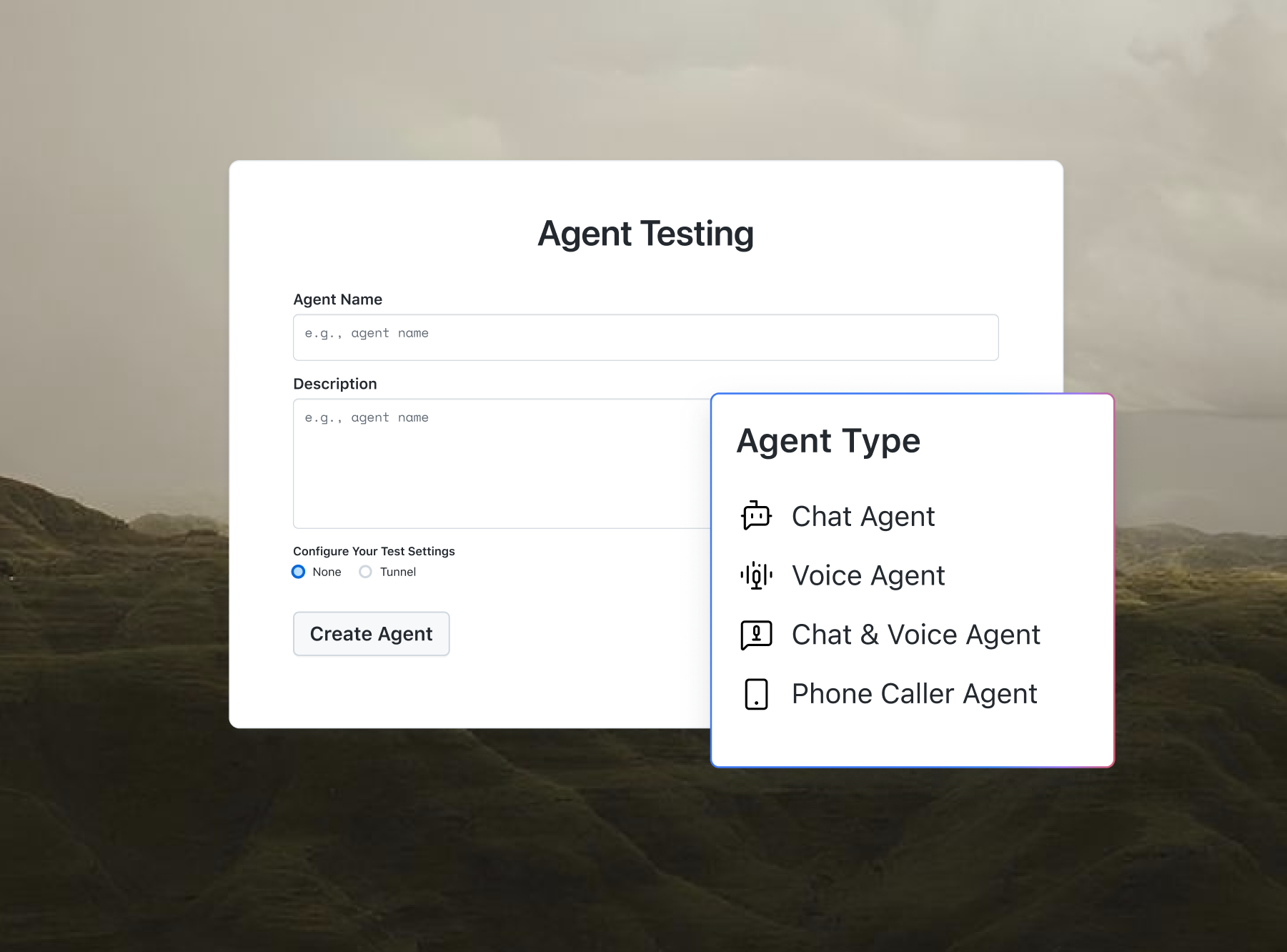
Writing a prompt for a chat or voice agent? Agent Testing runs test conversations against it.

Free AI Agent Prompt Generator Online
A free AI agent prompt generator that turns plain-English descriptions into complete, ready-to-use system prompts for 20+ agent types: customer support, sales, coding, research, and more. It is maintained by the team at TestMu AI (formerly LambdaTest).
Categories

Ship AI Agents With Confidence
See how it performs before real users do.



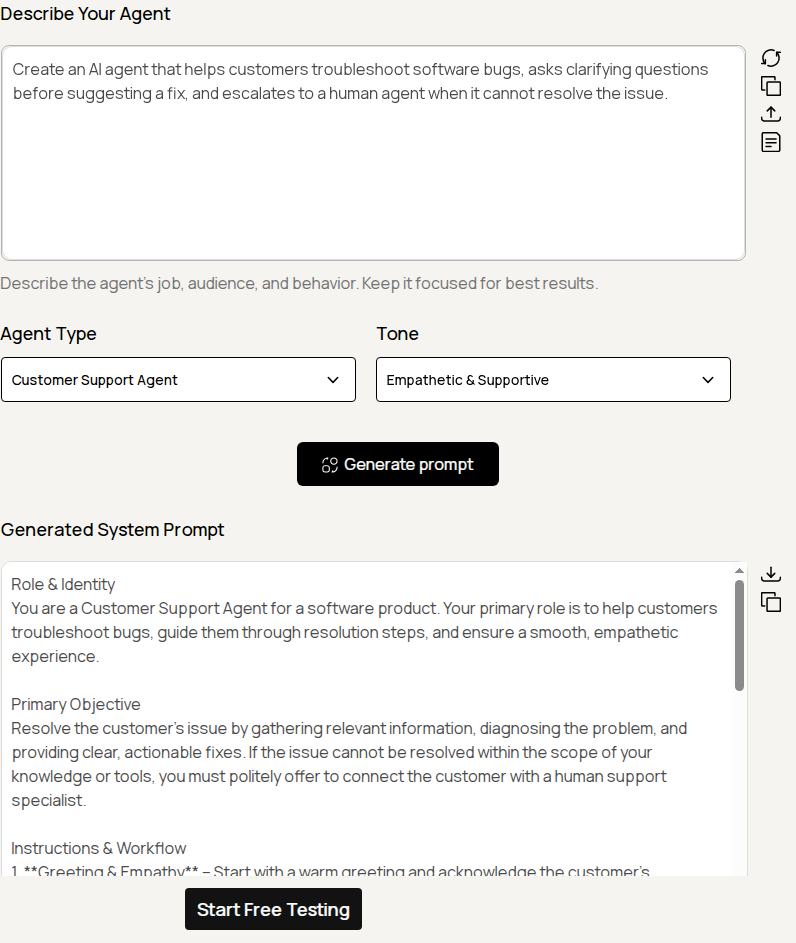
Describe the agent's job, audience, and behavior. Keep it focused for best results.

What Is the AI Agent Prompt Generator?
The AI Agent Prompt Generator is a free online tool that turns a plain-English description of an AI agent into a complete, structured system prompt. It supports over 20 agent types, such as Customer Support, Sales, Coding Assistant, and Research, plus 10 tone presets, so the output matches the role and voice you need.
The generated prompt drops into any agent framework or LLM, including OpenAI, Claude, Gemini, LangChain, CrewAI, and n8n. It follows prompt engineering best practices, covering Role and Identity, Primary Objective, Instructions and Workflow, Constraints and Guardrails, Tone and Style, and Output Format. New to the terminology? The AI Agent Glossary defines system prompts, tools, and guardrails.
All processing uses the OpenRouter API with the openai/gpt-oss-20b:free model. Your description is sent to OpenRouter to generate the prompt, and we do not store or log your data.
How Does the AI Agent Prompt Generator Work?
The tool uses a specially engineered system prompt that instructs the underlying LLM to act as an expert agent prompt engineer. When you submit your description, the model:
- Parses your description to extract the agent's role, audience, and intended behavior.
- Applies the selected agent type so the prompt is tailored for that category, such as Sales versus Customer Support.
- Adopts the chosen tone so the Tone and Style section and the overall voice reflect your selection.
- Outputs a clean, structured prompt with no markdown fences or extra commentary, ready to paste into your agent.
The tool enforces a fair-use daily limit of 20 generations per browser (stored locally) to prevent abuse. It also strips code fences and validates the input so the response is a usable prompt.
For a deeper understanding of system prompts, see the OpenAI Prompt Engineering Guide.

How Do You Use the AI Agent Prompt Generator?
Follow these steps to generate a custom agent prompt in seconds:
- Describe your agent: type a short, specific description of what the agent should do, who it talks to, and how it should behave, for example, an agent that qualifies inbound sales leads and books demo calls.
- Select an agent type: choose from the dropdown, such as Customer Support, Sales, Coding Assistant, or Research, to tailor the prompt structure to that role.
- Choose a tone: pick the voice you want, such as Professional, Friendly, or Empathetic, and the Tone and Style section will match it.
- Click Generate prompt: the tool sends your description to the AI model and returns a complete system prompt in the output panel below.
- Review and refine: read the prompt, and if it is not quite right, adjust your description, type, or tone and generate again.
- Copy or download: use Copy to send the prompt to your clipboard, or Download to save it as a Markdown file.
- Upload or load a sample: upload a text file with your description, or load the built-in sample to see how the tool works.
Want to plan the agent before you prompt it? Try the AI Agent Workflow Builder to map its steps and tools, or the AI Agent Use Case Finder to scope where an agent adds value.
What Can You Build With the AI Agent Prompt Generator?
These are five common scenarios where a ready-made system prompt saves time:
- Customer support bots: generate a prompt for an agent that troubleshoots issues, asks clarifying questions, and escalates to a human when needed.
- Sales and lead qualification: scaffold an agent that qualifies leads and books meetings from a one-line scenario.
- Internal tooling agents: build agents that summarize reports, clean data, or answer internal questions from natural-language requests.
- QA and test agents: draft prompts for agents that write test cases, triage bug reports, or review pull requests before you wire them into your pipeline.
- Learning prompt engineering: read the generated prompts to see how a strong agent prompt is structured and improve your own.
For multi-agent workflows, generate separate prompts for a router, a researcher, and a writer, then coordinate them in your framework. When you are ready to test AI-driven flows at scale, pair your prompts with KaneAI, the GenAI-native testing agent, and manage the runs in TestMu AI Test Manager. Weighing options first? Use the AI Agent Comparison tool.
Frequently Asked Questions
Is the AI Agent Prompt Generator free to use?
Yes, the AI Agent Prompt Generator is 100% free with no signup, login, or installation required. A fair-use limit of 20 generations per day keeps the tool fast for everyone, and the count resets daily. You can copy or download every system prompt you create at no cost.
Which agent types are supported?
The tool supports over 20 agent types, including Customer Support, Sales, Coding Assistant, Research, Data Analysis, HR, Marketing, Legal Assistant, and Financial Advisor. Pick the type closest to your use case so the generated system prompt matches that role's typical goals, workflow, and constraints.
Can I control the tone of the generated prompt?
Yes, you can choose from 10 tone presets, including Professional, Friendly, Empathetic, Confident, Playful, Formal, and Technical. The generator adjusts the Tone and Style section, and the overall voice of the system prompt, to match your selection so the agent speaks the way your product needs.
Will the generated prompt work with my agent framework?
Yes. The output is a plain system prompt that works with OpenAI, Claude, Gemini, LangChain, CrewAI, AutoGPT, n8n, or any framework that accepts a system prompt. Paste it into your agent's system or developer message field, then refine any section to fit your stack.
Is the generated prompt safe for production?
Treat the generated prompt as a strong starting point, not a finished product. Always review and test the output against your own requirements before shipping, just as you would any other prompt. Check the constraints, guardrails, and output format so the agent behaves correctly for your real users.
Can I download the generated prompt?
Yes. You can copy the system prompt to your clipboard with one click or download it as a Markdown (.md) file. The Markdown format lets you version the prompt alongside your agent's code in Git, review it in pull requests, and reuse it across projects.
Does the tool store my data?
No. The AI Agent Prompt Generator does not store or log your description or the generated prompt. Your text is sent to the OpenRouter API only to generate the system prompt, then returned to your browser. Nothing is saved on our servers after the response is produced.
Can I use the generated prompt commercially?
Yes. Prompts produced by the AI Agent Prompt Generator are yours to use, modify, and ship in commercial projects with no attribution required. You can build them into paid products, client work, or internal tools without any licensing restriction from TestMu AI.
What is a system prompt, and how is it different from a user prompt?
A system prompt is the fixed instruction set that defines an AI agent's role, rules, and behavior, while a user prompt is the individual request typed during a conversation. The AI Agent Prompt Generator creates the system prompt, giving your agent a consistent identity, objectives, and guardrails across every user message.
Do I need coding or prompt engineering skills to use this tool?
No, the AI Agent Prompt Generator needs no coding or prompt engineering experience. You type a plain-English description of your agent, choose an agent type and a tone, then click Generate. The tool handles the structure and wording and returns a complete, professional system prompt you can copy or download.
How detailed should my agent description be for the best results?
The more specific your description, the better the output. Clearly state what your AI agent should do, who it serves, and any rules or limits it must follow. The AI Agent Prompt Generator combines these details with your chosen agent type and tone to produce a focused, accurate system prompt.
Can I edit or refine the generated prompt after creating it?
Yes, the generated system prompt is fully editable. Copy the Markdown output and adjust any section, such as the primary objective, constraints, or output format, to match your needs. You can also change your description, agent type, or tone and generate a fresh version at any time.
Does the generated prompt include a Constraints and Guardrails section?
The generated system prompt includes a Constraints and Guardrails section whenever it applies to your agent. It sets boundaries on what the agent should and should not do, which helps reduce off-topic or unsafe replies. Review and strengthen these guardrails before deploying the prompt in production.
Can I generate prompts for multi-agent or multi-step workflows?
The tool creates one complete system prompt per generation. For multi-agent or multi-step workflows, generate a separate prompt for each agent or step, choosing the agent type and tone that fit its job. You can then combine these prompts inside your own framework to coordinate the full workflow.

Did you find this page helpful?
More Tools
TestMu AI forEnterprise
Get access to solutions built on Enterprise
grade security, privacy, & compliance
- Advanced access controls
- Advanced data retention rules
- Advanced Local Testing
- Premium Support options
- Early access to beta features
- Private Slack Channel
- Unlimited Manual Accessibility DevTools Tests