

Next-Gen App & Browser Testing Cloud
Trusted by 2 Mn+ QAs & Devs to accelerate their release cycles


How to Use a Web Crawler in Python
Learn how to build a web crawler in Python using Requests, BeautifulSoup, and Scrapy. Handle static/dynamic content, follow best practices, and avoid getting blocked.

Himanshu Sheth
January 12, 2026
Web crawling in Python is a very powerful technique for collecting information from the URLs on one or multiple domains. A search engine is one of the most synonymous examples of web crawling in general.
The Googlebot (spider/crawler) discovers the URLs, crawls the web (i.e., fetches the content of the pages), and indexes the crawled content.
Just like web scraping in Python, Web crawler in Python is also immensely popular owing to the availability of numerous web crawling libraries & frameworks.
Requests, Beautiful Soup (bs4), Scrapy, Selenium, and Pyppeteer (Puppeteer for Python) are some of the Python-based frameworks/libraries that can be leveraged for web crawling.
Overview
What Is a Web Crawler in Python?
A web crawler in Python is an automated program that systematically navigates websites to discover and collect URLs and relevant content. It intelligently traverses links, prioritizes useful pages, avoids duplicates, and filters out irrelevant data, making it ideal for research, e-commerce, SEO audits, and dynamic websites.
Steps to Build a Web Crawler in Python
- Set Up Environment: Create a virtual environment and install libraries like requests, BeautifulSoup, and urllib.
- Define Seed URLs: Start with an entry point URL to begin crawling.
- Fetch HTML Content: Send HTTP GET requests to retrieve page content.
- Parse HTML: Extract links and data using BeautifulSoup or similar parsers.
- Resolve URLs: Convert relative links to absolute URLs using urljoin.
- Validate Links: Keep only URLs that match your target patterns and skip irrelevant fragments.
- Manage Queue: Track visited URLs, add new links to the queue, and prevent duplicates.
- Save Data: Store crawled URLs or scraped content in JSON, CSV, or databases.
- Optional Scraping: Extract product info, metadata, or other detailed content after crawling.
Web Crawling vs Web Scraping
- Web Crawling: Discovers links across multiple pages and builds a structured list of URLs.
- Web Scraping: Extracts specific data from targeted pages for immediate use.
Troubleshooting a Web Crawler in Python
- Missing Elements / Selector Errors: Update selectors and handle missing elements gracefully.
- Dynamic Content Not Loading: Use Selenium or Playwright for JavaScript-rendered pages.
- Blocked Requests / Captchas: Add browser headers, rotate IPs or proxies, and slow down requests.
- Slow Pages / Timeouts: Set timeouts and implement retries to handle delays.
- Unexpected HTML Structure Changes: Track failed element extractions and update selectors.
What Is a Web Crawler in Python?
A web crawler in Python is used to navigate through web pages (on a single website or across multiple sites) and discover links in the HTML.
Crawling starts with a Seed URL, also considered the entry point of the web crawler. The seed URL is then added to the URL/Crawl queue, which is taken up further for processing.
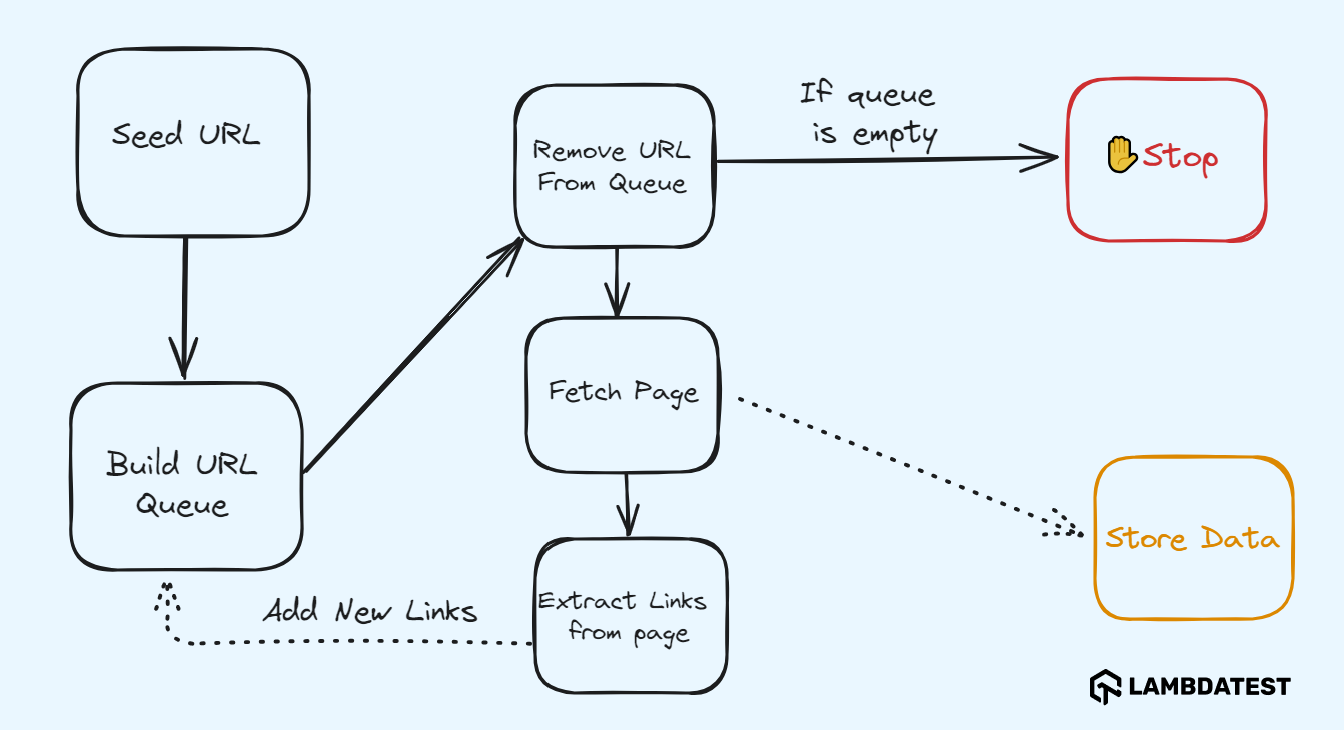
It is important that new URLs are added to the Crawl queue on a continuous basis. The webpage content of the selected URL is retrieved, and relevant information (i.e. links) is extracted from the fetched page. The extracted links are added to the URL queue for further processing.
In the context of building a web crawler Python script, the crawler should be designed to minimize unwarranted requests to the server and avoid cyclic links by focusing only on pages that are highly relevant to the desired data. At any moment in time, if there are no pending URLs in the queue, the crawling process is stopped.
Example – Web Scraping of an E-Commerce Website
Consider a scenario where you need to scrape product-related information from the Cameras category on the TestMu AI E-Commerce Playground. Before scraping, you first need to crawl through the pages in the said product category.
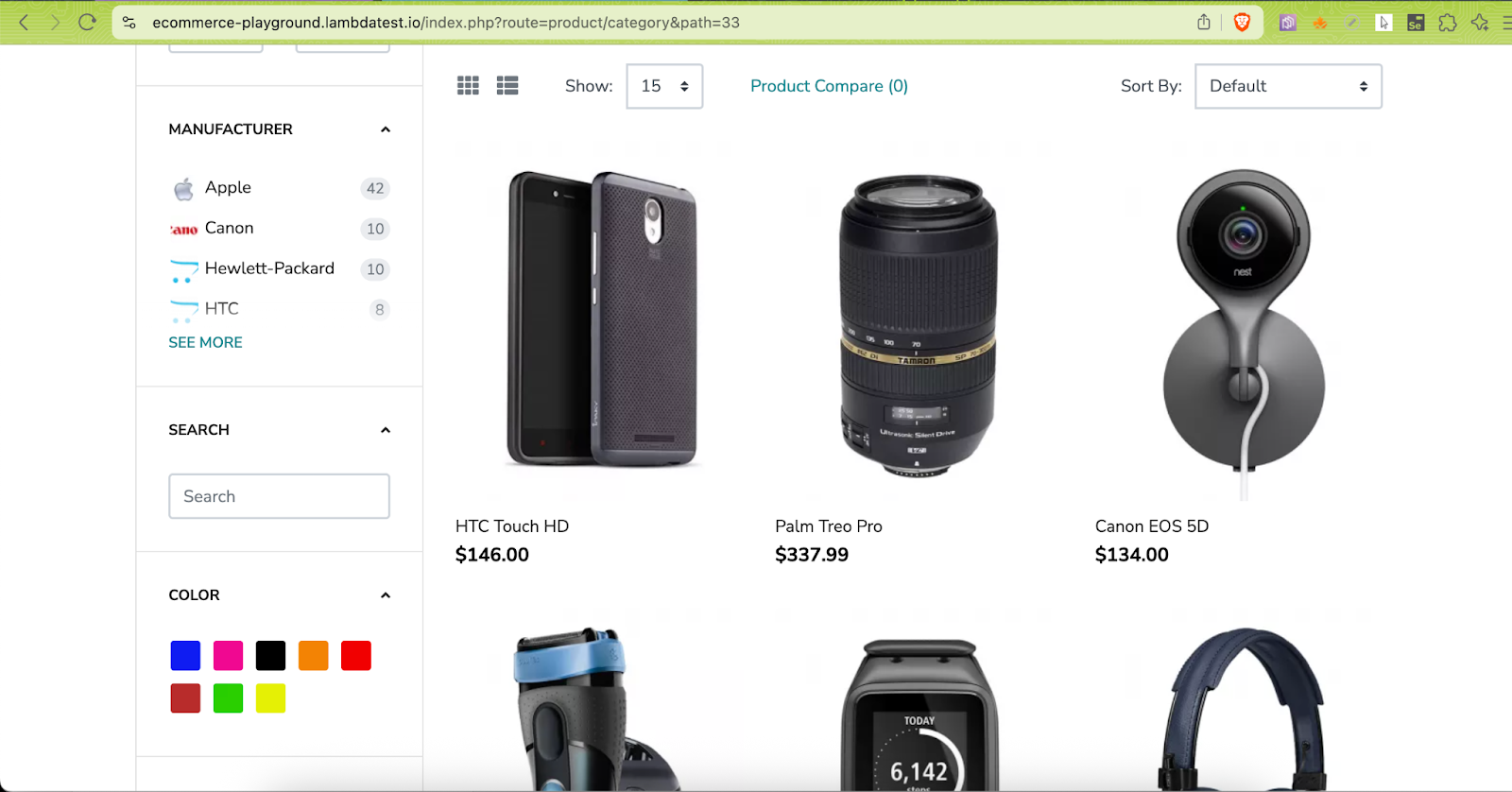
In order to improve the data quality, you need to ensure that assets like CSS, JS files, links to images, and other irrelevant information are not a part of the final crawled output.
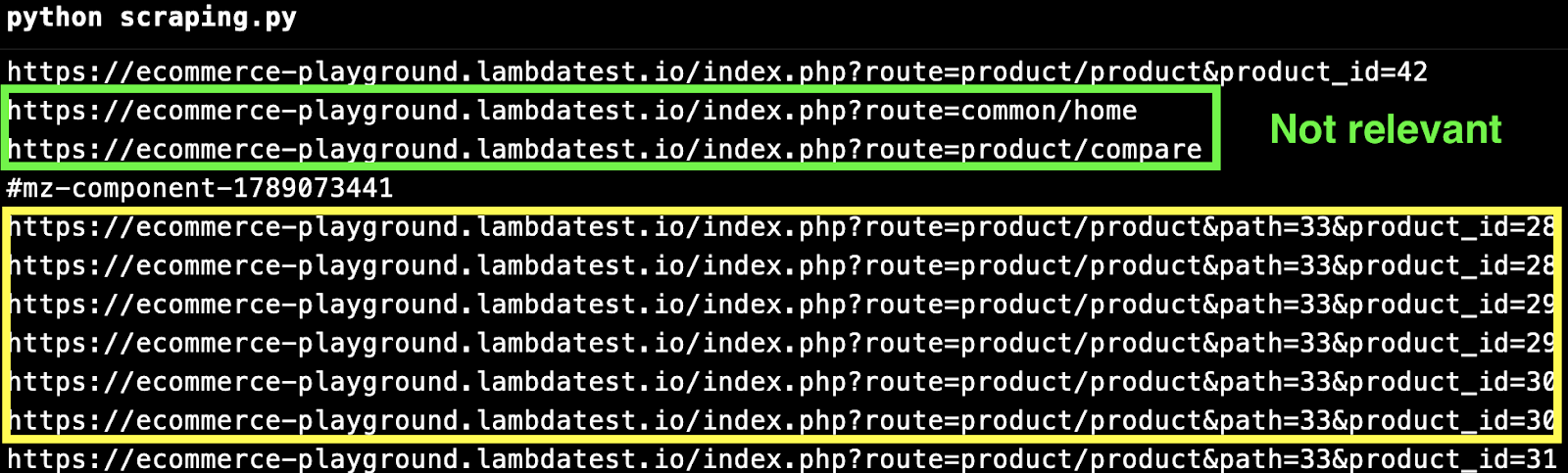
In the above output, text highlighted in green represents noise, while text highlighted in yellow indicates the links that should be considered for web scraping.

Note: Execute your Python tests on 3000+ real browsers and OS combinations. Try TestMu AI now!
How to Build a Web Crawler in Python?
The task of the web crawler is to download the HTML from the URL(s) and then extract links from the pages. There could be a possibility of encountering duplicate links; hence, it is necessary to keep track of the visited/crawled URLs and ignore the duplicate ones for improved performance.
You need to use the following libraries for building an e-commerce web crawler Python project:
- Requests: Downloads the HTML content of a given URL.
- Beautiful Soup (bs4): Parses and extracts data from the HTML.
- urljoin from urllib.parse: Apart from these libraries, urljoin from urllib.parse module is used for constructing an absolute URL by combining the base URL (e.g., https://ecommerce-playground.lambdatest.io/) with a relative URL (e.g., /index.php?route=product/product&product_id=84).
With the help of a few commonly used libraries, you can easily build a web crawler Python script to automate link discovery and content extraction from websites.
Setting Up The Environment
Follow these steps to set up your environment for building a web crawler in Python:
- Install Python: Download the latest stable release from the Python official website if it’s not already installed on your machine.
- Create a Virtual Environment: Use a virtual environment to isolate the project dependencies:
- Install Required Dependencies: Install the required packages: urllib3, requests, and beautifulsoup4.
- Crawl and Scrape: Once crawling is complete, use the scraping logic to extract product information from the crawled links. If you’re new to web scraping, check out the detailed blog that explores web scraping with Python in depth.
Let’s create a simple web crawler in Python to extract data from a sample e-commerce website. You’ll build a basic crawler that navigates the site and collects relevant information.
Test Scenario
Code Implementation:
# Took some cues from https://github.com/xukai92/crawlerfromscratch
import sys
sys.path.append(sys.path[0] + "/..")
import logging
from crawler.ecommerce_crawler import Crawler
from config.config import BASE_DOMAIN, OUTPUT_CRAWL
""" Configure logging """
# Set the default Log Level to INFO
def setup_logs():
    logging.basicConfig(
        level=logging.INFO,
        format='%(message)s'
    )
""" The Main Crawler """
def crawler():
    setup_logs()
    # Fetch the crawled domain from the config file
    start_urls = [BASE_DOMAIN]
    crawler = Crawler(urls=start_urls, base_domain=BASE_DOMAIN)
    #### Discover product URLs #####
    #
    # product_urls = crawler.discover_product_urls(BASE_DOMAIN)
    # logging.info("Discovered Product URLs:")
    # for url in product_urls:
    #     print(url)
    #### Run general crawl ####
    crawler.run()
    logging.info("Crawling Complete

")
    logging.info(f"Crawled URLs saved to file: {OUTPUT_CRAWL}
")
    for url in crawler.get_visited_urls():
        print(url)

    # Save the crawled URLs in a JSON file
    # This will be input to the scraping logic
    crawler.save_urls(OUTPUT_CRAWL)
if __name__ == '__main__':
    crawler()
Code Walkthrough:
To get started, you first implemented a simple e-commerce web crawler, which was tested against the TestMu AI E-Commerce Playground. As AI in test automation is so prevalent, we took help from AI to modularize the entire code for improved usage!
- Filter product URLs: Crawl only the product pages (e.g., sample product page), and look for the string pattern – product&product_id, in the resultant URL. Input links containing the pattern – #mz, #cart, #section are ignored from the crawling process.
- Import modules: In the main crawler code, import the necessary modules (e.g., logging) and the Crawler class from the ecommerce_crawler module.
- Set base URLs: The crawler is invoked for all the base URLs that are added in the config file. In this case, the base domain and start URL are both set to TestMu AI E-Commerce Playground.
- Start crawling: With the URLs set, the run() method of the Crawler class is used to kick-start the crawling process.
- Fetch next URL and track visited links: The urls_to_visit queue contains the valid URLs that the crawler has encountered during the crawling process. The crawl() method of the Crawler class fetches and processes the page.
Using the while loop, the current step continues until the urls_to_visit() queue is empty, thereby ensuring that the URLs are visited systematically. In the beginning, the visited_urls list is empty and unique crawled URLs are added on a successful web crawl.
It is important that already visited/crawled URLs (or duplicate URLs) are not considered for re-crawling, hence every crawled URL is added to the visited_urls list.
- Send GET request: Now that we have the unique URL(s) to crawl, the next step is to send an HTTP GET request to the specified URL. This is done by invoking the get() method of the requests library in Python.
The response object contains the metadata, HTTP response status code, and response body in HTML format. The raise_for_status() method of the requests library checks if the response status code indicates an error.
A status code of 200 (or HTTP_OK) indicates that the request was processed successfully, post which the response.text is returned from the download_url() method.
- Extract anchor tags: Now that you have the full response body in the HTML format (i.e. response.text), the next step is to extract all the linked URLs from the HTML.
The extract_linked_urls() method implemented as a part of the html_parser module is primarily responsible for extracting all the anchor links from the page’s content.
- Parse HTML: The extract_linked_urls() method takes two input arguments: base_url – URL of the page being parsed & html – Raw HTML content of the page. First, the HTML content is parsed using Beautiful Soup (bs4). The html.parser in Beautiful Soup creates a structured object (i.e., soup) for easy search & navigation purposes.
Next, the find_all() method of Beautiful Soup iterates over all anchor tags that contain an href attribute. The href attribute in the method is set to True (i.e., href=True) to ensure that only links with URLs are considered.
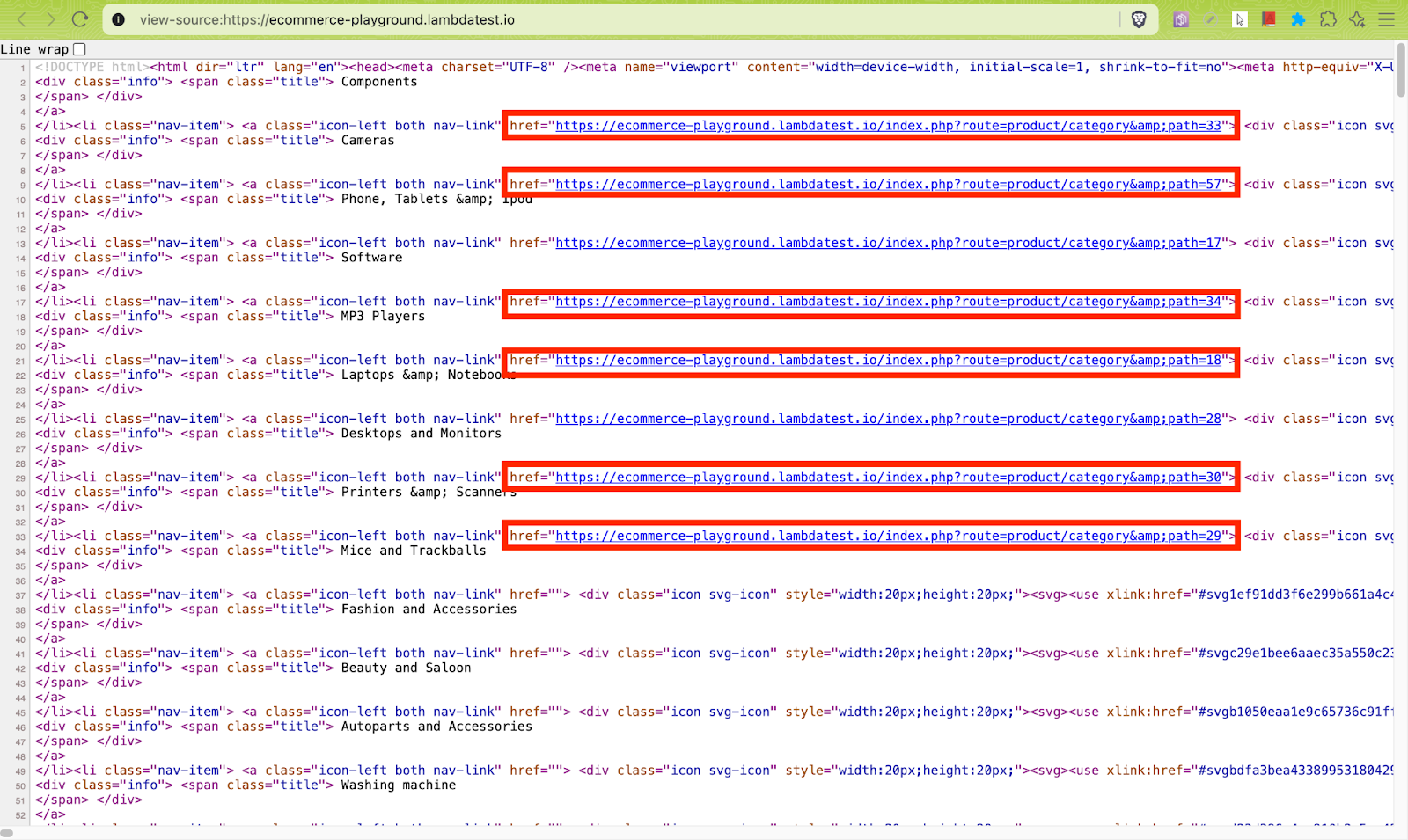
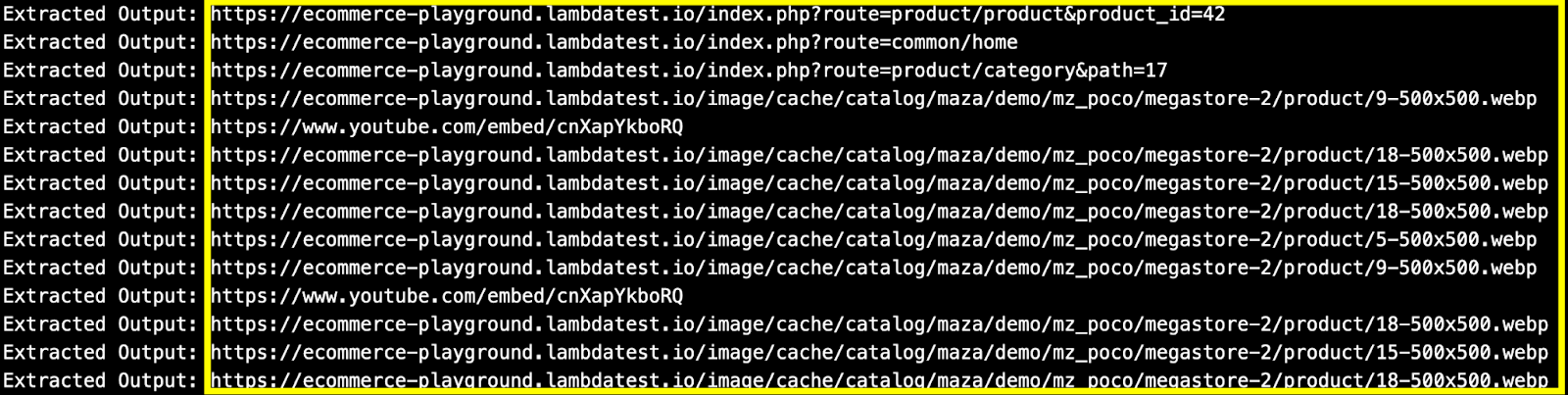
As seen below, there might be links that need to be skipped from crawling and hence, they need not be appended to the urls_to_visit() list.
- Resolve URLs: There might be cases where the earlier step might return a relative URL (i.e., href). To address this, the make_absolute_url() method of the url_utils module is used for converting the relative URL into an absolute URL.
- Validate links: As seen in the earlier step, the absolute URL returned by make_absolute_url() method might not meet the crawling requirements that we covered in the earlier steps. Adding such a URL to the visit list (i.e., urls_to_visit) would result in elongation of the crawl time.
The is_valid_product_url() method of the url_utils module validates whether the input URL is a part of the target domain, matches the product URL pattern, and does not contain fragments like #cart, #section, and #mz.
Here are examples of two URLs that pass & fail the crawling requirements, respectively:
✅ Eligible for crawling – https://ecommerce-playground.lambdatest.io/index.php?route=product/product&product_id=68
❌Not eligible for crawling – https://ecommerce-playground.lambdatest.io/#mz-component-1626147655
The PRODUCT_URL_PATTERN in url ensures that the resultant URL contains a pattern like product&product_id. With this, the crawler only crawls core product pages and skips pages like categories, login, etc.
The not any(fragment in url for fragment in IGNORE_FRAGMENTS) skips URLs that start with the base_domain (i.e., TestMu AI E-Commerce Playground) but contain unwanted parts like #mz, #cart, or #section.
In a nutshell, only a valid product URL with a product&product_id pattern in it makes it to the final urls_to_visit list.
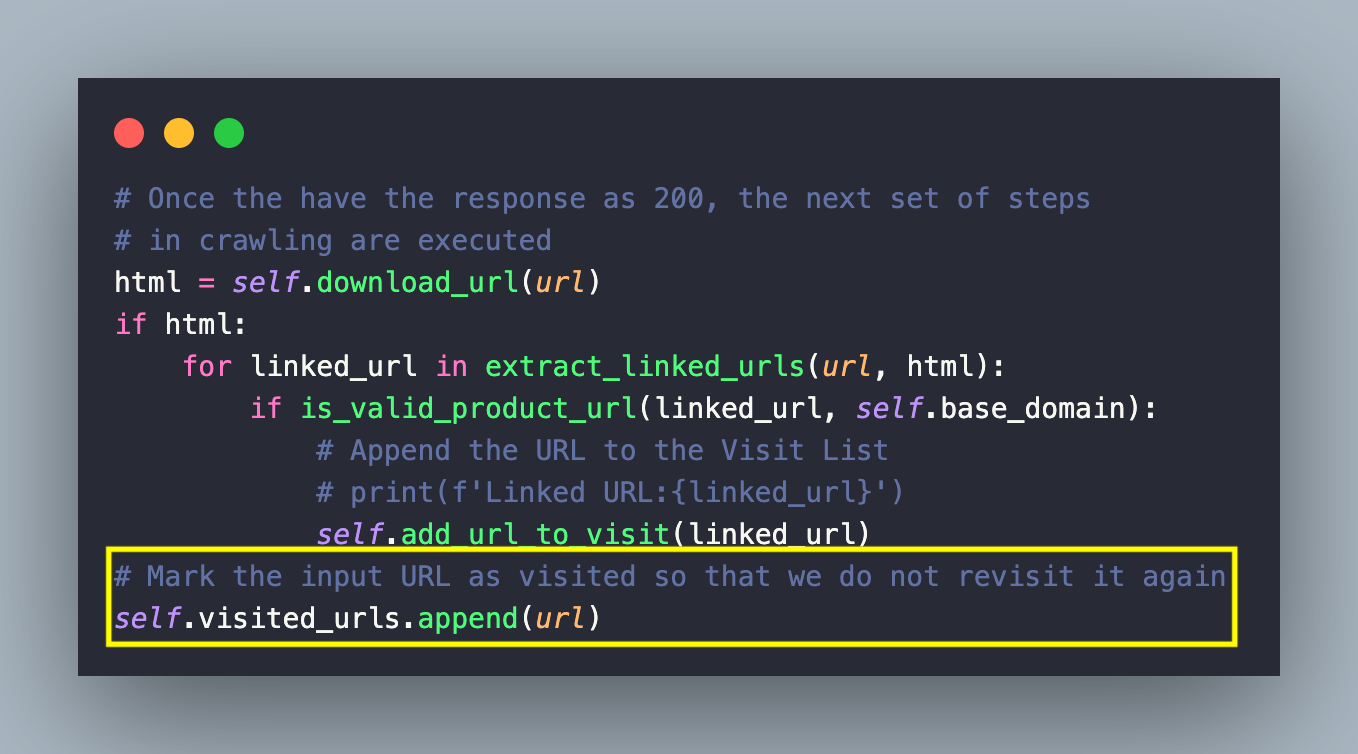
- Queue valid URLs: Before appending the link to the urls_to_visit list, the visited_urls list is scanned for link duplicity, post which the unique link is appended to the urls_to_visit list by invoking the add_url_to_visit() method of the ecommerce_crawler module.
Finally, the input URL is marked as visited by appending it to the visited_urls list. This is to ensure that the duplicate URLs or already crawled URLs are not revisited again!
- Mark and Save as visited: Now that you have the crawled links in the visited_urls list, the save_urls() method of the ecommerce_crawler module is invoked for saving the list (or set) of visited URLs to a JSON file.
The argparse.ArgumentParser() method creates an ArgumentParser object that is used to handle the parsing of the command-line arguments.
In case no argument is specified for the –filename option, it defaults to ecommerce_crawled_urls.json. The arguments passed to the terminal are then parsed using parser.parse_args() method. It returns a namespace (i.e., args) containing argument values as attributes.
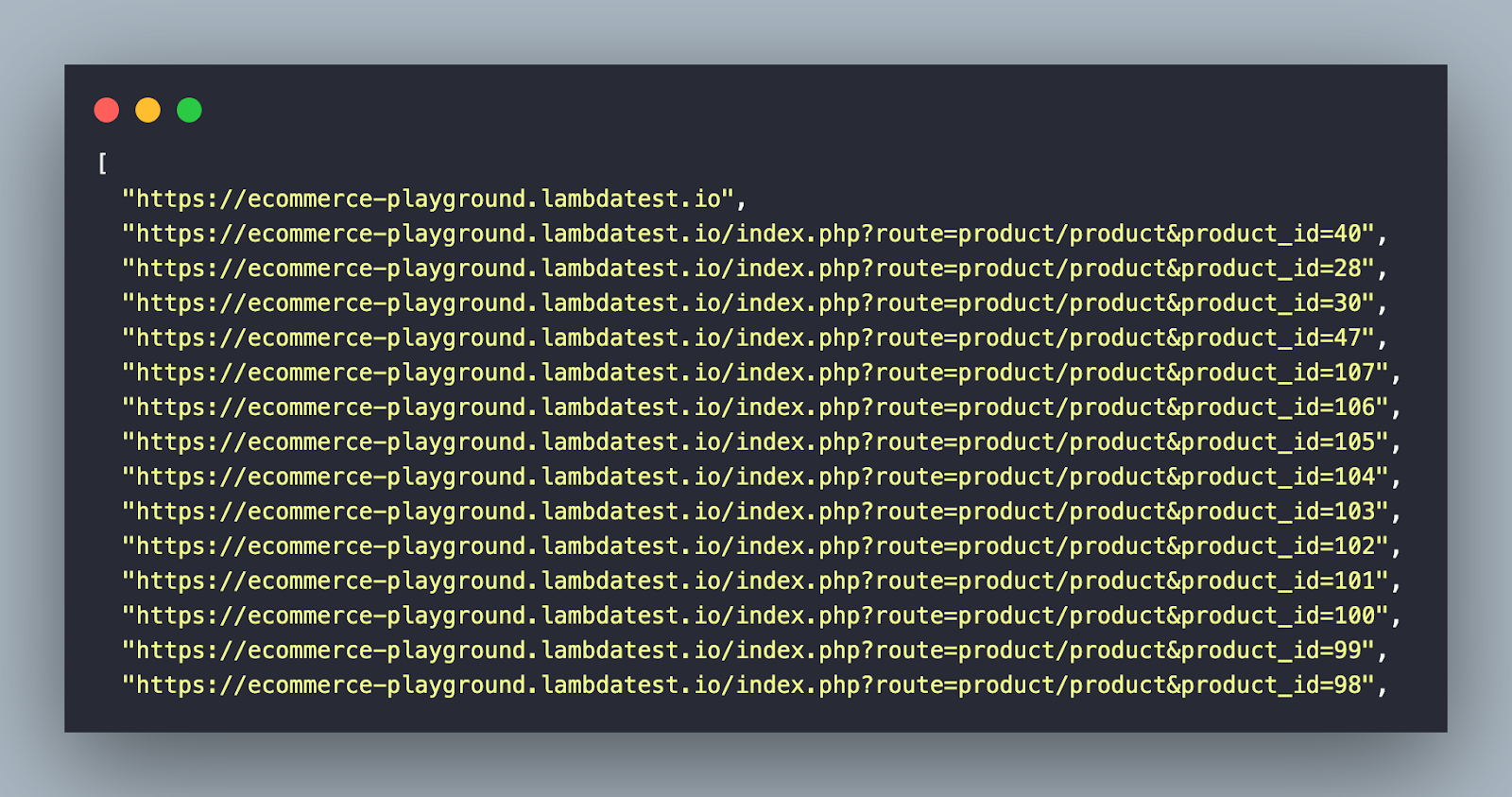
After extracting the filename attribute from the args namespace, the list of visited URLs – visited_urls, is written to the JSON file using the dump() method of the json module. The indent=2 option improves the formatting and readability of the output JSON file.
Setting Up The Environment
virtualenv venv
source venv/bin/activate # On Windows: venvScriptsactivate
pip install -r requirements.txt
- Navigate to TestMu AI E-Commerce Playground.
- Crawl the website to fetch unique product URLs.
- Export the URLs to a JSON file.
- Scrape product information from the JSON.
- Print the scraped data on the terminal.
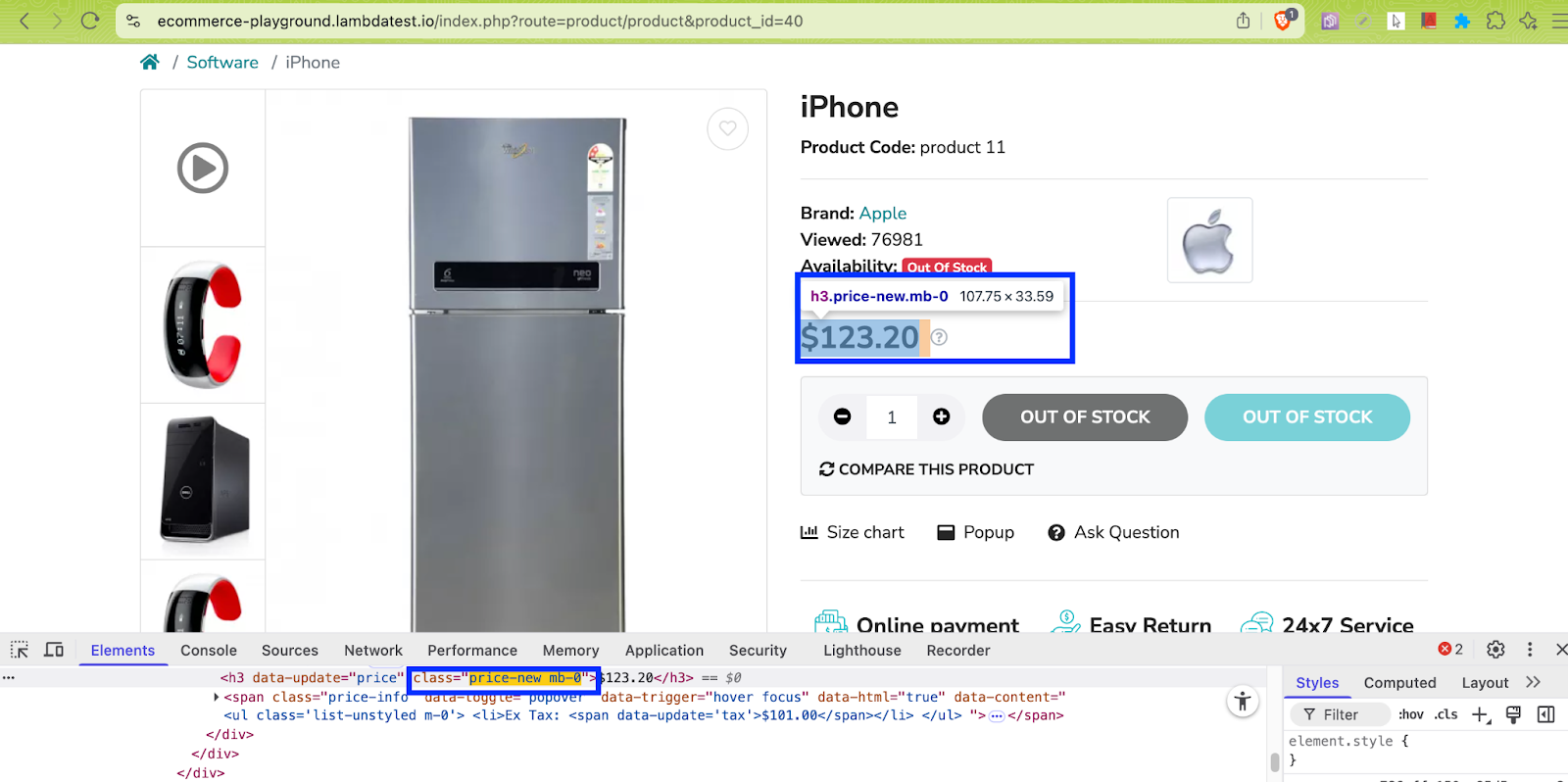
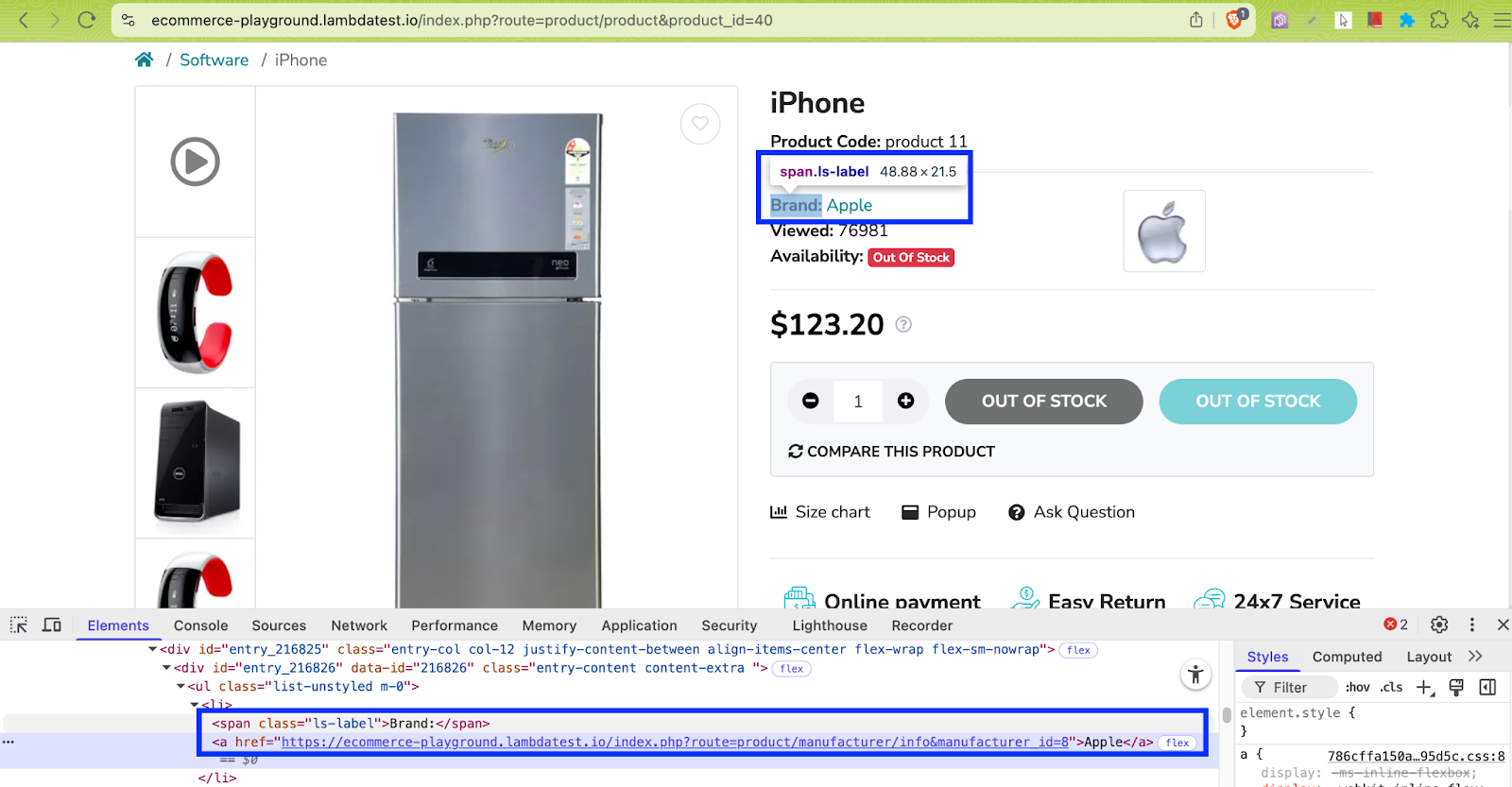
- avail_stock = soup.find(class_=’badge badge-success’) finds any tag (span or div) with class badge badge-success
- out_stock = soup.find(class_=’badge badge-danger’) finds any tag (span or div) with class badge badge-danger
The visible text inside the avail_stock/out_stock variable(s) provides the product availability status on the page.
Shown below is the stripped-down implementation of scraping product meta-data from the output JSON file (e.g., ecommerce_crawled_urls.json).
soup = BeautifulSoup(response.text, 'html.parser')


meta_data_arr = []


name = soup.find('h1', class_='h3')
brand = soup.find("span", class_='ls-label', string="Brand:")


price = soup.find("h3", class_='price-new mb-0')
avail_stock = soup.find(class_='badge badge-success')
out_stock = soup.find(class_='badge badge-danger')


if avail_stock:
   stock_txt = avail_stock.get_text(strip=True)
elif out_stock:
   stock_txt = out_stock.get_text(strip=True)
else:
   stock_txt = "Stock info. unavailable"


# Create a dictionary of the meta-data of the items on e-commerce store
meta_data_dict = {
       'product name': name.get_text(strip=True),
       # Find the immediate sibling <a> tag and print the text
       'product brand': brand.find_next_sibling("a").get_text().strip(),
       'product price': price.get_text(strip=True),
       'product availability': stock_txt
   }

meta_data_arr.append(meta_data_dict)
return meta_data_arr
With this, you are all set to crawl and scrape product metadata from the TestMu AI E-Commerce Playground!
Test Execution:
To get started, run the command make install to install the necessary dependencies/libraries.
Next, invoke make crawl-ecommerce-playground on the terminal to start crawling content from the TestMu AI E-Commerce Playground.
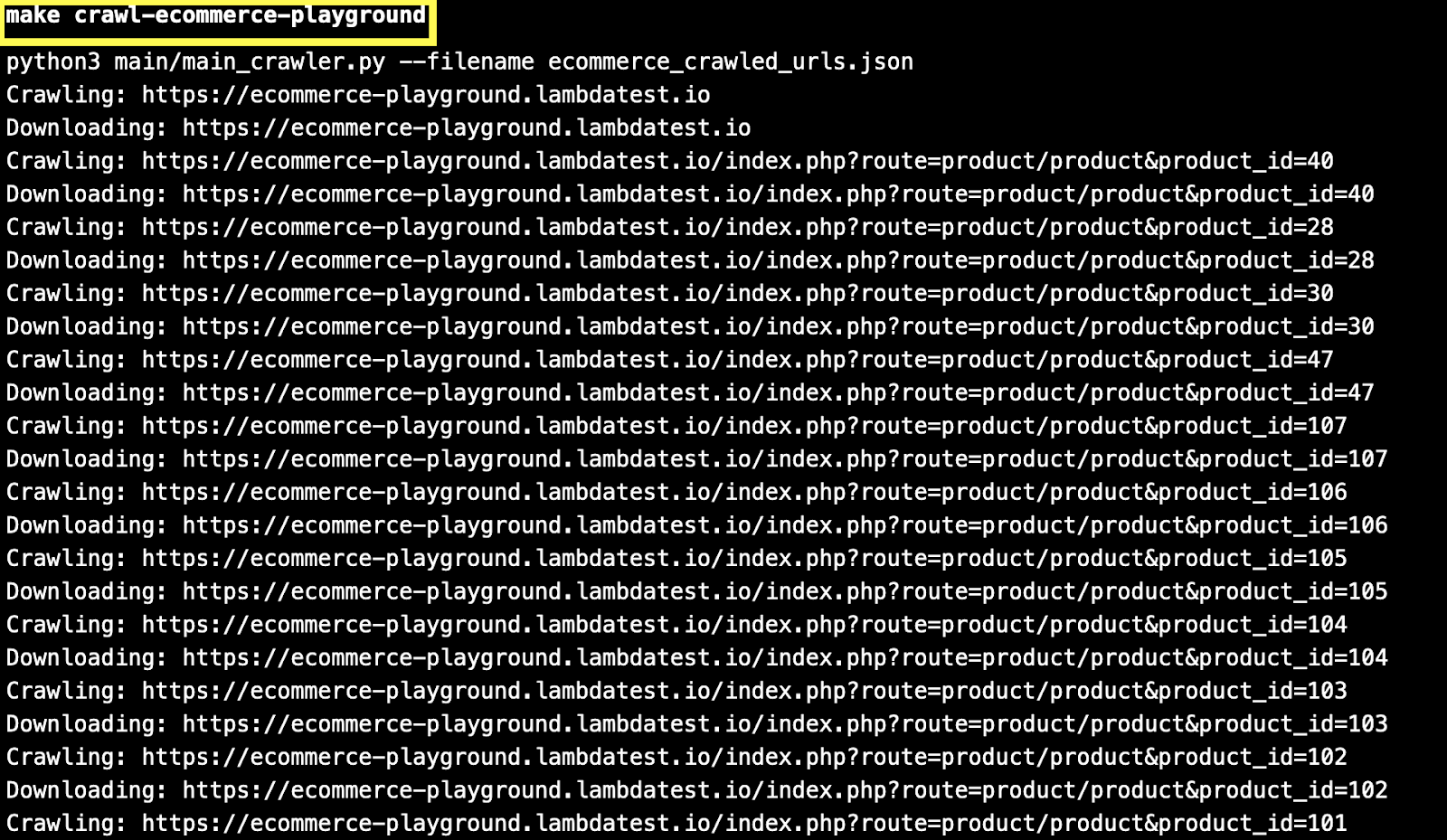
As seen in the execution snapshot, already crawled URLs (or visited links) are skipped during the crawling process.
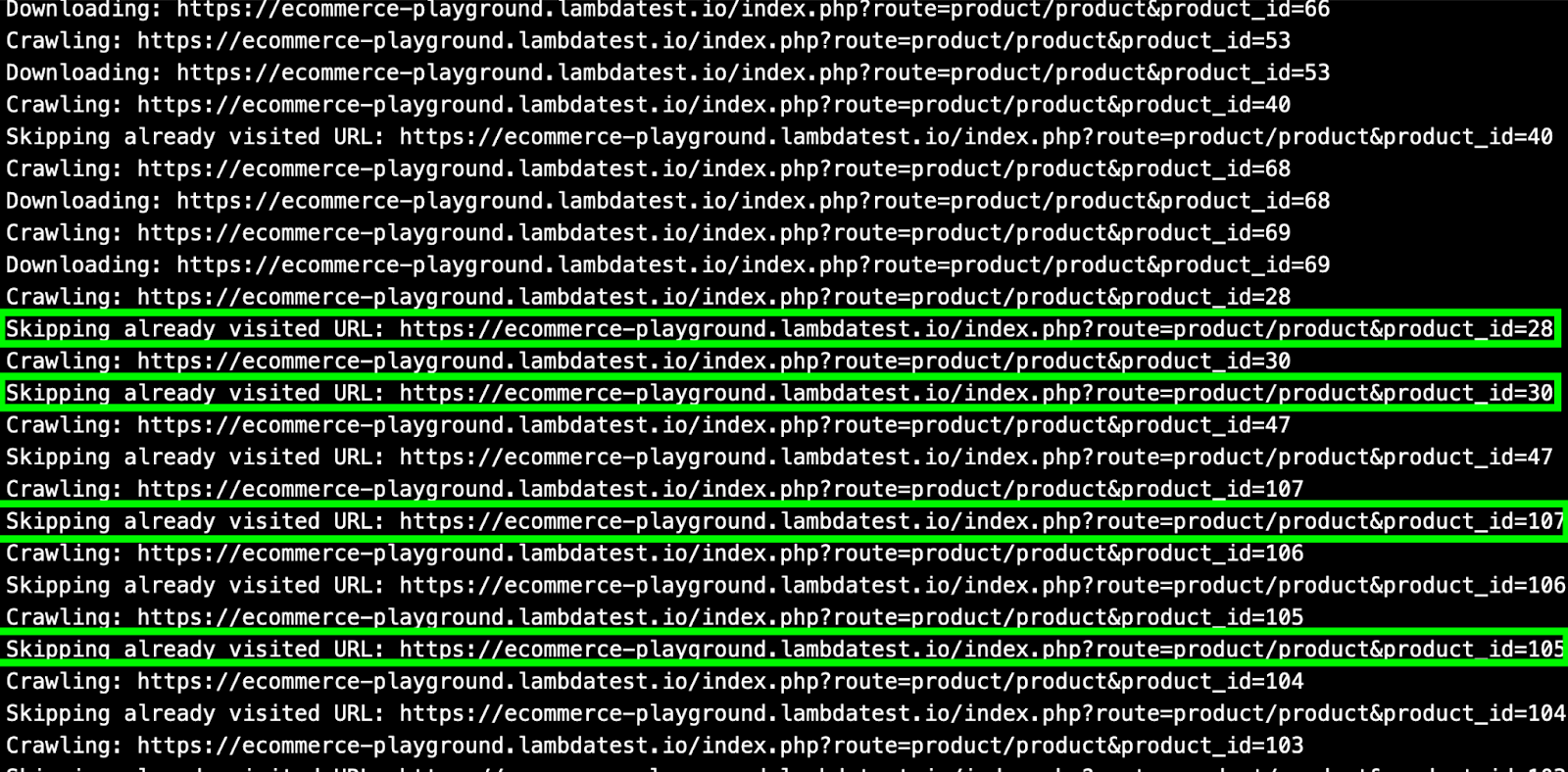
The crawled output is now available in a JSON file named ecommerce_crawled_urls.json.

Next, invoke the command make scrap-ecommerce-playground for scraping product metadata from the URLs present in the JSON file.
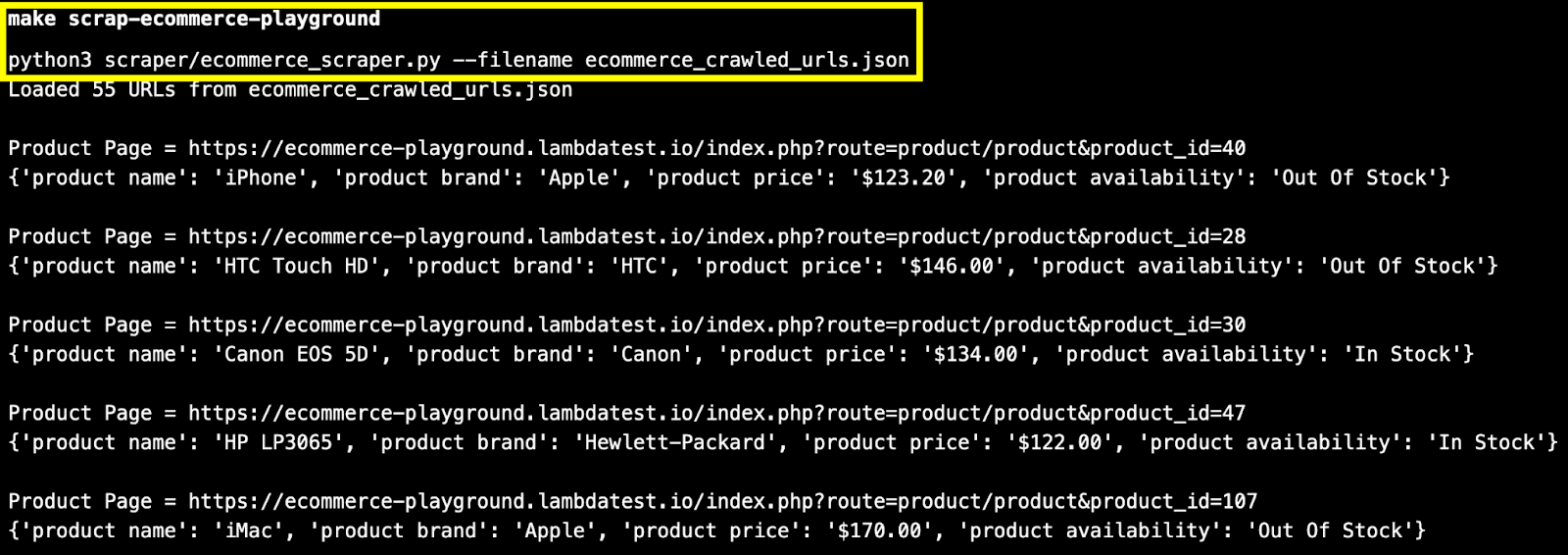
With this, you are all done with a hands-on demonstration of web crawling and scraping content from a sample e-commerce website.
The synchronous web crawling example demonstrated in the blog can be further optimized by making it asynchronous using asyncio in Python.
Alternatively, you could also use Scrapy – a popular open-source web scraping and crawling framework in Python. All the incoming requests are scheduled and handled asynchronously in Scrapy.
Hence, there is room for more asynchronous/parallel work to be done between requests, rather than waiting for the current request to be completed.
Libraries and Frameworks to Build a Web Crawler in Python
Python is not only a preferred language for web crawling and web scraping but is also considered one of the top programming languages for test automation.
Below are some of the most commonly used libraries and frameworks to help you build a web crawler in Python effectively:
Beautiful Soup (bs4)
Beautiful Soup (bs4) is a popular open-source Python library that can be used for web crawling as well as web scraping. Beautiful Soup is capable of navigating and parsing HTML and XML documents. The library is best-suited for crawling static web pages.
Beautiful Soup is mostly used in conjunction with the Requests library, which simplifies HTTP requests for fetching web pages.
To install Beautiful Soup 4:
Run the command pip3 install beautifulsoup4 or pip3 install bs4 on the terminal to install Beautiful Soup 4.

Akin to methods like find element in Selenium, Beautiful Soup also provides find_all(), find(), and similar methods that help in locating elements in the DOM.
For more details, refer to the official Beautiful Soup documentation.
Requests
Requests is a popular open-source library that simplifies HTTP requests for fetching web pages. As stated earlier, Requests are normally used with web parsers like Beautiful Soup.
As mentioned on the PyPi page of Requests, this library receives over 30 million downloads per week, making it one of the most widely used Python packages.
To install Requests:
Run the command pip install requests on the terminal to install Requests.
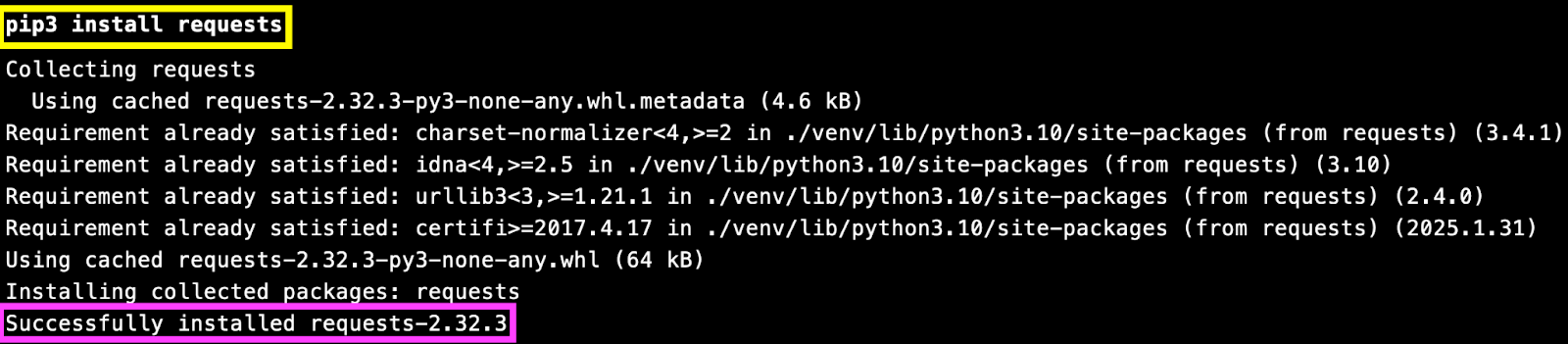
For more details, refer to the official Requests documentation.
Selenium
Selenium is a popular open-source framework that is used for automation testing. The framework supports six different programming languages, including Python. Selenium WebDriver is an integral part of the Selenium framework. It provides a varied set of APIs that help you automate interactions with the elements in the page/document.
To install Selenium for Python:
Run the command pip3 install selenium or pip install selenium on the terminal to install Selenium on your local machine.
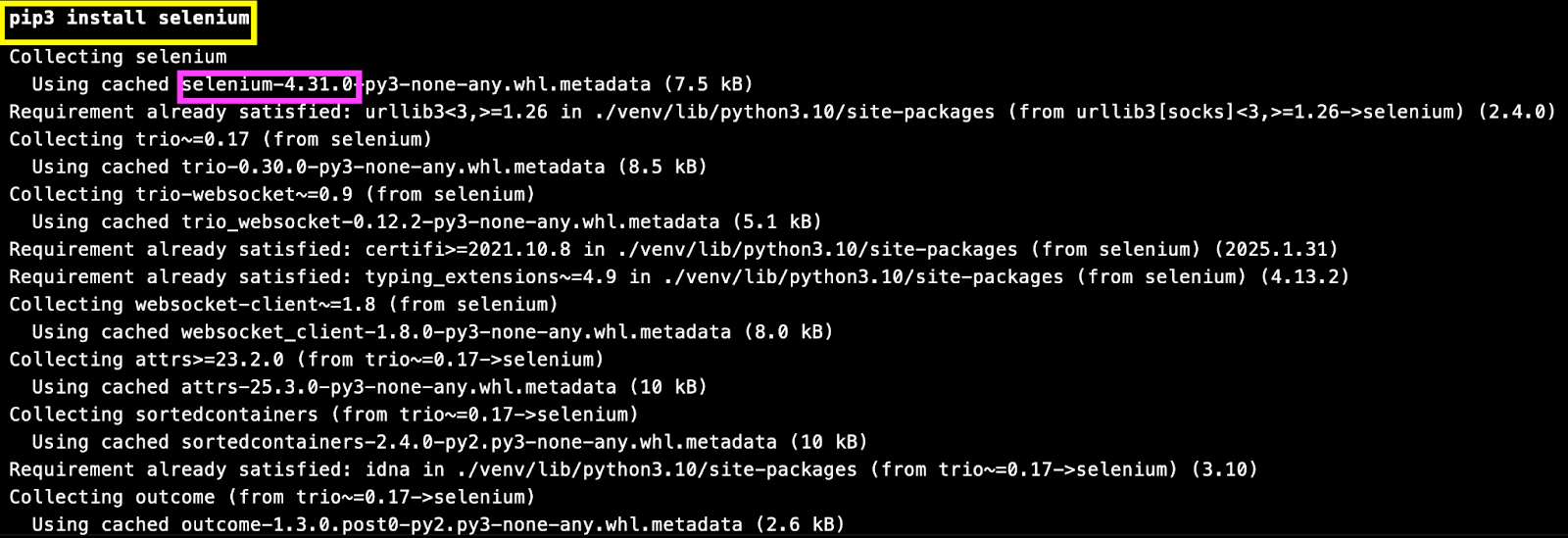
Apart from the umpteen new updates that have come along with Selenium 4, the major difference between Selenium 3 vs. Selenium 4 is the W3C compatibility of the framework. Selenium scripts can seamlessly handle clicks, scrolls, waits, alerts, and much more.
In scenarios where the JavaScript commands don’t work as expected, you could use JavaScriptExecutor in Selenium WebDriver.
Selenium is a good option for web crawling as well as web scraping, as it handles dynamically loaded content using JS like a pro! PyUnit (or pyunit) is the default test automation framework in Selenium with Python.
However, PyTest (or pytest) is a more widely-used framework, and the (Selenium + pytest) provides a more flexible option for web crawling or web automation in general. The Selenium pytest tutorial is a good resource to get you started with pytest with Selenium. In further sections of the blog, we will demonstrate the usage of Selenium Python with pytest for crawling dynamic webpages.
Playwright
Playwright is another popular test automation framework mainly used for end-to-end testing (or E2E testing) of cross-browser web applications. Like Selenium, the Playwright framework also provides built-in APIs for realizing web testing scenarios like interacting with web elements, handling iFrames, automating Shadow DOM, among others.
Playwright automatically waits for elements to load and become actionable before interacting with them. In contrast, Selenium has explicit and implicit waits to handle interaction with elements that are loaded dynamically.
To install Playwright for Python:
Run the command pip3 install playwright (or pip install playwright) for installing Playwright on your machine.
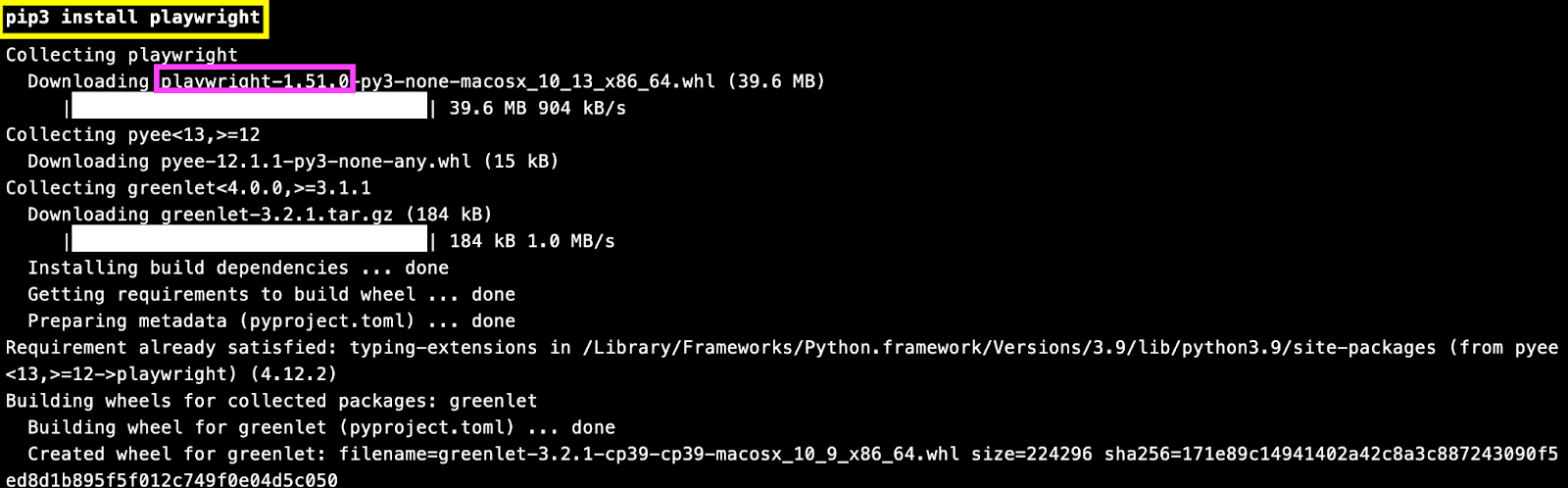
Post the package installation, run the command playwright install to install Chromium, Firefox, and WebKit for automated testing with Playwright.
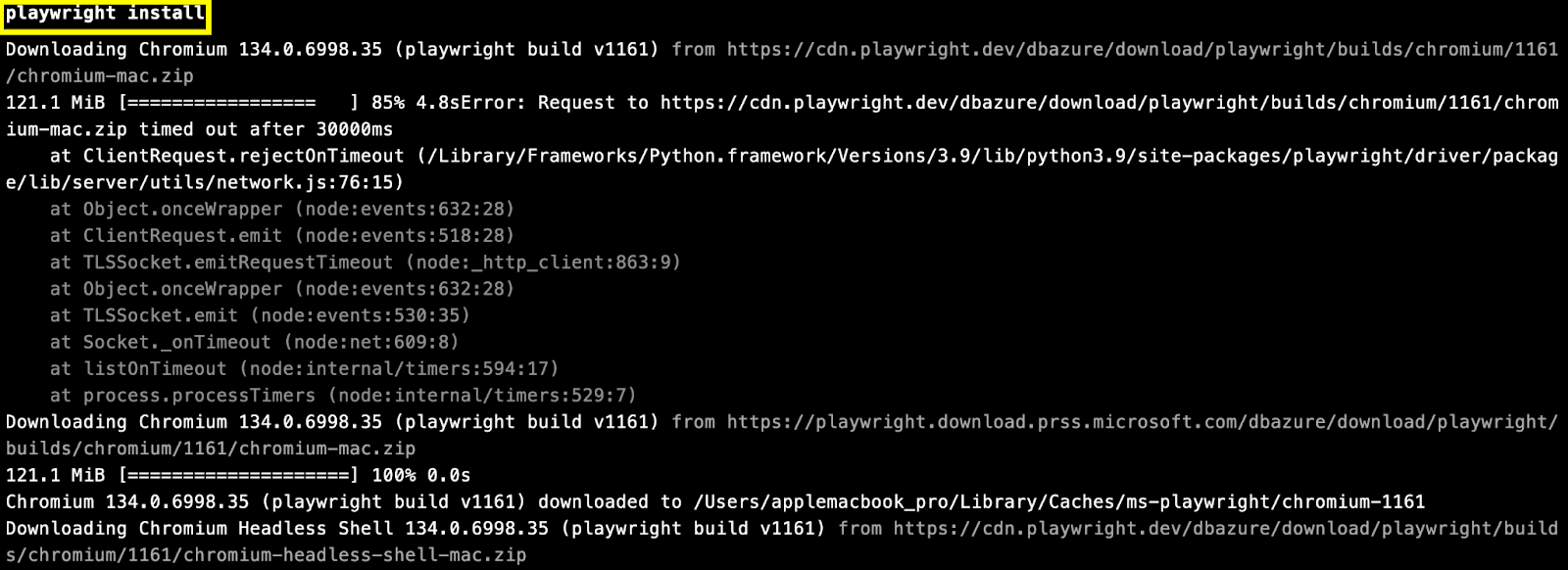
Playwright supports plugins like Pyppeteer (Python port of Puppeteer) and scrapy-playwright, allowing you to handle both static and dynamic pages during crawling and scraping.
Scrapy
Scrapy is an open-source web crawling and web scraping framework used to navigate websites and extract structured data from pages. Beyond data mining and monitoring, Scrapy can also be used for automation testing.
It supports XPath locator and CSS selectors and is highly effective for crawling large websites. While Scrapy works best with static pages, it can be integrated with tools like Selenium or Playwright to handle dynamic content.
To install Scrapy for Python:
Run the command pip3 install scrapy (or pip install scrapy) to install Scrapy on your machine.
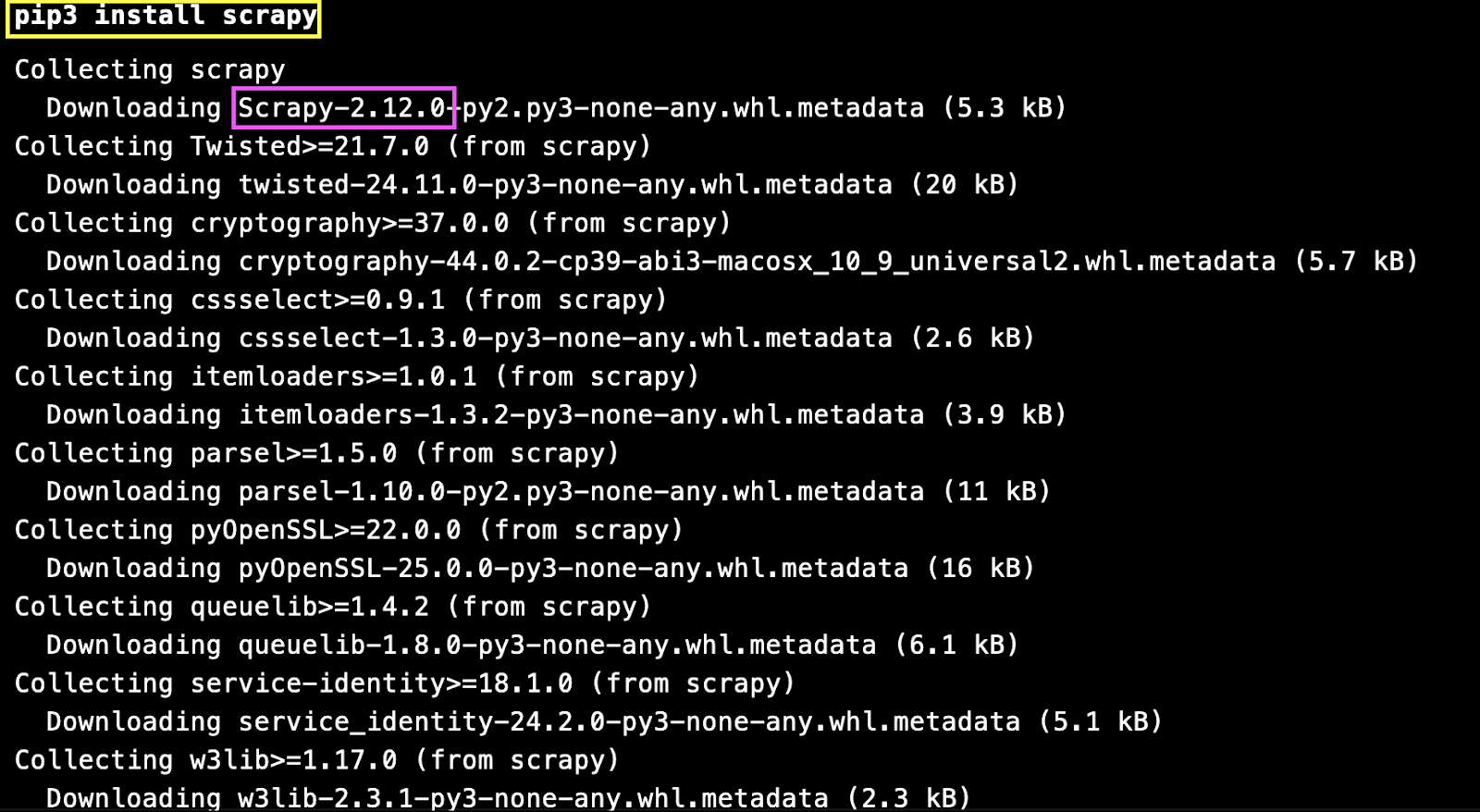
Like Beautiful Soup, Scrapy can also be used alongside popular frameworks like Selenium and Playwright for crawling and scraping web pages that have static and/or dynamic content.
lxml
lxml is a feature-rich and easy-to-use library for processing XML and HTML in the Python language. lxml is built on top of a popular open-source C library named libxml2 (for XML parsing & processing) and libxslt (for XSLT transformations).
The lxml library is considered to be faster than Beautiful Soup, as it makes use of compiled C code (owing to the use of libxml2) for parsing and querying the page(s).
This library also supports XPath and CSS selectors (via the lxml.cssselect module), which helps in querying the required element using the best-suited selector.
To install lxml for Python:
Run the command pip3 install lxml (or pip install lxml) to install the said library on the machine.
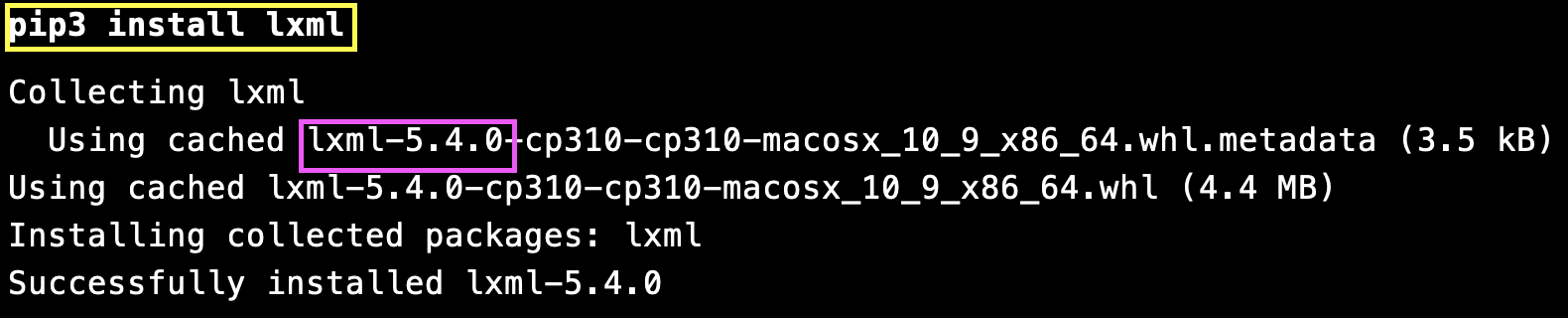
This lxml library is faster than libraries like Beautiful Soup and is a solid choice when working with large or complex HTML documents.
Apart from the above-mentioned libraries and frameworks, PyQuery and Mechanical Soup can also be used for web crawling use cases in Python.
Web Crawling vs Web Scraping
Though often used together, web crawling and web scraping serve different purposes in the data extraction process. While crawling focuses on discovering web pages, scraping is about extracting useful information from them.
| Aspect | Web Crawling | Web Scraping |
|---|---|---|
| Purpose | Discover and navigate web pages starting from a seed URL | Extract specific data (like product details and metadata) from web pages |
| Focus | Systematic browsing and indexing of links | Data extraction from HTML content |
| Typical Sequence | Usually precedes web scraping | Often follows crawling to extract the required information |
| Scope | Covers entire websites or multiple sites | Targets specific pages or data points |
| Example Use Case | Navigating all product pages on an e-commerce site | Extracting product price, name, and description from crawled pages |
| HTTP Condition | Generally follows and processes links regardless of page type | Works on pages that return HTTP 200 (STATUS_OK) |
A web crawler and a scraper can be thought of as close collaborators with distinct roles. The crawler handles discovery and traversal, while the scraper extracts structured data. In most practical workflows, the web crawler in Python runs first to gather URLs, followed by scraping to collect targeted content.
Troubleshooting a Web Crawler in Python
Running a Python web crawler can raise various issues. Here’s how to troubleshoot them effectively:
Missing Elements / Selector Errors
This happens when the HTML structure may have changed, or your selector doesn’t match the element.
How to fix: Inspect the page source, update your selector, and add checks to handle missing elements.
from bs4 import BeautifulSoup
html = driver.page_source  # if using Selenium
soup = BeautifulSoup(html, "html.parser")
element = soup.select_one("div.product-name")
if element:
    print(element.text)
else:
    print("Element not found, check selector.")
Dynamic Content Not Loading
This issue occurs because Scrapy can only fetch static HTML and does not render JavaScript content.
How to fix: Use Selenium or Playwright to load JavaScript before scraping. from selenium
from selenium import webdriver
driver = webdriver.Chrome()
driver.get("https://example.com")
content = driver.page_source
driver.quit()
# Parse content with BeautifulSoup
Blocked Requests / Captchas
This happens when the websites detect bots and block repeated requests.How to fix:
- Add headers to mimic real browsers:
import requests
headers = {"User-Agent": "Mozilla/5.0"}
response = requests.get(url, headers=headers)
Slow Pages / Timeouts
This can happen when large pages or server limitations cause requests to hang.How to fix: Set timeouts and implement retries:
try:
    response = requests.get(url, timeout=10)
    response.raise_for_status()
except requests.exceptions.RequestException as e:
    print(f"Request failed: {e}")
Unexpected HTML Structure Changes
This issue arises because websites frequently update their layouts, causing selectors to break.
How to fix: Add logging to track failed element extractions and regularly update your selectors.
try:
    element = soup.select_one(".product-title")
    if element:
        print(element.text)
    else:
        print("Element not found, check selector!")
except Exception as e:
    print(f"Error extracting element: {e}")
Best Practices for Building a Web Crawler in Python
Abusive/unauthorized crawling can get you blocked! Most websites have practices like rate limiting, bot detection, and/or outright bans in place to address unauthorized crawling of their website.
A huge outburst of requests or ignoring the website’s policies violates the basic ethics of web crawling!
It is always recommended to follow the best web crawling practices so that your crawler does not meet a dead-end (or a blanket ban) 🙁 .
Here are some of the best practices that you can follow when developing your own Python web crawler:
Crawling JavaScript-Driven Web Pages
Most modern-day websites have dynamically loaded content, strict data protection regulations (i.e., GDPR, CCPA), and advanced anti-bot measures. Single-page applications built with React, Angular, or Vue.js rely on JavaScript for loading and rendering content on a dynamic basis.
For example, in the E-Commerce Infinite Scroll website, the content is loaded dynamically with every vertical scroll. Crawling content from such websites with Beautiful Soup + Requests can become challenging, as it cannot handle dynamic interactions.
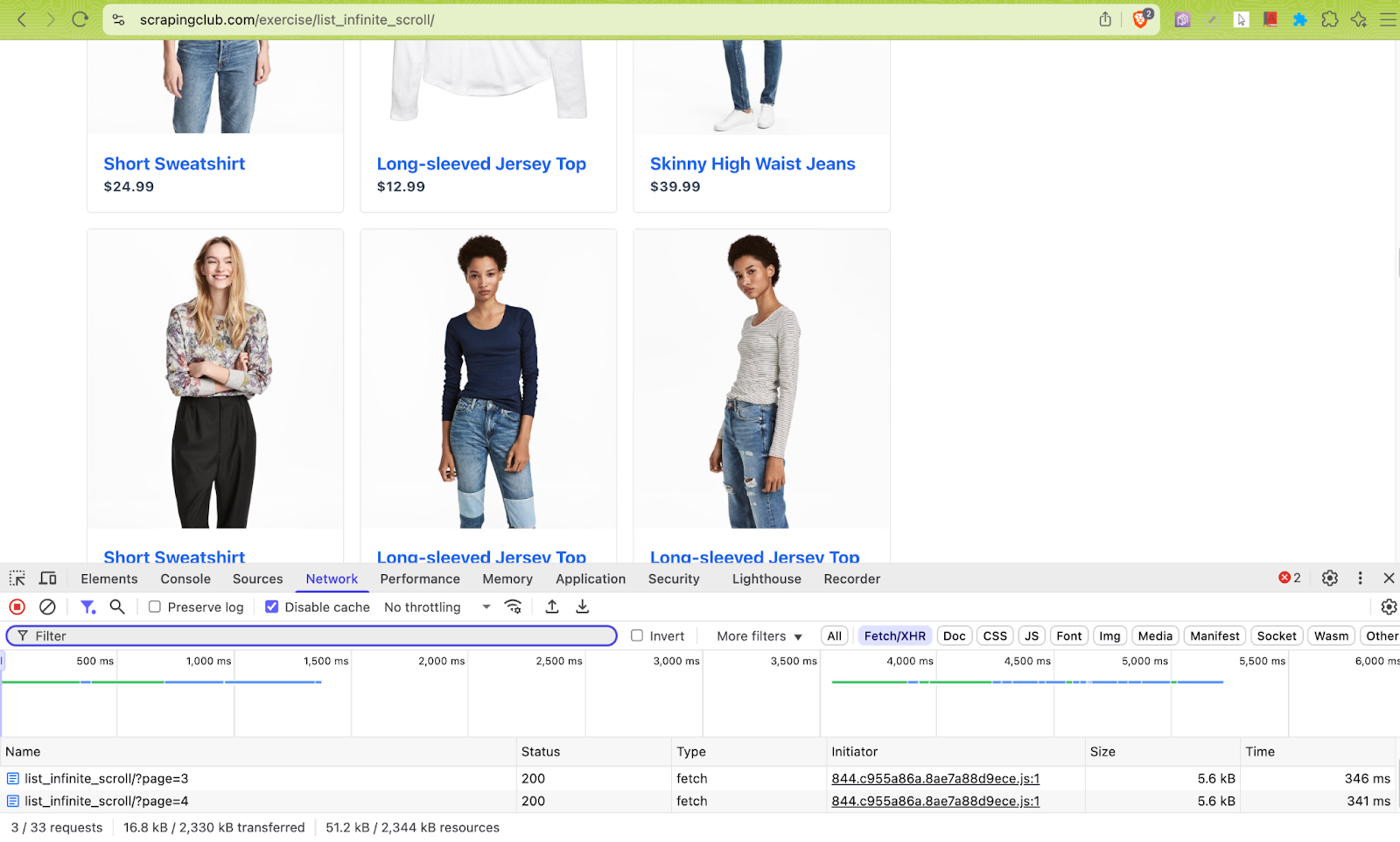
This is where popular libraries like Selenium, Playwright, and Puppeteer can be leveraged for rendering JavaScript-heavy pages and accessing dynamically loaded content. In such cases, browsers should be spun up in headless mode and interactions like scrolling, clicking, etc., need to be simulated via their supported APIs.
Do Not Overwhelm Target Servers
As stated earlier, it is important to respect the website’s guidelines when it comes to web crawling and scraping. Frequent crawl requests could overwhelm their servers and also cause delays in receiving a timely response.
Adding delays between crawl requests can help in reducing the load on the server. Reusing the same session across requests with requests.Session() or aiohttp.ClientSession() can help to avoid overwhelming the target servers.
Popular rate-limiting libraries like pyrate-limiter, aiolimiter, and ratelimit can be used to avoid overloading the server or getting blocked.
Avoid Duplicate URLs
As seen in the demonstration, there is a high likelihood that the crawler might encounter duplicate (or already visited URLs during the process of web crawling. It is imperative to ignore the visited URLs and add only the fresh links to the crawl queue.
On similar lines, the crawling should take canonical links into account. Canonical links are special links that help search engines understand which URL to index when the exact same content is accessible via multiple URLs.
Shown below is a screenshot of a Medium blog where the <rel="canonical"> tag follows with an href attribute that points to the original source of the content.
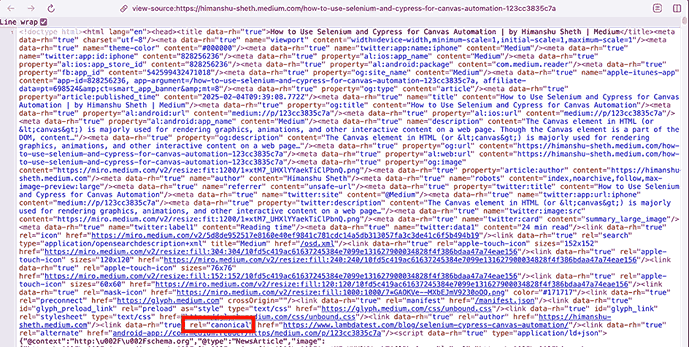
The crawler should avoid processing such duplicate URLs (e.g., canonical links) and URLs with hash fragments (e.g., #mz, #cart, #section), else the crawler might take more time in crawling the test URL.
Capture Errors and Logs
Like any other good piece of software, it is important to have a robust logging mechanism in the crawler. Adequate logging measures should be in place for handling HTTP errors (non HTTP_OK/200 response) and catching network errors.
Here is a sample snippet where the logging module in Python is used for showing log messages at INFO level or higher (i.e., INFO, WARNING, ERROR, CRITICAL). At the same time, it is set to ignore the lower-level DEBUG messages.
""" Configure logging """
# Set the default Log Level to INFO
def setup_logs():
   logging.basicConfig(
       level=logging.INFO,
       format='%(message)s'
   )


""" The Main Crawler """
def crawler():
   setup_logs()
Turning the logging ON/OFF dynamically can be useful for reducing the output noise and improving crawling performance.
Test Crawler Behavior Across Browsers
When building Python web crawlers, especially for dynamic or JavaScript-heavy sites, how a page renders can vary between browsers. Python scraping frameworks like Scrapy or BeautifulSoup work best with static content, but dynamic sites often require tools like Selenium or Playwright to render JavaScript properly.
Before running your crawler at scale, it’s important to test it across different browsers to spot rendering differences, broken selectors, or anti-bot detections.
A cloud testing platform like TestMu AI provides access to real browser instances, helping you validate how web pages load or behave before scraping. It allows you to run both manual and Selenium Python automation tests across 3000+ browser and OS combinations, making it suitable for broader testing needs beyond crawling.
Key practices for testing crawlers:
- Validate that all target elements are correctly loaded and selectable in different browsers.
- Check that JavaScript-rendered content is fully accessible before extraction.
- Detect any browser-specific layout issues or anti-bot measures.
- Use cloud platforms like TestMu AI to automate these checks at scale without maintaining local browser setups.
Testing your Python crawler this way ensures more reliable data extraction and reduces errors when scraping complex or interactive websites.
Apart from the above-mentioned best practices, you should also look into practices related to ethically bypassing anti-bot measures (e.g., CAPTCHAs) and respecting the data protection regulations via the website’s robots.txt.

Conclusion
Throughout the course of this blog, we looked into the various nuances of web crawling with Python. When used in conjunction, Beautiful Soup & Requests can be used effectively for crawling pages that do not include dynamic content.
On the other hand, popular libraries like Selenium, Playwright, and Puppeteer must be chosen for crawling JavaScript-heavy pages or dynamically loaded content. For improved crawl performance, you could employ asynchronous libraries like aiohttp that have the capability to handle multiple requests in an asynchronous manner.
Following the web crawling best practices ensures that you not only adhere to the website’s regulations but also avoid getting blocked. In a nutshell, perform web crawling with integrity & responsibility.
Citations
- Web Scraping or Web Crawling: https://www.researchgate.net/publication/357401723
- Web Scraping using Python: https://www.researchgate.net/publication/388919283


Frequently asked questions
Did you find this page helpful?
More Related Hubs
TestMu AI forEnterprise
Get access to solutions built on Enterprise
grade security, privacy, & compliance
- Advanced access controls
- Advanced data retention rules
- Advanced Local Testing
- Premium Support options
- Early access to beta features
- Private Slack Channel
- Unlimited Manual Accessibility DevTools Tests