

Power Your Software Testing with AI Agents and Cloud
The Native AI-Agentic Cloud Platform to Supercharge Quality Engineering. Test Intelligently and Ship Faster.


- TestMu AI (Formerly LambdaTest)
- /
- Blog
- /
- Automating Workflows Between Apps and Services With TestMu AI and Zapier
Automating Workflows Between Apps and Services With TestMu AI and Zapier
Automate your QA and testing workflows with TestMu AI and Zapier - real Jira and Slack blueprints, the exact triggers, and how Zapier compares to Make.
Last Updated on:
Modern businesses struggle to unify internal and external communications, where email, telephone, spreadsheets, whiteboards, and Post-It notes are the dominant tools for task and work management. These tools rely primarily upon human memory and are poor for collaboration and generating visibility when a worker or decision-maker needs it.
Studies have shown that employees can save 30% of their time by automating business processes. When it comes to automating workflows, opting for an “all in one” workflow automation tool that can automate both external and internal workflows in a more customized and personalized manner.
A workflow automation platform ensures that all task communications and information are conducted within the platform or maintained as records within relevant work tasks, drastically reducing their reliance on outside tools. Using workflow automation systems in your organization will provide a consistently positive customer experience by ensuring they receive a high-quality finished product.
We at TestMu AI are thrilled to partner with Zapier, a cloud-based platform that allows you to automate workflows between your apps and your services easily.
Overview
To automate QA workflows, connect TestMu AI with Zapier to trigger instant notifications and hand-offs in tools like Slack and Jira, while relying on CI/CD pipelines or HyperExecute to orchestrate and run the actual test executions. This integration lets you automate repetitive tasks without writing any code.
What Can You Automate With TestMu AI and Zapier?
- Best for simple workflow automation: Zapier - This cloud-based platform connects TestMu AI to external tools without code, letting you trigger instant actions like filing Jira tickets or posting Slack notifications.
- Best for complex, high-volume pipelines: Make - This alternative tool handles data-heavy QA pipelines that require multi-branch routing, array loops, and budget-friendly operation-based pricing.
When Should You Use Zapier Instead of CI/CD?
- Best for test orchestration: HyperExecute - This execution engine coordinates complex, multi-step test runs and gates deployments based on results, which cannot be done directly through trigger-only Zapier workflows.
- TestMu AI operates strictly as a trigger-only app in Zapier, meaning you must use CI/CD integrations or the TestMu AI API rather than Zapier to launch test runs from external events like GitHub pull requests.
Where Do the Tests Behind Your Zaps Live?
- Best for centralized test tracking: TestMu AI - This platform provides a unified test management space to plan, organize, and track the test cases and runs that trigger your automated Zaps.
What is Zapier?

Zapier is a cloud-based platform that allows you to easily automate workflows between your apps and your services without having to build this integration yourself or hire someone to do it for you. Zapier works with Zaps, which you can create by combining multiple apps and services. These Zaps help you streamline your workflow and save time and effort.
Why use Zapier for automating workflows?
Workflow automation automates a set of manual processes or tasks based on pre-defined rules or conditions. Automating these manual processes helps you improve business efficiency and accountability, thereby improving business audibility.
To better explain workflow automation, we must define what automation is and what a workflow is.
Automation comprises technologies that help reduce human intervention in business processes by pre-determining decision criteria, subprocess relationships, and related actions. However, automation testing is a process of software testing that ensures the product meets its requirements. It helps you catch bugs, defects, and any other issues that could arise with product development.
Whereas, Workflows are a sequence that processes data in a specific path from initiation to completion. Such a series of tasks can be used to structure any business function regardless of industry.
Unlike other workflow automating tools, Zapier uses Zaps to help you easily automate your workflow between apps and services.
Here are some of the features of Zapier that set it apart:
- Automate work without writing any code.
- Build custom app integrations.
- Customize your Zaps with webhooks.
- Move bulk data on demand.
- Set multi-step Zaps.
- Connect all the software you rely on with 3,000+ ready-to-use integrations.
- Flexible logic features and filters let you customize your automation to meet specific needs.
- Automate repetitive tasks so that you have time to do work that matters.

Note: Run your automation scripts across 3000+ real browsers & OS. Try TestMu AI Now!
Workflow Automation vs Workflow Orchestration in QA
Before building Zaps, it helps to know where Zapier fits. Two terms get used interchangeably but describe different jobs.
Workflow automation is trigger-action: one event kicks off one or a few follow-up steps. "When a test is marked as an issue, create a Jira ticket" is automation. It is simple, fast to set up, and exactly what Zapier excels at.
Workflow orchestration coordinates many dependent steps across multiple systems and environments as one managed pipeline, with conditional logic, sequencing, retries, and state. Running a full test suite across environments, gating a deployment on the results, and rolling back on failure is orchestration. That belongs to a CI/CD system or an execution engine like HyperExecute, not to a point-to-point Zap.
The practical rule for QA teams: use Zapier to automate the notifications and hand-offs around your tests, and use your CI/CD pipeline to orchestrate the tests themselves.
TestMu AI + Zapier: Triggers and How It Works
The TestMu AI Zapier integration works as a trigger app: an event inside TestMu AI starts a Zap, and Zapier then runs actions in whatever apps you connect. There are three triggers you can build on:
- New Build: fires every time a new build is created in TestMu AI.
- New Test: fires every time a test is executed, carrying dynamic fields such as test ID, browser, and test details.
- Marked New Issue: fires every time an issue is marked in TestMu AI during a session, ideal for routing bugs to a tracker.
Important: TestMu AI is a trigger app only. It sends events out to the tools you connect, but it is not an action that Zapier can call to start a test run. To kick off test execution from an event such as a pull request, use TestMu AI's CI/CD integrations or HyperExecute rather than Zapier.
By integrating TestMu AI with Zapier, you can create a smarter, customized workflow that helps you save time in shipping quality products at light speed. TestMu AI is the only platform in the market with deep integration with Zapier to make automating workflows a piece of cake for you.
Along with this, TestMu AI allows you to perform automated browser testing on an online browser farm of 3000+ real browsers and operating system combinations to achieve greater test coverage.
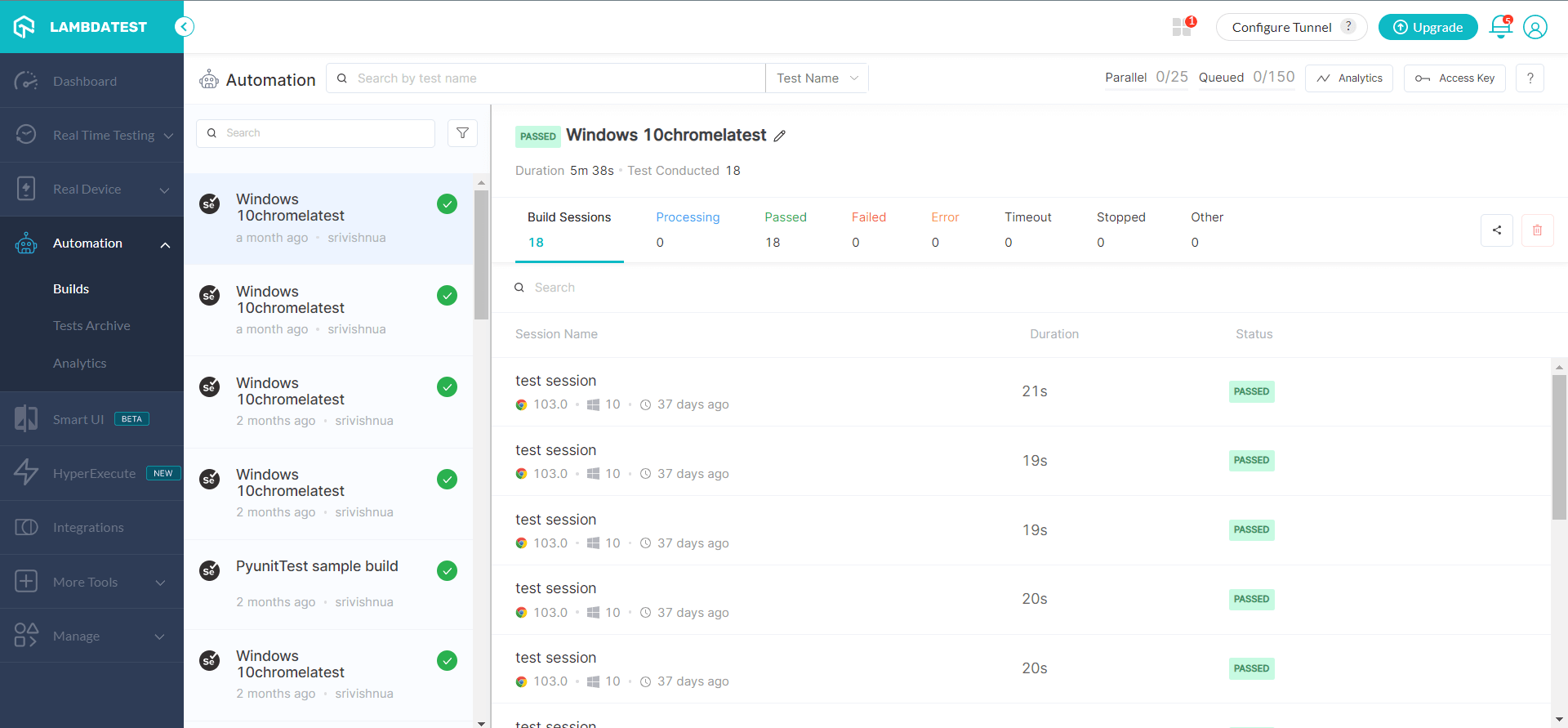
By integrating TestMu AI with Zapier, you can automate your testing tasks and save the time that would have been spent building this integration or hiring someone to build this integration for you.
A Zap is an automated workflow consisting of a trigger and one or more actions. When you set up and activate a new Zap, it runs its actions every time the trigger event occurs, which is what lets you replace the manual "test ran, now go tell everyone and file the bug" busywork.

Real-World QA Automation Blueprints (TestMu AI + Zapier)
Here are three practical Zaps QA teams actually build, using the real triggers above.
1. File a Jira issue when a bug is marked in TestMu AI
Trigger: TestMu AI - Marked New Issue. Action: Jira - Create Issue. When a tester flags a bug during a session, Zapier opens a Jira ticket automatically and maps the TestMu AI details (test ID, browser, description) into the ticket fields. No copy-pasting between the test dashboard and the tracker.
2. Post test results to Slack
Trigger: TestMu AI - New Test (or New Build). Action: Slack - Send Channel Message. Every completed test or build posts a message to your QA channel with the dynamic fields, so the team sees results in real time without opening the dashboard. Add a Zapier filter step on the status field if you only want to alert on failures.
3. Log every build to your system of record
Trigger: TestMu AI - New Build. Action: Google Sheets or a webhook - Create Row / POST. Append each build to a sheet or push it to an internal endpoint for your own reporting and audit trail.
A note on GitHub: because TestMu AI is a trigger-only app in Zapier, you cannot start a TestMu AI test run from a GitHub pull request through Zapier. For that direction (PR opened, run tests), wire GitHub to TestMu AI through your CI/CD pipeline or the TestMu AI API. Zapier is the right tool for reacting to test results, not for launching test runs.
Zapier vs Make (Integromat) for Test Automation
Zapier is not the only option. Make, formerly Integromat, is the tool QA engineers most often weigh against it. They solve the same problem differently.
| Dimension | Zapier | Make (Integromat) |
|---|---|---|
| Ease of use | Simplest for linear trigger-action Zaps; fastest to a working automation | Visual scenario builder; a steeper learning curve for the same simple task |
| Complex logic | Filters and paths, but branching and loops are limited | Strong at multi-branch routing, iterators, and data loops over arrays |
| Cost at high volume | Priced per task; can get expensive as test volume grows | Priced per operation; generally more budget-friendly for high-volume suites |
| Best fit for QA | Quick notifications and hand-offs around tests | Data-heavy pipelines that transform and route many test events |
For most QA teams starting out, Zapier's simplicity wins. If your automations grow into complex, high-volume data flows, Make's operation-based pricing and branching become the stronger fit. Both connect to TestMu AI through the same triggers and collaboration tools your team already uses.
Quick Start Guide
You can have your first QA Zap running in a few minutes.
- Get your credentials: copy your Username and Access Key from your TestMu AI profile.
- Create a new Zap in Zapier and choose TestMu AI as the trigger app.
- Pick a trigger event: New Build, New Test, or Marked New Issue.
- Connect your account with the Username and Access Key, then test the trigger so Zapier pulls in a sample record.
- Choose an action app (Jira, Slack, Google Sheets, or a webhook) and map the TestMu AI dynamic fields into it.
- Test and publish the Zap. It now runs automatically on every matching event.
For the full walkthrough with screenshots, see the docs on how to integrate TestMu AI with Zapier.
All in All!
TestMu AI is proud to announce its integration with Zapier and allow you to automate your workflows between two or more apps. Now with Zapier, you can automate routine and repetitive tasks, freeing you to focus more on your most important work. We hope this new integration with Zapier will greatly benefit you while maximizing your productivity. Once your Zaps are live, see our guide to Zapier testing for keeping them from failing silently.
Try our new Zapier integration and share your thoughts on the TestMu AI Community. You can also contact us via our chat portal or by mail at support@testmuai.com.
Happy Testing!
Author

Devansh Bhardwaj
Blogs: 80


Devansh Bhardwaj is a Community Evangelist at TestMu AI with 4+ years of experience in the tech industry. He has authored 30+ technical blogs on web development and automation testing and holds certifications in Automation Testing, KaneAI, Selenium, Appium, Playwright, and Cypress. Devansh has contributed to end-to-end testing of a major banking application, spanning UI, API, mobile, visual, and cross-browser testing, demonstrating hands-on expertise across modern testing workflows.


Did you find this page helpful?
More Related Blogs
TestMu AI forEnterprise
Get access to solutions built on Enterprise
grade security, privacy, & compliance
- Advanced access controls
- Advanced data retention rules
- Advanced Local Testing
- Premium Support options
- Early access to beta features
- Private Slack Channel
- Unlimited Manual Accessibility DevTools Tests