
Power Your Software Testing with AI Agents and Cloud
The Native AI-Agentic Cloud Platform to Supercharge Quality Engineering. Test Intelligently and Ship Faster.


- TestMu AI (Formerly LambdaTest)
- /
- Blog
- /
- How to Test Shopify Stores Without Code
How to Test Shopify Stores Without Code (2026 Guide)
Test your entire Shopify store, product pages, cart drawer, discount codes, and checkout, in plain English. No Selenium, no Playwright, no code.
Published on:
A Shopify store can be tested without code by writing steps like selecting a size variant, clicking Add to Cart, and checking the drawer subtotal in plain English, so KaneAI keeps working after a theme update or a new app block reshuffles the DOM. It also follows the hosted checkout onto Shopify's domain, verifying orders on real mobile devices.
Why Shopify stores are hard to test
A storefront looks like one page, but a real purchase touches a moving target that changes every time you edit the theme or add an app:
- Themes and Liquid, where a theme update or a section edit reshuffles the DOM and renames classes, so any test tied to a selector breaks the moment a merchandiser tweaks the layout
- Apps that inject markup, where review widgets, upsells, and subscription blocks add and move elements at runtime, so the page you scripted is not the page that actually renders for a shopper
- The cart itself, where the same store can show a slide-out cart drawer, a full cart page, or a sticky mini-cart, and each one updates totals and shipping differently
- Discount logic, where percentage, fixed-amount, free-shipping, and buy-one-get-one codes interact with taxes and cart contents in ways that are easy to get subtly wrong
- The hosted checkout, where a storefront guest checkout flow leaves your theme for the Shopify checkout on a separate domain and has to be followed all the way to the order confirmation
- Variants and inventory, where size and color options change what is clickable, and a sold-out variant must block the purchase instead of accepting a phantom order
And most Shopify traffic is mobile, so a purchase that works on your desktop can still be broken on a real phone, on the exact device your best customers are holding.
The old way: brittle store scripts
Here is what verifying a simple add-a-product-and-check-the-cart-total scenario looks like in a typical Selenium setup:
const { Builder, By, until } = require("selenium-webdriver");
const driver = await new Builder().forBrowser("chrome").build();
await driver.get("https://your-store.myshopify.com/products/classic-tee");
await driver.findElement(By.css('select[name="id"] option[value="medium"]')).click();
await driver.findElement(By.name("add")).click();
await driver.wait(until.elementLocated(By.css(".cart-drawer.is-open")), 10000);
const subtotal = await driver.findElement(By.css(".cart-drawer__subtotal .money")).getText();
if (subtotal !== "$29.00") {
  throw new Error(`Expected subtotal $29.00 in the cart drawer, got: ${subtotal}`);
}
await driver.quit();
Eleven lines, and it is fragile. The moment your theme renames the cart-drawer class, an app moves the subtotal, or a variant dropdown becomes a swatch, the test breaks. Maintenance like this is the dominant cost of a large automation suite: engineers spend a large share of every sprint re-pointing selectors instead of writing new coverage. And this approach still requires someone on the team who writes JavaScript in the first place, which the hosted checkout and third-party apps only make harder. It is the core tradeoff behind code-based vs. codeless test automation.
If you are a store owner, a merchandiser, or a solo founder without a dedicated automation engineer, the code wall means your store usually gets tested by hand, slowly, inconsistently, and never at 2 a.m. before a theme goes live for a sale.
The no-code way: write the test the way you would explain it
With KaneAI, you write the same test in plain English:
- Go to your-store.myshopify.com and open the Classic Tee product page
- Select the Medium size variant
- Click Add to Cart
- Verify the cart drawer opens
- Verify the cart drawer subtotal shows $29.00
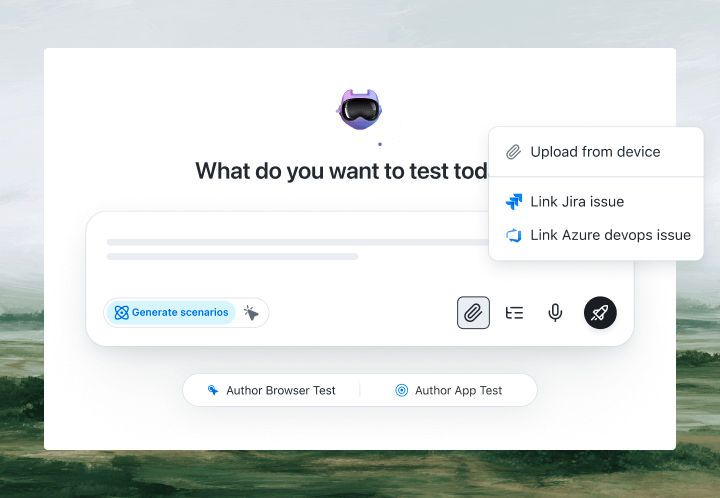
That is the entire test. KaneAI reads each step, finds the right elements on your live store the way a shopper would, by understanding the page rather than matching brittle CSS or Liquid classes, and runs the flow. When you change a theme or install an app that moves the block, the test adapts instead of breaking. That is what makes it a fit for Shopify: theme and app-block changes stop breaking your suite, cart and checkout flows run end to end across the hosted checkout, discount codes are verified against the new total, and the same steps run cross-browser and on real mobile so you can check a theme on a real phone before you publish it.

The Shopify store scenarios that actually break
Once the happy path works, real coverage is just more English. Here are the store scenarios worth adding, each takes about two minutes to write:
Discount code at checkout
- Add two items to the cart and open the checkout
- Apply the code SAVE10 and verify the ten percent discount appears as a line item
- Verify the order total drops by the right amount and the code cannot be applied twice
Variant and sold-out handling
- Open a product and select a variant that is out of stock
- Verify Add to Cart is disabled and a sold-out message is shown
- Switch to an in-stock variant and verify the price and image update before adding it
Cart drawer quantity updates
- Add a product and open the cart drawer
- Increase the quantity to three and verify the subtotal recalculates
- Remove the item and verify the drawer shows an empty-cart state
Guest checkout to Thank You page
- Add a product and proceed to the hosted checkout as a guest
- Fill in shipping details and select a shipping method, then complete payment in test mode
- Verify the order confirmation page loads with a real order number
Run all of them across Chrome, Safari, Firefox, and real mobile devices from the same plain-English steps, with no per-browser rewrites.
Putting it on autopilot
Store tests are most valuable when they run without you:
- Schedule the suite nightly, including a theme update smoke test, so a theme change pushed in the afternoon cannot silently break checkout by morning
- Trigger on deploy via CI, where Kane CLI runs the same tests from your pipeline whenever a theme or app update ships, and pauses for a CAPTCHA or OTP instead of failing
- Alert on failure in Slack, with a full replay of exactly what the AI saw when the step failed: screenshots, video, and the reason in plain English
When a test fails, you do not get a stack-trace exception at line 47. You get a plain-English reason for the exact step that failed. Anyone on the team can read it, and anyone can fix the test, because the test is just English.
Storefront-only QA agents cover this ground too, so if one is on your shortlist, the Spur alternative comparison lines up authoring, execution, and device coverage against a full testing cloud.
Try it on your own store in 10 minutes
- Sign up for KaneAI free, with no credit card
- Paste your storefront URL
- Write your first store test in plain English, or let KaneAI suggest one from your product pages
- Run it and watch a product move from the shelf to the cart drawer end to end
Your storefront is too important to test by hand and too dynamic for brittle scripts. Test it in the language you already speak. When you run other platforms too, the same approach covers how to test WordPress sites and how to test web apps without code.

Note: Test your Shopify store without writing a line of code. Start with KaneAI free.
Author

Kavita Joshi
Blogs: 14


Kavita Joshi is a Senior Marketing Specialist at TestMu AI, with over 6 years of experience in B2B SaaS marketing and content strategy. She specializes in creating in-depth, accessible content around test automation, covering tools and frameworks like Selenium, Cypress, Playwright, Nightwatch, WebdriverIO, and programming languages with Java and JavaScript. She has completed her masters in Journalism and Mass Communication. Kavita’s work also explores key topics like CSS, web automation, and cross-browser testing. Her deep domain knowledge and storytelling skills have earned her a place on TestMu AI’s Wall of Fame, recognizing her contributions to both marketing and the QA community.
Reviewer

Himanshu Sheth
Reviewer
Himanshu Sheth is the Director of Marketing (Technical Content) at TestMu AI, with over 8 years of hands-on experience in Selenium, Cypress, and other test automation frameworks. He has authored more than 130 technical blogs for TestMu AI, covering software testing, automation strategy, and CI/CD. At TestMu AI, he leads the technical content efforts across blogs, YouTube, and social media, while closely collaborating with contributors to enhance content quality and product feedback loops. He has done his graduation with a B.E. in Computer Engineering from Mumbai University. Before TestMu AI, Himanshu led engineering teams in embedded software domains at companies like Samsung Research, Motorola, and NXP Semiconductors. He is a core member of DZone and has been a speaker at several unconferences focused on technical writing and software quality.


Shopify Store Testing FAQs
Did you find this page helpful?
More Related Blogs

TestMu AI forEnterprise
Get access to solutions built on Enterprise
grade security, privacy, & compliance
- Advanced access controls
- Advanced data retention rules
- Advanced Local Testing
- Premium Support options
- Early access to beta features
- Private Slack Channel
- Unlimited Manual Accessibility DevTools Tests