

Power Your Software Testing with AI Agents and Cloud
The Native AI-Agentic Cloud Platform to Supercharge Quality Engineering. Test Intelligently and Ship Faster.


- TestMu AI (Formerly LambdaTest)
- /
- Blog
- /
- Test Browser Compatibility With WordPress Plugin
Test Browser Compatibility With WordPress Plugin
WordPress browser compatibility breaks in templates, layouts, plugins, and typography. A screenshot plugin captures full page renders across real browsers.
Last Updated on:
On This Page
You test browser compatibility with a WordPress plugin by installing it from your WordPress dashboard and running every published page across a cloud browser grid. W3Techs puts WordPress on 40.2 percent of all websites as of 18 September 2026, and compatibility breaks in custom templates, layout builders and third-party plugin CSS, not in WordPress core. This guide covers the WordPress cross browser compatibility challenges, what the plugin gives you, how to find which plugin or theme broke a page render, how AI changes this testing in 2026, and the setup steps.
Key Takeaways
- WordPress runs 40.2 percent of all websites as of 18 September 2026, and browser compatibility breaks in the customizations layered on top of WordPress rather than in core WordPress.
- Custom templates, layout builder plugins, third-party plugins and typography settings are the WordPress features that most often cause cross browser rendering problems.
- Block themes declare colors, spacing and type scale in a theme.json file and assemble CSS per page, so two pages built from the same WordPress theme can render differently in the same browser.
- WordPress core, theme and plugin updates change the markup of a live site without anyone editing a page, so a screenshot check belongs after every update and not only after a redesign.
- A WordPress browser compatibility plugin captures full-page screenshots of pages and posts across more than 3,000 browsers and browser versions, including mobile devices, other operating systems and legacy browser versions.
- WordPress Playground rebuilds a disposable copy of a WordPress site in the browser with WebAssembly, so the plugin or theme that broke a page render can be found by halving the plugin list instead of switching features off on the live site.
Challenges Related To WordPress Cross Browser Compatibility
Vanilla out of the box, WordPress is pretty much compatible across all browsers. WordPress.com based websites are also quite compatible. However, no one really uses out-of-the-box WordPress. Everyone customizes the platform heavily based on their requirements and this ease of customization is one of the reasons why the platform is so popular. However, these customizations sometimes break browser compatibility. The root cause can be many areas, however, most WordPress compatibility issues creep up because of following features
- Templates:
With the flexibility offered by templates, they have become a great way to deliver a powerful UI and UX. However, few templated may appear distorted on some browsers or legacy browser versions. It is why you should perform a thorough cross browser compatibility testing to realize the scope of browsers supporting your templates. Custom templates offers customization on the below-mentioned:
- Custom Menu
- Custom buttons and CTA
- JavaScript design elements
- Sliders
- Toggles
- Featured Images
- Tabs
- Custom dropdowns
- Date picker
Customizations are cool, but all these custom elements may suffer from cross browser compatibility issues. If you are planning to customize your WordPress template then be sure to perform cross browser testing.
- Layouts:
There are numerous plugins for building layouts. This statement sounds great from a customization point of view. However, similar cannot be said in terms of browser compatibility in WordPress. Be mindful about performing a thorough round of cross browser testing when you decide to change or customize default layouts.
- Plugins
WordPress has a huge library of available plugins developed by independent contributors. Though all these plugins are thoroughly tested by moderators and community contributors, quite a lot of time using multiple plugins may cause css and javascript browser compatibility issues. Old plugins that have not been updated for a long time, plugins created with specific wordpress versions in mind, and unplanned usage of plugins are some of the primary reasons behind these issues.
TestMu AI platform can help you to quickly make sure that your website's look and feel does not get affected because of any new plugin. You can also use real time live interactive feature on our platform to ensure that functionality is working as well.
- Typography:
Content is the king. Make sure yours get reflected accordingly. Some common cross browser compatibility issues related to text could lay with the alignment, padding, font-size etc. Performing a daily round of cross browser testing is imperative to keep your text typography in check.
- Block themes:
Block themes move most of the styling out of a fixed stylesheet. A block theme declares its colors, spacing and type scale in a theme.json file, and the editor lets an author override those values on a single block. The CSS that reaches the browser is assembled per page, so two pages built from the same theme can render differently in the same browser. Test the published URLs rather than the theme files, and repeat the run after every theme.json change.
- Update cadence:
WordPress releases land often. Version 7.1.1 arrived on 17 September 2026, and the WordPress release archive lists several point releases in the weeks before it. Core, theme and plugin updates change the markup of a live site without anyone editing a page, so run your screenshot check against the same list of URLs after each update instead of only after a redesign.

Key Takeaway: Custom templates, layout builder plugins, third-party plugins, typography settings, block themes and frequent WordPress releases are the six places where WordPress cross browser compatibility usually breaks.
How TestMu AI WordPress Plugin Will Benefit You?
WordPress offers an easy, scalable and highly customizable website and it does so with the help of numerous themes, APIs, plugins etc. However, the more you customize your website, the higher is the risk for cross browser compatibility as you will be integrating your website with components hosted by a 3rd party application. If that 3rd party application isn't compatible on any major browser then you are missing on a lot of potential conversions.
TestMu AI offers a browser compatibility WordPress plugin to help you pace up the cross browser testing effort for people looking to improvise the user-experience of their WordPress website or Blog. Ultimately, boosting your daily basis productivity while ensuring better customer retention.
With TestMu AI, you can ensure browser compatibility by WordPress Plugin in the below ways.
Test Responsiveness Of Your Website
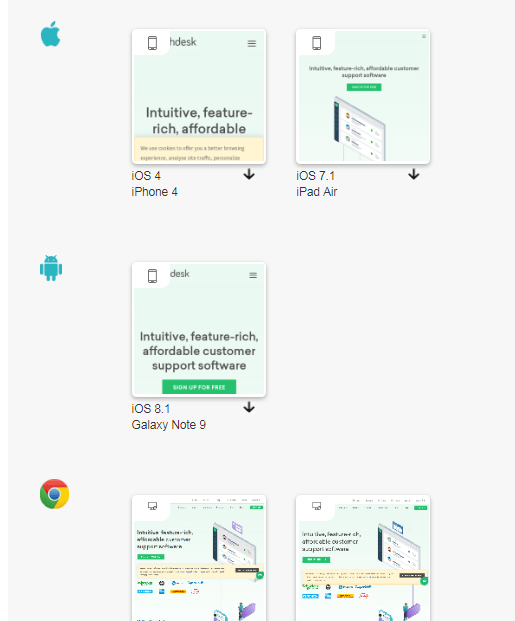
WordPress or not, RWD(Responsive Web Design) is a necessity for every business running online. However, testing how well your responsive web design is supported across various devices and browsers is not only mentally taxing but could also dig a hole in your pocket, if you go on buying all types of devices or a device lab. With TestMu AI WordPress plugin, you can perform responsive testing across a variety of mobile devices.
Perform Cross Platform Testing
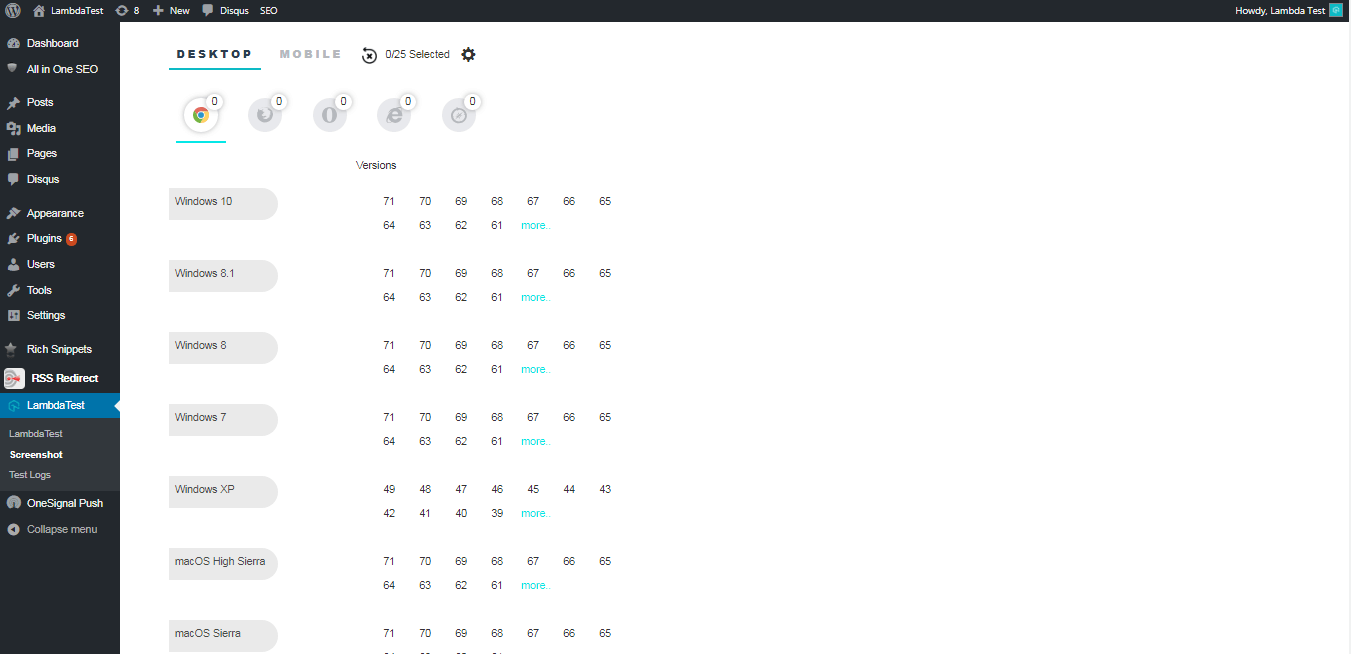
So if you are a web developer who has developed a WordPress website using MacOS, you can test your website on various versions of Windows OS to ensure a seamless web experience for all his end users.
Test Your WordPress Website View On All Major Browsers
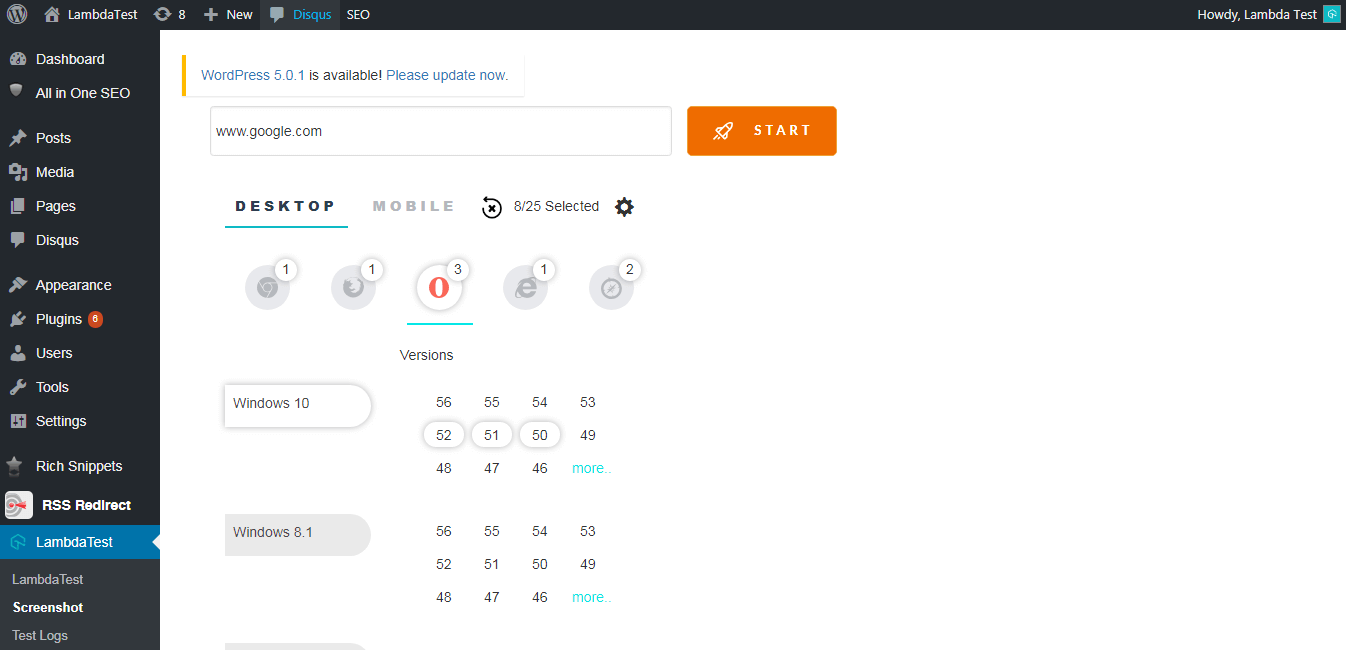
By far it is imminent that browser differences need to be scrutinized. With TestMu AI you can make sure that your WordPress website or blog is accessed seamlessly across all major browser vendors.
Test Your WordPress Website On Legacy Browser Versions
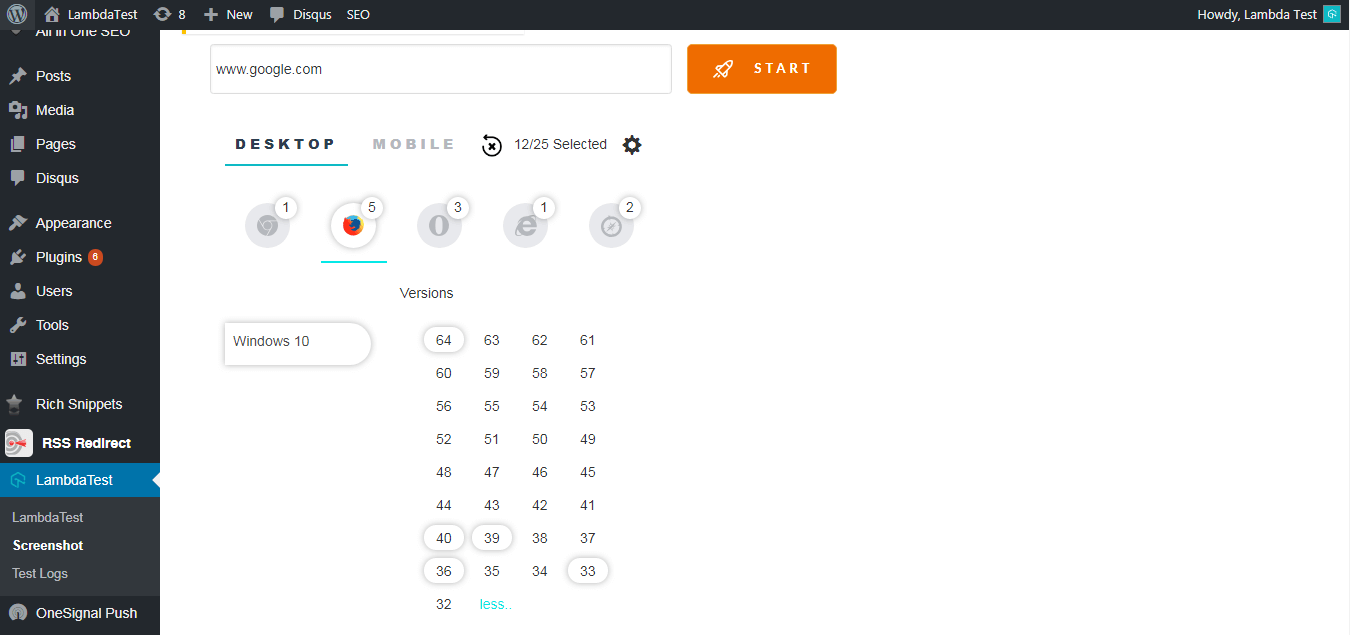
Most of the times we forget to give adequate attention to the legacy browsers as we develop our WordPress blog using recent browsers. It would be a hassle to install older versions of various browser vendors to realize the scope of supported browsers. This is where TestMu AI comes in to play, providing you with more than 3000+ browsers and browser versions, so you could ensure a robust web page for your visitors, even the ones coming from vintage browser versions.
Key Takeaway: A WordPress browser compatibility plugin checks responsive layouts on mobile devices, several operating systems, every major browser and more than 3,000 browser versions, so no physical device lab is needed.
How Do You Find Which Plugin Or Theme Broke A Page Render?
Reproduce the break on a disposable copy of the site and remove one customization at a time until the render matches again. A screenshot proves a page is broken. It does not name the theme or the plugin that broke it, and bisecting on production means switching things off for real visitors.
WordPress Playground supplies that copy. It runs WordPress client side in WebAssembly, so it needs no hosting and no backend, and the sandbox leaves no persistent side effects outside the browser. You describe the site you want in a Blueprint, a JSON file whose documented steps include installPlugin, installTheme, activatePlugin, activateTheme, runPHP and wp-cli.
Then bisect. Build a Blueprint with your theme and half your plugin list, open the URL that failed, and compare it with the screenshot. Halve whichever side reproduces the break and repeat. A list of ten plugins narrows to one suspect in about four rounds.
An agent can run those rounds for you. The Playground team published an MCP server on 17 March 2026 as the package @wp-playground/mcp. Its tools include playground_execute_php, playground_navigate, playground_read_file and playground_write_file, so a coding agent can install a plugin, load a page and read the markup it produced without anyone clicking through wp-admin. A follow up post on 5 September 2026 describes a WebMCP route that drops the local Node.js server, and notes that WebMCP is still a W3C Community Group draft rather than a ratified standard.
Treat whatever the agent reports as a hypothesis. Confirm it by rerunning the original screenshot set against the same URLs and the same browser list, because a fix that holds in one sandbox can still miss an older engine.
Key Takeaway: Rebuilding a failing WordPress page in a WordPress Playground sandbox and halving the plugin list each round narrows ten plugins to one suspect in about four rounds, and the suspect is confirmed by rerunning the original screenshot set.
How Does AI Change WordPress Browser Compatibility Testing In 2026?
AI now edits the site as well as the tests. WordPress exposes its own functionality to agents, so an agent edit changes the markup that reaches the browser and resets your screenshot baseline.
WordPress core carries an Abilities API, a registry in which plugins and themes declare what a site can do in a machine readable form. The WordPress AI contributor summary of 19 August 2026 defines an ability as a registered, self documenting unit of WordPress functionality that can be discovered and invoked through the REST API, the Command Palette and MCP. The same summary records that the AI plugin still uses experimental abilities with no guaranteed backward compatibility, and that the team wants the pattern in core in version 7.2.
That matters for rendering. An agent that adds a block, swaps a template or activates a plugin changes the HTML and CSS a browser receives, so the screenshot set has to be rerun exactly as it would be after a manual plugin update. An automated edit is no safer than a human one.
Know what an agent cannot do. It reads markup and DOM state, while a rendering fault lives in the pixels a specific engine and version paint, so an agent cannot confirm that a page looks right. Keep the screenshot run as the check of record, use the agent to shorten the search for a cause, and reconfirm every fix against the original browser list.
Key Takeaway: WordPress now exposes its own functionality to AI agents through the Abilities API, so an agent edit changes live markup and forces a fresh screenshot run, and the agent still cannot judge a rendering fault because it reads markup rather than painted pixels.
Ensuring Browser Compatibility With WordPress Plugin Of TestMu AI
You can test your website for browser compatibility with WordPress plugin of TestMu AI immediately, by logging in to your WordPress account. Just search for 'TestMu AI' as you click to add a new plugin.
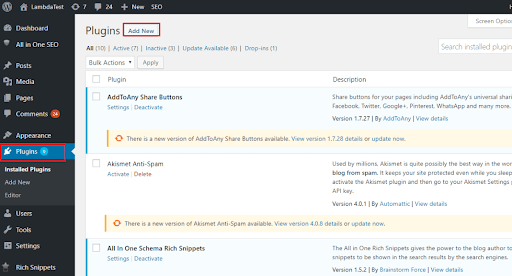
As you search for 'TestMu AI', click on the "Install Now"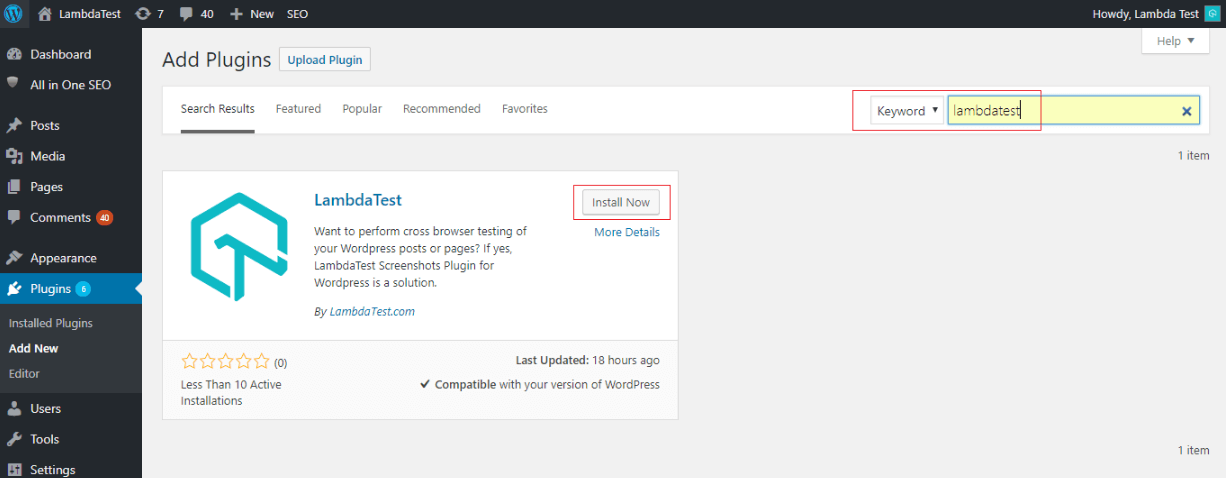
Click on the button that says 'Activate' and you are all done! You will now find TestMu AI under your section for added plugins.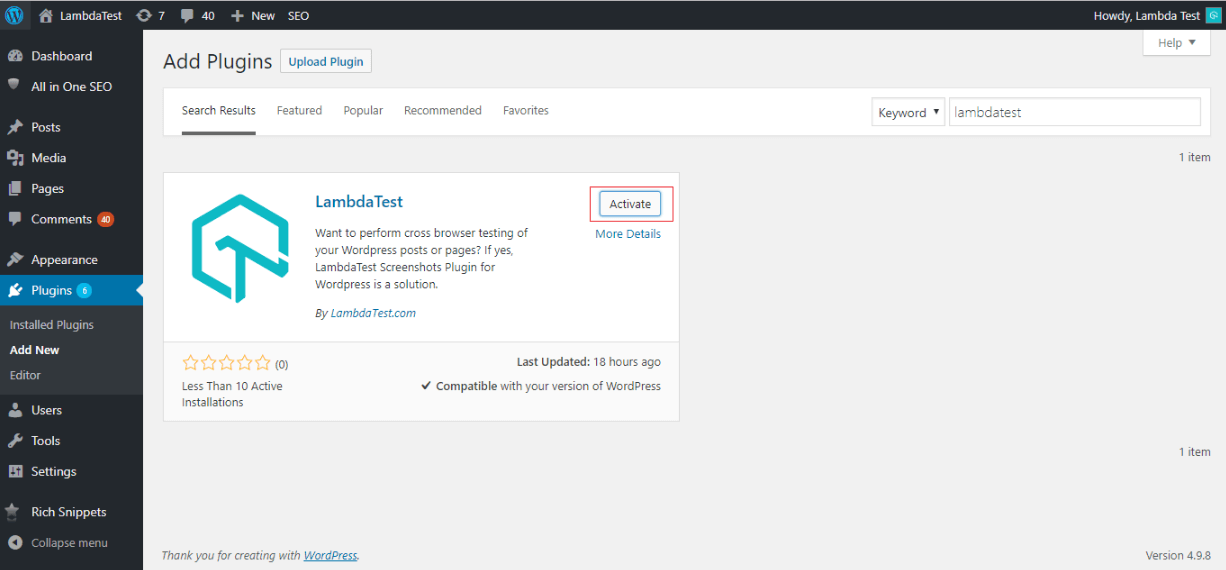
If you are an existing user of TestMu AI then all you need to do is provide your login email address and the Access key of your TestMu AI account.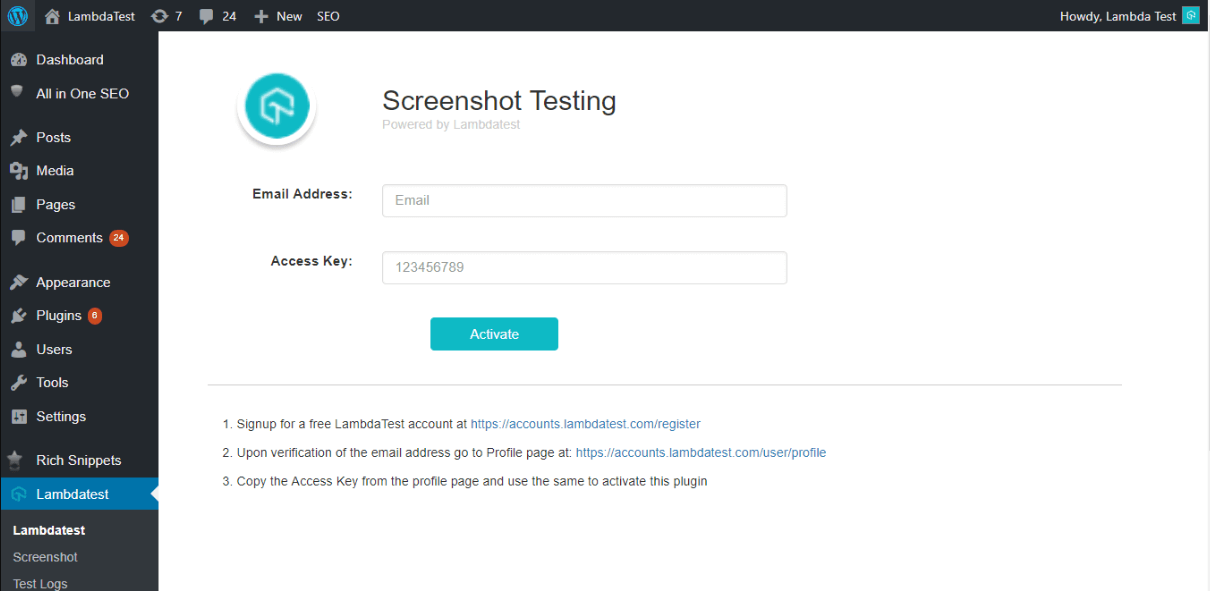
Check the WordPress.org listing before you install. It shows the plugin at version 3.0.3, tested up to WordPress 6.2, and carries the standard notice that it has not been tested with the latest three major WordPress releases. Current WordPress is 7.1.1, so activate the plugin on a staging copy first and confirm a screenshot run completes there before adding it to a production site. Each run covers up to 25 browser and operating system configurations.
Now perform live interactive manual testing of your WordPress websites on TestMu AI.
If you have not yet signed up with TestMu AI then hurry up and do so for your free dose of browser compatibility testing.
Run the same URL list through the same browser set after your next WordPress update, then compare the screenshots against the ones you hold now. Happy Testing!

Key Takeaway: Installing and activating the browser compatibility plugin from the WordPress dashboard and entering the account login email and access key is the full setup needed before the first WordPress screenshot run.
Author

Harshit Paul
Blogs: 93


Harshit Paul is Director of Product Marketing at TestMu AI (formerly LambdaTest), with over 8 years of experience in product and growth marketing for developer and QA tools, leading the Agentic AI in Quality Engineering space. He has authored 80+ technical articles for TestMu AI on software testing and automation, and hosted webinars on Selenium, automation testing, browser compatibility, DevOps, and continuous testing. He has led go-to-market and technical marketing initiatives across software testing products, contributing to SEO, content strategy, and developer marketing. He began his career as a certified Salesforce developer at Wipro Technologies, where he worked for 2 years before moving into marketing. Harshit holds a degree in computer programming from Vivekananda Institute of Professional Studies.


WordPress Browser Compatibility FAQs
Did you find this page helpful?
More Related Blogs
TestMu AI forEnterprise
Get access to solutions built on Enterprise
grade security, privacy, & compliance
- Advanced access controls
- Advanced data retention rules
- Advanced Local Testing
- Premium Support options
- Early access to beta features
- Private Slack Channel
- Unlimited Manual Accessibility DevTools Tests