

Power Your Software Testing with AI Agents and Cloud
The Native AI-Agentic Cloud Platform to Supercharge Quality Engineering. Test Intelligently and Ship Faster.


- TestMu AI (Formerly LambdaTest)
- /
- Blog
- /
- Top 9 Low Code Test Automation Tools [2026]
Top 9 Low Code Test Automation Tools [2026]
Compare the top 9 low code test automation tools for 2026, from GenAI authoring to codeless recorders, with features, best-fit use cases, and how to choose.
Last Updated on:
Low code automation is an approach that helps developers and testers automate testing through the use of pre-built components and visual interfaces. Using automation testing tools can be complex, especially for teams without coding skills.
However, low code test automation tools simplify test automation with minimal coding, letting testers and developers create, maintain, and scale test cases efficiently.
This guide covers 9 low code tools worth shortlisting in 2026, each checked against its live product site.
Overview
To automate software testing with minimal coding, use KaneAI by TestMu AI for high-speed natural-language test creation, or CloudQA for lean web teams needing record-and-playback regression testing. These low-code tools simplify test creation, execution, and maintenance using visual interfaces and pre-built components.
What are the top low code test automation tools?
- Best for high-speed test authoring - KaneAI turns natural-language instructions into end-to-end tests and runs them on the automation cloud.
- Best for codeless record and playback - CloudQA, Ghost Inspector, and BugBug record UI flows for lean web teams, with scheduled runs and AI-assisted recorders.
- Best for enterprise standardization - UiPath Test Cloud and Leapwork suit organizations already running those platforms across web, desktop, and ERP estates.
- Best for regulated, visual-first work - TestResults.io drives a no-code designer that identifies elements the way a user sees them, which suits validated environments.
- Best for open source and workflow-level tests - Selenium IDE gives free record and playback in the browser; Appian tests the low-code workflows it also builds.
What Is Low Code Test Automation?
Low code test automation uses visual interfaces and pre-built components to create automated tests with minimal coding, making testing accessible to non-developers.
The low-code variants carry much smaller ecosystems than their scripted parents. the Selenium IDE repository holds 3,111 GitHub stars against 34,485 for the main Selenium project.
That gap shows up as fewer community answers when a recorded test breaks, which is the cost most teams underestimate.
Low code test automation is a technique that uses testing tools that require minimal coding. These low code test automation tools have visual interfaces like drag-and-drop interfaces and point-and-click options that make it easily accessible.
This technique simplifies creating automated tests for websites and web apps using visual tools like drag-and-drop interfaces or record-and-playback features.
So, with a low code automation approach, teams with less coding expertise can collaborate on building and automating software testing without extensive coding knowledge.
What Are the Top Low Code Test Automation Tools?
Top low code test automation tools include KaneAI, CloudQA, Ghost Inspector, UiPath Test Cloud, TestResults.io, Leapwork, BugBug, Appian, and Selenium IDE for simplified test creation.
The 9 tools below each cover a different slice of low-code testing, from recorder-first web suites to enterprise platforms with their own test management, so the right one depends on who authors the tests and where they run.
1. KaneAI
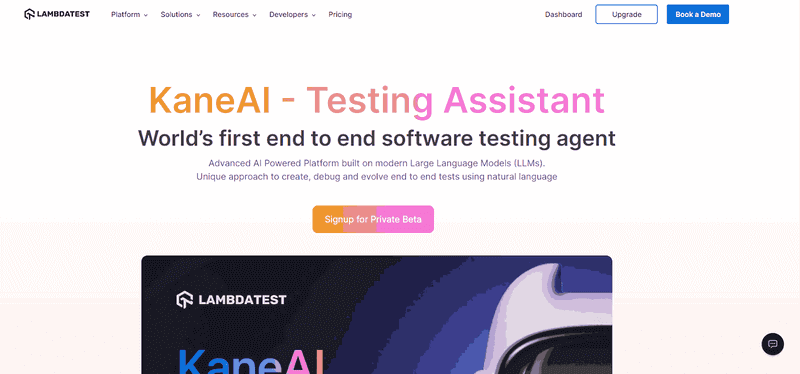
KaneAI by TestMu AI is a GenAI-native testing agent tailored for high-speed quality engineering teams. KaneAI automates various aspects of the testing process, including test case authoring, management, and debugging.
Teams use KaneAI to create and refine complex test cases in natural language, and its two-way editing keeps natural-language steps and generated code in sync.
That is exactly the "low-code" middle ground: start codeless, then drop to code only when needed.
Features -
- Test Creation - Enables users to create and evolve tests using natural language, making automation accessible to all skill levels.
- Intelligent Test Planner - Generates and automates test steps based on high-level objectives, simplifying the test creation process.
- Multi-Language Code Export - Converts tests into major programming languages and frameworks, allowing for flexible automation across platforms.
- 2-Way Test Editing - Synchronizes natural language edits with code, making it easy to modify tests from either end.
- Integrated Collaboration - Allows teams to tag KaneAI in Slack, Jira, or GitHub to start automation, enhancing team collaboration.

2. CloudQA
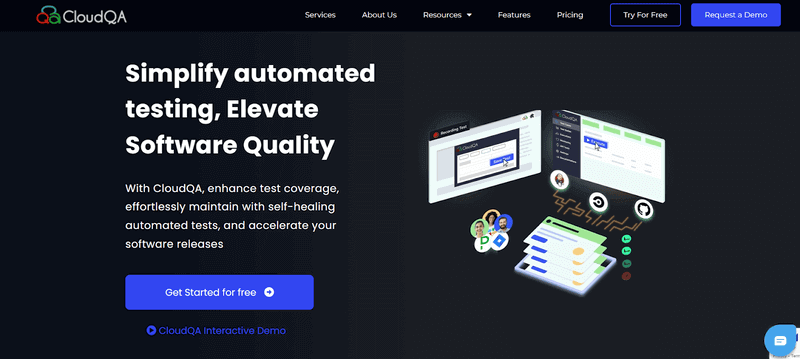
CloudQA is a strong web test automation tool that aims to simplify and improve the software testing process.
It provides a codeless testing environment where users can write and run automated tests without any programming knowledge.
It automates end-to-end UI testing of websites and mobile apps, ensuring that the features visible to end users work as expected. It also includes regression testing and performance monitoring.
If you're exploring more tools focused on interface validation, check out our curated list of the best UI Testing Tools to discover options that suit your project needs.
Features -
- AI-enhanced test suggestions - Recommends test cases based on your application's features and user patterns.
- Self-healing automation - Updates test scripts automatically to avoid test failures.
- Smart element identification - Identifies software application elements intelligently, even if they are dynamic or modified.
- Anomaly detection - Helps identify unusual patterns or behaviors in test results, pointing out potential issues early.
- Efficient test maintenance - Leverages AI to reduce the time needed to update or maintain test scripts.
3. Ghost Inspector
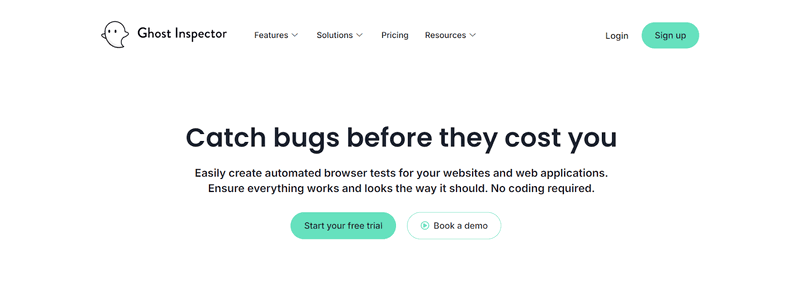
Ghost Inspector is a codeless automated testing tool built to empower users with ease in creating and running automated browser tests of websites and web applications.
Its easy visual interface and test recorder let users create automated tests without substantial code knowledge.
The recorder captures user interactions and converts them into automated tests, and JavaScript steps are available when a scenario needs custom logic.
Features -
- Visual testing - Compares screenshots to spot visual differences and UI regressions.
- Scheduled monitoring - Runs tests on a schedule against staging or production and alerts on failures.
- Smart element handling - Helps recognize dynamic elements, reducing the need for manual test adjustments.
- Low-code escape hatch - JavaScript steps and data-driven testing for scenarios the recorder cannot cover.
- Alerting integrations - Notifies via email, Slack, Teams, and GitHub when a test fails.
4. UiPath Test Cloud
UiPath Test Cloud is the testing product inside the UiPath automation platform, aimed at organizations that want testers and business users authoring alongside engineers rather than keeping a separate scripting team.
It frames testing as agentic rather than low-code alone, applying AI agents across test design, test automation, test execution, and test management, with Test Manager holding planning and traceability in the same platform.
Features -
- Low-code authoring - tests are built in UiPath Studio, with a low-code designer in Studio Web, so people who do not script can still automate.
- Agentic testing across the lifecycle - AI agents are applied to design, automation, execution, and management, not to authoring alone.
- Self-healing test automation - tests adapt to application changes instead of breaking on each UI shift.
- Test Manager - planning, traceability, and test management sit beside the automation itself.
- Enterprise application coverage - built for packaged enterprise apps including SAP, folding functional and performance testing into an existing toolset.
Best for - Enterprise QA teams already standardized on UiPath who want testing inside the same platform.
Pricing - Commercial; tier and trial details are on the vendor site.
5. TestResults.io
TestResults.io is a comprehensive platform for automated software testing. It provides low code automated testing where you write automated tests with minimal coding.
This makes it accessible to a wider range of users, including those without substantial programming experience.
The platform integrates a no-code Generative AI prompt-to-automate designer with a low code C# designer, letting both technical and non-technical members contribute to test automation.
Features -
- AI-driven test coverage optimization - Analyzes your software application to suggest areas where more test coverage is needed.
- Self-healing tests - Updates tests when minor changes occur in the software application, reducing maintenance time.
- Visual testing with AI - Compares screenshots to detect visual differences across builds.
- Intelligent test case generation - Helps create test cases based on software application behavior, improving test relevance.
- Predictive test failure analysis - Predicts potential test failures before they happen, allowing for proactive fixes.

Note: Run your low-code and coded suites at scale, with AI-driven root cause analysis on every failure. Try TestMu AI free
6. Leapwork
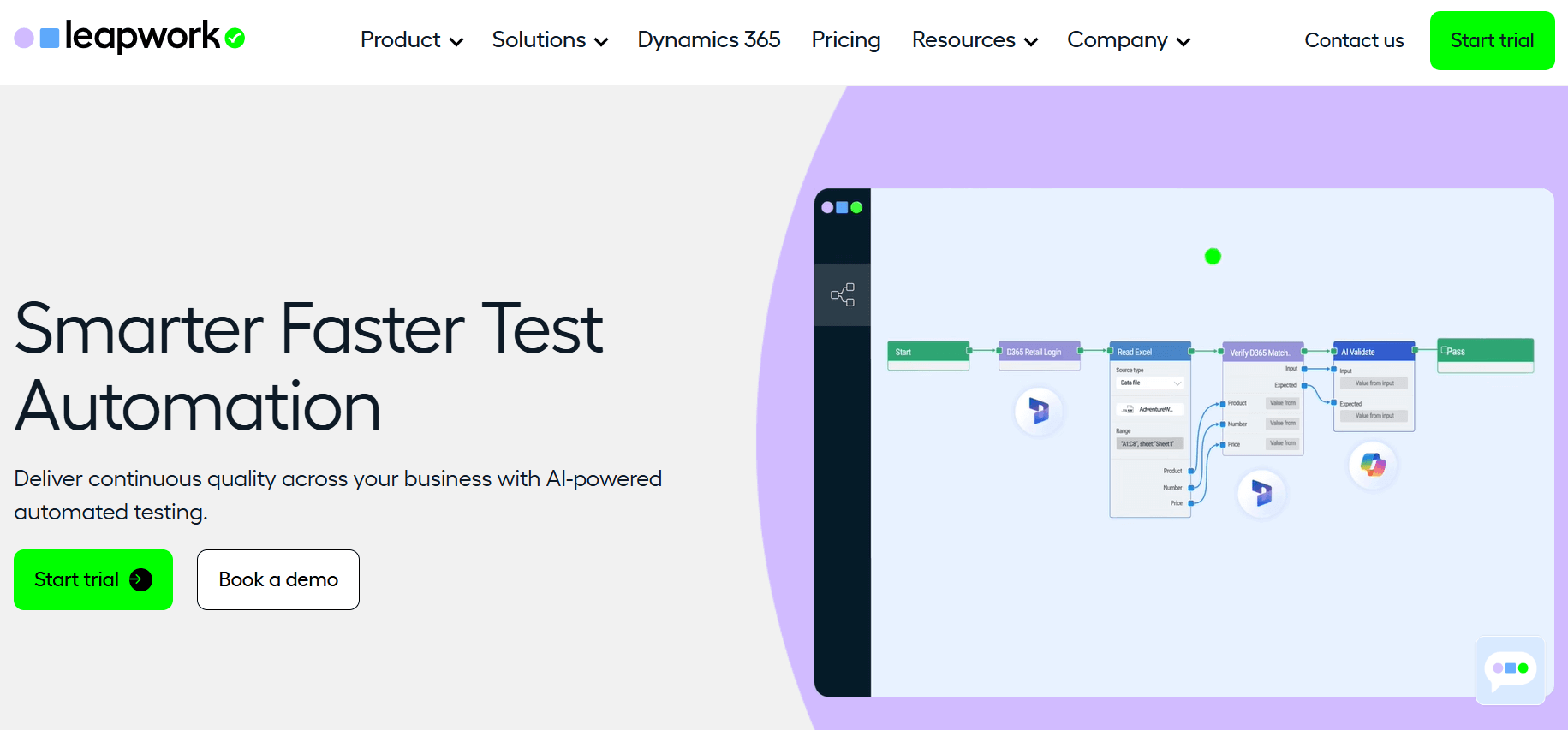
Leapwork is a versatile automation platform that aims to simplify and speed up the automation of repetitive tasks.
It uses a visual, no-code approach, making it suitable for both business and IT users and letting organizations adopt automation more rapidly.
Its low code automation testing approach allows users to write automated tests with minimal coding. Its simple visual interface enables users to create automation flows by connecting visual building blocks that perform specified activities.
Features -
- AI-based flow creation - Helps users create automated workflows through an intuitive, no-code interface.
- Self-healing automation - Adapts tests to prevent failures if there is a change in the software application.
- AI-guided test recommendations - Suggests tests based on how users interact with the software application.
- Automated visual testing - Analyzes screenshots to detect visual discrepancies, ensuring UI consistency.
- Smart test analysis - Uses AI to identify and explain the root cause of test failures, speeding up troubleshooting.
7. BugBug
BugBug is a low-code test automation tool designed for fast regression coverage of web applications.
Its AI-assisted browser recorder captures interactions and converts them into editable test steps, letting QA engineers, developers, and product teams create automated tests with minimal coding.
Tests can be edited through a visual interface and executed locally in the browser or in BugBug's cloud infrastructure. Custom JavaScript steps add flexibility for complex scenarios.
Scheduling, unlimited cloud runs, parallel execution, and CI/CD integrations help teams incorporate regression testing into their development workflows.
Features -
- AI-assisted test recorder - Records browser interactions and uses adaptive locators, smart waiting, and intelligent click-and-scroll handling to create stable test steps.
- Edit & Rewind - Allows users to modify a test and resume execution from any selected step instead of restarting the complete scenario.
- Unlimited local and cloud execution - Runs tests in the browser or cloud, with scheduled and parallel test runs.
- Reusable components - Groups frequently repeated steps into reusable components to simplify test creation and maintenance.
- CI/CD integration - Connects tests to delivery pipelines via BugBug's CLI, REST API, webhooks, and integrations like GitHub Actions, GitLab, and Jenkins.
8. Appian

Appian is a low code process automation platform. It belongs here from the other direction: teams building apps on low code platforms still need to test them.
Appian ships automated testing capabilities for the workflows built on it.
It provides automated testing for complex workflows and works smoothly with CI/CD pipelines. This accelerates release cycles and improves quality by validating the automated processes it hosts.
Features -
- AI-driven process optimization - Analyzes workflows and suggests ways to improve efficiency.
- Workflow-level testing - Validates complex business processes built on the platform, not just single screens.
- Predictive analytics for workflows - Predicts bottlenecks and inefficiencies in your processes, offering actionable insights.
- Automated case management - prioritizes and assigns cases automatically instead of leaving that routing manual.
- CI/CD integration - Fits testing of platform-built apps into existing delivery pipelines.
9. Selenium IDE
Selenium IDE is the open-source answer to the same problem the paid tools solve, and it is the one entry here with no licence attached. It installs as a Chrome or Firefox extension, records what you click, and replays it, which makes it the cheapest way to find out whether record-and-playback suits your application before any budget conversation starts.
The detail that matters for maintenance is that it records several locators for each element rather than one, so a small markup change does not automatically break the step. For teams that outgrow it, the recorded flows are a specification you can hand to an engineer writing Selenium code properly.
Features -
- Record and playback - Captures browser interactions as editable test steps with no scripting required to start.
- Multiple locators per element - Stores several ways to find each element, so one markup change is less likely to break a step.
- Control flow commands - Ships with if, while, and times, so recorded tests can branch and loop rather than run as flat scripts.
- Test reuse - A run command calls one test case from another, which keeps shared setup steps in a single place.
- Command-line runner - Executes saved tests across browser and OS combinations in parallel outside the extension.
- Free and open source - Maintained under the Software Freedom Conservancy with no licence cost.
Where it stops - authoring happens inside a Chrome or Firefox extension and the tool targets the web, so native mobile and desktop applications are out of scope. There is no hosted dashboard, no scheduling, and no built-in reporting, which is the trade you make for the zero licence cost.
Low Code Test Automation Tools Comparison
Use this at-a-glance comparison to match the eight tools above to your team, stack, and the kind of testing you need to cover.
| Tool | Category | Best For |
|---|---|---|
| KaneAI | GenAI-native agent | High-speed, natural-language test authoring |
| CloudQA | Codeless record-and-playback | Lean web teams |
| Ghost Inspector | Codeless browser testing | Automation engineers running quick web checks |
| UiPath Test Cloud | Enterprise low-code platform | Teams already standardized on UiPath automation |
| TestResults.io | No-code visual | Regulated industries and legacy systems |
| Leapwork | Visual no-code flows | Mixed technology estates |
| BugBug | Low-code web automation | Fast web regression coverage |
| Appian | Low-code process automation | Testing low-code app workflows |
| Selenium IDE | Open-source record and playback | Trialling codeless testing at zero licence cost |
Low Code vs No Code Test Automation
Low code test automation lets you drop into code when a case demands it, while no code test automation removes the code path entirely. The practical difference is what happens at the edge case, not what happens on the happy path.
Vendors use both labels loosely, so the split below is drawn on the escape hatch rather than on marketing copy. That escape hatch is the single factor that decides whether a suite scales past its first hard test.
| Dimension | Low code | No code |
|---|---|---|
| Authoring | Visual builder or recorder, with a scripting layer underneath for custom steps. | Visual builder or plain-language prompt only, with no scripting surface exposed. |
| Edge cases | Handled by dropping into JavaScript or C# for that one step. | Handled only if the vendor already built the capability. |
| Who authors | Manual testers and automation engineers sharing one suite. | Business analysts, product managers, and manual testers. |
| Ceiling | Reached when custom steps outnumber visual ones and the suite is really code in disguise. | Reached the first time a flow needs behaviour the builder cannot express. |
| Examples here | BugBug, Selenium IDE, Ghost Inspector, Appian. | TestResults.io, Leapwork, KaneAI. |
Pick low code when engineers will share the suite with testers and you expect awkward flows. Pick no code when the people who understand the product best are the ones who need to write the tests, and accept that the vendor's feature set is your ceiling.

Low Code Testing for Mobile and Regression Suites
Most low code tools are web-first, so mobile coverage and long regression runs are where shortlists usually break. Check both before you commit, because a tool that records a browser flow beautifully may have no native mobile story at all.
On the mobile side the divide is sharp. BugBug states plainly that it is not a native mobile, desktop, Safari, or Firefox automation platform, and Ghost Inspector confines itself to browser tests. TestResults.io and CloudQA both list mobile coverage alongside web, and KaneAI authors against web, native mobile, API, and database layers from the same natural-language step.
For regression, the question is not whether the tool can record a suite but what a full run costs in wall-clock time and in triage. A recorded suite that takes ninety minutes serially and produces twenty ambiguous failures is worse than no suite, because nobody will run it before a release.
Ask whether the tool runs its recorded tests in parallel, and whether a failure arrives with enough evidence to triage without reproducing it by hand. Selenium IDE answers the first through its command-line runner; the hosted platforms answer it through their own grids. For teams running regression at real scale, TestMu AI executes suites across 3,000+ browser and OS combinations and 10,000+ real devices, and Test Insights categorizes failures and flags flaky tests so triage starts from a shortlist rather than a wall of red.
Why Use Low Code Test Automation Tools?
Low code tools offer faster test creation, reduced technical dependency, cost savings, better scalability, and improved collaboration across development teams.
Low code automation and no-code test automation are quickly gaining popularity. Even people with little coding experience can create and run automated tests more easily.
The case for low code is narrower than the marketing suggests, and it rests on four things that actually change how a QA team spends its week.
- The first test ships the same day - A recorder produces a running test in an afternoon, where a coded suite needs a framework, a locator strategy, a CI job, and a reporting layer before it runs once. That difference matters most on a new project with no automation at all.
- Manual testers author their own coverage - The people who know which flows break are usually not the people who can write Playwright. Removing the code barrier moves test authoring to the person holding the domain knowledge instead of queueing it behind an engineer.
- Maintenance moves from rewriting to reviewing - Tools that record several locators per element, or re-anchor steps automatically, turn a broken selector into a review rather than a rewrite. This is the single biggest cost line in any suite older than a year.
- Tests become reviewable artifacts - A visual flow or a plain-language step can be read by a product manager. A page-object hierarchy cannot, which is why coded suites drift out of sync with the requirements they were meant to protect.
What low code does not buy you is a ceiling-free suite. Every tool here hits a point where a flow needs behaviour the builder cannot express, and the tools that survive that moment are the ones with a real escape hatch into code.
How to Choose a Low Code Test Automation Tool
Choose a low code test automation tool by weighing how much scripting it still needs against your application coverage, team skills, maintenance burden, and CI/CD fit.
Rather than scoring every tool on every axis, start from the constraint that will actually disqualify most of the shortlist. The table maps the situation you are in to the entry on this list that fits it.
| Your situation | What to shortlist |
|---|---|
| No automation at all, and no budget approved yet | Selenium IDE, to prove record-and-playback fits your application before anyone signs anything. |
| Manual testers must own the suite without engineer help | KaneAI or TestResults.io, where the authoring surface is language or a visual designer rather than a script. |
| Chromium web app, and regression speed is the whole problem | BugBug, provided you never need Safari, Firefox, or native mobile. |
| Estate spans desktop, ERP, or core banking as well as web | Leapwork or TestResults.io, the two here that reach beyond the browser. |
| Your organization already runs UiPath automation | UiPath Test Cloud, which keeps testing in the platform your teams already operate. |
| Suite must run at scale across many browsers and real devices | A cloud platform behind whichever authoring tool you pick, since no recorder solves execution capacity. |
Whatever the shortlist, run the same trial on all of it: automate your two most fragile flows, then deliberately change the UI underneath them. How each tool behaves at that moment tells you more than any feature matrix, because maintenance under change is where low code suites are abandoned.
Estimate the payback before committing with this test automation ROI calculator.
One newer shortlist question sits alongside all of this: if a coding agent now writes, heals, or runs your tests, who tests the agent? An agent that edits files and calls tools reports its own success, and that report is not evidence. TestMu AI Agent Assurance applies the same no-authoring principle to this problem. It reads the agent's codebase and derives the test suite itself, generating functional, non-functional, and adversarial scenarios such as prompt injection and instruction override, then invokes the agent for real and grades each criterion against observed evidence, like the files that changed and the tool calls made. Anything it cannot check is reported as Unable to Verify beside the pass rate instead of being folded into it.
Note: If a coding agent is part of your testing workflow, put an evidence-backed verdict behind it. Early access is opening in batches. Join the Agent Assurance waitlist
Conclusion
Start by matching the tool to your bottleneck: KaneAI when authoring speed and maintenance are the problem, and CloudQA or Ghost Inspector for lean web teams.
Choose TestResults.io for regulated estates where the same suite has to reach core banking and mainframe screens, not just the browser.
Pick Leapwork for mixed enterprise stacks, BugBug for fast web regression coverage, and Appian when the apps under test are built on a low code platform.
Consider UiPath Test Cloud only if your organization already runs UiPath automation elsewhere, since most of its value comes from sharing that platform.
If Leapwork pricing is a blocker, weigh a Leapwork alternative before committing.
If nothing is automated yet, start with Selenium IDE this week and record your two most fragile flows. It costs nothing, and how those recordings survive the next UI change tells you whether record-and-playback is viable for your application before any vendor call.
When authoring is solved but execution is the bottleneck, the KaneAI getting-started guide walks through turning a natural-language scenario into a test that runs on the grid.
Also, explore how AI automation tools can further enhance your testing strategy and efficiency.
Author

Zikra Mohammadi
Blogs: 18


Zikra brings 5+ years of hands-on expertise in AI, web development, and software testing to her role as a technical content strategist. Certified in AI, manual, and automation testing, she breaks down complex ideas into step-by-step guides, tutorials, and reference docs, helping teams unlock the full power of AI-driven, codeless automation on web and mobile.
Reviewer

Saurabh Prakash
Reviewer
Saurabh Prakash is an Engineering Manager at TestMu AI (formerly LambdaTest), where he leads engineering on agentic AI development and scalable system architecture for the quality engineering platform. He has also contributed to Test at Scale, the company's open-source test intelligence platform. He brings over 9 years of experience across Node.js, Java, Spring, MVC, data structures, algorithms, and scalable system design, with earlier roles as SDE 2 at Zomato, Senior Software Engineer at LogicHub, and Software Development Engineer at Directi. Saurabh holds a B.Tech in Computer Science and Engineering from Delhi Technological University.


Low-Code Test Automation Tools FAQs
Did you find this page helpful?
More Related Blogs
TestMu AI forEnterprise
Get access to solutions built on Enterprise
grade security, privacy, & compliance
- Advanced access controls
- Advanced data retention rules
- Advanced Local Testing
- Premium Support options
- Early access to beta features
- Private Slack Channel
- Unlimited Manual Accessibility DevTools Tests