Live and automated real device testing on 10,000+ physical iOS and Android devices, straight from your browser or CI. No device lab to buy or maintain.
"With 70% faster test execution, TestMu AI helped us achieve faster time-to-market and enhanced CX."
Daniel de Bruijn, Quality Assurance Automation Engineer
Real Mobile Device Testing across Real Conditions
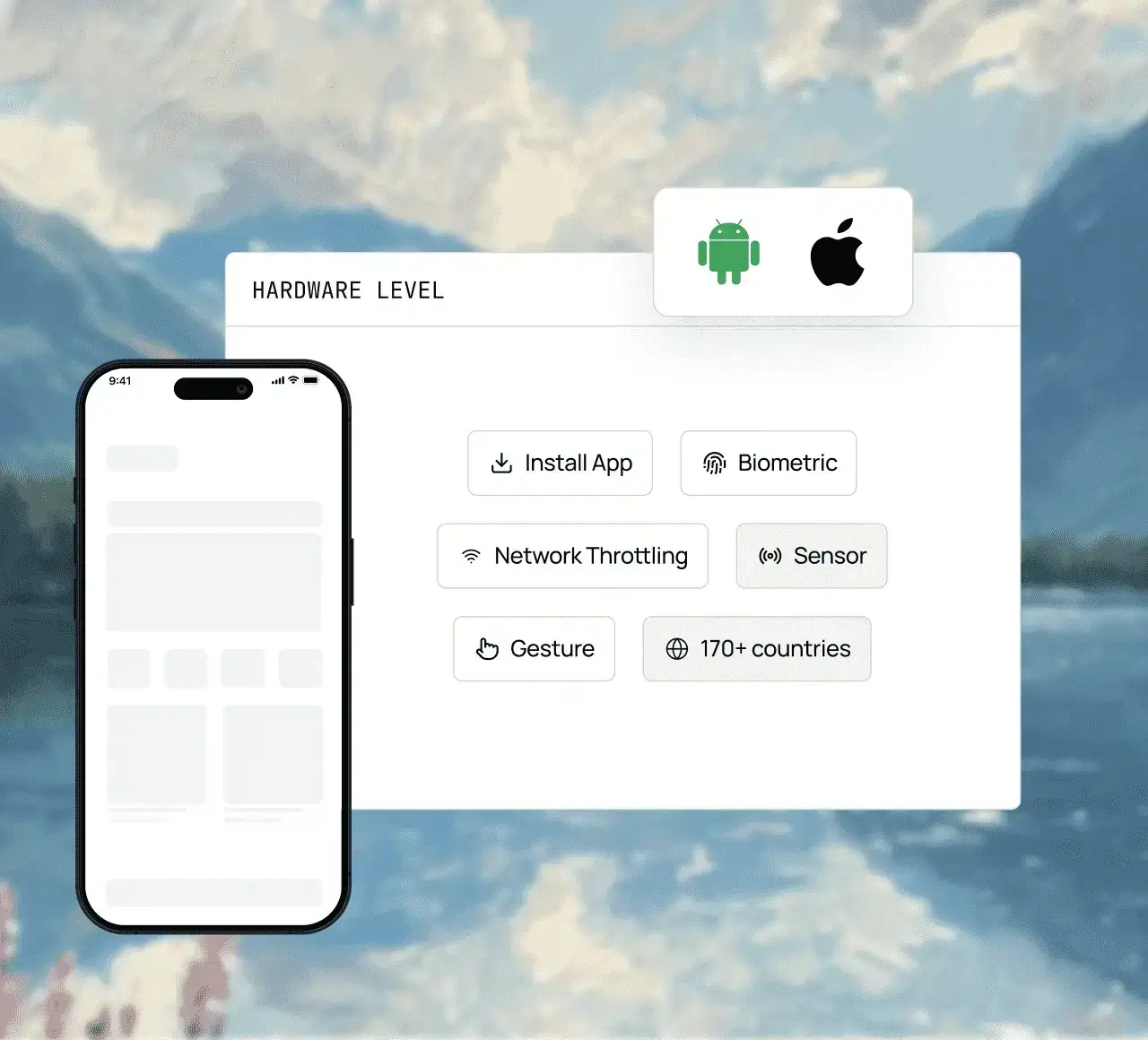
Throttle networks, pass or fail biometric prompts, stream video, inspect UI elements, switch accessibility settings, set a location, and scan codes - on real iOS and Android hardware.
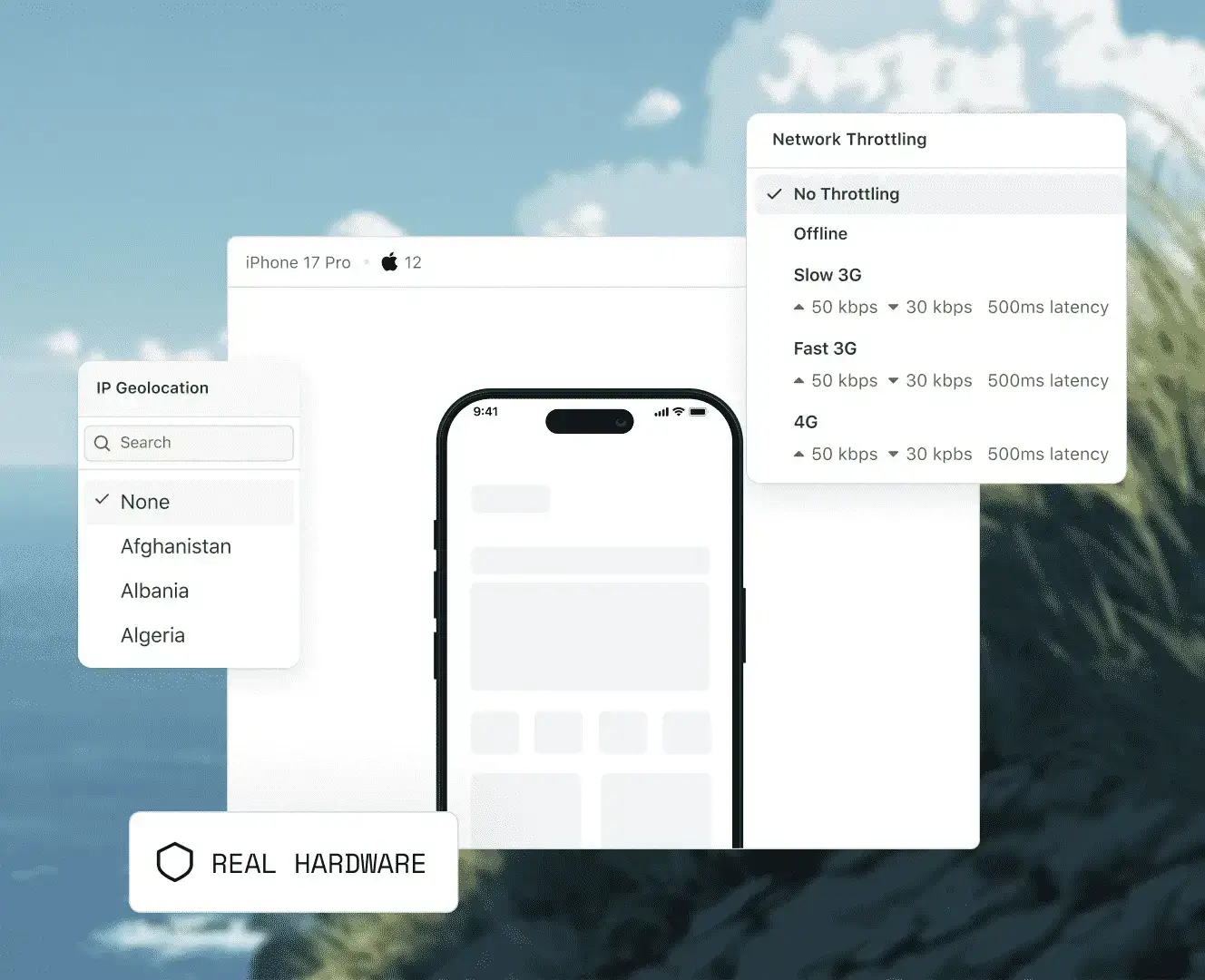
Throttle network speed on real devices to simulate 3G, 4G, 5G, or offline conditions across live and automated sessions.
Pass or fail Face ID, Touch ID, and fingerprint prompts on demand and verify the passcode fallback on real iOS and Android devices.
Run extended streaming sessions, on real iOS and Android hardware to validate video quality, syncing, layout, buffer time, and more, all from your browser.
Check accessibility testing on real iOS and Android devices including dynamic text sizing, high-contrast mode, colour inversion, reduced motion, display zoom, and assistive touch.
Locate elements, debug layouts, verify accessibility, and inspect app state directly on real iOS and Android hardware with built-in Appium Inspector and native DevTools.
Set a device's location to any of more than 150 countries to test for localized pricing or currency display, regional push notifications or offers, and beyond.
Supports image capture testing, QR code scanning verification, and barcode scanning assessment
Emulators and simulators are fast for early checks, but they are software running on a computer or cloud VM. Anything that depends on real hardware, manufacturer firmware, or carrier networks needs a real device.
Emulators and Simulators
TestMu AI Real Device Cloud
What runs your app
Software that mimics a phone, on your computer or a cloud VM
A physical iPhone, iPad, or Android phone in a data centre
Network
The host machine's connection, shaped in software - no real SIM or carrier
3G, 4G, 5G, and offline throttling, plus SIM-enabled devices for SMS and OTP flows
Camera
None on iOS Simulator; a virtual scene or webcam on Android emulators
Camera image injection for photo capture, QR code, and barcode scanning
Manufacturer skins
Stock Android images - no Samsung One UI or other OEM skins
Galaxy, Pixel, OnePlus, Xiaomi, and budget handsets on their own Android builds
Performance
Borrows the host machine's CPU and GPU - no real battery drain or thermal throttling
Real GPU rendering, battery drain, and thermal throttling on physical hardware
Best for
Fast, low-cost checks during development
Release sign-off, customer-bug repro, and hardware-dependent features
Emulators and Simulators
What runs your app
Software that mimics a phone, on your computer or a cloud VM
Network
The host machine's connection, shaped in software - no real SIM or carrier
Camera
None on iOS Simulator; a virtual scene or webcam on Android emulators
Manufacturer skins
Stock Android images - no Samsung One UI or other OEM skins
Performance
Borrows the host machine's CPU and GPU - no real battery drain or thermal throttling
Best for
Fast, low-cost checks during development
TestMu AI Real Device Cloud
What runs your app
A physical iPhone, iPad, or Android phone in a data centre
Network
3G, 4G, 5G, and offline throttling, plus SIM-enabled devices for SMS and OTP flows
Camera
Camera image injection for photo capture, QR code, and barcode scanning
Manufacturer skins
Galaxy, Pixel, OnePlus, Xiaomi, and budget handsets on their own Android builds
Performance
Real GPU rendering, battery drain, and thermal throttling on physical hardware
Best for
Release sign-off, customer-bug repro, and hardware-dependent features
Test your mobile app and website on every device your users own. From parallel testing, running no-code tests to debugging within the session, we have got you covered.
REAL DEVICE CLOUD
Test, scale, and debug on real devices
Run live and automated app tests on the exact device, OS, locale, and carrier your users actually use.
Tap, swipe, pinch, zoom, rotate, and multi-touch capabilities, tested exactly as your users perform them. Every interaction runs on real hardware your users actually hold.
Distribute your suite across real device and OS combinations in parallel across multiple devices. Same tests, same pipeline, faster results.
Identify crashes, trace network requests, inspect layouts, and replay session video recordings without leaving the dashboard or losing your session context.
KANE AI
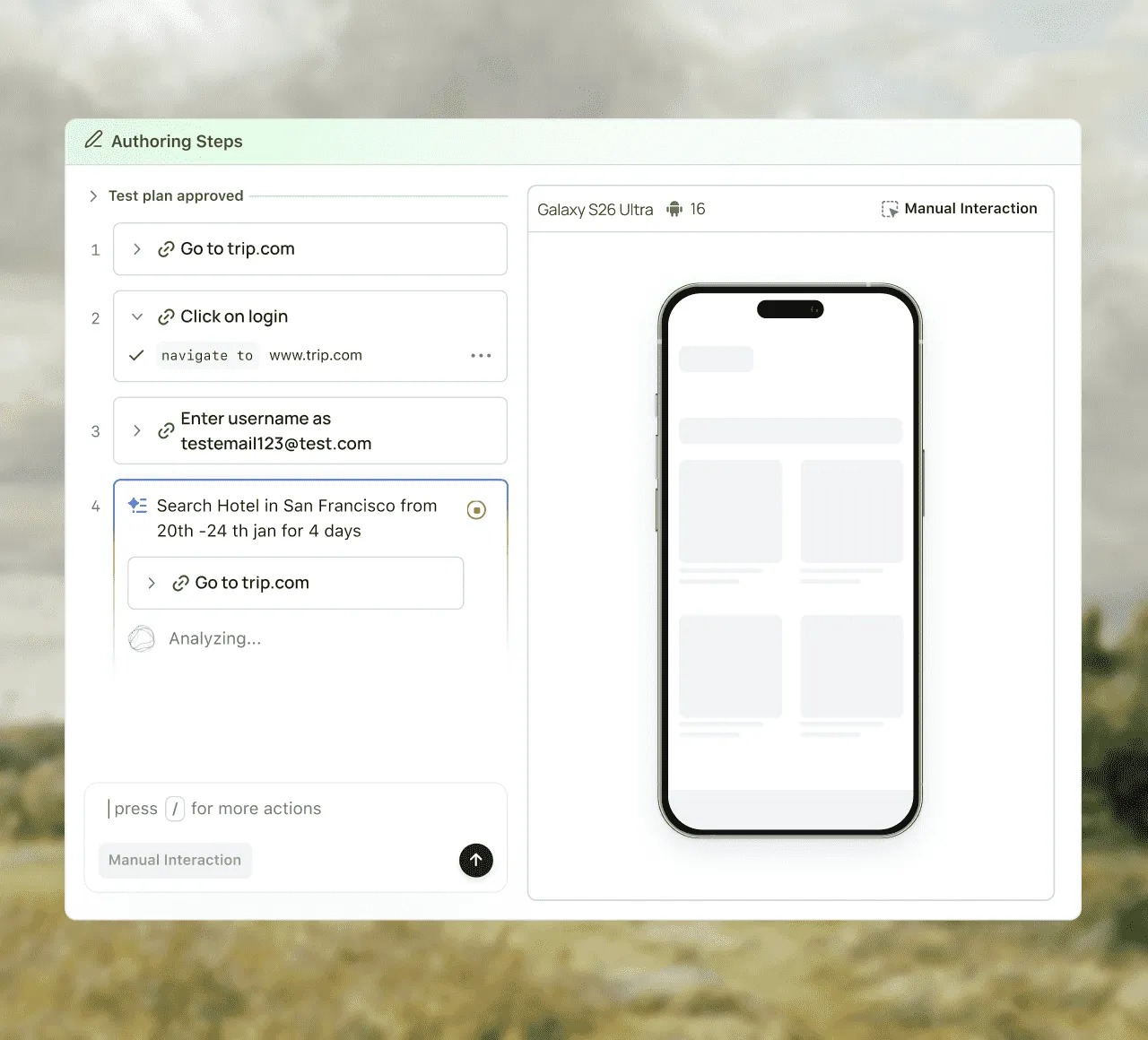
Describe the test and KaneAI writes it
Tell KaneAI what to check on your app and it builds a runnable test from your words while you watch it happen on a real device.
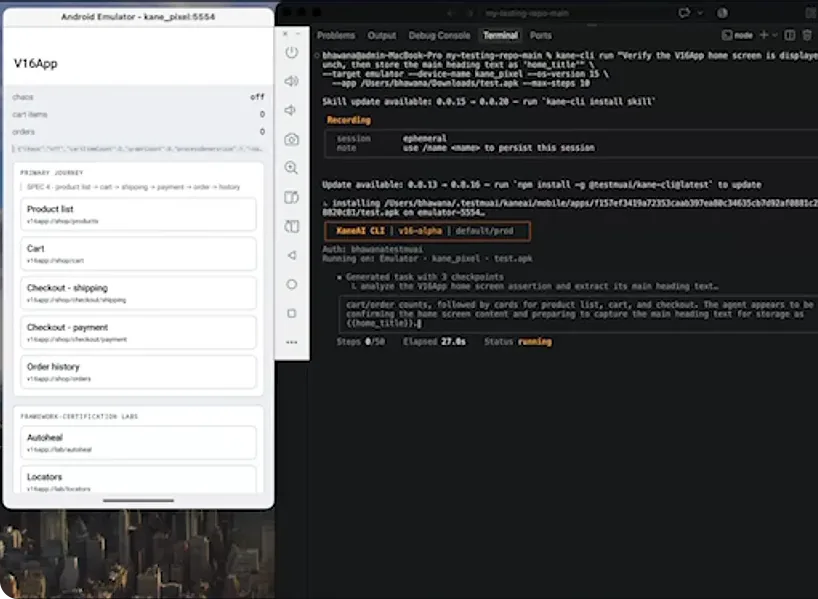
Tell Kane CLI what to test in any natural language, or let your coding agent write the test with Agent Skills. Both run on real iOS and Android devices.
Kane CLI for end-to-end testing
Describe the test in any natural language and run it from the terminal with Kane CLI on a real Galaxy, Pixel, or iPhone in the cloud, no Mac required. Every run saves as a replayable test in Test Manager.
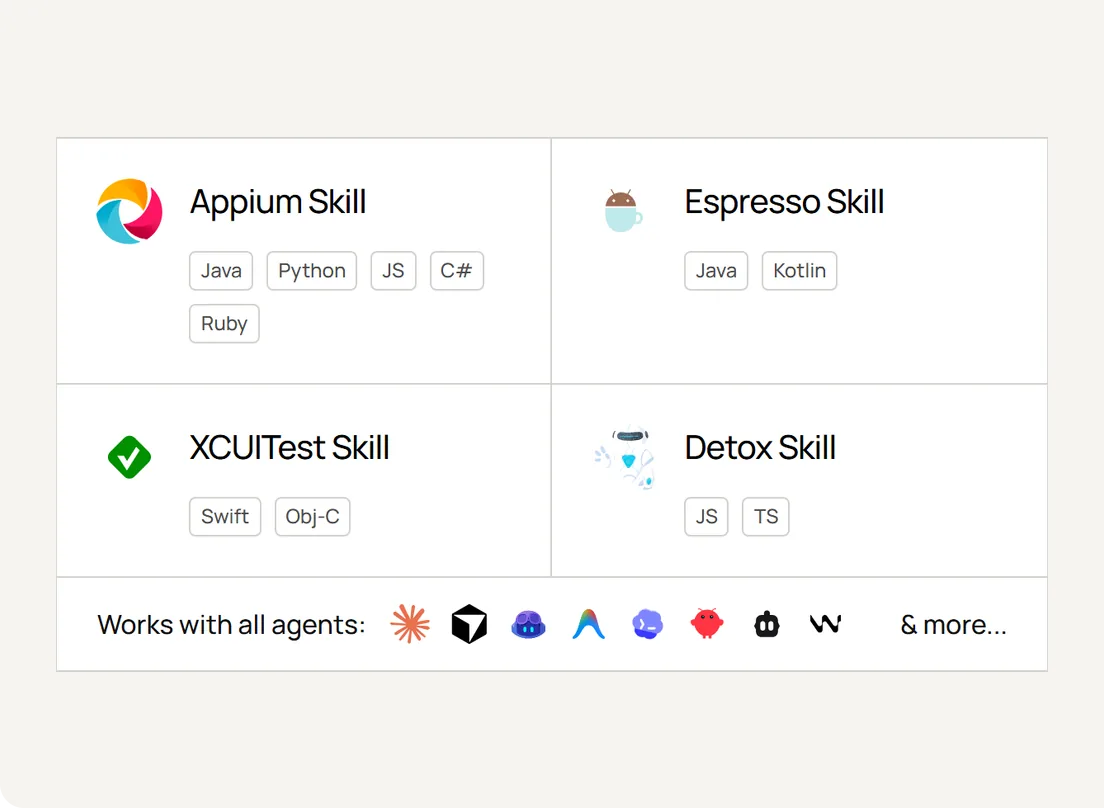
Add TestMu AI Agent Skills to Claude Code, Cursor, Copilot, or any of 20+ agents and it writes production-grade Appium, Espresso, XCUITest, and Detox tests. Your agent writes the code and you run it on real devices here.
From shared public devices to private devices reserved for your team or hosted behind your own firewall, choose the deployment model that matches your team's scale and security needs.
Public Real Device Cloud
Dedicated Real Device Cloud
On-premise Real Device Cloud
Best for
Teams getting started or with variable demand
Enterprises needing isolation and SLA
Regulated industries with strict data residency
Device access
Shared pool, instant access, free or self-serve monthly and annual plans
Reserved devices for your team only, custom configuration, pre-installed apps
Behind your firewall, full data control
SLA support
Standard
Guaranteed SLA + priority support
Standard
Public Real Device Cloud
Best for
Teams getting started or with variable demand
Device access
Shared pool, instant access, free or self-serve monthly and annual plans
SLA support
Standard
Dedicated Real Device Cloud
Best for
Enterprises needing isolation and SLA
Device access
Reserved devices for your team only, custom configuration, pre-installed apps
SLA support
Guaranteed SLA + priority support
On-premise Real Device Cloud
Best for
Regulated industries with strict data residency
Device access
Behind your firewall, full data control
SLA support
Standard
Choose The Right Plan For You
MonthlyAnnual (Save up to 20%)
Free
$0
1 Parallel Test
Includes access to:
Live testing on real devices
Test on iPhone, Samsung Galaxy, Google Pixel, and other real devices
5 free sessions every month
Get 5 sessions up to 2 minutes each, every month
Debug with logs, network, and UI Inspector
View device logs, inspect network activity, and explore element hierarchies with the UI Inspector
Control the device in real time
Rotate the screen, adjust volume, toggle Dark Mode, and set time-zone and language
Report bugs in one click
Mark issues as bugs mid-session, with screenshots, device details, and session info attached automatically
Most Popular
Real Device Plus Live
$39
/month billed annually
What are Parallel Tests?
Parallel testing is a powerful technique that allows you to execute multiple tests simultaneously. This helps to reduce test execution time significantly.
Real Mobile devices
Test across 10000+ real Android and iOS devices
Test native, hybrid, and web apps
AI-driven, autonomous testing on real device clouds for native and hybrid mobile apps
App Uploads
Upload .apk, .aab, or .ipa files directly from your system or via URL for testing on real iOS and Android devices
Natural gestures and interactions
Effortlessly test all natural gesture-based features such as tapping, scrolling, zooming, and swiping.
Network Throttling
Evaluate your app's performance in real-world scenarios across various network profiles like 3G, 4G, 5G, offline, etc.
Detailed device and app/crash logs
Detailed device logs, application logs, network logs, and crash reports to help debug applications effectively
Network logs
Get robust network log capture in HAR format for mobile app testing, providing detailed insights into API calls, latency, and server responses
GPS based geolocation testing
Test geo-location with IP/GPS coordinates for precise device locations across more than 150 countries, including the UK, the United States & more.
Smart UI Inspector
Optimize app inspection and debugging using advanced UI tools to quickly address layout and functionality issues.
Camera image injection
Test image capture, QR code, and barcode scanning capabilities with integration of mobile sensors for app validation.
Biometrics authentication support
Validate your app's biometric features to ensure seamless identity verification on a wide array of devices.
Multiple locale support
Validate your applications in different languages and regional settings
Integrate with AppStore, PlayStore, AppCenter and TestFlight
No need to manually upload app files in some scenarios, which streamlines the testing workflow.
Unlimited Manual Accessibility DevTools Tests
Effortlessly test your webpages for accessibility issues
Multi-Device
Run side-by-side tests on up to 6 real devices to save time and effort.
Apple Pay
Test end-to-end Apple Pay-based payment handling on real devices.
SIM Testing
Test OTP/SMS based 2FA and Interrupt Testing on SIM-Enabled real devices.
Manual Accessibility
Test VoiceOver and TalkBack to ensure app and website accessibility.
Passcode
Test authentication flows and app behaviors that depend on device passcode settings.
Assistive Touch
Simulates Assistive Touch functionality for several basic input gestures, including Screenshot, Shake, Notification Center, and App Switcher.
Dark Mode
Toggle Dark/Light mode for comprehensive usability and UI testing.
App Manager
Upload, manage, and control apps, including installs, uninstalls, versions, and rollbacks.
Real Device Plus Automation Cloud
$199
/month billed annually
Web Automation on Real Devices
Unlimited access to Apple (iPhone/iPad), Samsung, Google Pixel, OnePlus, Oppo, Vivo, Motorola, and more for running web automation
Detailed device logs of tests
Detailed real device logs of each test execution
Unlimited Manual Accessibility DevTools Tests
Effortlessly test your webpages for accessibility issues
Real Devices for App Automation
Unlimited access to Apple (iPhone/iPad), Samsung, Google Pixel, OnePlus, Oppo, Vivo, Motorola, and more for running native app automation
Test native, hybrid, web apps
Test automation of native, hybrid, or web apps on real devices
Support multiple Appium versions
Support for all major latest and legacy Appium versions
IP based Geolocation testing
Out-of-the-box geolocation testing across 120+ different countries
Offline mode testing
Test your apps in offline mode on iOS devices
GPS location mocking
Test your apps from pinpointed geolocations with GPS location mocking
Support for Appium, Espresso and XCUITest
Run automated scripts using Appium, Espresso and XCUITest frameworks
Install multiple apps in a single session
Test on multiple applications
Test Multi-Lingual and Locale Support
Test for multiple languages and locales supported by your app
Supports Firebase
Upload your files on a real device from Google Play Store and App Store
Camera image injection and QR code scanning
Test image capturing, QR code and Barcode scanning in your app
Biometrics authentication support
Test for biometric verification in your app
App performance profiling metrics
Track performance metrics for your application
Test local or private pages
Use TestMu AI Tunnel to test locally or privately hosted apps
Smart TV testing
Test OTT applications on real smart TV devices
Apple Pay on Public Cloud
Automate end-to-end Apple Pay flows on public iOS devices, including tokenization and transaction handling.
Advanced Performance Analytics
Monitor app performance metrics during automated runs to identify bottlenecks and optimize app behavior.
Smart AI Heal
Automatically detect and recover from broken UI elements during automated test runs to reduce maintenance overhead.
Accessibility Testing
Validate Dark/Light mode rendering and automate device lock/unlock flows requiring passcode entry on Android and iOS.
Audio Injection
Inject prerecorded or live audio streams to test voice-driven features in automation.
TV App Automation
Automate testing for TV apps across major platforms, including Roku, Apple TV 4K, Android TV, and Fire TV.
AI-Agentic Quality Engineering
AI-native agents that plan, author, run, and analyze tests across browsers, real devices, and your CI pipeline.
Agent Testing
KaneAI
Cross-browser Testing
Real Device Cloud
App Automation
HyperExecute
Visual UI Testing
Accessibility Testing
Agent Testing
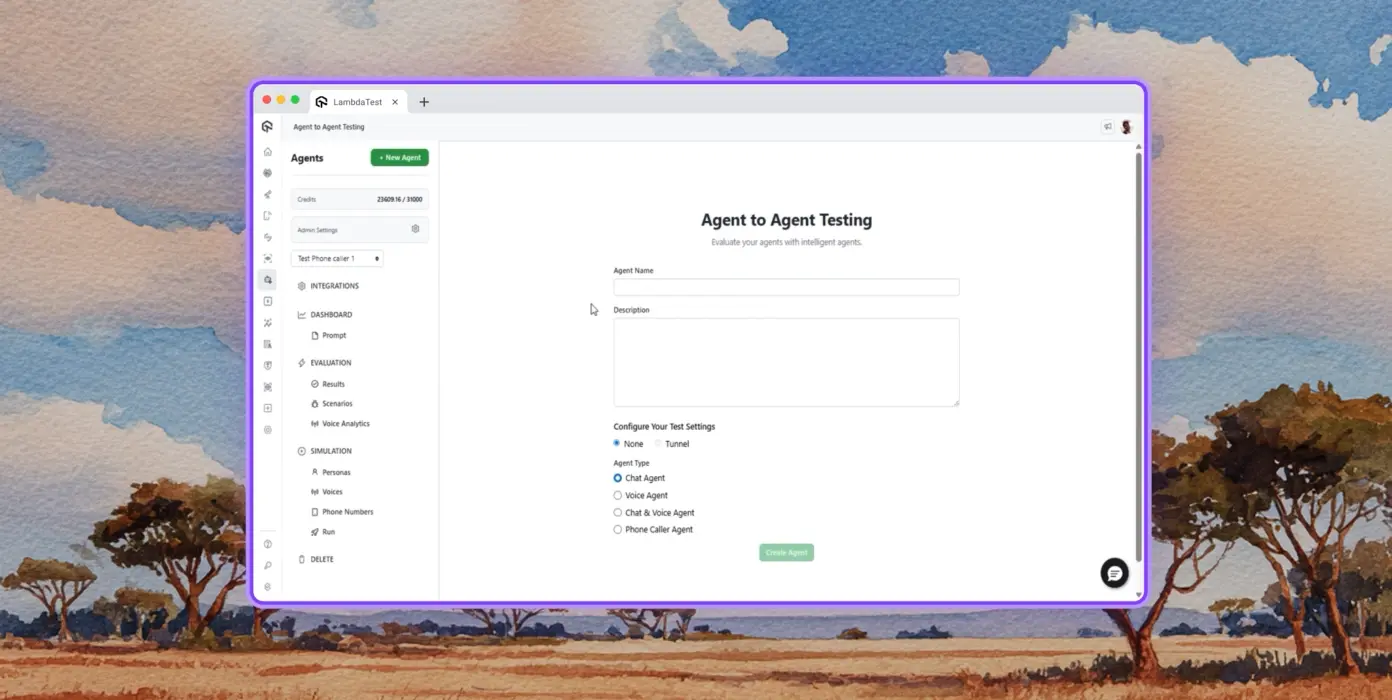
AI agents need testing too. Catch failures in your chatbots and voice assistants before real users do.
Continuous agent analysis. No manual intervention needed.
Multi-persona Simulation
See how your agent handles an International Caller, a Digital Novice, and everyone in between.
Risk Scoring & Regression
Know exactly what broke, where, and how severely, before it ships.
KaneAI
Write tests in plain English. No scripts, no code required.
Natural Language
Describe what to test. KaneAI writes it.
Test Scenario Generation
Turn Jira tickets, PRDs, images, and spreadsheets into structured test cases instantly.
Real-time Network Checks
Catch broken APIs, slow endpoints, and failed payloads before users do.
Cross-browser Testing
Catch bugs before your users do - test across 3,000+ browser-OS-device combinations.
Responsive Testing
Check how your website renders across viewports on desktops, tablets, and mobile devices.
DevTools Debugging
Debug live with native Chrome DevTools or Safari Web Inspector, no tool switching, no lost context.
Your Data Stays Safe
Sessions are fully encrypted and wiped after every run.
Real Device Cloud
Run your tests in real environments - on 10,000+ real devices.
Gesture Testing
Test natural gestures like tapping, scrolling, zooming, and swiping and more.
Real World Scenarios
Leverage hardware-only features for testing edge cases on the real device.
Advanced Debugging
Debug with device logs, network logs, and UI inspector directly from your test session.
App Automation
Run automated tests in headless mode to maximize speed in your CI/CD pipeline.
Tunnel for Local Testing
Test apps behind firewalls and VPNs using a secure encrypted tunnel.
Frameworks Support
Appium, XCUITest, Espresso, and Detox, all options for mobile automation.
Auto-healing
Detects and repairs broken locators at runtime so your suite stays stable across every release.
HyperExecute
Run tests up to 70% faster.
Self-healing Tests
Tests break when UI changes. HyperExecute fixes them automatically.
Smart Orchestration
Auto-reorder test runs based on past data to surface failures faster and cut feedback time.
Root Cause Analysis
AI pinpoints exactly what broke and why, in real time.
Visual UI Testing
Catch every pixel-level regression across every browser and device, automatically.
Pixel Comparison
Spot layout, color, font, and position changes the moment they happen.
Design-to-Dev
Compare Figma designs against live pages. Ship exactly what was designed.
Smart Ignore
Only see diffs that matter. AI filters out the noise automatically.
Accessibility Testing
Test for every user, not just most of them.
WCAG Compliance
Scan against WCAG, ADA, and Section 508 standards in one run.
Scheduled Scans
Set it once. Catch accessibility regressions daily, weekly, or monthly.
Screen Reader
Test compatibility with screen readers and assistive tools on real devices.
Success Stories of TestMu AI (Formerly LambdaTest)
50%
reduction in test execution time
“HyperExecute is a highly reliable test execution platform and has excellent customer support.”
Sagar Uday Kumar
Sr. Engineering Manager
Some Love from our Customers
Debugging Specific Devices Got a Lot Easier. I liked being able to select a specific device and browser combination to troubleshoot issues reported by customers...
Web Automation Testing
Real Device
Verified Reviewer
Just signed up for a few weeks ago for browser/device testing. Loving it so far.
Web Automation Testing
Real Device
Nathan Rambeck
@nrambeck
86000 + Minutes & 1300 + Tests Thank you for helping us to tackle client requirement of running automated tests
in multiple mobile browsers. With this, we had the flexibility to run
multiple tests in parallel and our tests became scalable by widening the
test coverage and reducing the time of execution. We highly recommend
TestMu AI if you are looking for a cost-effective method to scale your
tests, Thanks again and we are looking forward to leverage this to other
projects as well.
A real device cloud is a remote infrastructure of physical devices hosted in a data centre, accessible via a browser or API. Unlike emulators, real device clouds reproduce exact hardware behavior allowing teams to test mobile apps under production-equivalent conditions without owning or maintaining physical devices.
TestMu AI's free plan includes 5 live real device sessions every month, each up to 2 minutes, with no credit card required. Sign up, pick a real iPhone, Samsung Galaxy, Google Pixel, or other real device from the dashboard, and start a live session in your browser. During the session you can control the device in real time, debug with device logs, network logs, and the UI Inspector, and report bugs in one click. Automated Appium, Espresso, and XCUITest runs on real devices are part of the paid Real Device Plus Automation Cloud plan.
TestMu AI (formerly LambdaTest) has a free real device plan with 5 live sessions every month, each up to 2 minutes, and no credit card required. Real Device Plus Live costs $39 per month per parallel test billed annually, or $49 month to month, for live testing on 10,000+ real Android and iOS devices. Real Device Plus Automation Cloud costs $199 per month per parallel test billed annually, or $249 month to month, for Appium, Espresso, and XCUITest automation on real devices. Enterprise pricing covers Dedicated and Private Real Device Cloud with SLA, premium support, and on-prem options.
Yes, within limits. Each free account includes 5 live real device sessions every month, each up to 2 minutes, with no credit card required. You get a real iPhone or Android cloud phone in the browser, with device logs, network logs, and the UI Inspector available during the session, which is enough for quick exploratory checks. It is a testing environment for QA, not a phone for personal use. For app uploads and parallel testing, move to Real Device Plus Live; Real Device Plus Automation Cloud adds automation, and dedicated devices come with the Dedicated Real Device Cloud.
Live manual testing for exploratory work and customer-bug repro, automated regression with major mobile frameworks, performance and memory profiling, accessibility audits, geolocation and locale validation, and the mobile game test process for graphics-heavy apps. That covers live and automated Android real device testing across Pixel, Galaxy, OnePlus, and budget handsets; live and automated iOS real device testing across iPhone and iPad models on current and legacy iOS; mobile cloud testing for hybrid apps (Cordova, Ionic), React Native, Flutter, and PWA builds; and mobile device cloud testing with parallel concurrency for regression suites.
Yes. Android cloud testing runs across Pixel, Galaxy, OnePlus, Xiaomi, and budget handsets on the cloud Android device pool. You can do manual exploratory work, parallel Appium runs, Espresso suites, and Detox flows on real Android hardware. The same grid covers iOS so a single suite can target both platforms.
Yes. The real device cloud includes physical iPhones and iPads on current and recent iOS versions, going back to iOS 14. Install your app as an .ipa upload or through TestFlight or the App Store, then test it live in your browser or run XCUITest and Appium suites on the same devices. Sessions come with device logs and network logs for debugging; automated runs record video automatically, and live sessions can be recorded from the toolbar.
The pool covers flagship iPhones, iPads, Pixels, Galaxy, OnePlus, Xiaomi, and budget Android handsets across current and legacy OS versions. Cloud Android device coverage runs from the latest Android back to Android 9 (Pie) for live testing, with automation available from Android 10, and iOS devices go back to iOS 14. The full, current device and OS list is published on the list of real devices page.
Emulators and simulators approximate device behavior using software on a computer or cloud VM. They are fast and low-cost but cannot replicate hardware GPU decoding, real battery drain, thermal throttling, Widevine L1 DRM, manufacturer firmware, or real cellular network conditions. Real device cloud testing runs on physical hardware, catching the bugs emulators miss before they reach production. TestMu AI also offers Android emulators and iOS simulators, so teams can run fast early checks on virtual devices and move the same build to real devices before release.
TestMu AI differentiates on four dimensions. KaneAI authors mobile tests from natural language and self-heals them when the UI changes, with Appium export for teams that want the code, so no scripting is required. The fleet covers 10,000+ real Android and iOS devices with geolocation testing across more than 150 countries. HyperExecute runs those suites in parallel for up to 70% faster execution. Real Device Cloud ships in public, dedicated or private, and on-premise deployments, and real device testing starts on a free plan, with paid real device plans from $39/month per parallel session, billed annually.
A mobile device cloud is a fleet of physical smartphones and tablets hosted in a data centre and made available over a browser or API. Mobile device testing on that cloud works the same way it would on a device at your desk. You filter the catalog by OS family, OS version, manufacturer, model, form factor, or hardware capability, pick a device, install your build from a public URL, an app store, or a local upload, and interact with the live screen. Every tap, swipe, and keystroke you send is carried out on the real hardware in real time. Automated mobile device testing uses the same fleet through Appium, XCUITest, or Espresso, with Detox and Maestro running through HyperExecute.
Yes. Live device testing is the fastest way to reproduce a customer-reported bug. Pick the exact device model and OS the customer reported (say, iPhone 15 on iOS 17), install the same app version, and walk through the steps interactively. Push the bug to JIRA, GitHub, Linear, Azure DevOps, or Slack with annotated screenshots, video, and full session logs attached automatically.
Yes. TestMu AI is SOC 2 Type II certified, GDPR and CCPA compliant, and HIPAA-ready. Each session runs on an isolated, fully wiped device, so no app data persists between users. Network traffic is encrypted in transit (TLS 1.2 or higher) and at rest (AES-256). For regulated industries, a private dedicated device pool ensures sessions are never shared with other users. An on-premise option keeps all test data behind your own firewall, providing full data residency control for finance, healthcare, and government teams.


















 REAL DEVICE CLOUD
 KANE AI