

Power Your Software Testing with AI Agents and Cloud
The Native AI-Agentic Cloud Platform to Supercharge Quality Engineering. Test Intelligently and Ship Faster.


- TestMu AI (Formerly LambdaTest)
- /
- Blog
- /
- The Infrastructure Behind Spinning Up Hundreds of Chrome Sessions on Demand
The Infrastructure Behind Spinning Up Hundreds of Chrome Sessions on Demand
Run browser-use agent evals at scale on Browser Cloud: hundreds of concurrent Chrome sessions with synchronized video, console, and network logs for LLM judges.
Last Updated on:
Spinning up one browser session is easy. Any headless library such as Playwright can do it.
The problem starts when your agent needs fifty or five hundred.
Suddenly, you're provisioning machines, managing session cleanup, handling cold starts, routing traffic across geos, and debugging failures with no visibility into what each browser was doing.
Most browser infrastructure was designed for human-paced testing: one person, one session, one machine. AI agents don't operate that way.
They fan out. They parallelize. They need infrastructure that keeps up without requiring an ops team to run it.
Many of those fan-out jobs are web workflows you can only automate through a browser, because the app has no API.
This is the infrastructure problem Browser Cloud is built to solve.
It is also the problem behind evaluating AI web agents. If you run an eval suite for a framework like browser-use, the run only goes as fast as your concurrent environment capacity.
Hundreds of real browsers, each isolated and recorded, is the difference between an eval that finishes in minutes and one that drags on for hours.
What Happens When You Call sessions.create()
From the outside, it looks like a single line.
const session = await sessions.create();Under the hood, Browser Cloud allocates a real Chrome instance, establishes a CDP connection, and starts the recording pipeline for video, console, and network logs.
It hands you a live browser ready to receive commands, all before your agent's first instruction runs.
No provisioning step. No warmup delay. No cleanup logic to write. The session manages its own lifecycle.
When you call session.release(), the instance is torn down, recordings are finalized, and the resources are freed. You never touch the machine.
This is what makes parallelism tractable. Each Browser Cloud session is fully self-contained: isolated state, isolated recording, and isolated lifecycle from provisioning through teardown.
So you can run hundreds of them simultaneously, without sessions interfering with each other or sharing a log stream you have to split manually afterward.
For a complete reference of available options when working with TestMu AI Browser Cloud, see the browser cloud API reference documentation.
We run approximately 85 million tests per month on this infrastructure.
The cold start problem is solved not by clever engineering at session creation time, but by infrastructure battle-tested at scale, from Fortune 500 companies to startups, for over a decade.
Check out the documentation to run your first session on Browser Cloud
Concurrency Without the Overhead
Browser Cloud uses concurrency-based pricing. You pay for the number of simultaneous sessions you're running, not per token or credit.
For agent workloads that fan out aggressively and then collapse back down, the cost model actually matches the usage pattern.
There are no usage caps on what your agents can do within a session, and sessions can run continuously.
Daily usage is 6 hours per concurrency slot under fair usage. Idle sessions time out after 10 minutes, so you're not paying for browsers doing nothing.
For teams scaling from a handful of sessions to hundreds, this means you can grow the concurrency without renegotiating a contract every time your pipeline gets bigger.
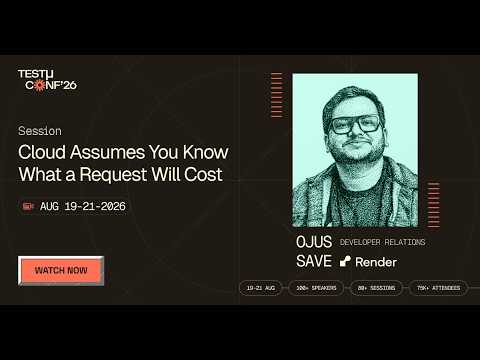
In this TestMu Conf 2026 session, Cloud Assumes You Know What a Request Will Cost, Ojus Save argues the other side of this pricing question: cloud infrastructure was built around a request whose cost you can estimate before it runs, so you size timeouts to it, forecast capacity from its average, rate-limit against it, and bill by it, and agent workloads break that assumption because an agent decides what work to do while it executes.
To explore what actions are available within a live Browser Cloud session, refer to the documentation on Browser Cloud quick actions.
Running browser-use Evals with Concurrent Environment Capacity
Evaluating an AI web agent means running the same task suite many times and grading the outcomes.
The bottleneck is rarely the agent logic; it is how many real browser environments you can run at once.
A framework like browser-use drives an LLM agent through a Chrome instance over the Chrome DevTools Protocol (CDP), so an eval only goes as fast as your concurrent browser capacity allows.
Instead of provisioning that capacity on your own machines, point browser-use at a Browser Cloud session's remote CDP endpoint. Each task in the suite gets its own isolated, fully recorded Chrome instance:
from browser_use import Agent, Browser

# Each eval task creates its own Browser Cloud session, then hands
# the remote CDP / WebSocket endpoint to browser-use to drive.
session = await sessions.create()

browser = Browser(cdp_url=session.cdp_url)   # remote Chrome over CDP
agent = Agent(task="Book the cheapest flight from SFO to JFK", browser=browser)
result = await agent.run()

await session.release()
Because each session is self-contained, you can fan an entire eval suite out across hundreds of these environments in parallel instead of looping through them on one machine.
A suite that takes hours locally collapses toward the length of a single task run when every case executes at the same time.
Confirm the exact field that exposes the CDP endpoint against the browser cloud API reference, since the SDK surface evolves.
Geography is a First-Class Concern
A lot of the web behaves differently depending on where the request comes from. Pricing pages show different currencies. Inventory shows different availability. Some pages don't load at all outside specific regions.
Browser Cloud includes geolocation support with 5 GB of free traffic built in, alongside a proxy network, so your agent sessions can originate from the geographies that matter.
For teams running competitive pricing pipelines or market-specific scraping, this removes an entire category of infrastructure they would otherwise have to build themselves.
For an end-to-end view of how these parallel sessions get used in practice, see this guide to AI web scraping.
It covers running LLM-driven scraping agents across stealth-enabled cloud browser sessions with persistent auth profiles and replay-based debugging.
Those persistent auth profiles are what let many sessions skip the login screen: see how Browser Cloud handles auth state across parallel sessions without re-login loops.
The sessions look like real browsers in real locations - because they are.

Note: TestMu AI Browser Cloud handles provisioning, session isolation, geo routing, and recording automatically - so your agents focus on the work, not the infrastructure. Try it free.
The Network Layer is Part of the Session
Most browser infrastructure treats networking as someone else's problem. You get a browser. What you do about tunnels and firewalls is up to you.
Browser Cloud doesn't separate these concerns; the network layer is part of the session object.
The built-in tunnel gives your agent access to localhost, staging environments, and services behind corporate firewalls, with no external setup required.
Network logs are captured for every session automatically: every request, status code, payload, and response time, synchronized to the session timeline.
The last point matters more than it sounds.
When an agent fails because a CDN returned a 429 it wasn't handling, or an internal API returned a 401 or 500 with an error payload, the network log surfaces it immediately.
Without it, you're inferring failure causes from agent-side behavior, which is usually the wrong place to look.
To understand how sessions start, run, and terminate, refer to the documentation on Browser Cloud session lifecycle.
Artifacts That Feed LLM and VLM-as-a-Judge
Deterministic checks (did the URL change, is this element present) only grade eval tasks that have a crisp success condition.
For open-ended agent tasks, closing a pop-up, getting past a consent wall, completing a multi-step flow, teams increasingly grade with an LLM or a VLM acting as a judge.
That judge needs evidence, and Browser Cloud records exactly that for every session automatically.
- Video of the run gives a VLM-as-a-judge frames to confirm the agent reached the goal state, not just that it clicked.
- Console logs surface the client-side JavaScript errors that explain a silent failure.
- Network logs (HAR files) show requests and payloads an LLM judge can inspect to confirm a form submitted or an API responded.
- Command replay reconstructs the step-by-step decision path, so a failed grade points to the exact action that went wrong.
Because these artifacts are captured automatically and synchronized to a single session timeline, you can pipe them straight into your grading harness rather than wiring up your own recording, logging, and screenshot capture first.
Enterprise Requirements Don't Have to Slow You Down
Browser Cloud is SOC 2, GDPR, HIPAA, and ISO 27001 certified. It supports customizable multi-OS deployment for enterprise environments where a single configuration doesn't work across every team.
This isn't infrastructure built for startups and retrofitted for enterprise compliance. It's the same infrastructure 18,000+ enterprises already run tests on.
The audit trail, the compliance posture, and the data boundaries were part of the design from the beginning.
For teams where security review is the longest step in adopting new infrastructure, this matters.

The Shortest Path From Agent to Scale
const session = await sessions.create();
// Real Chrome. Full rendering. Network layer included.
// Recording running from the first instruction.
await session.release();
// Session torn down. Logs finalized. Resources freed.
That's the entire lifecycle. Browser Cloud handles everything between those two lines - allocation, isolation, recording, network, compliance, so your agents can focus on what they're actually trying to do on the web.
The infrastructure has been running at scale for years. Your agents now have access to it.
Author

Devansh Bhardwaj
Blogs: 81


Devansh Bhardwaj is a Community Evangelist at TestMu AI with 4+ years of experience in the tech industry. He has authored 30+ technical blogs on web development and automation testing and holds certifications in Automation Testing, KaneAI, Selenium, Appium, Playwright, and Cypress. Devansh has contributed to end-to-end testing of a major banking application, spanning UI, API, mobile, visual, and cross-browser testing, demonstrating hands-on expertise across modern testing workflows.


Browser Cloud FAQs
Did you find this page helpful?
More Related Blogs
TestMu AI forEnterprise
Get access to solutions built on Enterprise
grade security, privacy, & compliance
- Advanced access controls
- Advanced data retention rules
- Advanced Local Testing
- Premium Support options
- Early access to beta features
- Private Slack Channel
- Unlimited Manual Accessibility DevTools Tests