

Power Your Software Testing with AI Agents and Cloud
The Native AI-Agentic Cloud Platform to Supercharge Quality Engineering. Test Intelligently and Ship Faster.


- TestMu AI (Formerly LambdaTest)
- /
- Blog
- /
- Edge vs Chrome: Which Is The Best Choice?
Edge vs Chrome: Which Is The Best Choice?
Choose the right browser for you with a detailed comparison on the history, features and software testing on Edge vs Chrome.
Last Updated on:
On This Page
- Brief History of Google Chrome
- Brief History of Microsoft Edge
- Edge vs Chrome: Features Face-Off
- Enhance Browsing Experience With Extensions
- Edge vs Chrome: Which Is Better?
- Edge Vs Chrome: Software Tester’s or QA’s Landscape
- Automation Testing on Edge vs Chrome
- Running Automation Test On Selenium Cloud Grid
- AI Agents Testing Edge vs Chrome
- Conclusion
Today, we're more connected to the digital world than ever, and picking the right web browser is like choosing the vehicle for your online journey. According to DataReportal's Digital 2025 report, adult internet users now spend an average of six hours and 38 minutes online daily.
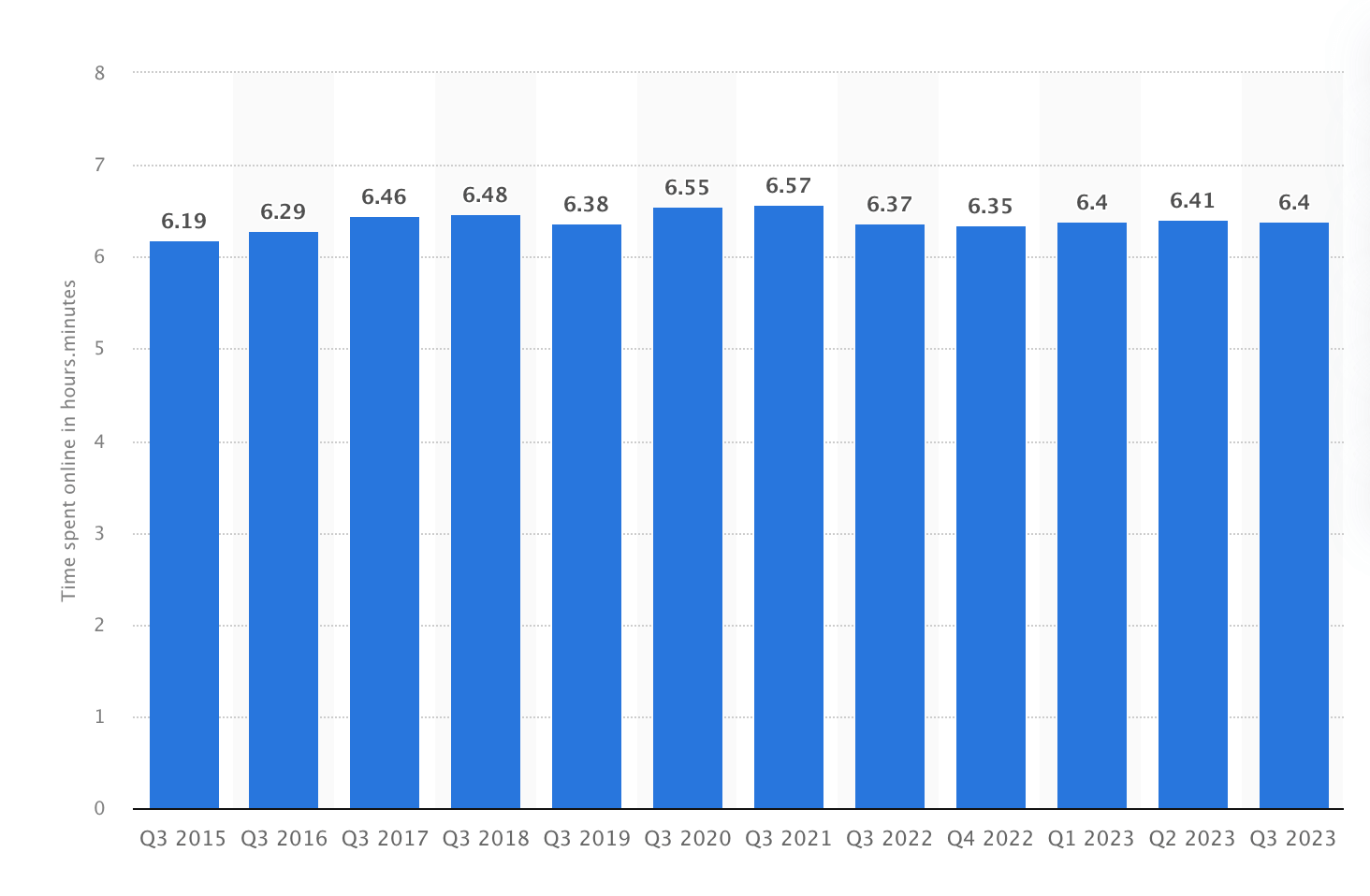
Finding the right web browser is key for a hassle-free online experience in this digital hustle. Two of the giants in the web browser arena are Microsoft Edge and Google Chrome.
Brief History of Google Chrome
Since its launch in 2008, Google Chrome has rapidly become a dominant force in the world of web browsing. Its rapid performance, user-friendly interface, and groundbreaking features have led to widespread adoption across different platforms. Chrome’s sleek UI, preloading capabilities, and independent process architecture for tabs massively improved performance over existing browsers. However, over time, Chrome’s RAM usage quickly drew criticism, especially when running on low-memory devices or with high numbers of tabs. Each tab spawns separate processes that quickly consume system RAM, sometimes slowing machines to a crawl. Moreover, Chrome has seen its fair share of security vulnerabilities that could expose user data. Despite these challenges, Chrome remains a dominant force in the browser market, continuously evolving to balance speed, memory efficiency, and security for a smooth browsing experience.
As Google Chrome continues to dominate and evolve with enhanced features and performance, testing web applications for compatibility and stability is critical. Kane AI, offered by TestMu AI, is a GenAI native smart testing assistant designed for developers and testers who work with browsers like Chrome. It allows teams to create, debug, and evolve tests using natural language, speeding up the testing process while ensuring high-quality results.
By integrating seamlessly with Chrome, Kane AI helps developers test web applications efficiently, improving both speed and accuracy and making it easier to maintain the performance users expect from Chrome.

Brief History of Microsoft Edge
Launched in 2015 as Internet Explorer's successor, Microsoft Edge has undergone significant evolution to address the challenges Google Chrome faces. In 2020, Microsoft took Edge in a new direction by adopting the open-source Chromium engine, which Google Chrome also uses. This transition enabled Microsoft to leverage Chrome's regular security updates and optimizations. Microsoft has augmented Edge with unique productivity-focused features such as Collections, Read Aloud for PDFs, Immersive Reader Mode, etc., allowing users to organize and save web content efficiently. Edge has been built on Chromium for years now and runs the same Blink rendering engine as Chrome today. With its integration between Edge and Microsoft's productivity suite and Windows OS, Edge remains a strong alternative to Chrome for anyone already inside the Microsoft ecosystem.

Note: Build, test and debug mobile websites in a single click with LT Browser. Try TestMu AI Today!
Edge vs Chrome: Features Face-Off
Let’s dive into the feature differences between Microsoft Edge and Google Chrome.
| Aspect | Microsoft Edge | Google Chrome |
|---|---|---|
| Rendering Engine | Blink (based on Chromium) | Blink (based on Chromium) |
| Speed & Performance | Marginally faster in specific tasks like OCR Scan and Encrypt Notes. | Slightly slower, known for high RAM usage, can impact performance. |
| Resource Efficiency | Efficient RAM usage, suitable for systems with limited memory. | Heavier RAM usage strains resources on certain tasks. |
| Unique Features | Floating video, news guard, robust sync (especially on mobile). | Strong integration with Google ecosystem, sophisticated sync mechanism. |
| Security & Privacy | SmartScreen system, alerts for HTTP sites, customizable tracking protection. | Frequent security updates, advanced anti-malware features, data-driven personalization. |
| Platform Compatibility | Windows, macOS, iOS, Android (Linux support in development). | Windows, macOS, Linux, iOS, Android. ChromeOS established a cross-platform presence. |
| User Experience | Growing popularity among Windows users, tailored for Windows integration. | Long-standing, universally recognised user-friendly interface; Widely adopted as a standard for web applications. |
| AI Integration | Provides AI integration features like Chatgpt by default. | Lacks default AI Integration feature; additional extensions or plugins are required for similar functionalities. |
Enhance Browsing Experience With Extensions
In the ongoing battle of “Edge vs Chrome,” browser extensions play a pivotal role in customizing and augmenting your web experience.
Popular Extensions for Microsoft Edge
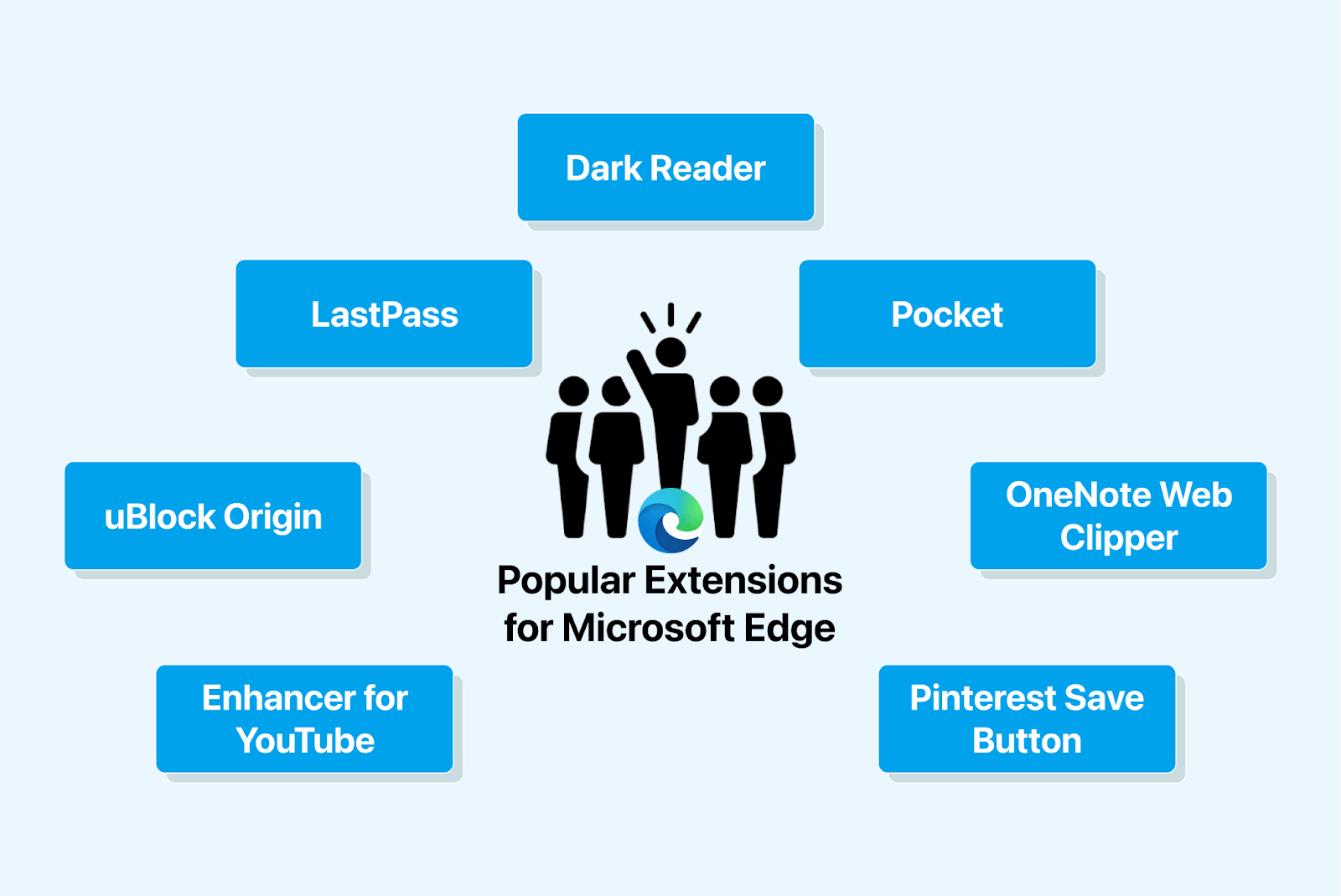
- uBlock Origin: A powerful ad blocker that improves page loading times and reduces distractions.
- LastPass: A password manager that securely stores your passwords and automatically fills them in when needed.
- Dark Reader: Enables dark mode on websites, reducing eye strain during nighttime browsing.
- Microsoft Editor: Provides spelling and grammar suggestions, as well as style recommendations, directly in Microsoft Edge.
- OneNote Web Clipper: Clips web articles, screenshots, and PDFs directly to your OneNote notebook.
- Enhancer for YouTube: Enhances your YouTube experience with features like ad blocking, pop-out video playback, and more.
- Pinterest Save Button: Allows you to save images and ideas from the web to your Pinterest boards.
Popular Extensions for Google Chrome
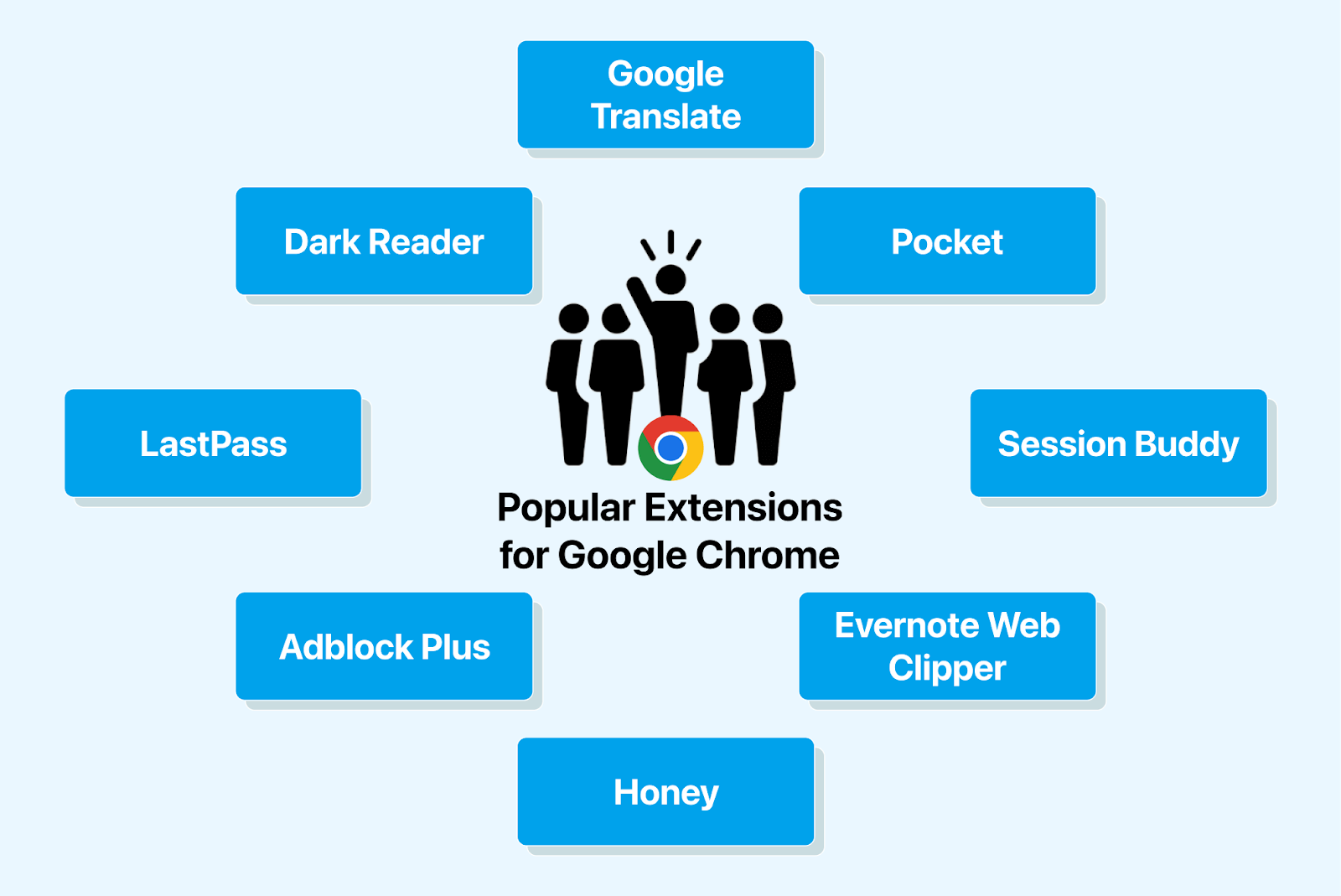
- Adblock Plus: A widely used ad blocker that helps eliminate intrusive ads from websites.
- LastPass: A popular password manager for securely storing and managing passwords.
- Dark Reader: Provides a dark mode for websites, reducing eye strain in low-light conditions.
- Google Translate: Enables quick translation of web pages into different languages.
- Pocket: Save articles, videos, and webpages to read later, even when offline.
- Session Buddy: Easily manage and restore your browser tabs, making it great for research or project organization.
- Evernote Web Clipper: Clip web content directly into your Evernote notebooks for reference and organization.
- Honey: Automatically applies coupons and finds the best deals while shopping online.
Edge vs Chrome: Which Is Better?
When picking between Edge and Chrome, it all boils down to personal choice and what you need from a web browser. Both Edge and Chrome have their unique strengths and features.
Both browsers run on the same Chromium base today, so Edge and Chrome are close in speed and efficiency. Edge boasts a neat and user-friendly interface, offering excellent features like vertical tabs and immersive reader mode, which make browsing more organized and enjoyable. If you're big on Microsoft services like Office 365 and OneDrive, Edge seamlessly integrates with them, making it a solid choice.
Conversely, Google Chrome has been a go-to for its speed and reliability for quite some time. It has many extensions and works smoothly with various web applications, giving users plenty of flexibility and customization options. Chrome’s user-friendly design suits those who prefer a clutter-free browsing experience. Its robust security features ensure a safe online journey. Plus, if you’re deep into the Google ecosystem with services like Gmail and Google Drive, Chrome’s integration makes life easier.
Ultimately, whether you choose Microsoft Edge or Google Chrome depends on what you prioritize in a web browser and what best fits your needs.
Edge Vs Chrome: Software Tester’s or QA’s Landscape
When testing web applications, it’s vital for testers and quality assurance (QA) professionals to thoroughly examine the web application on both Microsoft Edge and Google Chrome. Comprehensive testing is essential because there are significant differences in browser rendering engines, CSS support, JavaScript execution, and HTML5 compliance. These variations can lead to disparities in how web applications behave and look across browsers, as cross browser compatibility is at the center of software testing.
By testing on both Edge and Chrome, testers and developers can ensure that the applications are compatible, evaluate the user experience, assess performance characteristics, verify security features, and validate accessibility standards.
This holistic approach enables the detection of potential issues specific to each browser, which helps optimize and improve the functionality, reliability, and user satisfaction of web applications across different browser environments.
Automation Testing on Edge vs Chrome
To clearly understand the differences between testing on Microsoft Edge and Google Chrome, let’s run a test case on both browsers using Selenium and observe the differences.
The outlined procedure encompasses the following steps:
- Open the TestMu AI E-Commerce website on the browser (this is a demo website maintained by TestMu AI to run tests and learn the concepts).
- Fetch the title of the landing page.
- Print the title on the console and close the browser.
Run Test Case on Google Chrome:
from selenium import webdriver
from selenium.webdriver.common.by import By
from selenium.webdriver.common.action_chains import ActionChains
from selenium.webdriver.common.keys import Keys

# Initialize the Google Chrome WebDriver
driver = webdriver.Chrome()

# Navigate to the target website
driver.get("https://ecommerce-playground.lambdatest.io/")
print("Title of the page is: " + driver.title)

# Close the browser
driver.quit()
Run Test Case on Microsoft Edge:
The key distinction when conducting similar testing on Microsoft Edge lies in the WebDriver initialization process. The rest of the code remains the same.
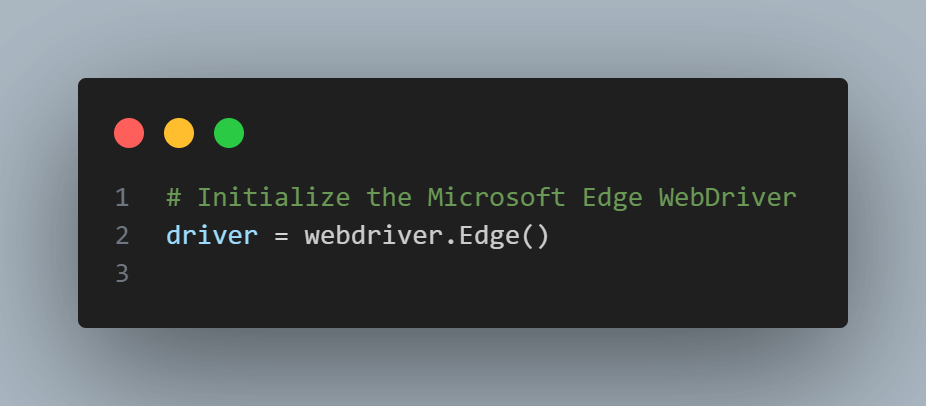
Occasionally, the XPATH for the Search Input might differ. These differences are due to variations in the HTML structure and element IDs between the websites or web pages tested in Microsoft Edge and Google Chrome.
Note: The choice of WebDriver and the specific element locators may vary depending on the target browser and web page.
Is It Truly a Matter of Edge vs Chrome When It Comes to Testing? Regarding testing, it’s not “Edge vs. Chrome.” It’s important to ensure our web app works well on various platforms. Of the cloud solutions available, TestMu AI stands out for its Selenium Cloud Grid for performing cross browser testing.
TestMu AI is an AI-native test orchestration and execution platform that lets you run manual and automated tests at scale on over 3000 real devices , browsers, and OS combinations. That way, we can ensure our users get the best experience no matter what they use, Edge vs Chrome.

Running Automation Test On Selenium Cloud Grid
Let’s run the earlier test effortlessly using TestMu AI’s Selenium Cloud Grid.
Read the Selenium Grid Tutorial to gain a deeper understanding of the grid.
from selenium import webdriver
from selenium.webdriver.common.by import By
from selenium.webdriver.common.action_chains import ActionChains
from selenium.webdriver.chrome.options import Options as ChromeOptions

# Set the desired capabilities for LambdaTest Cloud Grid
lt_options = {
    "build": "test build",             # Specify the build name
    "name": "Test",                    # Specify the test name
    "platformName": "Windows 10",      # Specify the target platform
    "video": True,                     # Enable video recording
    "w3c": True,                       # Inform Selenium 4 is being used
    "browserName": "Chrome",           # Specify the browser name
    "browserVersion": "117.0",         # Specify the browser version
    "selenium_version": "4.9.0",       # Specify the Selenium version
}

# Replace "YOUR_LAMBDATEST_USERNAME" and "YOUR_LAMBDATEST_ACCESS_KEY" with your actual LambdaTest credentials
username = "xxx"
access_key = "xxx"
remote_url = "http://{}:{}@hub.lambdatest.com/wd/hub".format(username, access_key)
browser_options = ChromeOptions()
# Adding the capability to Chrome
browser_options.set_capability("LT:Options", lt_options)

# Create the WebDriver instance with the desired capabilities
driver = webdriver.Remote(command_executor=remote_url, options=browser_options)

# Initialize the Google Chrome WebDriver
driver = webdriver.Chrome()

# Navigate to the target website
driver.get("https://ecommerce-playground.lambdatest.io/")
print("Title of the page is: " + driver.title)

# Close the browser
driver.quit()
How Do AI Agents Test Edge and Chrome Compatibility in 2026?
AI agents now test Edge and Chrome through tools like the Playwright MCP server and browser-use, which drive a real browser instance from natural-language steps instead of a fixed test script.
- Same engine, one script: because Edge and Chrome both run on Blink, an agent can point the same generated test at either browser by switching the Playwright browser channel, without rewriting the page locators.
- Natural-language driving: a tool like browser-use lets an agent read a live page, decide the next click, and act on it directly in a real Chrome or Edge window, without a developer writing selectors first.
- MCP exposes browser control: the Playwright MCP server gives an agent such as Claude Code direct tool calls to open a page, click an element, and read back the result, so it can compare Edge and Chrome behavior in the same session.
- Real limitation: an agent driving the browser can still miss a browser-specific interstitial, such as Edge's SmartScreen warning, and report a false pass if it does not wait for that dialog before checking the page.
These tools speed up cross-browser checks, but a tester still has to confirm the agent covered a case that does not show up in a generic run, such as a permission prompt unique to one browser.
Conclusion
Microsoft Edge and Google Chrome are two giants in the realm of web browsers, each with its strengths. Microsoft Edge excels at collaborating with other Microsoft products. It also has robust privacy features and helpful tools such as Collections and Immersive Reader.
Google Chrome is known for its speed, vast user base, and extensive extension library. Their choice depends on your ecosystem preference, speed requirements, and feature priorities.
Consider having both browsers for versatility, and remember that they both undergo frequent updates. Ultimately, it’s about finding the best browser for your needs and habits.
Author

Urwashi Priya
Blogs: 7


Urwashi is a passionate software engineer with a knack for crafting elegant solutions to complex problems. With a deep understanding of cutting-edge technologies and a strong desire to share knowledge, she is a dedicated professional in the tech industry. Her expertise lies in creating engaging and insightful blog posts that provide valuable insights into the world of software engineering.


Frequently asked questions
Did you find this page helpful?
More Related Blogs
TestMu AI forEnterprise
Get access to solutions built on Enterprise
grade security, privacy, & compliance
- Advanced access controls
- Advanced data retention rules
- Advanced Local Testing
- Premium Support options
- Early access to beta features
- Private Slack Channel
- Unlimited Manual Accessibility DevTools Tests