

Power Your Software Testing with AI Agents and Cloud
The Native AI-Agentic Cloud Platform to Supercharge Quality Engineering. Test Intelligently and Ship Faster.


- TestMu AI (Formerly LambdaTest)
- /
- Blog
- /
- 15 Best Code Review Tools in 2026, Including AI Reviewers
On This Page
- What Are Code Review Tools?
- 15 Tools Compared
- How Tools Were Evaluated
- 1. GitHub
- 2. GitLab
- 3. Bitbucket
- 4. Azure DevOps
- 5. CodeRabbit
- 6. Qodo
- 7. Greptile
- 8. Graphite
- 9. Cursor Bugbot
- 10. Copilot Code Review
- 11. Gerrit Code Review
- 12. Review Board
- 13. SonarQube Server
- 14. Codacy
- 15. DeepSource
- Diff-Scoped Comments
- Tests in the Pull Request
- Free and Open Source
- Other Tools Considered
- How to Choose
- Conclusion
Developers merged an average of 43.2 million pull requests each month in 2025, up 23% year over year, according to GitHub's Octoverse 2025 report.
Every one of those changes needed a reviewer, and code review tools carry that load two ways: they host the conversation on the diff, and they put automated findings in front of the reviewer before a human starts reading. The 15 tools below are grouped by which of those jobs they do, and every capability was checked against the vendor's own documentation in September 2026. Four tools that still circulate under their old names, Code Climate Quality, PullRequest, Helix Swarm, and Crucible, have been renamed or retired, and those are flagged too.
This list is ordered for the person who owns the review process on a team of roughly ten to fifty engineers: the Git host is already chosen, and the decision is which single layer to add on top of it.
Key Takeaways
- Developers merged an average of 43.2 million pull requests a month in 2025, up 23% year over year, according to GitHub's Octoverse 2025 report.
- The default code review tool is the platform already hosting the repository, because GitHub, GitLab, Bitbucket, and Azure DevOps all provide line threads, suggested changes, required approvals, and branch rules.
- CodeRabbit posts line-by-line comments and a change summary across GitHub, GitLab, Azure DevOps, and Bitbucket, and also reviews in the IDE and CLI before code is pushed.
- Greptile builds a graph index of files, functions, and dependencies, runs parallel agents over a pull request, and posts a 0-5 merge confidence score with its findings.
- SonarQube Server applies a fixed rule set to changed code and passes or fails a quality gate, which is a repeatable merge signal rather than a model's opinion.
- Code Climate Quality is now Qlty, PullRequest became HackerOne's H1 Code, Helix Swarm is now P4 Code Review, Codiga shut down in May 2023, and Atlassian stopped new sales of Crucible in May 2025.
- Review findings work best when scoped to the diff: ESLint reported 10 problems on one checkout module, and piping the same output through reviewdog in diff mode left only the 3 on changed lines.
- TestMu AI's GitHub App covers what a diff review cannot, because commenting @TestMuAI Validate this PR makes KaneAI generate end-to-end tests for the change, run them across browsers and real devices, and post results in the thread.
What Are Code Review Tools?
Code review tools are the software teams use to examine a proposed change before it merges. They display the diff, hold comments on specific lines, track who approved what, and run automated checks whose results appear alongside the human discussion. The code review practice itself is older than any of them, and the tools mainly decide how much of it happens automatically.
Most teams run one tool from the first group below plus one from another:
- Pull request platforms - GitHub, GitLab, Bitbucket, and Azure DevOps. Review is a feature of the place the code already lives, so adopting it costs nothing extra.
- AI reviewers - CodeRabbit, Qodo, Greptile, Graphite, Cursor Bugbot, and GitHub Copilot code review. A bot reads the change and posts findings with suggested fixes, usually within minutes of the push.
- Dedicated review tools - Gerrit Code Review and Review Board. These support review models the platforms do not have, such as reviewing a patch set before anything lands, or reviewing documents next to code.
- Static analysis and quality gates - SonarQube Server, Codacy, and DeepSource. Rules run on the changed code and produce a pass or fail signal. That is static code analysis rather than review, but it lands in the same pull request.
The line between the last two categories has blurred since 2025, because the analyzers added AI review agents and the AI reviewers added rule engines. A linter still answers a different question than a reviewer: it checks code against rules, while review asks whether the change solves the problem it claims to.
15 Code Review Tools Compared
The table groups the 15 tools by job. The numbering is a grouping, not a ranking: a pull request platform and an AI reviewer are not competing for the same slot on a shortlist.
| Tool | Type | Where review happens | Git platforms | Free tier | Best for |
|---|---|---|---|---|---|
| GitHub | PR platform | Pull request | GitHub | Yes | Teams already hosting on GitHub |
| GitLab | PR platform | Merge request | GitLab | Yes | One platform from plan to deploy |
| Bitbucket | PR platform | Pull request | Bitbucket | Up to 5 users | Teams standardized on Jira |
| Azure DevOps | PR platform | Pull request | Azure Repos | First 5 users | Branch policy enforcement |
| CodeRabbit | AI reviewer | PR, IDE, CLI | GitHub, GitLab, Azure DevOps, Bitbucket | Public repos | Coverage across all four platforms |
| Qodo | AI reviewer | Pull request | GitHub, GitLab, Bitbucket, Azure DevOps | Trial and OSS program | Ticket-to-code traceability |
| Greptile | AI reviewer | Pull request | GitHub, GitLab | Starter tier, OSS program | Large legacy codebases |
| Graphite | AI reviewer | Pull request | GitHub | Hobby tier | Stacked pull requests |
| Cursor Bugbot | AI reviewer | Pull request | GitHub, GitLab, Bitbucket, Azure DevOps | No | Review rules committed to the repo |
| Copilot code review | AI reviewer | Pull request | GitHub | No | Reviews inside the GitHub workflow |
| Gerrit Code Review | Dedicated review | Patch set | Self-hosted Git | Open source | Review before code lands |
| Review Board | Dedicated review | Review request | Self-hosted, many VCS | Open source | Reviewing more than code |
| SonarQube Server | Static analysis | Quality gate | Self-managed | Community Build | Deterministic merge gates |
| Codacy | Static analysis | Pull request | GitHub, GitLab, Bitbucket | Open source projects | Many analyzers behind one gate |
| DeepSource | Static analysis | Pull request | GitHub, GitLab, Bitbucket, Azure DevOps | Public repos | Rules and AI in one pass |
How These 15 Code Review Tools Were Evaluated
Each tool was checked against its own documentation, changelog, and pricing page in September 2026, not against marketing copy or another roundup. Capabilities a vendor does not document are not listed here. These questions decided what each section covers:
- Review workflow - what a reviewer can do: line threads, suggested changes they can commit, approval rules, and whether review state survives a rebase.
- Automated findings - what the tool reports without a human, and whether that comes from fixed rules, a model, or both.
- Platform coverage - which of GitHub, GitLab, Bitbucket, and Azure DevOps the vendor documents, since a tool that covers one is a different purchase from one that covers four.
- Merge gating - whether findings can block a merge through a status check, a required approval, or a failing quality gate.
- Data control - self-hosting, air-gapped deployment, bring-your-own model, and what the vendor states about retention.
- Free tier - what works without paying. Tiers are described qualitatively, because vendor pricing changes faster than any roundup.
Disclosure and How to Read This List
TestMu AI does not sell a code review tool, so nothing of ours competes for a place in the 15. Our GitHub App runs end-to-end tests on a pull request instead of reviewing the diff, and it has its own section below the list, outside the comparison. Nothing here is paid placement. Every tool that has been renamed, acquired, or discontinued is labeled with the date its vendor announced it.
1. GitHub: Best for Teams Already Hosting on GitHub
GitHub review happens on the pull request. Reviewers comment on specific lines, propose exact replacements through suggested changes that the author commits in one click, and approve or request changes. Branch protection turns those approvals into a merge gate, and CODEOWNERS routes each path to the people responsible for it.

Key features
- Pull requests - propose, discuss, and review a change before it merges, with review state tracked per file.
- Suggested changes - a reviewer writes replacement lines inline and the author commits them from the thread, so small fixes need no round trip.
- Code scanning - CodeQL and third-party analyzers raise alerts on the pull request, with Copilot Autofix suggesting patches for the alerts it can fix.
- Branch protection and CODEOWNERS - required reviewers, required status checks, and path-based ownership decide when a branch is mergeable.
- Copilot code review - GitHub's own AI reviewer plugs into the same workflow, covered as its own entry below.
Limitations
The review workflow is free, but the analysis around it is not. GitHub Code Quality and the code security features are paid add-ons, which matters when you compare against tools whose analysis is included in the seat price.
Pricing
- Free plan includes unlimited public and private repositories with pull request review.
- Team and Enterprise are paid per user, and Copilot, Code Security, and Code Quality are separate paid products.
Verdict: If your code is on GitHub, this is your review tool and the only question is which automated layer you add. The pull requests guide covers the mechanics for teams still moving off direct commits.
2. GitLab: Best for One Platform From Plan to Deploy
GitLab reviews changes through merge requests, with threaded discussions that can be required to be resolved before merge, suggestions a reviewer can apply, and approval rules that can require named groups. Security scanning runs in the pipeline attached to the merge request, so findings arrive with the change.

Key features
- Merge requests - review, discuss, and approve changes, with threads that can block the merge button until they are resolved.
- Approval rules - require a number of approvals, or approvals from named groups such as security or a code owner.
- Pipeline security scanning - SAST, dependency scanning, and secret detection run in CI and report findings in the merge request.
- GitLab Duo Code Review - Duo can be assigned as a merge request reviewer and comments on potential errors and alignment to standards.
- Self-managed and Dedicated - the same workflow runs on infrastructure you control when code cannot sit on a shared platform.
Limitations
AI review features are metered through GitLab Credits and the deeper Duo capabilities sit behind paid tiers, so a Free-tier team gets the review workflow with little of the automation. The Free tier on GitLab.com also caps a top-level group at five users.
Pricing
- Free tier on GitLab.com, with paid Premium and Ultimate tiers above it.
- AI agent features consume usage-based GitLab Credits.
Verdict: Choose GitLab when review, CI, and security scanning should sit behind one login, especially self-managed. Teams that want only the review half will find it heavier than they need.
3. Bitbucket: Best for Teams Standardized on Jira
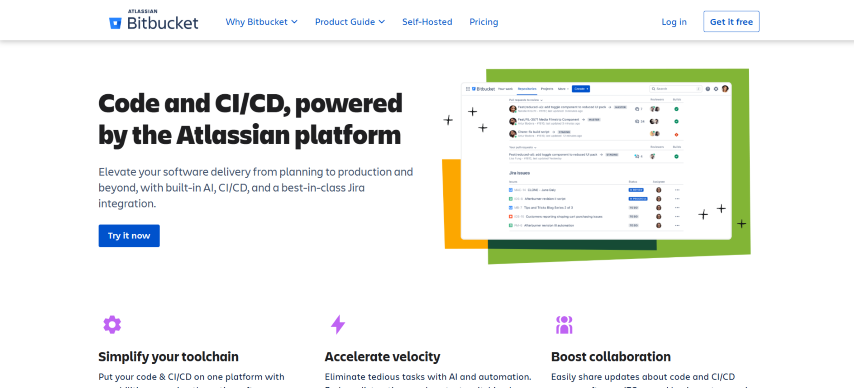
Bitbucket runs review through pull requests with inline comments, tasks that must be completed before merge, and merge checks that gate the button. Its distinguishing feature is the Jira link: branch, commit, and pull request all attach to the work item, so a reviewer can see which requirement a change belongs to.
Key features
- Jira integration - pull requests link to work items, so review happens next to the requirement.
- Code suggestions - reviewers propose exact replacement lines inline for the author to apply.
- Merge checks and branch permissions - require approvals, resolved tasks, or passing builds, and restrict who can merge into protected branches.
- Code Insights - reports from integrated analyzers and scanners appear on the pull request, which is where most vulnerability findings arrive.
- Rovo Dev AI review - Atlassian's AI reviewer takes a first pass over the changes and can check them against acceptance criteria in Jira.
Limitations
Most security findings come through partner integrations surfaced in Code Insights, so depth depends on what you bolt on. The free plan stops at five users, the tightest platform free tier here.
Pricing
- Free for up to 5 users, then paid per-user Standard and Premium cloud plans.
- Bitbucket Data Center is self-managed and sold through sales; Rovo Dev usage is credit-based.
Verdict: Worth it when Jira is where the team already plans work. On review features alone it is close enough to GitHub and GitLab that the surrounding tools decide.
4. Azure DevOps: Best for Branch Policy Enforcement
Azure DevOps reviews code in Azure Repos pull requests, where every comment carries an explicit state, so a thread is Active, Resolved, or Won't fix instead of a conversation someone may have read. Branch policies are the strong point: required reviewers, linked work items, comment resolution, and build validation are enforced per branch.
Key features
- Comment states - each thread resolves to a stated outcome, so it is clear what was addressed and what was deliberately not.
- Branch policies - require a minimum number of reviewers, linked work items, resolved comments, and successful builds before a merge is allowed.
- Automatic reviewers by path - a branch policy can add specific people or groups as required reviewers whenever a matching path is touched.
- Copilot code review in preview - available in public preview for Azure DevOps customers, and branch policies can trigger the review automatically.
- Advanced Security add-ons - CodeQL code scanning, dependency scanning, and secret protection are separately billed products.
Limitations
Copilot code review here is a preview, and Microsoft documents that Copilot always leaves a Comment review, so its feedback does not satisfy required-reviewer policies. The security scanning is a separate purchase billed per active committer, and the interface carries more configuration than a small team needs.
Pricing
- The first 5 Basic users are free and Stakeholder access is free, then paid per user.
- GitHub Advanced Security for Azure DevOps is a paid add-on billed per active committer.
Verdict: The best fit for organizations already on Azure that need review rules an auditor can read. The quality gate for AI-built pull requests covers how to layer policy on top of these checks.
5. CodeRabbit: Best for Coverage Across All Four Git Platforms
CodeRabbit reviews a pull request line by line, posts a summary of what changed, and answers follow-up questions in the pull request comments. It is the broadest AI reviewer here by platform support, covering GitHub including Enterprise Server, GitLab including self-managed, Azure DevOps, and Bitbucket Cloud and Data Center.
Key features
- Line-by-line suggestions - review comments arrive with concrete replacement code, not a description of the problem.
- Pull request summaries - a generated description of what the change does, which reviewers read before opening the diff.
- Chat in the pull request - ask the reviewer for context or have it generate code, in the same thread as the human discussion.
- IDE and CLI reviews - the same review runs locally before you push, which moves the first pass off the pull request entirely.
- Incremental reviews - each new commit in a pull request is reviewed as it lands.
Limitations
The vendor's own pages disagree on data handling. Its security page says code is encrypted through review and nothing is stored afterwards, while its FAQ describes cached code archives, stored code indexes, and retained Learnings. If retention matters to your legal team, get the current answer in writing, or use the self-hosted enterprise option.
Pricing
- Free reviews on public repositories, signed up through GitHub or GitLab.
- Paid per-developer tiers with a trial, and enterprise plans that add self-hosting.
Verdict: The AI reviewer to trial first, particularly for teams whose repositories are split across more than one platform.
6. Qodo: Best for Ticket-to-Code Traceability
Qodo gathers context from the codebase, earlier pull requests, and linked tickets before it comments, then orders its findings by severity so blockers appear first. Its distinguishing check is requirement validation: it reads the linked ticket and flags changes that implement only part of what was asked.
Key features
- Context before comments - agents read across the codebase, prior pull requests, and linked tickets before suggesting anything.
- Severity ranking - feedback is ordered so blockers surface first.
- Requirement validation - the reviewer compares the change against the requirements in the linked ticket and flags partial implementations.
- Rules generated and enforced - the platform derives team rules and applies them on every review, with no hand-written rules file to start.
- Agent hand-off prompts - each finding ships with a generated prompt containing the issue context and affected code ranges, ready to paste into a coding agent.
Limitations
Cross-repo review, the feature that catches breaking changes in consumer repositories, is labeled beta on Qodo's own product page. There is no permanent free tier, and unused review credits expire at the end of each monthly cycle.
Pricing
- Paid credit-based plans after a trial that needs no credit card.
- Qualified open source projects can apply for free access through the vendor's program.
Verdict: Strong for teams on mixed Git hosts that need review tied back to requirements. Its open source ancestor PR-Agent appears in the free tools section below.
7. Greptile: Best for Large Legacy Codebases
Greptile builds a graph of the repository's files, functions, and dependencies, then runs parallel agents over a pull request to assess impact beyond the diff itself. Each review posts a 0-5 merge confidence score, a plain-language summary, and diagrams for complex changes.
Key features
- Graph index of the repository - review starts from a map of files, functions, and dependencies, not the diff alone.
- Confidence score and diagrams - a 0-5 merge confidence score plus sequence diagrams or flowcharts for changes that are hard to read.
- Severity threshold - set a minimum severity so only high-impact issues appear, and collapse or disable sections of the review.
- Learns from past comments - it reads what reviewers wrote on earlier pull requests to infer the team's conventions.
- Self-hosted and air-gapped - enterprise deployment runs in your own environment and can call your own model providers.
Limitations
Language support is tiered: twelve languages including Python, TypeScript, Go, Java, and Rust are listed as fully supported, and the vendor states that most other languages are supported with slightly lower response quality. Reviews are metered in credits, with a monthly allowance on each tier and further reviews billed per credit.
Pricing
- Free Starter tier for a single active developer with unlimited repositories.
- Paid per-seat tier with a monthly credit allowance, and a contact-sales enterprise tier for self-hosting and SSO.
Verdict: The pick when changes routinely ripple through code the diff does not show, and when review has to run inside your own infrastructure.
8. Graphite: Best for Stacked Pull Requests
Graphite layers stacked pull requests, a review inbox, and a merge queue on top of GitHub, with an AI reviewer that comments inline on bugs, edge cases, and security issues. Stacking is the point: large changes are split into smaller sequenced pull requests so the author keeps working while earlier parts are still under review. Cursor and Graphite announced a definitive acquisition agreement on 19 December 2025, and Graphite said at the time that its product and brand would continue to operate independently.
Key features
- Stacked pull requests - sequenced small changes driven from a CLI and a VS Code extension, so reviewers see one idea at a time.
- Pull request inbox - an email-client-style queue grouping work into sections such as needs your review and waiting for review.
- Inline AI review - Graphite Agent comments on the relevant lines with the problem, why it matters, and a fix you can commit.
- Scoped to real bugs - the reviewer targets logic bugs, edge cases, security issues, performance problems, and debug code left behind, not formatting nits.
- Stack-aware merge queue - lands stacked pull requests in order and keeps branches green.
Limitations
GitHub is the only Git provider Graphite integrates with, so it is out of scope for GitLab, Bitbucket, and Azure DevOps teams. On the free tier the inbox covers only three default repositories.
Pricing
- Free Hobby tier for personal repositories with limited AI reviews and chat.
- Paid Starter and Team plans after a trial, and a contact-sales enterprise plan.
Verdict: The best answer to reviews stalling on giant pull requests, because it makes the pull requests smaller before anyone opens them.
9. Cursor Bugbot: Best for Review Rules Committed to the Repo
Bugbot is Cursor's pull request reviewer. It runs automatically on every pull request update and leaves comments that explain the issue and suggest a fix, with links that open the problem in the editor. Its rules live in the repository: a root .cursor/BUGBOT.md always applies, and additional files are collected by walking up from whichever files the pull request changed, so a subdirectory can carry its own standards.
Key features
- Automatic and manual runs - reviews each push by default, and can be summoned by commenting on the pull request.
- Hierarchical rules files - per-directory BUGBOT.md files let different parts of a monorepo enforce different review standards.
- Team rules with personal overrides - admins set rules across every enabled repository while developers adjust behavior for their own pull requests.
- Reads existing PR comments - it ingests human comments already on the pull request so it does not repeat a suggestion a reviewer made.
- Effort levels - reviews can run at low, default, high, or smart effort, with a verbose mode that prints which rules loaded.
Limitations
Effort levels are available only on the usage-based plans, so teams on the legacy seat-based plan cannot tune how hard it thinks. Cursor's marketing page also describes Bugbot as GitHub-only while its documentation lists GitHub, GitLab, Bitbucket, and Azure DevOps including self-hosted editions, so confirm your platform before committing.
Pricing
- Usage-based billing, with a legacy seat-based plan still available to older customers.
- No free tier is documented, and autofix additionally requires on-demand usage pricing with storage enabled.
Verdict: The natural choice for teams already building in Cursor, and for monorepos where review standards differ by directory.

Note: Bugbot's rules files decide what it looks for in a diff. No rule tells you whether the checkout page still renders on Safari once the branch runs. TestMu AI generates end-to-end tests for the change and runs them on the pull request. Start testing free
10. GitHub Copilot Code Review: Best for Teams Already Paying for Copilot
Copilot code review became generally available in April 2025. It is GitHub's own reviewer, assigned to a pull request the way a teammate is, or configured to run automatically for a developer, a repository, or an organization. It also goes further than the other AI reviewers here on approvals: GitHub documents a Copilot approvals setting, in public preview at the time of writing, under which Copilot can submit an approving review that satisfies a repository's required-approval rule, with that approval dismissed when new commits arrive.
Key features
- Assigned like a reviewer - by default it reviews only when you assign it, so it fits the workflow instead of replacing it.
- Automatic reviews at three levels - an individual, a repository owner, or an organization owner can turn on automatic review across the repositories they control.
- One-click fixes - it reviews code in any language and returns feedback with suggested changes applied directly from the pull request.
- Whole-repository context - an agentic step gathers full project context before commenting, and findings can be handed to the Copilot coding agent to open a fix.
- Access without a seat - Copilot Business and Enterprise organizations can let unlicensed members use it on GitHub.com once an admin enables the policies.
Limitations
Model switching is not supported, so you cannot point it at a different model. The unlicensed-member route is web-only, with no IDE reviews for those users, and support outside GitHub is limited to a public preview on Azure DevOps.
Pricing
- Available on all paid Copilot plans; there is no free tier.
- Reviews consume AI credits, and the agentic steps also consume GitHub Actions minutes.
Verdict: The lowest-friction option for teams already paying for Copilot, and the only one GitHub documents as able to satisfy a branch protection rule, through a setting still in public preview. Decide whether you want that setting on before you enable it across the organization.
11. Gerrit Code Review: Best for Review Before Code Lands
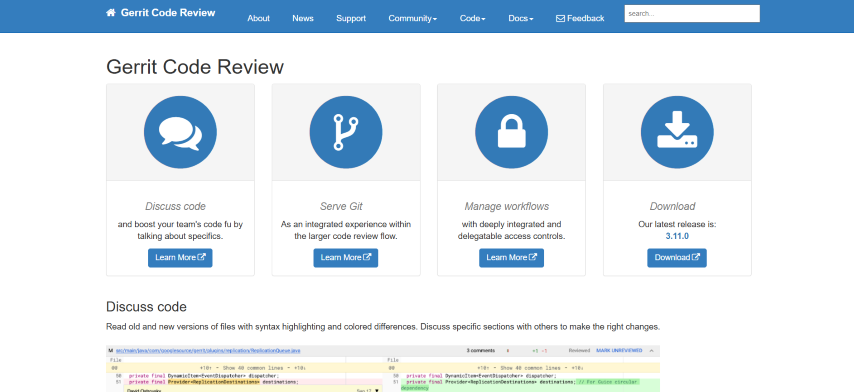
Gerrit Code Review is an open source, patch set based review platform for Git under Apache-2.0, which you host yourself. Its model differs from the pull request platforms: each change is reviewed as a patch set and reaches the target branch only once it satisfies the submit requirements, which is why it is common where the main branch must stay releasable.
Key features
- Patch set review - every revision of a change is reviewed and compared against earlier patch sets before anything is submitted.
- Labels and submit requirements - votes such as Code-Review and Verified are configurable conditions that decide when a change can be submitted.
- Fine-grained access control - per-project and per-branch permissions govern who may push directly and who must go through review.
- Built-in Git servers - Gerrit serves repositories over SSH and HTTPS and hosts many projects on one instance.
- Gerrit Flows - automation rules on a change, such as adding a reviewer once CI reports a verified build.
Limitations
You run and upgrade the server yourself, and the change-per-commit workflow is unfamiliar to developers who learned Git through pull requests. The Review Agent added in 3.14 only activates when an AiCodeReviewProvider plugin is installed, so AI review is extra work, not a toggle.
Pricing
- Free and open source under Apache-2.0, with your own hosting as the only cost.
- Commercial support comes from third parties.
Verdict: The right choice when nothing should reach the branch unreviewed and you can staff the server. Otherwise the pull request platforms reach a similar outcome for less effort.
12. Review Board: Best for Reviewing More Than Code
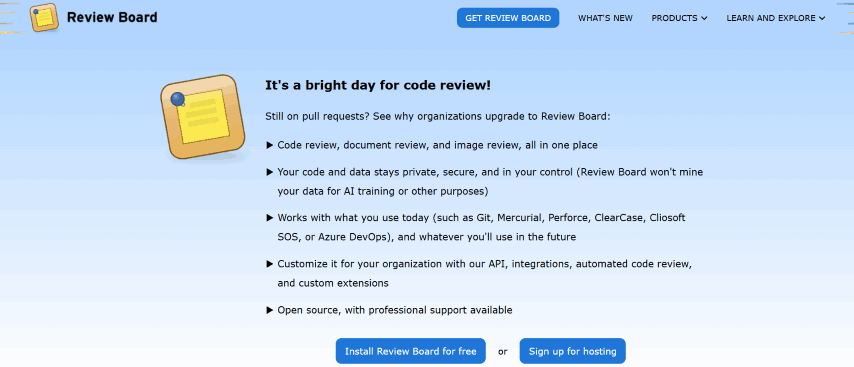
Review Board is an MIT-licensed review platform from Beanbag, in continuous development since 2006. One server connects to many repositories across several version control systems, and version 8 extended review beyond source code to documents, spreadsheets, presentations, and PDFs.
Key features
- Diff viewer - side-by-side revisions with inline comments, including comparisons between revisions of the same change.
- Multi-repository server - one instance serves many repositories and version control systems, so review is not tied to one Git host.
- Document and image review - comment on documents, images, and PDFs with the same workflow as code.
- Review Bot - a separate open source add-on runs analyzers such as flake8, PMD, checkstyle, and Clang Static Analyzer and posts their findings as review comments.
- Service accounts - automations and integrations get managed accounts that use the API without taking a seat on the license.
Limitations
Review Board does not analyze code itself: automated findings come only from Review Bot and the analyzers you configure. Document review sits in a paid Review Board Plus or Enterprise subscription, and it needs a separate microservice and message broker to process documents.
Pricing
- The Community edition is MIT licensed and free to self-host.
- Paid per-user subscriptions add document review, roles, and support; RBCommons is the vendor's hosted option.
Verdict: A good fit for mixed version control estates, and for teams whose reviews include design documents alongside diffs.
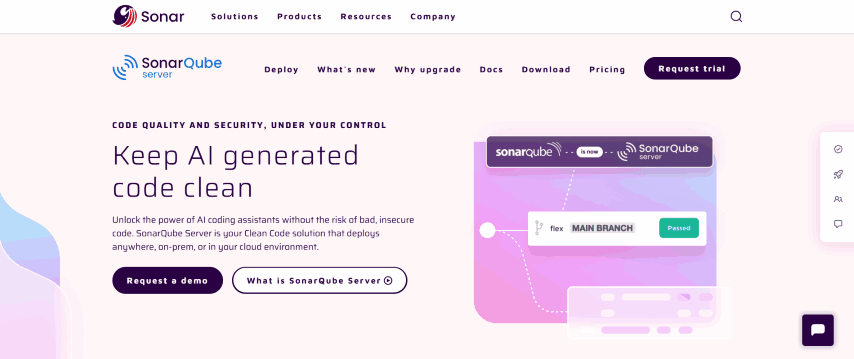
13. SonarQube Server: Best for Deterministic Merge Gates
SonarQube Server is the self-managed edition of Sonar's static analysis platform. It analyzes a branch or pull request against a fixed rule set and applies a quality gate that passes or fails, so the same change produces the same verdict every time.
Key features
- Quality gates - a pass or fail condition on new code that a pipeline can enforce before a merge.
- Pull request decoration - findings appear on the pull request in the connected platform, not only in the Sonar dashboard.
- Broad rule library - Sonar states the commercial editions carry over 7,000 code quality checks for more than 40 languages; the free Community Build lists 21 languages.
- Secrets detection - credentials committed by mistake are flagged in the IDE and in CI, using hundreds of patterns covering common cloud providers and services.
- AI CodeFix - the Enterprise and Data Center editions generate context-aware fix suggestions for the issues the rules find.
Limitations
It reports rule violations, not whether the change is correct, so it complements review instead of replacing it. The free Community Build leaves out branch and pull request analysis, which is what pushes teams to a paid edition licensed by lines of code.
Pricing
- Community Build is free and open source, self-managed.
- Developer, Enterprise, and Data Center editions are licensed per instance by lines of code.
Verdict: The reference choice when you need a repeatable gate rather than advice, and when analysis must run on your own servers.
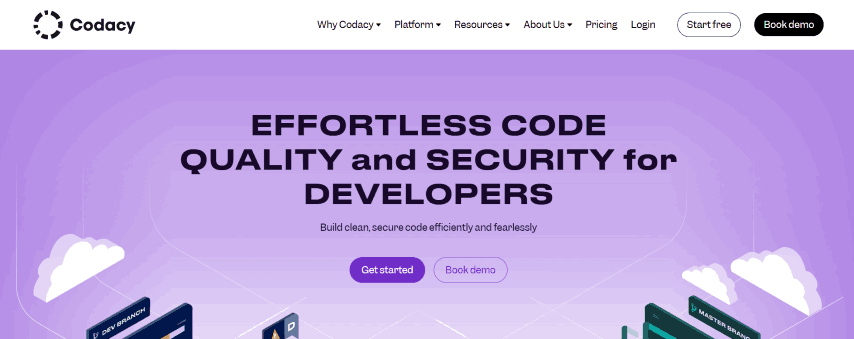
14. Codacy: Best for Many Analyzers Behind One Gate
Codacy runs static analysis on pull requests across GitHub, GitLab, and Bitbucket, combining many open source analyzers with its own checks so a team configures one gate instead of wiring each linter separately. Alongside quality it covers security: SAST, software composition analysis, secret detection, and infrastructure-as-code checks.
Key features
- Pull request quality gates - standards are enforced on incoming changes, not reported afterwards.
- Security analysis - SAST, SCA, secret detection, and IaC scanning run alongside the quality rules.
- Coverage enforcement - test coverage on new code becomes a condition, which stops untested changes slipping through review.
- AI Reviewer - review comments on pull requests with ready-to-commit fix suggestions, summaries, and automated false positive detection.
- Guardrails for coding agents - the Codacy MCP server and CLI let an AI agent scan and fix its own output before it opens a pull request.
Limitations
Running many analyzers at once takes tuning before the noise level is acceptable, because each one arrives with its own default rule set. The free tier covers open source projects only, so private repositories move to a paid plan immediately.
Pricing
- Free for open source projects, and the IDE plugin is free.
- Paid per-developer plans with a trial, and custom pricing for business tiers.
Verdict: Choose it to put quality and security rules behind one gate without maintaining each analyzer yourself.
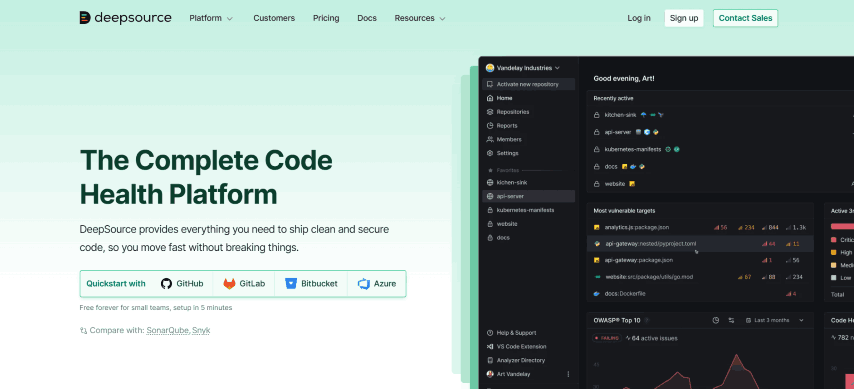
15. DeepSource: Best for Rules and AI in One Pass
DeepSource pairs deterministic static analysis with an AI review agent on the same pull request, so findings come from rules where rules work and from a model where they do not. Harness acquired DeepSource in September 2026, and the vendor states that existing workspaces, integrations, and workflows continue to work.
Key features
- Hybrid review - the vendor states that inline pull request review is powered by 5,000+ deterministic rules alongside its AI review agent.
- Autofix - generated patches for detected issues, which the author applies instead of writing the fix by hand.
- Code formatters - formatters such as Black, gofmt, and Prettier run automatically so style never reaches a reviewer.
- Coverage tracking - line and branch coverage highlight untested parts of the change.
- Quality gates - custom quality and security gates block pull requests that do not meet the team's criteria.
Limitations
The acquisition is recent, and the vendor states that DeepSource capabilities will become part of the broader Harness platform over time, which is worth weighing before a long commitment. AI review and autofix are metered separately from the seat price.
Pricing
- Free for open source and public repositories, with monthly review limits.
- Paid per-user Team plan with a trial, and an enterprise tier with self-hosting and your own model keys.
Verdict: A reasonable single purchase when you want rule-based and AI findings in one place instead of running an analyzer and a reviewer separately.
Diff-Scoped Review Comments in Practice
Every tool above reports findings on the pull request, and the useful ones report only what the branch changed. To show the difference that makes, I ran ESLint 10.10.0 over a small checkout module with seven seeded defects, then piped the same output through reviewdog 0.21.1 in local diff mode against the branch. ESLint 9 moved the compact formatter out of core, so the formatter package is installed alongside it.
The branch adds four lines and removes two: a second loose-equality clause on line 9, a var declaration, and an assignment filling a previously empty block. Everything else in the file is untouched. File paths below are shortened to the repository-relative form.
$ npm i -D eslint eslint-formatter-compact
$ npx eslint -f compact src/
src/checkout.js: line 4, col 1, Error - Unexpected var, use let or const instead. (no-var)
src/checkout.js: line 4, col 5, Error - 'LEGACY_CURRENCY' is assigned a value but never used. (no-unused-vars)
src/checkout.js: line 8, col 8, Error - Unexpected var, use let or const instead. (no-var)
src/checkout.js: line 9, col 27, Error - Expected '===' and instead saw '=='. (eqeqeq)
src/checkout.js: line 9, col 58, Error - Expected '!==' and instead saw '!='. (eqeqeq)
src/checkout.js: line 18, col 7, Error - Unexpected assignment within an 'if' statement. (no-cond-assign)
src/checkout.js: line 26, col 9, Error - 'unusedRounding' is assigned a value but never used. (no-unused-vars)
src/checkout.js: line 34, col 3, Error - 'postOrder' is not defined. (no-undef)
src/checkout.js: line 35, col 5, Warning - Unexpected console statement. (no-console)
src/checkout.js: line 43, col 3, Error - Unexpected var, use let or const instead. (no-var)

10 problems
Ten problems, most of them on code this branch never touched. Piping the identical output through the diff filter leaves three:
$ npx eslint -f compact src/ | reviewdog -f=eslint-compact -diff="git diff main" -reporter=local
src/checkout.js: line 9, col 27, Error - Expected '===' and instead saw '=='. (eqeqeq)
src/checkout.js: line 9, col 58, Error - Expected '!==' and instead saw '!='. (eqeqeq)
src/checkout.js: line 43, col 3, Error - Unexpected var, use let or const instead. (no-var)
Seven findings disappeared because they sit on lines the author did not write. Check that behavior in any tool on this list: a reviewer that reports the whole file trains people to ignore it. Adding -fail-level=any makes the same command exit non-zero, which is how a linter becomes a merge gate instead of a suggestion.
Running Tests on the Pull Request
Every tool above reads the change. None of them runs it. A reviewer can approve a diff that is correct line by line and still ship a checkout button that does not render on Safari, a form that breaks on a real Android device, or a flow that works only against the data on one developer's machine. Those failures need the branch executed, which is the distinction AI code review vs verification sets out in detail.
This matters more as more code arrives from agents. In Stack Overflow's 2025 Developer Survey, 66% of developers surveyed named AI solutions that are almost right, but not quite, as their biggest frustration, and 45.2% said debugging AI-generated code takes more time.
TestMu AI's GitHub App closes that half of the loop from inside the pull request. Comment @TestMuAI Validate this PR and KaneAI reads the diff, title, description, and README, generates end-to-end tests for what changed, runs them in parallel across browsers and real devices on HyperExecute, and posts progress and results back in the thread with root cause analysis instead of a bare pass or fail. It reuses semantically similar tests that already exist in Test Manager so coverage is not duplicated, and it recommends whether the pull request should be approved or needs changes. The feature is in beta.
Two flags cover the cases that break most PR test setups: --url points the run at that pull request's own preview deployment, and --tunnel routes execution through a named tunnel so a private or locally hosted build can still be validated. Setup and the full command reference are in the GitHub App integration documentation.


Free and Open Source Code Review Tools
A workable review stack costs nothing in license fees. The open source options below cover hosting the review, adding AI comments, and gating a merge, and the only bill is infrastructure or model usage.
| Tool | License | What it does | Where you start paying |
|---|---|---|---|
| Gerrit Code Review | Apache-2.0 | Self-hosted patch set review with pre-merge gating | Never for the software; you run the server |
| Review Board | MIT | Self-hosted review of code, documents, and images | Document review, roles, and the hosted service |
| PR-Agent | MIT | Self-hosted AI reviewer for GitHub, GitLab, Bitbucket, and Azure DevOps | Your own model provider bills; the tool is free |
| reviewdog | MIT | Posts any linter's output as review comments on changed lines | Never; a single binary with no hosted service |
| Danger | MIT | Enforces team pull request conventions in CI, such as changelog and size rules | Never; runs in your existing CI |
| SonarQube Community Build | LGPL-3.0 | Self-hosted static analysis with a quality gate on new code | Branch and pull request analysis, which is a paid edition |
| Semgrep Community Edition | LGPL-2.1 | Pattern-based static analysis with rules that look like the code they match | Cross-file analysis, Pro rules, and the AppSec platform |
Two common assumptions are worth correcting. The Qlty CLI is free for commercial use but is not open source: its license states that the Business Source License is not an open source license, with a change date in December 2028. And free does not always mean open source among the hosted tools either. CodeRabbit reviews public repositories free, Sourcery's open source plan covers public repositories, and Greptile offers free access to qualified non-commercial MIT or Apache projects, but all three are proprietary services.
10 Other Code Review Tools Considered
These were checked against their vendors' live pages and left out of the 15, either because they solve a narrower problem or because they have been renamed, restricted, or retired.
- Qlty - the successor to Code Climate Quality, spun out into its own company in November 2024. Code Climate itself now sells engineering intelligence, so a roundup naming Code Climate is out of date. Left out because it orchestrates other linters instead of reviewing code.
- H1 Code - HackerOne's code review product, which grew out of the PullRequest service it acquired, now security-positioned and described by the vendor as AI code security with human expert validation built in. Left out because it is a managed service, not a self-serve tool.
- P4 Code Review - the product formerly marketed as Helix Swarm, now carrying Perforce's P4 branding. Web-based review of changes in a P4 depot, free to add for existing P4 and P4 Cloud customers, with optional AI explanations that need your own OpenAI API key. Left out because it reviews P4 depots, not Git.
- Crucible - Atlassian discontinued new sales on 13 May 2025 and support ends 15 May 2028, with maintenance releases only. Left out because nobody can adopt it today.
- CodeScene - behavioral code analysis that scores code health, gates pull requests on that score, and points refactoring agents at the hotspots. Left out because it measures maintainability across a codebase instead of reviewing individual diffs.
- CodeQL - GitHub's semantic analysis engine, where you query code as data to find vulnerability variants and alerts surface on pull requests. Left out as security-only, and it is the engine inside GitHub code scanning.
- Veracode - an enterprise application security platform bundling SAST, DAST, and software composition analysis, with AI remediation patches. Left out because it is an application security purchase, with pull request feedback as a byproduct.
- RhodeCode - self-hosted source control for Git, Mercurial, and Subversion with built-in pull requests, free and open source in its Community Edition. Left out because review is one feature of an SCM platform.
- Axolo - opens a Slack channel per pull request, keeps the discussion there, and sends reminders, for GitHub and GitLab. Left out because it routes reviews without reading the code.
- Visual Expert - static analysis with cross-references and call graphs for PowerBuilder, Oracle PL/SQL, and SQL Server T-SQL. Left out because it is scoped to three legacy stacks.
Codiga also appears in older lists. Datadog acquired it in April 2023 and shut down every Codiga product on 4 May 2023, so the entry is dead and its successor is part of the Datadog platform.
How to Choose a Code Review Tool
Match the situation you are in to the layer that fixes it:
| Your situation | What to add | Why |
|---|---|---|
| Pull requests sit for hours before anyone looks | An AI reviewer such as CodeRabbit or Qodo | A first pass lands within minutes, so the author fixes the obvious problems before a human starts |
| The same style and rule arguments repeat in every review | A static analyzer such as SonarQube Server, Codacy, or DeepSource | A gate settles rules automatically and keeps human attention on design and correctness |
| Code cannot leave your infrastructure | Gerrit Code Review, Review Board, or a self-hosted enterprise plan | Review data and analysis stay inside your network, with your own model keys where AI is involved |
| Pull requests are too large to review properly | Graphite for stacked changes | Smaller sequenced pull requests get read carefully, while a 900-line diff gets skimmed |
| Most changes now come from coding agents | An AI reviewer plus tests that run on the pull request | Agent-written code compiles and reads well while still failing at runtime, so review alone will not catch it |
| Compliance requires an audit trail of who approved what | Branch policies in Azure DevOps or GitLab approval rules | Approvals, resolved comments, and required checks are recorded per branch |
Whatever the shortlist, trial two candidates on the same real pull requests for a week and count the comments your team acted on. A reviewer that produces 40 findings nobody applies is worse than one that produces four they do, and that ratio only appears on your own code. For a quick side-by-side of two file versions while you evaluate, the free code compare tool handles one-off diffs without a repository.
Conclusion
Pick the one layer your reviews are missing and trial it on next week's pull requests. For most teams that is an AI reviewer for the first pass or a static analyzer for the rules, and the decision table above maps the common situations to both.
Then close the gap review cannot cover. Install the TestMu AI GitHub App, comment on a pull request, and watch generated end-to-end tests run against that branch before you merge. The automate PR testing with AI walkthrough covers the first run end to end.
Author

Sandeep Yadav
Blogs: 10

Sandeep Yadav is a Senior Software Engineer at TestMu AI (formerly LambdaTest), where he builds the platform's test intelligence and AI-native engineering systems. He has architected autonomous GitHub Apps, vector-search code intelligence, and self-diagnosing QA workflows, and designed distributed platforms that process 2M+ daily test executions and 1B+ events, turning high-volume test, log, and code data into intelligent, self-optimizing systems. He works on embedding reasoning models into production infrastructure to power autonomous review, root-cause analysis, and analytics workflows. He brings over four years of engineering experience with deep expertise in the Elastic Stack, Apache Kafka, and Redis. Earlier he engineered a GDPR-compliant, end-to-end-encrypted secure web-chat application at Mithi. A Facebook Hackercup 2021 Round 2 qualifier and merit-scholarship recipient, Sandeep holds a B.Tech in Electrical Engineering from Delhi Technological University.
Reviewer

Siddhant Sinha
Reviewer
Siddhant Sinha is a Lead Member of Technical Staff at TestMu AI architecting Kane CLI, the command-line tool for browser automation from the terminal, where natural-language flows run in a real Chrome browser and return pass or fail with shareable proof. He has spent over three years at TestMu AI (formerly LambdaTest) building scalable platforms that run tests at scale on real Android and iOS devices. His expertise covers platform architecture, large-scale distributed systems, and CLI design, shaped by earlier cloud-native engineering at Semut.io, including building Elasticsearch as a service.


Code Review Tools FAQs
Did you find this page helpful?
More Related Blogs
TestMu AI forEnterprise
Get access to solutions built on Enterprise
grade security, privacy, & compliance
- Advanced access controls
- Advanced data retention rules
- Advanced Local Testing
- Premium Support options
- Early access to beta features
- Private Slack Channel
- Unlimited Manual Accessibility DevTools Tests