

Power Your Software Testing with AI Agents and Cloud
The Native AI-Agentic Cloud Platform to Supercharge Quality Engineering. Test Intelligently and Ship Faster.


- TestMu AI (Formerly LambdaTest)
- /
- Blog
- /
- 21 Best Chrome Extensions for Developers in 2026
21 Best Chrome Extensions for Developers in 2026
Here are the 21 best Chrome extensions for developers and designers, crafted to boost your productivity, so you could build better websites, faster!
Last Updated on:
Google Chrome, is without a doubt, the most popular browser in the world. One of the key factors behind its meteoric rise is its huge library of extensions that truly sets it apart from the rest, especially for developers, testers, and designers.
There is a vast collection of best Chrome extensions for developers, testers and designers, and it can be overwhelming for users to handpick the right ones for their daily tasks.
In this blog, we explore 21 best Chrome extensions for developers and designers to boost their productivity and make their lives easier.
TL;DR
- The 21 extensions here cover debugging, accessibility, color, layout, tab management and technology detection.
- LT Debug and Accessibility DevTools target cross browser work, auditing pages and putting debugging tools inside Chrome.
- ColorZilla, Site Palette and CSSViewer read colors, palettes and applied CSS straight from a live page.
- Page Ruler, Dimensions and Window Resizer measure elements and reproduce the screen sizes of popular devices.
- Several long-standing extensions changed hands or were pulled during the Manifest V2 phase-out, so each entry carries a dated status note.
Best Chrome Extensions for Developers
Explore the best Chrome extensions for developers to boost productivity, simplify workflows, and enhance web development. Most of them sit alongside the browser’s own tools, so it helps to know how to inspect elements first.
1. LT Debug
LT Debug is a free Chrome extension for developers built by TestMu AI to supercharge their web development workflow by simplifying debugging. It provides a collection of essential debugging tools readily accessible within your Chrome browser.
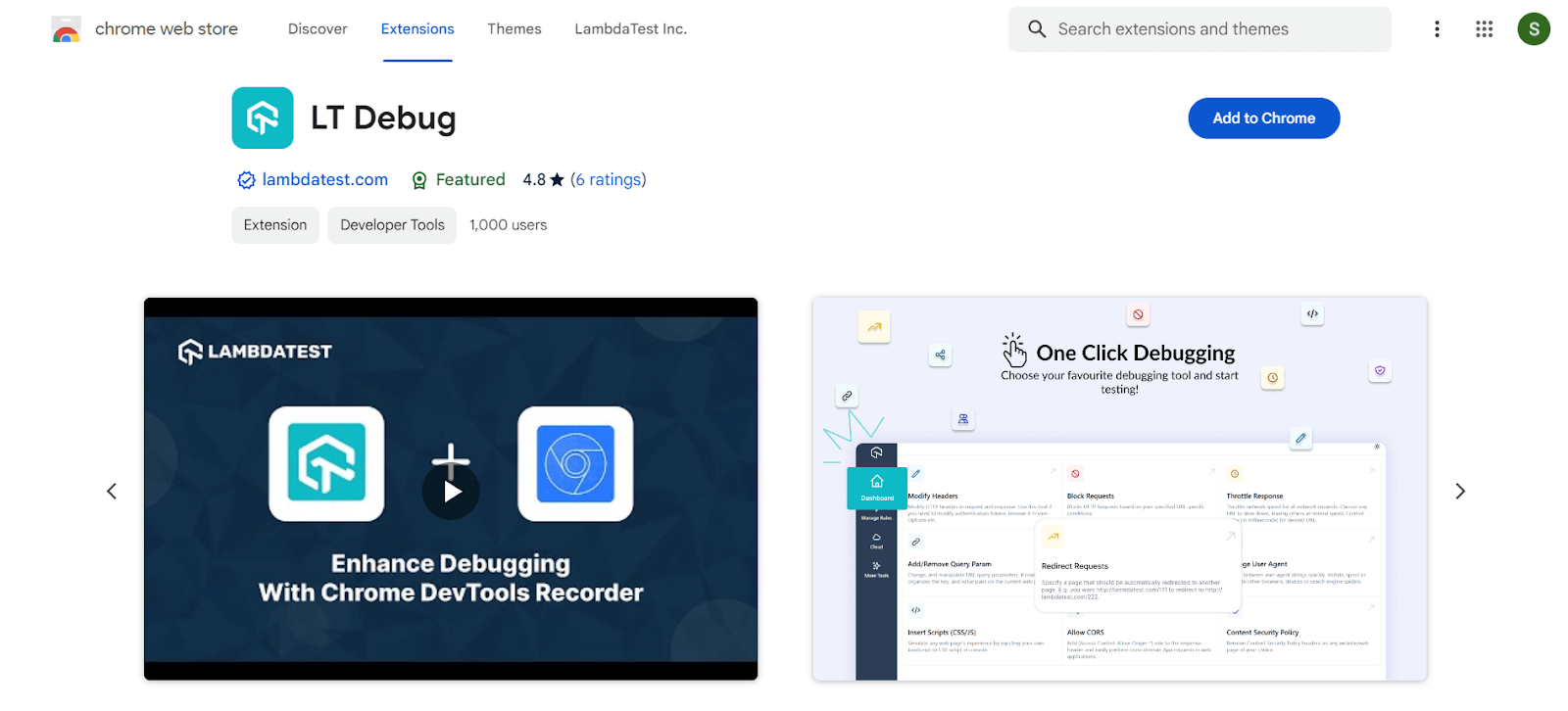
Here’s what makes LT Debug a valuable asset for web developers:
- Essential debugging tools at your fingertips: LT Debug offers a comprehensive set of debugging tools directly integrated into your browser. This eliminates the need to switch between different applications or browser developer tools menus.
- Effortless webpage debugging: Inspect and debug any webpage on the fly. Whether it’s a website you’re building or one you’ve encountered while browsing, LT Debug empowers you to quickly diagnose issues and iterate on your code.
- Enhanced developer experience: LT Debug simplifies the debugging process by providing a user-friendly interface and essential functionalities for web development. This allows you to focus on fixing problems and building great web experiences.
2. Accessibility DevTools
TestMu AI Accessibility DevTools Chrome extension help developers and testers identify and fix accessibility issues in websites and web applications.
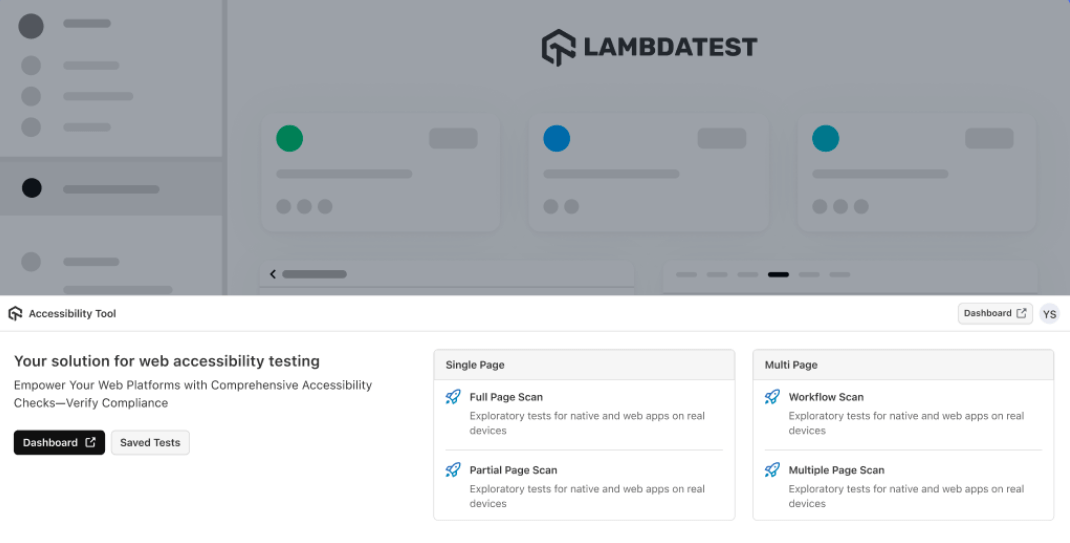
It integrates with TestMu AI’s platform, enabling automated and manual accessibility testing across different browsers and devices. It helps ensure compliance with WCAG, ADA, and other accessibility standards. For the built-in equivalents, see our guide to Chrome DevTools for cross browser testing.
3. ColorZilla
ColorZilla is one of the oldest color picker extension launched more than 15 years ago and it has successfully maintained its mantle as the best color picker and an eyedropper Chrome extension for developers or designers even today.
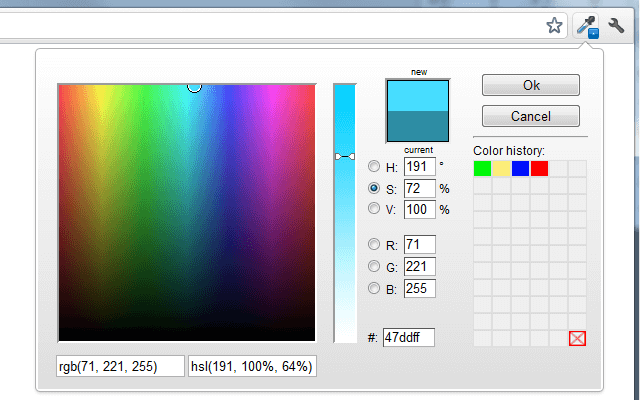
It will enable you to get a color reading from any pixel on the browser on the fly and paste it in any other program in RGB HEX formats. ColorZilla also generates gradient colors and extracts color palettes from any website. The extension also maintains a color history index of recently color picks.
4. TestMu AI
TestMu AI is an AI-native test orchestration and execution platform that provides a cloud-based platform to perform cross browser testing on 3,000+ browser and OS combinations and 10,000+ real devices, so you could end up with an eye-appealing, robust, and cross browser compatible website.
The platform also has its own Chrome extension. TestMu AI Chrome Extension is a handy tool for web developers and testers who want to perform quick and easy cross-browser testing directly from their Chrome browser.
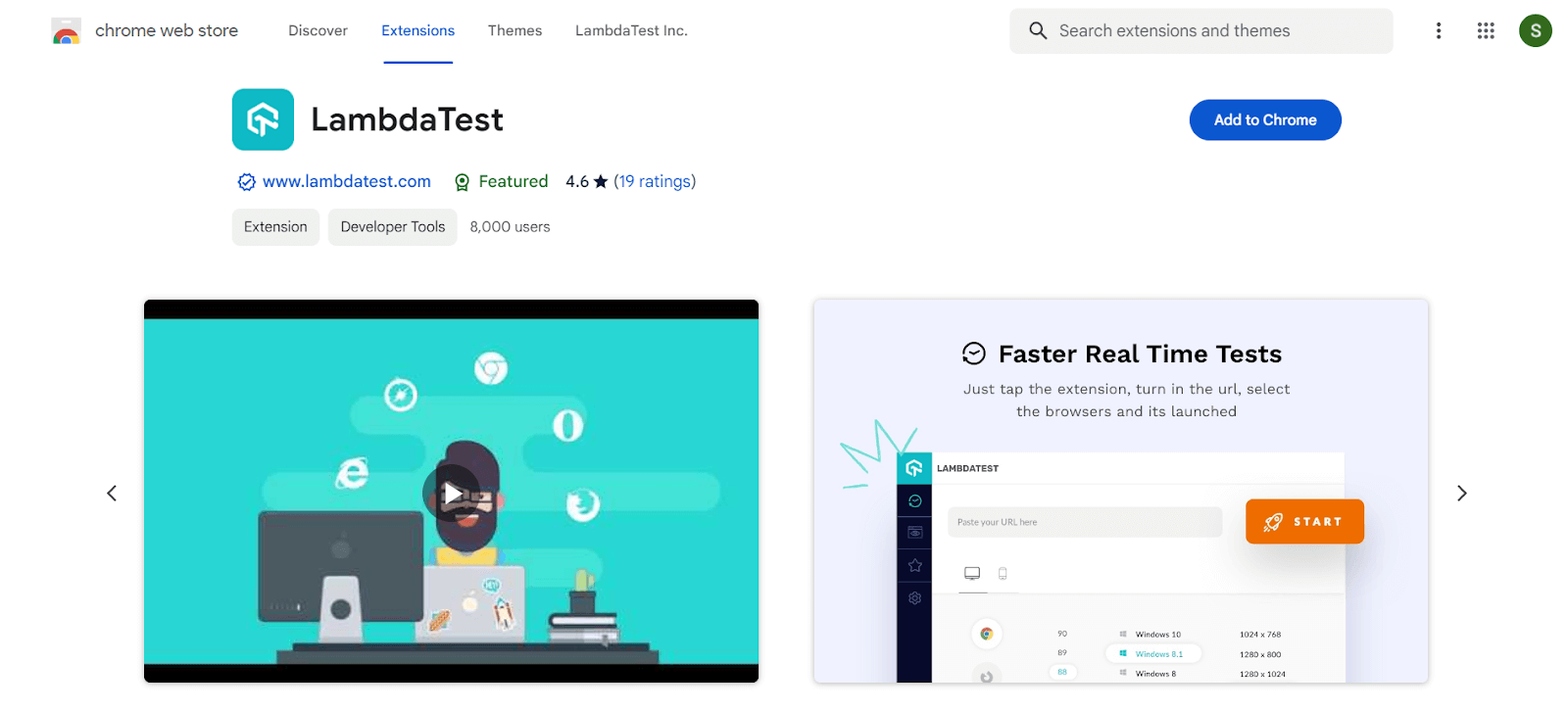
Here’s a breakdown of its key functionalities:
- Cross browser testing on the cloud: Without needing to set up virtual machines or manage multiple devices, the extension lets you launch tests on TestMu AI’s cloud platform across a vast range of browsers and operating systems. This helps identify any compatibility issues your website or web app might have on different platforms.
- Real-time and screenshot testing: You can perform live, interactive testing of your website within the browser tab itself. Additionally, the extension allows you to capture screenshots of your website across various browser and OS combinations, helping ensure consistent visual rendering across platforms.
- Favorites and lists: To save time and simplify your workflow, the extension lets you create lists and mark favorite configurations for browsers and operating systems you test frequently. This allows you to quickly launch tests with your preferred settings.
- Schedule screenshots: Need screenshots at a specific time? The extension offers scheduling capabilities, allowing you to capture screenshots automatically at your designated date and time with the chosen configurations.
- Geolocation testing: Test how your website behaves and renders across different geographical locations. This can be helpful for websites with regional content or those targeting international audiences.
5. Site Palette
Status (September 2026): Site Palette is no longer free. The listing now offers a 24-hour trial followed by a paid subscription.
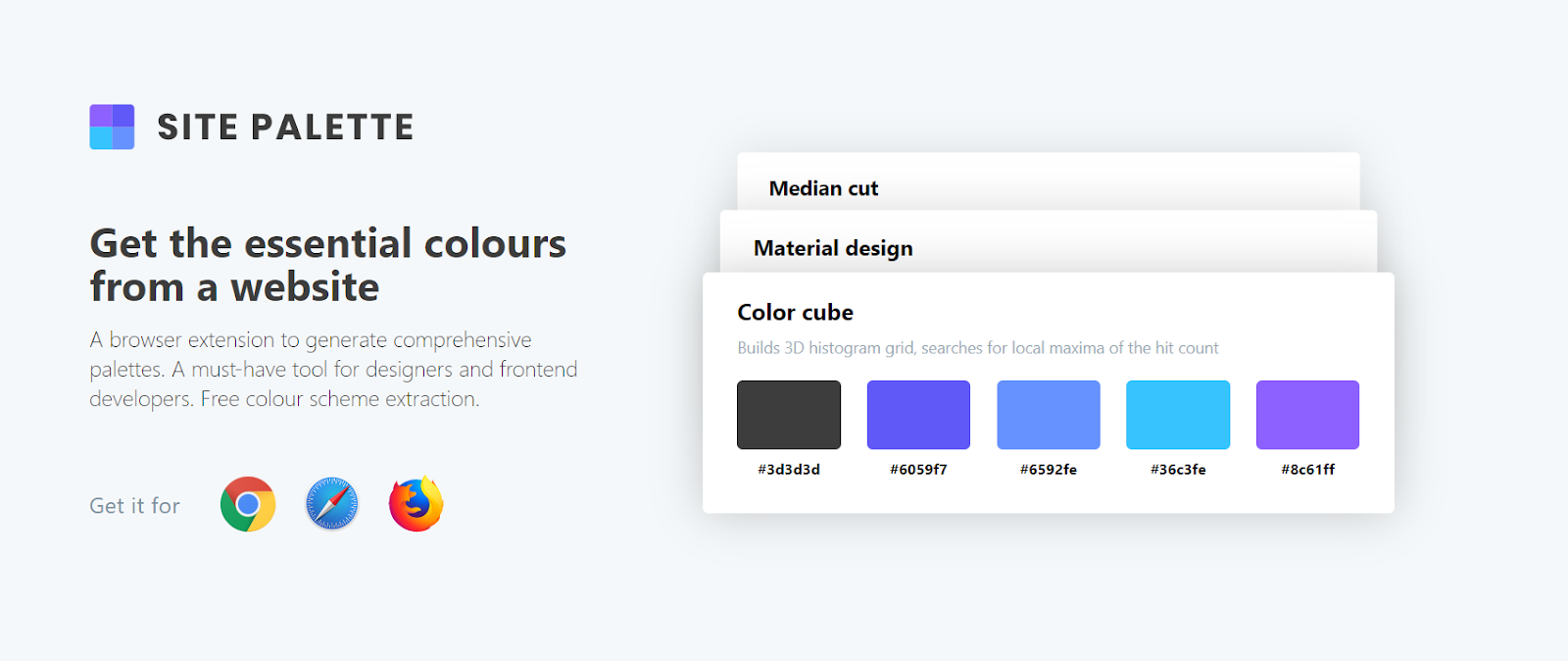
Site Palette can help you quickly extract and generate color pallets.
It also allows you to download preview palette images, PDFs and generate shareable links. Site Palette is armed with seamless integration with coolers.co and Google Art Pallete. It has been an essential Chrome extension for developers & designers, throughout the globe.
6. Fonts Ninja (formerly Font Face Ninja)
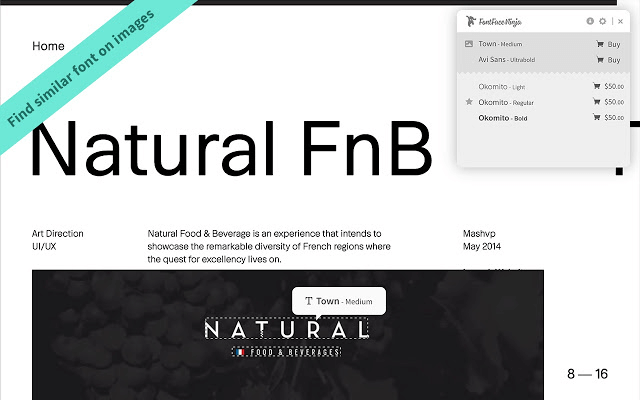
Instead of inspecting elements in Chrome dev tools to find out the name of fonts being used, developers can instead rely on this elegant extension called Fonts Ninja to easily identify all the fonts being used on a webpage. Fonts Ninja has around 900,000 users and is the direct rival to another popular font face extension called WhatFont.
To use this handmade Chrome extension for developers & designers, you simply have to hover over any text element on the webpage that you need to identify. A popup up floating window will display the name of the font face along with a small preview window for you to play around. You can bookmark your favorite font faces and save them for later use.
7. Marmoset
Status (September 2026): Marmoset has not been updated since March 2019, so treat it as unmaintained on current Chrome versions.
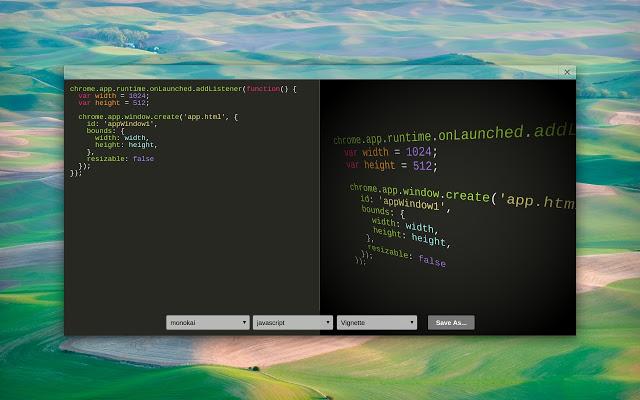
Web designers and developers may encounter the need to create snapshots for their codes in their projects for aesthetics or representation purpose. Marmoset is a brilliant Chrome extension that allows you to create beautiful code snapshots in seconds with a single click.
This might come in handy for social media posts or Portfolio website designs. It is one of the must-have Chrome extension for web developers & designers.
8. Page Ruler
Status (September 2026): The original Page Ruler by Peter Newnham and its Page Ruler Redux fork are both gone from the Chrome Web Store. The listing that holds the name today is an unrelated extension by a different developer.
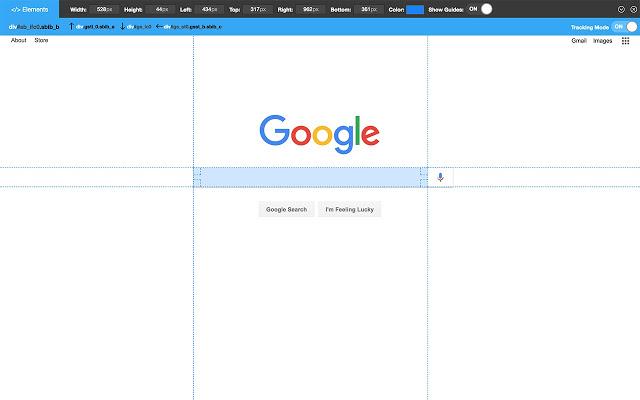
Page Ruler is the listing that carries the name today, and it helps web developers quickly measure pixel perfect dimensions and positioning of any element on the page. This extension draws out a ruler image on the screen which allows you to inspect individual elements and view their dimension readings, width and height, along with positioning.
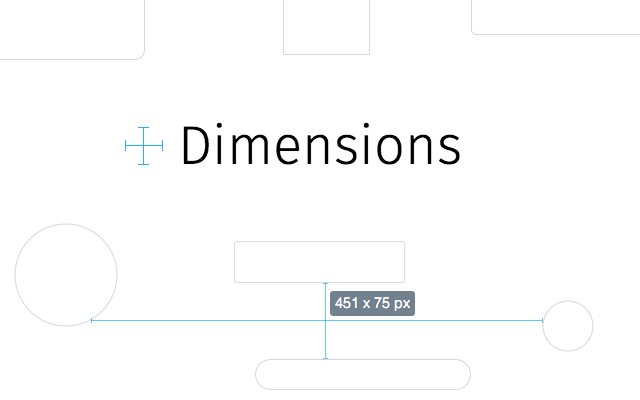
9. Dimensions
Another key extension under this category is called Dimensions which helps to measure distances between various elements on a webpage. Its functioning is slightly different from Page Ruler.
Dimensions measures distances from mouse pointer up/down and left/right until it reaches a border. This makes it the perfect tool to measure distances between images, input-fields, buttons, videos, gifs, text, icons. Another feature that sets Dimensions apart is its ability to work with mockups as well.
10. Check My Links
Status (September 2026): The original Check My Links by Paul Livingstone is no longer listed. The extension under this name today is a rebuild published by SelectorsHub.
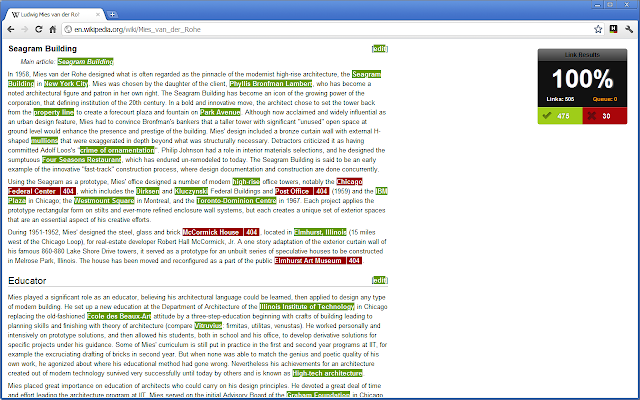
Check My Links is one of the most capable broken link checker Chrome extensions for developers and designers in Chrome library.
It crawls through the entire webpage and validates each individual link and reports whether it is valid or not. Check My Links empowers you to copy every broken link to your clipboard, in only a single click. Identifying and correcting broken links is critical for any website for effective On-Page SEO and avoiding penalties from Google Site crawlers.
11. Clear Cache
Status (September 2026): Clear Cache is still maintained, but it is now published by Little Void LLC and offers a paid Clear Cache Plus tier alongside the free extension.
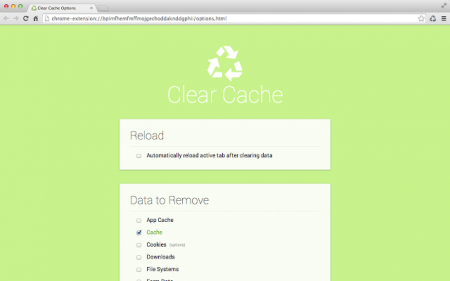
Clear Cache extension helps to wipe clean your Cache along with browsing data with a single click without wasting time with any popups, dialogue windows or Chrome setting window.
Furthermore, you can even customize how much data you want to clear on the extension option settings - App Cache, Cache, Cookies, Downloads, File Systems, Form Data, History, Indexed DB, Local Storage, Plugin Data, Passwords, and WebSQL. You can either delete cookies globally or for specific domains. One of the handiest Chrome extension for developers, designers, and everyone else too.
12. Wappalyzer
One of the biggest hurdles that developers face when coming across an impressive website face is the intriguing question - Which technologies have been used to make this website? This is where Wappalyzer comes to the rescue. This amazing extension is a cross-platform tool created by Elbert Alias in 2009 that uncovers the names of technologies used to create a particular website.
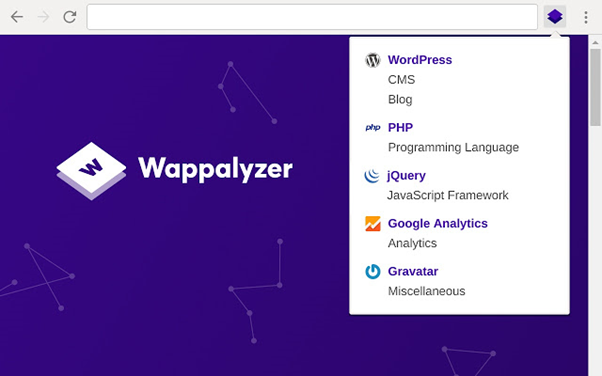
It automatically detects over 1000 technologies like site generators, frameworks, libraries, plugins, CMS, databases, server software, widgets, analytics tools, etc. You can either use the Wappalyzer website or use the extension for quick usage. This Chrome extension for developers and designers has been a true lifeline for making appealing websites.
13. Ghostery
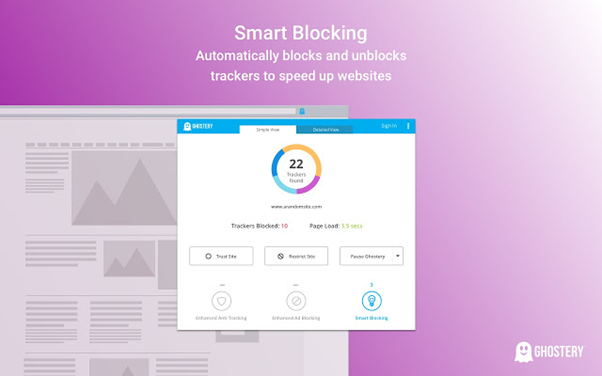
Ghostery is a privacy extension with built-in ad blocker to eliminate annoying advertisements from a website, tracking protection to protect your data and block 3rd party website from tracking along with page speed booster and optimizer to make your browsing experience uncluttered and pleasant. It also ships with a custom insights dashboard which you can customize to view relevant information.
14. JSON Viewer
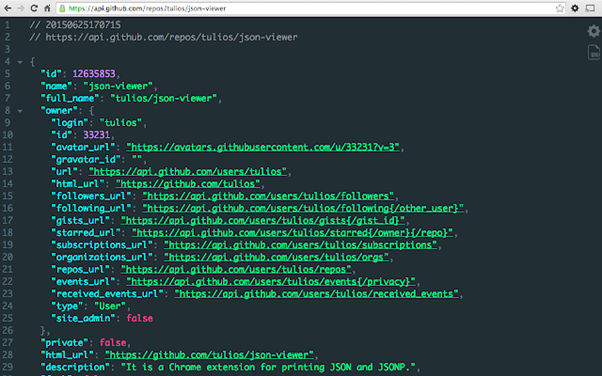
If you are working extensively with APIs especially RestFul APIs or anything which involves a ton of JSON data, JSON Viewer serves great purpose as a Chrome extension for developers. Instead of viewing huge JSON file data in a clumsy unreadable format in your browser, JSON viewer helps to arrange JSON data in a visually appealing tree format which can view directly in your browser window.
15. Window Resizer
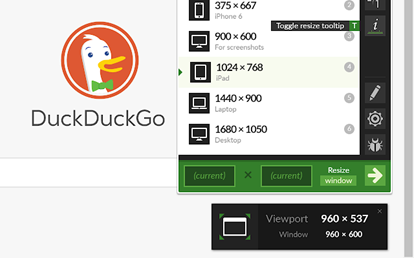
Window Resizer extension is a lifesaver for responsive design coding. Although most developers are satisfied with default Chrome dev tools resizer feature, this Chrome extension for developers & designers can simulate any screen size and resolution of all popular devices like iPhones, iPad mac etc. This is quite helpful for developers to test out their layouts on different screen size devices and validate if their responsive media queries coding is working as intended or not.
Keep in mind though, Window Resizer would only be resizing the viewport to provide you with a near about idea of how your website will render on different screen sizes. For a more accurate and thorough responsive testing, you would need real mobile browsers to validate your website rendering.
16. Corporate Ipsum
Another one of the most useful Chrome extensions for developers and designers is Corporate Ipsum. Instead of using the plain old standard lorem ipsum generators for creating placeholder text in your web layouts, why not try out using this smart tool that generates smart text rather than gibberish content.
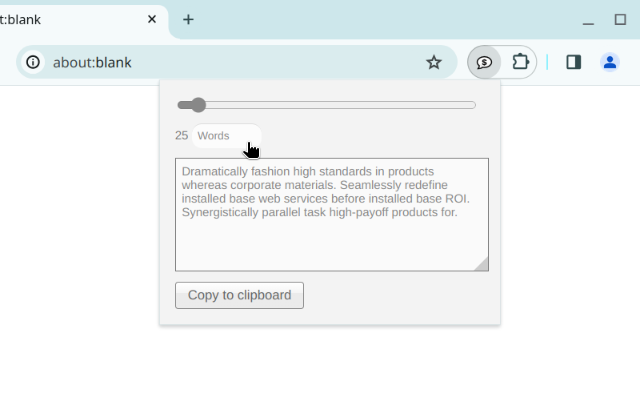
Corporate Ipsum extension is a special kind of lorem ipsum generator which creates mock business content text. This would make your layouts more visually appealing and presentable to clients.

17. Session Buddy
Session Buddy is the most powerful Chrome extension for developers & designers to help them with browser tabs management. It also offers a bookmark manager with a simple and beautiful interface. It helps you to save sessions and restore them later when you open them on the fly. Therefore, avoiding clutter and keeping memory free.
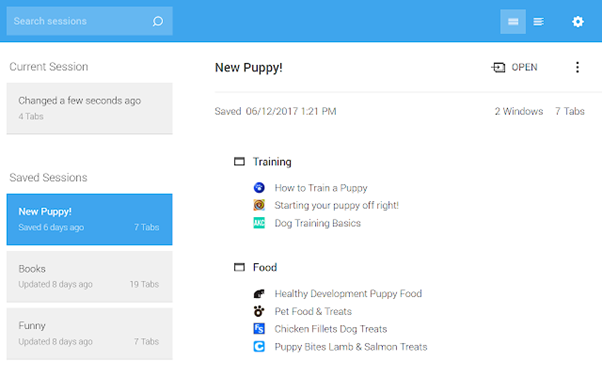
It allows you to manage all tabs in one page, organize them by topic and also offers quick search to look for a specific tab. Also, you need not worry about losing your session if you accidentally close your browser window or your system suffers a crash. Session Buddy will restore all your tabs as you left them.
18. CSS Viewer
Status (September 2026): The original CSSViewer by Nicolas Huon is no longer available. The remaining listing is a SelectorsHub rebuild with a much smaller user base.
Instead of wasting time looking for CSS properties of an element in the inspector window or the source code, CSS Viewer extension extracts all the valuable CSS properties and shows them in an organized manner inside a floating window.
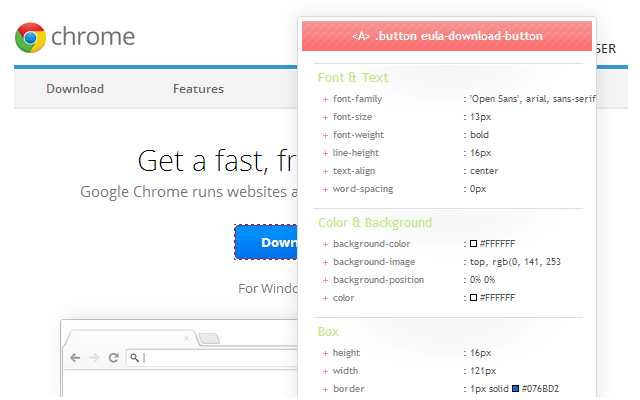
Simply hover over any element on the web page you want to inspect and the CSS viewer floating window will list out all the key CSS properties.
19. EditThisCookie (V3)
Status (September 2026): The original EditThisCookie was removed from the Chrome Web Store in late 2024 during the Manifest V2 phase-out. EditThisCookie (V3) is the maintained successor.
EditThisCookie (V3) is the maintained successor to what was long the most popular cookie manager in the Chrome Web Store, and it has around 400,000 users, which keeps it a practical cookie manager.
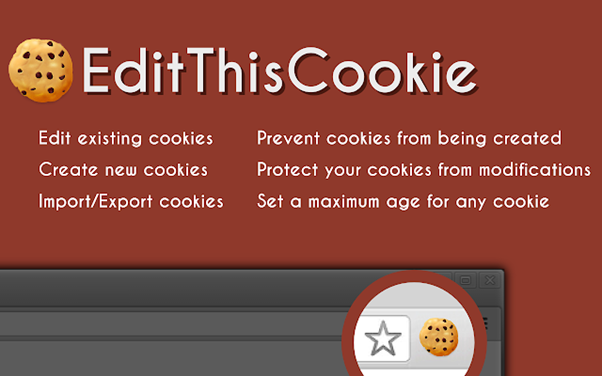
This tool allows you to add, delete, search, edit, block, and protect(Read-Only)cookies. Additionally, you can also import cookies in JSON or cookies.txt formats as well. This Chrome extension has been one of the most useful Chrome extension for developers & designers.
20. Checkbot
Checkbot is an award-winning site-auditor extension that allows you to check over 250 URLs per site simultaneously to check SEO/Web Speed/Security issues like broken links, redirects, invalid HTML/CSS/JS, insecure password form, minify files, duplicate content etc.
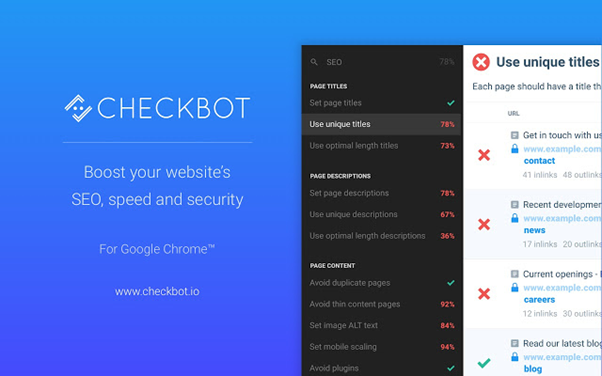
It runs tests based on 50+ best SEO and security practices based on recommendations from Google, Mozilla, and W3C. Using the Checkbot extension will help you craft perfectly optimized and secure websites which would slay Google SERP rankings.
21. Web Developer
Web Developer is an indispensable Chrome extension for developers and designers. This extension adds a toolbar with a complete suite of web development in your browser.
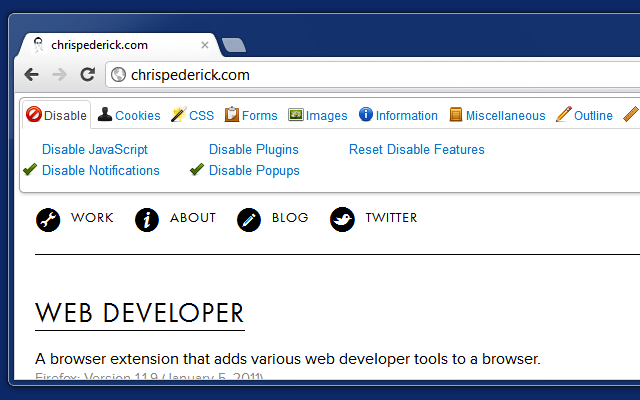
The tools offered by this extension are divided into 10 separate tabs - Disable, Cookies, CSS, Forms, Images, Information, Miscellaneous, Outline, Resize and Tools.
Conclusion
Dozens of new exciting extensions are released every week by Chrome developers crafted especially for web developers. These Chrome extensions for developers and designers vary from basic utility and design tools to development tools specific for various languages and frameworks which can save you tons of time and take your productivity to a whole new level. Keep exploring new Chrome extensions and please share your views below in comments if I have missed anything. I look forward to hearing your favourite Chrome extensions. Cheers!

Note: Test your websites across 3,000+ browser and OS combinations. Try TestMu AI Now!
Author

Nikhil
Blogs: 15


Nikhil Yadav is an experienced technologist and community evangelist with 12 years of experience in engineering leadership, product development, and UX design. He is currently Head of Engineering at AppTile and previously served as Vice President of Engineering at TestMu AI, where he led the Selenium-based distributed automation platform to advance cross-browser testing at scale. Nikhil's expertise spans frontend and UX development, including HTML5, CSS3, SASS/SCSS, Bootstrap, Materialize, Semantic UI, JavaScript, jQuery, Ajax, and React JS. He also has deep knowledge of distributed systems and cloud-native technologies such as Kubernetes, GoLang, Node.js, Python, Kafka, and ElasticSearch.
Reviewer

Himanshu Sheth
Reviewer
Himanshu Sheth is the Director of Marketing (Technical Content) at TestMu AI, with over 8 years of hands-on experience in Selenium, Cypress, and other test automation frameworks. He has authored more than 130 technical blogs for TestMu AI, covering software testing, automation strategy, and CI/CD. At TestMu AI, he leads the technical content efforts across blogs, YouTube, and social media, while closely collaborating with contributors to enhance content quality and product feedback loops. He has done his graduation with a B.E. in Computer Engineering from Mumbai University. Before TestMu AI, Himanshu led engineering teams in embedded software domains at companies like Samsung Research, Motorola, and NXP Semiconductors. He is a core member of DZone and has been a speaker at several unconferences focused on technical writing and software quality.


Chrome Extensions for Developers FAQs
Did you find this page helpful?
More Related Blogs
TestMu AI forEnterprise
Get access to solutions built on Enterprise
grade security, privacy, & compliance
- Advanced access controls
- Advanced data retention rules
- Advanced Local Testing
- Premium Support options
- Early access to beta features
- Private Slack Channel
- Unlimited Manual Accessibility DevTools Tests