
Stress Testing Tool for JMeter and Gatling Plans
Find the user count where your app breaks before a launch or sale. Run your JMeter or Gatling plan past peak on generators made for each run.

Trusted by 3M+ users globally at




"We have tripled our tests and are now executing tests in less than 2 hours with 78% Faster Test Execution"


"We figured out a more efficient way to monitor system health and resolve failures earlier in lower environments."





"TestMu AI has significantly boosted our testing speed, is easy to implement, and provides exceptional support."


"With 70% faster test execution, TestMu AI helped us achieve faster time-to-market and enhanced CX."



How Stress Testing Works on TestMu AI
Covers JMeter and Gatling setup, the reports that show where a run broke, load regions and repeat runs in CI, all run on HyperExecute.
 JMETER STRESS RUN
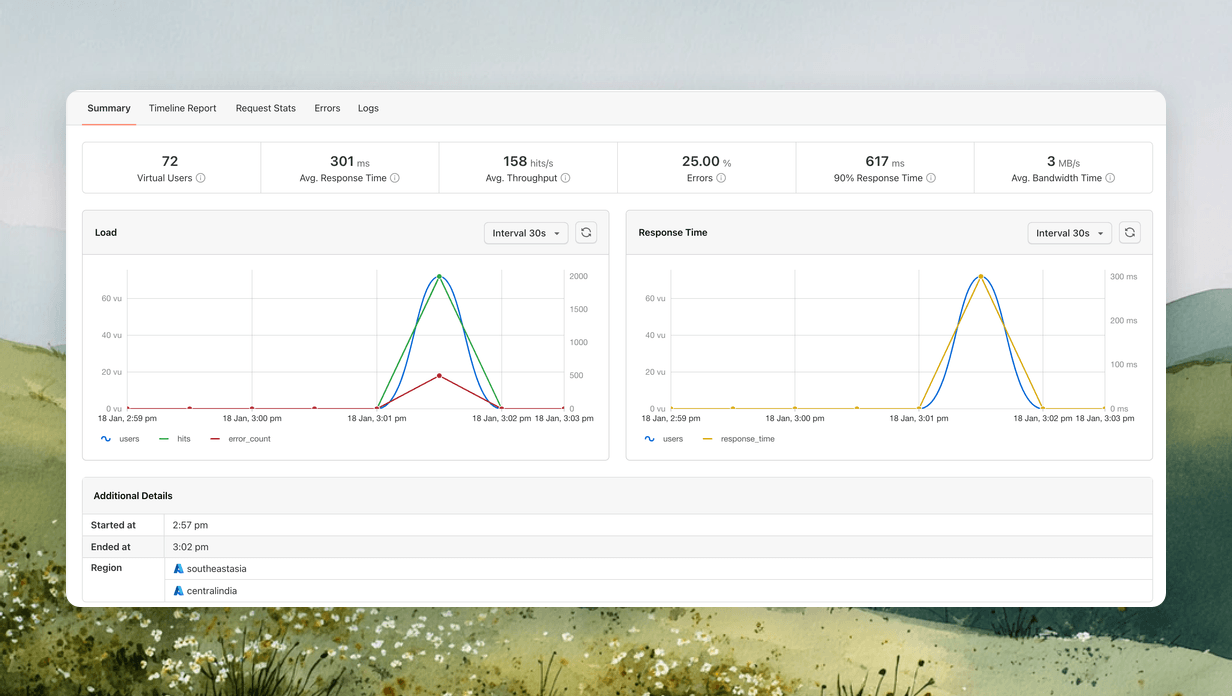
Set JMeter Total Users Above Your Expected Peak
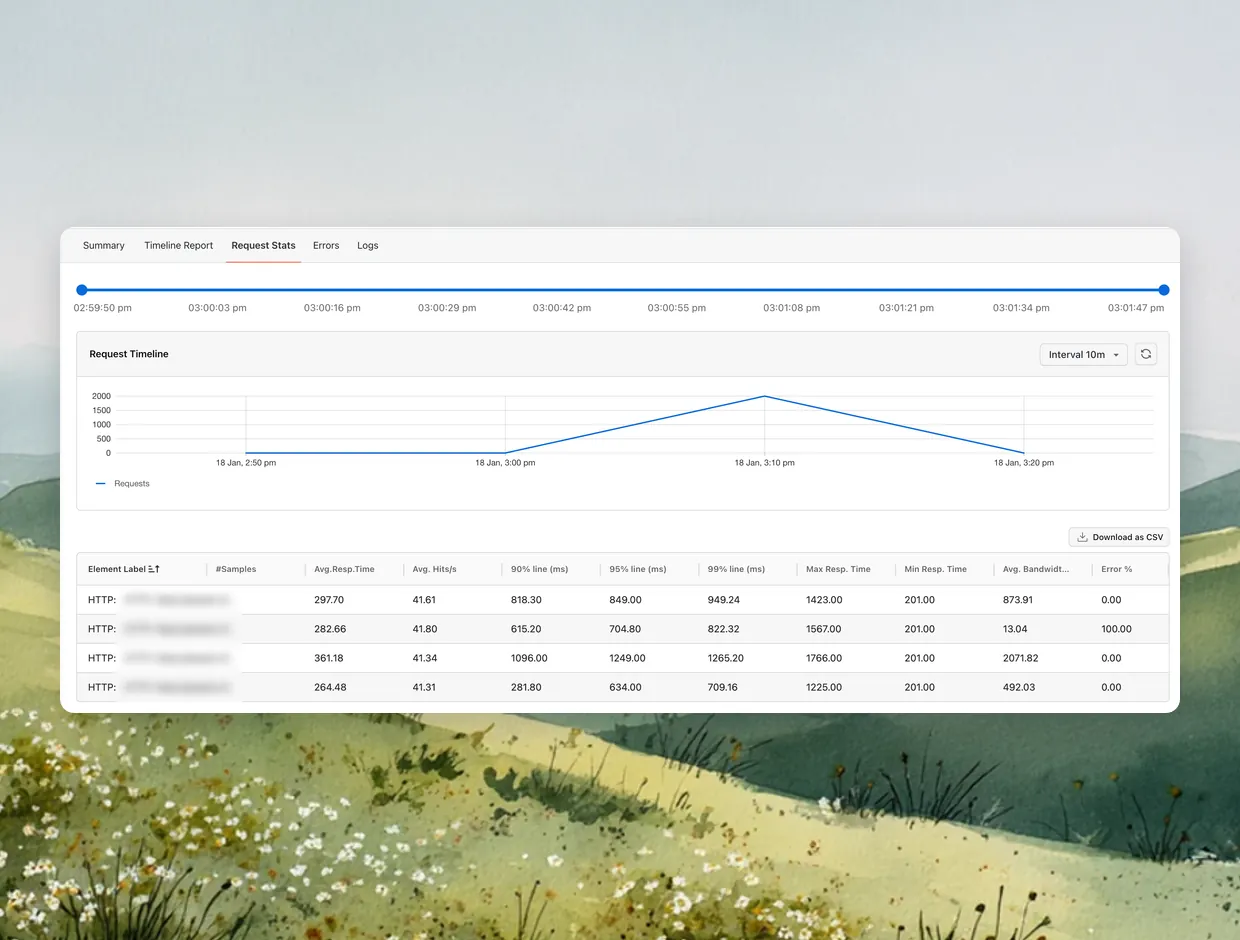
Set Total Users, Ramp-up Time and Duration on the run form, then read the 95% and 99% response-time lines for each request.
Run a Free Stress Test
- Upload a .jmx or a whole folder with its CSV files
- Step users with a custom thread group in the test plan
- Split users across machines so the count stays accurate

 GATLING STRESS TEST
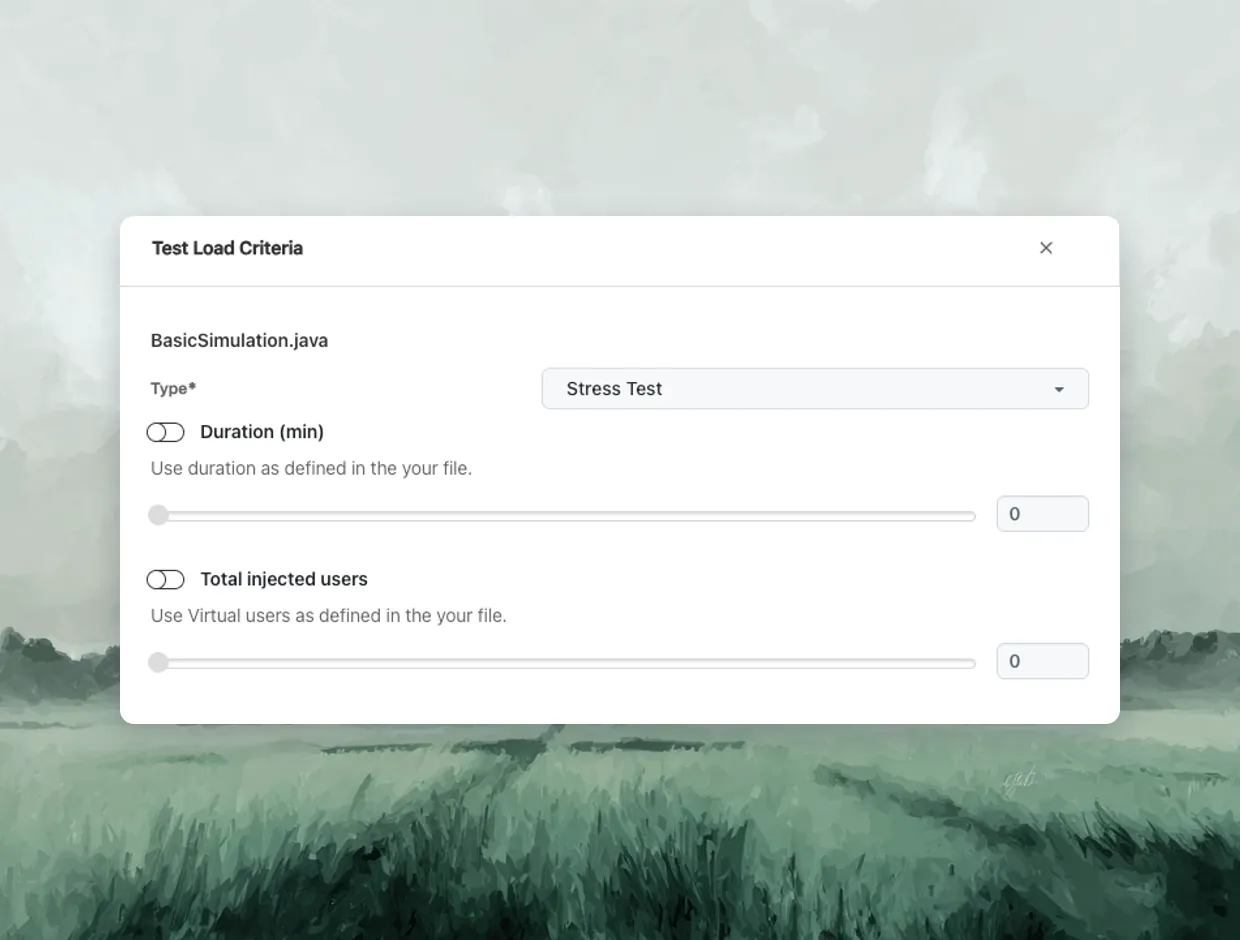
Stress Test a Gatling Simulation With Total Injected Users
Pick Stress Test on a Gatling project, set the duration and Total Injected Users, and hit your app with a load peak.
Run a Free Stress Test- Override users and duration without editing the script
- See whether the app crashes, then whether it recovers
- Switch to Capacity Test to find where scaling stops
 BREAKING POINT
Find Your Breaking Point in Timeline and Error Reports
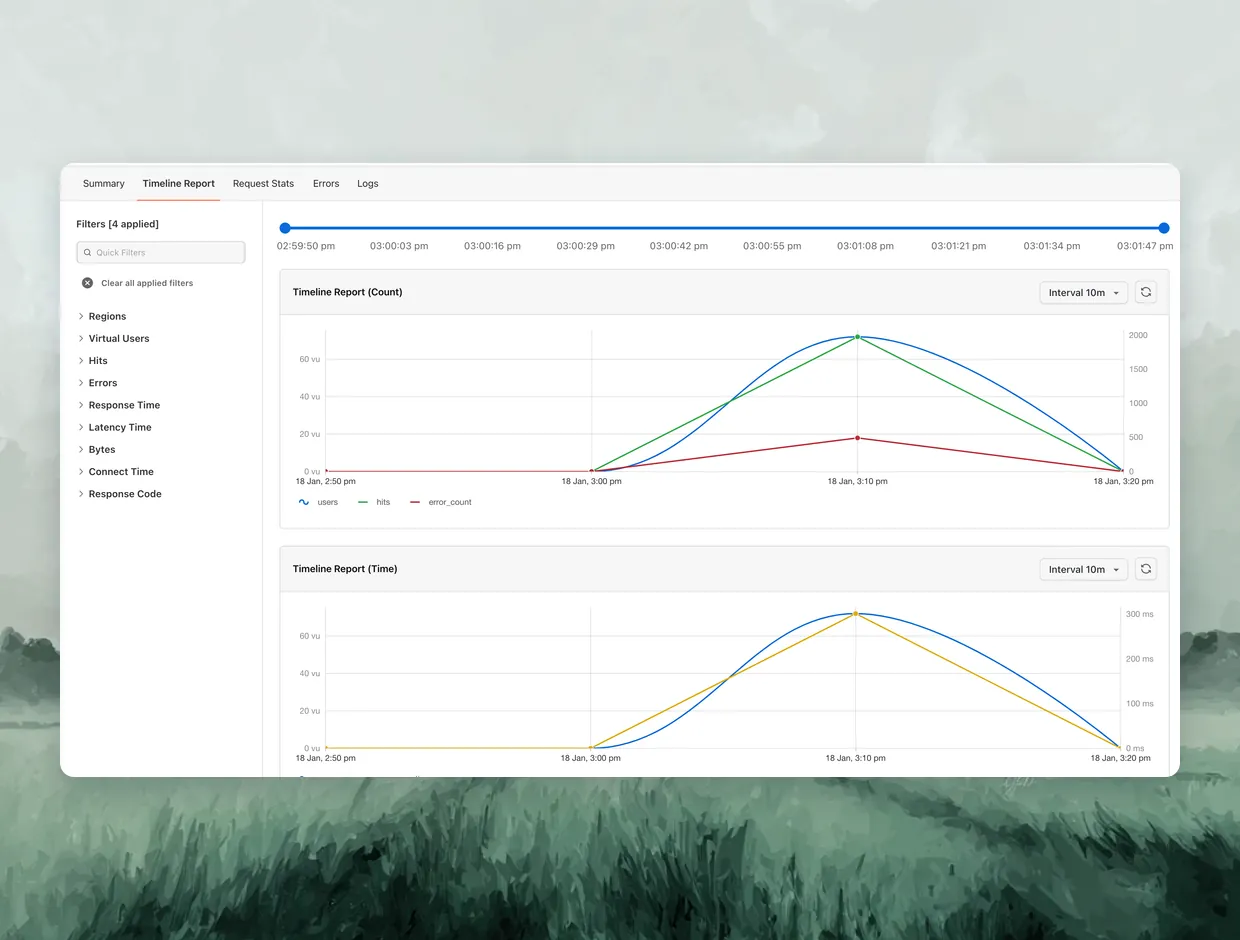
Find the request and the user level where errors begin. Task Metrics shows whether the generators or your app gave out first.
Run a Free Stress Test- Timeline plots users against response time and errors
- Errors report counts each failure code, like 503 or 504
- Gatling runs export a full HTML report to download
 LOAD REGIONS
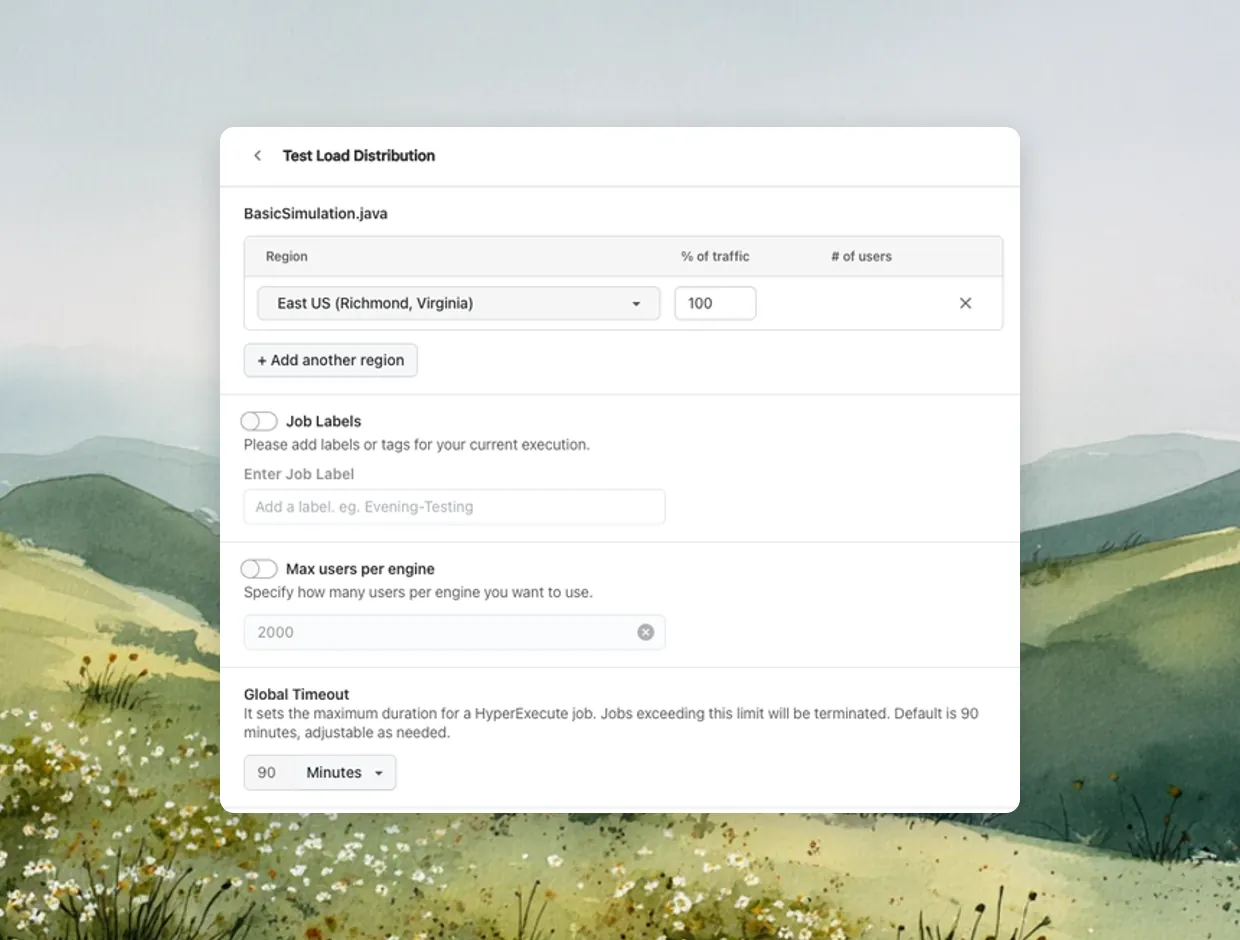
Send Stress Load From Six Regions Near Your Users
Test from where your customers are, in the US, India, Singapore, Brazil or Mexico, so response times match what they see.
Run a Free Stress Test- Spot a region failing first in per-region error data
- Free, Basic and Pro send load from one region per run
- Enterprise splits users by percentage across regions
 STRESS TESTS IN CI
Automate Stress Testing in Your CI Pipeline
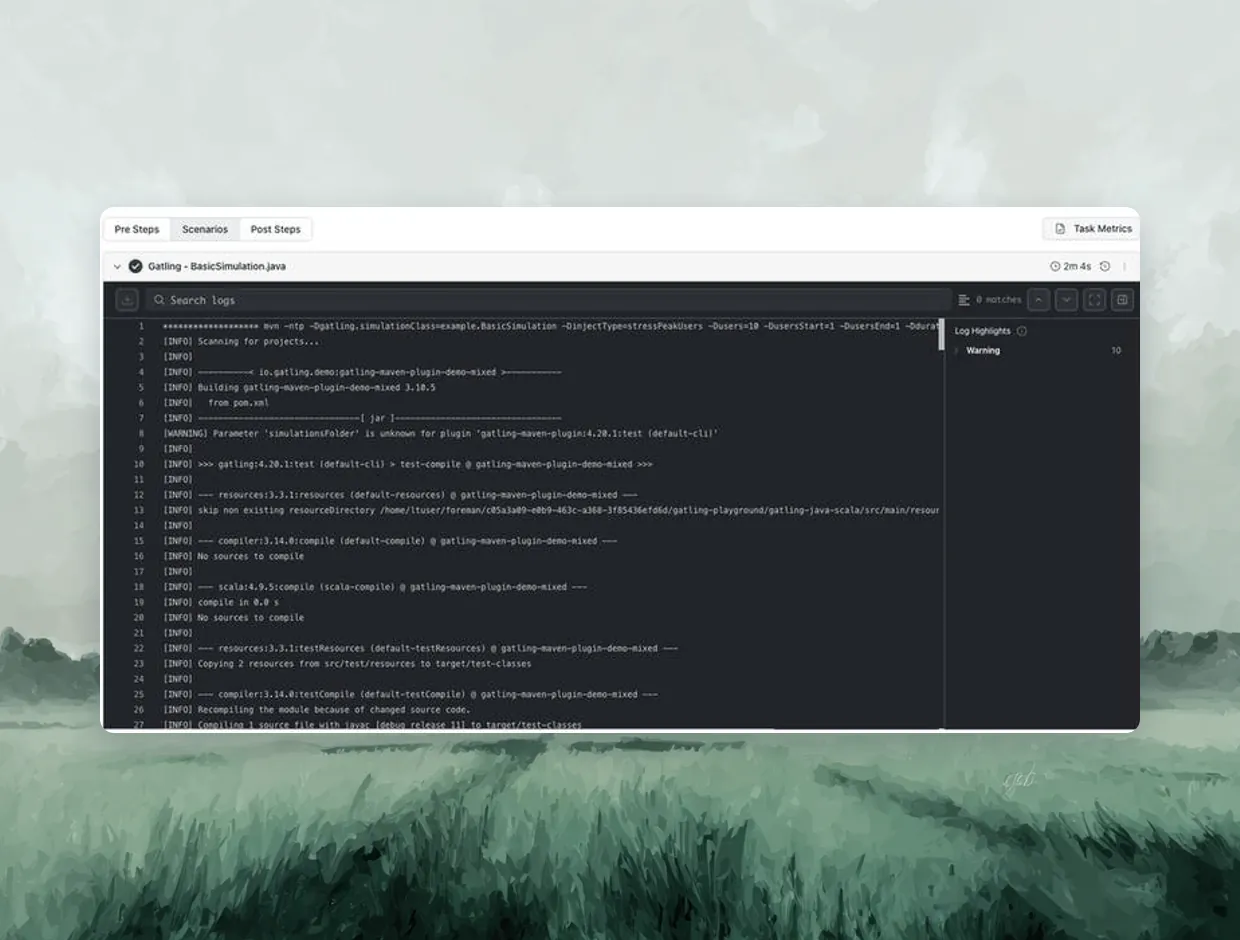
Trigger a Gatling stress test from your pipeline on every release, and raise the user count with a variable instead of a code change.
- Gatling settings live in hyperexecute.yaml in your repo
- Pass a higher user count when the pipeline triggers it
- Schedule JMeter stress tests nightly with Workflows
Stress Testing vs Load Testing and Other Test Types
Start free with Google
Each test answers a different question. Stress is the one that goes beyond your expected peak and checks recovery.
Load
Stress
Spike
Soak
Question it answers
Do response times hold at peak?
Where does it break, and does it recover?
Can it absorb a sudden jump?
Does it degrade over hours?
User count
Expected peak
Rising past expected peak
Peak, all at once
Moderate
Ramp-up
Gradual
Stepped or gradual
Almost none
Gradual
Duration
Fixed window
Until errors climb
Short
Hours
Typical finding
Latency over budget
Breaking point and failure mode
Queueing or scaling lag
Memory leaks, connection pool exhaustion
Load
Question it answers
Do response times hold at peak?
User count
Expected peak
Ramp-up
Gradual
Duration
Fixed window
Typical finding
Latency over budget
Stress
Question it answers
Where does it break, and does it recover?
User count
Rising past expected peak
Ramp-up
Stepped or gradual
Duration
Until errors climb
Typical finding
Breaking point and failure mode
Spike
Question it answers
Can it absorb a sudden jump?
User count
Peak, all at once
Ramp-up
Almost none
Duration
Short
Typical finding
Queueing or scaling lag
Soak
Question it answers
Does it degrade over hours?
User count
Moderate
Ramp-up
Gradual
Duration
Hours
Typical finding
Memory leaks, connection pool exhaustion
Stress Testing Pricing and Limits by Tier
Stress tests run on Performance Testing plans. Virtual users, run length and monthly VU hours set how far you can push.
Free
Basic
Pro
Enterprise
Price
$0
$79/mo annual ($99 monthly)
$349/mo annual ($449 monthly)
Custom
Concurrent virtual users
100
Up to 2,000
Up to 8,000
Customizable
Max test duration
40 minutes
2 hours
6 hours
Customizable
Virtual user hours / month
100, introductory
2,000, introductory
8,000
Customizable
Load regions
Single region
Single region
Single region
Multi region
Free
Price
$0
Concurrent virtual users
100
Max test duration
40 minutes
Virtual user hours / month
100, introductory
Load regions
Single region
Basic
Price
$79/mo annual ($99 monthly)
Concurrent virtual users
Up to 2,000
Max test duration
2 hours
Virtual user hours / month
2,000, introductory
Load regions
Single region
Pro
Price
$349/mo annual ($449 monthly)
Concurrent virtual users
Up to 8,000
Max test duration
6 hours
Virtual user hours / month
8,000
Load regions
Single region
Enterprise
Price
Custom
Concurrent virtual users
Customizable
Max test duration
Customizable
Virtual user hours / month
Customizable
Load regions
Multi region
Stress Testing Features You Get on TestMu AI

Your JMeter or Gatling Script
You bring the JMeter test plan or Gatling simulation. TestMu AI runs it as written, without a rewrite.

Managed Load Generators
We provision the generators when the run starts and tear them down when it ends. Nothing idles between tests.

Your Own Pass and Fail Limits
Your team sets the latency and error budget and reads the reports against it.

Live Stress Test Reports
Track performance metrics in real time as the load climbs, before the run ends.

Custom Capacity Across Regions
Enterprise sets custom virtual user limits and splits one stress run across several regions.

All Test Types in One Subscription
Stress, load, spike and soak tests all run on one Performance Testing subscription, with no separate license.
Some Love from our Customers
But this took literally negligible amount of time. Plus, you don't even need to go anywhere else to run these test cases, you can integrate it directly with TestMu AI HyperExecute for end-to-end testing. Best of both worlds!
HyperExecute

Adarsh M
adarsh1gupta

New testing platform alert! I recently tried out's HyperExecute, an end-to-end smart test orchestration platform. I was amazed at its speed and 'intelligence'.
HyperExecute

Sanjay Kumar
SanjayKumaarr
Anyone have experience of using for #automated #UI #testing? If so, have you also used BrowserStack/SauceLabs and can offer impartial pros/cons comparisons? #SoftwareDevelopment
HyperExecute
Web Automation Testing

Paul Arnold
@paulmarnold
More Reasons to Love TestMu AI (formerly LambdaTest)
See how TestMu AI improves your testing with seamless integration, quicker results, and unmatched accuracy.
Users
3M+
Tests
1.5B+
Enterprises
18K+
Countries
132
TestMu AI Named a Challenger in the 2025 Gartner® Magic Quadrant™
Read ReportTestMu AI recognized in The Forrester Wave™: Autonomous Testing Platforms, Q4 2025
Read ReportWall of Fame
TestMu AI is the #1 choice for SMBs and enterprises across the globe.

Enterprise-Grade Security
We safeguard your data and AI systems with global security, privacy, responsible AI, and ESG standards.

Integrations
Works where you work, 120+ integrations with the tools your team relies on.




As Seen On
Stress Testing Tool FAQs
TestMu AI for Enterprise
Get access to solutions built on enterprise-grade
security, privacy, & compliance
- Advanced access controls
- Advanced data retention rules
- Advanced Local Testing
- Premium Support options
- Early access to beta features
- Private Slack Channel
- Unlimited Manual Accessibility DevTools Tests