

Power Your Software Testing with AI Agents and Cloud
The Native AI-Agentic Cloud Platform to Supercharge Quality Engineering. Test Intelligently and Ship Faster.


- TestMu AI (Formerly LambdaTest)
- /
- Learning Hub
- /
- What Is a Web Agent? How AI Web Agents Work
What Is a Web Agent? How AI Web Agents Work
A web agent is AI that uses a real browser to navigate sites, fill forms, and extract data. See how web agents work, how reliable they are, what they run on.
Published on:
A lot of work on the web has no API behind it: a supplier portal with a login, a booking form split over four screens, a dashboard that only renders after JavaScript runs. Scripts written against those pages break the first time a button moves.
A web agent handles that work differently. It reads the page the way you would, decides what to do next, and acts through a real browser. This guide covers how web agents work, how they compare with scrapers and RPA, how reliable they are today, and what infrastructure they need to run.
TL;DR
A web agent is an AI system that completes tasks on websites by driving a real browser. A language model reads the page as text, an accessibility tree, or a screenshot, picks an action such as click or type, and repeats until the job is done. It adapts to changed layouts, which fixed scripts cannot.
- Observe, decide, act loop - every web agent cycles through reading the page state, choosing one action, executing it in the browser, and checking the result before the next step.
- Web agent vs scraper - a scraper repeats steps written in advance, while a web agent chooses its steps at run time, so it survives layout changes but costs more per task.
- Benchmark reliability - the WebVoyager research agent completed 59.1% of tasks across 15 popular websites, so production agents still need retries and human review.
- Browser infrastructure - web agents need real rendering, saved login state, access to private hosts, and session recordings; TestMu AI Browser Cloud provides all four as managed Chrome sessions.
- Access-management meaning - in SiteMinder and Ping Identity products, a web agent is a web server plugin that enforces access rules, unrelated to AI agents.
What Is a Web Agent?
A web agent is an AI system that takes a goal in plain language, such as "find the cheapest refundable flight to Berlin on Friday," and completes it on live websites. It pairs a large language model, which does the reasoning, with a browser, which does the clicking and typing.
The model never touches the site directly. It sees a representation of the page, returns one action, and the browser executes it. That split between a model that plans and tools that act makes web agents one branch of the broader AI agents family.
A web agent has three parts:
- Perception - the page state the model receives: cleaned HTML, an accessibility tree of roles and labels, a screenshot, or a mix.
- Reasoning - the language model that compares the page with the goal and chooses the next action.
- Action - a browser, controlled through Playwright, Puppeteer, Selenium, or the Chrome DevTools Protocol, that performs the click, keystroke, scroll, or read.
Web Agent in Access Management
If you arrived from an identity or security team, you may want the older meaning. Broadcom's documentation defines the SiteMinder Web Agent as a software component that controls access to any resource identified by a URL.
It sits on the web server and intercepts each request to check whether the resource is protected. Ping Identity uses "web agents" for the same kind of server plugin. Neither involves a language model, and the rest of this guide is about the AI meaning.
How Does a Web Agent Work?
Every web agent runs the same loop until it reaches the goal, hits a step limit, or decides it cannot continue:
- Observe - capture the current page state and send it to the model with the goal and the history of earlier steps.
- Decide - the model returns one structured action, for example click element 14 or type "Berlin" into the destination field.
- Act - the browser executes that action and waits for the page to settle.
- Verify - the agent takes a fresh snapshot and checks whether the action did what it expected before choosing the next one.
The biggest design choice is how the agent sees the page. Text-based agents read the DOM or the accessibility tree, which is cheap and precise but misses anything drawn on a canvas. Vision-based agents read screenshots, which handle any layout but cost more tokens per step.
Combining both tends to win. The WebVoyager paper built a multimodal agent that reads the page visually and reached a 59.1% task success rate on tasks drawn from 15 popular websites. Its authors report that it clearly beat a text-only version of the same agent.
How Is a Web Agent Different From a Scraper or RPA Bot?
All four tools below drive a browser or fetch pages. The difference is who decides the steps and when:
| Attribute | Web agent | Web scraper | RPA bot | Test script |
|---|---|---|---|---|
| Who decides the steps | The model, at run time | The developer, in advance | The recorded workflow | The tester, in advance |
| Input | A goal in plain language | URLs and selectors | A recorded click path | Steps plus assertions |
| When the layout changes | Usually finds the new element | Breaks until selectors are fixed | Breaks until re-recorded | Fails, which is the point |
| Cost per run | Model calls on every step | Lowest | Low, plus licenses | Low |
| Same input, same output? | Not guaranteed | Yes | Yes | Yes |
| Best fit | Varied, changing, or one-off tasks | High-volume reads of stable pages | Stable internal workflows | Checking that an app works |
Pick a scraper or script when the pages are stable and the volume is high; it is cheaper and gives the same answer every time. Pick a web agent when the task varies between runs or the sites change often enough that maintaining selectors costs more than the model calls.
"Browser agent" is close to a synonym. Products sold under that label, compared in this roundup of browser agents, are web agents packaged with their own browser or extension.
What Are Some Examples of Web Agents?
Web agents ship in three forms: agents built into AI assistants, browser extensions, and open-source frameworks you run yourself.
- Cloud browser in ChatGPT - gives ChatGPT Work its own browser on a separate computer in the cloud, where it reads pages, clicks buttons, and fills forms, pausing when it needs your input, sign-in, or confirmation.
- Claude for Chrome - an Anthropic extension that lets users ask Claude to take actions in their own browser, with site-level permissions and confirmation before actions such as publishing or purchasing.
- Browser Use - an open-source framework, described in its repository as "agents that use the browser," for building your own web agent.
- OpenClaw - an open-source agent framework that turns natural-language instructions into browser tasks and can run locally, on private servers, or in the cloud.
The first two are finished products for individual users. The open-source frameworks are what teams build on when the agent has to run inside their own systems, on their own schedule, at volume.
What Can Web Agents Do?
Web agents earn their cost where a task crosses several pages, needs a login, or looks different every time:
- Form filling - completing applications, onboarding portals, and multi-step bookings that carry cookies and CSRF tokens from one screen to the next.
- Data extraction from JavaScript-heavy sites - reading prices, stock levels, or listings that only exist after the page renders; see this guide to web scraping with AI for the scraping side.
- Research across sites - opening several sources, reading them, and returning a comparison with links.
- Back-office work - updating records in admin panels and partner dashboards that have no API.
- Exploratory QA - walking through a staging app from a plain-language goal and reporting where the flow broke.
Open-source agents make these easy to try. This walkthrough of the OpenClaw GitHub repository covers one such project, and the same loop applies to any framework you choose.

How Reliable Are Web Agents Today?
Reliable enough for supervised work, not yet for unattended high-stakes actions. Even the WebVoyager agent described above failed on roughly four in ten tasks, and most failed runs trace back to one of these causes:
- Acting before the page settles - the agent clicks while content is still loading and targets the wrong element.
- Interruptions - cookie banners, modals, CAPTCHAs, and bot checks that were not part of the plan.
- Lost state - a session that times out mid-task, forcing a fresh login the agent cannot complete.
- Claimed success - the agent reports the task done when the final page shows an error.
The fix for the last one is to check what the run changed, not what the agent reported. Testing agents such as TestMu AI's Kane CLI work this way: you describe a flow in natural language, it drives real Chrome from your terminal, and it returns a pass or fail with a replayable .evidence pack for every run. For high-stakes flows, keep a human reviewing a sample of runs as well; this guide to AI agent testing covers how to set that up.
What Are the Security Risks of Web Agents?
The biggest risk is prompt injection. A web agent reads pages it does not control, so text on a page, visible or hidden, can carry instructions that pull the agent away from its task.
The OWASP Top 10 for LLM Applications ranks prompt injection first for 2025. It describes the indirect form, where instructions arrive through external content such as websites or files, which is exactly the content a web agent consumes all day.
Limit the damage a hijacked agent can do:
- Least-privilege accounts - run the agent under its own account with only the permissions the task needs, never an admin login.
- Human approval - require confirmation before payments, deletions, form submissions that send data out, and messages.
- Site allowlists - restrict which domains the agent may open, so a link on a page cannot send it somewhere new.
- Fixed goals - keep the task in the system prompt and treat everything read from a page as data, not as instructions.
- Session recordings - keep video and network logs of every run so you can audit what the agent did after the fact.
What Infrastructure Does a Web Agent Need?
The model is only half of a web agent. The browser underneath decides whether the agent can see the page, stay logged in, reach the right hosts, and explain its failures. A local headless Chrome is fine for a demo but runs into limits once you need parallel runs, saved logins, or a site that is only reachable on your VPN.
TestMu AI Browser Cloud is built for that layer. It runs on the same cloud that has served 1.5B+ tests for 18,000+ enterprises, and covers the failure causes listed above:
- Real Chrome sessions - pages render with full JavaScript, so single-page apps show the same content a user sees.
- Session persistence - cookies, local storage, and login state carry over between sessions, so an agent logs in once.
- Built-in tunnel - the TestMu AI Tunnel lets cloud sessions open localhost, staging, and internal dashboards without exposing them.
- Session transparency - every run records video replay, network logs, console output, and step-by-step command replay.
- Stealth mode - best-effort fingerprint masking and ad blocking for sites with aggressive bot defenses; it reduces blocks but does not guarantee access.
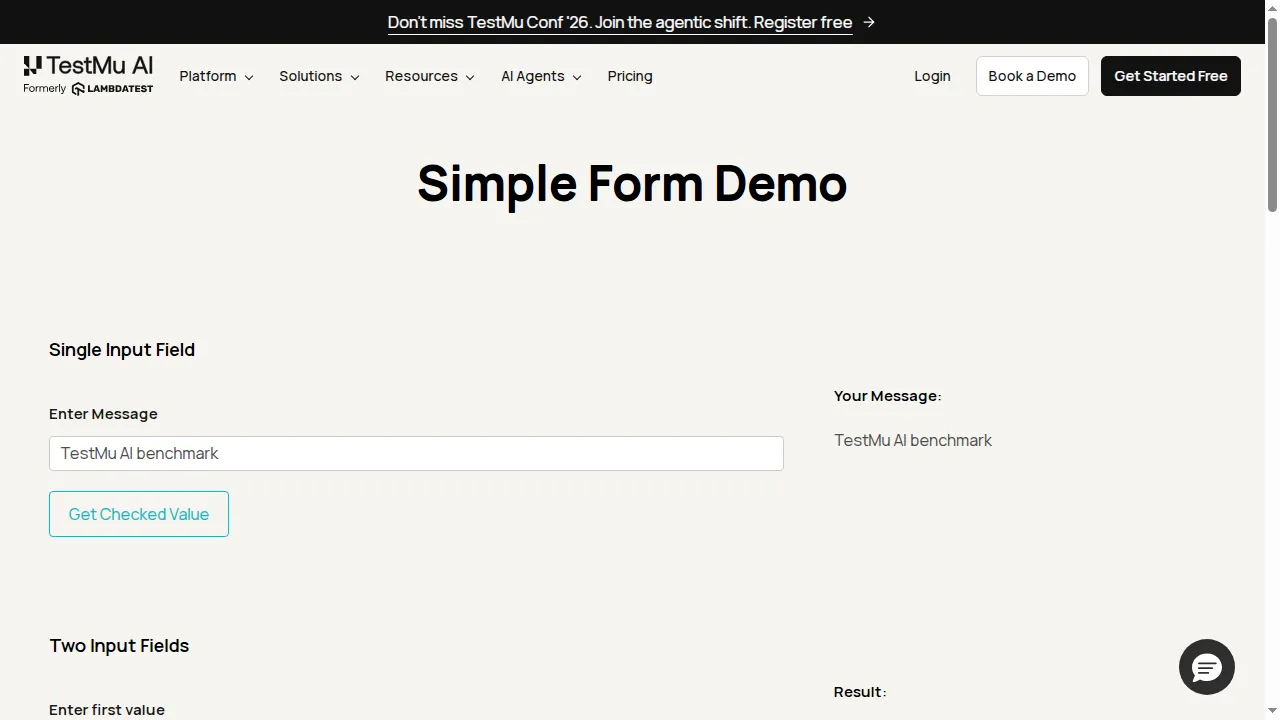
Sessions connect through Playwright, Puppeteer, or Selenium, so an agent framework that already drives one of them needs a new endpoint, not a rewrite. The capture below is from a real Playwright session on Browser Cloud that typed into the Selenium Playground's Simple Form Demo, the same fill-and-confirm step a web agent performs:
The Browser Cloud documentation covers session setup, the tunnel, and agent skills. For the wider architecture, see this breakdown of browser infrastructure for AI agents.

Note: Give your web agents real Chrome sessions with saved logins, a built-in tunnel, and a recording of every run on TestMu AI Browser Cloud. Start free
How Do You Build a Web Agent?
Start narrow. A web agent that does one task on one site well teaches you more than a general agent that half-works everywhere:
- Pick one task with a checkable end state - for example "submit this form and confirm the success message," so you can score each run.
- Choose a framework - open-source options such as Browser Use and OpenClaw handle the loop, a coding assistant can call the browser through an MCP server, and if the goal is testing your own app, Kane CLI's --agent flag returns structured results an AI coding agent or CI job can parse (setup is in the Kane CLI documentation).
- Point it at a managed browser - connect the framework's Playwright or Puppeteer driver to a cloud session instead of a local Chrome.
- Cap the damage - give the agent a test account, a step limit, and human approval before any payment, delete, or send action.
- Review recordings - watch failed runs, fix the prompt or wait conditions, and rerun the same task set.
Sites may soon meet agents halfway. WebMCP, a draft from the W3C Web Machine Learning Community Group, lets a web application expose JavaScript-based tools that agents call directly instead of clicking. It is a Community Group draft, not a W3C Standard, so plan for browser-driven agents today.
Conclusion
Pick one repetitive browser task your team does weekly, write its success check, and run a web agent against it ten times on a cloud browser. The success rate across those ten runs tells you whether the task is ready for an agent or still needs a script.
Create a free TestMu AI account, open a Browser Cloud session, and use the session recordings to see exactly where each failed run went wrong.
Author

Anubhav Singhmaar
Blogs: 41

Anubhav Singhmaar is an AI Product Manager at TestMu AI driving Kane CLI, the command-line tool that brings browser automation to the terminal, turning natural-language flows into runs in a real Chrome browser that return pass or fail with shareable proof. He owns the roadmap and prioritization and works with engineering to ship developer-facing features. Before TestMu AI, he spent over four years at Sprinklr owning enterprise voice AI across APAC and EMEA. A mechanical engineer turned product manager, he grounds guidance in real QA workflows.
Reviewer

Samyak Goyal
Reviewer
Samyak Goyal is a Senior Member of Technical Staff at TestMu AI engineering Kane CLI, the command-line tool that runs browser automation from the terminal, where a flow described in natural language executes in a real Chrome browser and returns pass or fail with shareable proof. He is a backend engineer with 4+ years of experience, previously an SDE at Innovaccer, where he built APIs, introduced Kafka, and cut deployment from weeks to hours. Samyak also builds multi-agent systems, skill-orchestration frameworks, and a personal copilot that indexes 200+ microservice repositories.


Web Agent FAQs
Did you find this page helpful?
More Related Learning Hubs
TestMu AI forEnterprise
Get access to solutions built on Enterprise
grade security, privacy, & compliance
- Advanced access controls
- Advanced data retention rules
- Advanced Local Testing
- Premium Support options
- Early access to beta features
- Private Slack Channel
- Unlimited Manual Accessibility DevTools Tests