

Power Your Software Testing with AI Agents and Cloud
The Native AI-Agentic Cloud Platform to Supercharge Quality Engineering. Test Intelligently and Ship Faster.


- TestMu AI (Formerly LambdaTest)
- /
- Learning Hub
- /
- What Is Test Environment Management? Plan, Tiers, Metrics
What Is Test Environment Management? Plan, Tiers, Metrics
Test environment management keeps test environments consistent and rebuildable. Get the six tiers, an eight-field plan template, and two key metrics.
Last Updated on:
On This Page
- What Is Test Environment Management?
- What Are the Different Types of Test Environments?
- How Do Ephemeral Environments and Preview Deploys Work?
- What Are the Core Elements of Test Environment Management?
- What Goes Into a Test Environment Management Plan?
- How Do You Implement Test Environment Management?
- Which Metrics Show Test Environment Management Is Working?
- What Are the Biggest Challenges in Test Environment Management?
- What Are the Best Practices for Test Environment Management?
- What Does a Test Environment Manager Do?
- How Do You Manage the Browser and Device Layer?
- How Is AI Changing Test Environment Management?
- Where Should You Start With Test Environment Management?
Test Environment Management (TEM) is the practice of keeping every non-production environment, from development through QA, UAT, staging, and performance, in a known, owned, and rebuildable state. It covers what each environment is built from, who is accountable for it, what data it holds, how teams book it, and how often it is refreshed against production.
Done well, a red build means a defect in the code. Done badly, nobody can say whether the code or the environment broke, triage slows, and genuine regressions hide behind environment noise. Amazon treats the practice as a formal DevOps capability in its AWS DevOps Guidance indicators for test environment management, which names six, QA.TEM.1 through QA.TEM.6, starting with establishing dedicated testing environments.
Overview
Test environment management is the practice of provisioning, tracking, and refreshing the environments software is tested in, so that a failing test points at the code rather than the setup. It covers environment inventory and ownership, configuration parity with production, test data handling, booking across teams, and the metrics that show whether any of it is working.
What Does a TEM Plan Have to Cover?
- Environment inventory and ownership: A named owner for every environment you run. Unowned environments are the ones that drift, because nobody is accountable when a config changes and nobody knows who to ask when it breaks.
- Configuration parity: A record of where each environment deliberately differs from production and where it must not. Undocumented differences are what turn a passing test suite into a production incident.
- Test data policy: How data enters each tier and what is masked before it does. AWS DevOps Guidance lists insecure test data as a TEM anti-pattern, specifically using production data without obfuscation.
- Booking and contention: One visible schedule for every shared environment. Contention is a scheduling problem before it is a capacity problem, and most teams buy hardware to solve what a calendar would have fixed.
- Refresh and teardown: How an environment is rebuilt from its definition rather than repaired by hand. Rebuild is the only reliable cure for drift, because repair leaves the undocumented change in place.
- Ephemeral environments: Environments created when a pull request opens and destroyed when it merges. They remove booking, drift, and ownership questions outright, in exchange for paying provisioning and data-seeding time on every run.
How Do You Know It Is Working?
AWS DevOps Guidance names two metrics: test bed provisioning time and test case execution time. Both are measurable today without new tooling. For the browser and device tier specifically, teams often stop owning the environment altogether and consume it from a cloud grid such as TestMu AI, which removes provisioning time from that layer rather than optimizing it.
What Is Test Environment Management?
TEM is the operational layer around test environments: an inventory of what exists, a named owner for each one, and the routine that keeps them aligned with production. A test environment itself mirrors the conditions the software will face in production, so that tests reflect real behavior rather than a lab that looks nothing like it.
A test environment is made up of the layers the application depends on at runtime:
- The operating system the software runs on.
- The database and any data it needs to behave realistically.
- The server and network configuration.
- Any third-party tools, services, or applications the software integrates with.
- The browsers, devices, and screen sizes the interface is exercised on.
When environments drift, bugs either slip through because the test setup was too forgiving, or waste time because a failure was the environment's fault, not the code's. Both are why environment work belongs inside the software development life cycle rather than alongside it.
The distinction worth holding onto: a test environment is a thing you have, and test environment management is the discipline of knowing what you have, who owns it, and how to rebuild it.
What Are the Different Types of Test Environments?
Six tiers cover almost every team: development, sandbox, integration or QA, UAT, staging, and performance. Each one answers a different question about a change, and the tier most often missing is a true production mirror. Use the table to name what you already run and find the gap.
| Tier | What it answers | Data | Typical owner |
|---|---|---|---|
| Development | Does this change run at all on a machine that is not the author's laptop? | Synthetic or fixture data | The developer who owns the change |
| Sandbox | Can one team experiment without breaking anyone else's run? Usually ephemeral and per-branch. | Seeded on creation, discarded on teardown | The team that requested it |
| Integration / QA | Do the services agree with each other once they are wired together? | Shared, refreshed on a schedule | QA lead or platform team |
| UAT | Does the business accept the behavior? Driven by people, not pipelines. | Realistic and masked | Product owner or business analyst |
| Staging | Would this release survive production? The tier where parity matters most. | Production-shaped, masked | Release manager |
| Performance | Do the numbers hold under load? Only worth a dedicated tier when runs must be comparable. | Production-scale volume | Performance engineer |
Teams run a staging environment with a fraction of the data, a stubbed payment provider, and one application server instead of six, then treat a green run there as a release signal. It is not one, and the gap only shows up in production.
How Do Ephemeral Environments and Preview Deploys Work?
An ephemeral environment is created when a pull request opens, seeded with data, tested, and destroyed when the branch merges or closes. Nothing is booked, nothing is shared, and nothing survives long enough to drift. A preview deploy is that same environment exposed at a URL, so reviewers and product owners can look at the change rather than only the pipeline.
This is the model that removes most of the work described in the rest of this guide. There is no booking calendar because there is no contention, no refresh cadence because the environment never ages, and no ownership ambiguity because the environment belongs to the pull request that created it. It is why platform engineering teams treat environments as a product surface rather than a shared asset.
The workflow behind a per-pull-request environment:
- Resolve the definition from the same commit - the environment is built from the infrastructure code on that branch, not from a shared template, so a change to the environment ships and is reviewed with the change to the application.
- Provision on the open event - the CI run that fires when the pull request opens creates the infrastructure. Provisioning time becomes a per-pull-request tax, which is why the AWS test bed provisioning time metric matters more in this model than in a shared one.
- Seed a masked subset, not a production copy - seed time sets the floor on how fast the environment is usable. A full production clone per pull request is what makes teams abandon the model, so subset first and mask on the way in.
- Run the suite and publish the URL - the pipeline runs against the fresh environment and posts the preview link back to the pull request, which is what turns an automated check into something a product owner can review.
- Destroy on merge or close - teardown is the step teams skip, and skipping it converts an ephemeral environment into an untracked long-lived one within a sprint.
Choosing Ephemeral Over Shared Environments
| Dimension | Long-lived shared environment | Ephemeral per-pull-request environment |
|---|---|---|
| Contention | Managed by a booking calendar, and it is the most common source of invalid test runs | Structurally absent, since each change gets its own instance |
| Configuration drift | Accumulates between refreshes and has to be actively corrected | Cannot accumulate, because the environment is younger than the change under test |
| Test data | Refreshed on a schedule and shared, so one team's test run alters another team's fixtures | Seeded per instance and isolated, at the cost of seed time on every run |
| Cost profile | Fixed and always on, including nights and weekends when nothing runs | Variable and proportional to pull request volume, which can exceed the fixed cost on a busy repository |
| Reproducing a failure | The environment still exists, so the failure can be inspected in place | The environment is gone, so artifacts, logs, and video have to be captured during the run |
| Best fit | Stateful systems, long-running integrations, and pre-production release gates | Stateless services, feature branches, and review workflows that need a URL |
The model breaks down in three specific places, and knowing them beforehand is what stops a migration stalling halfway:
- Stateful dependencies - anything that cannot be seeded quickly pushes provisioning time past the point where developers are willing to wait for it.
- Third-party sandboxes - accounts with per-account rate limits cannot be instantiated per pull request, so those integrations stay pointed at a shared account.
- Evidence that vanishes with the environment - anything not captured during the run is unrecoverable afterwards, which makes artifact collection a prerequisite rather than a nice-to-have.
The execution tier can be made ephemeral without rebuilding the application tier first. TestMu AI runs each HyperExecute task on a just-in-time virtual machine created for that task and wiped when it ends, across 60+ regions, so no standing fleet exists to drift and no state leaks between runs.
What Are the Core Elements of Test Environment Management?
Six: environment configuration, version control, test data management, access control, booking and scheduling, and monitoring with health checks. Everything else in test environment management is an implementation detail of one of these six.
- Environment configuration - the hardware, software, network settings, and service versions that define the environment. Held as code in version control, a configuration can be diffed against production and rebuilt on demand. Held in someone's memory, it drifts within weeks.
- Version control - tracking which build of the application, which schema version, and which dependency set an environment is running. Without it, two testers reporting different results on "the QA environment" cannot tell whether they tested the same thing.
- Test data management - masking, subsetting, and generating the test data each tier needs. Subsetting matters as much as masking, since a full production copy is slow to refresh and raises the cost of every rebuild.
- Access control - who can change an environment, as distinct from who can use it. Most unexplained environment breakage traces back to a change made by someone who had permission but no reason.
- Booking and scheduling - a single visible calendar for shared environments. The failure mode it prevents is two teams deploying different builds to the same environment within an hour of each other.
- Monitoring and health checks - automated checks that confirm an environment is usable before a suite runs against it. A five-second smoke check at the head of a pipeline saves the hour spent triaging a suite that failed because a dependency was down.
What Goes Into a Test Environment Management Plan?
Eight fields per environment: name, purpose and tier, owner, what it is built from, data source and masking, booking method, refresh cadence, and known deviations from production. That is the whole plan. It does not need to be a document, because one row per environment in a shared table answers the questions that actually get asked when something breaks.
Copy the structure below and fill a row for every environment you run today, including the ones nobody owns.
| Field | What to record | Why it earns its place |
|---|---|---|
| Environment name | A stable identifier used in pipelines, tickets, and conversation | Ambiguous names are why two people discuss different machines using the same word |
| Purpose and tier | Which gate it serves, from the tier table above | Makes it visible when two environments serve the same gate and one can be retired |
| Owner | A named person, not a team alias | The single field most correlated with an environment staying healthy |
| Built from | The repository and path holding its definition, or "manual" if there is none | Writing "manual" in this cell is usually what triggers the decision to automate it |
| Data source and masking | Where data comes from and what is obfuscated before it lands | Directly addresses the insecure test data anti-pattern |
| Booking method | Calendar, pipeline lock, or first come first served | Turns contention from an argument into a scheduling rule |
| Refresh cadence | How often it is rebuilt from its definition, and by what | An environment never rebuilt has drifted, whether or not anyone has noticed |
| Known deviations | Where it deliberately differs from production | Converts an unknown risk into a documented one the team can weigh |
Fill the "Built from" and "Owner" columns first. On most teams those two columns have the largest number of blanks, and every blank is an environment that will eventually fail in a way nobody can explain.

Note: Stop maintaining the browser and OS tier of your environment estate. Run tests across 3,000+ browser and OS combinations on TestMu AI, with nothing to provision. Try TestMu AI now!
How Do You Implement Test Environment Management?
Inventory first, tool last. List every environment, give each one a named owner, fix the single environment that hurts most, define it as code, wire it into the pipeline, then repeat. Implementation fails when it starts with tool selection, because the inventory is what tells you which tool you need.
- Inventory what exists - list every environment currently running, including the forgotten ones still costing money. Fill the plan template above for each. Expect the list to be longer than anyone predicted and expect several rows to have no owner.
- Assign an owner to every row - a named person accountable for the environment being usable.
- Pick the one environment that hurts most - usually the shared integration environment two teams fight over. Fixing one environment properly teaches the team more than a broad rollout that finishes nowhere.
- Define it as code - move that environment's definition into version control so it can be rebuilt rather than repaired. Terraform and Ansible cover provisioning and configuration, Docker and Kubernetes cover packaging and scheduling.
- Wire provisioning into the pipeline - have the CI/CD run request the environment, use it, and release it, instead of the environment sitting reserved between runs. This is what makes ephemeral per-branch environments practical.
- Add a health check before the suite - a short check that fails fast when a dependency is down, so the team triages one clear failure rather than forty confusing ones.
- Measure provisioning time from day one - capture the baseline before changing anything, otherwise there is no way to show the work paid off.
- Repeat on the next environment - carry the definition patterns across rather than starting fresh, and retire any environment the inventory showed nobody uses.
Which Metrics Show Test Environment Management Is Working?
Two: test bed provisioning time and test case execution time. Both come from the AWS DevOps Guidance metrics for test environment management.
| Metric | How AWS defines measurement | What moves it |
|---|---|---|
| Test bed provisioning time | The time from the start of provisioning to the environment being confirmed ready to run a test case, including supporting infrastructure and data saturation | Dependency caching, pre-baked images, subsetting the data so saturation is not the long pole |
| Test case execution time | The time from the start to the end of a test case or suite. AWS notes it is improved by optimizing provisioning, allocating resources efficiently, and parallelizing runs | Parallel execution, splitting the suite across machines, removing network hops between the test and the browser |
Two derived numbers are worth adding locally. Environment availability, the share of working hours a tier was usable, exposes contention that provisioning time hides. Environment-caused failure rate, the share of failed runs later attributed to the environment rather than the code, is the number that tells you whether the team can trust a red build. Track the second one for a month before deciding TEM is not worth investing in.

What Are the Biggest Challenges in Test Environment Management?
Seven recur across team sizes: configuration drift, environment contention, low test data coverage, insecure test data, centralized testing, unclear ownership, and manual provisioning. AWS classifies three of those as formal anti-patterns. Each carries a characteristic cost, which is the part usually left out when the problem reaches leadership.
| Challenge | How it shows up | What it costs |
|---|---|---|
| Configuration drift | Tests pass in QA and fail in staging with no code change between them | Defects reach production through a gate that was supposed to catch them |
| Environment contention | Two teams deploy to the same shared environment within the same hour | Both test runs are invalid and neither team knows it until triage |
| Low test data coverage | A narrow dataset that never exercises the awkward cases | Named by AWS as an anti-pattern; the gaps surface as production edge-case bugs |
| Insecure test data | Production data copied into a lower tier without obfuscation | AWS calls this out directly as exposing sensitive information |
| Centralized testing | One team gatekeeps every environment request | AWS names it an anti-pattern that creates bottlenecks and reduces team ownership |
| Unclear ownership | An environment breaks and the fix waits while people work out whose job it is | Recovery time is dominated by coordination rather than repair |
| Manual provisioning | Setting up an environment is a runbook someone follows by hand | Rebuild is expensive, so broken environments get repaired and drift compounds |
Three of these, low test data coverage, insecure test data, and centralized testing, are the exact anti-patterns listed in the AWS DevOps Guidance anti-patterns for test environment management. Its recommended fix for centralized testing is worth quoting in intent: give stream-aligned teams the tools and access to self-manage their testing needs, and have platform teams offer environments as a service rather than as a queue.
What Are the Best Practices for Test Environment Management?
The core practices are to rebuild environments instead of repairing them, mask and subset data, share one visible schedule, separate permissions, and default to ephemeral environments.
Rebuild instead of repairing, document deliberate differences from production, mask data at the point of entry, subset before copying, give shared environments one visible schedule, separate permission to use from permission to change, default to ephemeral for isolated work, and stop owning tiers you can rent. Each maps to a specific failure, and if a practice does not map to a failure your team has actually had, deprioritize it.
- Rebuild instead of repairing - when an environment misbehaves, destroy it and recreate it from its definition. Repair leaves the undocumented change in place, which is how drift accumulates one fix at a time.
- Document deliberate differences from production - a stubbed payment provider is fine, an undocumented stubbed payment provider is a production incident waiting for the right test to miss it.
- Mask data at the point of entry - obfuscate on the way into the lower tier rather than after it lands. Masking after the fact means the unmasked copy existed, which is the part a compliance audit asks about.
- Subset before you copy - a smaller representative dataset refreshes faster, and refresh speed is what determines whether the team actually refreshes on schedule.
- Give shared environments one visible schedule - contention is a scheduling problem first.
- Separate permission to use from permission to change - most people who break an environment had the access and no intention of changing anything load-bearing.
- Make ephemeral the default for isolated work - environments created per branch and destroyed on merge cannot drift, because they do not live long enough to.
- Stop owning the tiers you can rent - the browser and device layer is the clearest example. Maintaining a matrix of browser versions and physical devices consumes effort that produces no differentiated value.
What Does a Test Environment Manager Do?
A test environment manager owns environment supply against test demand. On teams under roughly fifty engineers it is a part-time responsibility carried by a QA lead or platform engineer. It becomes a dedicated role when multiple teams contend for the same environments and the coordination cost stops fitting in someone's spare capacity.
Day-to-Day Ownership of the Role
- The environment inventory - keeping the plan table current as environments are created and retired, which is the artifact everything else depends on.
- Booking arbitration - deciding who gets a contended environment and when, using release priority rather than whoever asked loudest.
- Configuration parity - tracking where non-production has diverged from production and driving it back before the gap causes an escape.
- Data refresh and masking - owning the schedule on which each tier is refreshed and confirming masking ran before the data landed.
- Access governance - maintaining the split between who can use an environment and who can change it.
- Availability reporting - publishing provisioning time and availability so environment work competes for budget with numbers rather than anecdotes.
Measuring a Test Environment Manager
Judge the role on the two AWS metrics plus environment availability and environment-caused failure rate. A test environment manager who has reduced the share of failed runs blamed on the environment has done the job, whatever the state of the tooling. Counting environments provisioned measures activity rather than outcome.
How Do You Manage the Browser and Device Layer?
Rent it rather than run it. The browser and device tier has the worst ratio of maintenance effort to differentiated value of any tier: browser versions ship every few weeks, devices age out, and a self-hosted grid drifts exactly like any other unmanaged environment. Consuming it from a cloud grid removes the tier from your inventory instead of making it cheaper to maintain.
TestMu AI covers the tier in three pieces, all consumed per run rather than provisioned in advance:
- Test automation cloud - runs existing Selenium, Cypress, Playwright, and Puppeteer suites across 3,000+ real browser and OS combinations, with no grid to build.
- Real device cloud - 10,000+ real Android and iOS devices, available as shared, dedicated private, or on-premise deployments for teams with data residency requirements.
- HyperExecute - the orchestration layer, and the piece that maps directly onto the two AWS metrics from earlier in this guide.
Impact on the Two Metrics
| AWS metric | What HyperExecute changes |
|---|---|
| Test bed provisioning time | Just-in-time virtual machines created per task and wiped after, so no standing fleet exists to patch or keep warm. Dependency caching keyed on a lockfile hash restores unchanged dependencies instead of reinstalling them. |
| Test case execution time | Test script and execution components sit in a single isolated environment, removing the network hops a hub-and-node grid adds between a command and a browser. Matrix, auto-split, and hybrid strategies split a suite across machines. TestMu AI reports up to 70% faster execution than traditional grids on that architecture. |
Adoption does not mean rewriting tests. The environment is declared in a single hyperexecute.yaml file in the project root, and the CLI validates it without launching a job using the --validate flag. That file names four things:
- The operating system the job runs on.
- The runtime and the dependencies to install or restore from cache.
- How tests are discovered.
- How they are distributed across machines.
That file is the environment definition, held in version control alongside the code, which is the same rebuild-not-repair principle applied to the browser tier.
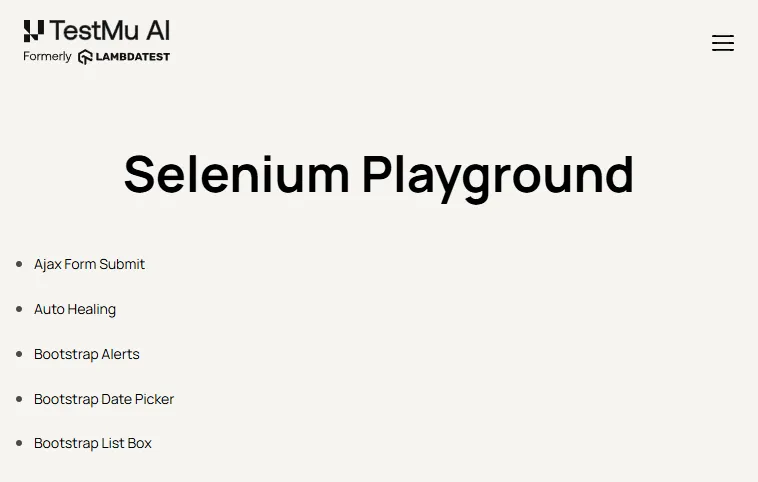
To check the provisioning claim rather than repeat it, we requested a Chrome on Windows 11 environment from the TestMu AI cloud through the Browser Cloud SDK and had it load the TestMu AI Selenium Playground. The environment was provisioned and the page rendered in 2.8 seconds, with no grid configured beforehand. The capture below is that run.

How Is AI Changing Test Environment Management?
AI is changing test environment management by predicting environment failures from logs and metrics, spotting configuration drift, and recommending fixes before a broken environment blocks a test run.
AI agents can also provision ephemeral environments from a pull request description and generate realistic synthetic test data, which removes the need to copy and mask production records for many tests.
Keep people in charge of changes to shared tiers and anything that touches production data, because an agent with broad infrastructure permissions can break several teams' work at once. Our guide to AI in DevOps covers where AI fits in the delivery pipeline.
Where Should You Start With Test Environment Management?
Open a shared table and fill one row per environment using the plan template above, starting with the Owner and Built from columns. The blanks in those two columns are your backlog, in priority order, and the exercise takes an afternoon.
Then capture a baseline for test bed provisioning time and environment-caused failure rate before changing anything. Pick the single environment that causes the most disruption, move its definition into version control, and rebuild it from that definition once to prove the loop closes.
For the browser and device tier, point an existing suite at the TestMu AI cloud and compare the provisioning baseline you just captured against a run with no grid to maintain. The HyperExecute documentation covers the YAML parameters and the CI/CD wiring for that first run.
Author

Swapnil Biswas
Blogs: 8


Swapnil Biswas is a Product Marketing Manager at TestMu AI, leading product marketing for KaneAI and HyperExecute while orchestrating GTM campaigns and product launches. With 5+ years of experience in product marketing and growth strategy, he specializes in AI, SEO, and content marketing. Certified in Selenium, Cypress, Playwright, Appium, KaneAI, and Automation Testing, Swapnil brings hands-on expertise across web and mobile automation. He has authored 20+ technical blogs and 10+ high-ranking articles on CI/CD, API testing, and defect management, enabling 70K+ testers to improve automation maturity. His work earned him multiple awards, including Top Performer, Value of Agility, and Wall of Fame. Swapnil holds a PG Certificate in Digital Marketing & Growth Strategy from IIM Visakhapatnam and a BBA in Marketing from Amity University.
Reviewer

Anmol Gupta
Reviewer
Anmol Gupta is Vice President of Product Management at TestMu AI (formerly LambdaTest), driving HyperExecute, the test orchestration cloud that runs and accelerates automated test execution. He led the development of the Unified Test Execution Cloud Platform and now leads a 30-member cross-functional product organization across product lines contributing $7M+ in revenue. He brings over nine years of experience and previously co-founded the SaaS company Timble as CTO, where he grew the team from 5 to 40 and launched an AI KYC platform that processed 600K+ applications in five months while cutting verification time from 12 minutes to under 30 seconds. Anmol holds an MTech and BTech from IIT Delhi.


Test Environment Management FAQs
Did you find this page helpful?
More Related Learning Hubs
TestMu AI forEnterprise
Get access to solutions built on Enterprise
grade security, privacy, & compliance
- Advanced access controls
- Advanced data retention rules
- Advanced Local Testing
- Premium Support options
- Early access to beta features
- Private Slack Channel
- Unlimited Manual Accessibility DevTools Tests