
Kane CLI vs Devin: Testing What Devin Ships
Devin tests its own pull requests. Kane CLI gives an independent pass or fail with evidence, from a tool that did not write the code.
or read the documentation
Why teams pair Kane CLI with Devin
Devin is built for autonomous delivery. It scopes a ticket, writes the code, runs the build, tests the branch in Chrome inside its session, records the proof and opens the pull request, often with 10 to 20 sessions running in parallel.
The catch is who grades the work. Devin's test plan is written and run by the same agent that wrote the code, and the plan and recording stay with that session. The next ticket starts again from zero.
Kane CLI adds the independent check. You give it the journey the change touches, it drives a real browser, asserts the result and hands back a verdict with evidence, in Devin's session and in your CI.
Want the setup steps? The Devin app testing page shows how Devin runs Kane CLI before it merges, and the Devin builds Kane CLI checks guide walks through a full session.
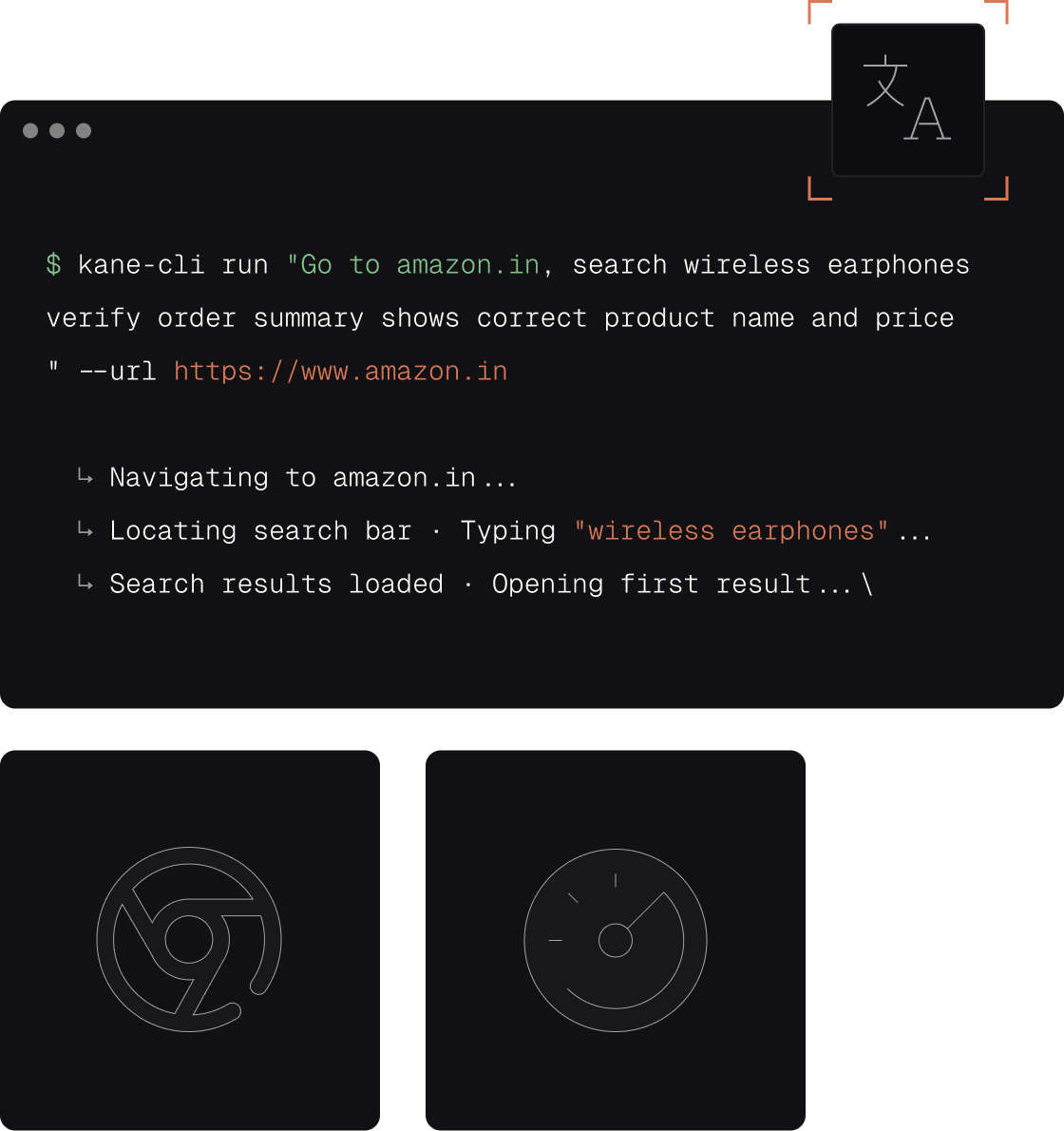
Kane CLI vs Devin
One agent ships the change, the other proves it works.
| Capability | Kane CLI (TestMu AI) | Devin |
|---|---|---|
| What it is | A testing agent that verifies a flow | An autonomous coding agent that ships the change |
| Who writes the test | You or your agent, as a natural language objective | Devin writes a test plan for the branch it changed |
| Who grades the result | Kane CLI, separate from the agent that wrote the code | The same agent that wrote the code |
| Verified pass or fail | Built-in assertions, returns pass or fail | Recording and a summary in the session |
| Evidence | Screenshots, logs, step trace, shareable links, dashboard | Annotated video and labelled screenshots in the session or Slack |
| Tests outlive the session | Yes. The objective lives in your repo and CI | Browser test plan stays with the session |
| CI gate | Exit codes 0 to 3 in any runner | Checks CI passes; Devin is not a CI runner |
| Agent-native output | --agent emits structured NDJSON | Devin is the agent and can call Kane CLI |
| Test Manager sync | Every run syncs automatically | Attachments on the session and pull request |
| Code export | One command to export Playwright code | Browser verification steps are not exported |
| Starting price | Free: 10,000 credits for 30 days | Free plan with a light quota; Pro $20 a month |
What you get with Kane CLI
The checks Devin grades itself, verified by a separate tool.

A second opinion on every pull request
Devin tests what it wrote. Kane CLI checks the same journey from outside the session, so the agent that wrote the code is not the only one grading it.

Natural language objectives
Describe the journey in one line. Kane CLI plans the steps, drives Chrome, and resolves elements by intent, so there are no selectors for Devin or you to maintain.

Self-heals when the UI changes
A renamed class or moved button does not fail the check. Kane CLI adapts to the changed UI and pushes through up to 50 steps until the journey is verified.

Agent-native output
The --agent flag emits structured NDJSON with a failure screenshot, so Devin can read the result, fix the failure, and run the check again before it opens the pull request.

Checks that stay in your repo
Keep the objective in your repo. The next ticket, the next build and the next agent run the same check, and every run lands in Test Manager.

Exports to Playwright you own
Promote any validated flow to native Python Playwright with one command, then edit and maintain the code like any other test in your repository.
Build up confidence locally
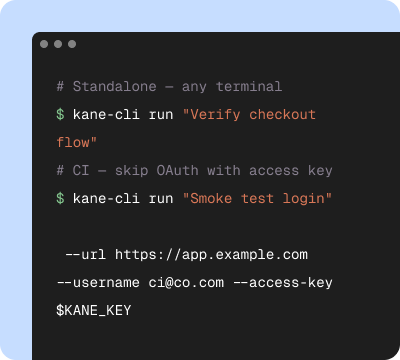
Start in your terminal
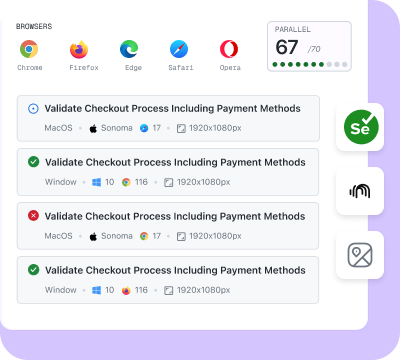
Validate on the cloud
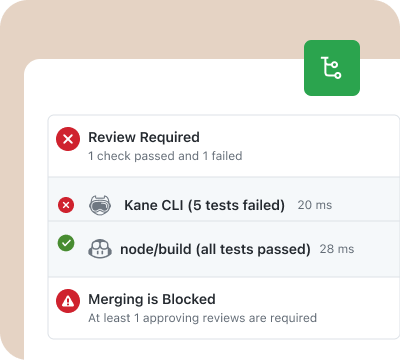
Release with confidence
Built for agents and humans, on one engine
Kane CLI runs the same engine from your terminal, your CI and your coding agent.
Devin builds, Kane CLI verifies
Let Devin scope the ticket, write the code and open the pull request. Point Kane CLI at the journeys that change touches and know whether it works before you merge.
Same check in the session and in CI
Devin runs Kane CLI with --agent inside its session; your pipeline runs the same objective headless and gates on the exit code.
One verified contract for the team
Whether Devin, another agent or an engineer runs it, every run lands in the same dashboard, so reviewers read one source of truth.
Test what Devin ships in three steps
Install
Run npm install -g @testmuai/kane-cli and sign in with your TestMu AI account, or point Devin at the Kane CLI agent guide and let it install and authenticate on its own.
Describe the journey
Write the flow the change touches as one sentence. Devin runs it with --agent in its session, or you run it from the terminal.
Gate the pull request
Add the same objective to CI with --headless. A pass is exit code 0; anything else blocks the merge and points to the step that failed.
Get the technical rundown

Documentation
Everything you need to install, configure, and run Kane CLI in under 2 minutes.
Frequently asked questions
Devin is an autonomous coding agent: hand it a ticket and it scopes the work, writes the code, tests the branch in its own session and opens the pull request. Kane CLI is a testing agent. It does not write your product code; it takes a natural language objective, drives a real Chrome browser, and reports whether the journey worked, with screenshots and logs. Devin builds the change, Kane CLI checks it.
It does. Devin writes a test plan for the branch it changed, runs it in Chrome inside the session, and attaches an annotated recording to the pull request. That check is written and graded by the same agent that wrote the code, and the plan and recording belong to that one session. Kane CLI adds a second opinion: a verified pass or fail from a separate tool, with an exit code your CI can gate on.
Yes. Devin installs Kane CLI from the published agent guide, runs each flow with the --agent flag, reads the structured NDJSON result, and fixes a failure before it opens the pull request. If a CI check fails later, Devin's Autofix can pick up that comment and fix it too.
Yes. A Kane CLI objective is a line of text you keep in your repository or pipeline, so the same check runs on the next ticket, the next build and the next agent. Every run syncs to Test Manager. Devin's own browser test plan stays with the session that made it.
Yes. Authenticate with your TestMu AI credentials, pass --headless and --timeout, and gate the pipeline on the exit code: 0 on pass, 1 on fail, 2 on setup or auth errors, and 3 on timeout. Devin checks that CI passes before it hands off, so a Kane CLI step in CI becomes part of its definition of done.
Kane CLI is free to install, and new accounts get 10,000 free credits, valid for 30 days. Devin publishes its own plans: a Free plan with a light quota, Pro at $20 a month, Max at $200 a month, Teams at $80 a month plus $40 per full seat, and custom Enterprise pricing. Devin's cost per message varies with the model.

Teach your agent the right skills
Point Devin or any AI coding agent at the Kane CLI guide and it will install, authenticate, and run verified browser flows on its own.
 Point your agent to: testmuai.com/kane-cli-agent/AGENTS.md