

Power Your Software Testing with AI Agents and Cloud
The Native AI-Agentic Cloud Platform to Supercharge Quality Engineering. Test Intelligently and Ship Faster.


- TestMu AI (Formerly LambdaTest)
- /
- Blog
- /
- CQATest App Explained
What Is CQATest App? Why It Appears & Fixes
Found CQATest on your Motorola? It is a factory diagnostic app, not malware. What it does, why it showed up, and how to disable it without breaking things.
Last Updated on:
CQATest is a legitimate, factory-installed diagnostic app pre-loaded by manufacturers like Motorola, Lenovo, Samsung, and LG to verify hardware and software before shipping. It is not malware and collects only technical data such as battery health, sensors, and network strength, never personal info. It usually appears after updates, factory resets, or repairs, then returns to dormancy.
Quick fix: Go to Settings, then Apps, then Show system apps, then CQATest, then tap Force Stop. For a permanent solution, tap Disable instead.
This blog explains exactly what CQATest does, why it suddenly appears, and most importantly, how to fix the problems it causes. Everything here is based on real device analysis and verified troubleshooting methods.
Key Takeaways
- CQA stands for Certified Quality Auditor, which is a factory-installed diagnostic app found on Android devices from manufacturers like Motorola, Lenovo, Samsung, and LG.
- The CQATest app is safe and legitimate software, not malware or spyware, and is used to test hardware and system performance.
- The CQATest app may suddenly appear after software updates, factory resets, or device repairs when diagnostic checks are triggered.
- Common issues like battery drain, overheating, or lag occur only when CQATest gets stuck in active mode.
- CQATest collects only technical diagnostic data and does not access personal information such as messages, photos, or credentials.
- CQATest battery drain and lag can be fixed by restarting the device, force stopping the app, or disabling it from Android Settings.
What is the CQATest App?
CQATest stands for Certified Quality Auditor Test (or Comprehensive Quality Assessment in some implementations). It's a system-level diagnostic application pre-installed by manufacturers, primarily Motorola and Lenovo, to verify that hardware and software components meet quality standards before devices reach consumers.
Examples of Tests Performed by the CQATest App
CQATest runs internal diagnostics to quickly validate key device functions. Common examples of mobile app testing include:
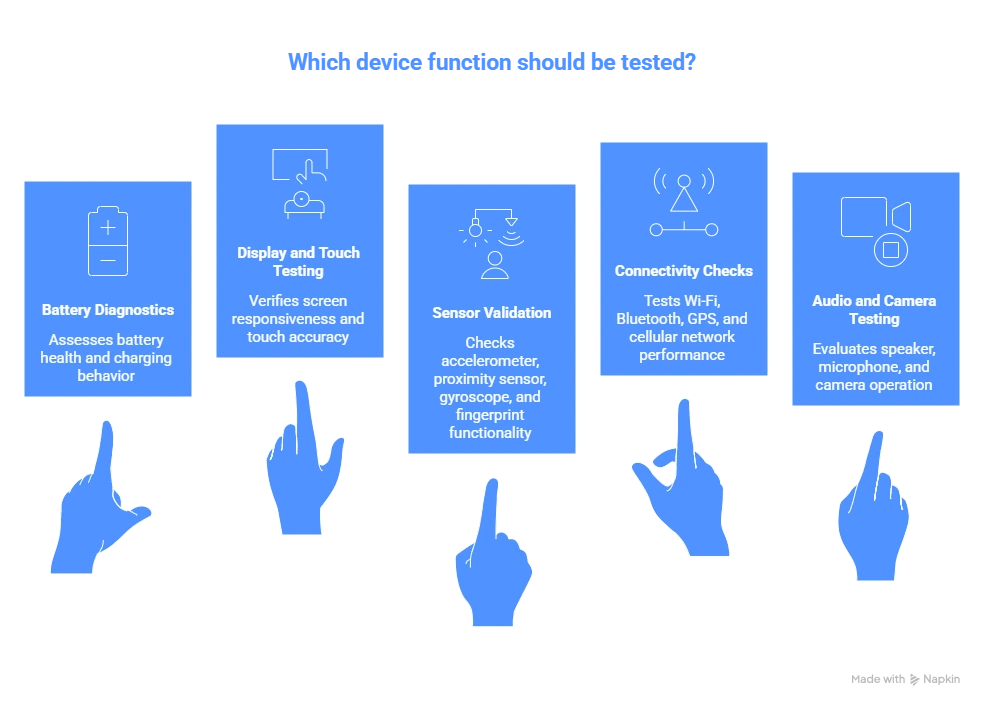
- Battery diagnostics: Assesses battery health, charging behavior, and power stability.
- Display and touch testing: Verifies screen responsiveness, brightness levels, and touch accuracy.
- Sensor validation: Checks accelerometer, proximity sensor, gyroscope, and fingerprint functionality.
- Connectivity checks: Tests Wi-Fi, Bluetooth, GPS, and cellular network performance.
- Audio and camera testing: Evaluates speaker, microphone, and camera operation.
These tests help identify hardware and system-level issues early. However, they operate in controlled conditions and don't fully reflect real-world usage, where factors like user behavior and network variability come into play.

Note: Reproduce Android system-app behaviour on real Motorola, Samsung, and Pixel hardware with TestMu AI. Try Now!
Is CQATest Safe or Spyware? The Complete Truth
Yes, CQATest is completely safe and legitimate manufacturer software, not spyware. It's a system-level diagnostic tool that collects only hardware and system performance data, not personal information.
This is the single most common worry about CQATest, and it is a reasonable one. An app with elevated permissions that appears without warning and has no interface looks exactly like something you did not consent to. The distinction that settles it is behavioural, and it is covered below.
Why People Think It's Malware
CQATest exhibits several behaviors that superficially resemble malicious software:
- Appears suddenly after updates or resets.
- No visible interface or recognizable icon.
- Runs in background without user interaction.
- High battery consumption in some cases.
- Elevated system permissions beyond typical apps.
However, these characteristics are intentional design features of diagnostic tools, not indicators of malicious intent.
Key takeaway: CQATest may appear suspicious due to its hidden nature and system-level access, but these traits are typical of diagnostic tools. It does not collect personal data or transmit sensitive information. Verifying its authenticity ensures there's no risk of malware impersonation.
Common Problems Caused by CQATest & Why They Happen
When CQATest malfunctions or gets stuck in active mode, users report issues including severe battery drain, overheating, boot loops, unresponsive buttons, notification spam, and performance lag.
The symptoms below are grouped by how urgently they need attention, with the underlying cause for each. TestMu AI runs a real device cloud of 10,000+ real Android and iOS devices, Motorola and Lenovo hardware included, so the behaviour of manufacturer system apps like this one is something we work around rather than read about.
Critical Issues (Immediate Action Required)
| Problem | Root Cause | Impact |
|---|---|---|
| Severe Battery Drain | Test retry loop preventing CPU sleep | 20-40%/hour drain |
| Overheating (>45°C) | Continuous stress testing | Potential battery damage |
| Boot Loops | Failed system validation | Device unusable |
| Lock Screen Bypass | Diagnostic mode security conflict | Unauthorized access risk |
High-Priority Issues (Fix Within 24-48 Hours)
| Problem | Root Cause | Impact |
|---|---|---|
| Home Button Unresponsive | CQATest capturing input events | Navigation difficult |
| Apps Won't Open (Camera/Settings) | Hardware diagnostic locks | Core features disabled |
| Notification Spam | Comm Server connection attempts | Constant interruptions |
| SIM Card Not Detected | Network diagnostic interference | No calls/texts/data |
Moderate Issues (Monitor and Fix When Convenient)
| Problem | Root Cause | Impact |
|---|---|---|
| System Lag/Stuttering | High RAM consumption (200-500MB) | App slowdowns |
| Bluetooth/Wi-Fi Drops | Wireless diagnostics interference | Connection issues |
| Airplane Mode Activation | Network testing disabling radios | Brief disconnects |
| Storage Consumption | Diagnostic logs accumulating | Reduced space (100MB-1GB) |
Low-Priority Issues
These are cosmetic issues that don't affect functionality:
- CQATest visible in app drawer (just a display quirk).
- Battery stats showing CQATest (normal when recently active).
- Settings listing CQATest (expected for system apps).
Key Takeaway: Issues occur when CQATest gets stuck in an active diagnostic loop instead of returning to dormancy. This can lead to battery drain, overheating, and performance slowdowns. Identifying the root cause helps apply the correct fix quickly.
The Legitimate vs. Fake CQATest Problem
Malware developers sometimes create fake apps that mimic system app names to hide in plain sight. Verify authenticity by checking the package name, digital signature, and file location to distinguish legitimate CQATest from malicious imposters.
How to Verify Your CQATest is Genuine
Follow these steps to confirm you have the legitimate version:
Method 1: Check the Package Name
- Go to Settings, then Apps, then Show system apps.
- Find CQATest and tap it.
- Look at the package identifier.
Legitimate package names:
- com.motorola.cqa.app (Motorola)
- com.lenovo.cqa.test (Lenovo)
- com.qualcomm.qti.cqa (Qualcomm-based devices)
Red flag package names:
- com.cqatest (too generic)
- com.system.cqa (suspicious)
- Multiple CQATest entries (likely one is fake)
Method 2: Verify the Digital Signature
Using ADB (Android Debug Bridge):
adb shell dumpsys package com.motorola.cqa.app | grep signaturesThe signature should match your device manufacturer's certificate. If it shows "unknown source" or differs from other system apps, investigate further.
Method 3: Check File Location
Legitimate CQATest resides in:
- /system/app/CQATest/ (older Android versions)
- /system_ext/app/CQATest/ (Android 11+)
- /vendor/app/CQATest/ (some implementations)
If it's located in /data/app/, it's NOT a system app and should be removed immediately.
Key Takeaway: While the real CQATest app is safe, malicious apps can mimic its name to avoid detection. Verifying package names, file location, and signatures is essential to confirm authenticity. Any mismatch should be treated as a potential security risk.
Why Did CQATest Suddenly Appear on My Phone?
CQATest suddenly appears due to software updates, factory resets, service or repair events, OTA security patches, system crashes, or when developer mode gets activated. These events trigger diagnostic routines that temporarily activate the app.
If you just noticed CQATest in your app drawer or battery usage screen, here's why it became visible.
Common Triggers
- Software Updates: Major Android version updates (e.g., Android 14 to Android 15) often activate diagnostic routines to verify compatibility. The system runs CQATest to ensure all hardware works with the new OS.
- Factory Reset: After resetting your device, Android runs comprehensive tests to verify system integrity, and CQATest handles that check.
- Service/Repair: If you had your phone serviced, technicians may have used CQATest's diagnostic menu to validate repairs. Sometimes they forget to disable it afterward.
- OTA (Over-The-Air) Security Patches: Monthly security updates can sometimes leave CQATest in an "active" state due to incomplete installation processes.
- System Crashes or Corruption: If Android experiences stability issues, it may automatically invoke diagnostic tools to identify hardware problems.
- Developer Mode Activation: Enabling USB debugging or Developer Options can make hidden system apps visible.
The "Stuck in Active State" Problem
CQATest is designed to run diagnostics, report results and then return to dormancy. However, if the testing cycle doesn't complete properly (due to crashes, interruptions, or bugs), the app remains active, continuously attempting to finish tests or connect to non-existent factory servers.
This creates a retry loop that causes:
- Continuous CPU usage.
- Battery drain.
- Memory consumption.
- Notification spam ("CQA test comm server has started").
Key Takeaway: CQATest usually becomes visible after system updates, factory resets, or device repairs. These events trigger diagnostic routines that temporarily activate the app. In most cases, it returns to its hidden state automatically.
What Data Does CQATest Collect?
CQATest collects only technical diagnostic data such as hardware component status, sensor calibration data, battery health metrics, network signal strength, and system error logs. It does not access personal files, messages, photos, browsing history, or login credentials.
According to manufacturer documentation and reverse engineering analyses:
CQATest DOES collect:
- Hardware component status (pass/fail results).
- Sensor calibration data.
- Battery health metrics.
- Network signal strength.
- System error logs.
CQATest DOES NOT collect:
- Personal contacts or messages.
- Photos or media files.
- Browsing history.
- Location data for tracking purposes.
- Login credentials or passwords.
The data collected is technical and diagnostic in nature, similar to what you'd see in Developer Options.
Security Assessment: 2026 Update
Factory diagnostic tooling is not immune to bugs, and 2026 produced a concrete example. Motorola disclosed CVE-2026-5804, an improper authentication flaw in its Factory Test component com.motorola.motocit, a sibling of CQATest rather than CQATest itself. The component held a reference to a writable file descriptor in external storage that a third-party app could use to open a TCP server and reach protected device settings. Motorola rates it 8.4 (CVSS 3.1) and states that software with a security patch level of 2026-04-05 or later contains the fix.
The practical lesson is about patch level, not about panic. Check Settings, then About phone, then Android security update. If your patch level predates 2026-04-05, install the pending update rather than trying to remove a diagnostic app by hand.
Bottom line: The legitimate CQATest app is safe but should be kept updated through manufacturer security patches.
Key Takeaway: CQATest collects only technical diagnostic data such as hardware status and system logs. It does not access personal files, messages, or sensitive user information. Its data usage is limited to improving device reliability.
How to Fix CQATest Problems: 4 Proven Methods
Fix CQATest problems with four methods, applied in order from least to most disruptive: restart the device, force stop the app, disable it from Android Settings, then clear its cache and data. Each step is reversible, none requires root access, and none affects your warranty.
Work down this list in order and stop at the first method that holds. Each one is reversible, so nothing here locks you into a change you cannot undo.
Method 1: Simple Restart (Try This First)
Sometimes CQATest just needs to complete its cycle and return to dormancy. A full restart (not just screen off/on) allows the system to clear temporary states.
Steps:
- Press and hold the Power button for 3 seconds.
- Tap Restart (or Power off, then power back on).
- Wait for device to fully reboot (2-3 minutes).
- Check if CQATest issues persist after 15 minutes.
Expected result: CQATest returns to its hidden, dormant state and drops out of your battery usage list. Give it half an hour of normal use before judging whether it worked.
Method 2: Force Stop CQATest (Stops It Now)
This immediately terminates all CQATest processes without removing anything.
For Android 12-17:
- Open Settings.
- Tap Apps (or Applications).
- Tap the menu icon (⋮) in top-right.
- Select Show system apps or Show system.
- Scroll to find CQATest or CQA Test.
- Tap the app name.
- Tap Force Stop.
- Confirm by tapping OK.
For Motorola-Specific Path:
- Settings, then Apps & notifications.
- See all apps, then Show system.
- Find Moto Quality Assurance or CQATest.
- Force Stop, then OK.
Important Notes:
- This is temporary, so CQATest may restart after a device reboot.
- You might need to repeat this process after system updates.
- No warranty implications or data loss.
Expected battery improvement: if CQATest was the culprit, its share of your battery statistics should fall away within the next charge cycle. If it does not, CQATest was not the cause and Method 3 will not help either.
Method 3: Disable CQATest (Survives Reboots)
Disabling prevents CQATest from running automatically, even after reboots.
Steps:
- Follow steps 1-6 from Method 2 to open CQATest's app info.
- Tap Disable button (may show as Turn off).
- Read the warning message carefully.
- Tap Disable app or OK to confirm.
Reality Check: The warning message is generic for all system apps. Disabling CQATest typically has no negative effects on normal device operation.
| What Gets Disabled | What Stays Functional |
|---|---|
| Automatic diagnostic runs | All user-facing features |
| Background test processes | Camera, sensors, hardware |
| CQA Comm Server | OTA updates |
| Notification alerts | Warranty validity |
To Re-Enable Later: Follow the same path and tap Enable.
Method 4: Clear Cache and Data (Resets a Corrupted State)
This removes potentially corrupted diagnostic logs and resets CQATest to its default state.
Steps:
- Navigate to CQATest in Settings, then Apps (as in Method 2).
- Tap Storage & cache (or Storage).
- Tap Clear Cache (removes temporary files, ~50-200MB).
- Wait for confirmation.
- Tap Clear Data (resets app completely).
- Confirm by tapping OK or Delete.
- Restart device.
Best For: Cases where CQATest is consuming excessive storage or showing corrupted behavior.
Key Takeaway: Most CQATest issues can be resolved using simple steps like restarting, force stopping, or disabling the app. These methods are safe and do not affect device functionality. Start with basic fixes before moving to advanced options.

Preventing Future CQATest Issues
Once you've resolved current CQATest problems, follow these proactive strategies to prevent recurrence.
1. Optimize System Updates
Best Practice: Don't ignore system updates, but install them strategically.
- Install security patches monthly (these rarely activate CQATest).
- Wait 2-3 days before major Android version updates (let early adopters find bugs).
- Read update changelogs on manufacturer forums.
- Backup before any major update.
Why It Helps: Many CQATest activations occur during incomplete or interrupted updates.
2. Manage System App Permissions
Navigate to Settings, then Apps, then Special app access, then CQATest, then Restrict:
- Battery optimization (keep it optimized).
- Background data (disable if possible).
- Autostart (disable on devices that support it).
3. Monitor Battery Usage Weekly
Early detection prevents major issues:
- Settings, then Battery, then Battery usage.
- Check if CQATest appears in top consumers.
- If it shows >2% battery usage, run Method 2 (Force Stop).
4. Use Android's Built-In Diagnostics Instead
Android has native diagnostic tools that don't cause CQATest's problems.
Access Hardware Testing:
- Settings, then About Phone, then Software Information, then tap "Build Number" 7 times.
- Enable Developer Options.
- Use Running Services to monitor system apps.
Alternative Diagnostic Apps:
For professional app developers, explore comprehensive mobile testing tools that go beyond simple diagnostics.
5. When to Contact Manufacturer Support
Reach out to Motorola/Lenovo if:
- CQATest re-enables itself repeatedly after disabling.
- You see multiple CQATest entries (potential malware).
- Device is under warranty and experiencing persistent issues.
- Latest security patch doesn't resolve known CQATest bugs.
Key Takeaway: Preventive steps like managing updates, monitoring battery usage, and restricting background activity can reduce future issues. Early detection is crucial to avoid severe performance problems. A proactive approach ensures smoother device performance.
Why Choose TestMu AI for Mobile App Testing?
TestMu AI is an AI-native test automation platform that goes beyond traditional tools like CQATest. While CQATest validates hardware quality at the factory level, TestMu AI ensures your mobile applications work flawlessly across real-world conditions and devices.
Features of TestMu AI
- AI-Native Test Automation with KaneAI: Generate complete test suites using natural language, screenshots, Jira tickets, or Figma designs. KaneAI creates, executes, and maintains tests autonomously, adapting to UI changes without manual updates.
- Real Device Cloud - 10,000+ Devices: Test on actual Android and iOS devices, not emulators. Access the latest Motorola, Samsung, Google Pixel, OnePlus, Xiaomi, and iPhone models across all OS versions (Android 10 through Android 17, iOS 13 through iOS 26).
- Mobile Testing Frameworks Support: Use popular test automation frameworks your team already knows - Appium, Espresso, XCUITest, Playwright, Detox, and Maestro.
- Real-World Testing Conditions: Simulate actual user environments with network throttling (3G/4G/5G/offline), geolocation testing across 170+ regions, biometric authentication, camera image injection, and natural gestures on real touchscreens.
- Parallel Test Execution at Scale: Run hundreds of tests simultaneously across thousands of device combinations with HyperExecute. Complete test suites in minutes instead of hours.
- AI-Powered Test Insights: Get intelligent failure analysis with automatic error classification, root cause detection, and suggested fixes. AI categorizes failures as device-specific, OS issues, or app bugs.
- Visual and Accessibility Testing: Detect UI bugs with a visual testing tool and ensure WCAG compliance. Automatically compare screenshots across devices and catch layout shifts before production.
The part that matters for a CQATest-style problem is the diagnostic layer. Every TestMu AI real device session exposes the same system-level evidence you would pull over a cable: Android logcat and iOS console output filtered by time window or app tag, full HTTP request and response logs, and a video recording of the session captured at native resolution with no configuration. When a run crashes, the crash log and stack trace are extracted automatically. That is how you tell a manufacturer system app apart from your own code as the cause of a failure, on hardware you do not own. The app testing on real devices documentation covers session setup, and our guide to Android testing covers the wider workflow.

What to Do Next
Open Settings, then Battery, and check whether CQATest is in your top consumers right now. If it is not there, nothing is wrong and you can close this page. If it is, force stop it, and if it comes back after a reboot, disable it. Both actions are reversible and neither touches your warranty.
Before you conclude CQATest is the culprit, rule out the ordinary causes first, since several of the most common Android issues produce identical symptoms. And if you are shipping an app rather than troubleshooting your own handset, the more useful question is whether your build behaves correctly on the same Motorola and Lenovo hardware where CQATest lives. TestMu AI gives you that hardware on demand, with logcat, network logs, and session video attached to every run.
Author

Deepak Sharma
Blogs: 17

Deepak Sharma is a B2B SaaS content strategist with 5+ years of experience creating valuable content in the tech space. He has authored 100+ technical articles. At TestMu, he is a content lead, where he develops high-value content for readers. He believes writing isn't about sounding impressive it's about clarity and structure. He holds certifications in Cypress, Appium, Playwright, Selenium, Automation Testing and Kane AI.
Reviewer

Sai Krishna
Reviewer
Sai Krishna is Director of Engineering at TestMu AI (formerly LambdaTest), where he leads agentic AI for quality engineering, building AI agents that autonomously drive mobile and conversational test automation. His current focus is Agent Testing and Model Context Protocol (MCP) support for mobile. He is a core contributor and member of the Appium open-source project and the creator of AppiumTestDistribution and appium-device-farm. With over 14 years of experience including more than 9 years at Thoughtworks as a Principal Consultant, he holds a BSc in Electronics and speaks regularly at TestMu and Appium Conf on Appium, mobile automation, and agentic AI in testing.


CQATest App FAQs
Did you find this page helpful?
More Related Blogs
TestMu AI forEnterprise
Get access to solutions built on Enterprise
grade security, privacy, & compliance
- Advanced access controls
- Advanced data retention rules
- Advanced Local Testing
- Premium Support options
- Early access to beta features
- Private Slack Channel
- Unlimited Manual Accessibility DevTools Tests