
Power Your Software Testing with AI Agents and Cloud
The Native AI-Agentic Cloud Platform to Supercharge Quality Engineering. Test Intelligently and Ship Faster.


- TestMu AI (Formerly LambdaTest)
- /
- Blog
- /
- How to Test Angular Apps Without Code
How to Test Angular Apps Without Code (2026 Guide)
Test Angular apps end to end, reactive forms, change detection, async data, and routing, in plain English. No Selenium, no Protractor, no code.
Published on:
An Angular app can show a cart-count binding that never recalculates after a coupon, or a lazy-loaded route stuck on a blank shell while its chunk downloads, even though the console stays green. KaneAI tests these paths by writing plain-English steps that locate elements by intent instead of Angular's auto-generated class names, catching binding bugs a selector-based test cannot follow.
Why Angular apps are hard to test
An Angular screen looks like plain HTML, but real coverage has to keep up with a framework that constantly rewrites the DOM and updates the view on its own schedule:
- Change detection timing, where a value is already correct in the model but the view has not repainted yet, so a test that reads too early sees stale data and fails for no real reason
- Dynamic ng-* attributes and generated class names, where Angular rewrites markup on every build and hand-written selectors go stale overnight
- Reactive forms with async validators, where a submit button stays disabled until a server round-trip resolves and the timing is slightly different every run
- RxJS streams and the async pipe, where data arrives over time and the loading, loaded, and error states each need their own coverage
- Lazy-loaded modules and route guards, where a feature is not even in the DOM until its chunk downloads and a guard may redirect mid-navigation
- Two-way binding and shared component state, where one change ripples across parent and child components that a selector-based test cannot follow
And that is one route. Real coverage means testing signed-in vs. signed-out users, mobile vs. desktop layouts, and every browser your customers actually use.
The old way: brittle Angular scripts
Here is what verifying a single bound value looks like once you account for Angular's async rendering in a typical Selenium and TypeScript setup:
const driver = await new Builder().forBrowser("chrome").build();
await driver.get("https://yourapp.com/dashboard");
// wait for Angular's zone to settle before reading any binding
await driver.wait(async () =>
  driver.executeScript(
    "return window.getAllAngularTestabilities().every(t => t.isStable())"
  ), 10000);
const badge = await driver.wait(
  until.elementLocated(By.css("[data-test='cart-count']")), 10000);
const count = (await badge.getText()).trim();
assert.strictEqual(count, "3", "Expected cart count 3, got " + count);
await driver.quit();
A dozen lines to read one number, and most of them exist only to wait for Angular to settle. It is also brittle. The moment a build regenerates the component markup or a developer renames the cart-count binding, the selector goes stale and the test fails for a reason that has nothing to do with the product. Maintenance like this is the dominant cost of a large Angular suite, where a large share of every sprint goes to re-pointing selectors and re-tuning waits instead of adding new coverage. And it still needs someone on the team who writes TypeScript and knows the Angular testability API, which reactive forms and lazy routes only make harder. It is the core tradeoff behind code-based vs. codeless test automation.
If you are a manual QA engineer, a product manager, or a founder without a dedicated automation engineer, the code wall means the Angular UI usually gets tested by hand, slowly, inconsistently, and never at 2 a.m. before a release.
The no-code way: describe the test in plain English
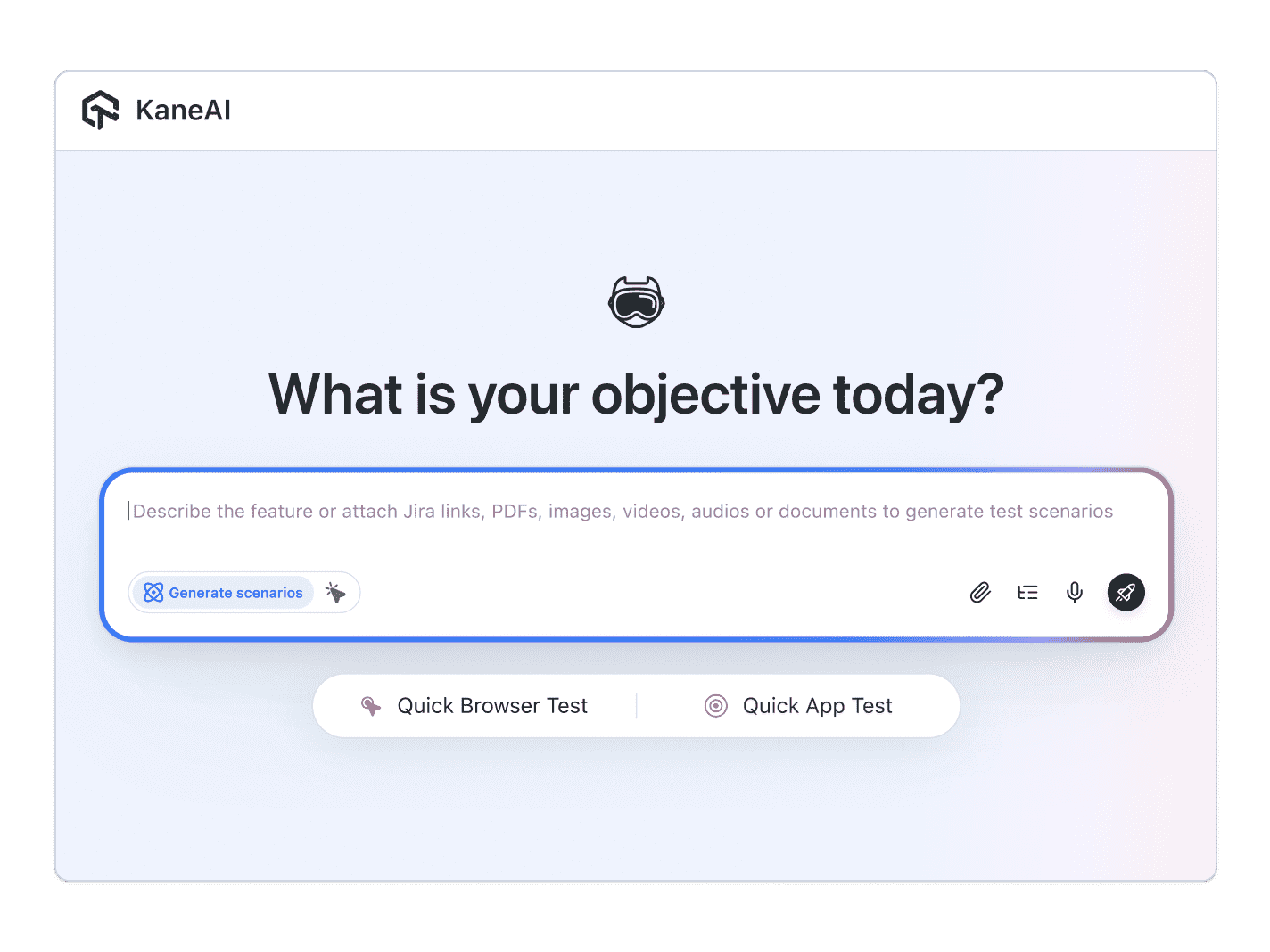
With KaneAI, you write the same check the way you would describe it to a teammate:
- Go to yourapp.com and open the dashboard
- Wait for the cart to finish loading
- Verify the cart count shows 3 items
- Add one more item to the cart
- Verify the cart count updates to 4 and the total recalculates
That is the entire test. KaneAI reads each step, finds the right elements on your live Angular app the way a person would, by understanding the page rather than matching a generated selector, and runs the flow. It handles Angular's dynamic ng-* attributes and change detection timing on its own, waiting for the view to settle before it reads a value, so a slow async pipe does not turn into a flaky failure. Because it locates elements by intent instead of by fragile CSS, a regenerated class name does not break the step, and its self-healing re-anchors the check and surfaces the change for you, which significantly reduces maintenance. The assertions are natural language too, so you verify the bound data you can see rather than the DOM node behind it.

The Angular apps scenarios that actually break
Once the happy path passes, broader coverage is just more English. Here are the Angular scenarios worth adding, each takes about two minutes to write:
Reactive form validation
- Enter an email that fails the async uniqueness check
- Verify the field shows the server-side validation error
- Verify the submit button stays disabled until a valid value resolves
Lazy-loaded route and guard
- Open a deep link to a lazy-loaded feature while signed out
- Verify the route guard redirects to the login page
- Sign in and verify the feature module loads and renders its data
Async data and loading states
- Open a page whose data arrives from an RxJS stream
- Verify the loading skeleton appears first
- Verify the loaded rows replace it, and an empty-state message shows when there are none
Conditional rendering
- Toggle a filter that drives an *ngIf block
- Verify the hidden section appears with the right items
- Verify the count in the header updates to match
Run all of them across Chrome, Safari, Firefox, and real mobile devices from the same plain-English steps, with no per-browser rewrites.
Putting it on autopilot
Angular tests are most valuable when they run without you:
- Schedule the suite nightly, so a change-detection regression is caught before your users open the app
- Trigger on every deploy via CI, where Kane CLI runs the same tests from your pipeline and pauses for an OTP or CAPTCHA instead of failing
- Alert on failure in Slack, with a full replay of what the AI saw when the step failed, including screenshots, video, and the reason in plain English
When a test fails, you do not get a NoSuchElementException at line 47. You get a plain-English reason for the exact step that failed. Anyone on the team can read that, and anyone can fix the test, because the test is just English.
Try it on your own Angular app in 10 minutes
- Sign up for KaneAI free, with no credit card
- Paste your Angular app URL
- Write your first test in plain English, or let KaneAI suggest one from your site
- Run it and watch your Angular UI get tested end to end
Your Angular UI is too stateful to test by hand and too dynamic for brittle scripts. Test it in the language you already speak. Working across the same stack, see how to test React apps without code and test Vue apps without code to cover the rest of your front end.

Note: Test your Angular app without writing a line of code. Start with KaneAI free.
Author

Shubham Suri
Blogs: 10

Shubham Suri is a Lead Member of Technical Staff at TestMu AI, building the frontend and web interfaces of the quality engineering platform. He works across React.js, HTML5, CSS3, Bootstrap, jQuery, JavaScript, and Angular to create and maintain webpages and web applications. He brings around a decade of experience in web and frontend development, with earlier roles as a Software Engineer at Hard Shell Technologies and an IT Analyst at Cyrus Group. Shubham holds a B.Tech in Computer Science from Uttar Pradesh Technical University.
Reviewer

Salman Khan
Reviewer
Salman is a Test Automation Evangelist and Community Contributor at TestMu AI, with over 6 years of hands-on experience in software testing and automation. He has completed his Master of Technology in Computer Science and Engineering, demonstrating strong technical expertise in software development, testing, AI agents and LLMs. He is certified in KaneAI, Automation Testing, Selenium, Cypress, Playwright, and Appium, with deep experience in CI/CD pipelines, cross-browser testing, AI in testing, and mobile automation. Salman works closely with engineering teams to convert complex testing concepts into actionable, developer-first content. Salman has authored 120+ technical tutorials, guides, and documentation on test automation, web development, and related domains, making him a strong voice in the QA and testing community.


Angular Testing FAQs
Did you find this page helpful?
More Related Blogs

TestMu AI forEnterprise
Get access to solutions built on Enterprise
grade security, privacy, & compliance
- Advanced access controls
- Advanced data retention rules
- Advanced Local Testing
- Premium Support options
- Early access to beta features
- Private Slack Channel
- Unlimited Manual Accessibility DevTools Tests