
Power Your Software Testing with AI Agents and Cloud
The Native AI-Agentic Cloud Platform to Supercharge Quality Engineering. Test Intelligently and Ship Faster.


- TestMu AI (Formerly LambdaTest)
- /
- Blog
- /
- How to Test a Multi-Step Form Without Code
How to Test a Multi-Step Form Without Code (2026 Guide)
Test a full multi-step form wizard, back and forward navigation, conditional branches, per-step validation, and the review page, in plain English. No code.
Published on:
KaneAI tests a multi-step form by writing plain-English steps that fill in each screen, from a name and email on step one to a plan choice on step three, then stepping back to confirm nothing already typed got silently cleared. It also checks that a refreshed tab reopens on the right step with earlier answers intact, without a Selenium selector.
Why multi-step forms are hard to test
A single field is easy. A wizard is hard, because real coverage has to hold everything together across every step and every path through them:
- State carried across steps, where data entered on step one has to survive all the way to the review page and back again without being cleared or silently duplicated
- Conditional branching, where answering business account on step two changes which fields appear, and how many steps there even are, further along
- Per-step validation, where each step blocks progress until its own required fields pass, so one broken rule on step three hides everything after it
- Back and forward navigation, where returning to an earlier step must repopulate what was already entered and keep the progress indicator in sync
- Resumability, where a saved draft or a refreshed tab should reopen on the right step with every earlier answer intact
- The final review and submit, where every value collected across the whole wizard has to appear correctly on one summary page before it is written to the backend
And that is one path through the form. A real multi-step form has several, one for each branch, and every browser and device your users fill it out on.
The old way: brittle wizard scripts
Here is what verifying a simple three-step application wizard, all the way to the review page, looks like in a typical Selenium setup:
wait = WebDriverWait(driver, 10)
driver.get("https://yourapp.com/apply")
# Step 1: personal details
wait.until(EC.presence_of_element_located((By.ID, "full_name"))).send_keys("Jordan Lee")
driver.find_element(By.ID, "email").send_keys("jordan.lee@example.com")
driver.find_element(By.CSS_SELECTOR, "button.next-step").click()
# Step 2: address
wait.until(EC.presence_of_element_located((By.ID, "address_line_1"))).send_keys("42 Market Street")
driver.find_element(By.ID, "postal_code").send_keys("94016")
driver.find_element(By.CSS_SELECTOR, "button.next-step").click()
# Step 3: plan selection, then submit for review
wait.until(EC.element_to_be_clickable((By.CSS_SELECTOR, "input[value='pro']"))).click()
driver.find_element(By.CSS_SELECTOR, "button.review").click()
summary = wait.until(EC.presence_of_element_located((By.CSS_SELECTOR, ".review-summary"))).text
assert "Jordan Lee" in summary and "Pro" in summary, f"Review page is missing entered data: {summary}"
All of that for the happy path alone, and every By selector is a promise the UI will never change. Add one field to step two, reorder the plan options, or wrap a step in a new component, and the script breaks partway through, often on a step that had nothing to do with the change. On a large suite that maintenance becomes the dominant cost: a large share of every sprint goes to re-pointing selectors and re-syncing waits instead of adding coverage for the branches nobody has tested yet. And all of it assumes someone on the team writes Python or JavaScript, which the conditional branches and multi-page state only make harder to get right. It is the core tradeoff behind code-based vs. codeless test automation.
If you are a manual QA engineer, a PM, or a founder without a dedicated automation engineer, the code wall means the form gets tested by hand, one branch at a time, slowly, and almost never across every browser before a release.
The no-code way: describe the form the way you fill it in
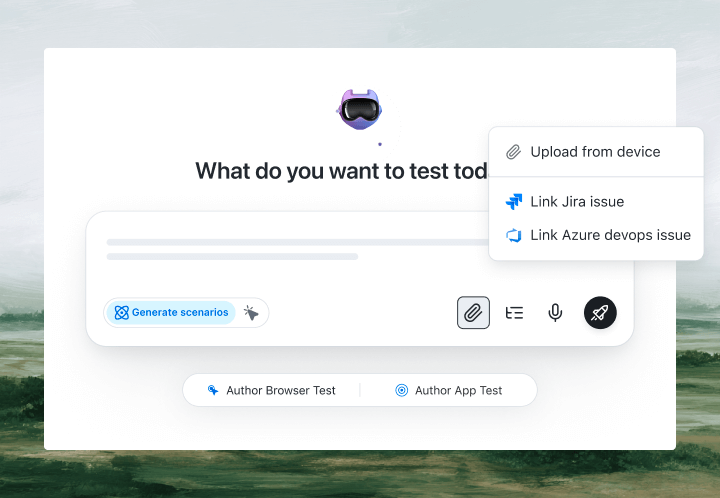
With KaneAI, you write the same test in plain English:
- Go to yourapp.com and open the application form
- On step one, enter the full name Jordan Lee and the email jordan.lee@example.com, then click Next
- On step two, enter the address 42 Market Street and the postal code 94016, then click Next
- On step three, select the Pro plan and click Review
- On the review page, verify the summary shows Jordan Lee and the Pro plan
- Step back to step one, verify the name is still filled in, then return to the review page
That is the whole test. KaneAI reads each step, finds the right field on your live form the way a person would, by understanding the page rather than matching a fixed CSS selector, and walks the wizard from step one to the review page. It keeps track of state as it moves, so a step back and forward is just another instruction and it confirms the earlier answers survived. You can add an If/Else so the test takes the business-account branch only when that option is chosen, assert each step's own per-step validation before it is allowed to continue, and finish on a single review assertion that checks every value the wizard collected. When a developer renames a field or splits one step into two, its self-healing re-anchors the step and flags the change, which significantly reduces maintenance.

The multi-step form scenarios that actually break
Once the happy path works, real coverage is just more English. These are the multi-step scenarios worth adding, and each takes about two minutes to write:
Data lost stepping back and forward
- Fill in step one and step two, then click Next to reach step three
- Step back to step one and verify every field still holds exactly what was entered
- Move forward again and verify step two was not cleared and the progress indicator points at the right step
A conditional branch that adds steps
- On step two, choose the business account option
- Verify the extra company-details step appears and its fields become required
- Switch back to a personal account and verify that step is removed and its data is not submitted
Per-step validation that blocks progress
- Leave a required email field empty on step one and click Next
- Verify an inline error appears and the wizard refuses to advance
- Fill the field correctly and verify the form now moves on to step two
Resuming a half-finished form
- Complete the first two steps, then refresh the tab or come back later
- Verify the form reopens on the step you left, with the earlier answers still in place
- Finish the remaining steps and verify the review page shows every value you entered
Run every one of these across Chrome, Safari, Firefox, and real mobile devices from the same plain-English steps, with no per-browser rewrites.
Putting it on autopilot
A multi-step form breaks quietly, so the tests that guard it are worth the most when they run without you:
- Schedule the suite nightly, so a change to one step cannot silently break the branch three steps later before your users find it for you
- Trigger on deploy via CI, where Kane CLI runs the same wizard tests from your pipeline and pauses for an OTP or CAPTCHA instead of failing
- Alert on failure in Slack, with a full replay of exactly what the AI saw at the step that failed: screenshots, video, and the reason in plain English
When a test fails, you do not get a stack-trace exception at line 47. You get a plain-English reason for the exact step that failed. Anyone on the team can read it, reproduce it, and fix the test, because the test is just English.
Try it on your own form in 10 minutes
- Sign up for KaneAI free, with no credit card
- Paste the URL of your form
- Write your first test in plain English, or let KaneAI suggest one from your form
- Run it and watch the whole wizard get tested, from step one to the review page
Your multi-step form is too important to test one branch at a time by hand and too stateful for brittle scripts. Test it in the language you already speak. When you are ready to cover the rest of the product, see how to test SaaS dashboards and React apps the same way.

Note: Test your multi-step form without writing a line of code. Start with KaneAI free.
Author

Devansh Bhardwaj
Blogs: 80


Devansh Bhardwaj is a Community Evangelist at TestMu AI with 4+ years of experience in the tech industry. He has authored 30+ technical blogs on web development and automation testing and holds certifications in Automation Testing, KaneAI, Selenium, Appium, Playwright, and Cypress. Devansh has contributed to end-to-end testing of a major banking application, spanning UI, API, mobile, visual, and cross-browser testing, demonstrating hands-on expertise across modern testing workflows.
Reviewer

Saniya Gazala
Reviewer
Saniya Gazala is a Product Marketing Manager and Community Evangelist at TestMu AI with 2+ years of experience in software QA, manual testing, and automation adoption. She holds a B.Tech in Computer Science Engineering. At TestMu AI, she leads content strategy, community growth, and test automation initiatives, having managed a 5-member team and contributed to certification programs using Selenium, Cypress, Playwright, Appium, and KaneAI. Saniya has authored 15+ articles on QA and holds certifications in Automation Testing, Six Sigma Yellow Belt, Microsoft Power BI, and multiple automation tools. She also crafted hands-on problem statements for Appium and Espresso. Her work blends detailed execution with a strategic focus on impact, learning, and long-term community value.


Multi-Step Form Testing FAQs
Did you find this page helpful?
More Related Blogs

TestMu AI forEnterprise
Get access to solutions built on Enterprise
grade security, privacy, & compliance
- Advanced access controls
- Advanced data retention rules
- Advanced Local Testing
- Premium Support options
- Early access to beta features
- Private Slack Channel
- Unlimited Manual Accessibility DevTools Tests