

Power Your Software Testing with AI Agents and Cloud
The Native AI-Agentic Cloud Platform to Supercharge Quality Engineering. Test Intelligently and Ship Faster.


- TestMu AI (Formerly LambdaTest)
- /
- Blog
- /
- Maintaining UI Consistency with SmartUI's Status Bar Mis-match Ignore
Maintaining UI Consistency with SmartUI’s Status Bar Mis-match Ignore
Streamline visual regression testing with SmartUI's Status Bar Mis-match Ignore. Maintain UI consistency effortlessly. Try it now!
Published on:
In the realm of software testing, visual regression testing plays a crucial role in ensuring consistent user experiences across different devices and platforms. However, one common challenge testers face is the variability in status bar details, such as battery status, network indicators, and more, which can cause inconsistencies in test results.
To address this concern, we at TestMu AI have been working on a solution!
SmartUI, TestMu AI's visual testing tool, introduces the Status Bar Mis-match Ignore feature. With the help of this blog, we will explore how this feature enhances visual regression testing and helps maintain UI consistency. For a broader comparison of options, see our roundup of the best visual testing tools.
Importance of Status Bar Mis-match Ignore
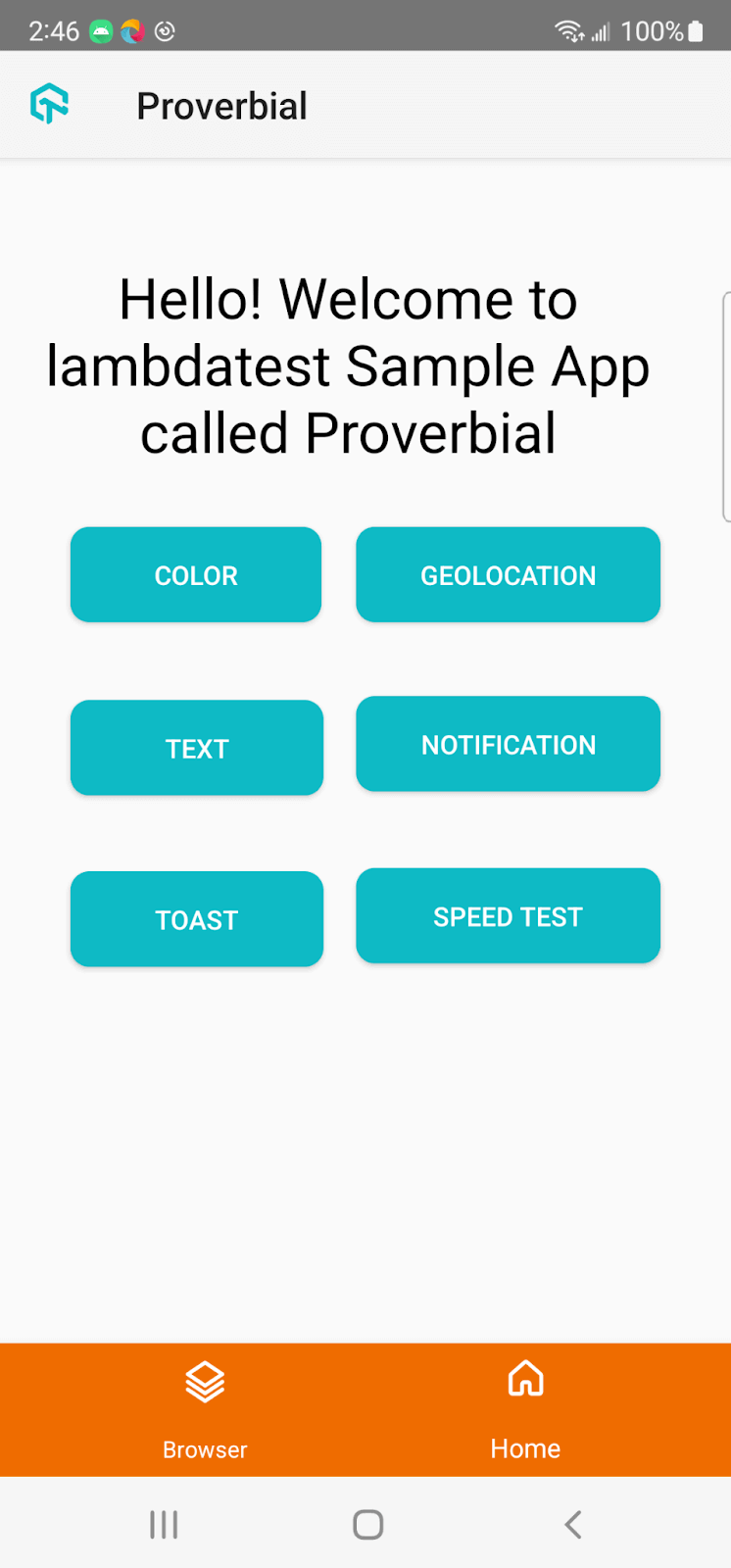
Real Device Mobile notification status bar discrepancies pose a significant challenge during visual regression testing. These dynamic elements in the status bar (like battery percentage and network indicators) can introduce unwanted variations in screenshots captured during testing, leading to false positives or negatives.
Achieve Visual Consistency With SmartUI’s Status Bar Mis-match Ignore
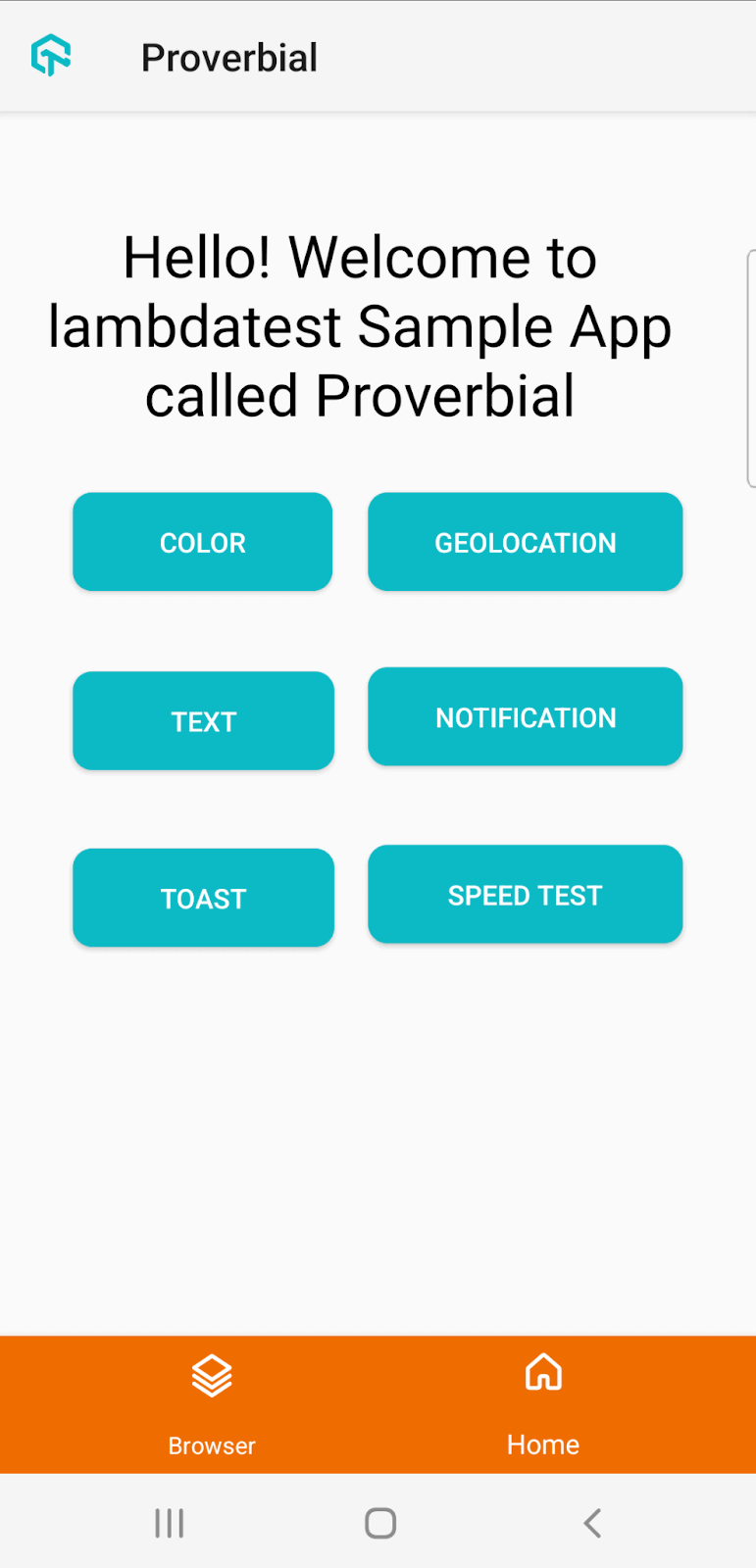
SmartUI’s Status Bar Mis-match Ignore feature tackles this challenge head-on. By leveraging advanced image processing techniques, SmartUI allows testers to crop the status bar from screenshots, enabling them to focus solely on the core UI elements during visual comparisons. This feature comes enabled by default but can be customized based on specific testing requirements.
So how does the Status Bar Mis-match Ignore Feature Work?
Status Bar Mis-match Ignore in TestMu AI utilizes machine learning algorithms to detect and crop the status bar from screenshots. Image processing techniques allow SmartUI to analyze and identify the location of the status bar elements accurately. Once cropped, the status bar is excluded from the visual comparisons, ensuring that the focus remains solely on the critical UI elements.
Why Should You Use Status Bar Mis-match Ignore?
SmartUI’s Status Bar Mis-match Ignore feature offers several advantages for testers and development teams:
- Reliable Test Results: By eliminating the influence of status bar variations, SmartUI enhances the accuracy and reliability of visual regression testing. Testers can confidently identify genuine discrepancies in tests without being distracted by status bar inconsistencies.
- Time and Effort Savings: With the status bar cropped and ignored during visual comparisons, testers can avoid false positives and negatives, saving time and effort. This streamlined approach allows teams to focus on fixing real UI regressions promptly.
Original Screenshot:
Cropped Screenshot:
Wrapping It Up!
SmartUI’s Status Bar Mis-match Ignore feature empowers users to streamline visual regression testing and maintain UI consistency across different devices and platforms. SmartUI uses powerful image processing algorithms to accurately crop the status bar from screenshots, allowing testers to concentrate on actual UI regressions confidently. SmartUI establishes a new standard for visual regression-based testing with its increased dependability and time savings.
Streamline your testing process, save time and effort, and elevate the reliability of your test results. Try out SmartUI’s Status Bar Mis-match Ignore feature today and witness the difference it can make in maintaining UI consistency.
Author

Devansh Bhardwaj
Blogs: 80


Devansh Bhardwaj is a Community Evangelist at TestMu AI with 4+ years of experience in the tech industry. He has authored 30+ technical blogs on web development and automation testing and holds certifications in Automation Testing, KaneAI, Selenium, Appium, Playwright, and Cypress. Devansh has contributed to end-to-end testing of a major banking application, spanning UI, API, mobile, visual, and cross-browser testing, demonstrating hands-on expertise across modern testing workflows.


Did you find this page helpful?
More Related Blogs
TestMu AI forEnterprise
Get access to solutions built on Enterprise
grade security, privacy, & compliance
- Advanced access controls
- Advanced data retention rules
- Advanced Local Testing
- Premium Support options
- Early access to beta features
- Private Slack Channel
- Unlimited Manual Accessibility DevTools Tests