

Power Your Software Testing with AI Agents and Cloud
The Native AI-Agentic Cloud Platform to Supercharge Quality Engineering. Test Intelligently and Ship Faster.


- TestMu AI (Formerly LambdaTest)
- /
- Blog
- /
- Claude Code vs Cursor: Which AI Coding Tool in 2026?
Claude Code vs Cursor is a choice between two surfaces, not two models: Claude Code is Anthropic's agentic coding tool for the terminal and IDE, and Cursor is an AI code editor built on VS Code. Anthropic's Claude Code documentation puts typical enterprise usage at around $13 per developer per active day, with 90% of users staying under $30.[1]
This guide covers the key differences, what Claude Code does better, what Cursor does better, how pricing is shaped, large-codebase handling, running both together, verifying what they write, and which to choose.
Key Takeaways
- Tool category: Anthropic documents Claude Code as an agentic coding tool and Cursor documents itself as a coding agent inside an editor, so neither one is a model you are picking between.
- Context isolation: Claude Code subagents each receive a separate context window and return only a summary, which is why long multi-file work stays cheaper on the main thread.
- Model routing: Cursor connects to models from Anthropic, OpenAI, Google, and xAI, so a simple edit can be routed to a cheaper model than a hard refactor.
- Free-tier gap: Cursor ships a free Hobby tier while Claude Code requires a paid Claude subscription, so evaluation cost differs before any capability is compared.
- Shared install path: Anthropic publishes a direct Cursor install link for the Claude Code extension, which makes running both a supported setup rather than a workaround.
- Verification gap: Both tools confirm that code compiles and unit tests pass, so a rendered-UI failure such as a broken redirect needs a separate browser-level check.
Claude Code vs Cursor: What Are the Key Differences?
Claude Code is an agentic coding tool that runs in the terminal, IDE, desktop, and browser. Cursor is an AI code editor built on VS Code that routes to third-party models, including Claude.
Anthropic documents Claude Code as a tool that reads your codebase, edits files, runs commands, and integrates with your development tools.[2] Cursor documents itself as a coding agent for building ambitious software.[3] You use Cursor to understand a codebase, plan features, fix bugs, and review changes.
The distinction that actually changes your workflow is where the diff appears. Cursor produces edits inside the editor while you watch, so review happens continuously. Claude Code produces a finished changeset you review as one unit, which is faster when the task is large and riskier when it is vague.
| Dimension | Claude Code | Cursor |
|---|---|---|
| Product category | Agentic coding tool from Anthropic | AI code editor built on VS Code |
| Primary surface | Terminal CLI, plus VS Code and JetBrains extensions, desktop app, and web | The editor window, plus an Agents pane and cloud agents |
| Model access | Anthropic Claude models, with third-party providers on terminal, VS Code, and JetBrains | Models from Anthropic, OpenAI, Google, xAI, Moonshot, and Z.ai |
| Inline completion | Not offered; Claude Code executes delegated tasks rather than completing keystrokes | Tab completion is a core part of the editing surface |
| Parallel agents | Subagents with isolated context windows, 20 concurrent by default | Agents pane for parallel local, worktree, cloud, and remote agents |
| Free tier | None; included in paid Claude plans | Hobby tier with limited Agent requests, no credit card required |
| Extensibility | CLAUDE.md memory, skills, hooks, subagents, plugins, and MCP | Editor extensions, rules files, skills, hooks, and MCP |
Both tools read a project instruction file, and both support the Model Context Protocol for connecting external systems. If you want the configuration layer in detail, Cursor rules covers how Cursor scopes its rules files across a repository.
What Does Claude Code Do Better?
Claude Code runs longer autonomous tasks without flooding context. Each subagent gets its own context window, and 20 run concurrently, keeping exploration and test output out of the main thread.
The mechanism matters more than the feature list. Anthropic documents a subagent as receiving a fresh context window. That window holds only the system prompt, the delegation prompt, CLAUDE.md files, and a git snapshot, and the subagent returns only its summary.[4] A grep across 200 files therefore costs the parent conversation a paragraph rather than 200 file bodies.
That design has a documented ceiling. Subagents nest three layers deep by default and stop at 20 concurrent before the Agent tool starts failing, both adjustable through environment variables.[4] Anthropic also records that agent teams consume roughly 7 times the tokens of a standard session when teammates run in plan mode. Every teammate maintains its own context window.[1]
Three further capabilities separate Claude Code from an editor-bound agent:
- Unix composability: Claude Code accepts piped input, so
tail -200 app.log | claude -pandgit diff main --name-only | claude -pare supported invocation patterns rather than workarounds. - Headless continuous integration: The same binary runs in GitHub Actions and GitLab CI/CD, which lets PR review and issue triage run without a developer session open.
- Surface portability: A session started in the terminal moves to the desktop app or the web, because every surface reads the same CLAUDE.md files, settings, and MCP servers.
The coordination model is worth understanding before you enable it, because token cost scales with team size. Claude Code agent teams covers how lead and teammate roles divide work, and agentic coding CLI tools puts the terminal-native category in context.
What Does Cursor Do Better?
Cursor gives you inline Tab completion, visual diffs you review as you type, and a free Hobby tier. It routes to models from Anthropic, OpenAI, Google, and xAI, so you switch per task.
Model routing is the strength that compounds. Cursor's model documentation lists Claude Sonnet and Opus, GPT-5 variants, Gemini, Grok, Kimi, GLM, and Cursor's own Composer models. Several of those models carry extended context up to 1M tokens at standard per-token rates.[5] A rename across four files does not need the same model as an architectural refactor, and Cursor lets you make that call per request.
Practitioners on the Cursor community forum describe using this deliberately, reaching for lighter models on simple tasks and larger ones on hard problems, and switching model families when one gets stuck on a specific class of problem. The practical trade-off is that model variety adds a decision to every request, and a team that never tunes it defaults to the most expensive option.
Cursor's other genuine advantages are structural rather than model-driven:
- Evaluation cost: The Hobby tier needs no credit card, so a team can trial Cursor across ten developers before any purchase approval.
- Continuous review: Diffs land in the editor as they are produced, which catches a wrong direction at edit three instead of at the end of a 40-file changeset.
- Team administration: Cursor's Teams tier documents SAML and OIDC single sign-on, usage analytics, a team-wide privacy mode, and a shared marketplace for internal rules, skills, and plugins.[6]
- Onboarding familiarity: Because Cursor is built on VS Code, existing extensions, keybindings, and themes carry over, which removes the retraining step.

Note: Run your AI-written code against 3,000+ browser and OS combinations with TestMu AI. Try free!
How Much Do Claude Code and Cursor Cost?
Cursor has a free Hobby tier and sells Agent usage in multiples: Pro, then 3x and 20x.[6] Claude Code has no free tier and ships inside paid Claude plans, metered on five-hour and weekly usage windows.[7][1]
The durable comparison is the billing shape rather than the current numbers. Read the live figures from Cursor pricing and Claude pricing before you budget, because any figure quoted in a comparison article ages within weeks.
The shapes differ in a way that changes team behavior. Cursor sells tiers as multipliers on the Pro Agent limit, so a heavy user upgrades a tier. Anthropic bundles Claude Code into Claude subscriptions and meters a rolling five-hour window alongside a weekly one, so a heavy user either buys usage credits or waits for the window to reset.[7][1]
Window-based metering produces a failure mode teams should plan for. Anthropic ran a temporary limit increase from 25 December 2025 to 31 December 2025. When it ended, developers reported hitting ceilings within 10 to 15 minutes of work, and Anthropic attributed the complaints to the resumption of normal limits.[8] Budget on the reset window rather than a monthly average.
Anthropic publishes concrete planning figures for the Claude Code side: around $13 per developer per active day across enterprise deployments, $150 to $250 per developer per month, and under $30 per active day for 90% of users. Anthropic also recommends budgeting more for a coding seat than a chat seat, because each turn carries file contents, tool calls, and multi-step reasoning.[1]
Which Handles Large Codebases Better?
Claude Code handles large repos better because subagents explore in isolated context windows and return only summaries. Cursor keeps exploration in one window, so it fills faster on multi-file work.
Claude Code's advantage comes from how it partitions context. Anthropic documents several context-preserving defaults: MCP tool definitions are deferred so only tool names enter context until a tool is actually used, auto-compaction summarizes history near the limit, and hooks can preprocess data before the model sees it.[1]
A worked example makes the difference concrete. Filtering a 10,000-line log through a hook that greps for ERROR before the model reads it turns tens of thousands of tokens into hundreds.[1] Delegating the same log to a subagent keeps the raw output in the subagent's window entirely, and the parent conversation receives a summary.
Cursor has its own context controls. Several models it offers carry extended context up to 1M tokens at standard per-token rates, and Plan Mode scopes a change before the agent starts editing. The practical difference is that Cursor spends one large window while Claude Code spends several small ones, which is why long sessions in a single Cursor window degrade sooner than delegated work does.
One habit reduces cost on either tool more than any setting: clear the session between unrelated tasks. Anthropic notes that a full conversation ships with every request, so a one-line question in a session left open all day still draws usage for the whole history.

Austin Siewert
Co-Founder, Steadfast Systems
Discovered @TestMu AI yesterday. Best browser testing tool I've found for my use case. Great pricing model for the limited testing I do 👏
2M+ Devs and QAs rely on TestMu AI
Deliver immersive digital experiences with Next-Generation Mobile Apps and Cross Browser Testing Cloud

Can You Use Claude Code and Cursor Together?
Yes. Anthropic ships a Claude Code extension that installs directly into Cursor, so the agent runs inside the editor. Many teams write in Cursor and hand long refactors to Claude Code.
Anthropic supports this path directly. Its VS Code extension page publishes an Install for Cursor link beside the VS Code one. The same page states that the extension installs in other VS Code forks too.[9] When an editor refuses the extension, the documented fallback is to install the CLI and run claude in that editor's integrated terminal.
The routing rule practitioners settle on is task shape. Tab completion, small edits, and anything you want to watch stay in Cursor. Multi-file refactors, dependency upgrades, and CI automation go to Claude Code. Running both means two subscriptions, which is the honest cost of the arrangement.
One failure mode deserves a guardrail. Two agents editing the same branch produce a changeset nobody reviewed end to end, because each one only reports on its own work. Give each tool its own branch or its own scope, and merge deliberately. If you are weighing a third option, Claude Code vs Antigravity compares the same terminal-agent category against Google's entry.
How Do You Verify Code That Claude Code or Cursor Wrote?
Run the app in a real browser and check the rendered result. Both tools verify against code: compilers, linters, type checks, and unit tests. None of those catch a button wired to the wrong endpoint.
The gap is structural rather than a quality problem in either tool. An AI coding agent reads source code, writes source code, and reasons about source code, so every verification primitive available to it operates on that same text surface. When it reports "passed," it is reporting on the code surface only, and the rendered result stays invisible to it.
Developers do not trust that signal on its own, and the survey data agrees. In the Stack Overflow 2025 Developer Survey, 46% of respondents actively distrust the accuracy of AI output while 33% trust it, and only 3% report highly trusting it.[10]
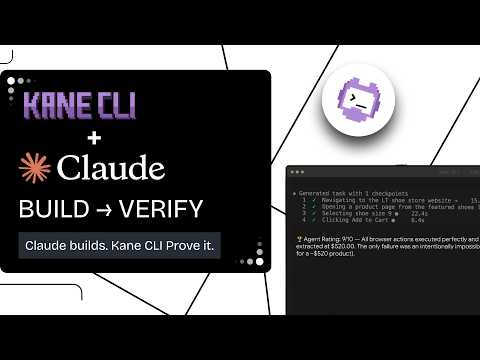
This is the gap Kane CLI is built to close. It is a deterministic browser agent for developers, AI coding agents, and CI/CD pipelines that validates rendered UI in a real Chrome browser using natural-language objectives.
Every assertion anchors to the rendered page rather than the source file. Kane CLI runs after the code is written, as the verification step that Claude Code and Cursor leave to you.
- Agent mode:
kane-cli run --agent --headlessemits NDJSON events, including a terminalrun_endevent with a pass or fail status the calling agent parses instead of scraping prose. - Evidence packs: Each run seals a self-contained
.evidencepack under a content fingerprint, andkane-cli evidence validatereports a structural mismatch rather than presenting it as a clean pass. - Skill install: A Kane CLI skill file teaches Claude Code when to invoke the CLI, how to build the command, and how to read the output, and Claude Code loads it without a restart.
Installing the skill for Claude Code is a single command:
mkdir -p ~/.claude/skills/kane-cli
curl -o ~/.claude/skills/kane-cli/SKILL.md \
  https://raw.githubusercontent.com/LambdaTest/kane-cli/main/.claude/skills/kane-cli/SKILL.md
The Kane CLI introduction covers installation and the first verification run. This walkthrough shows the loop running against an application built with Claude Code:
Two related questions come up whenever teams design this layer. Can coding agents test their own code examines the self-verification limit directly, and AI code review vs verification separates reading a diff from proving the feature works.
Note: Verify AI-generated flows on TestMu AI's real device cloud across 10,000+ real Android and iOS devices.
Claude Code vs Cursor: Which Should You Choose in 2026?
Pick Cursor if you work visually, want a free tier, and switch models per task. Pick Claude Code if you delegate long multi-file work, script it in CI, or run several agents at once.
State the criteria before the verdict, because the two tools win on different axes. The axes that actually separate them are review style, model flexibility, evaluation cost, and unattended execution. Speed and code quality claims move with every model release and are the weakest basis for a decision.
| Your situation | Pick | Why |
|---|---|---|
| Evaluating AI coding with no budget approved | Cursor | The Hobby tier needs no credit card, so a whole team can evaluate before procurement |
| Refactoring across dozens of files | Claude Code | Subagents keep exploration out of the main context, so the session survives the task |
| Automating PR review and issue triage | Claude Code | The same binary runs headless in GitHub Actions and GitLab CI/CD without a developer session |
| Cost-sensitive team with mixed task difficulty | Cursor | Routing simple edits to a cheaper model is a per-request choice rather than a plan change |
| Frontend work you need to see as it lands | Cursor | Inline diffs and Tab completion catch a wrong direction early instead of at review time |
| Enterprise rollout needing per-user cost reporting | Either, with instrumentation | Anthropic exposes OpenTelemetry export and an analytics API; Cursor exposes team usage analytics and pooled usage |
One caveat applies to every row. Neither tool tells you whether the feature works for a user, so whichever you pick, the browser-level check stays your responsibility. Continuous verification AI code covers where that check belongs in a pipeline.
Conclusion
Start by naming your dominant task shape, then pick the tool that matches it. Editing-heavy, visual, cost-sensitive work goes to Cursor. Delegated, multi-file, unattended work goes to Claude Code. Claude Code vs Cursor stops being a ranking question the moment you write down which of those describes your week.
Whichever you adopt, the verification layer is the part neither tool ships. Both report a pass from compilers and unit tests, and both stay blind to the rendered page. Add a browser-level check to the loop with Verify Claude Fable builds as a worked example, and measure your own time-to-review before and after so the change is provable.
Sources and References Used
- [1] Manage costs effectively - Claude Code Documentation, Anthropic (August 2026)
- [2] Claude Code Overview - Claude Code Documentation, Anthropic (August 2026)
- [3] Cursor Documentation - Cursor, Anysphere (August 2026)
- [4] Subagents - Claude Code Documentation, Anthropic (August 2026)
- [5] Models - Cursor Documentation, Anysphere (August 2026)
- [6] Cursor Pricing - Cursor, Anysphere (August 2026)
- [7] Claude Plans and Pricing - Anthropic (August 2026)
- [8] Claude devs complain about surprise usage limits, Anthropic blames expiring bonus - The Register (January 2026)
- [9] Use Claude Code in VS Code - Claude Code Documentation, Anthropic (August 2026)
- [10] 2025 Developer Survey: AI - Stack Overflow (July 2025)
Author

Prince Dewani
Blogs: 30

Prince Dewani is a Community Contributor at TestMu AI specializing in AI agents, software testing, QA, and SEO. He is certified in Selenium, Cypress, Playwright, Appium, Automation Testing, and KaneAI, and presented academic research on AI agents at PBCON-01. At TestMu AI, he has also carried out extensive cross-browser research on the support of modern web technologies such as WebGPU, WebAssembly, WebXR, WebGL2 and other web technologies, validating their compatibility and feature parity across major browsers and rendering engines through rigorous hands-on testing. Prince has hands-on experience building AI agent workflows using Anthropic Claude, Google Antigravity, n8n, LangChain, and other agentic frameworks, and works regularly with MCP and A2A protocols. He shares his work with 5,500+ QA engineers, developers, DevOps experts, tech leaders, and AI agent practitioners on LinkedIn.
Reviewer

Srinivasan Sekar
Reviewer
Srinivasan Sekar is Director of Engineering at TestMu AI (formerly LambdaTest), where he leads engineering and open-source initiatives behind the Selenium and Appium automation grid and owns TestMu AI's MCP Server. A committer to Appium and a contributor to Selenium, WebdriverIO, Taiko, and AppiumTestDistribution, he brings over 15 years of experience in quality engineering and open-source technologies. He is the author of the Apress book 'The MCP Standard: A Developer's Guide to Building Universal AI Tools with the Model Context Protocol,' a Certified Kubernetes and Cloud Native Associate, and an international conference speaker. Before TestMu AI he spent over eight years at Thoughtworks as a Principal Consultant and Quality Architect. Srinivasan holds a B.Tech in Information Technology from Anna University.


Claude Code vs Cursor FAQs
Did you find this page helpful?
More Related Blogs
TestMu AI forEnterprise
Get access to solutions built on Enterprise
grade security, privacy, & compliance
- Advanced access controls
- Advanced data retention rules
- Advanced Local Testing
- Premium Support options
- Early access to beta features
- Private Slack Channel
- Unlimited Manual Accessibility DevTools Tests