

Power Your Software Testing with AI Agents and Cloud
The Native AI-Agentic Cloud Platform to Supercharge Quality Engineering. Test Intelligently and Ship Faster.


- TestMu AI (Formerly LambdaTest)
- /
- Blog
- /
- Artificial Intelligence (AI) in Software Engineering
Artificial Intelligence (AI) in Software Engineering
See how artificial intelligence in software engineering speeds up coding and testing, how AI coding agents and MCP work, and what it means for engineers.
Last Updated on:
Artificial intelligence in software engineering spans every phase of the development lifecycle, applying ML for predictive analytics, NLP for requirements translation, and generative AI to produce test suites from plain-language descriptions.
Machine learning, NLP, and generative AI each play distinct roles, and understanding those differences matters when selecting the right AI capability for a given engineering workflow.
Overview
To implement artificial intelligence in software engineering, teams should use KaneAI by TestMu AI for natural language test authoring and TestMu AI's Test Intelligence platform to optimize test execution. These tools automate repetitive development lifecycle tasks, accelerating code generation, test authoring, code review, and deployment monitoring.
Core AI Use Cases
- Code Generation: LLM-powered tools generate code from prompts, reducing the time developers spend writing boilerplate code and repetitive patterns.
- KaneAI by TestMu AI: This Generative AI testing tool converts natural language test intent into runnable test cases, allowing teams to author and debug tests without scripting knowledge.
- Code Review: AI tools scan codebases for vulnerabilities, anti-patterns, and performance issues in real time, applying consistent checks to every commit to shorten review cycles.
- Deployment Monitoring: ML models detect anomalies in CI/CD pipelines, predict bottlenecks from past deployment data, and optimize release cycles to minimize system downtime.
- TestMu AI's Test Intelligence platform: This platform provides AI-native insights to detect flaky tests, perform root cause analysis, and track test reliability trends over time.
Challenges of AI in Software Engineering
- AI outputs require rigorous human review because hallucinated code or incorrect test cases can easily reach production if they are deployed without validation.
- Integrating AI requires teams to upskill in AI tool literacy and prompt engineering alongside traditional software engineering expertise.
- Feeding proprietary codebases to external AI models introduces significant security, compliance, and cybersecurity risks that require clear data governance policies.
How Is AI Changing Software Engineering?
AI spans every phase of software engineering, from code generation and intelligent review to test automation and deployment monitoring, helping teams ship faster with fewer manual steps.
In the 2025 Stack Overflow Developer Survey, 84% of respondents said they use or plan to use AI tools in their development process.
This stat reflects a shift already underway: AI tools are not augmenting edge cases but becoming central to how code is written, reviewed, tested, and deployed.
In the development phase, AI tools for developers assist in code writing, reduce redundant workloads, and accelerate programming through intelligent code completion.
LLM-powered coding assistants predict entire code blocks based on context, enabling developers to write better code with fewer errors.
In the testing phase, AI testing tools improve the testing and debugging process by providing test generation, test maintenance, and root cause analysis. QA teams can enhance their software testing processes without increasing headcount.
In the operations phase, AI/ML-based CI/CD tools assist in monitoring and handling deployment pipelines, minimizing downtime.
They predict bottlenecks from past deployment data, enabling teams to optimize release cycles and detect anomalies in system performance before incidents occur.

Note: Transform your development and testing workflows with AI-powered tools on TestMu AI. Try TestMu AI Free
What Are the Benefits of AI in Software Engineering?
AI in software engineering delivers faster cycles, higher code quality via automated review, lower defect costs, and smarter resource allocation through data-driven analytics across the SDLC.
- Efficiency: AI automates routine work, giving teams more time for strategy and creative problem-solving. This leads to faster development cycles and reduced time-to-market.
- Accuracy: AI algorithms detect and fix errors with high precision, reducing the likelihood of bugs and vulnerabilities. The result is more reliable and secure software.
- Better Decision-Making: AI provides data-based insights on project management, resource allocation, and feature prioritization, resulting in better project outcomes and more efficient use of resources.
- Scalability: AI handles large-scale data processing efficiently, enabling software systems to scale without proportional increases in manual effort. This is particularly valuable for applications with high data volumes and user traffic.
- Continuous Improvement: AI systems improve as they process more data, which means the tools themselves get better over time. Software built with AI-native feedback loops becomes more accurate and performant with each release cycle.
- Cost Savings: By automating stages of the development and testing lifecycle, AI reduces manual effort and lowers the cost of finding and fixing defects late in the process.
How Is Generative AI Used in Software Engineering?
Generative AI generates code, test cases, documentation, and defect reports from natural language prompts, reducing manual authoring effort and accelerating output at each phase of the SDLC.
It has moved from prototype to production in engineering workflows, with large language models now writing, reviewing, and testing code at a scale that shifts the question from whether AI can assist to how much it should drive.
Code Generation and Completion
LLM-powered coding tools generate boilerplate, complete functions from context, and suggest entire code blocks based on natural language prompts.
Developers review rather than write from scratch, which shifts the effort from initial authoring to validation and refinement.
A key consideration: AI-generated code requires the same review, testing, and security scanning as human-written code.
Teams that treat AI output as already-validated ship more defects, not fewer. The quality gate is the engineering review process, not the AI tool itself.
Natural Language to Test Cases
NLP models bridge requirements written in plain English and executable test scripts. Teams describe what a feature should do, and the AI produces structured test cases.
This reduces the expertise threshold for test authoring and is especially useful in Agile workflows where requirements evolve rapidly.
AI-Powered Code Review
AI scans codebases for anti-patterns, security vulnerabilities, and performance issues in real time. These tools analyze historical code patterns to flag systematic mistakes that humans miss under time pressure, supplementing rather than replacing human review.
The practical value is consistency: AI applies the same checks to every commit, where human reviewers naturally vary in thoroughness across a sprint.
This reduces the volume of issues that reach staging and shortens the review cycle for complex pull requests.
AI Test Authoring and Self-Healing
AI generates test scripts from user stories and maintains them automatically as the UI changes. Self-healing addresses the primary maintenance cost in automated testing: broken locators after UI updates.
Rather than manually tracking down every affected test, AI identifies the updated element and adjusts the script.
This adaptability is especially valuable in Agile and DevOps environments, where continuous integration and deployment demand stable and reliable testing processes without a dedicated maintenance sprint.
KaneAI by TestMu AI (Formerly LambdaTest) is a Generative AI testing tool with industry-first capabilities for test authoring, management, and debugging.
Teams write test intent in natural language and KaneAI converts it into runnable test cases without requiring scripting knowledge.
To get started, refer to the getting started with KaneAI guide for setup and first test authoring steps.

How Do Software Engineers Work with AI Coding Agents?
Software engineers give AI coding agents scoped tasks, connect them to tools through the Model Context Protocol, and verify every agent change with tests and code review before merge.
Unlike an AI assistant that suggests code in the IDE, an AI coding agent creates the branch, edits files, runs checks and writes the commits itself. Claude Code is an agentic coding tool that reads a codebase, edits files, runs commands and opens pull requests from the terminal, an IDE, a desktop app or the browser.
GitHub Copilot cloud agent works in the background in an ephemeral development environment powered by GitHub Actions. The agent can run automated tests and linters on its changes, and it opens at most one pull request per assigned task.
The Model Context Protocol (MCP) is the open standard that coding agents use to reach tools and data. Claude Code uses MCP servers to read design docs in Google Drive or update tickets in Jira, and Copilot cloud agent enables the GitHub MCP server and the Playwright MCP server by default. The 2026-07-28 MCP specification added a stateless protocol core, a Tasks extension for long-running work and stricter authorization checks.
Testing platforms expose MCP servers too. The TestMu AI MCP Server gives an agent in Claude Code tools to triage failed test runs, analyze visual diffs and run accessibility checks.
GitHub's guide to reviewing agent pull requests recommends the first four checks below before merge. The fifth check, agent hooks, comes from the Claude Code docs and the GitHub Docs for Copilot cloud agent:
- CI changes first: Any agent change that removes tests, skips a lint step or lowers a coverage threshold blocks the merge, because an agent that fails CI can take that shortcut to a passing build.
- A failing test as proof: The reviewer asks for a new test that fails on the pre-change behavior, which shows the agent fixed the bug it claims to fix.
- Duplicate code search: Agents copy patterns they find in the repository, so the reviewer searches for an existing helper before accepting a new utility function.
- Least-privilege workflows: An agent workflow that reads pull request or issue text is open to prompt injection, so it runs with read-only permissions and never executes model output as a shell command.
- Agent hooks: Claude Code hooks can run lint before every commit, and Copilot cloud agent hooks can add validation, logging and security scanning during a session.
Human review capacity is the main limitation. In its May 2026 guide, GitHub reported that Copilot code review had processed over 60 million reviews and that more than one in five code reviews on GitHub involved an agent, while human review capacity had not grown at the same pace. A January 2026 study cited in GitHub's review guide found that agent-generated code adds more redundancy and more technical debt per change than human-written code.
How to Adopt Artificial Intelligence in Software Engineering?
Teams that adopt AI in software engineering successfully start with a single workflow, validate AI-generated output rigorously, and scale gradually after measuring impact on quality and cycle time.
Successful AI adoption requires a structured approach that balances speed with quality. These practices help teams capture the benefits while managing the risks:
- Start Small and Scale: Begin by implementing AI in a single domain, such as testing or code review, before expanding. This allows teams to measure impact, gather feedback, and refine their approach before committing to broader rollout.
- Ensure High-Quality Data: AI output is only as reliable as the data it learns from. Maintain clean, relevant, and representative datasets to ensure reliable results. Use real-time data where possible to improve responsiveness for tasks like predictive maintenance and CI/CD monitoring.
- Validate AI-Generated Code and Tests: Every AI-generated artifact should go through the same review and testing process as human-written code. Automated testing on a cloud infrastructure like TestMu AI ensures that AI-assisted output is validated at scale before it reaches production.
- Mitigate Biases: Diversify training data and audit AI model performance regularly. Build transparency into AI-driven processes to make it easier to explain decisions and detect unfair or incorrect outcomes early.
- Track AI ROI with Test Analytics: Measure the impact of AI adoption using test analytics. Track metrics like test cycle time, defect escape rate, and flakiness trends to understand where AI tools are delivering value and where they need tuning.
- Foster Continuous Learning: Keep up with AI trends by regularly updating skills through training, certifications, or attending industry events. Encourage knowledge-sharing within teams to help everyone stay informed and improve AI-assisted development practices.
How Is AI Used in Software Testing and QA?
AI transforms software testing by generating test cases from natural language, self-healing broken scripts, predicting defect-prone code areas, and accelerating root cause analysis across the SDLC.
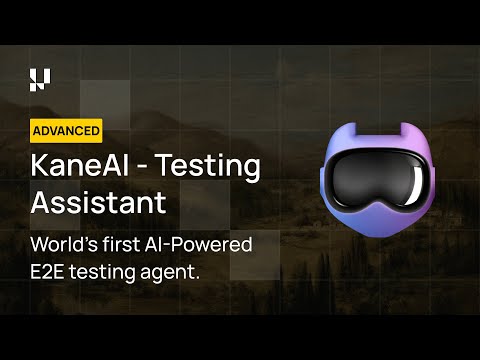
AI is substantially contributing to testing and debugging, two areas of software engineering that determine product quality and release stability. The following covers the primary ways AI is applied in the testing lifecycle.
AI in Software Testing
AI in software testing enables faster, more efficient test creation and execution. Machine learning algorithms analyze past test data and user interactions to automatically generate relevant test cases and scripts.
These AI-driven tests can adapt to application changes, reducing the maintenance effort typically required in traditional automated testing.
Predictive Analytics in Testing
AI supports predictive testing by analyzing historical project data. Predictive models identify code areas likely to produce errors or performance issues, enabling proactive testing before defects surface in staging or production.
This approach allows teams to allocate resources to high-risk areas, optimizing the testing process and minimizing post-release issues.
TestMu AI's Test Intelligence platform provides AI-native insights that identify and address potential issues before they affect the release.
Test Intelligence offers the following capabilities to enhance the AI-native test process:
- Detect and prioritize flaky tests with AI-native insights.
- Perform root cause analysis to quickly identify and resolve test failures.
- Optimize test execution through intelligent recommendations.
- Track test reliability trends over time with comprehensive analytics.
- Enable faster debugging with detailed failure diagnostics.
Root Cause Analysis
In complex software applications, root cause analysis can be difficult. AI-native tools use pattern recognition and anomaly detection to trace errors back to their origin.
By checking dependencies and reviewing logs, these tools help developers find relationships within the code that manual investigation would miss.
Intelligent Bug Detection and Debugging
AI enhances debugging by identifying potential bugs early and suggesting solutions. Machine learning algorithms analyze code patterns, review past bug reports, and scan logs to pinpoint likely error sources.
Note: Run your automated tests across 10,000+ real devices and browsers with TestMu AI. Start Testing Free
What Are the Challenges of Using AI in Software Engineering?
The main challenges of using AI in software engineering include model hallucination, skill gaps, data privacy risks, model interpretability gaps, and the added maintenance complexity of AI systems.
- AI Hallucination and Code Correctness: Generative AI models can produce plausible but incorrect code or test cases. Teams that deploy AI-generated output without validation introduce defects that are harder to trace because they appear structurally correct.
- Reliability and Model Interpretability: Ensuring AI models are reliable and that their outputs are understandable is an ongoing challenge. Many AI models function as black boxes, where the decision-making process is not easily interpretable. This makes auditing and debugging AI-assisted work difficult at scale.
- Skill Gaps: AI integration in software engineering requires a specialized skill set, creating a gap for many traditional software engineers. Upskilling or hiring talent with AI tool proficiency can be resource-intensive, and organizations must invest in training to implement and maintain AI systems effectively.
- Biases and Ethical Issues: AI models can reinforce biases present in training data, raising ethical concerns. Organizations must implement bias detection measures and define explicit ethical guidelines for AI deployment to ensure fair and accurate results.
- System Complexity and Maintenance: AI models add a layer of complexity to software architecture. Managing and updating AI models is resource-intensive, requiring continuous training and adaptation as data and user needs evolve.
- Data Privacy and Security Risks: AI models frequently require large datasets. Feeding sensitive or proprietary code into external AI models introduces vulnerabilities, including unauthorized access and cybersecurity risks. Organizations need clear data governance policies before integrating AI into the engineering workflow.

What Is the Future of AI in Software Engineering?
The future of AI in software engineering centers on agentic systems handling multi-step tasks autonomously, explainable AI in regulated industries, and deeper human-AI collaboration across the SDLC.
- Agentic AI in Coding and Testing: AI agents will autonomously handle multi-step engineering tasks, from writing code based on a feature requirement to running tests and triaging failures. This is already visible in tools like KaneAI, which operates as an end-to-end QA agent rather than a single-step assistant.
- AI Trends in Software Engineering: Key trends shaping the near term include AI agents coordinating across the SDLC, explainable AI becoming a requirement in regulated industries, and model specialization producing AI tools purpose-built for specific engineering tasks rather than general-purpose assistants.
- Predictive Project Management: AI will forecast timelines, resource needs, and risks using historical project data, enabling managers to address challenges proactively rather than reactively. This reduces the frequency of late-stage surprises in complex engineering programs.
- Explainable AI in Development: As AI generates more of the code that runs in production, transparency becomes a requirement. Explainable AI (XAI) helps developers understand AI-generated decisions, building the confidence needed to adopt AI tools in high-stakes applications.
- Human-AI Collaboration Models: Future engineering workflows will assign AI agents to repetitive tasks, bug fixes, and boilerplate code, while developers focus on architecture, design decisions, and complex problem-solving. Real-time AI feedback embedded in development environments will make this collaboration seamless rather than sequential.
Will AI Replace Software Engineers?
No. AI automates parts of software engineering, such as boilerplate code and test maintenance, while engineers keep ownership of system design, code review and the decisions about what ships.
The U.S. Bureau of Labor Statistics projects employment of software developers, quality assurance analysts and testers to grow 10% from 2025 to 2035, much faster than the average for all occupations.
- Work AI takes over: AI tools generate boilerplate code, complete functions from context, draft test cases from requirements and repair broken locators after UI changes.
- Work that stays human: GitHub describes a coding agent as having no context about a team's incident history, edge case knowledge or operational constraints that do not live in the repository, so engineers still own system design, architecture decisions and the final review.
- Measured productivity: In a 2025 randomized trial by METR, experienced open-source developers took 19% longer to finish tasks with early-2025 AI tools. A February 2026 METR update says developers are likely sped up more by early-2026 AI tools, but its new data is only very weak evidence of how large that change is.
- Role shift: The engineer's role is moving from writing repetitive code to specifying tasks, reviewing AI output and steering AI systems.
How Do Teams Get Value from AI in Software Engineering?
Teams capture value from AI by validating all AI-generated output rigorously, starting with a single workflow, and directing engineering judgment toward architecture and high-value problem-solving.
Artificial intelligence is reshaping every layer of software engineering, from the code that gets written to the tests that verify it and the pipelines that ship it.
Teams that build clear processes for validating AI-generated output will capture the efficiency gains without absorbing the risk. The shift is not about replacing engineering judgment but about directing it toward higher-value decisions. For a broader primer on where AI fits across the stack, see our overview of AI.
Author

Salman Khan
Blogs: 138


Salman is a Test Automation Evangelist and Community Contributor at TestMu AI, with over 6 years of hands-on experience in software testing and automation. He has completed his Master of Technology in Computer Science and Engineering, demonstrating strong technical expertise in software development, testing, AI agents and LLMs. He is certified in KaneAI, Automation Testing, Selenium, Cypress, Playwright, and Appium, with deep experience in CI/CD pipelines, cross-browser testing, AI in testing, and mobile automation. Salman works closely with engineering teams to convert complex testing concepts into actionable, developer-first content. Salman has authored 120+ technical tutorials, guides, and documentation on test automation, web development, and related domains, making him a strong voice in the QA and testing community.
Reviewer

Sandeep Yadav
Reviewer
Sandeep Yadav is a Senior Software Engineer at TestMu AI (formerly LambdaTest), where he builds the platform's test intelligence and AI-native engineering systems. He has architected autonomous GitHub Apps, vector-search code intelligence, and self-diagnosing QA workflows, and designed distributed platforms that process 2M+ daily test executions and 1B+ events, turning high-volume test, log, and code data into intelligent, self-optimizing systems. He works on embedding reasoning models into production infrastructure to power autonomous review, root-cause analysis, and analytics workflows. He brings over four years of engineering experience with deep expertise in the Elastic Stack, Apache Kafka, and Redis. Earlier he engineered a GDPR-compliant, end-to-end-encrypted secure web-chat application at Mithi. A Facebook Hackercup 2021 Round 2 qualifier and merit-scholarship recipient, Sandeep holds a B.Tech in Electrical Engineering from Delhi Technological University.


Frequently Asked Questions on Artificial Intelligence in Software Engineering
Did you find this page helpful?
More Related Blogs
TestMu AI forEnterprise
Get access to solutions built on Enterprise
grade security, privacy, & compliance
- Advanced access controls
- Advanced data retention rules
- Advanced Local Testing
- Premium Support options
- Early access to beta features
- Private Slack Channel
- Unlimited Manual Accessibility DevTools Tests