
Power Your Software Testing with AI Agents and Cloud
The Native AI-Agentic Cloud Platform to Supercharge Quality Engineering. Test Intelligently and Ship Faster.


- TestMu AI (Formerly LambdaTest)
- /
- Blog
- /
- 19 Best AI Tools for Developers in 2026 by Use Case
19 Best AI Tools for Developers [2026]
Compare 19 AI tools for developers across coding, code review, testing, and security, with a use-case table and the criteria that separate them in 2026.
Last Updated on:
AI tools for developers now cover four distinct jobs: writing code in the editor, reviewing it before merge, generating and maintaining tests, and scanning dependencies for vulnerabilities.
AI tools are now the default rather than the experiment. In the 2025 Stack Overflow Developer Survey, only 16.2% of 33,662 respondents said they neither use AI tools in their development process nor plan to.[1] The market is also consolidating: Tricentis announced on July 30, 2026, that it had acquired Tabnine, and tabnine.com now redirects to Tricentis.
This guide covers how AI tools changed day-to-day development work, 19 tools compared by use case from GitHub Copilot to Snyk, the other tools worth knowing, and the criteria that separate one from another.
TL;DR
- AI tools for developers cover four jobs: writing code, reviewing it before merge, generating and maintaining tests, and scanning dependencies.
- Claude Code, Cursor, and GitHub Copilot lead code writing, and Claude Code and Cursor can edit many files from one instruction.
- CodeRabbit, Codacy, and Qlty review pull requests, KaneAI and Qodo generate tests, and Snyk scans dependencies.
- Tricentis acquired Tabnine in July 2026, and the VS Code Marketplace now lists its extension as (Legacy) Tabnine.
- Amazon folded CodeWhisperer into Amazon Q Developer in April 2024, so lists that still name CodeWhisperer are out of date.
- Pick the slowest step in your workflow and trial one tool against it before adding a second.
How Have AI Tools Changed the Way Developers Work?
AI tools moved from autocompleting lines to generating code, reviewing pull requests, writing tests, and scanning dependencies. Developer time shifts from typing toward reviewing machine output.
- Automated Code Generation: AI tools help generate code snippets, functions, and even entire modules, reducing errors and speeding up development.
- Task Automation: AI automates repetitive tasks like code formatting, testing, and documentation, allowing developers to focus on high-level tasks.
- Smart Bug Detection: AI tools identify bugs and security vulnerabilities, suggesting fixes to make the code more secure and reliable. This capability is central to AI debugging, where intelligent systems analyze errors and surface root causes faster than manual investigation.
- Enhanced Testing: AI automates test case creation and execution, predicting code failures and improving software release speed and reliability.
- Efficient Project Management: AI tools analyze project data to predict schedules, assign resources, and identify bottlenecks, improving collaboration and team efficiency.
- Performance Optimization: AI tools analyze code performance and suggest optimizations, enhancing software speed and efficiency.
- Informed Decision-Making: AI offers insights by analyzing data and helping developers make informed decisions about software design and architecture.
The most capable of these are Generative AI tools that go beyond code suggestions to handle documentation, testing, and debugging workflows end to end.
This shift is closely tied to the rise of vibe coding, a practice where developers describe what they want to build in natural language and AI tools generate, iterate, and deploy the code on their behalf.
What Are the Best AI Tools for Developers?
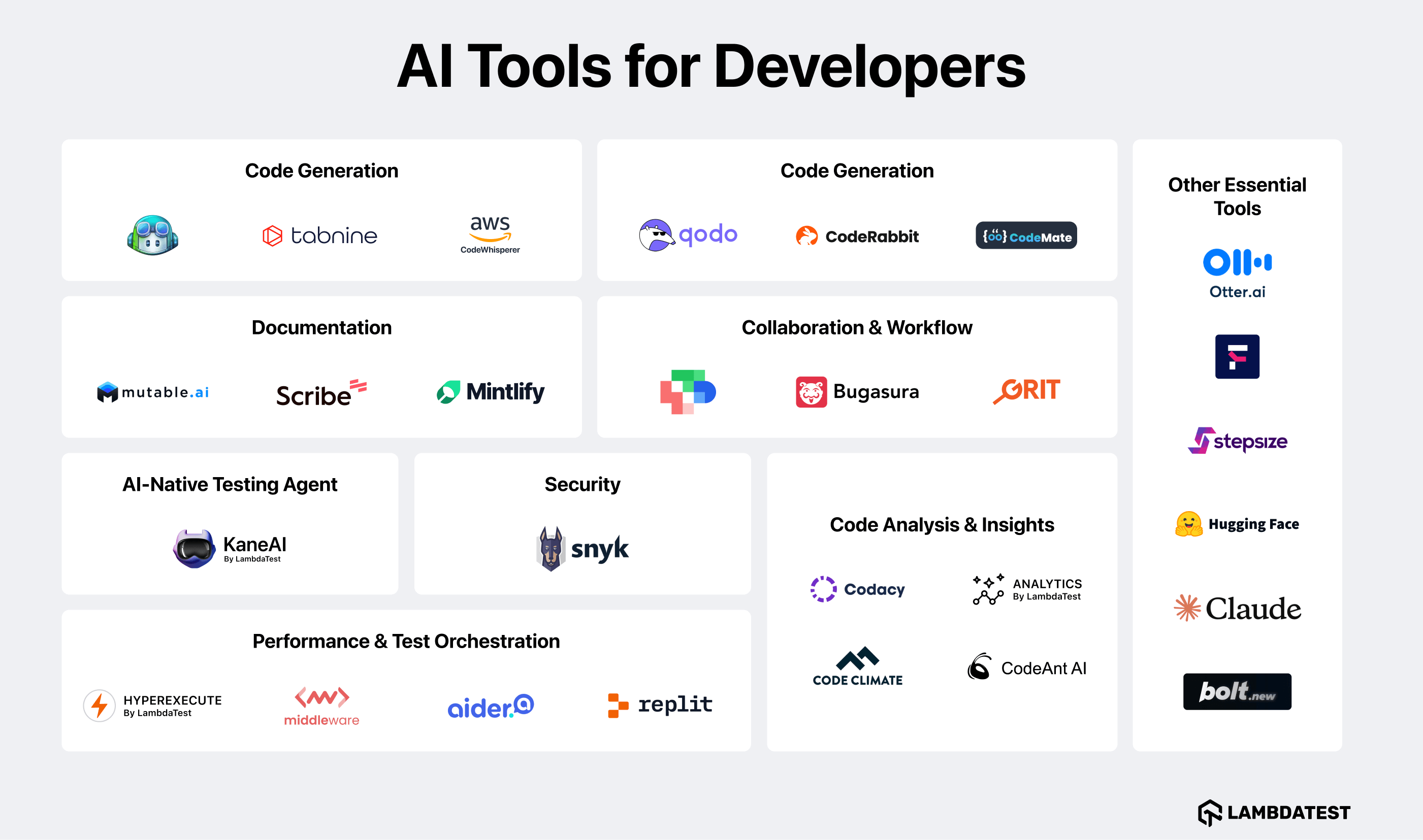
The best AI tools for developers split into four jobs: code completion, code review, test generation, and dependency scanning. GitHub Copilot, CodeRabbit, Qodo, and Snyk each lead one of them.
| Job | Tools in this list | What decides the pick |
|---|---|---|
| Write code | Claude Code, GitHub Copilot, Cursor, Amazon Q Developer, Aider, Codemate | Whether it edits one file or many, and whether it fits your current editor |
| Review code | CodeRabbit, Codacy, Qlty, CodeAnt AI, WhatTheDiff, Grit | Whether it comments inside the pull request your team already uses |
| Test code | KaneAI by TestMu AI, Qodo | Whether it maintains the tests it wrote once the interface changes |
| Secure dependencies | Snyk | Whether it reaches transitive dependencies, not just direct ones |
| Document and track | Scribe, Mintlify, Bugasura, Middleware | Whether the output updates itself or goes stale the week you write it |
1. Claude Code for Agentic Coding
Claude Code is the Anthropic coding agent, and it runs where the code already lives: the terminal, the VS Code and JetBrains IDEs, GitHub, and Slack. It maps and explains an entire codebase in seconds using agentic search, then makes multi-file edits that account for the dependencies it found.
Claude Code reads issues, writes the code, runs the tests, and submits the pull request, which is why it suits large-codebase work that single-file autocomplete cannot reach. Claude is the underlying model that also powers chat products, while Claude Code is the engineering agent built on it. You can test apps built with Claude across real browsers and devices.
Key features of Claude Code
- Agentic search - Maps the codebase before editing, so changes account for the files that depend on them.
- Multi-file edits - Plans and applies changes across many files from one instruction, with each change shown for review.
- Runs where you work - Available in the terminal, VS Code, JetBrains IDEs, GitHub, and Slack.
- Runs your tests - Executes commands such as test suites and fixes failures before proposing a pull request.
2. GitHub Copilot for Code Assistance
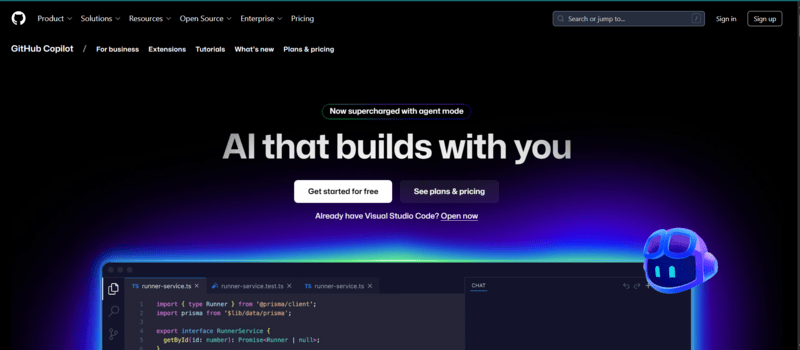
GitHub Copilot is an AI coding assistant built with OpenAI. GitHub Copilot uses machine learning to provide real-time code suggestions and completions directly within your Integrated Development Environment (IDE).
Highly effective across various domains, GitHub Copilot excels in game development as well, assisting in writing code for game logic, mechanics, and other game-related functionalities.
Key features of GitHub Copilot AI tool for developers:
- Code Suggestions: Offers real-time code suggestions within your IDE, proposing entire lines or blocks to speed up coding and reduce errors.
- Natural Language Processing: Uses plain English prompts to generate project-specific coding recommendations based on defined goals.
- Code Completion: Autocompletes repetitive code sections, methods, and functions, accelerating development and reducing mental load.
- Learning and Adaptation: Learn from your code to adapt suggestions to your coding style and conventions for improved relevance.
- Pull Request Summaries: Provides descriptions of changes in pull requests for enterprise users, aiding in better understanding for reviewers.
- Chat Interface: Enables code assistance directly from your IDE, command line, or GitHub Mobile for quick problem-solving.
- Editor Support: Plugs into existing editors and changes how developers move through their codebases.
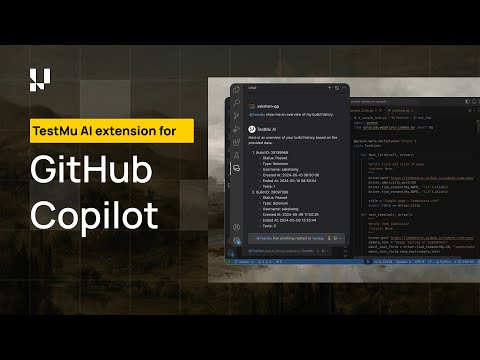
A Copilot suggestion that compiles is not proof that the page renders correctly in a browser. The TestMu AI extension for GitHub Copilot closes that gap, letting developers write, debug, and validate test scripts inside the IDE and run them against real browsers.
By simplifying these processes, developers can focus on writing reliable code that performs consistently across multiple browser configurations. Tests run beside the code that produced them, so a browser-level break shows up before review rather than after release.
3. Cursor for Multi-File Agentic Editing
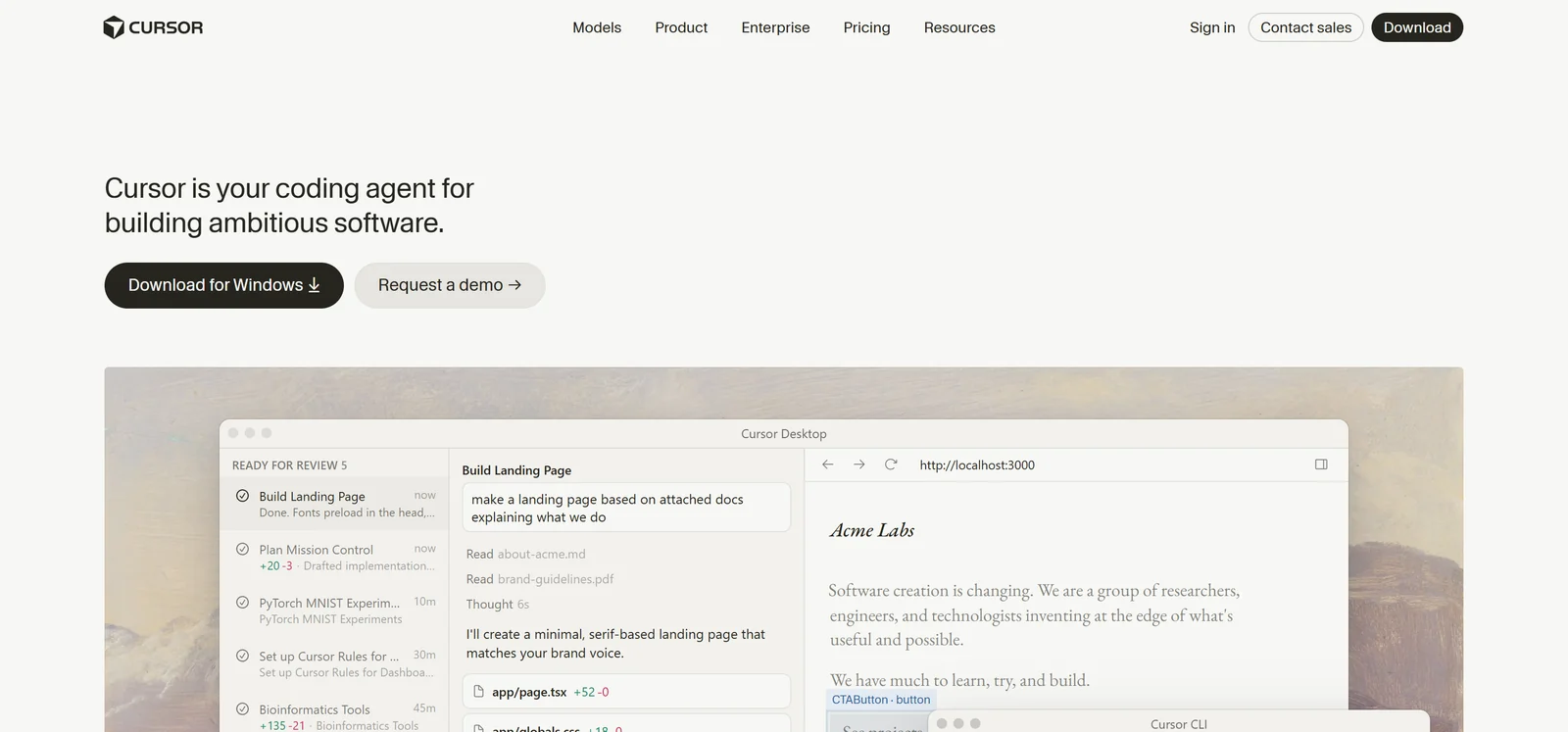
Cursor is an AI coding agent built into an editor, and it handles work that spans many files rather than a single line. You describe the change you want, and Cursor plans the edit, applies it across the files it touches, and runs the result.
Cursor lets you set how much independence the agent gets. A targeted edit with Cmd+K rewrites one selected block, while full agent mode builds, tests, and demonstrates a feature end to end without step-by-step prompting.
Key features of Cursor:
- Agent Mode: Hands a task to Cursor to build, test, and demo a feature end to end, with agents able to run in parallel.
- Model Choice: Selects the model per task from OpenAI, Anthropic, Gemini, xAI, and Cursor rather than locking you to one provider.
- Workflow Reach: Runs in the terminal, connects to Slack, and reviews pull requests in GitHub, so the agent is not confined to the editor window.
- Cmd+K Edits: Applies a scoped change to a highlighted block when you want a precise edit instead of an autonomous run.
4. KaneAI by TestMu AI for Natural-Language Test Authoring
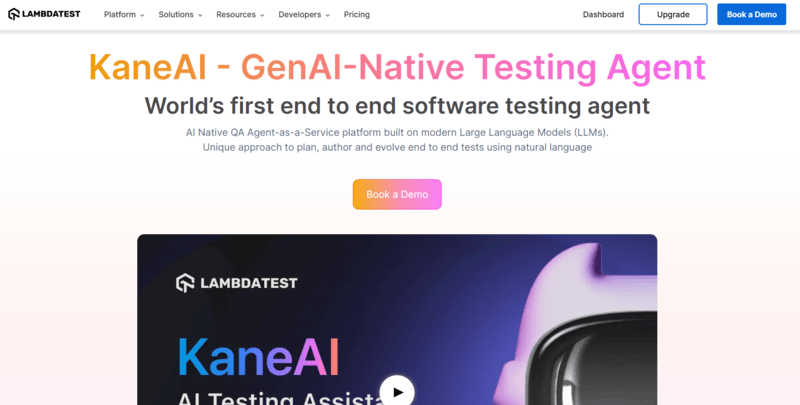
Writing and maintaining test code is the step that slows most release cycles, and it asks for automation skills many developers never picked up. KaneAI by TestMu AI takes a test described in plain English and turns it into an executable test, then re-anchors the steps when the interface changes instead of failing on a broken selector. For runs that still fail, AI app testing with KaneAI by TestMu AI runs root-cause analysis and drafts a bug ticket.
Key features:
- Intelligent Test Generation: Create test cases using natural language processing (NLP).
- Multi-Language Code Export: Convert automated tests to multiple programming languages and frameworks.
- Intelligent Test Planner: Automate test stages based on project goals.
- Smart Show-Me Mode: Turn actions into natural language instructions to create tests easily.
- 2-Way Test Editing: Edit tests in plain language or code with automatic syncing.
- JavaScript Execution: Inject and run custom JavaScript in tests for flexibility and control.
- Scroll in Element Support: Scroll within elements to interact with hidden content in dynamic elements.
- Geolocation, Proxy, and Tunnel Support: Test across regions or simulate environments with custom geolocations, proxies, and tunnels.
- Variable Support: Use dynamic values to adapt tests with variables.
- API Testing Support: Adds API tests alongside UI steps in the same flow.
- Jira Integration: Import test plans and cases directly from Jira summaries and descriptions.
- Workflow Hooks: Connects to Slack, JIRA, and GitHub for direct test automation.

With the rise of AI in testing, it's more important than ever to stay ahead by enhancing your skills. The KaneAI Certification by TestMu AI validates your practical expertise in AI-powered testing and positions you as a future-ready, high-value QA professional.
5. Qodo for Test Automation and Code Quality
Qodo, formerly CodiumAI, is an AI-powered tool that supports software development by automating code-level testing and generating relevant test suites.
This is one of the most commonly used AI tools built for developers. This tool uses machine learning to detect potential flaws early and ensure high code quality. It helps automate testing, improve code quality, and reduce the time spent writing tests by hand.
Key features of Qodo AI tool for developers:
- Automated Test Generation: Analyzes code to generate test suites, identifying edge cases and potential issues.
- Multi-Language Support: Supports Python, JavaScript, and TypeScript and plans to add more languages like Java.
- IDE Integration: Works with popular IDEs like VS Code and JetBrains for easy access to features.
- Intelligent Code Analysis: Detects potential issues, code duplicates, and areas needing refactoring, offering actionable insights.
- Natural Language Processing: Allows developers to generate tests and documentation using natural language commands.
- Smart Documentation: Provides clear documentation and comments, improving code understanding for teams.
- Continuous Improvement: Adapts from analyzed code and feedback to enhance suggestions and test generation.
6. Scribe for Process Documentation
Scribe is an AI-powered writing tool that helps developers write, manage, and organize process documentation. With Scribe, developers can record their step-by-step workflows in real-time, creating reference guides for themselves and their teams.
Scribe turns a recorded workflow into a step-by-step guide with screenshots, so the documentation matches what the process actually does. This improves team efficiency and simplifies document workflows for developers.
Key features of Scribe AI tool for developers:
- Automated Documentation: Collects workflows and converts them into step-by-step instructions, reducing manual work.
- AI-Generated Context: Adds titles, descriptions, and context to make guides clearer.
- Customizable Instructions: Personalize with branding, screenshots, and suggestions.
- Sharing Options: Share via quick links, PDFs, or embed in other tools.
- Real-Time Collaboration: Collaborate on documents in real-time.
- AI Assistance: Simplifies content creation and user support with AI-powered writing.
7. Mintlify for Documentation Generation
Mintlify writes and maintains software documentation directly from your codebase. It uses machine learning to generate documentation from your code, ensuring it's always up-to-date and thorough.
This AI tool for developers automates documentation creation and management, saving time and improving accuracy. It ensures well-maintained documentation, which is crucial for code clarity and boosting team productivity.
Key features of Mintlify AI tool for developers:
- Automated Documentation: Scans code to generate tutorials, API references, and SDK docs, saving time.
- AI Contextual Enhancements: Suggests improvements for clarity and accuracy in documentation.
- Real-Time Collaboration: Allows multiple team members to edit documents simultaneously.
- Customizable Design: Supports custom components, JavaScript, and CSS for branding needs.
- Workspace Connections: Works with Slack, GitHub, and Dropbox.
- Automatic Translation: Supports multi-language translation with one click.
- Engagement Analytics: Tracks user interaction with documentation to improve usability.
- Stale Documentation Alerts: Detects outdated content and prompts updates.
8. WhatTheDiff for Code Review Automation
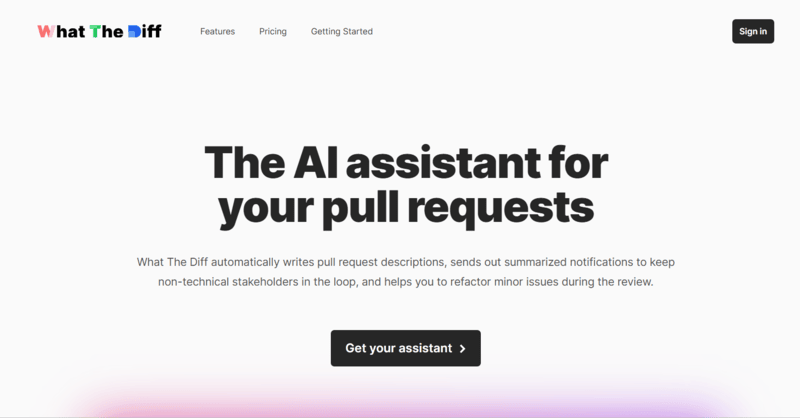
WhatTheDiff automates pull request summaries and writes detailed comments on the code changes inside them. It saves time and reduces manual effort while enhancing collaboration.
This AI-powered tool offers clear changelogs and recommends inline refactoring to improve code quality, making it easier for developers to track and understand crucial code changes and simplifying the entire review process.
Key features of WhatTheDiff AI tool for developers:
- Automated Pull Request Summaries: Creates detailed summaries of pull request changes for better understanding.
- Descriptive Comments: Provides clear explanations of code changes and their impact on the codebase.
- Inline AI Refactoring: Use the /wtd command to identify code for refactoring with AI-powered recommendations.
- Multi-Language Support: Compatible with nearly every programming language for versatile use.
- Weekly Progress Reports: Generates reports on code review status and codebase health.
- Beautiful Changelogs: Creates visually appealing changelogs for better team collaboration.
- Fine-Grained Settings: Offers customizable features to suit individual workflows.
9. Snyk for Security and Vulnerability Scanning
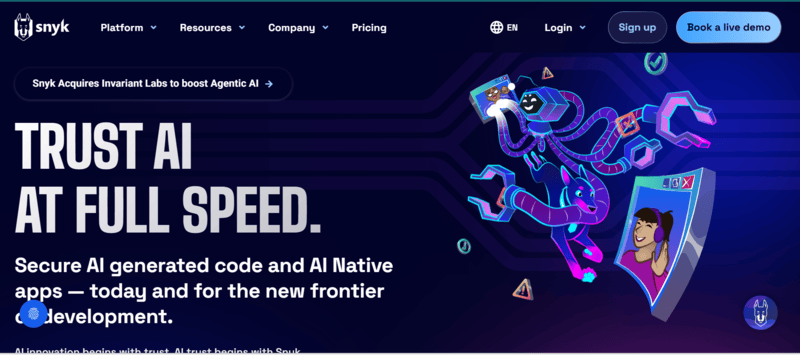
Snyk is focused on identifying, prioritizing, and fixing vulnerabilities in code, dependencies, containers, and Infrastructure as Code (IaC). Snyk integrates with development tools, workflows, and automation pipelines, ensuring continuous security throughout the Software Development Life Cycle (SDLC).
It allows developers to focus on coding while continuously monitoring the codebase for security issues, ensuring application safety and enhancing productivity with strong security practices.
Beyond code security, developers increasingly rely on intelligent tools to validate software quality. Learn how AI in software testing is helping teams detect defects earlier and accelerate release cycles.
Key features of Snyk:
- DeepCode AI: Enhances SAST capabilities by efficiently detecting and fixing vulnerabilities using AI models trained on security-specific data.
- Automated Fixes: Offers one-click fixes directly from the IDE, applying solutions to the optimal code sections while minimizing new issues.
- Real-Time Monitoring: Continuously scans code for vulnerabilities as you write, providing alerts and actionable patches in real-time.
- Tool Integration: Integrates with major IDEs, repositories, and CI/CD pipelines, ensuring security fits into existing workflows.
- AI-Powered Pull Request Summaries: Generates detailed security summaries for pull requests, helping prioritize fixes based on severity.
- License Compliance Monitoring: Identifies licensing issues in code dependencies, ensuring compliance with open-source licenses confidently.
10. Grit for Code Maintenance
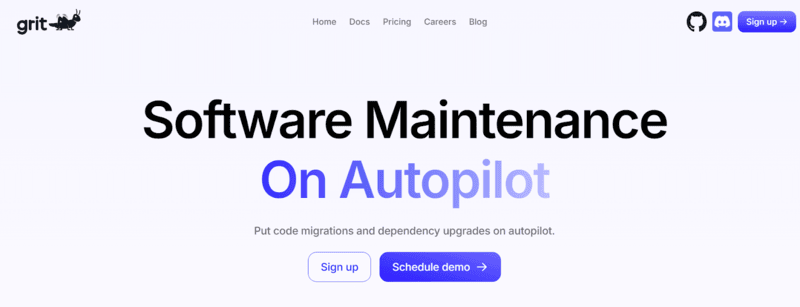
Grit automates code maintenance tasks like migrations and dependency upgrades. It generates pull requests that clean up legacy code and migrate to modern frameworks, reducing the time spent on routine code improvements. This allows developers to focus on building new features while Grit handles code maintenance in the background.
Key features of Grit AI tool for developers:
- Automated Code Migrations: It automatically migrates code between frameworks or styles, such as from JavaScript to TypeScript or from class components to functional components in React.
- Technical Debt Fixes: The tool identifies and resolves common sources of technical debt, like unused code and outdated dependencies, through automatic pull requests.
- Semantic Code Search: It lets developers run AST-aware queries to identify and fix anti-patterns, enhancing code quality and maintainability.
- Custom Patterns: Developers can define custom coding patterns and idioms using Grit's declarative syntax, enabling tailored code transformations.
- Developer Tooling: It integrates with popular development tools like GitHub, VS Code, and the command line, ensuring easy incorporation into existing workflows.
11. Codacy for Code Quality Analysis

Codacy, an API-driven platform focused on developers, provides a suite of premium code analysis, security, coverage, and performance tools. Codacy integrates into existing development workflows, enabling developers to deliver high-quality, secure software more efficiently.
This tool accelerates development, reduces issues later in the process, and promotes coding standards across teams, helping developers maintain high coding practices by identifying potential problems early on.
Key features of Codacy AI tool for developers:
- Automated Coding Quality Reviews: It scans your codebase for quality issues like coding style inconsistencies, security vulnerabilities, and performance inefficiencies.
- Support for Numerous Languages: It supports multiple languages, including Java, Python, Ruby, JavaScript, and more.
- Customizable Quality Gates: It can set its quality standards to ensure code meets specific requirements before merging.
- Integration with Development Tools: It easily integrates with platforms like GitHub, Bitbucket, GitLab, and CI/CD pipelines to automate code quality checks.
- Security Monitoring: Built-in security checks identify vulnerabilities and recommend fixes for a more secure codebase.
- Automated Code Coverage Reports: It provides code coverage metrics and reports to help teams evaluate test coverage.

Note: Run the code your AI tools generate against 3,000+ browser and OS combinations before it ships. Try TestMu AI free
12. Bugasura for Bug Reporting and Tracking

Bugasura simplifies bug management across reporting, tracking, and resolving bugs. It helps development teams quickly address critical issues, improving efficiency in managing bugs and enhancing collaboration.
By automating bug resolution workflows, Bugasura reduces manual intervention, ensuring faster development cycles and higher-quality code. It supports smoother bug management processes, allowing teams to stay on top of performance and quality challenges.
Key features of Bugasura AI tool for developers:
- AI-Powered Bug Reporting: It uses AI to log bugs quickly and accurately. It generates detailed issue descriptions, categorizes defects, and evaluates their impact based on the provided context.
- Customized Workflows: It can design workflows and sprints, automatically assign issues, and customize issue fields to fit the specifics of a project.
- Automated Issue Prioritization: Its AI algorithms help teams focus on critical bugs with higher severity and impact, ensuring that important issues are addressed first.
- Performance Monitoring: Its performance monitoring leverages insights from tools like Google Core Lighthouse, helping teams maintain optimal performance standards.
- Integration with Development Tools: It integrates with major development tools such as GitHub, JIRA, and Slack, so bug reports flow into existing workflows.
- Real-Time Collaboration: It facilitates smooth collaboration on bug resolution, with automated notifications keeping team members informed about the status of issues.
13. Amazon Q Developer for AI Code Suggestions
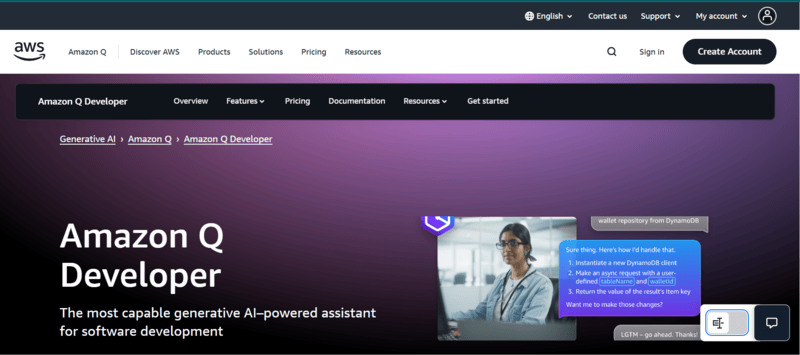
Amazon Q Developer is the Amazon Web Services coding assistant that suggests code in real time inside your IDE. Amazon folded Amazon CodeWhisperer into Amazon Q Developer on 30 April 2024, so the CodeWhisperer name is retired and older tool lists still using it point at a product that no longer ships under that name.[2]
Amazon Q Developer generates whole functions from a comment or a plain-English description, and its built-in security scanning flags vulnerabilities in the code it produces. CodeWhisperer's familiar features carried over with some changes, including IDE suggestions, command-line suggestions, and code reviews. Teams shipping features this way still need to check the running result, which is where Amazon Q app testing fits.
Key features of Amazon Q Developer:
- Live Code Suggestions: Real-time suggestions for faster coding with fewer errors.
- Natural Language Processing: Converts plain English tasks into code snippets.
- Multiple Languages: Supports Python, Java, JavaScript, TypeScript, C#, Go, Rust, PHP, Ruby, Kotlin, C, C++, Shell, SQL, and Scala.
- Easy Integration: Works with IDEs like Visual Studio Code, IntelliJ IDEA, and AWS Cloud9.
- Security Scans: Detects vulnerabilities and suggests fixes.
- Reference Tracking: Tracks open-source project references and licenses.
- Contextual Recommendations: Offers context-relevant suggestions while coding.
14. Middleware for Performance Monitoring
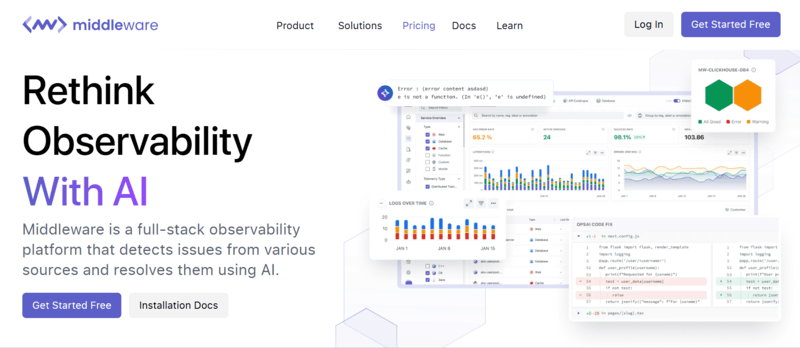
Middleware provides full-stack observability across application and infrastructure performance. It collects and analyzes data from metrics, logs, traces, and events in a single interface.
It offers insights that let development teams track performance and reliability, simplify workflows, and troubleshoot issues more efficiently. Using real-time data and analytics, Middleware helps developers maintain high-performance standards throughout the development life cycle.
Key features of Middleware AI tool for developers:
- Real-Time Monitoring: Continuously tracks applications, analyzing data to detect abnormalities and performance issues as they occur.
- Advanced Analytics: Uses AI to analyze data, offering insights and recommendations for performance improvement.
- Custom Dashboards: Provides configurable dashboards to visualize key data and performance metrics as per developer needs.
- Automated Alerts: Sends alerts to developers about potential issues before they impact users, minimizing downtime.
- Integration with Development Tools: Integrates with popular development tools, ensuring no disruption to existing workflows.
15. Qlty for Code Quality and Coverage
Qlty checks code quality and test coverage on every pull request, and gives authors a pass or fail status rather than a report to read later. Code Climate now redirects its Quality product URL to Qlty, so older tool lists pointing at Code Climate Quality land here.
Key features of Qlty:
- Automated Code Review: Returns a pass or fail status on every pull request, with autofix suggestions offered for most issues it raises.
- Differential Coverage: Gates merges on coverage of new and modified code instead of a whole-repository percentage.
- Qlty CLI: Runs linting, formatting, security, duplication, and complexity checks across more than 70 plugins from one command line.
- Integration With Development Tools: Easily integrates with GitHub, Bitbucket, GitLab, and more, allowing code quality checks within existing workflows.
- Real-Time Feedback: Offers immediate feedback on code quality in pull requests to correct issues promptly.
- Customizable Dashboards: Supports dashboards to visualize key metrics and monitor codebase health over time.
- Actionable Insights: Provides actionable insights from data across thousands of engineering organizations to help prioritize improvements.
- Performance Monitoring: Monitors team performance and identifies productivity bottlenecks.
16. Aider for Terminal Pair Programming
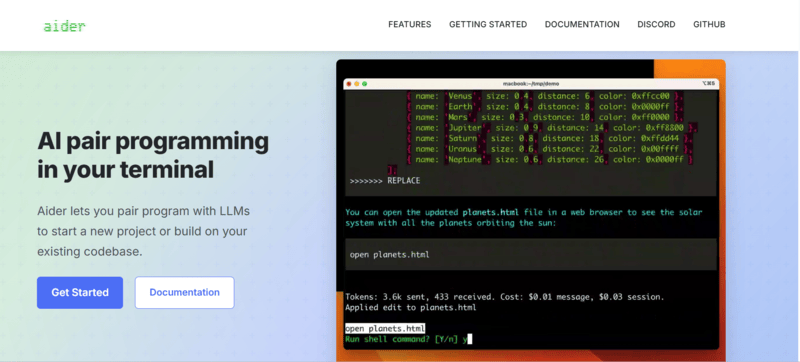
Aider describes itself as AI pair programming in your terminal. It runs locally against your git repository, maps the whole codebase so it works on larger projects, and commits each change with a written commit message you can diff or undo.
Aider covers Python, JavaScript, Rust, Ruby, Go, C++, PHP, HTML, and CSS among others, and connects to almost any model, including local ones. Once your code is generated, you can test apps built with Aider on a real device cloud to validate them across browsers and devices.
Key features of Aider:
- Linting and Testing: Runs your linter and test suite against each change rather than leaving verification to you.
- Voice-to-Code: Accepts spoken instructions and turns them into code edits.
- Images and Web Pages: Takes screenshots and URLs as context for the change you are requesting.
17. CodeAnt AI for Code Refactoring
CodeAnt AI is a tool designed to automate code review and refactoring. It uses machine learning to evaluate code quality based on best practices and provides real-time suggestions to improve the code. Whether it's restructuring functions for better readability, optimizing performance, or detecting bugs, CodeAnt AI handles each of those review passes.
Key features of CodeAnt AI:
- Code Refactoring: Suggests improvements for code structure and readability.
- Real-Time Suggestions: Provides actionable insights as you write code.
- Integrates with Version Control: Works with GitHub, GitLab, and other version control systems.
18. CodeRabbit for Automated Code Review

CodeRabbit reviews every pull request automatically and writes line-level feedback on the changes. It also ranks incoming pull requests by risk and effort, which matters when generated code arrives faster than reviewers can read it.
Key features of CodeRabbit:
- Automatic PR Review: Reviews each pull request on arrival and leaves plain-English feedback on the specific lines that changed.
- Risk Triage: Ranks and routes pull requests by risk, effort, and business impact so reviewers start with the dangerous ones.
- Security Scanning: Monitors the codebase continuously for vulnerabilities alongside the review pass.
19. Codemate for Full-Stack AI Assistance

Codemate calls itself a full-stack AI engineer and covers more of the lifecycle than a single-purpose assistant. It turns prompts and Figma designs into deployable applications, and runs a separate review agent across GitHub, GitLab, Bitbucket, and Azure DevOps.
Key features of Codemate:
- Codemate CORA: Runs an end-to-end coding agent that writes, secures, and quality-gates code inside the IDE.
- PR Review Agent: Automates code review and security analysis across GitHub, GitLab, Bitbucket, and Azure DevOps.
- IDE and Version Control Integration: Works with popular IDEs and GitHub.
Which Other AI Tools Should Developers Know?
Six more tools cover the work around the code: Otter.ai for meeting notes, Stepsize for technical debt, Hugging Face for models, Bolt.new and Replit for builds, plus a note on Tabnine after its acquisition.
Otter.ai for Transcription & Summaries
Otter.ai is an AI-powered transcription tool that automatically converts speech into text. It's particularly helpful for developers and teams who need to transcribe meetings, interviews, or brainstorming sessions. With its advanced features like real-time transcription and summary generation, Otter.ai helps save time on manual note-taking, ensuring that key discussions are captured and easily accessible.
Stepsize AI for Issue Tracking in Development
Stepsize AI helps teams track and manage technical debt during development. It integrates with your issue-tracking systems to automatically generate issues, link them to relevant code changes, and prioritize them based on impact. This makes it a valuable tool for developers who need to efficiently track bugs and technical debt without interrupting their workflow.
Hugging Face for NLP and Machine Learning
Hugging Face is a leader in Natural Language Processing (NLP), providing pre-trained models and tools to help developers integrate AI into their applications. It offers libraries like Transformers for direct access to current language models. Hugging Face is invaluable for developers working on AI-driven projects like chatbots, sentiment analysis, and language understanding tasks.
Tabnine, Now Part of Tricentis
Tabnine was long a popular AI code completion tool known for privacy controls and suggestions trained on permissively licensed code. Tricentis acquired Tabnine in a deal announced on July 30, 2026, to bring its Enterprise Context Engine into Tricentis's testing platform. On October 5, 2026, tabnine.com redirected to Tricentis, and the VS Code Marketplace listed the extension as (Legacy) Tabnine. Existing users should check the product's roadmap with Tricentis before renewing.
Bolt.new for AI Web App Builder
Bolt.new, created by Stackblitz, offers instant, cloud-based development environments for web developers. This tool allows developers to start coding in a fully-featured IDE within seconds, without any local setup. It supports popular frameworks and libraries, which suits quick prototypes and collaborative coding sessions.
Because the builder never sees the rendered result, it is worth taking two minutes to test the app Bolt built in a real browser before you ship it.
Replit for AI-Powered Development
Replit is an AI-powered, cloud-based IDE that lets developers write, run, and deploy code directly from the browser. With its built-in AI assistant, Replit can generate code from natural language prompts, auto-complete functions, debug errors, and even scaffold entire applications.
It supports over 50 programming languages and offers real-time collaboration features, making it a strong choice for teams working on quick prototypes, hackathons, or collaborative coding sessions. Replit also simplifies deployment with one-click hosting, so developers can go from idea to live application without managing infrastructure.
Replit works well for quick development and collaboration, but choosing the right AI-powered platform depends on your project goals. Our comparison of Lovable vs Replit breaks down which platform is the better fit for building full-stack applications with AI.
The AI tools mentioned above are not just for developers; they also hold significant value for testers. As software development and testing strategies evolve, adopting new approaches to achieve the best results is essential.
If you're looking to simplify your testing process with artificial intelligence, check out this blog on AI testing tools.
For developers who spend significant time researching documentation and debugging online, AI browsers provide built-in page summarization and contextual search to speed up these workflows.
How to Choose an AI Tool for Development?
Start with the workflow step that costs you the most time, then match one tool to it. Editor fit, codebase context, review integration, and data handling separate the options more than model choice. A model's HumanEval score, for instance, comes from standalone Python problems rather than from a codebase like yours.
- Workflow step: Name the slowest step you actually have, whether that is writing code, reviewing it, or chasing failing tests, and shortlist only the tools that address it.
- Editor fit: Decide between a plugin in your current editor and a separate AI-first editor, because changing editors costs a team more than the licence does.
- Codebase context: Check how much of the repository the tool reads, since a multi-file edit is only as good as the context behind it.
- Review integration: Confirm the tool comments inside pull requests if you want defects caught before a human reviewer spends time on them.
- Data handling: Check where your code is sent and whether the vendor trains on it, which is the usual blocker for regulated teams.
- Cost against usage: Compare pricing to how your team will actually use the tool, because metered agent runs behave differently from flat seat licences.
Conclusion
Pick the single step in your workflow that costs the most time this week, then trial one tool against it. A team drowning in pull-request review starts with CodeRabbit or Codacy, a team losing hours to test maintenance starts with Qodo or KaneAI by TestMu AI, and a team worried about supply-chain risk starts with Snyk.
Whichever AI tools for developers you adopt, the code they generate still has to run correctly on real hardware. You can check that on the TestMu AI real device cloud, and the app testing on real devices guide walks through the first run. When an AI coding agent scaffolds a whole app, confirm it works with Kilo Code app testing.
Sources and References Used
Author

Zikra Mohammadi
Blogs: 17


Zikra brings 5+ years of hands-on expertise in AI, web development, and software testing to her role as a technical content strategist. Certified in AI, manual, and automation testing, she breaks down complex ideas into step-by-step guides, tutorials, and reference docs, helping teams unlock the full power of AI-driven, codeless automation on web and mobile.
Reviewer

Samyak Goyal
Reviewer
Samyak Goyal is a Senior Member of Technical Staff at TestMu AI engineering Kane CLI, the command-line tool that runs browser automation from the terminal, where a flow described in natural language executes in a real Chrome browser and returns pass or fail with shareable proof. He is a backend engineer with 4+ years of experience, previously an SDE at Innovaccer, where he built APIs, introduced Kafka, and cut deployment from weeks to hours. Samyak also builds multi-agent systems, skill-orchestration frameworks, and a personal copilot that indexes 200+ microservice repositories.


AI Tools for Developers FAQs
Did you find this page helpful?
More Related Blogs

TestMu AI forEnterprise
Get access to solutions built on Enterprise
grade security, privacy, & compliance
- Advanced access controls
- Advanced data retention rules
- Advanced Local Testing
- Premium Support options
- Early access to beta features
- Private Slack Channel
- Unlimited Manual Accessibility DevTools Tests