

Power Your Software Testing with AI Agents and Cloud
The Native AI-Agentic Cloud Platform to Supercharge Quality Engineering. Test Intelligently and Ship Faster.


- TestMu AI (Formerly LambdaTest)
- /
- Blog
- /
- What Is Agentic Search? How AI Agents Search the Web
What Is Agentic Search? How AI Agents Search the Web
Agentic search lets AI agents plan, run, and refine searches until they find real answers. Learn how it works, how it differs from RAG, and how to test it.
Last Updated on:
According to Zapier's enterprise AI agents survey, 72% of enterprises are now using or testing AI agents. Every one of those agents shares a dependency that agentic search exists to solve: output quality is capped by the quality of the information retrieved.
Agentic search is how modern agents close that gap. Instead of firing one query and reading ranked links, the agent plans searches, evaluates what comes back, and keeps digging until it can actually answer. This guide covers how agentic search works, how it differs from traditional search and RAG, what infrastructure it runs on, and how to test it.
AI Overview
To implement agentic search, use an autonomous agent that plans, executes, and refines multi-step searches across multiple sources to gather verified context. For enterprise search, deploy OpenSearch for self-hosted open-source setups or Microsoft Azure AI Search for integrated cloud services to automate query planning and retrieval.
Why Are AI Agents Moving Beyond One-Shot Search?
- Agentic search: Agentic search is an AI-driven retrieval approach where an autonomous agent plans, executes, and refines searches across multiple sources until it gathers enough verified context to complete a task.
- LangChain: LangChain is an orchestration framework commonly used by developers to wire together the plan-retrieve-evaluate-refine loops required for agentic search.
- Mastra: Mastra is an orchestration framework used to wire together autonomous plan-retrieve-evaluate-refine search loops for AI agents.
What Changes When the Agent Writes Its Own Queries?
- Agent-driven search: Agent-driven search allows an AI agent to autonomously generate its own queries, evaluate the results, and iterate until the task is done, shifting the focus from returning links to task completion.
When Is Iterative Retrieval Worth the Extra Cost?
- Iterative retrieval: Iterative retrieval is worth the extra cost when evidence spans multiple sources or the live web, and when missing context should trigger more searching rather than a made-up answer.
What Makes Live-Web Agents Reliable in Production?
- OpenSearch: OpenSearch is an enterprise search engine featuring a built-in agent framework with a QueryPlanningTool and configurable memory, best for teams wanting an open-source engine they can self-host and extend.
- Microsoft Azure AI Search: Microsoft Azure AI Search is an enterprise search engine offering multi-query pipelines with semantic ranking and vector search, best for teams already standardized on Microsoft Azure services.
- TestMu AI: TestMu AI provides browser infrastructure built for AI agents, offering real Chrome rendering, parallel sessions, and automated answer validation through Agent Testing to make live-web agents reliable in production.
- KaneAI: KaneAI is a software testing agent that searches application state, documentation, and element context to plan and adapt multi-step test flows in natural language.
What Is Agentic Search?
Agentic search is an AI-driven retrieval approach where an autonomous agent plans, executes, and refines searches across multiple sources until it gathers enough verified context to complete a task. Unlike one-shot keyword search, the agent decides what to search next based on what it has already found.
The word "agentic" means acting with purpose, autonomy, and self-direction. An agentic system does not just respond to a single instruction; it pursues a goal, makes its own decisions about the next step, and adapts as conditions change. Applied to search, that autonomy is exactly what lets the agent keep querying until the task is genuinely done.
The shift matters because the unit of work changes. Traditional search optimizes for returning relevant documents; agentic search optimizes for task completion, treating every retrieval as one step in a larger plan.
You already see it in production. Claude runs multi-step searches inside conversations, enterprise platforms chain queries across scattered internal systems, and research assistants browse, compare, and cite sources without a human typing a single follow-up query.
How Agentic Search Works
Most implementations follow the same loop, popularized by the ReAct paper, which interleaves reasoning steps with actions against external sources:
- Plan: Decompose the goal into sub-queries. "Compare our checkout latency to industry benchmarks" becomes separate searches for internal metrics, benchmark reports, and methodology.
- Retrieve: Execute searches across whatever sources the task needs: web search APIs, live browser sessions, vector stores, internal wikis, or databases.
- Evaluate: Check sufficiency. Does the retrieved context actually answer the sub-question, or is something missing, stale, or contradictory?
- Refine: Rewrite queries, switch sources, or drill into a specific page. This is the step that separates agentic search from every single-pass approach.
- Synthesize: Compose the answer with citations back to what was actually retrieved.
The loop is a design pattern, not a product. Frameworks differ in how they implement planning and evaluation; our guides on agentic design patterns and agentic AI frameworks break down the common architectures. Orchestration frameworks like LangChain and Mastra are commonly used to wire these loops together.
Architecting Agentic Search: Query Planning and Memory
Under the loop above, two components do most of the heavy lifting: a query planner and a memory layer. Getting both right is what separates a system that answers hard questions from one that loops aimlessly and burns tokens.
- Query planning: A query planning tool decomposes a complex prompt into an ordered set of sub-queries and decides which source each should hit. OpenSearch, for example, exposes a QueryPlanningTool that turns a natural-language request into a structured, multi-query pipeline rather than a single lookup.
- Search pipelines: Sub-queries fan out through a pipeline that can call web search, vector stores, and internal APIs in parallel, then merge and re-rank the results before the agent evaluates them.
- Conversational memory vs agentic memory: Conversational memory just remembers the dialogue turns. Agentic (stateful) memory is richer: it stores intermediate findings, which sources were already tried, and what still needs answering, so the agent carries context across a multi-step search loop instead of starting each hop from zero.
The practical rule: plan explicitly and remember deliberately. A planner without memory repeats searches; memory without a planner wanders. Together they make the plan-retrieve-evaluate-refine loop converge.
Enterprise Agentic Search Platforms: OpenSearch vs Azure AI Search
Two enterprise search engines lead in implementing agentic search, and they take complementary approaches. Both build multi-query pipelines, but they differ in how much of the agent framework they own.
| Aspect | OpenSearch | Microsoft Azure AI Search |
|---|---|---|
| Agent framework | Built-in agent framework with a QueryPlanningTool and configurable conversational and agentic memory | Multi-query pipelines with semantic ranking, orchestrated from the surrounding Azure AI stack |
| Retrieval style | Hybrid keyword plus vector, with agent-driven query rewriting | Vector and semantic ranker that decomposes a query into sub-queries |
| Best fit | Teams wanting an open-source engine they can self-host and extend | Teams already standardized on Microsoft Azure services |
Either way, the retrieval engine is only half the system. Once these platforms plan and run searches over the live web, they still need real browsers to render JavaScript-heavy pages and a way to validate the answers they produce.

Note: Building agents that need to search the live web? Run them on real cloud browsers with TestMu AI. Try it free!
Agentic Search vs Traditional Search
The two approaches differ on every axis that matters for automation:
| Aspect | Traditional Search | Agentic Search |
|---|---|---|
| Query handling | One query, written by a human, interpreted literally or semantically | Multi-step plan; the agent generates, rewrites, and sequences its own queries |
| Output | Ranked list of links for a human to read and filter | Synthesized answer or completed task, with sources |
| Iteration | The user refines the query manually when results miss | The agent detects insufficient results and refines automatically |
| State | Stateless; each query starts from zero | Stateful; earlier findings shape later searches |
| Sources | One index per engine | Many: web, APIs, vector stores, internal systems, live pages |
The practical consequence: in agentic search nobody clicks your link. The agent reads the page, extracts what it needs, and moves on, which is why machine-readable structure and verifiable facts now matter as much as rankings.
Agentic Search vs RAG
RAG and agentic search solve the same problem, grounding AI answers in real data, but they fail differently:
- Retrieval trigger: Classic RAG retrieves once through a fixed pipeline before generating. Agentic search lets the agent decide when, where, and how often to retrieve.
- Source scope: RAG typically queries one prepared index. Agentic search spans live web pages, multiple indexes, and internal systems in the same session.
- Failure mode: When RAG retrieves incomplete context, the model generates anyway and hallucination risk spikes. An agentic loop can detect the gap and keep searching instead of answering.
- Cost profile: RAG is cheaper and predictable per query. Agentic search spends more tokens and time in exchange for higher answer reliability on hard questions.
The two converge in agentic RAG, where an agent orchestrates retrieval inside a RAG pipeline: planning multi-step searches, rewriting queries, and checking context sufficiency before the model answers.
How to Optimize Your Website for Agentic Search (SEO vs Agentic Search)
Traditional SEO optimizes for a human who clicks a ranked link and reads the page. Agentic search optimizes for a machine that never clicks: the agent fetches your page, extracts facts, and moves on. The two goals overlap but diverge in what they reward, and getting cited by agents needs its own playbook.
| Dimension | Traditional SEO | Agentic search optimization |
|---|---|---|
| Optimizes for | Human clicks and keyword rankings | Machine extraction and factual citation |
| Content structure | Engaging copy, keyword coverage | Clean semantic HTML with clear headings and answers up front |
| Structured data | Helps rich results | Essential: robust JSON-LD schema makes facts unambiguous to agents |
| Access | HTML page for a browser | API-first access and content that survives without heavy JS rendering |
Practical steps to make a site agent-friendly:
- Serve clean semantic HTML: use real headings, lists, and tables so an agent can parse structure without guessing.
- Implement robust JSON-LD schema: mark up articles, FAQs, products, and organizations so facts are machine-readable, not buried in prose.
- Provide API-first content access: where possible, expose the same information through a clean API or feed, not only a rendered page.
- Avoid aggressive JavaScript-rendering walls: if the answer only appears after heavy client-side rendering, agents using plain HTTP fetches will see an empty shell and skip you.
In short, write for extraction as well as engagement. The clearer and more structured your facts, the more likely an agent is to cite your page in its synthesized answer.

Agentic Search Use Cases
Per Zapier's survey, 84% of enterprise leaders say they will likely or certainly increase AI agent investment in the next 12 months, and most of those agents lean on retrieval. The dominant patterns:
- Research assistants: Multi-source deep research that browses, compares, and cites; the agent runs dozens of searches per question instead of one.
- Enterprise knowledge retrieval: Answering questions whose evidence is scattered across ticketing, docs, CRM, and data warehouses; the agent searches each system and joins the results.
- Competitive and pricing intelligence: Agents that monitor live product pages and marketplaces, where data only exists after JavaScript renders.
- Software testing: Testing agents like KaneAI search application state, documentation, and element context to plan and adapt multi-step test flows in natural language.
The Infrastructure Agentic Search Needs
Agentic search over the live web breaks on infrastructure built for humans. Single-page apps return empty shells to plain HTTP requests, login state evaporates between steps, and a failed headless session leaves no trace of what the agent saw.
That is the problem TestMu AI Browser Cloud is built for: browser infrastructure designed for AI agents rather than human-paced sessions. It runs on the same cloud that powers 1.5 billion tests annually for 18,000+ enterprises, and works with Claude, Cursor, Gemini, and custom agents.
- Real Chrome rendering: JavaScript executes and pages hydrate, so the agent extracts actual data instead of empty markup.
- Parallelism on demand: Hundreds of concurrent sessions with no provisioning or cleanup, sized for agents that fan out searches.
- Session persistence: Cookies and login state survive across sessions, so agents authenticate once instead of looping through re-auth.
- Full transparency: Every session captures video, console logs, network logs, and step-by-step command replay, which removes the black-box debugging problem.
- Built-in tunnel: Agents can search localhost, staging, and dashboards behind VPNs without third-party tunnel setup.
A session is a few lines with the SDK; the Browser Cloud docs cover configuration and debugging:
import { Browser } from '@testmuai/browser-cloud';

const client = new Browser();
const session = await client.sessions.create();
// the agent browses, clicks, and extracts - live, with full logs
await client.sessions.release(session.id);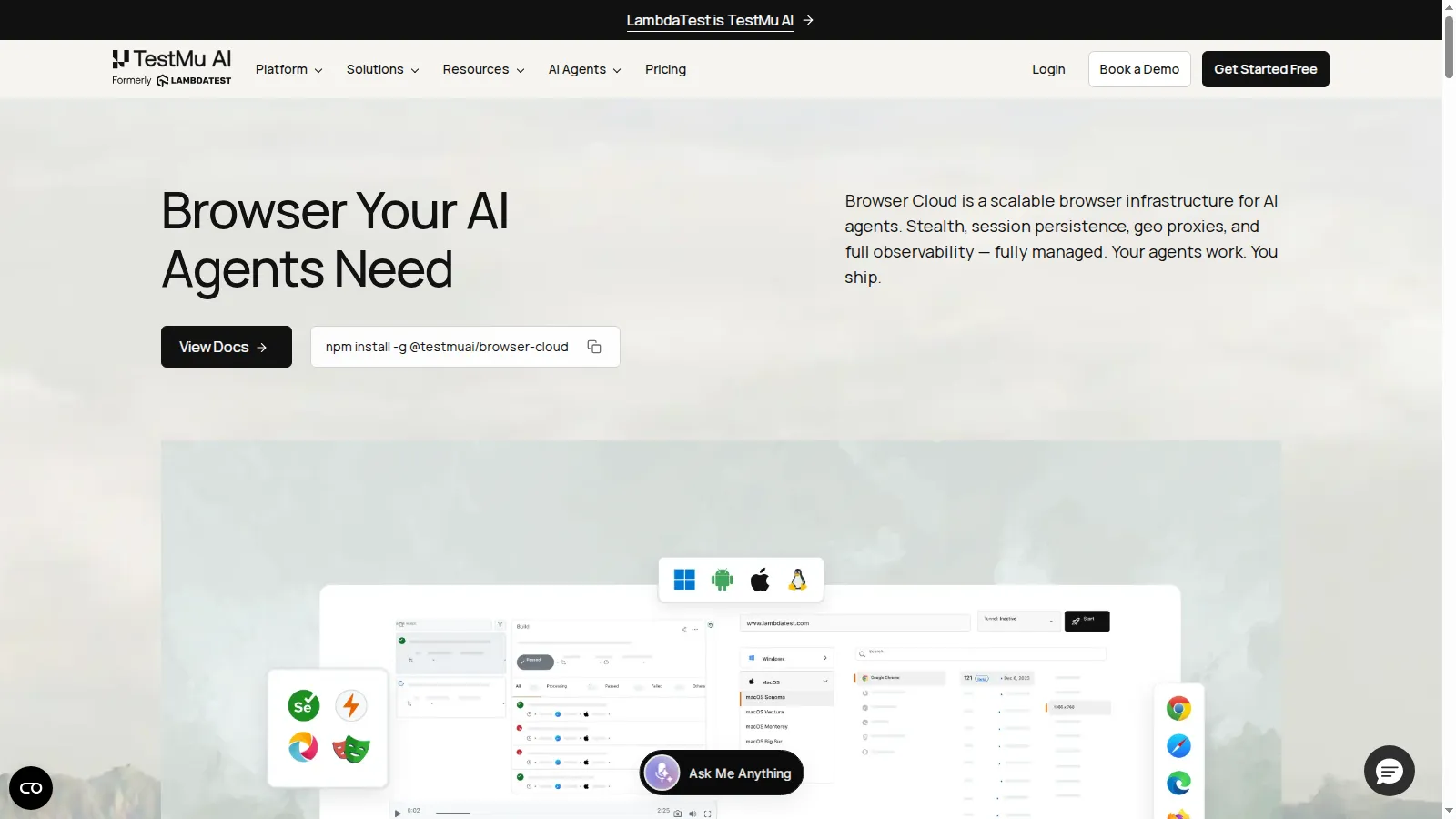

How to Test Agentic Search
Agentic search is non-deterministic: the same question can take different paths on different runs. That is why trust lags adoption; Zapier's survey found human-in-the-loop remains the most common management approach (38%), with only 20% of enterprises running agents autonomously with minimal oversight.
The fix is to test outcomes, not paths. Score the system against scenario suites on the dimensions that decide whether an answer can be trusted:
- Hallucination detection: Does every claim trace to something the agent actually retrieved?
- Completeness: Did the agent answer the whole question, or stop at the first plausible result?
- Context awareness: Does it carry earlier findings into later searches, or re-ask what it already knows?
- Root-cause understanding: Does it identify the real question behind the query before searching?
Running those checks manually across thousands of scenarios does not scale. TestMu AI's Agent Testing automates it with 15+ specialized AI testing agents that generate, execute, and score scenarios in parallel, measuring hallucinations, bias, completeness, and context awareness across chat, voice, and phone agents. For the wider discipline, see our guide to agentic AI testing.
Conclusion
Start with one workflow where a single search keeps failing you: a research task, a scattered-knowledge question, or a monitoring job on JavaScript-heavy pages. Wire an agent to run the plan-retrieve-evaluate-refine loop on it, and measure answer quality against what you get from one-shot search.
Then make agentic search production-grade: give the agent real browser infrastructure with Browser Cloud, and put its answers under continuous validation with Agent Testing. The getting-started docs take you from install to a live agent session in minutes.
Note: This article was researched and drafted with AI assistance, then reviewed, fact-checked, and published by Swapnil Biswas, Product Marketing Manager at TestMu AI, whose listed expertise includes software testing and automation testing. Every statistic, link, and product claim was verified against primary sources. Read our editorial process and AI use policy for details.
Author

Swapnil Biswas
Blogs: 8


Swapnil Biswas is a Product Marketing Manager at TestMu AI, leading product marketing for KaneAI and HyperExecute while orchestrating GTM campaigns and product launches. With 5+ years of experience in product marketing and growth strategy, he specializes in AI, SEO, and content marketing. Certified in Selenium, Cypress, Playwright, Appium, KaneAI, and Automation Testing, Swapnil brings hands-on expertise across web and mobile automation. He has authored 20+ technical blogs and 10+ high-ranking articles on CI/CD, API testing, and defect management, enabling 70K+ testers to improve automation maturity. His work earned him multiple awards, including Top Performer, Value of Agility, and Wall of Fame. Swapnil holds a PG Certificate in Digital Marketing & Growth Strategy from IIM Visakhapatnam and a BBA in Marketing from Amity University.
Reviewer

Harish Rajora
Reviewer
Harish Rajora is a Software Developer 2 at Oracle India with over 6 years of hands-on experience in Python and cross-platform application development across Windows, macOS, and Linux. He has authored 800 + technical articles published across reputed platforms. He has also worked on several large-scale projects, including GenAI applications, and contributed to core engineering teams responsible for designing and implementing features used by millions. Harish has worked extensively with Django, shell scripting, and has led DevOps initiatives, building CI/CD pipelines using Jenkins, AWS, GitLab, and GitHub. He has completed his post-graduation with an M.Tech in Software Engineering from the Indian Institute of Information Technology (IIIT) Allahabad. Over the years, he has emphasized the importance of planning, documentation, ER diagrams, and system design to write clean, scalable, and maintainable code beyond just implementation.


Agentic Search FAQs
Did you find this page helpful?
More Related Blogs
TestMu AI forEnterprise
Get access to solutions built on Enterprise
grade security, privacy, & compliance
- Advanced access controls
- Advanced data retention rules
- Advanced Local Testing
- Premium Support options
- Early access to beta features
- Private Slack Channel
- Unlimited Manual Accessibility DevTools Tests