
Power Your Software Testing with AI Agents and Cloud
The Native AI-Agentic Cloud Platform to Supercharge Quality Engineering. Test Intelligently and Ship Faster.


- TestMu AI (Formerly LambdaTest)
- /
- Use Cases
- /
- How to test an appointment scheduling agent before go-live
How to Test an Appointment Scheduling Agent Before Go-Live
Walk through the six checks that catch wrong times, double bookings, and silent write failures before a single real customer calls your scheduling agent.
Published on:
A 2026 systematic review in Healthcare pulled together 27 studies covering more than 13 million appointments and found that reported non-attendance ranged from roughly 5% to 31%. Every one of those empty slots was booked by someone, or something, that thought the booking was fine.
An AI scheduling agent can help shrink that number, or quietly make it worse. It books around the clock and never puts anyone on hold, but it can also get the day wrong, book the right time in the wrong time zone, or confirm a booking that never saved. The caller only finds out when they show up and nobody is expecting them.
In this walkthrough, we'll go through the six checks to run before go-live, in the order you'd actually run them. We'll use a clinic as the running example, but the same steps work just as well for salons, home services, and sales demo booking.
TL;DR
To test an appointment scheduling agent before go-live, compare every test conversation against the calendar record, not just the transcript. Cover relative dates, time zones, daylight saving days, busy and contested slots, failed writes, reschedules, cancellations, and reminders, then add concurrent callers and agree on a measurable go-live bar.
- Read-back before writing: A scheduling agent should read back the weekday, date, time, and time zone and get a yes before it creates, moves, or cancels an appointment.
- Daylight saving days: US daylight saving time in 2026 runs from March 8 to November 1, so 2:30 AM on March 8 does not exist in New York and 1:30 AM on November 1 happens twice.
- Time zone data: The IANA time zone database has shipped four releases in 2026, including permanent offset changes for British Columbia, Alberta, and Morocco, so scheduling systems need current tzdata.
- UTC availability: Google Calendar's freeBusy query returns UTC unless a time zone is set, so a scheduling agent can read slots aloud at the wrong local time.
- Double booking: When several callers try to book the last open slot at once, exactly one should get a confirmation and the rest should get an alternative time.
- Voicemail privacy: HHS HIPAA guidance suggests a healthcare appointment message on an answering machine include only the practice name, a callback number, and details needed to confirm.
- Phone-level testing: TestMu AI Agent Testing calls a scheduling agent's real phone number with simulated callers and scores each call on 30+ phone call metrics.
What Does a Scheduling Agent Actually Do?
To the caller, a booking feels like one sentence. Behind the scenes, though, the agent runs a short pipeline, and each stage can fail in its own way:
- Understand the request - new booking, reschedule, cancellation, or a question about an existing appointment. Mixing these up is how the wrong visit gets moved.
- Resolve the time - turn "next Tuesday after work" into an exact date, time, and time zone. Most wrong bookings start here.
- Check availability - query the calendar or practice system for open slots that also fit the business rules.
- Confirm - read the slot back to the caller and wait for a clear yes.
- Write - create, move, or delete the event, and handle the case where that call fails.
- Follow up - send the confirmation and reminders, and release the slot if the caller cancels.
A transcript can look perfect even when stage five failed, which is why every check below compares the conversation with what actually landed in the calendar. If you run a voice or phone agent, our voice agent evaluation guide covers the audio-side basics this walkthrough assumes. For a step-by-step plan, from the test contract to load testing, see how to test a voice agent.
Step 1: Write Down the Booking Contract
You can't call a booking right or wrong until someone has written down what "right" means, so start by getting the rules out of your front-desk team's heads and into a short document. For a clinic, it usually covers opening hours and holidays, appointment lengths by visit type, which providers see which patients, buffers between visits, and how far ahead people can book.
Next, add the promises the agent makes on every call, because these become the assertions in every scenario:
- It reads back the weekday, date, time, and time zone, and waits for a yes, before any write.
- It says "you're booked" only after the calendar confirms the write.
- It never offers a slot outside the business rules, even when the calendar shows it as free.
- It identifies the caller's existing appointment before moving or cancelling anything.
- It hands over to a person when it can't find a slot that works, rather than looping.
If callers have to prove who they are before the agent can open their appointments, test that gate on its own. Our identity verification agent use case covers it in detail.
Step 2: Test How the Agent Understands Dates and Times
Start with language. Callers rarely give an exact date, so pin "today" in your test fixtures and try the kinds of phrases that tend to trip agents up:
- "Next Tuesday," said on a Tuesday, and again on a Sunday.
- "The first week of next month" on the last day of a month, and on December 31.
- "Any morning except Friday" and "after 5, I work till 4:30."
- A caller who says "the 12th" when the 12th is a Sunday and the clinic is closed.
Once the language holds up, test the clock itself, because it fails far more quietly. NIST confirms that in 2026, US daylight saving time runs from March 8 to November 1, and that Hawaii and most of Arizona don't observe it at all. That leaves you with two tricky days every year:
- Spring forward - 2:30 AM on March 8 simply doesn't exist in New York. The iCalendar standard, RFC 5545, reads that time using the offset from before the gap, so it lands at 3:30 AM instead. Your agent should flag the time rather than quietly store something the caller never agreed to.
- Fall back - 1:30 AM on November 1 happens twice, and RFC 5545 picks the first one. Check that reminders scheduled in that hour fire exactly once.
To make this concrete, we turned these edge cases into a small script you can adapt for whatever backend resolves your slots. Here's the script, followed by the output from our run:
// tz-check.mjs - slot checks a scheduling backend must pass (Node.js 24, no libraries)
const fmt = (d, tz) => new Intl.DateTimeFormat('en-US', { timeZone: tz, month: 'short',
  day: 'numeric', hour: 'numeric', minute: '2-digit', timeZoneName: 'short' }).format(d);

// Does a wall-clock time exist in a zone? Try every offset from -14h to +14h in 15-minute steps.
function wallClockExists(y, m, d, hh, mm, tz) {
  for (let off = -14 * 60; off <= 14 * 60; off += 15) {
    const t = new Date(Date.UTC(y, m - 1, d, hh, mm) - off * 60000);
    const p = Object.fromEntries(new Intl.DateTimeFormat('en-US', { timeZone: tz, hourCycle: 'h23',
      year: 'numeric', month: 'numeric', day: 'numeric', hour: 'numeric', minute: 'numeric' })
      .formatToParts(t).map(x => [x.type, x.value]));
    if (+p.year === y && +p.month === m && +p.day === d && +p.hour === hh && +p.minute === mm) return true;
  }
  return false;
}

console.log('1. 2:30 AM on 2026-03-08 exists in America/New_York?', wallClockExists(2026, 3, 8, 2, 30, 'America/New_York'));
console.log('2. 2:30 AM on 2026-03-09 exists in America/New_York?', wallClockExists(2026, 3, 9, 2, 30, 'America/New_York'));

const call = new Date('2026-03-20T14:00:00Z');
console.log('3. Same instant, 2026-03-20 14:00 UTC:');
for (const tz of ['America/New_York', 'Europe/London', 'Asia/Kolkata', 'Asia/Kathmandu']) console.log('  ', tz, '->', fmt(call, tz));

console.log('4. Two different instants, one local label on 2026-11-01:');
for (const iso of ['2026-11-01T05:30:00Z', '2026-11-01T06:30:00Z']) console.log('  ', iso, '->', fmt(new Date(iso), 'America/New_York'));
$ node tz-check.mjs
1. 2:30 AM on 2026-03-08 exists in America/New_York? false
2. 2:30 AM on 2026-03-09 exists in America/New_York? true
3. Same instant, 2026-03-20 14:00 UTC:
America/New_York -> Mar 20, 10:00 AM EDT
Europe/London -> Mar 20, 2:00 PM GMT
Asia/Kolkata -> Mar 20, 7:30 PM GMT+5:30
Asia/Kathmandu -> Mar 20, 7:45 PM GMT+5:45
4. Two different instants, one local label on 2026-11-01:
2026-11-01T05:30:00Z -> Nov 1, 1:30 AM EDT
2026-11-01T06:30:00Z -> Nov 1, 1:30 AM ESTLines 3 and 4 are worth a closer look. On March 20, New York is only four hours behind London because the US has already switched clocks and the UK hasn't, so a "same time as usual" demo call quietly drifts by an hour. Kolkata and Kathmandu sit at +5:30 and +5:45, which breaks any code that assumes whole-hour offsets, and on November 1, two different moments both print as "1:30 AM."
On top of that, time zone rules keep changing. The IANA tz database release notes list four releases so far in 2026. In that time, British Columbia moved to permanent -07, Alberta and the Northwest Territories moved to permanent -06, and Morocco moves to permanent +00 on September 20. If any layer behind a Calgary clinic still runs old tzdata, its bookings can show the wrong hour, so it's worth checking the version in your runtime, database, and telephony provider.
Step 3: Test Availability Lookups and the Calendar Write
Next, test the tool calls. This is where a booking stops being words and becomes a real record, and calendar APIs come with defaults that catch people out. Google Calendar's freeBusy query returns times in UTC unless you pass a time zone, and its Events reference notes that an event marked "transparent" does not block time on the calendar.
Each of those defaults deserves its own scenario, alongside the failures every booking system eventually hits:
| Scenario | How to set it up | What should happen |
|---|---|---|
| UTC read aloud | Return availability in UTC to a clinic in Denver | Agent offers the correct local times |
| Hidden hold | Add a tentative hold marked as not blocking time | Agent doesn't double-book the held slot |
| Stale slot | Book the slot from another channel mid-call | Write is rejected and the caller hears a new option |
| Failed write | Make the create call time out or return an error | Agent never says "you're booked" |
| Retry after timeout | Let the first write succeed but lose the response | One event in the calendar, not two |
| Recurring visit | Book a weekly series that crosses March 8 | Series keeps its local time and includes a named time zone |
For the recurring case, check the request payload as well. Google's Events reference requires a named time zone for recurring events, so a bare offset like -05:00 should fail your test even if the API happens to accept it.
The hardest failure in this table to catch is the booking that never saved, because the agent's own summary sounds perfectly confident. That's the problem Agent Assurance from TestMu AI focuses on for agents that act. It runs the agent for real, watches the files, artifacts, and tool calls it produces, and grades each result against what actually changed rather than what the agent said, so a "you're all set" with no calendar write behind it fails the test.

Note: TestMu AI Agent Testing wires a real-time voice agent's tool calls to the test runner, so you can check what the agent tried to book without writing to a production calendar. Start testing free
Step 4: Test Reschedules, Cancellations, and Reminders
Changes are harder than bookings because the agent has to find the right existing appointment first. The review we opened with lists prior no-shows and long gaps between booking and visit among the predictors of missed appointments, and it points to reminders as one of the fixes, so it's worth testing the whole loop:
- Wrong appointment - a caller with two upcoming visits says "move my appointment." The agent should ask which one.
- Freed slot - after a cancellation, the slot should show as open to the next caller within the same test run.
- Reschedule atomicity - if booking the new slot fails, the original appointment should still exist.
- Reminder replies - "cancel," "can I do an hour later?" and silence each need a defined outcome.
- Late cancellations - the agent should state your policy accurately, without inventing fees.
If you're in healthcare, there's one more privacy check to add. HHS guidance on appointment messages says providers may leave messages on answering machines, but should limit what they disclose, for example leaving only the practice name, a callback number, and the information needed to confirm. Script a call that goes to voicemail and one where a family member picks up, then check exactly what the agent says in each. Our look at conversational AI in healthcare covers more of the clinical context.
Patient privacy is one of several risk areas to clear before go-live, and the guide on how to test AI agents in healthcare walks through each.
Step 5: Put Real-Sounding Callers and Real Load on It
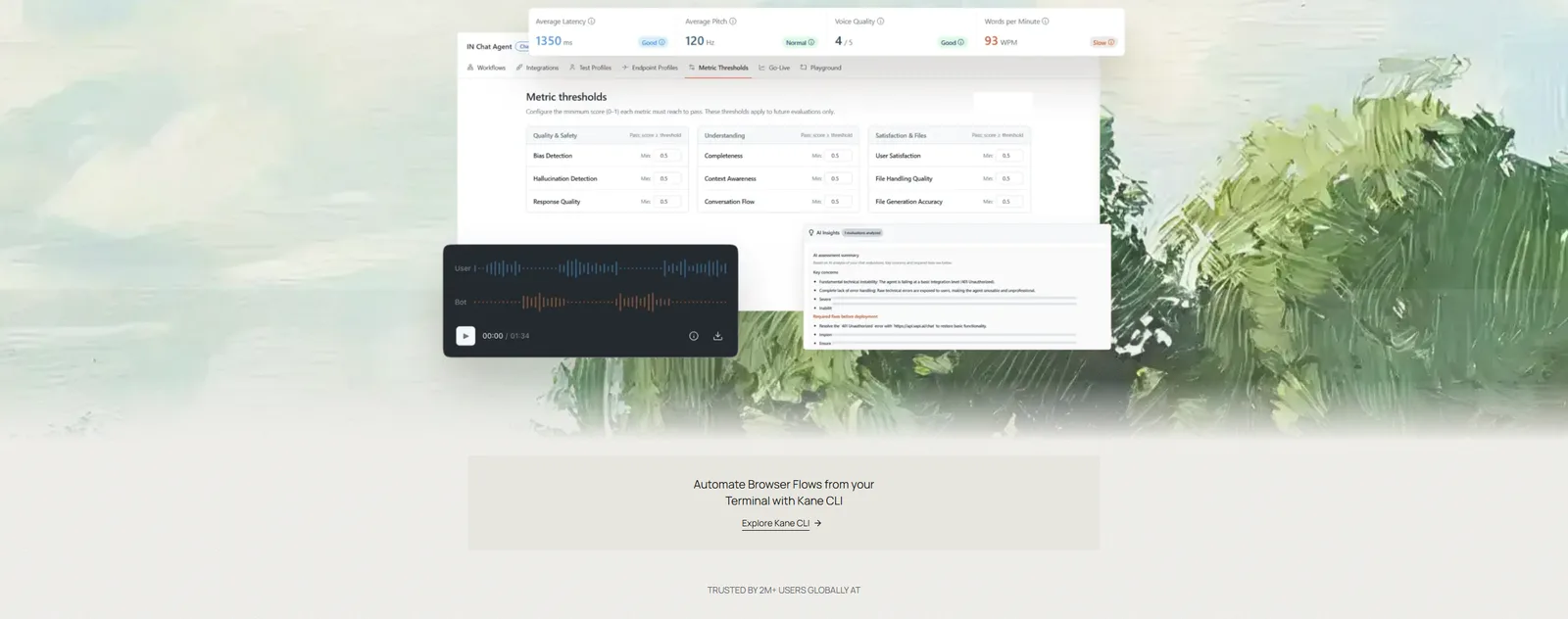
A scheduling agent that only works for a clear speaker in a quiet room isn't really ready yet. TestMu AI Agent Testing dials your agent's real phone number or SIP endpoint and holds full conversations with simulated callers, so the test goes through the same telephony path your patients use. For a scheduling agent, that gives you:
- Matrix runs - one scenario expands across voices, background noise, personas, and repeat iterations, so you see how "book me for the 15th" holds up from a café or a car.
- Caller variety - 200+ voice profiles, 50+ accents, and personas such as Confused Customer, Impatient User, and Digital Novice.
- Call-level scoring - 30+ phone call metrics, including task completion rate, intent recognition accuracy, and escalation quality.
- Handoff handling - a per-scenario "Needs Human Transfer" setting keeps the simulator on the line while the call moves to front-desk staff.
Then add concurrency. Having several callers go after the last Saturday slot at the same moment is the cleanest double-booking test there is, and you want exactly one confirmation with a clear alternative for everyone else. By default, phone suites run up to 5 calls in parallel, and the cap can be raised to 50 per organization.
Load testing also puts pressure on the calendar itself. Google Calendar's usage limits allow 600 requests per minute per user per project, measured on a sliding window, and over-quota calls get a 403 or 429 response. Push past that on purpose, and confirm the agent backs off and tells the caller the truth instead of confirming a booking that never saved.
Once your suite is ready, you can run it straight from your pipeline. The Agent Testing CLI guide documents the phone caller command, and --wait holds the job until the verdict is ready:
pip install agent-testing-cli

agent-testing-cli --project PROJECT_ID run \
  --suite SUITE_ID \
  --yes \
  --wait \
  --poll 5 \
  --timeout 1800
Because a phone suite places real calls, the CLI asks for confirmation before it runs, and --yes skips that prompt in CI. If a run hits the timeout it exits with code 5, so give larger suites enough time to finish.

Step 6: Decide What "Ready for Go-Live" Means
Write the bar down before the final run, and make sure every line is something a test can actually check. Here's a practical bar for a scheduling agent:
- Every confirmed booking in the test run matches a calendar event with the same date, time, zone, and visit type.
- Zero "you're booked" confirmations after a failed or timed-out write.
- Zero double bookings under concurrent callers, and zero duplicate events from retries.
- Daylight saving days, non-whole-hour offsets, and the US and Europe mismatch weeks all pass.
- The tzdata version is recorded for each layer, with a plan to rerun the time suite on every new release.
- Reschedules never lose the original appointment, and cancellations free the slot.
- Voicemail and family-member messages stay within your privacy policy.
- A Green verdict with high confidence, across the accents and noise conditions your callers actually bring.
If you only have a day, start with Step 2: put March 8, November 1, and a caller in Kathmandu into your fixtures, and see what your agent books. Once it's live, keep the suite running on every prompt or model change, as our guide to AI voice agent regression testing describes, and browse the use cases directory for the next workflow to cover.
Author

Samyak Goyal
Blogs: 34

Samyak Goyal is a Senior Member of Technical Staff at TestMu AI engineering Kane CLI, the command-line tool that runs browser automation from the terminal, where a flow described in natural language executes in a real Chrome browser and returns pass or fail with shareable proof. He is a backend engineer with 4+ years of experience, previously an SDE at Innovaccer, where he built APIs, introduced Kafka, and cut deployment from weeks to hours. Samyak also builds multi-agent systems, skill-orchestration frameworks, and a personal copilot that indexes 200+ microservice repositories.


Scheduling Agent Testing FAQs
Did you find this page helpful?

TestMu AI forEnterprise
Get access to solutions built on Enterprise
grade security, privacy, & compliance
- Advanced access controls
- Advanced data retention rules
- Advanced Local Testing
- Premium Support options
- Early access to beta features
- Private Slack Channel
- Unlimited Manual Accessibility DevTools Tests